TaleBoard - Advanced Scoreboard
- By

A clean, fully configurable scoreboard. Build it in game with a live visual editor, easiest installation for PNG icons, PlaceholderAPI support and per world scoreboards.
TaleBoard
The Scoreboard for Hytale
In Game Visual Editor | PNG Icons | PlaceholderAPI | Per World Boards
Framed Group Panels | Live Preview | Auto Sizing | Language Keys Support | Live Reload
Hytale has no built in scoreboard. TaleBoard adds a clean, fully configurable sidebar that shows whatever you want, however you want it, and you can build the whole thing in game without ever touching a config file.
This mod is for Hytale Update 6. For Update 5, use versions older than 1.1.0!
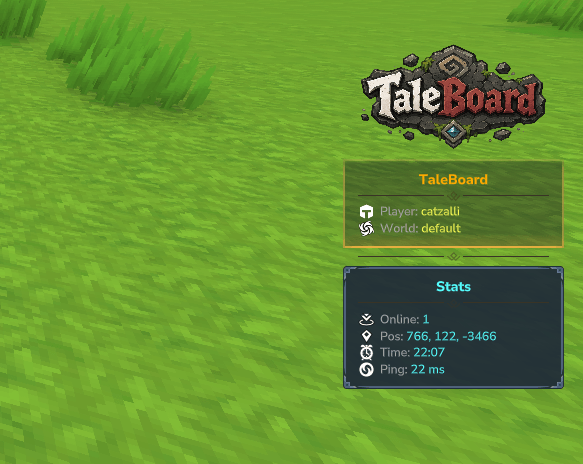
Overview
TaleBoard is a fully configurable sidebar scoreboard built for Hytale servers:
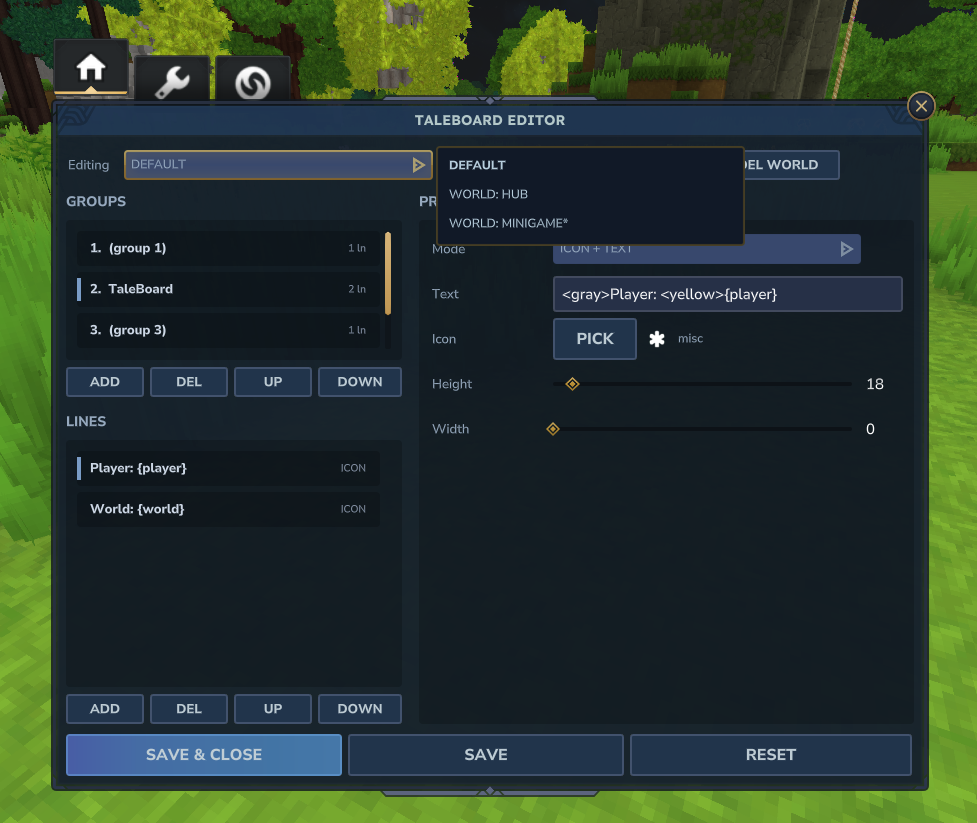
- Build it in game: a full visual editor with live preview, an icon picker and sliders, no JSON required.
- Show anything: player info, coordinates, time, online count, balances, ranks, your own text and links.
- Looks great out of the box: each group sits in its own rounded framed panel with a fancy separator between them.
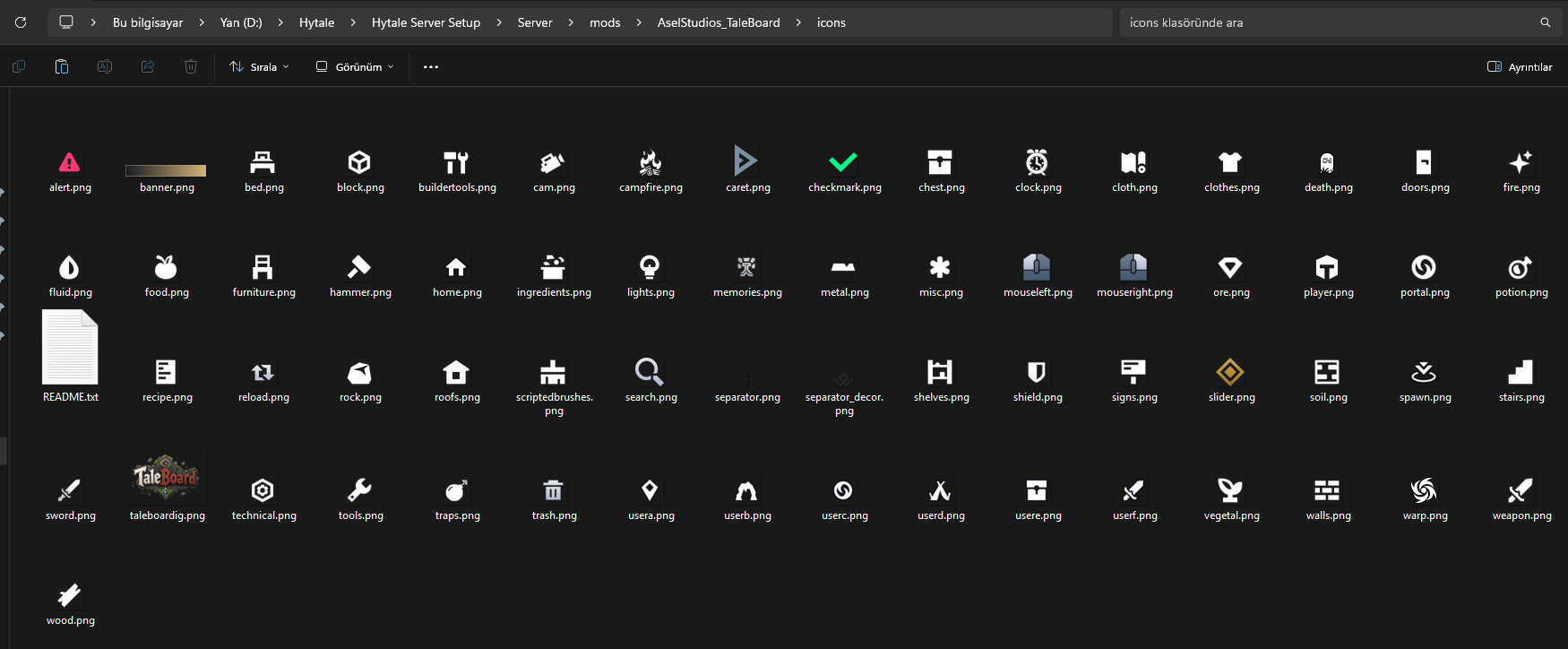
- PNG icons on your lines: a bundled icon set plus any custom PNGs you drop in.
- Per world boards: a different scoreboard per world, with wildcard world names for randomly named worlds.
- Plays well with PlaceholderAPI: pull data from your other plugins straight onto the board.
- Language keys supported: both native and custom language keys can be set at scoreboard.
Key Features
In Game Visual Editor
- Open it with
/board editorand build your whole scoreboard point and click, no config files needed - Organized into three clean tabs: Layout, Board Settings and Worlds
- Live preview: your real scoreboard updates on screen as you edit, so you see every change instantly
- Add, remove and edit groups and lines, set each line's mode, text, height and width
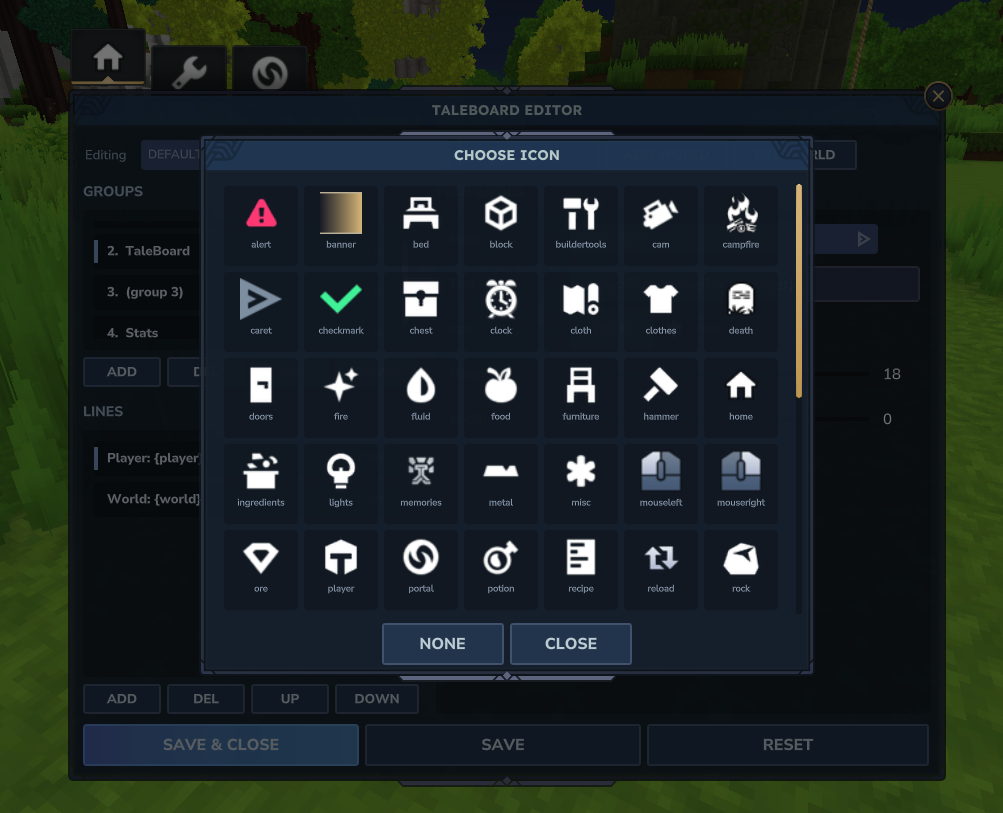
- Visual icon picker: browse the whole icon set in a grid and click the one you want
- Sliders for spacing, panel border and sizes, plus color and frame pickers
- Manage your per world boards right from the Worlds workflow
- Hit Save and TaleBoard writes the config and reloads it for you
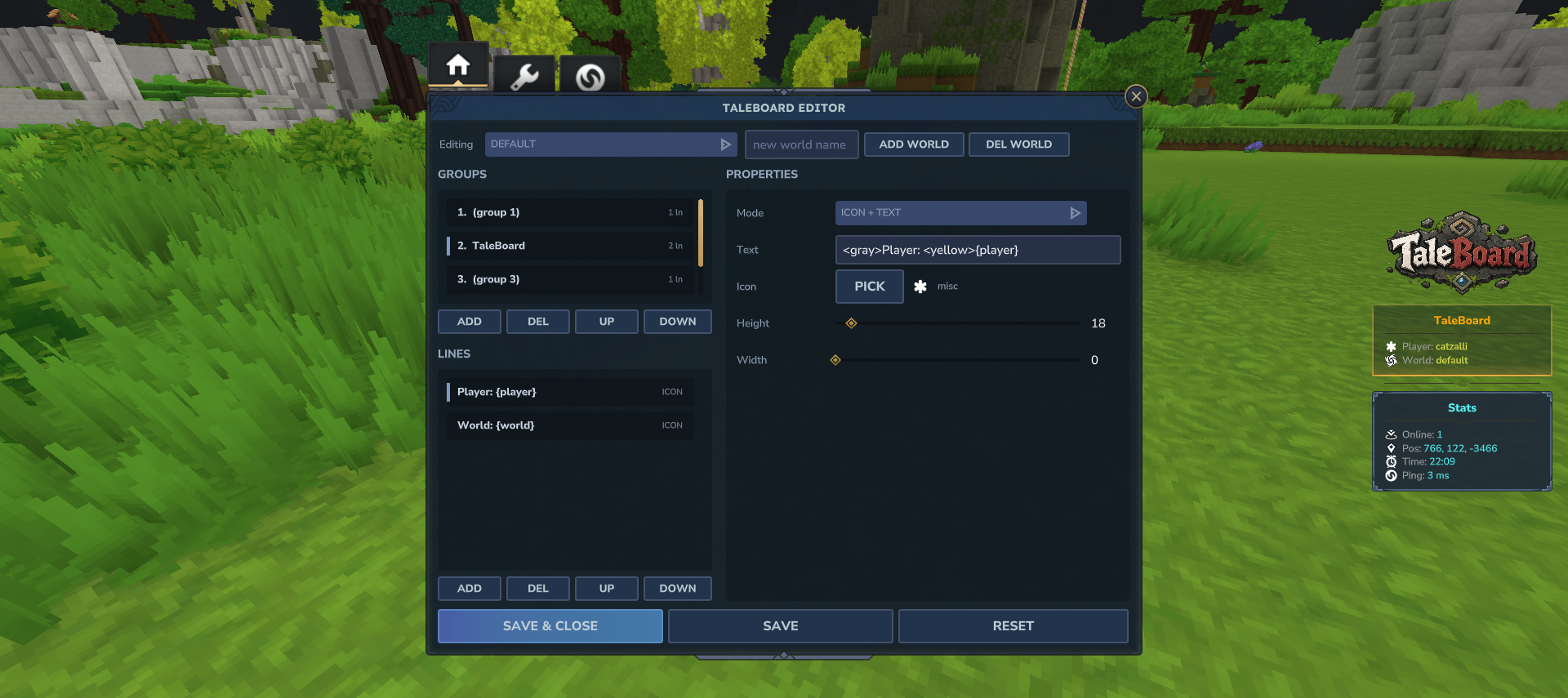
Fully Config Driven Layout
- Prefer files? Title, groups and lines are all defined in the config too, no coding needed
- Each group renders as its own rounded, framed panel with its own optional title, title icon and frame
- Optional fancy separator you can place between groups or inside one
- The board auto sizes its width to your content and stays vertically centered on every resolution
- Configurable panel frame, border, screen position, update interval and colors
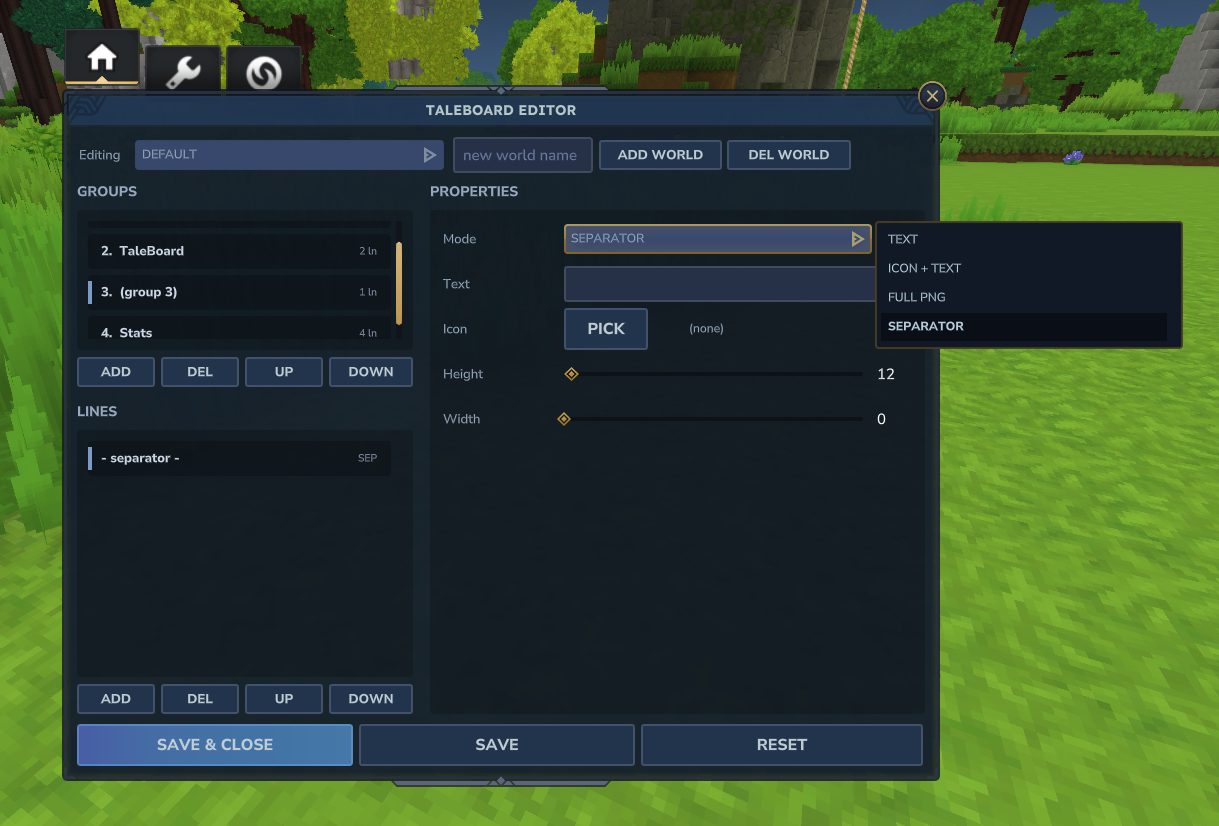
Four Line Styles
- Text: a normal colored text line
- Icon + Text: a small icon at the start of the line, then your text
- Full PNG: a full width image line, perfect for a banner or logo
- Separator: a fancy divider line with a center ornament, place it anywhere
PNG Icons
- Comes with a large ready to use icon set from Hytale assets: player, world, online, search, health, weapon, armor and many more
- Reference a bundled icon by name, or drop your own PNG into the icons folder and use that
- Drop in your own panel frames the same way, in the frames folder
- New or changed icons are updated instantly, no restart needed
- Icons are sent to players automatically
PlaceholderAPI Support
- Supports both
%placeholder%and{placeholder}styles - Drop in balances, ranks, stats, kills, playtime, anything an expansion provides
- Fully optional, built in placeholders work on their own with no PlaceholderAPI installed
Built In Placeholders
{player}player name{ping}player ping with ms{world}current world{online}players online{x} {y} {z}player position{time}and{date}{uuid}player UUID
Per World Scoreboards
- Give each world its own board, or let every world share the default
- Wildcard world names:
minigame*matchesminigame_151524and every other randomly named minigame world - Patterns like
lobbyorgame*are supported too - Exact world names always win over wildcards, and unknown worlds simply fall back to the default board
- Switch between the default board and any world board right inside the editor
Per Player Toggle
- Players turn their own scoreboard on or off, and the choice is saved automatically
- Admins can show or hide the board for any player
- Server owners set the default for new players
Live Reload
- Edit in the in game editor and Save, or edit the files and run [ICODE]/board reload[/ICODE], everything applies without a restart
- A bad config edit never takes the board down, the last working setup keeps running until you fix it
Commands and Permissions
Player Commands
Permission: taleboard.use
- /board = Toggle your own scoreboard. (aliases: /sb, /tb, /scoreboard)
- /board on = Show your scoreboard
- /board off = Hide your scoreboard
- /board toggle = Toggle your scoreboard
Admin Commands
Permission: taleboard.admin
- /board editor = Open the in game visual editor (alias: /board ed)
- /board reload = Reload the config, messages and icons
- /board show = Show the scoreboard for a player
- /board hide = Hide the scoreboard for a player
Pairs Perfectly With
- PlaceholderAPI (WiFlow or HelpChat): put a player's balance, rank, stats, playtime or anything else from your other plugins right on the scoreboard.
PlaceholderAPI is optional. TaleBoard detects it on its own and uses it when present. Without it, the built in placeholders and your own text still work perfectly.
Installation
- Drop TaleBoard.jar into your server's mods folder.
- Optional: add PlaceholderAPI to use external placeholders.
- Start the server to create TaleBoard.json, messages.json and the icons folder.
- Run /board editor in game to build your board point and click, or edit TaleBoard.json by hand.
- Optional: drop your own PNG icons into the icons folder, or panel frames into the frames folder.
- Hit Save in the editor, to apply changes without restarting.
The TaleBoard - Advanced Scoreboard Team