[MGG] Recipe Tweaks
- By
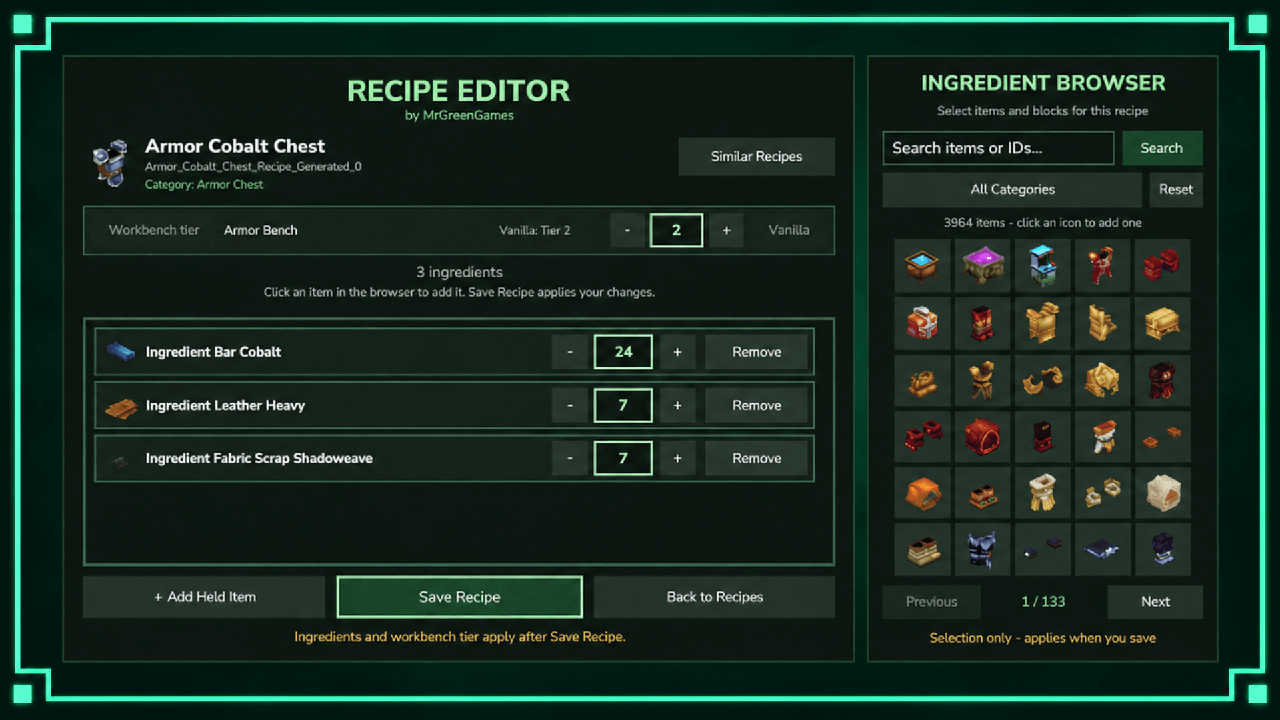
Recipe Tweaks lets admins search, browse, edit, and reset Hytale crafting recipes in-game with category filtering, pagination, persistence, and instant client sync. Open the GUI with /recipe or /recipes.
Description
Features
- In-Game Recipe Editor — Customize supported crafting recipes directly through an intuitive GUI without editing configuration files.
- Editable Ingredients — Change crafting ingredients and required quantities for individual recipes.
- Search & Categories — Quickly locate recipes using text search, category browsing, and pagination.
- Persistent Recipe Changes — Saved recipe overrides are automatically restored when the server starts.
- Instant Client Sync — Recipe changes are immediately synchronized with connected players.
- Individual Recipe Reset — Restore modified recipes to their original vanilla ingredients and quantities.
- Reset All Recipes — Remove all saved recipe overrides through a confirmation screen.
- Similar Recipes — Quickly navigate between recipes within the same crafting category.
- Admin Settings GUI — Includes category controls, status indicators, and native Hytale UI sounds.
How to Use
Use /recipe or /recipes to open the Recipe Tweaks menu.
Browse or search for a crafting recipe, select it, and customize its ingredients and required quantities.
Save your changes to immediately update the recipe for connected players.
Individual recipes can be restored to their original values, or use Reset All to clear every saved override after confirmation.
Access requires server administrator permissions or mgg.recipetweaks.admin.
Installation
- Place the plugin .jar inside: AppData\Roaming\Hytale\UserData\Mods
- Enable the mod inside of your world settings.
- Start or restart the server/world.
Use /recipe or /recipes to open the editor.
Important Notes
- Saved recipe overrides persist across server restarts.
- Changes to recipes are synchronized with connected players immediately.
- Individual recipes can be restored to their original vanilla values.
- Reset All requires confirmation before clearing all saved recipe overrides.
Support & Usage
If you encounter an issue, please include your Hytale log and relevant config.yml settings when reporting it.
Consider following MrGreenGames if you enjoy this mod! 💚
🟢 Feel free to use this mod in your modpacks and videos!
If you feature the mod in a video or showcase, linking back to the original mod page in your description is greatly appreciated, but not required.
🔴 Please do not redistribute or repurpose the mod.
You may not reupload the mod to other websites, launchers, or platforms, nor reuse its models, textures, data, or other assets in separate projects.
Do not place the mod behind ad-based or redirect services such as AdFly, and do not sell the mod or include it in any paid modpack.
💚 This mod is intended to remain free and accessible to everyone.

[MGG] Recipe Tweaks Team