[MGG] Open Voice
- By
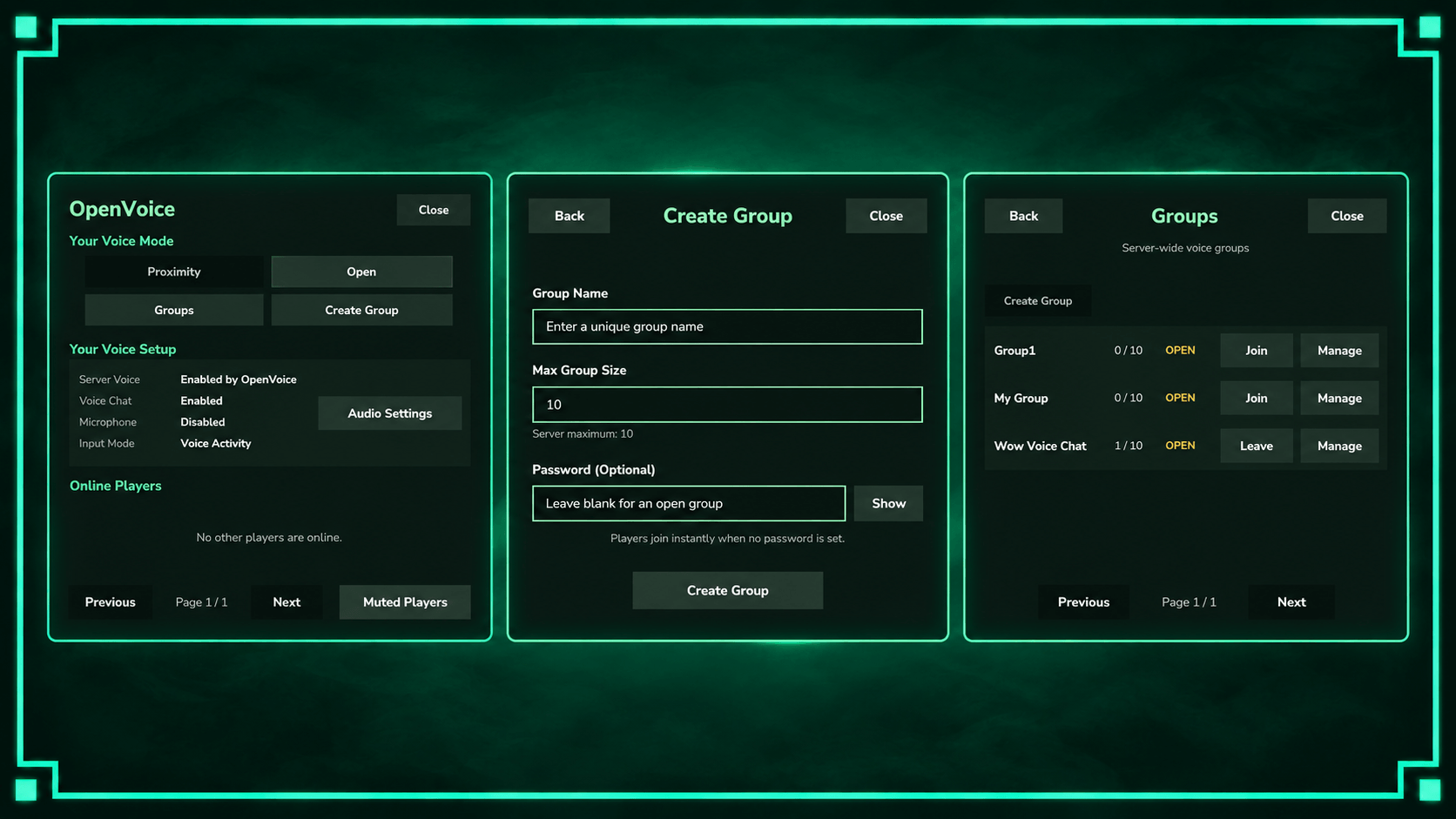
OpenVoice adds server-wide Open voice alongside Hytale proximity chat, with mode switching, mute controls, saved preferences, and voice status. Use /openvoice to open the menu. Server-side only, no client mod required.
Description
Features
- Proximity Voice Chat — Communicate with nearby players using Hytale’s normal voice range.
- Open Voice Chat — Talk to other Open players anywhere on the server, plus Proximity players within range.
- Private Voice Groups — Create or join isolated groups with optional password protection and password-attempt limits.
- Group Management — Owners can manage connected players through the GUI.
- Automatic Voice Restoration — Leaving a group restores your previous voice mode.
- Player Muting — Mute and manage individual players directly through the GUI.
- Persistent Preferences — Voice modes, muted players and overlay positions are saved per player.
- Talking-Player Display — See player portraits and names beside your voice-mode badge. Choose four corner positions or turn the display Off.
- Voice Status Display — View your Voice Chat, Microphone and Input Mode settings.
- Server-Side Functionality — No additional client mod required.
How to Use
Open the OpenVoice menu using /openvoice or /voicechat.
Choose Proximity or Open, create or join private groups, and manage personal mutes through the GUI.
Use Voice Overlay to move or hide the talking-player display.
Leaving a group automatically restores your previous voice mode.
Configuration
Server options are managed through OpenVoice.json.
Player voice, mute and overlay preferences are saved automatically. Existing settings remain compatible when updating.
Installation
1. Place the plugin .jar inside AppData\Roaming\Hytale\UserData\Mods.
2. Enable the mod in your world settings.
3. Start or restart the server/world.
When updating, replace the previous JAR and keep only one OpenVoice version installed.
No additional client mod is required.
Important Notes
- Open and Proximity players can hear each other within proximity range. Groups remain private to their members.
- Microphone and input settings are controlled by Hytale. Change them through Esc → Settings → Audio.
- Overhead voice indicators have been removed for stability.
- Compatibility with other voice-routing plugins should be tested before use.
Support & Usage
When reporting an issue, include your Hytale log and relevant OpenVoice.json settings.
Consider following MrGreenGames if you enjoy this mod! 💚
🟢 Feel free to use this mod in your modpacks and videos!
If you feature the mod in a video or showcase, linking back to the original mod page is greatly appreciated, but not required.
🔴 Please do not redistribute or repurpose the mod.
You may not reupload the mod to other websites, launchers or platforms, nor reuse its models, textures, data or other assets in separate projects.
Do not place the mod behind ad-based or redirect services such as AdFly, sell the mod, or include it in any paid modpack.
💚 This mod is intended to remain free and accessible to everyone.
[MGG] Open Voice Team