Player Range Finder
- By
Check how far away other players are, get their direction, and track them with a live compass arrow - all without needing line of sight.
PlayerRangeFinderThumb1.png
PRFMedia1.jpg
PRFMedia2.jpg
PRFMedia3.jpg
Description

Player Range Finder
Check how far away other players are, get their direction, and track them with a live compass arrow - all without needing line of sight.
What It Does
Player Range Finder gives you tools to locate other players on your server. Aim at someone to see their distance, run a command to get a full breakdown, or enable a persistent direction arrow that points you toward a specific player in real-time.
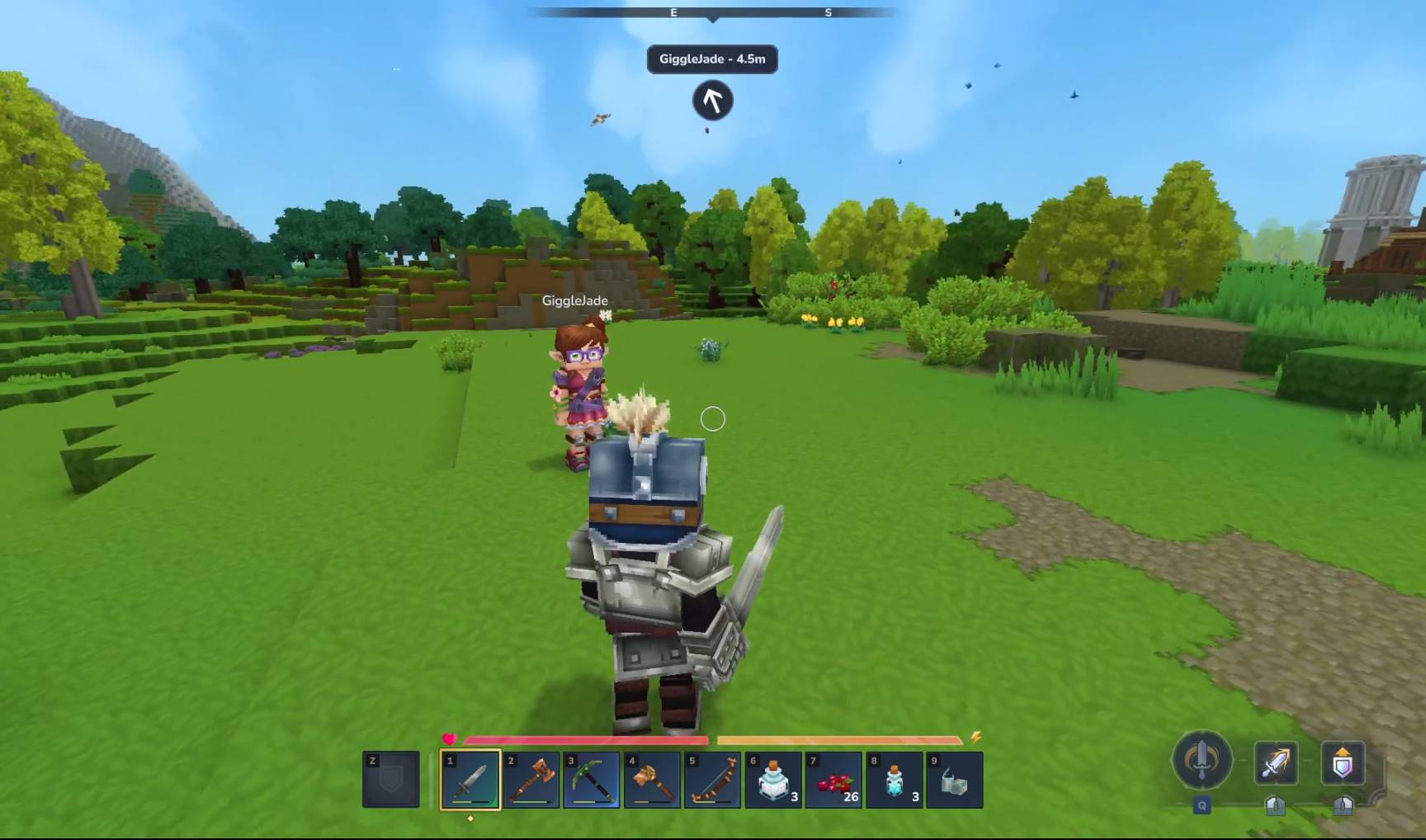
- Distance Tooltip: Aim at any player to see how many meters away they are (auto-shows as a HUD element)
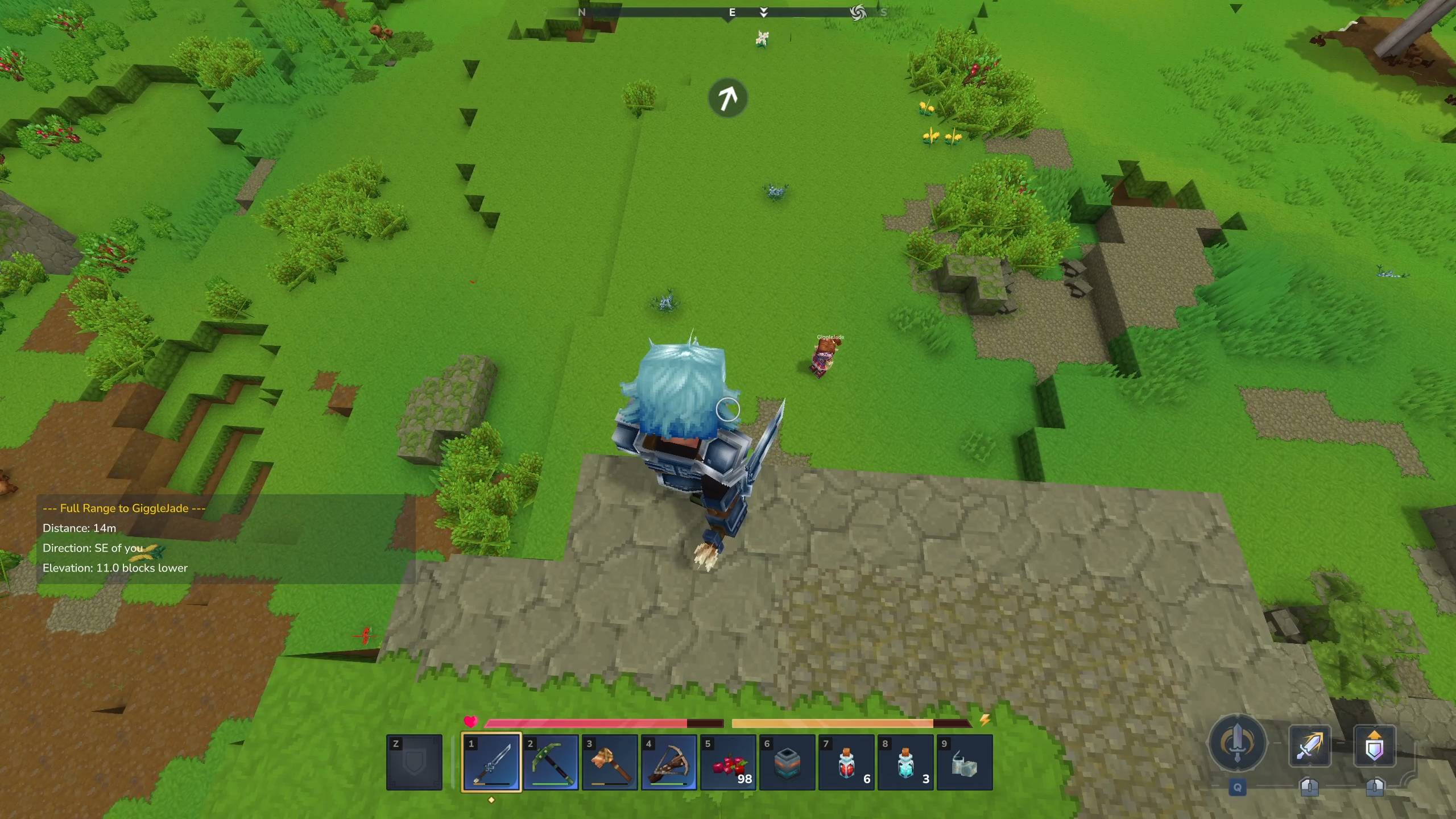
- Full Range Check: Get distance, compass direction, and height difference with one command
- Direction Arrow: A rotating arrow HUD that always points toward your tracked player, using 16 compass directions relative to YOUR camera (not world north)
- Entity Highlight: Automatic glow effect on entities you're aiming at, with customizable color, strength, duration, and mode
- Interactive Settings GUI: Full visual settings menu with navigation between Display, Highlight, and Privacy pages - no commands needed
- Privacy System: Block specific players from tracking you, or deny everyone and whitelist only friends
- Solo Testing: NPC direction test mode so you can try the arrow without needing another player online
Distance Tooltip
When you aim at another player, a floating tooltip appears showing their name and distance in meters. This works automatically - just look at someone.
Customizable per-player:
- Background and text opacity (0-100%)
- Text color (any hex color)
- Position on screen (pixel-precise alignment or preset positions)
- Fade animations on/off
Direction Arrow
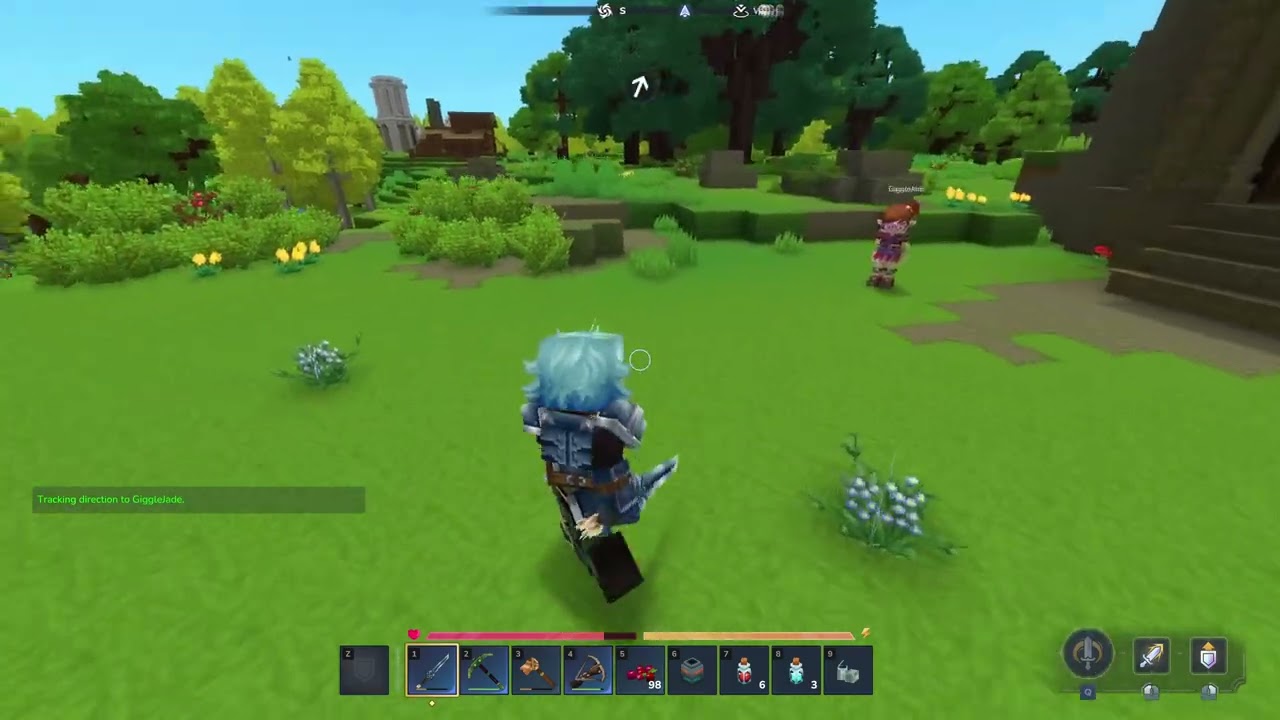
Track a specific player with a persistent arrow that rotates to show their direction relative to where you're looking. The arrow snaps to 16 compass directions (N, NNE, NE, ENE, E, etc.) based on YOUR camera angle, not world coordinates.
How it works:
- Run
/rangef <player> dirto start tracking - An arrow HUD appears showing which direction to look
- The arrow updates every 250ms as you and the target move
- Run
/rangef dir offto stop
Switching targets: If you try to track a new player while already tracking someone, a confirmation UI pops up asking "Already tracking [current]. Switch to [new]?" with Switch and Cancel buttons. Enable auto-switch mode to skip this dialog.
Customizable:
- Arrow position (pixel-precise alignment)
- Arrow background on/off with adjustable opacity
- Arrow display on/off (keeps tracking state, just hides the visual)
Entity Highlight
Entities you aim at get a colored glow effect. Works on players and NPCs.
- ONCE mode: Single pulse when you aim at something, then fades (good for quick identification)
- LOOP mode: Persistent glow as long as you're looking at the entity
- 12 colors: white, red, orange, yellow, lime, green, cyan, blue, purple, magenta, pink, gray
- Adjustable strength: 0.1 to 1.0 (glow thickness)
- Adjustable duration: 0.2s to 3.0s (sweep speed)
- Cooldowns: Separate cooldown timers for ONCE and LOOP modes (0-20s each)
Settings GUI
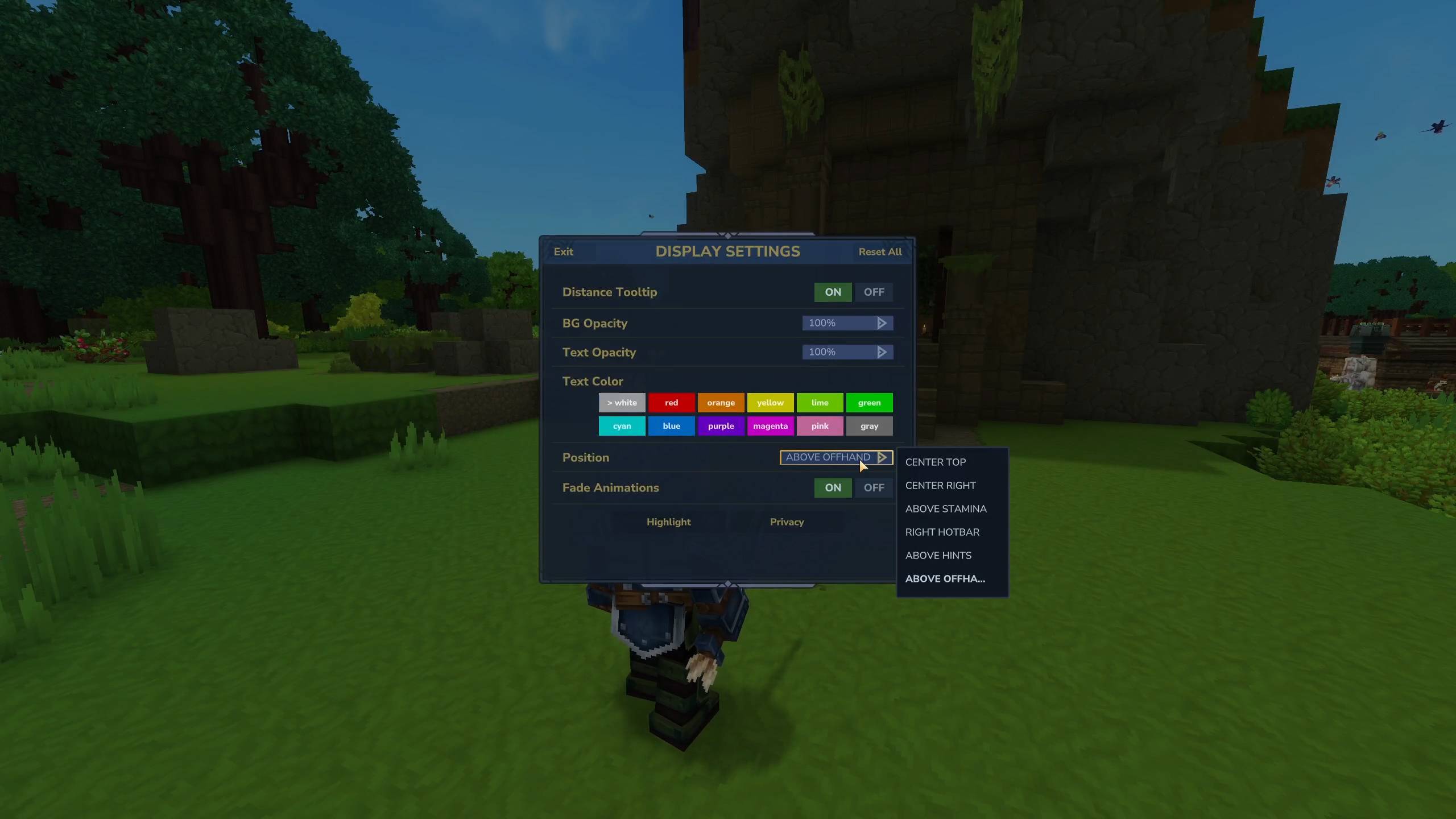
Run /rangef to open the interactive settings menu. Everything you can do with commands, you can do from the GUI instead.
Display Settings (main page):
- Toggle distance tooltip on/off
- Background and text opacity dropdowns
- Text color picker (12 color grid)
- Screen position presets (Center Top, Center Right, Above Stamina, etc.)
- Fade animation toggle
Highlight Settings (navigate from Display page):
- Toggle highlight on/off
- Mode selection (Once / Loop)
- Color picker, strength, duration
- Separate cooldowns for Once and Loop modes
- Cooldown scope (per-entity or global)
- Debug mode toggle
Privacy List (navigate from Display page):
- Add/remove players from your allow or deny list
- Undo/redo support for accidental removals
All pages link to each other with navigation buttons - no need to close and reopen.
Commands
Distance:
/rangef <player>- Show distance to a player/rangef <player> full- Distance + compass direction + height difference
Direction Arrow:
/rangef <player> dir- Start tracking a player with the direction arrow/rangef dir off- Stop direction tracking/rangef dir auto- Toggle auto-switch (skip confirmation when switching targets)/rangef arrow on/off- Toggle arrow display/rangef arrow bg on/off- Toggle arrow background/rangef arrow opacity <0-100>- Arrow background opacity/rangef arrowalign- Show/set arrow position
Display Settings:
/rangef on/off- Toggle distance tooltip/rangef opacity <0-100>- Set tooltip opacity/rangef opacity bg/text <0-100>- Background or text opacity separately/rangef color <hex>- Set text color/rangef align- Show/set tooltip position/rangef align <preset>- Use a preset (center-top, center-right, above-stamina, etc.)/rangef fade- Toggle fade animations
Entity Highlight:
/rangef hl- Show current highlight settings/rangef hl on/off- Toggle highlight/rangef hl once/loop- Set highlight mode/rangef hl col <name>- Set color (or 'reset')/rangef hl st <0.0-1.0>- Set strength (or 'reset')/rangef hl dr <0.2-3.0>- Set duration (or 'reset')/rangef hl once cd <0.0-20.0>- ONCE mode cooldown (or 'reset')/rangef hl loop cd <0.0-20.0>- LOOP mode cooldown (or 'reset')/rangef hl reset- Reset all highlight settings to defaults
Privacy:
/rangef deny all- Block everyone from tracking you/rangef allow all- Allow everyone (default)/rangef deny <player>- Block a specific player/rangef allow <player>- Whitelist a specific player/rangef deny list//rangef allow list- View your lists
Other:
/rangef- Open settings GUI/rangef help- Full command list/rangef debug- Toggle distance tooltip for NPCs/entities (testing)
Per-Player Settings
Every setting is saved per-player and persists across sessions. Nothing is global - each player customizes their own experience.
Compatibility
- Optional: MultipleHUD (for HUD compatibility with other mods - works standalone too)
Installation
- Download the JAR file
- Place in your Hytale mods folder:
%APPDATA%\Hytale\UserData\Mods\ - Launch the game
Planned Updates
- 16:10 aspect ratio support - Distance tooltip position presets will be adjusted for proper alignment on 16:10 displays (e.g. 2560x1600, 1920x1200)
Credits
Created by BeyondSmash
Support
Found a bug or have a suggestion? Join our Discord!
Player Range Finder Team