PingIt
- By
Communicate with your team without typing or talking. Point, click, and let the ping do the talking.
PingItThumb1.jpg
PingWheelBackground9.png
PingIt2.jpg
BindsNewButtons1.jpg
MultiPings1.jpg
MoveHere1.jpg
Danger1.jpg
PingItCrafting1.jpg
Description

PingIt
Spatial ping system for Hytale. Communicate with your team without typing or talking. Point, click, and let the ping do the talking.
What It Does
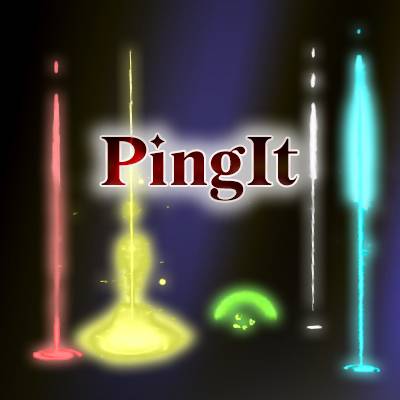
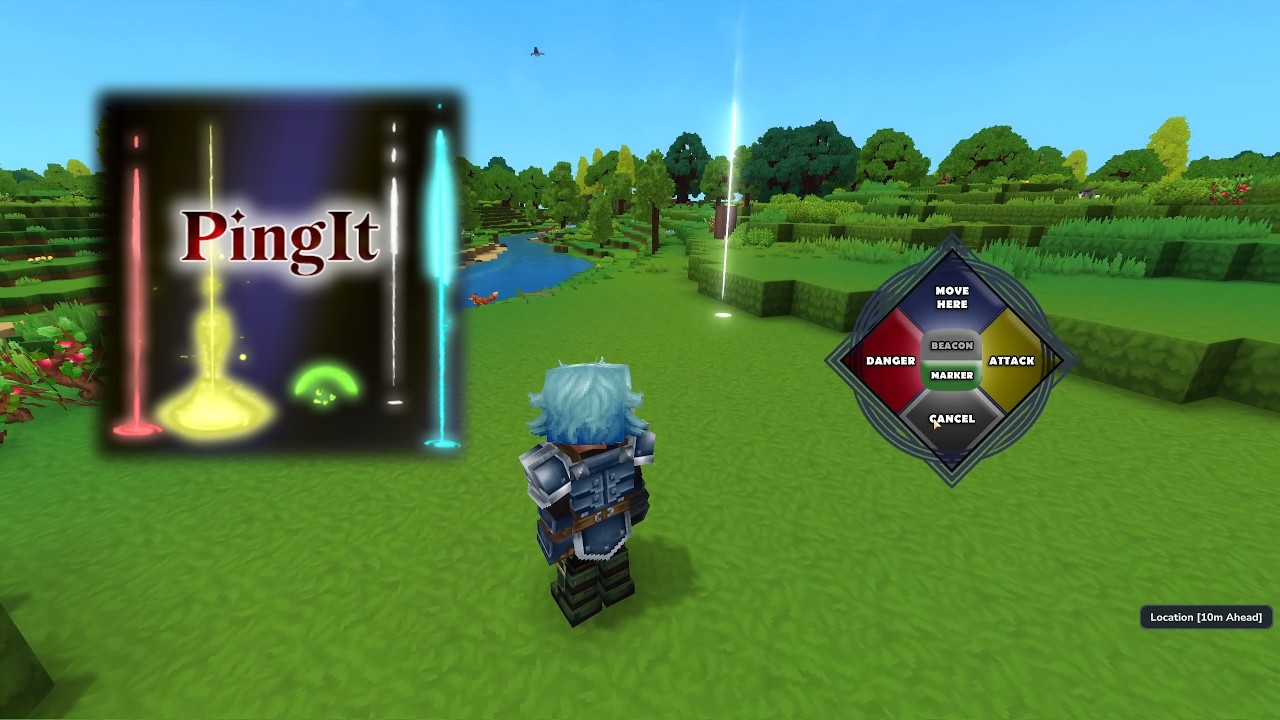
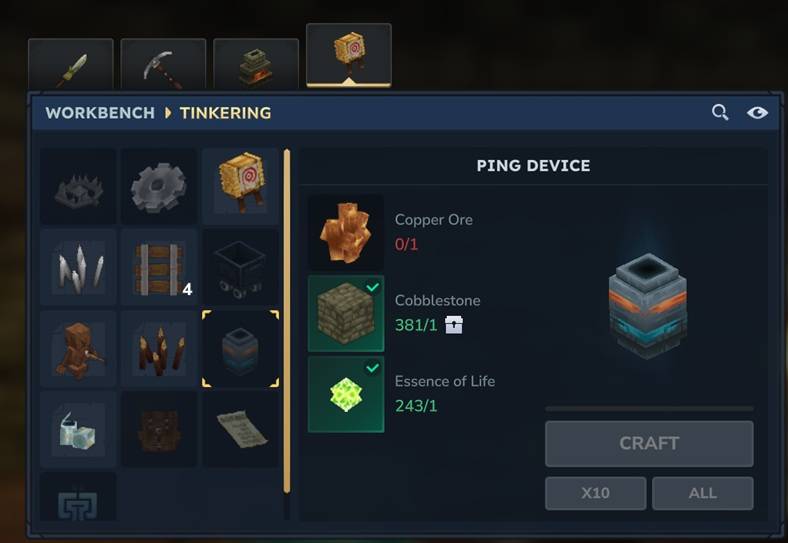
Equip the Ping Device, press a key, and place a colored marker in the world. Teammates see a beam of light rising from the ping location, hear spatial audio cues, and get HUD readouts showing distance and direction. Works on blocks, terrain, and entities.
Ping Types
| Type | Color | Use |
|---|---|---|
| Beacon | White | General-purpose callout |
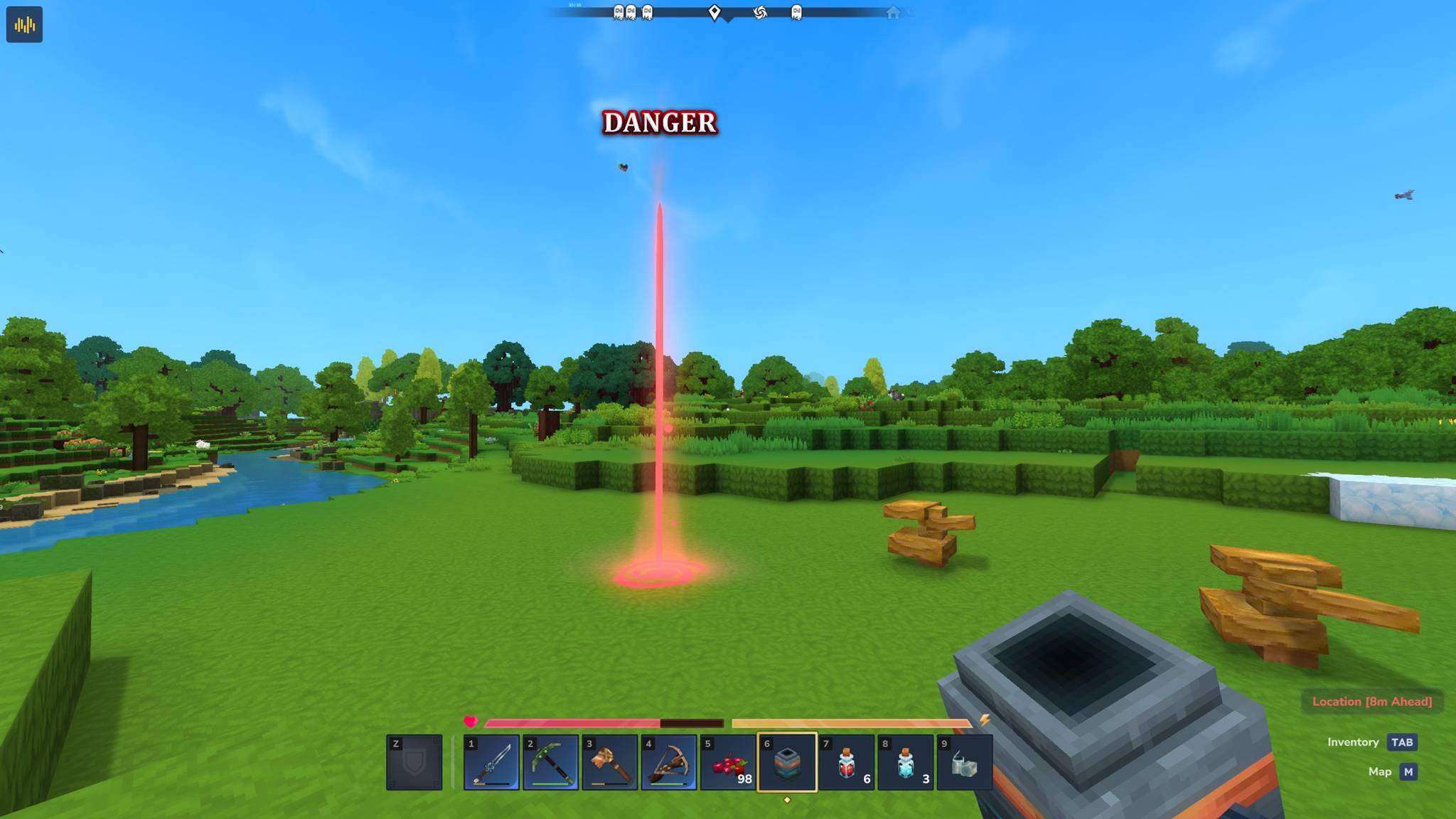
| Danger | Red | Warn about threats |
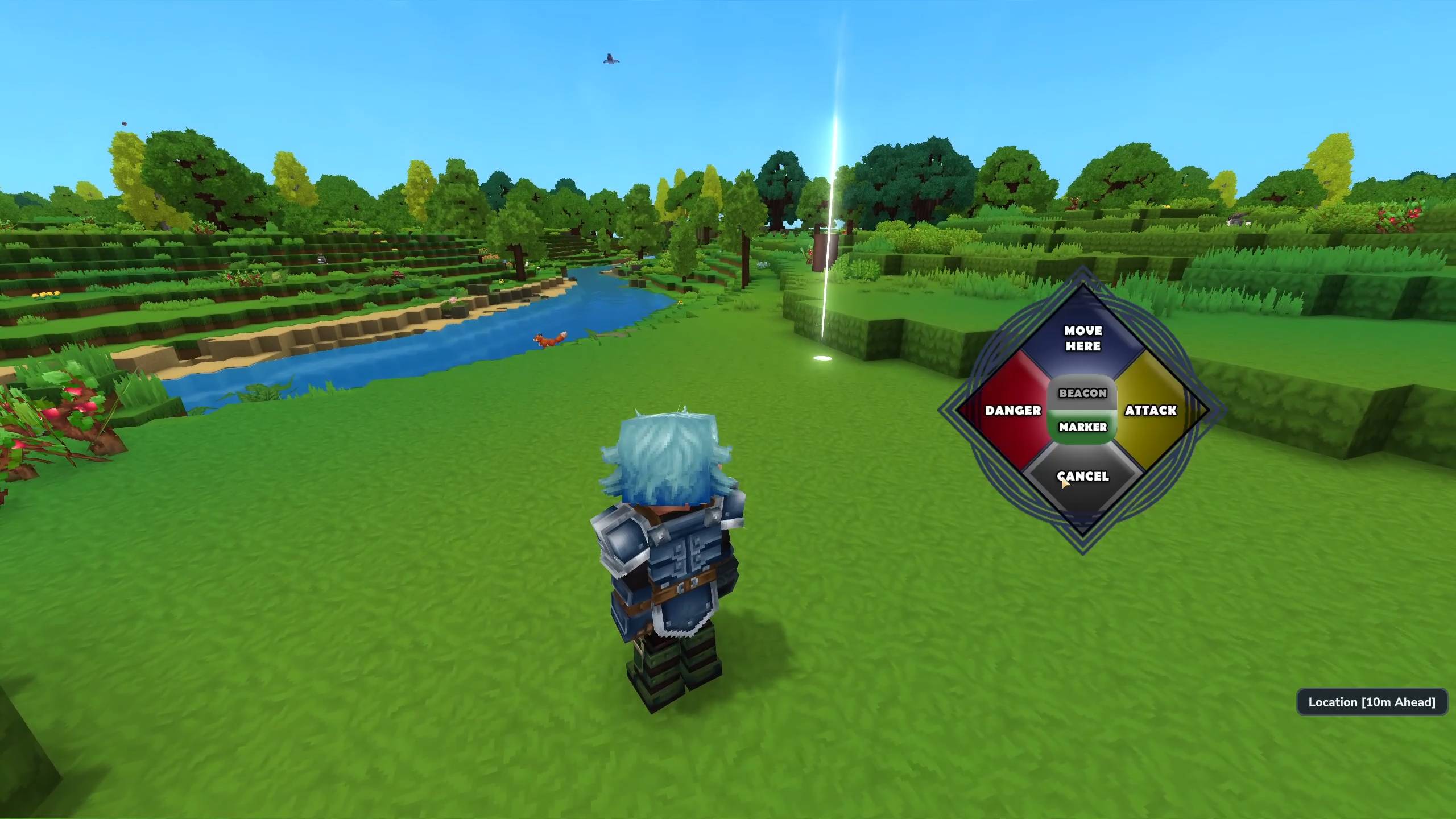
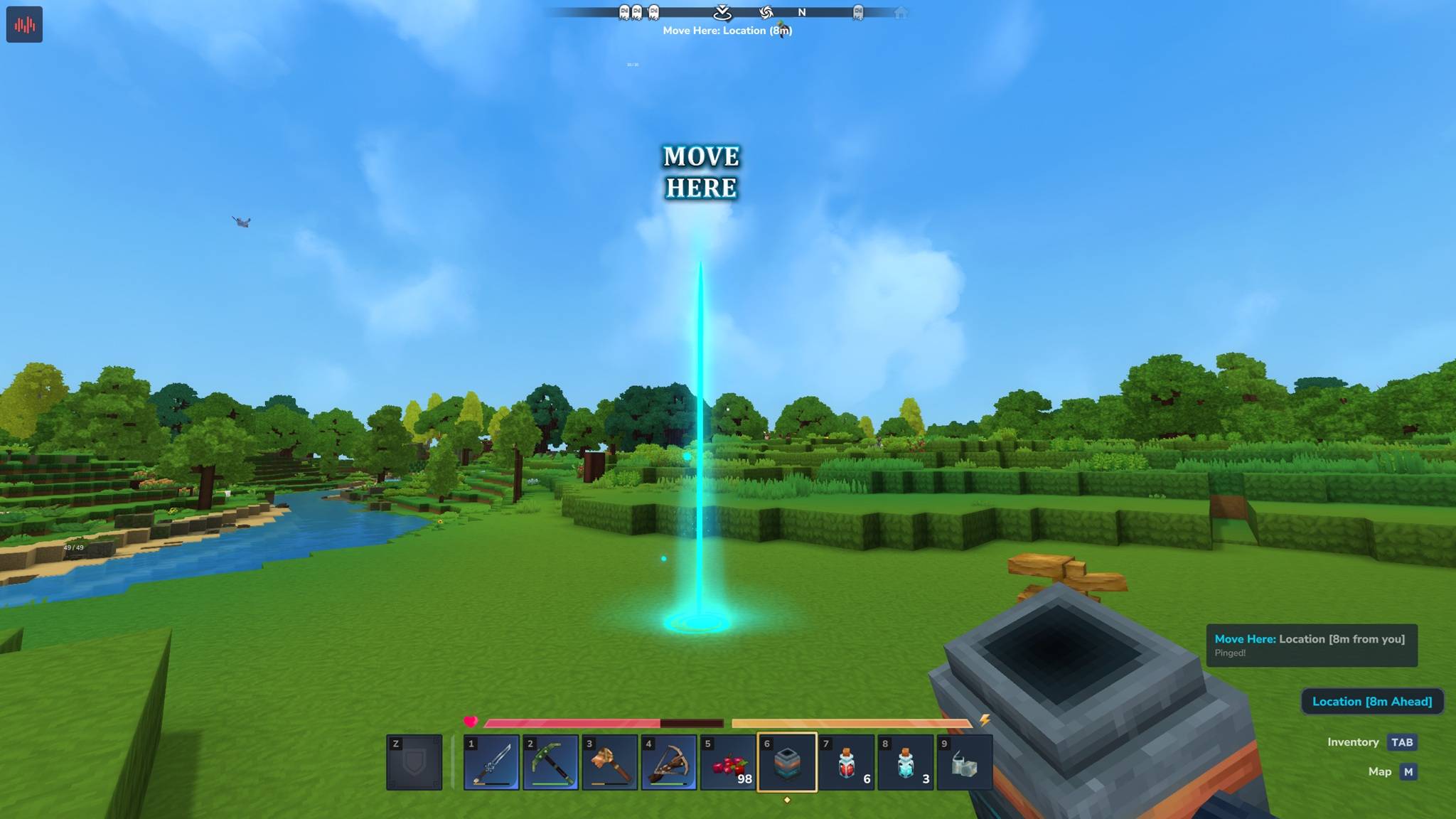
| Move Here | Cyan | Direct teammates to a location |
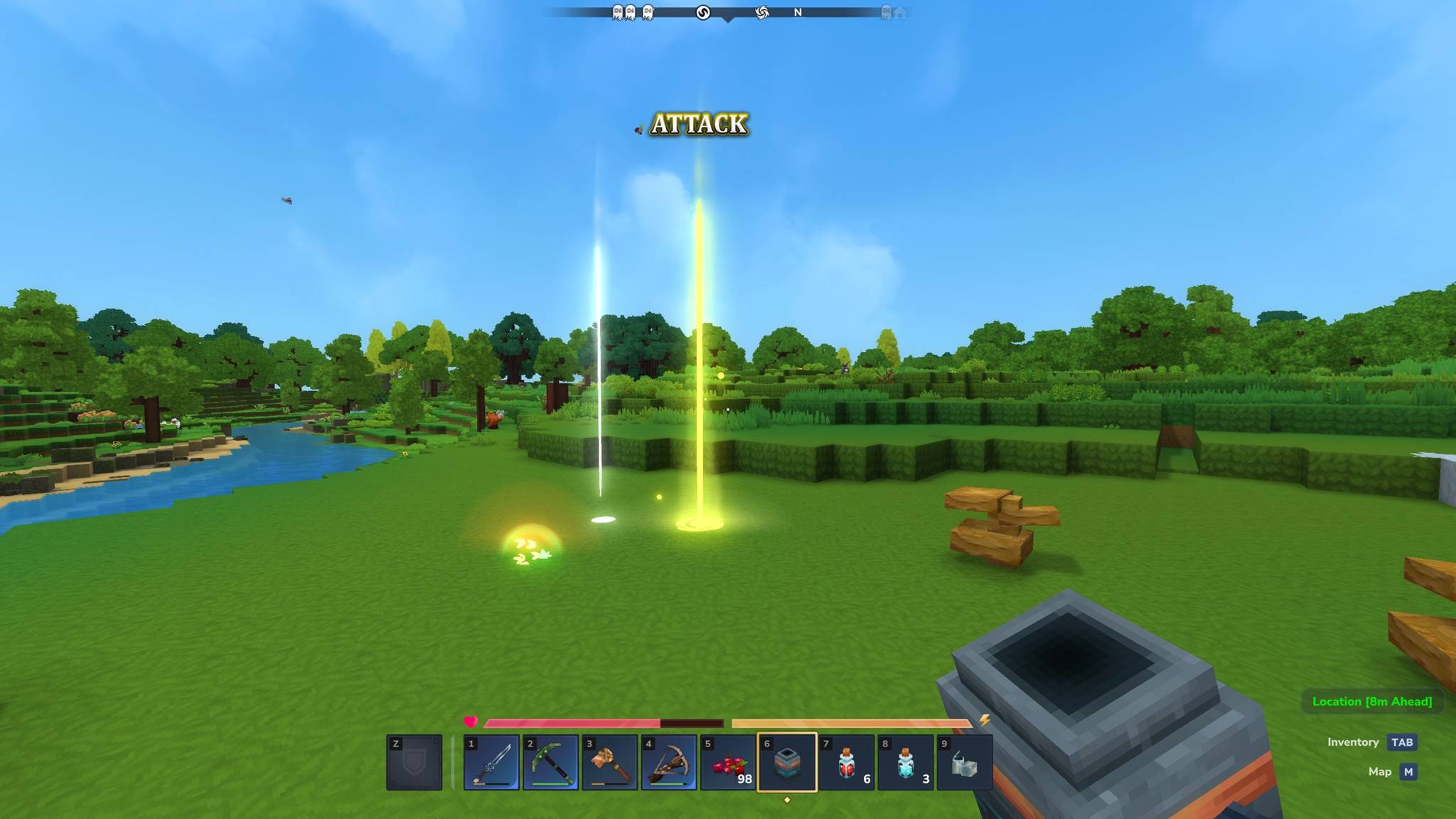
| Attack | Yellow | Mark a target for combat |
| Marker | Green | Non-vertical point (no beam) |
Controls
Quick-Ping
Press your ping key (default: Middle Click) to instantly place your default ping type.
Ping Wheel
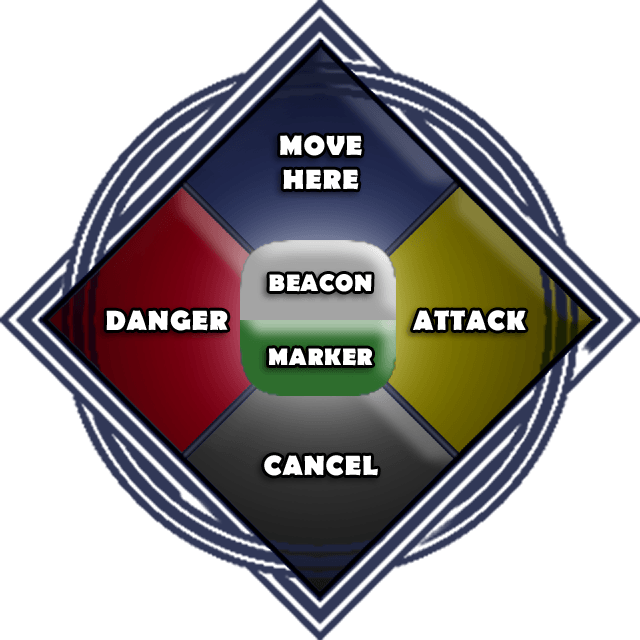
Press your wheel key (default: E) to open a radial menu. Select a ping type, release, and the ping is placed at your crosshair.
Quick-Bindings
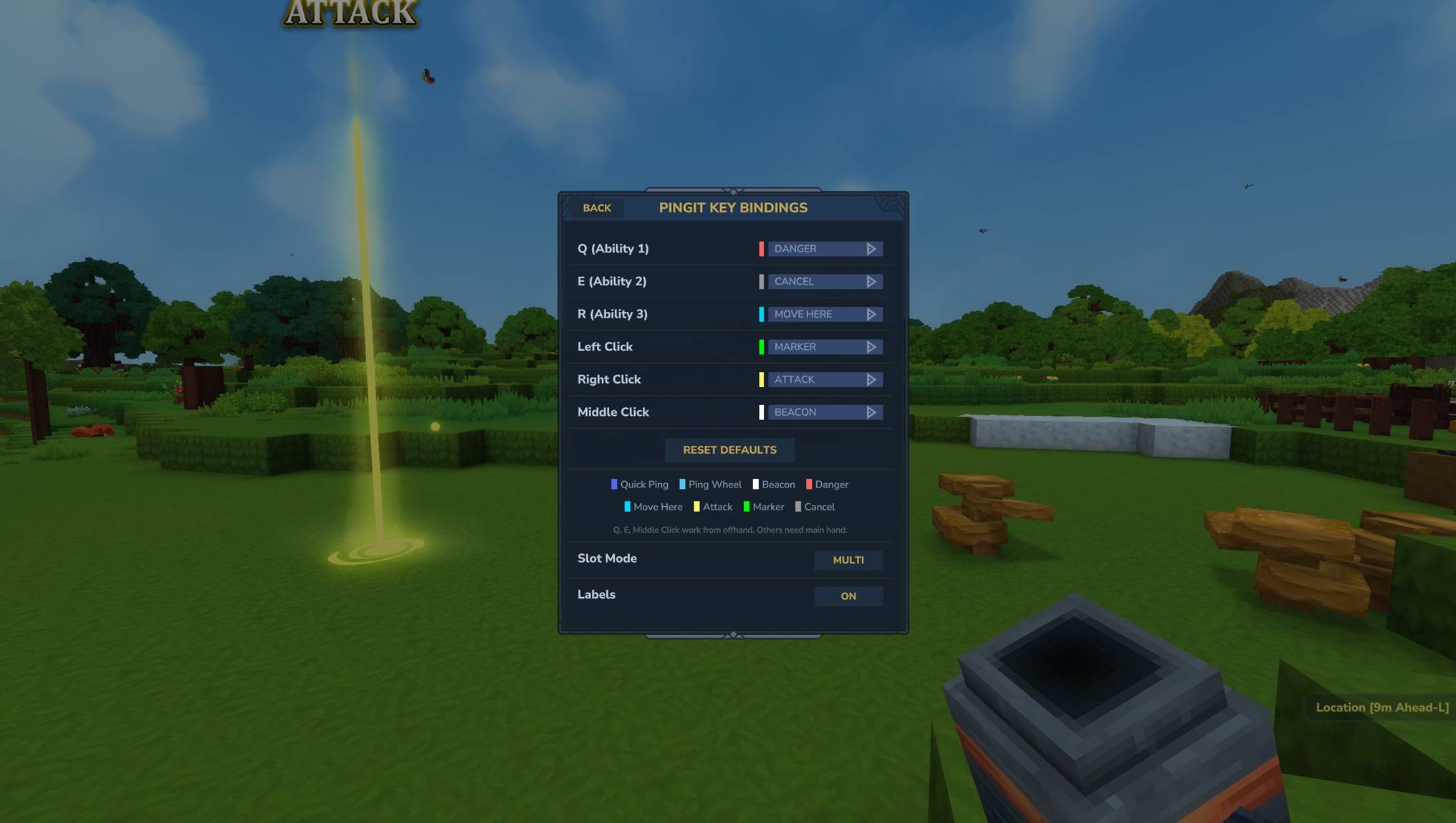
Bind specific ping types directly to keys. Example: Mouse1 always pings Danger, Q always pings Attack. Configure via the GUI (/pingit binds) or commands (/pingit set danger=mouse1).
Independent Pings
Fire a Beacon or Marker ping without holding the Ping Device. Toggle with /pingit b (Beacon) or /pingit m (Marker). Off by default — opt in when you want quick pings without switching items. Disabling clears your active ping. Change the key with /pingit b key <key> (default: Middle Click).
Offhand Support
Q, E, and Middle Click work with the Ping Device in your offhand slot. Other keys require the Ping Device in your main hand.
Visual Effects
- Colored beam rises from every ping location (except Marker). Visible from 1000+ blocks away. Beam thickness scales with distance so it stays visible at range.
- Billboard labels float above beam pings for Danger, Attack, and Move Here — a PNG sprite showing the ping type. Labels fade in on spawn and fade out on expire. Can be toggled on/off per-player.
- Marker pulse for Marker-type pings (green glow, no beam).
- Termination burst when a ping expires or is cleared.
- Proximity clear ring when someone walks to a ping.
- Compass markers appear on the world map for all active pings.
Sound Design
Every action has spatial 3D audio:
- Portal Burst on ping creation
- Beam hum while a beam ping is active
- Marker ambience while a Marker ping is active
- Termination burst when a ping expires
- Cancel chime on manual cancel
- Proximity whoosh when walking into a ping
All sounds respect per-player volume settings and mute lists. Server admins can tune individual sound volumes by editing the SoundEvent JSON files in Mods/PingIt/Server/Audio/SoundEvents/SFX/PingIt/.
HUD
Range Display
Shows the distance, direction, and type of your tracked ping. Updates in real-time as you move. Auto-hides after 5 seconds of inactivity to stay out of the way.
Nearby Pings (Optional)
Enable toast notifications for pings placed near you by other players. Shows pinger name, ping type, distance, and direction.
Focus Tracking
Track your own ping or switch to a teammate's:
/pingit focus me- Track your ping/pingit focus <player>- Track a teammate's ping/pingit focus last- Toggle between current and previous target
Per-Player Settings
Every setting is per-player and persists across sessions:
- Volume - Scale all PingIt sounds from 0 (silent) to 3 (loud)
- Mute players - Silence specific players' ping audio, or mute yourself
- Hide players - Completely hide pings (visual + audio) from specific players or all
- Key bindings - Fully customizable ping and wheel keys
- Quick-bindings - Map specific ping types to specific keys
- Slot mode - SINGLE (one ping at a time) or MULTI (one beacon + one marker + one special active simultaneously)
- Labels - Show or hide the billboard labels above beam pings
- Proximity clear mode - Only you clear your pings, or anyone can
- Default ping mode - Quick-ping places Beacon or Marker
- Sticky mode - One-shot selections or repeat last selection
- Wheel position - Drag the ping wheel anywhere on screen
- Notifications - Toggle ping alerts on/off
Commands
Basics
| Command | Description |
|---|---|
/pingit |
Plugin info |
/pingit help |
Full command list |
/pingit give |
Get the Ping Device |
/pingit clear |
Clear your active ping |
Sound & Muting
| Command | Description |
|---|---|
/pingit vol &lt;0-3&gt; |
Set your ping volume |
/pingit mute &lt;player/all&gt; |
Mute a player's ping audio |
/pingit mute self |
Mute your own ping sounds |
/pingit unmute &lt;player/all/self&gt; |
Unmute |
Visibility
| Command | Description |
|---|---|
/pingit hide &lt;player/all&gt; |
Hide pings (visual + audio) |
/pingit unhide &lt;player/all&gt; |
Unhide pings |
Key Bindings
| Command | Description |
|---|---|
/pingit binds |
Open the key bindings GUI (supports undo/redo, reset defaults, slot mode and labels toggles) |
Modes
| Command | Description |
|---|---|
/pingit once |
One-shot mode (default) |
/pingit last |
Repeat last ping type |
/pingit focus &lt;player/last&gt; |
Track a ping in the HUD |
/pingit notifs |
Toggle notifications |
Nearby Pings
| Command | Description |
|---|---|
/pingit ui nearby allow |
Enable nearby ping toasts |
/pingit ui nearby disallow |
Disable |
/pingit ui nearby count &lt;1-20&gt; |
Max pings shown |
/pingit ui nearby range &lt;15-1000&gt; |
Detection radius |
Independent Pings
| Command | Description |
|---|---|
/pingit b |
Toggle Beacon ping without device (off by default) |
/pingit m |
Toggle Marker ping without device (off by default) |
/pingit b key &lt;key&gt; |
Set independent ping key (default: Mouse3) |
/pingit b key reset |
Reset independent key to Mouse3 |
Server Configuration
Edit config.json in the plugin data folder:
| Setting | Default | Description |
|---|---|---|
pingRange |
1000 | Max visible range (blocks) |
pingDurationMs |
600000 | Ping lifetime (10 min) |
pingCooldownMs |
500 | Min time between pings |
proximityClearRadius |
5.0 | Walk-to clear distance |
proximityClearGraceMs |
3000 | Ignore proximity for 3s after creation |
defaultNearbyCount |
3 | Default nearby ping limit |
defaultNearbyRange |
50 | Default nearby search radius |
Sound Volume Tuning
Each sound has its own JSON file in Mods/PingIt/Server/Audio/SoundEvents/SFX/PingIt/. Edit the Volume field to adjust. Higher = louder, negative = quieter.
Compatibility
- Works standalone or with MultipleHUD (auto-detected)
- Uses Hytale's built-in particle, audio, and UI systems
- All settings persist per-player across server restarts
API — Plugin Integration
Other plugins can register visibility filters to control who sees/hears pings. Useful for party or guild systems that want pings restricted to group members.
Your build.gradle.kts:
dependencies {
    compileOnly(files("libs/PingIt-2.0.2.jar"))
}
Your manifest.json:
"OptionalDependencies": { "BeyondSmash:PingIt": "*" }Usage:
import com.pingit.api.PingItAPI;
import com.pingit.api.PingFilter;

// Register a filter — pings visible only to party members
PingItAPI.registerFilter((pingerUuid, viewerUuid, pingTypeName) -> {
    return myPartySystem.areInSameParty(pingerUuid, viewerUuid);
});

// Unregister when no longer needed
PingItAPI.unregisterFilter(myFilter);
Multiple filters can be registered. A ping is visible only if all filters return true (AND logic), so a party plugin and a guild plugin can both restrict visibility independently.
Current Mods Utilizing PingIt API
- Group Manager - a standalone group/party management plugin
(integrates PingIt's ping system that allow it to show only within the party or otherwise)
Installation
- Place
PingIt-2.0.2.jarinMods/(root of Mods folder, not a subfolder) - Restart the server
- Use
/pingit giveto get the Ping Device
The PingIt Team