The Lodestar minimap in one simple look, built for big modpacks.
Hytale fits the pictures every mod uses for its menus and HUD into one shared space. On a big modpack that space fills up, and pictures start showing up broken. Lodestar Lite is the same smooth minimap, cave view and pins as Lodestar, with the extras that need lots of pictures left out. The game loads just 43 small pictures for it, and the map keeps fewer pictures in your game as you explore.

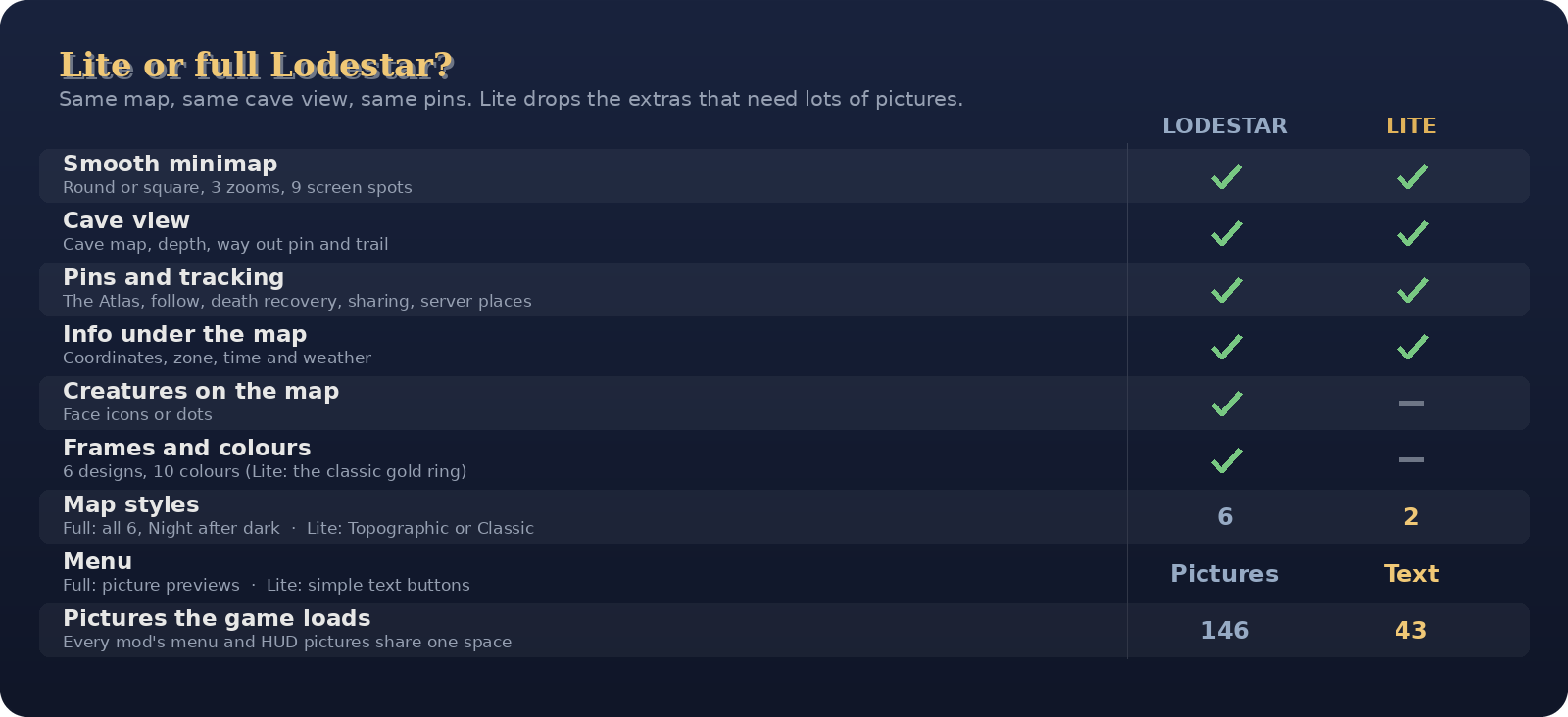
- Pick Lite for big modpacks, or if you just want a clean minimap without the extras.
- Pick Lodestar if you want creature icons, frames, colours and all six map styles.
- Use one or the other, not both. Switching between them keeps everyone's settings and pins.

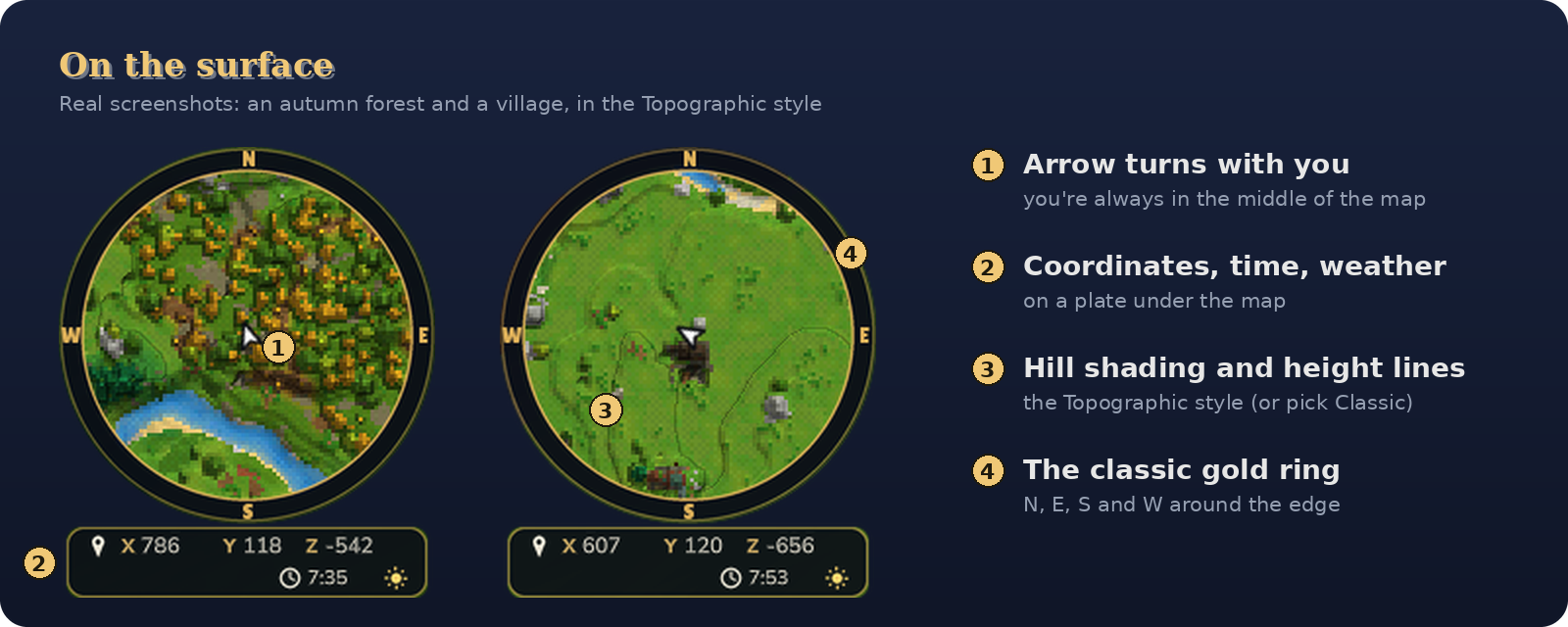
Smooth minimap
- Round or square, at three zoom levels: Far, Normal and Near
- A smoothly turning arrow in the middle shows where you're facing
- Two map styles: Topographic (hill shading and height lines) or Classic (the game's own colours)
- 9 spots on screen: any corner, the middle of any edge, or the centre
- Bottom gap: keeps the map clear of the ability bar when it's low on the screen
- Built for performance: no texture reloads, no hitches when entering new areas, and no background work while you stand still
Info under the map
- Your coordinates, zone name, time of day and weather
- Underground it also shows how deep you are
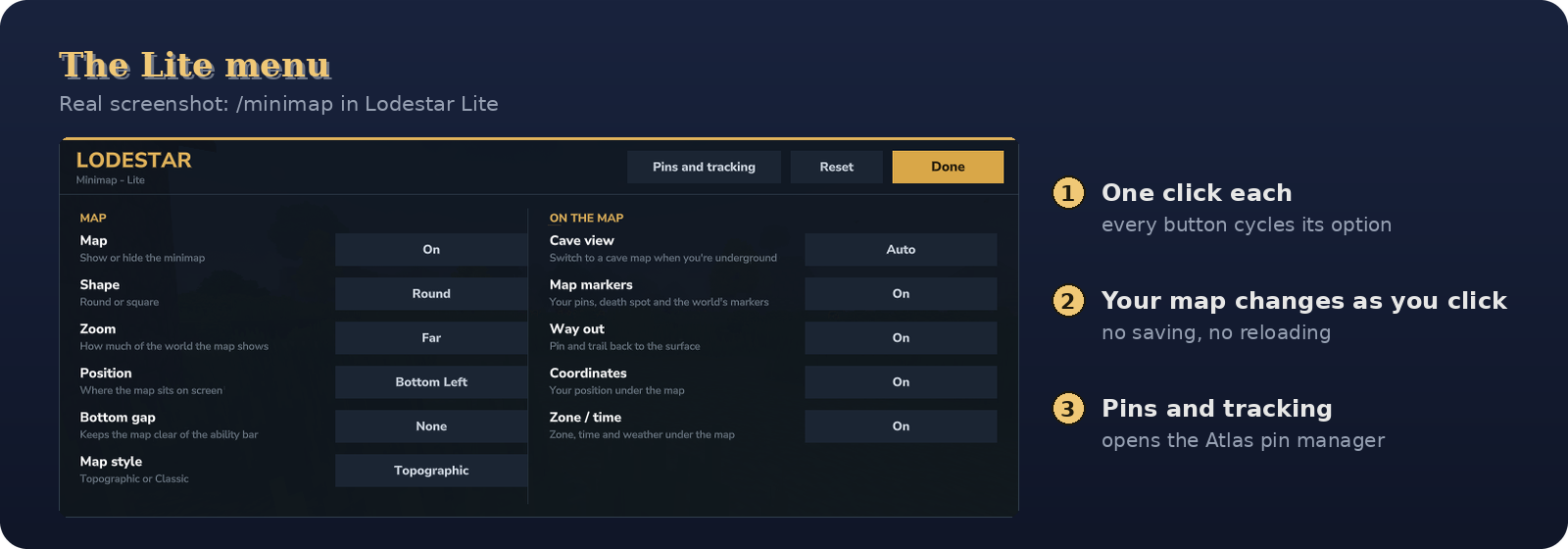
A simple menu
/minimapopens a menu of plain buttons: click one to change it, and your map changes straight away- Settings are saved per player

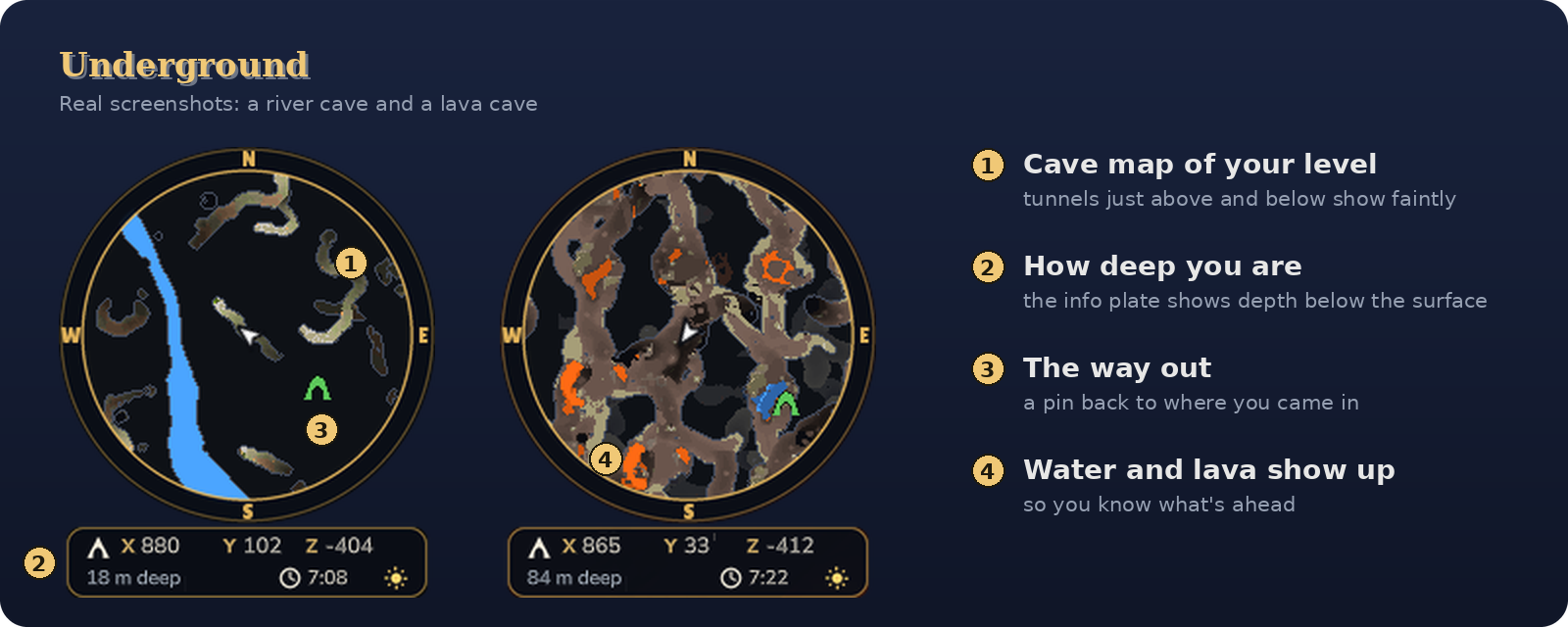
- Head underground and the map switches to a cave map of the level you're on
- Works in tight tunnels and huge open caverns
- Cave memory: tunnels just above and below you show faintly in the rock
- Roofs, trees and buildings don't fool it into thinking you're underground
- Way out: the spot where you went underground is marked automatically. Follow it (
/pin out) and Lodestar Lite leads you back to daylight. - Breadcrumb trail: faint dots on the cave map show the way you came

/pin(or Pins and tracking in the menu) opens the Atlas, a pin manager with no typing needed- Mark the spot you're standing on, name it, and pick from 12 symbols and 9 colours
- A live compass shows each pin's direction, distance and height difference
- Follow any pin: a gold marker shows the way on the minimap, even when it's far off-screen
- Death recovery: when you die, your death spot is tracked automatically and clears itself when you get back to it
- Share places: send a pin to everyone nearby with one click, or to one player with
/pin sendto - Server places: admins can mark spots like spawn and shops for everyone

| Command | What it does |
|---|---|
/minimap (or /mmap, /lodestar) |
Open the menu |
/pin |
Open the Atlas (pin manager) |
/pin add <name> |
Pin your current spot |
/pin remove <name> |
Delete a pin |
/pin list |
List your pins |
/pin track <name> |
Follow a pin (/pin track death for your last death spot) |
/pin untrack |
Stop following |
/pin out |
Follow the way out of the cave you're in |
/pin share <name> |
Share a pin with players within 100 blocks |
/pin sendto <player> <name> |
Send a pin to one player |
/pin server list |
List the server's places |
/pin server add <name> / remove <name> |
Add or remove a server place (needs lodestar.serverpins) |
/minimap reload |
Reload the server settings (needs lodestar.admin) |

Lodestar Lite uses the same config.properties as Lodestar, in the same data folder. To turn something off for everyone, edit it and use /minimap reload. Options you turn off show as "Off (server)" in players' menus.
| Setting | What it does | Default |
|---|---|---|
caveView |
The cave map underground (off = always the surface) | true |
coordinates |
Coordinates under the map | true |
wayOut |
The way out pin and breadcrumb trail underground | true |
sharing |
Players can share pins with players near them | true |
serverPins |
Show the server's places | true |
photoSpots |
Camera pins for Viewfinder photo sessions | true |
mapPictureLimit |
Most map pictures each player's game keeps at once. Older ones that are off screen are cleared out, and sent again if needed. 0 = keep them all, lowest 150. |
200 |
Lite never shows creatures or players on the map, so creatures and players have no effect here. If your settings file was made by Lodestar, Lite keeps the mapPictureLimit it already has.
Permissions (change them with the game's /perm commands)
| Permission | Lets players | Default |
|---|---|---|
lodestar.share |
Share pins | Everyone |
lodestar.serverpins |
Add and remove server places | Admins |
lodestar.admin |
Use /minimap reload |
Admins |

- Drop the Lodestar Lite jar into your
Modsfolder. If you have Lodestar installed, take it out first. - Enable Lodestar for your world (Lite uses the same name, so your settings and pins carry over).
- Join the game. The minimap appears in the top-right corner. Type
/minimapto change it.

- Built for Hytale 0.7.x, and runs on 0.7.7
- Works alongside BetterMap. Lodestar Lite uses
/pininstead of/waypoint, so the commands don't clash. - Want the full look later? Swap in Lodestar. Everyone's own frames, colours and styles come back.
Found a bug or have an idea? Leave a comment. A screenshot and where it happened (surface or cave) help a lot.
Lodestar Lite Team