Lodestar
- By
Smooth, stutter-free minimap with a live cave view, 6 map styles including Topographic, creature faces, custom pins with tracking, death recovery and a zone, time and weather panel.
Description

A smooth, good-looking minimap built for Hytale. It follows you on the surface and underground.
Lodestar puts a live map in the corner of your screen without the stutters, freezes or flicker other minimaps can bring. Pictures are built in the background and moved as whole images, so the map glides with you even when you're exploring new land.

Smooth minimap
- Round or square map in any corner of the screen
- Three zoom levels (Far, Normal, Near)
- A smoothly turning arrow shows where you're facing
- Built for performance: no texture reloads, no hitches when entering new areas, and no background work while you stand still
Creatures on the map
- Nearby creatures and players appear as face icons (or simple dots, or off)
- Colour-coded rings: red for hostile, pale for neutral, green for friendly
Info panel
- Clean panel under the map with coordinates, zone name, time of day and weather icons
- Matches whichever map style you're using
Settings with live preview
/minimapopens a settings menu with a live preview of the map as you change things- Settings are saved per player

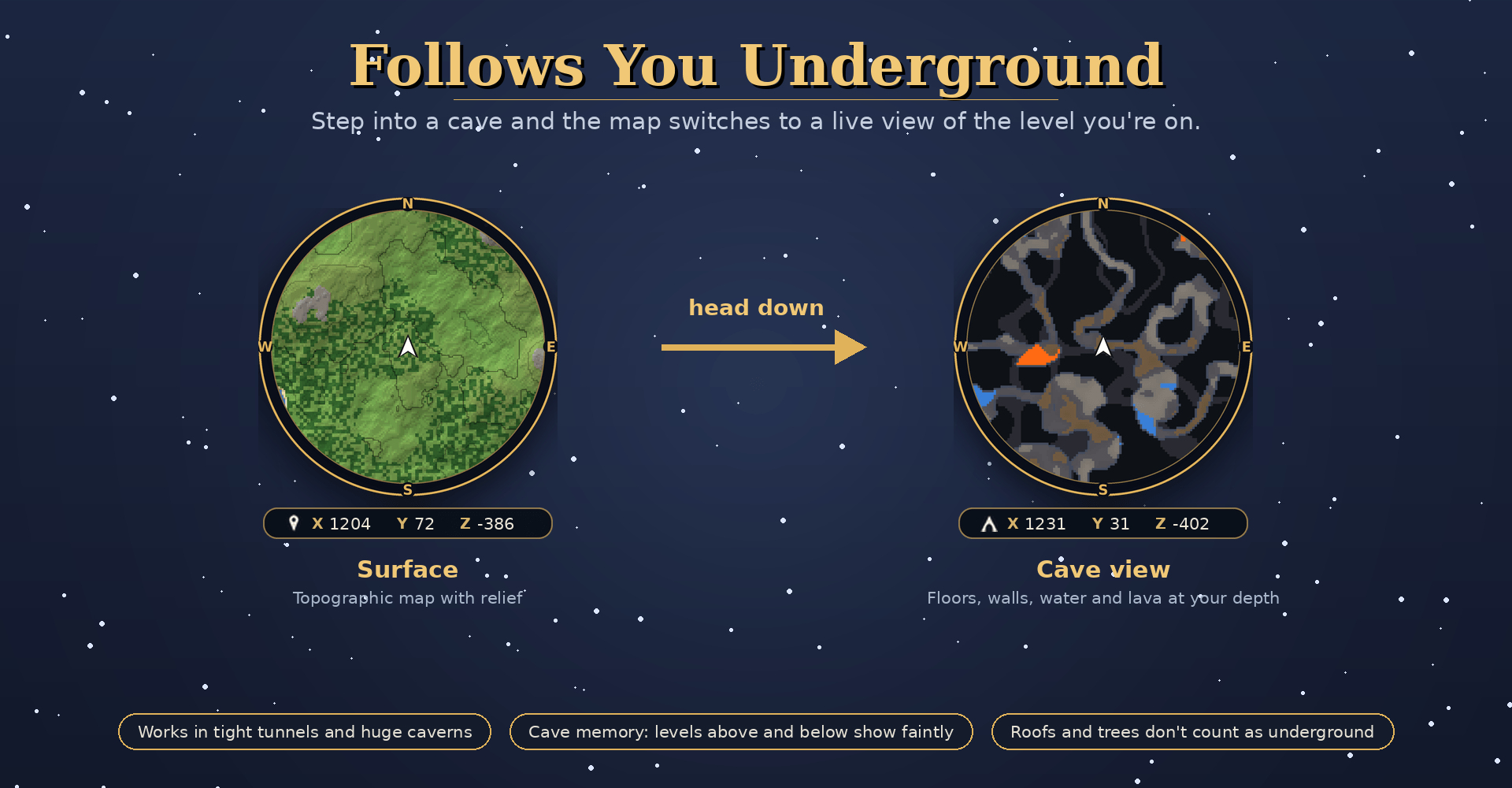
- Head underground and the map switches to a cave map of the level you're on
- Works in tight tunnels and huge open caverns
- Cave memory: tunnels just above and below you show faintly in the rock
- Roofs, trees and buildings don't fool it into thinking you're underground
- Depth readout: the info panel shows how far below the surface you are
- Way out: the spot where you went underground is marked automatically. Follow it (
/pin out) and Lodestar leads you back to daylight - Breadcrumb trail: faint dots on the cave map show the way you came

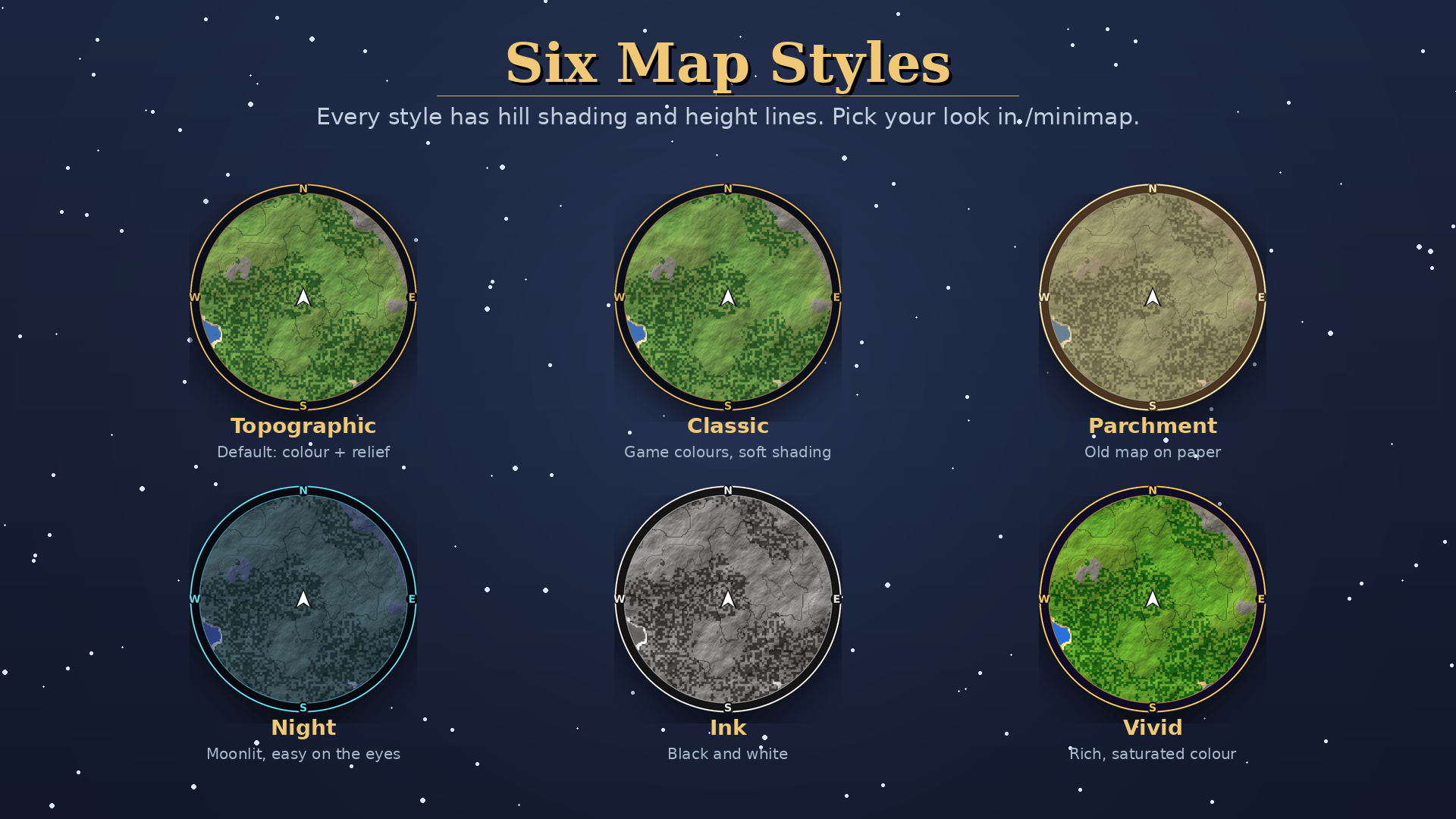
- Topographic (default): hill shading and height lines
- Classic, Parchment, Night, Ink and Vivid
- Auto night: the map can switch to the Night style when it gets dark

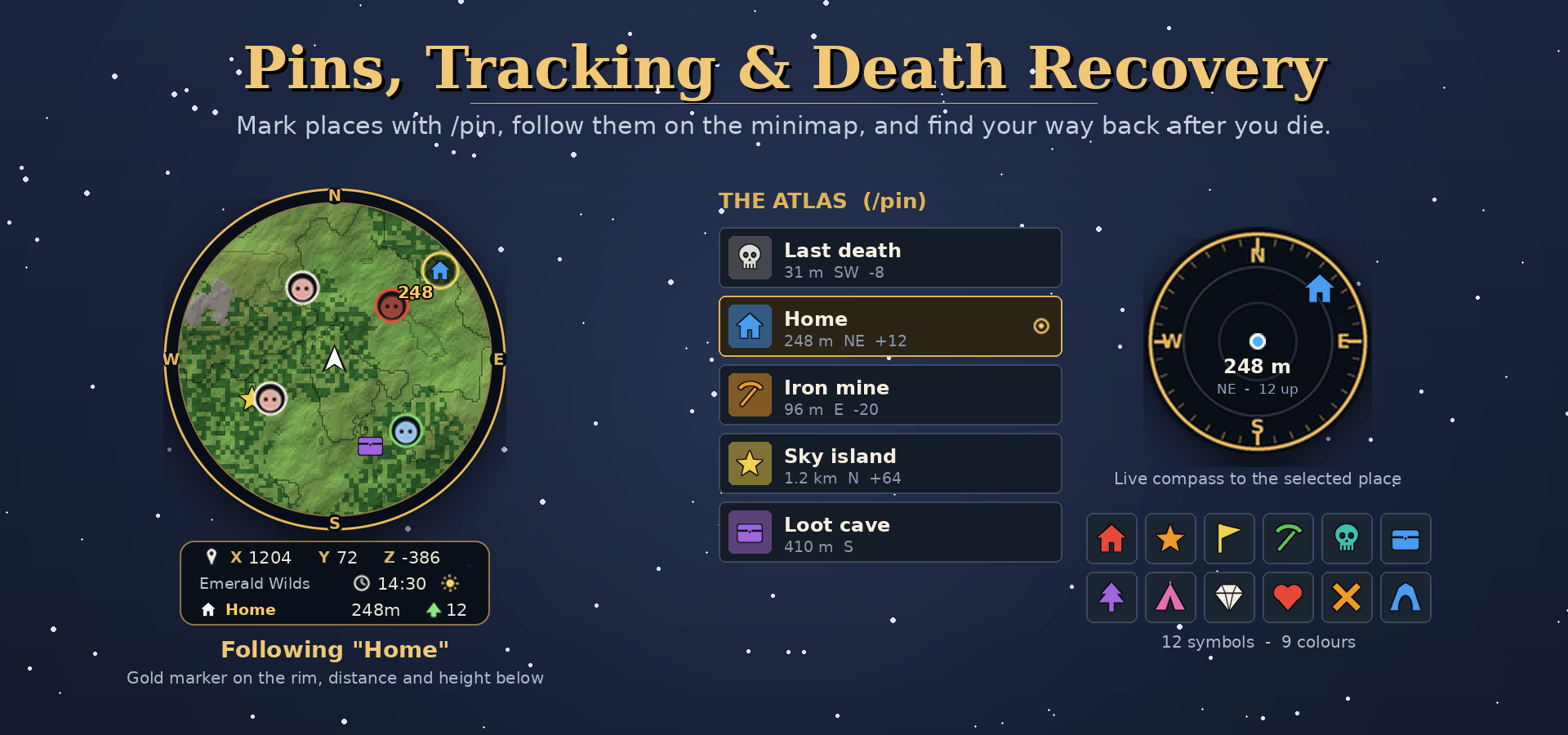
/pinopens the Atlas, a pin manager with no typing needed- Mark the spot you're standing on, name it, and pick from 12 custom symbols and 9 colours
- A live compass shows each pin's direction, distance and height difference
- Follow any pin: a gold marker shows the way on the minimap, even when it's far off-screen
- Death recovery: when you die, your death spot is tracked automatically and clears itself when you get back to it
- Share places: send a pin to everyone nearby with one click, or to one player with
/pin sendto - Server places: admins can mark spots like spawn and shops for everyone (
/pin server add <name>, or "Make server pin" in the Atlas) - Photo spots: with the Viewfinder photo mode mod, the spot where you take your first shot gets a camera pin

| Command | What it does |
|---|---|
/minimap (or /mmap, /lodestar) |
Open the settings menu |
/pin |
Open the Atlas (pin manager) |
/pin add <name> |
Pin your current spot |
/pin track <name> |
Follow a pin (/pin track death for your last death) |
/pin untrack |
Stop following |
/pin out |
Follow the way out of the cave you're in |
/pin share <name> |
Share a pin with players within 100 blocks |
/pin sendto <player> <name> |
Send a pin to one player |
/pin list |
List your pins |
/pin server list |
List the server's places |
/pin server add <name> / remove <name> |
Add or remove a server place (admins) |
/minimap reload |
Reload the server settings (admins) |
/pin remove <name> |
Delete a pin |

- Drop the Lodestar jar into your
Modsfolder. - Enable Lodestar for your world.
- Join the game. The minimap appears in the top-right corner.

- Built for Hytale 0.7.x
- Works alongside BetterMap. Lodestar uses
/pininstead of/waypoint, so there's no command clash. - Bottom-right corner? The Raise map setting lifts the map above the ability bar.
For server owners: config.properties in Lodestar's data folder can turn off creature icons, other players on the map (handy for PvP), the cave view, coordinates, the way out, sharing, server places and photo spots for everyone. Apply changes with /minimap reload.
| Permission | Lets players | Default |
|---|---|---|
lodestar.share |
Share pins | Everyone |
lodestar.serverpins |
Add and remove server places | Admins |
lodestar.admin |
/minimap reload |
Admins |
Found a bug or have an idea? Leave a comment. Screenshots and where it happened (surface, cave, which style) help a lot.
Find your way. Follow the star.
Lodestar Team