Live Painter & Editor
- By
Customize the textures, behavior and crafting of items, blocks and entities in-game!
Description
 LIVE PAINTER & EDITOR
Allows players to customize the
textures, behavior and crafting
of items, blocks and entities in-game!
This mod uses the Starky's Randomizer library mod as a required dependency.
📊 Anonymous usage counter: This mod sends a single anonymous number — how many times APPLY has been used — to power the public Customizations counter shown above. No personal data, player data, or server data is ever collected or transmitted in this counter.
📈 Metrics: This mod uses HStats to report anonymous mod-usage metrics. No personal data is collected.
NOTE: Both can be disabled.
FAST NOTES:
-Main UI usage only affects the performance of the player using it.
-By default, players create custom variants of the original item/block/entity
when using "APPLY" in the main UI.
-Some unused textures will automatically be removed on a restart,
but it's highly recommended to manually removed unused Custom items/blocks/entities/textures.
-Players can swap between pages if the block/entity has more than 1 texture (like entity attachments).
-Only OP players can access and use
"EDIT BEHAVIOR (ONLY OP)" and "CRAFTING (ONLY OP)" tabs.
(EDIT BEHAVIOR tab also has "VIEW JSON" button, so OP players can edit it)
-Only OP players can use "/lpe" (or "/livepainter" or "/livepaintereditor") command
to access the main UI directly with the item/block in hand.
-If an OP players uses "/lpe" command with an empty main hand,
an alternative selector UI will open.
-There is a config UI menu for the Customizer Bench costs accessible with "/lpeconfig"
(or "/livepainterconfig" or "/livepaintereditorconfig"). OP only.
-Server owners/OP players can disable the Customizer Bench crafting recipe.
SERVER USE
Servers can use this mod to create custom variants of any item/block/entity and
then sell them for in-game resources or currency (not real money involved).
As with this mod you can choose to just re-texture,
you can create infinite cosmetics for free live in-game!
And UNDER PAID LICENSE
This license will allow your server network to include
anything re-textured with my mod into paid content.
PM me for further information regarding a license.
COOL TIP


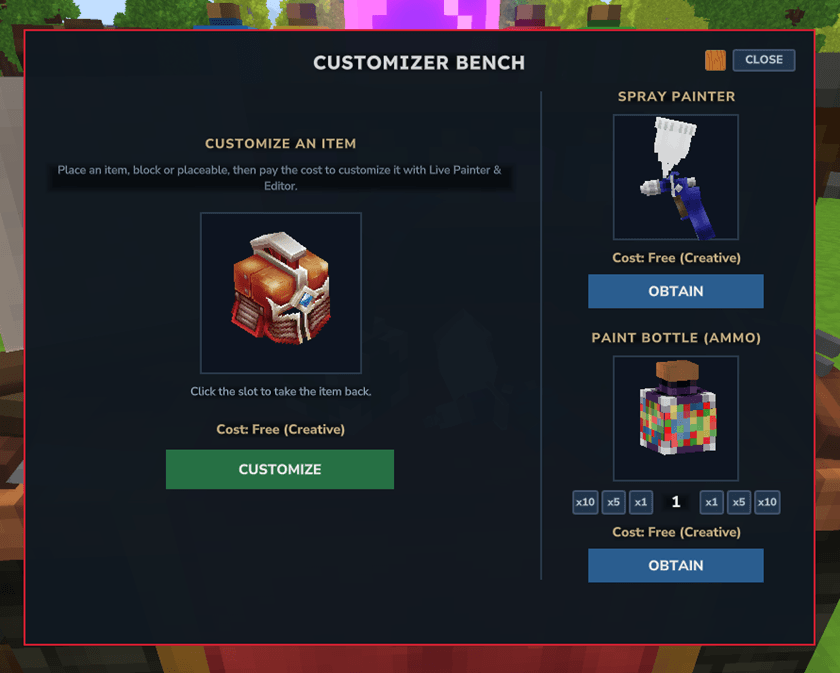
Players can change the background of each UI
from the "wood with paint" to the "simple blue box" (or from blue to wood).
You can find this button at the top right of every UI.
It saves per player and per UI.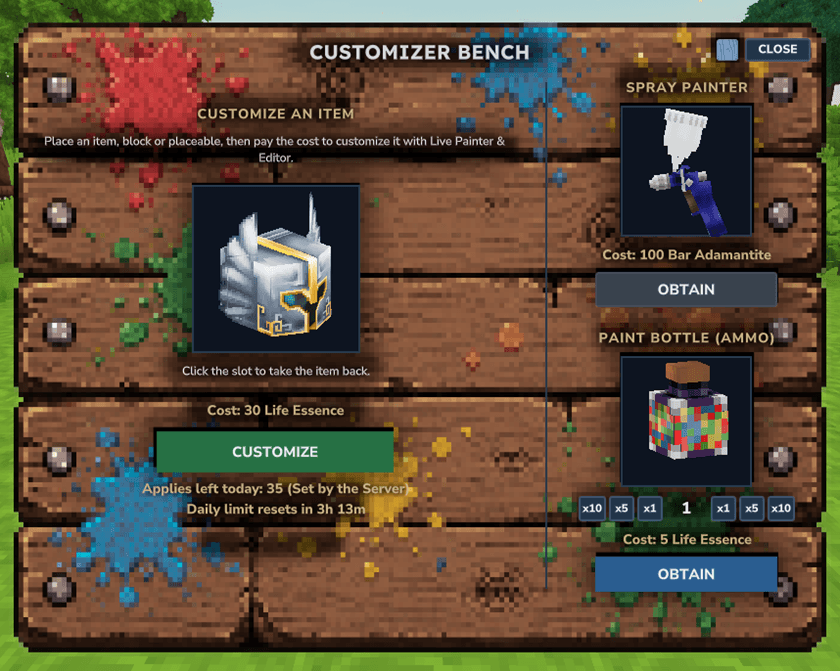 <-->
<--> 
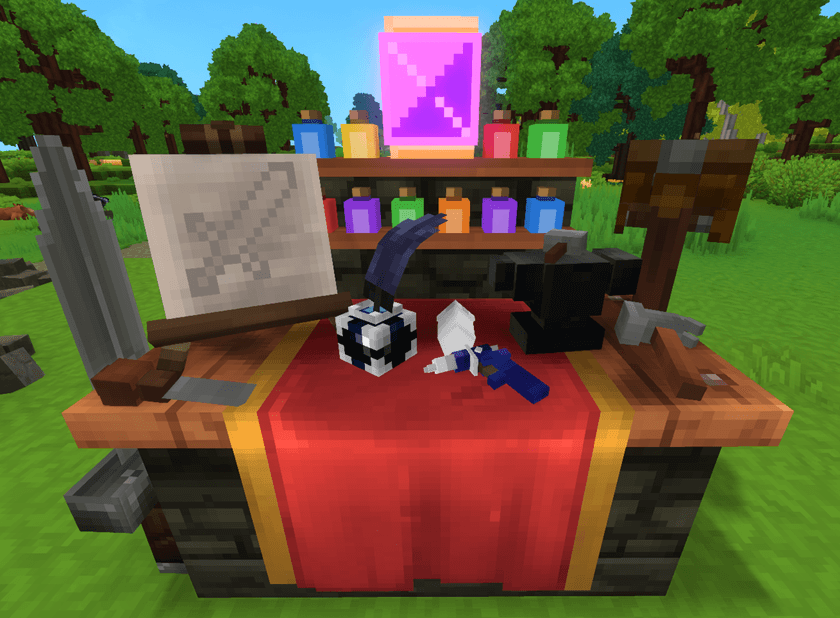
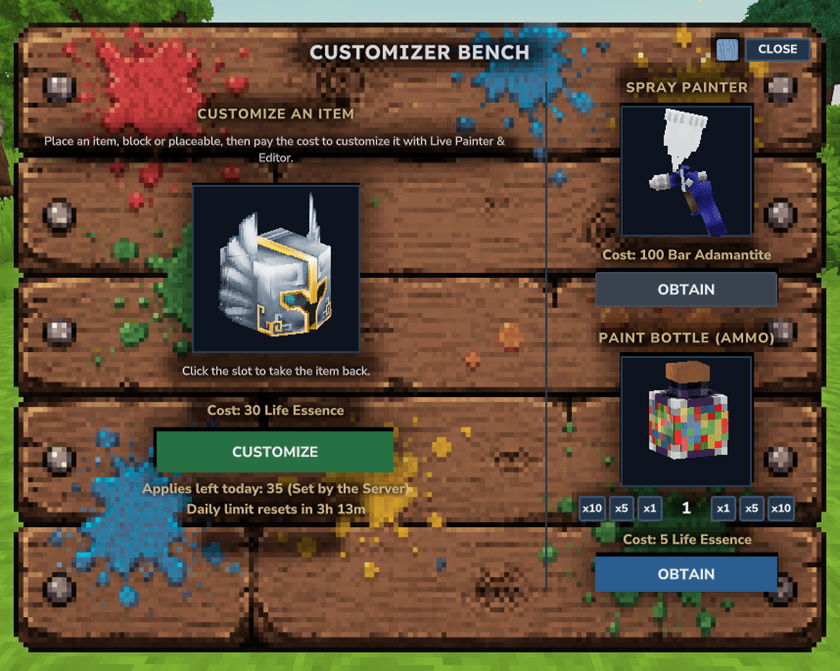
CUSTOMIZER BENCH
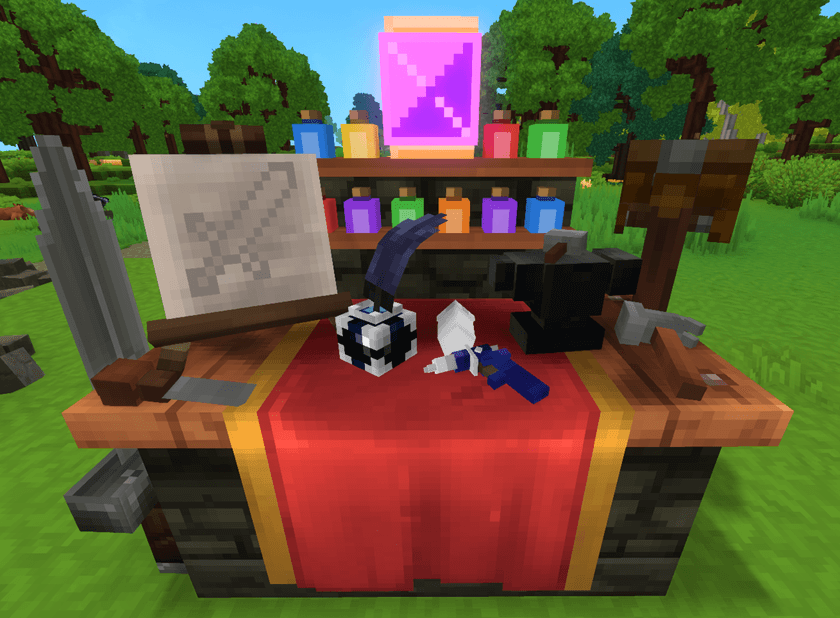
By default, this bench can be obtain by craft through the normal basic Workbench at Tier 2.
By default, it requires 10 iron ingots, 5 heavy leather, 15 any wood and 20 cobblestone.
(Also requires memories level 2)
Allows players to paint items and blocks/placeables!
Also, allows OP players to edit the behavior and edit/add crafting recipe.
CUSTOMIZER BENCH UI
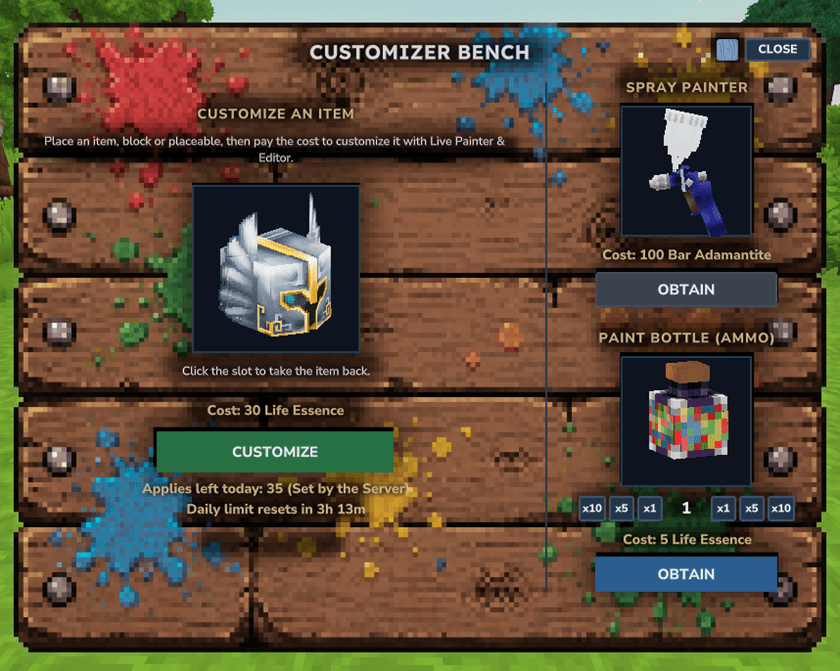
Using the Customizer Bench will open a small UI to select
the item/block in hand or to obtain the Spray Painter and Paint Bottles.
Consumes X amount of Life Essence per use (when opening main UI).
Refunds the X amount of Life Essence back to the player if no changes were applied.
NOTES: Amount depends per quality in items and per gathertype in blocks.
Amounts and Item Cost (Life Essence by default) are configurable.
"EditorTool_" items can not be customized.
In a singleplayer (or singleplayer with friends) game,
Applies in the Main UI are infinite by default.
In a multiplayer server,
Applies in the Main UI are daily limited to "35" by default.
Can be configurated in the UI config Menu "/lpeconfig",
editing "Daily Limit Texture APPLIES per player",
"0" = Infinite.
"Daily Limit Reset Time" is also configurable.
|
|
\/
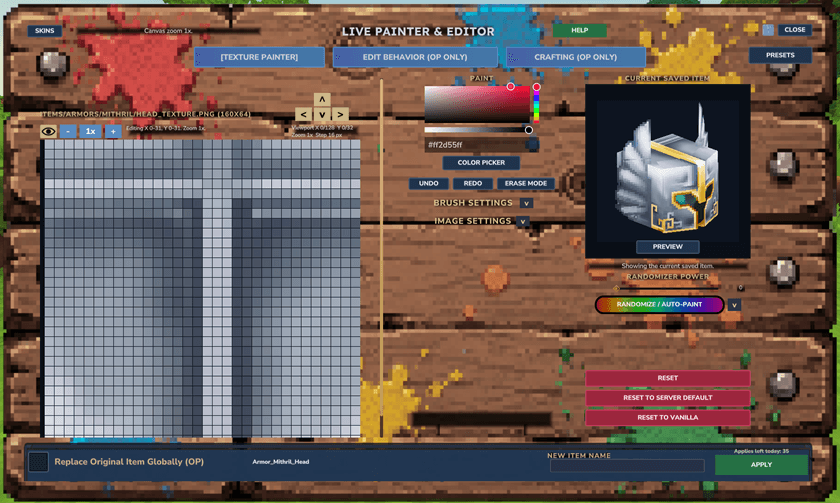
MAIN UI
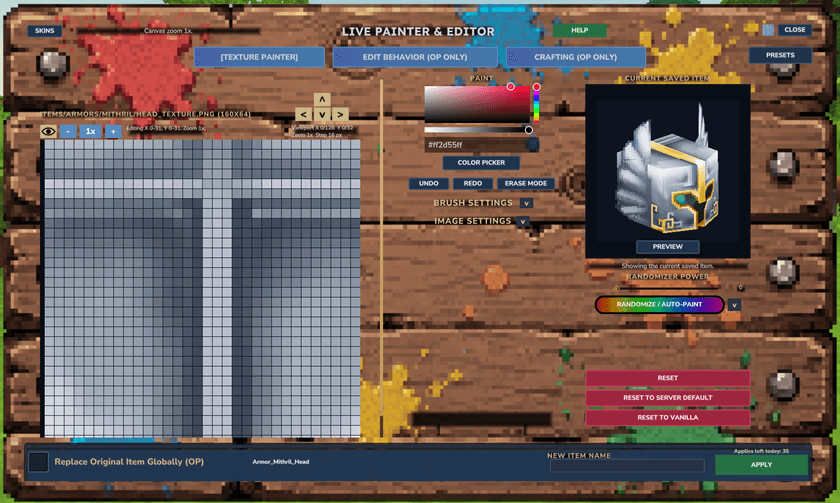
Opening the Main UI from the CUSTOMIZE button will:
-Show all tabs (TEXTURE PAINTER, EDIT BEHAVIOR and CRAFTING) for items.
-Show TEXTURE PAINTER, VIEW JSON (as a big button instead) and CRAFTING tabs for blocks/placeables.
The Main UI can also be accessible from:
----> "/lpe" command (or "/livepainter" or "/livepaintereditor")
(same tabs as the Customizer Bench button, for items and blocks/placeables)
(OP players only)
----> Spray Painter
(just TEXTURE PAINTER tab for blocks/placeables and entities).
Changes APPLY live in game globally (all players).
By default, it generates a variant/copy of the selected item/block/entity,
unless it is already a Custom one.
(OP players can replace the original/vanilla item/block/entity/texture)
Non-OP players will always re-edit an already Custom item/block/entity.
(OP players also can use the "CLONE AS NEW (OP)" button
to clone the selected Custom item/block/entity)
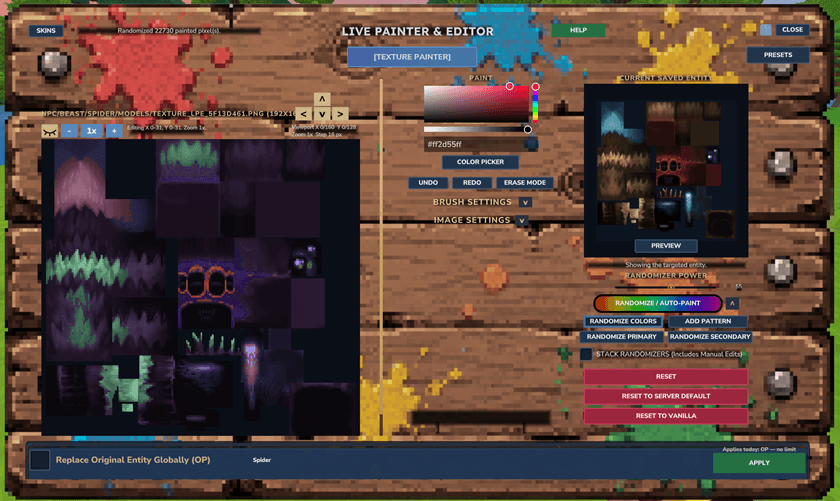
TEXTURE PAINTER TAB
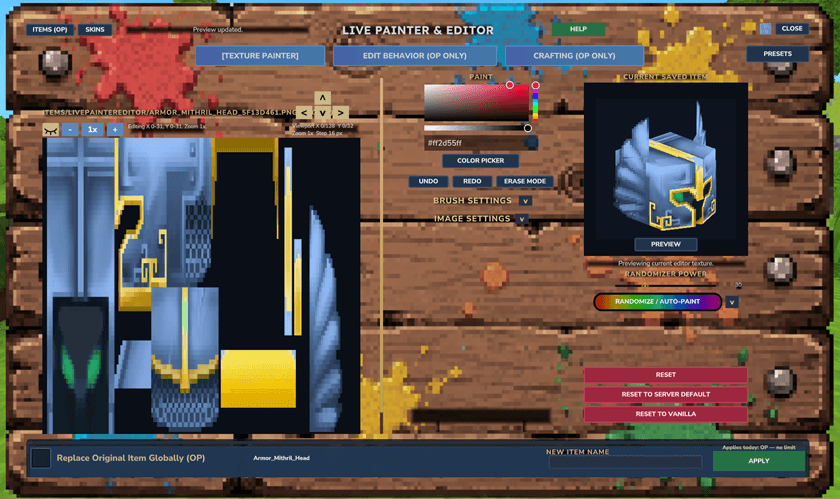
Any player can re-paint/edit the texture of the
selected item/block/entity/texture with advanced tools!
It's like having a Image Editor inside of Hytale!
For further information,
players can use the green HELP button to understand what everything does.
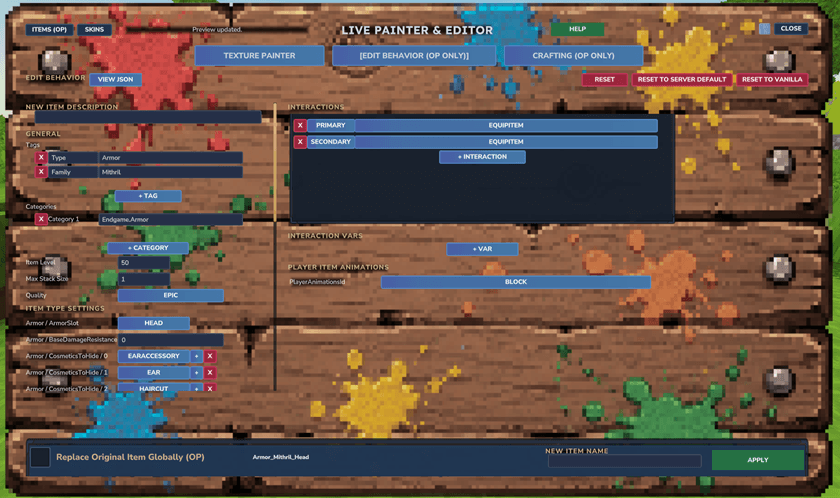
EDIT BEHAVIOR TAB (OP ONLY)
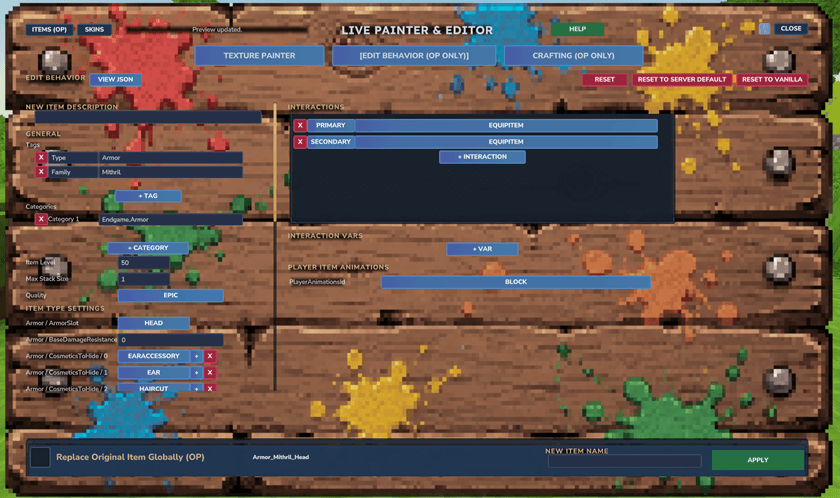
OP players can edit any part of the selected item's behavior.
Like damage outputs, damage resistances, interactions, keybinds,
tags, quality, categories, item light, item scale, max durability, etc.
Can also edit the raw JSON in-game with the "VIEW JSON" button.
For further information,
players can use the green HELP button to understand what everything does.
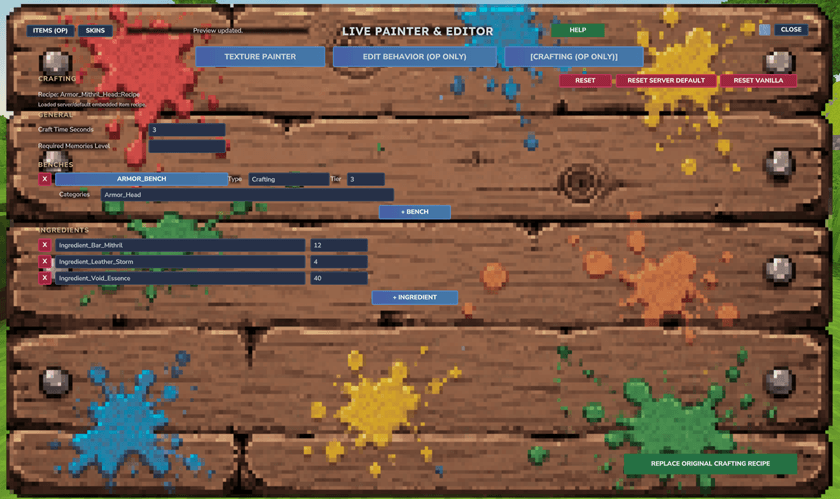
CRAFTING TAB (OP ONLY)
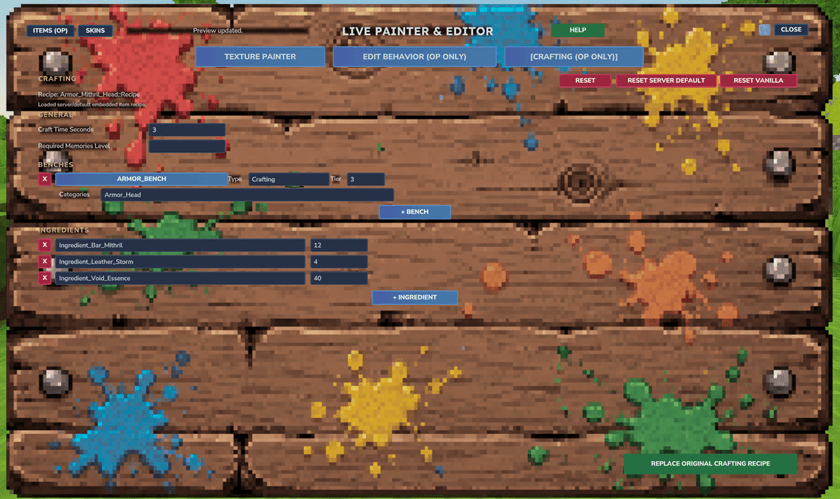
OP players can edit, add, remove crafting recipes of the selected item/block.
For further information,
players can use the green HELP button to understand what everything does.
EDITING BLOCKS (OP ONLY)
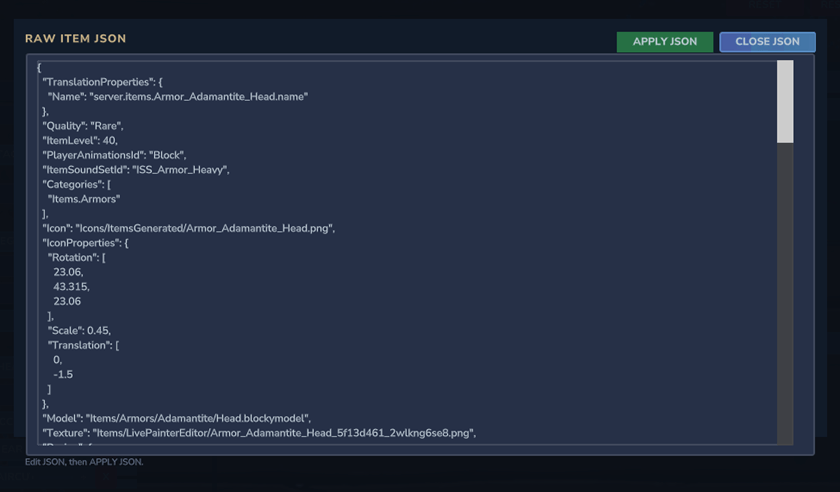
Blocks with more than 1 texture are fully supported, players can swap between pages.
OP players can edit any part of the selected block's behavior with the "VIEW JSON" button.
Which allows players to edit the raw JSON of that block.
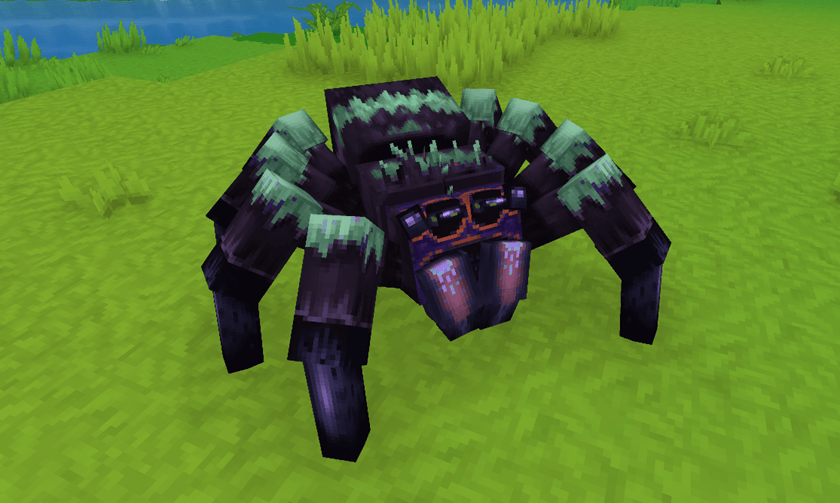
ENTITIES
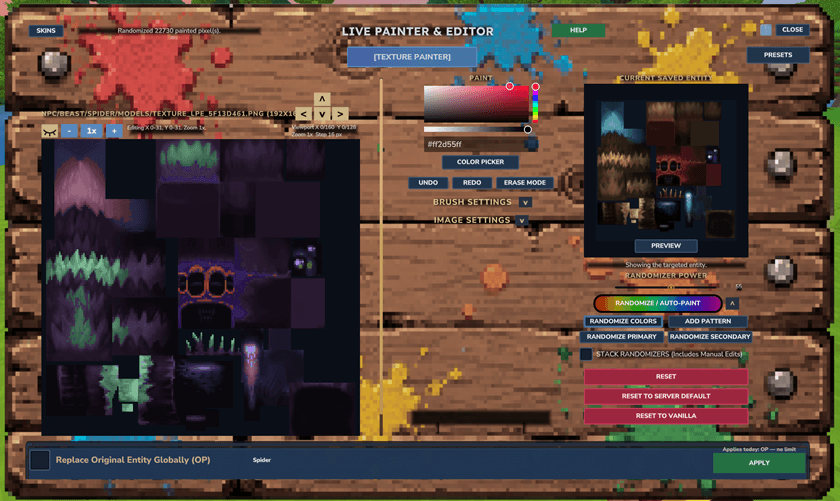
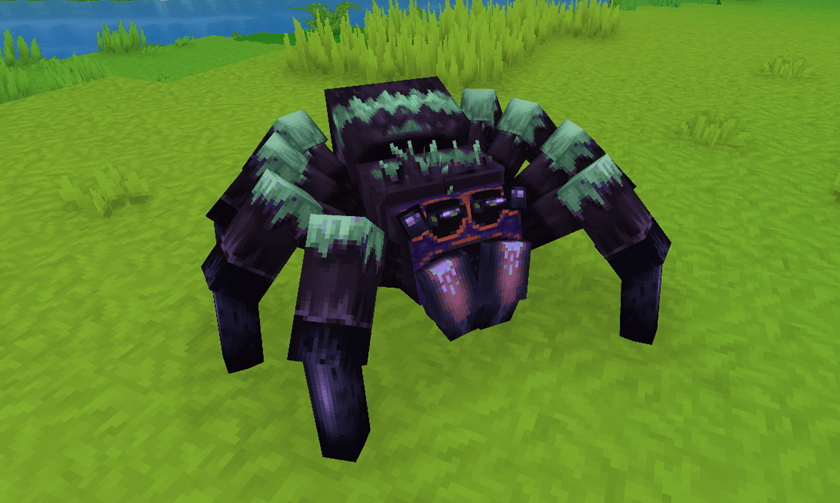
Players can re-paint/edit the texture/textures of any entity.
Entities with more than 1 texture are fully supported (like entity attachments),
players can swap between pages.
SPRAY PAINTER
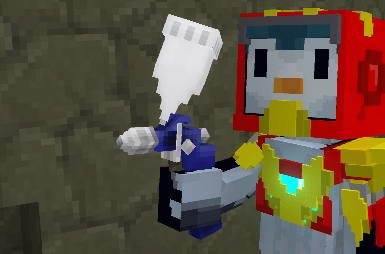
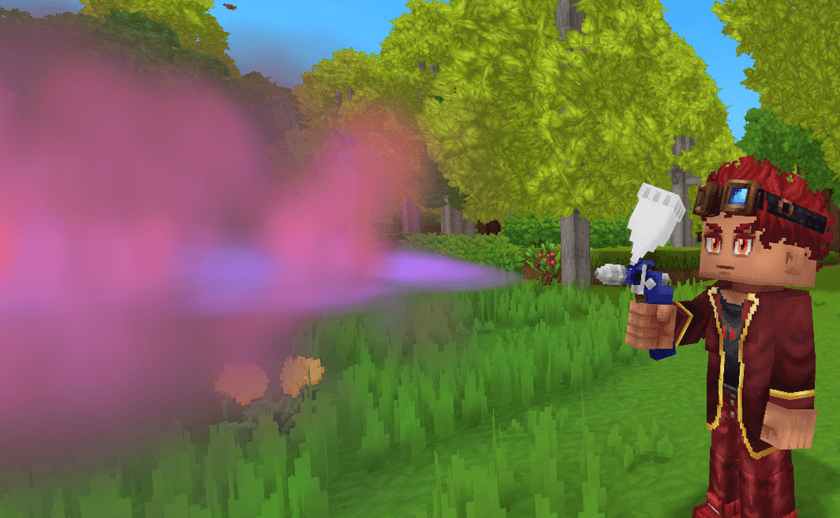
By default, this tool can only be obtain through the Customizer Bench.
By default, it costs 100 adamantite ingots (can be configurated)
or 50 prisma ingots if Endgame&QoL mod is active (also configurable).
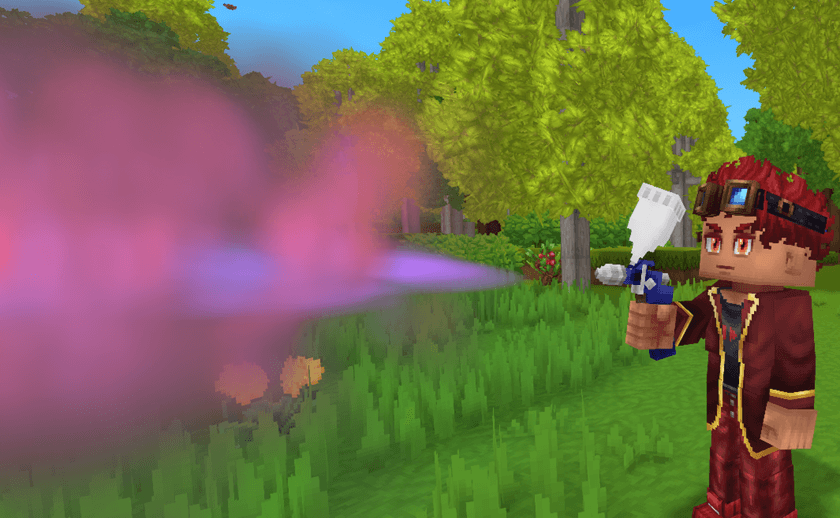
Allows players to paint blocks/placeables and entities!
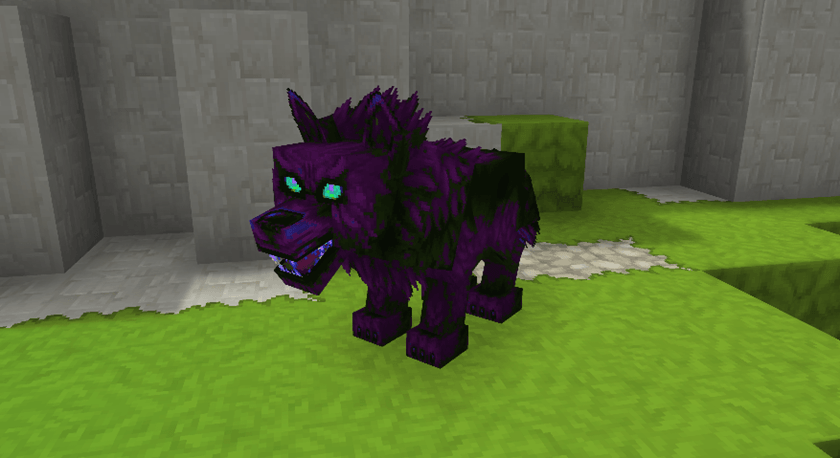
Uses "Paint Bottle" as munition/ammo.
Consumes x1 Paint Bottle per use (when opening main UI).
Refunds the Paint Bottle back to the player if no changes were applied.
Using the Spray Painter will open the main UI to paint/edit the texture/s,
in this case this Main UI will only show the TEXTURE PAINTER tab.
SELECTOR UI (OP ONLY)
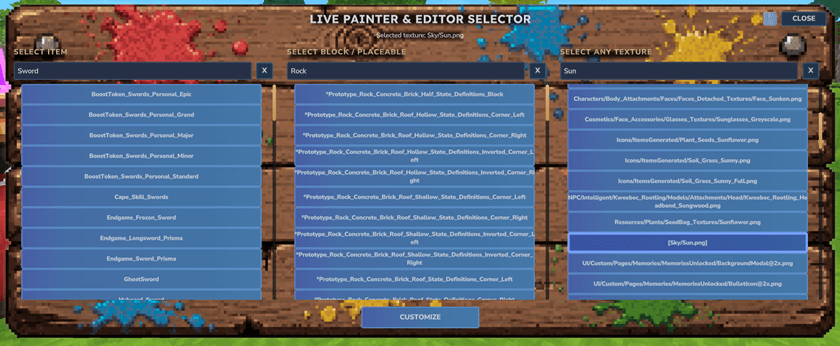
OP players can access the Selector UI with the "/lpe" command.
Player must have the main hand empty.
In this UI you can search for
any item, block/placeable, or even texture to customize.
You can select any texture from the game!
For example, you can search and select
the Sun, or the Moon, or the Stars, or the Water, or Map Icons, ANYTHING!
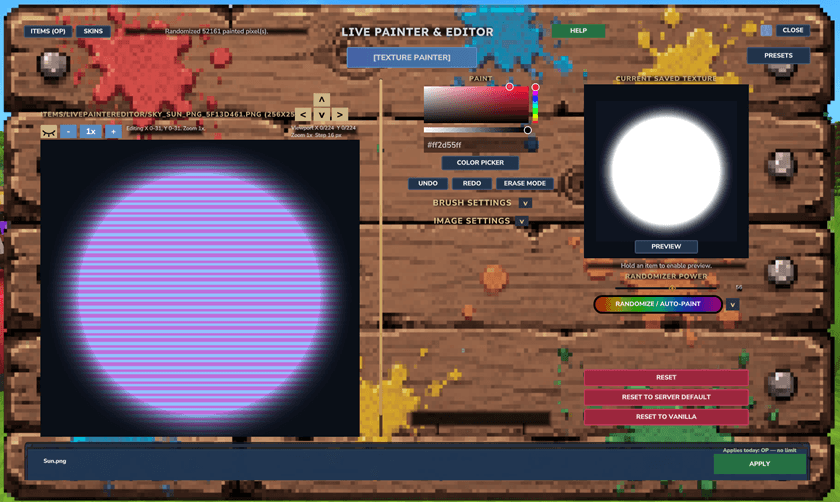


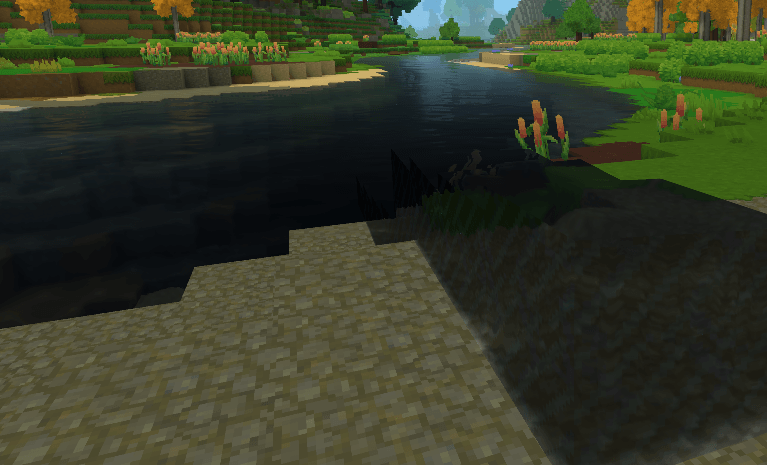
Make your world/server UNIQUE live in-game!
MORE IMPORTANT NOTES
-Players in creative mode are able to use the Customizer Bench for free.
-Only OP players can enable the toggle "Replace Original Item/Block/Entity Globally"
to replace the original globally (for all players, all worlds) instead of creating a custom variant.
-(OP ONLY) Editing textures (just textures, selected from the Selector UI) will always replace original/vanilla.
-Some placeables are not supported yet. (Will add support one day)
-Painting other players is not supported yet. (It will be one day)
COMMANDS (OP ONLY)
"/lpe"
(or "/livepainter" or "/livepaintereditor")
When holding an item or block/placeable:
Will grant you direct access to the Main UI as the Customizer Bench button does.
When the main hand is empty:
Will open the Selector UI, where you can search for
any item, block/placeable, or even texture to customize.
"/lpeconfig"
(or "/livepainterconfig" or "/livepaintereditorconfig")
Will open the full config menu UI.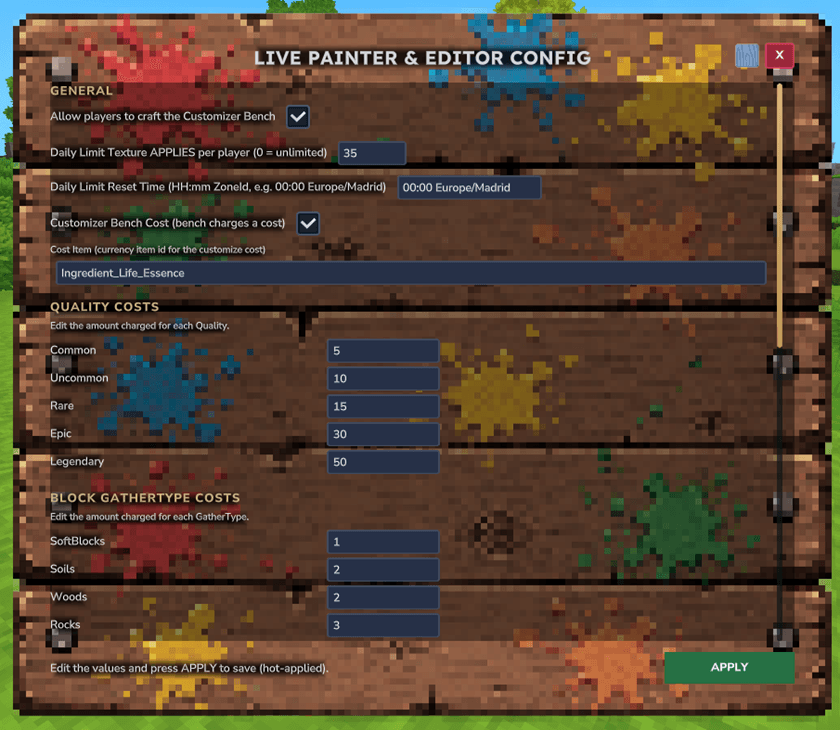
DEVELOPER API
CUSTOMIZER BENCH COSTS (OPTIONAL)
Other mods can change what the Customizer Bench charges.
Add it as an optional dependency in manifest.json:
"OptionalDependencies": { "StarkyMods:Live Painter & Editor": ">=1.0.0" }
Build against the jar with compileOnly. Because it's optional, keep the integration in a separate method and guard it, so your mod still runs when Live Painter isn't installed:
try { LivePainterCosts.setup(); } catch (Throwable ignored) { /* Live Painter not installed */ }Inside that method, call org.starkymods.plugin.CustomizerBenchCostApi directly:
Change built‑in prices (persisted + live):
CustomizerBenchCostApi.setTierCost("Legendary", 25);              // by Quality or block GatherType
CustomizerBenchCostApi.setSprayPainterCost("Ingredient_Life_Essence", 100);
CustomizerBenchCostApi.setPaintBottleCost("Ingredient_Life_Essence", 5);
Use your own economy — implement CustomizerBenchCostProvider; the bench shows displayText() and only customizes if charge(...) returns true:
CustomizerBenchCostApi.setCostProvider(new CustomizerBenchCostProvider() {
    public String displayText() { return "500 Coins"; }
    public boolean canAfford(Store<EntityStore> s, Ref<EntityStore> p) { return MyEconomy.balance(p) >= 500; }
    public boolean charge(Store<EntityStore> s, Ref<EntityStore> p) { return MyEconomy.take(p, 500); }
    public void refund(Store<EntityStore> s, Ref<EntityStore> p, String itemId) { MyEconomy.give(p, 500); } // if closed without applying
});
CustomizerBenchCostApi.clearCostProvider(); // restore built-in cost
Also check out my other mods!
Discord
Our Discord Server (English and Spanish) for everyone interested at our
incoming new mods/mod updates for Hytale.
Disclaimer
Everyone is allowed to use this mod in videos, streams, etc. Please give credit to StarkyMods, provide a link to our page when possible.
Thank you for playing our mod!
The Live Painter & Editor Team