GlymeraPlotWorld
- By
PlotSquared-style plot world for Hytale: claim & protect plots, merge any shape, per-plot weather/time, trust/visitor rights, transfer, plus creature & liquid anti-grief — all via a clickable /plot menu.
Unbenannt.jpg
Unbenannt_2.jpg
Unbenannt_3.jpg
Unbenannt_4.jpg
01_hero.jpg
Description
GlymeraPlotWorld
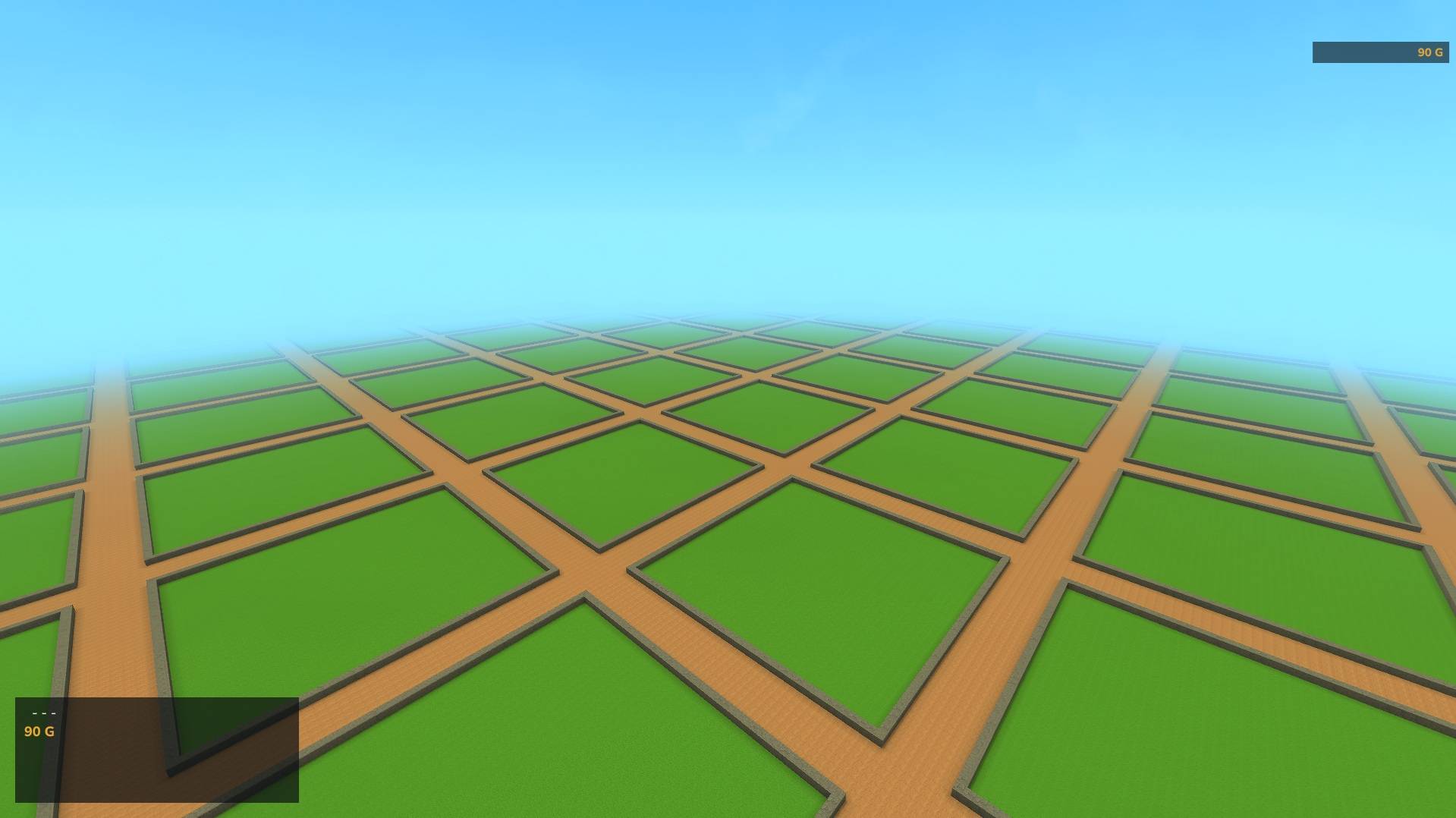
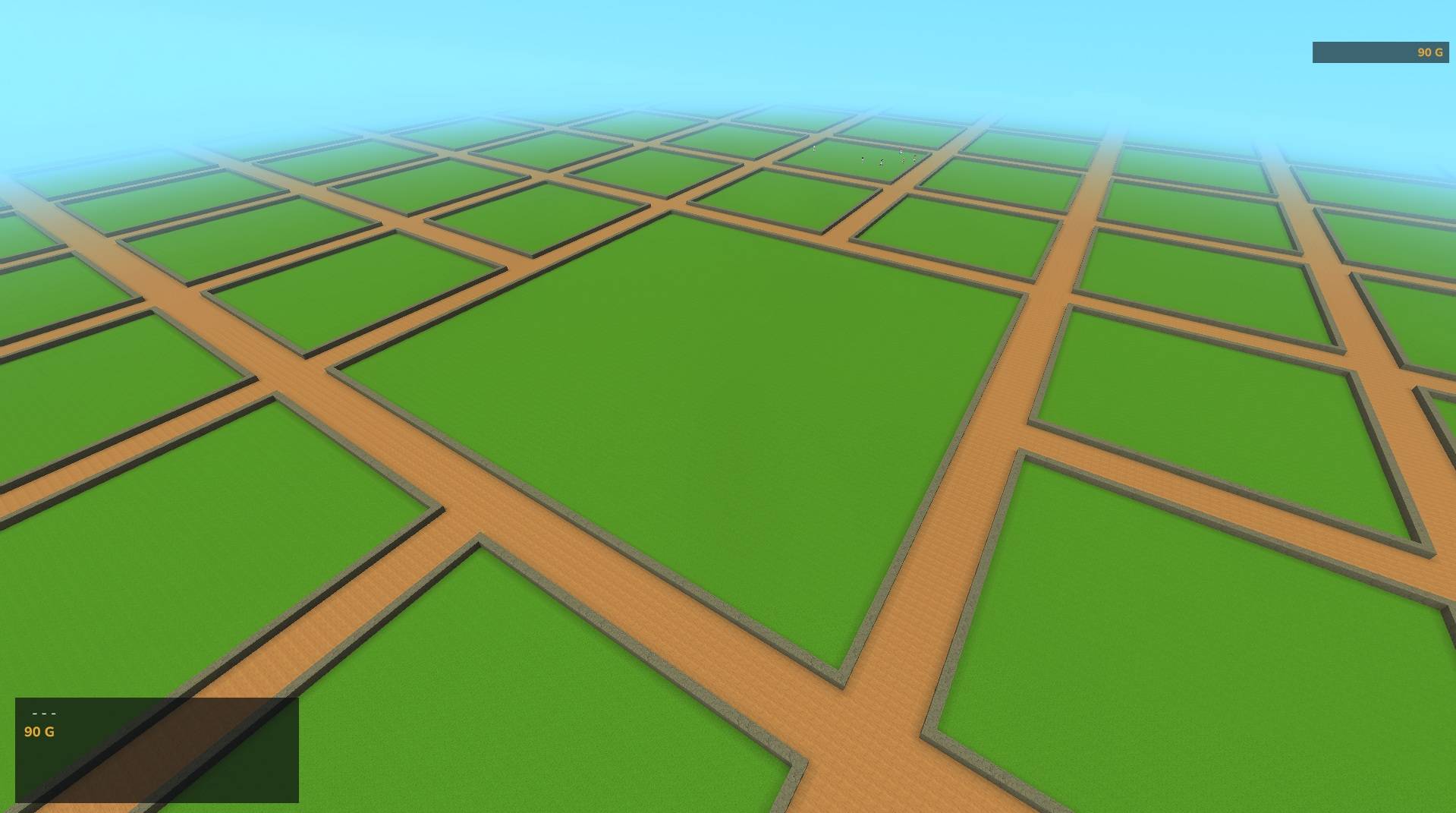
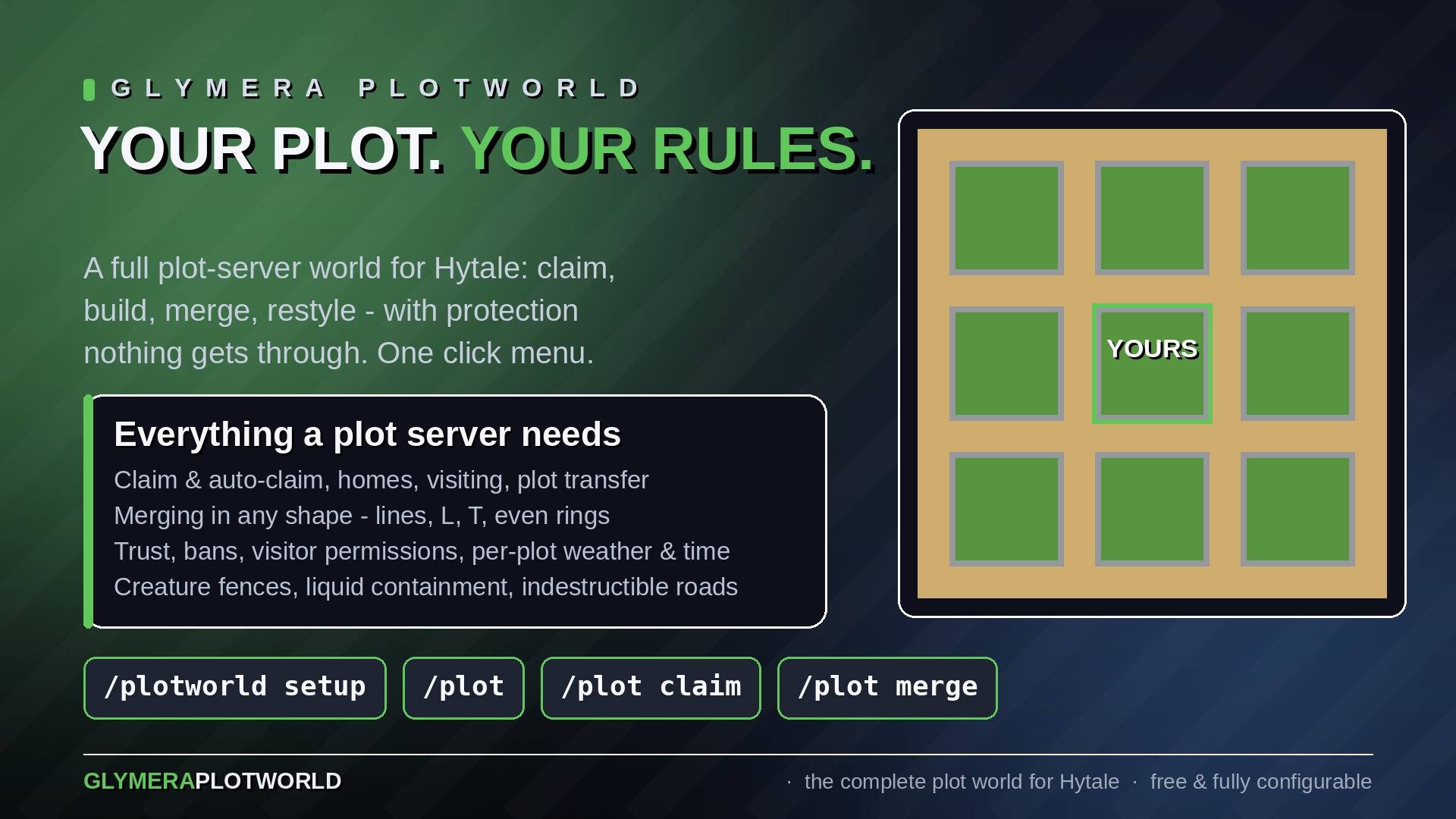
A complete plot world for Hytale — claim land, build freely, and stay protected. GlymeraPlotWorld turns a dedicated flat world into a clean grid of square plots separated by roads, the way plot servers have worked for years: every player claims their own plot, builds inside it, and nobody can touch it without permission. Includes merging, per‑plot weather & time, trust/visitor permissions, plot transfer, creature limits, full griefing protection, custom road designs (decorate ONE road piece in a private workshop world, and every road in the whole plot world gets your design) — plus borders that reach down to bedrock and ~100 border styles every owner can pick from. New in v22: plot backups — a copy of every plot right before it is deleted, cleared or unmerged, plus periodic copies of changed plots, restorable by operators with chest contents and merges intact — and rank‑based plot limits through a permission node per rank (Hytale's own groups or LuckPerms). Since v16: every claimed plot spells its owner's name in golden letter blocks on its border, a free starter plot for first‑time joiners and automatic release of abandoned plots after a configurable number of days. All driven from a simple in‑game menu.
Read this first — plot size is fixed once the world exists
plotSize, roadWidth and floorHeight are written into every chunk at the moment it is generated. Choose them before the plot world is created. Changing them afterwards leaves all existing chunks on the old grid while everything newly generated uses the new one — the two grids then sit on top of each other and the world is unusable. This is not something the plugin can repair; the old grid is part of the saved chunks.
Setting up a new server
- Stop the server.
- Put the JAR into
mods/. - Start the server once — this writes
mods/de.glymera_GlymeraPlotWorld/config.json. - Stop the server.
- Set
plotSize/roadWidth/floorHeightin thatconfig.json. - Start the server and create the world with
/plotworld setup.
The config is read once at start‑up, so editing it while the server runs has no effect — hence the stop in step 4.
Changing the grid size later — this destroys the plot world and every plot in it
- Stop the server.
- Delete everything in
mods/de.glymera_GlymeraPlotWorld/exceptconfig.json— that isplots.json,active-roads.jsonand thetemplates/folder. - Delete the world folders
universe/worlds/plotworldanduniverse/worlds/plotworld_workshop. - Set the new value in
config.json. - Start the server and run
/plotworld setup.
/world remove will not do this for you. It unloads the world but leaves the data on disk, because the plot world is deliberately created with Hytale's DeleteOnRemove: false — a world that dozens of players have built in should not be destroyable by a single console command with a typo. The plugin loads the very same world back on the next start. Deleting the folders with the server stopped is the only thing that works.
A saved road design belongs to the grid it was built for. A design saved at plotSize: 42 cannot be applied at plotSize: 100; the plugin refuses it rather than stamping the decoration onto the wrong columns. After a size change, rebuild the design in the workshop.
Highlights
- Own plot world — the plugin creates and manages its own world (default
plotworld). You create it once with the/plotworld setupmenu; restart‑safe, and the world stays loaded so teleports are instant. Enter it any time with/plotworld. - Custom road designs — don't settle for flat sandstone roads: the Road Workshop is a tiny private design world containing exactly one road piece. Decorate it — lamps, fences, hedges, planters, arches, even a different road surface — save it as a named design, and every road in the whole world converts to it (existing chunks included), protected against griefing just like the road itself. Switch designs any time; the old decoration cleans itself up.
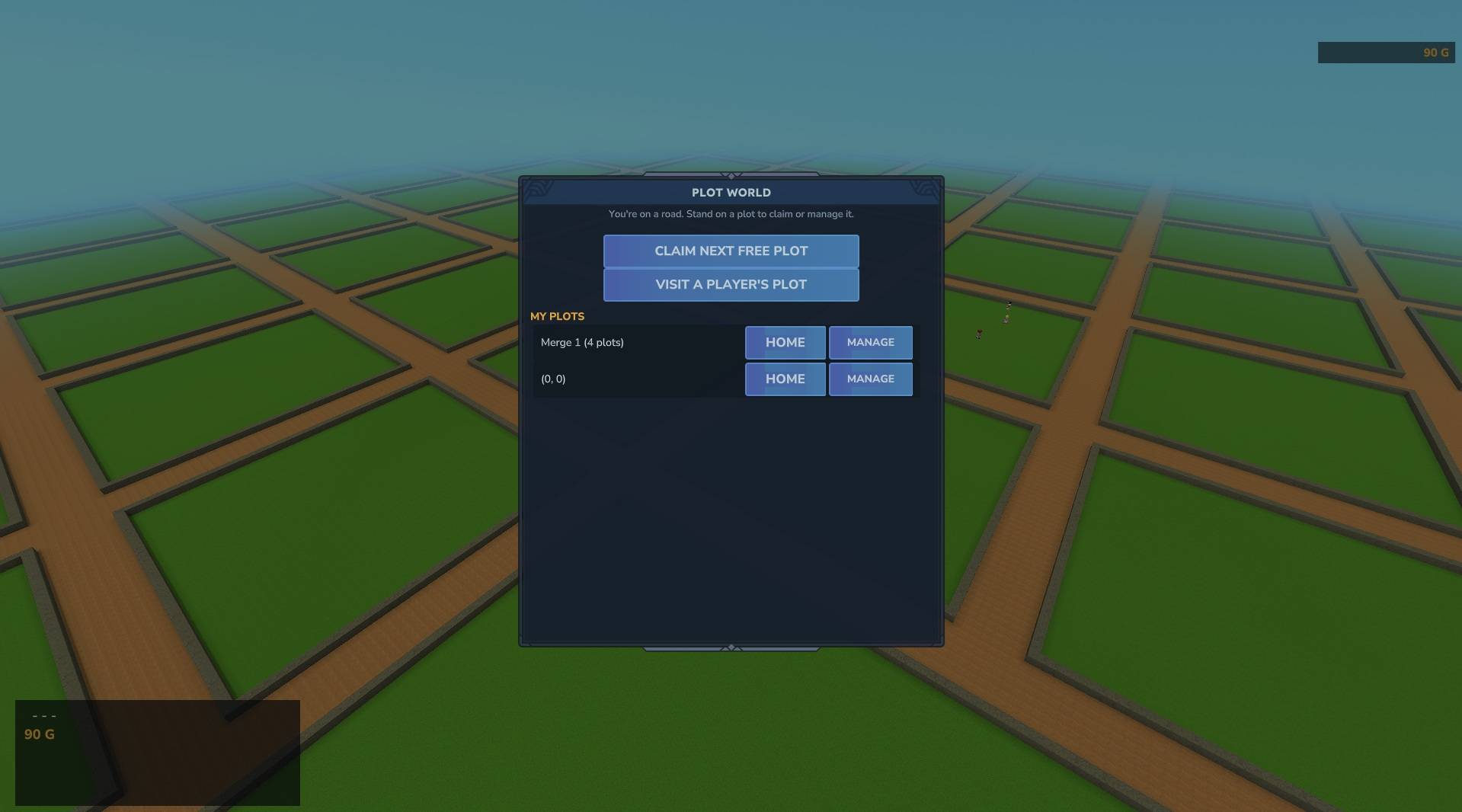
- Claim & build — stand on a free plot and claim it. Everything you place inside is yours; everyone else is blocked from building, breaking, or interacting unless you allow it.
- Borders down to bedrock (v15) — the wall ring no longer stops at the surface: a solid boundary continues under every border all the way to bedrock, so even deep underground everyone can see exactly where a plot ends. Existing worlds upgrade themselves automatically after the update.
- Border styles (v15) — plot owners restyle their border: pick a wall style (~50 choices — real connecting stone walls in fifteen materials, a fence, crystals, metals, coloured blocks) and an underground style (~50 solid blocks, including glowing crystals in eight colours) from a menu that shows every block with its item icon. Walls come out properly connected and oriented, corners included. A change costs one craftable Style Permit (configurable); merging or unmerging resets the look to default. Both style lists are admin‑editable.
- Name labels (v16) — every claimed plot carries its owner's name in golden letter blocks built into the border wall: an engraved gold serif on a dark stone plaque, always on the plot's north edge, readable from the road. The label maintains itself — claiming writes it, transferring respells it, merging moves it to the group's outer edge, giving up removes it — and existing plots get theirs automatically after the update. Admin switch
plotLabels(default on). - Free plot for first‑time joiners (v16, optional) — with
firstJoinFreePlotenabled, every genuinely new player automatically gets the next free plot claimed for them (no Deed consumed), a welcome message and — withfirstJoinTeleport— a teleport onto it. Everyone who ever played before the feature went live is marked as already served, and nobody is ever handed a second free plot. Assignments spiral outward from the centre, so newcomers settle next to each other around spawn. Off by default — enable it when the plot world is your server's main world. - Automatic release of abandoned plots (v16, optional) — with
autoUnclaimEnabled, plots whose owner has not been online forautoUnclaimDaysdays (default 365) are released and fully reset, a merge as one unit. The check runs after every server start and then daily; areas in unloaded chunks are queued and cleaned with their chunks loaded on demand, paced so nothing stutters. Absence is judged carefully: players from before the feature are covered by the server's own player‑file timestamps, and a player with no data at all is never expired blindly. Off by default — the release is final, builds included. - Point‑and‑click menu — just type
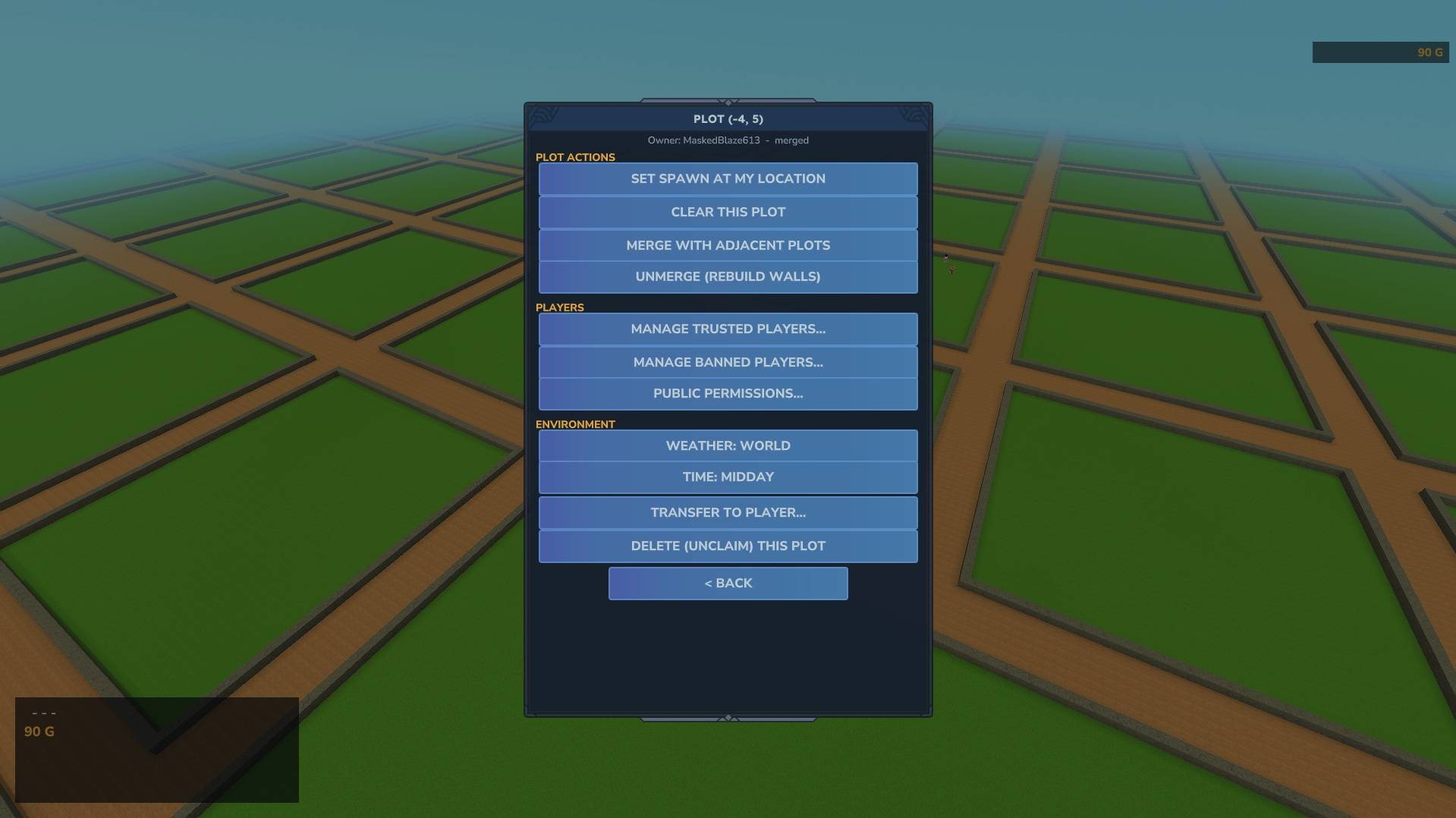
/plotto open the GUI. Claim, teleport home, visit others, manage trust/bans, set visitor permissions, change weather/time, transfer, merge/unmerge, clear or give up a plot — all clickable. Prefer typing? Every action also has a command (/plot help). - Merge any shape — combine your adjacent plots into one big build area. Flood‑fill merging handles lines, L/T/plus shapes and rings in a single click, and the geometry is footprint‑exact: foreign or empty plots inside a merge bounding box are never touched. A merge counts as one entry in your list. Extending an existing merge keeps everything you built on its already‑opened seams (v18).
- Per‑plot weather & time — give your plot its own weather and a frozen time of day. Only people standing on your plot see it; the rest of the world is unaffected. Reset cleanly on merge/unmerge/release.
- Trust & visitor permissions — trust players (group‑wide across a whole merge) to give them full build access, or fine‑tune what all visitors may do: build, break, interact with doors/chests, and damage animals — each toggleable on/off. Bucket use is covered too: pouring fluids follows the build flag, scooping follows the interact flag, so nobody can flood a plot with lava or drain its ponds without permission. Entry itself is controlled purely by bans.
- Bans — ban a player from your plot (group‑wide); unban any time.
- Transfer ownership — hand a plot — or an entire merge, kept intact — to another player. Blocked if the recipient is already at their plot limit.
- Creature control (anti‑grief) — creatures hit an invisible wall at the plot/merge edge: a plot's animals stay inside instead of wandering onto the road, just like a fenced plot. Your animals also stay put over time: Hytale despawns idle creatures by default (like Minecraft mobs leaving), but animals on a claimed plot are now kept permanently, so a farm doesn't quietly dissolve. Anything that spawns on a road (for example a mob spawner placed near a border whose radius spilled over) is cleared automatically, so roads stay clean. Ridden mounts and your companion pets are never affected. Each plot has a maximum number of creatures (default 20; a merge adds the limits together), the plot menu shows a live animal count, and
/plot clearremoves a plot's animals along with the build. - Liquid containment (anti‑grief) — water and lava cannot spread across plot borders onto roads or neighbouring plots, and any liquid is removed when a plot is cleared or given up. No more flooding or lava‑griefing the grid.
- Indestructible roads & boundaries (anti‑grief) — roads and the boundary stones that frame every plot (and the ground beneath them) are kept indestructible against any source: explosions, area‑of‑effect tools, other plugins, even operators. If something does manage to alter a road or border block, it is restored within about a second. Merge‑aware — the opened seams inside a merge stay buildable for the owner, the merged outer frame stays protected. Plot interiors are never touched.
- Safe reset — clearing, deleting or unmerging restores the affected area cleanly, props and decoration entities included (unmerge only touches the seams that become roads and walls again). The reset writes only what actually changed, is paced over time and pins the involved chunks, so even very large merges never cause a lag spike or crash.
- Plot backups (v22) — a copy of the plot is taken right before every delete, clear, unmerge and automatic release, plus periodic copies of plots that changed (default every 6 hours, 12 kept — both configurable; an unchanged plot is never copied twice). A copy holds every block with rotation, chest contents and other block data, fluids, the claim, trust/ban lists, styles and the merge. Operators stand on the plot and run
/plot backups//plot restore <number>to put a copy back — paced like the reset, so even a huge merge never stalls the server./plot deletenow asks for a second confirmation. - Plot limit — fixed or per rank (v22) — normal players may own up to a configurable number of plots (default 9); merging cannot bypass the cap. Operators are exempt. Optionally switch
plotLimitModeto"rank"and give each of your ranks its own limit through a permission node (glymera.plots.max.<N>, orglymera.plots.max.unlimited), exactly likeplots.maximum.<N>on Minecraft plot servers — works with Hytale's built‑in groups and with LuckPerms, no rank names in the config. - Token items (required to claim, merge & restyle, by default) — by default a player must own and spend a craftable "Plot Deed" to claim a plot, a "Merge Permit" to merge plots, and a "Style Permit" to restyle a border. Each requirement and each recipe can be turned off separately in the config. See The three tokens below.
The three tokens
By default, claiming a plot costs one Plot Deed, merging plots costs one Merge Permit, and restyling a border costs one Style Permit — so land (and looks) are something players earn, not grab for free. All three are crafted at the Alchemy bench:
- Plot Deed / Merge Permit: 4× Concentrated Life Essence (
Ingredient_Life_Essence_Concentrated) each. - Style Permit: 2× Concentrated Life Essence — cheaper, it is cosmetic.
- Right‑clicking any token also opens the plot menu.
- Server options — all three are controlled independently:
claimRequiresToken/mergeRequiresToken/styleRequiresTokenturn each requirement off (that action becomes free), andclaimRecipeEnabled/mergeRecipeEnabled/styleRecipeEnableddisable each recipe while keeping the requirement — crafting is then blocked and admins hand tokens out with/plot give <player> claim|merge|style. This lets a server e.g. keep Plot Deeds craftable but sell Merge or Style Permits, or price them differently in a shop. - Operators never need a token.
- Updating from an older version? Nothing changes for players: existing Plot Deeds stay valid for claiming, and an old config with the previous
requireToken/recipeEnabledkeys keeps working (the value is applied to both claim/merge switches automatically).
Commands
/plotworld — teleport into the plot world.
/plotworld setup (operator) — the creation menu: create the plot world instantly with default roads, or start the road designer first.
/plotworld roads ... (operator) — the road designer: edit (go to the workshop), save <name>, apply <name>, list, help.
/plot — open the management menu. Sub‑commands (also usable directly):
| Command | What it does |
|---|---|
/plot claim |
Claim the plot you are standing on |
/plot auto |
Find and claim the next free plot |
/plot home |
Teleport to your plot |
/plot list |
List the plots you own |
/plot info |
Show info about the current plot |
/plot visit <player> |
Visit another player's plot |
/plot trust / untrust <player> |
Give / remove full build access |
/plot ban / unban <player> |
Ban / unban a player from your plot |
/plot public |
Toggle visitor permissions (build/break/interact/damage animals) |
/plot weather / time |
Set this plot's weather / frozen time |
/plot style <wall|under> <name|default> |
Restyle your wall ring / underground boundary (menu has the picker) |
/plot merge / unmerge |
Merge adjacent plots / split them again |
/plot setspawn |
Set where home/visit drops you |
/plot clear |
Wipe the plot's interior, its props/decoration entities and its animals |
/plot delete |
Give up the plot (a whole merge is released together) |
/plot transfer <player> |
Transfer the plot/merge to another player |
/plot give <player> [claim|merge|style] |
(OP) Hand out a Plot Deed / Merge Permit / Style Permit |
/plot backups / /plot restore <number> [--force=true] / /plot backup |
(OP) List / put back / take a saved copy of the plot you stand on (v22) |
/plotbackup list|save|restore <px> <pz> [number] |
(OP or server console) The same by plot coordinates (v22) |
Configuration
Settings live in mods/de.glymera_GlymeraPlotWorld/config.json (created on first start, fully commented):
maxPlotsPerPlayer(default9,-1= unlimited; operators always exempt)plotLimitMode(default"fixed") —"fixed"=maxPlotsPerPlayerfor everyone;"rank"= the limit comes from a permission node on the player's rank:glymera.plots.max.<N>(highest N wins, up to 200) orglymera.plots.max.unlimited, falling back tomaxPlotsPerPlayerfor players without a node. Attach nodes with/perm group add <group> <node>+/setgroup <player> <group>, or in LuckPerms (/lp group <group> permission set <node> true)snapshotBeforeReset(defaulttrue) — take a copy of the plot right before every delete / clear / unmerge / automatic release (newest 3 kept per plot)snapshotIntervalHours(default6) — hours between periodic copies of plots that changed since their last copy;0= offsnapshotKeep(default12) — how many periodic copies to keep per plotclaimRequiresToken(defaulttrue) — consume a Plot Deed on claimmergeRequiresToken(defaulttrue) — consume a Merge Permit on mergestyleRequiresToken(defaulttrue) — consume a Style Permit on a border restyleclaimRecipeEnabled(defaulttrue) — allow crafting the Plot DeedmergeRecipeEnabled(defaulttrue) — allow crafting the Merge PermitstyleRecipeEnabled(defaulttrue) — allow crafting the Style PermitunderBoundaryBlock(defaultRock_Stone) — the default underground boundary blockplotLabels(defaulttrue) — spell the owner's name in letter blocks on every claimed plot's borderfirstJoinFreePlot(defaultfalse) — auto‑claim a free plot for genuinely new players on their first joinfirstJoinTeleport(defaulttrue) — also teleport the newcomer onto the granted plot (only withfirstJoinFreePlot)autoUnclaimEnabled(defaultfalse) — automatically release plots whose owner stayed away too long (final, area reset)autoUnclaimDays(default365) — the absence threshold in days for the automatic releasewallStyles/underStyles— the curated block lists offered in the style picker (admin‑editable; entries that are not valid blocks are ignored with a console warning)maxCreaturesPerPlot(default20,-1= no cap; a merge sums the limits)keepPlotAnimals(defaulttrue) — keep a plot's animals from despawning over time (strip Hytale's native idle‑NPC despawn on claimed plots)confineCreatures(defaulttrue) — hold creatures inside their plot/merge at an invisible walldeleteCreaturesOnRoads(defaulttrue) — remove creatures that end up standing on a road (mounts +exemptRolesare spared)confineMode(defaultactive) — the native per‑tick confine engine; setoffto fall back to the legacy scheduled passconfineIntervalMs(default33) — legacy pass only (used whenconfineModeis notactive)exemptRoles(default the pet + pet-shop roles) — NPC roles never confined or removed; ridden mounts are always exempt anywaycontainLiquids(defaulttrue) — stop water/lava crossing plot bordersprotectStructure(defaulttrue) — keep roads + boundary stones (and the ground beneath them) indestructible against any sourcetemplateMaxHeight(default16, max64) — how high above the road surface a road design may reach- plus plot size, road width, floor height, block types, grass tint and world names (plot world + workshop world).
Notes
- Designed for and tested on Hytale Stable 5.
- Admin/world‑modifying actions are operator‑only by default.
- Install: drop the JAR into your server's
mods/folder and start the server, then run/plotworld setupin‑game (operator) to create your plot world — instantly with default roads, or with your own road design. Upgrading from an older version? Your existing world and plots are picked up unchanged (data migrates automatically from the oldplugins/folder tomods/).
GlymeraPlotWorld Team