GlymeraLift
- By
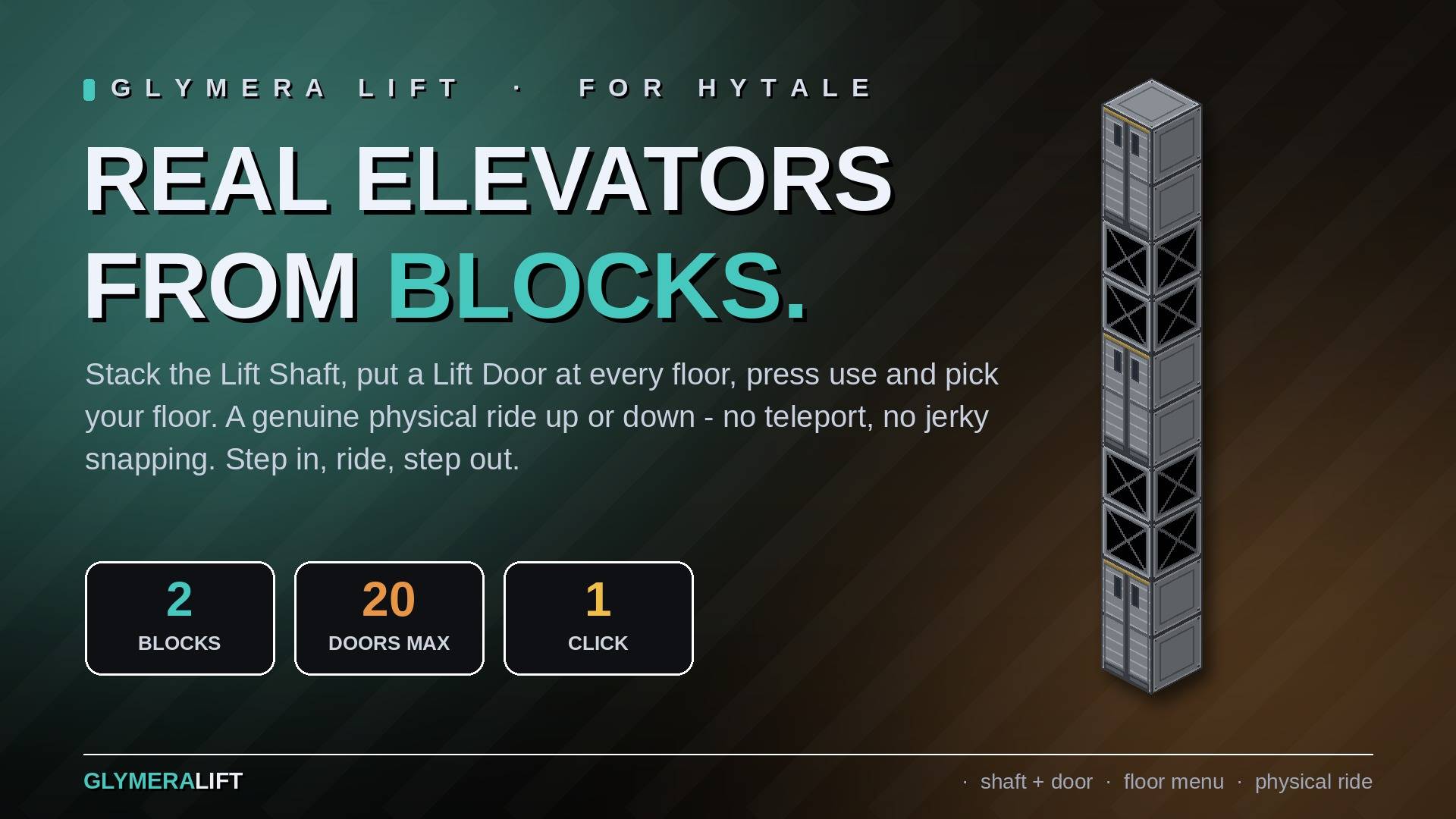
Build real elevators from a single block. Stack it, click the door, ride smoothly up or down - a genuine physical transport, no teleporting, no snapping. Directional doors, hands-free upright ride, any height.
01_hero.jpg
02_two_blocks.jpg
03_building.jpg
04_doors.jpg
05_use_menu.jpg
Description
GlymeraLift
Build real elevators from blocks. Stack the Lift Shaft, put a Lift Door at every floor, press use and pick your floor - a genuine physical ride up or down, no teleporting, no jerky snapping. Step in, ride, step out.
What it does
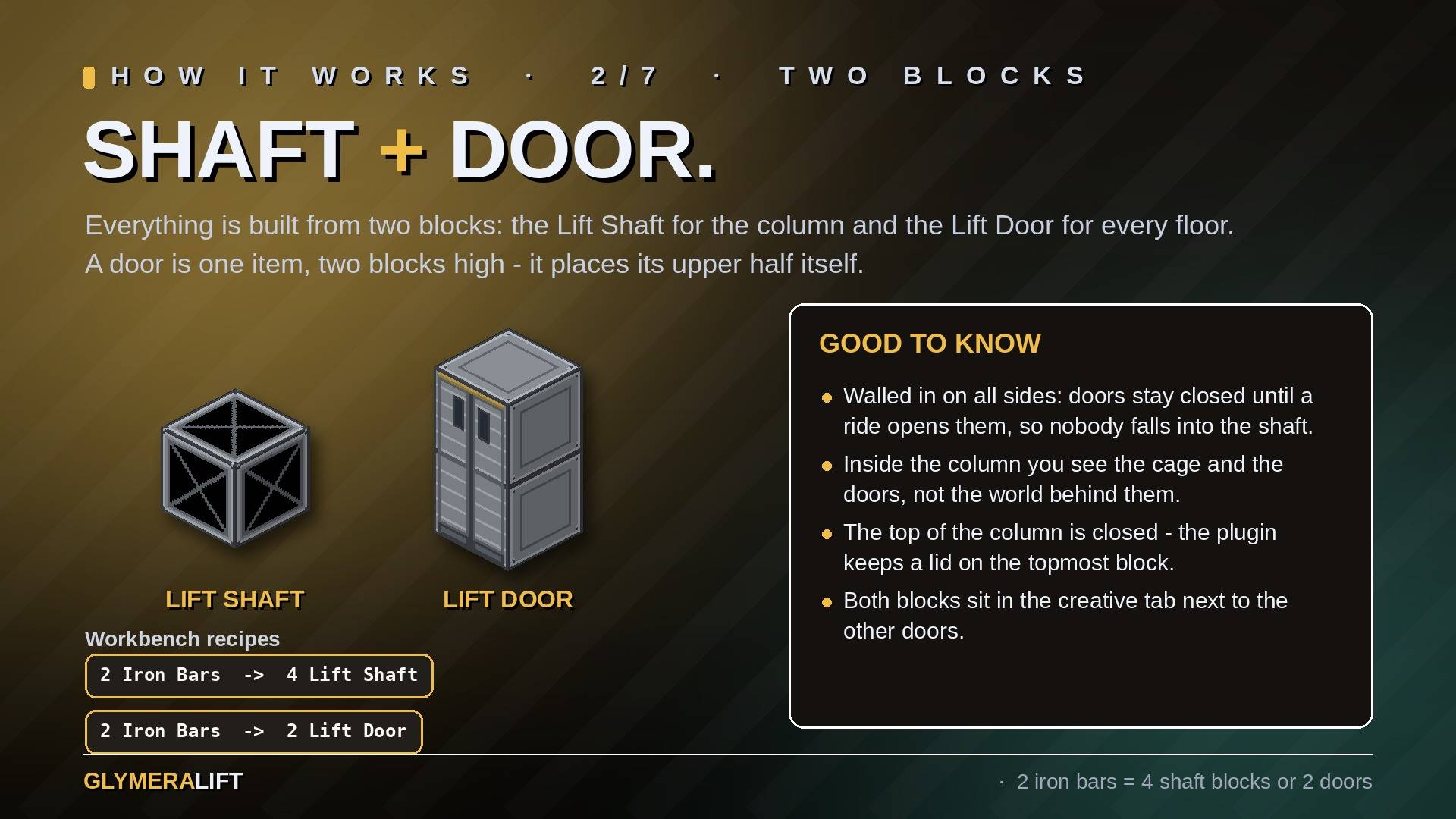
GlymeraLift turns a column of blocks into a working elevator. Stack the Lift Shaft block into a vertical column and put a Lift Door into it wherever a floor is. A door is two blocks high and places its upper half itself, so every stop is a proper doorway. Press use (F) on any door:
- Two doors: you ride straight to the other one.
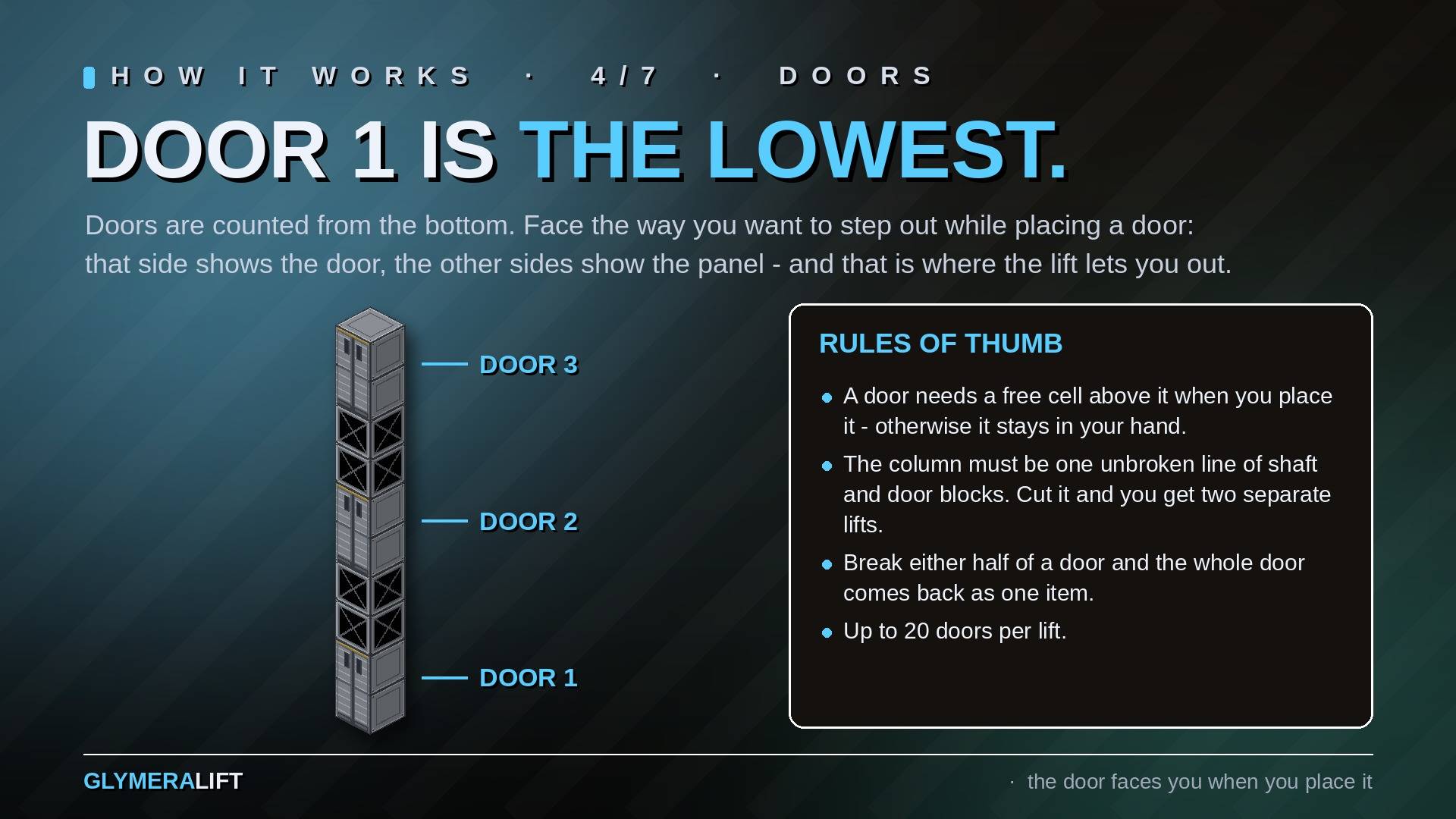
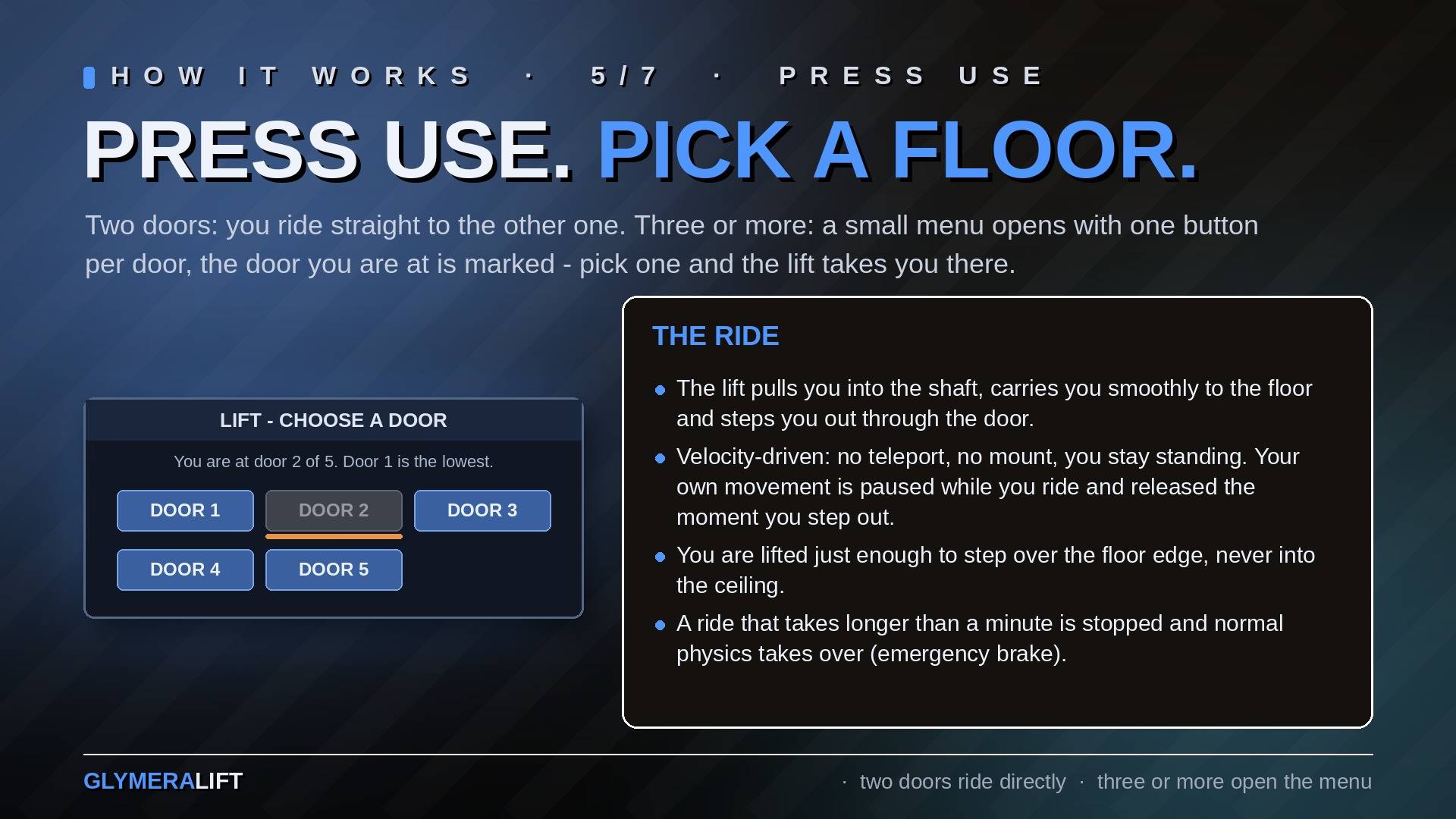
- Three or more doors: a small menu opens with one button per door - door 1 is the lowest - and you ride to the one you pick.
The ride is physical: the lift pulls you into the shaft, carries you smoothly to the floor you chose and steps you out through the front of that door. Inside the shaft you see the cage and the doors, not the world behind them, and the top of the column is closed. While you ride, your own movement is paused so you stay centred; it is released the moment you step out.
Features
- Two blocks, any number of floors - Lift Shaft for the column, Lift Door for every stop (up to 20 doors per lift)
- Floor menu - three or more doors open a menu, the door you are at is marked; two doors ride directly
- Directional doors - the door faces the way you were looking when you placed it, and you step out through that side
- Smooth, physical transport - velocity-driven, no teleport, no mount; you stay standing
- A door is one item - two blocks high, it places its upper half itself and comes back as one door when you break either half; cut the column and you get two independent lifts
- Safe exit - the lift lifts you just enough to step over the floor edge, never into the ceiling
- Nothing to configure - works out of the box, a few speeds and distances are tunable
How to build one
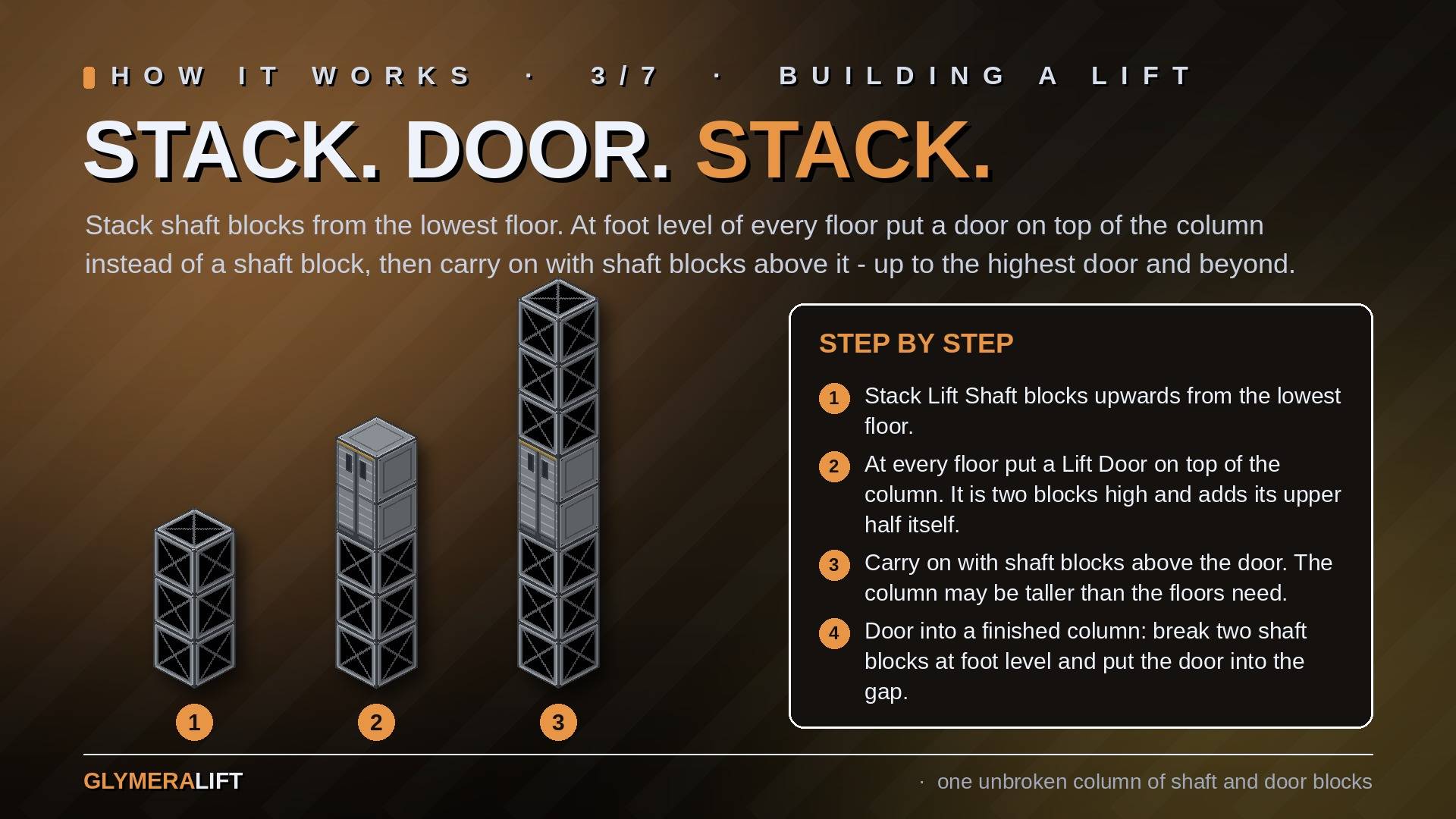
- Stack Lift Shaft blocks upwards from the lowest floor. At foot level of every floor put a Lift Door on top of the column instead of a shaft block - the door is two blocks high and adds its upper half itself - then carry on stacking shaft blocks on top of it. The column can be taller than the floors need.
- Face the direction you want the door to open while placing it - that is where you step out. To add a door to a finished column, break two shaft blocks at foot level of that floor and put the door into the gap.
- Press use (F) on a door. Two doors ride directly, three or more open the menu.
Rules of thumb: a door is two blocks high and needs a free cell above it when you place it (otherwise it refuses and stays in your hand), and the whole column must be one unbroken line of shaft and door blocks.
Classic lift block: everything built with the old Glymera Lift block keeps working exactly as before (bottom door up, top door down). The old block is no longer craftable and no longer in the creative tab - new lifts are built from Shaft + Door.
Recipes
At the Workbench: 2 iron bars make 4 Lift Shaft blocks, 2 iron bars make 2 Lift Doors. Both are in the creative tab under Doors.
For Server Owners
mods/Glymera_GlymeraLift/config.json is written on the first start; its _info line explains every key. An older plugins/GlymeraLift/config.json is taken over once.
| Key | Default | Meaning |
|---|---|---|
rideSpeed |
4.5 |
Blocks per second up or down |
enterSpeed |
3.0 |
Blocks per second when the lift pulls you in and pushes you out |
maxColumnHeight |
128 |
Longest lift column the plugin will scan |
maxRideMs |
60000 |
Emergency brake: a ride longer than this is ended and normal physics takes over |
rotationOffset |
0 |
Calibration 0-3: turn the door-front direction a quarter turn if it ever points the wrong way |
exitClearance |
0.45 |
How far above floor level you are lifted before stepping out (auto-capped to the available headroom) |
testCommands |
false |
Enables /glift test for headless checks - leave it off |
/glift shows the installed version. No database, no dependencies, server-side only: players need nothing but the server's asset pack.
Installation
- Put the latest
GlymeraLift-<version>.jarin your server'smods/folder. - Start the server. The blocks are craftable at the Workbench and in the creative tab.
Updating from an earlier version: just replace the jar. Existing lifts keep working.
GlymeraLift Team