GlymeraInspect
- By
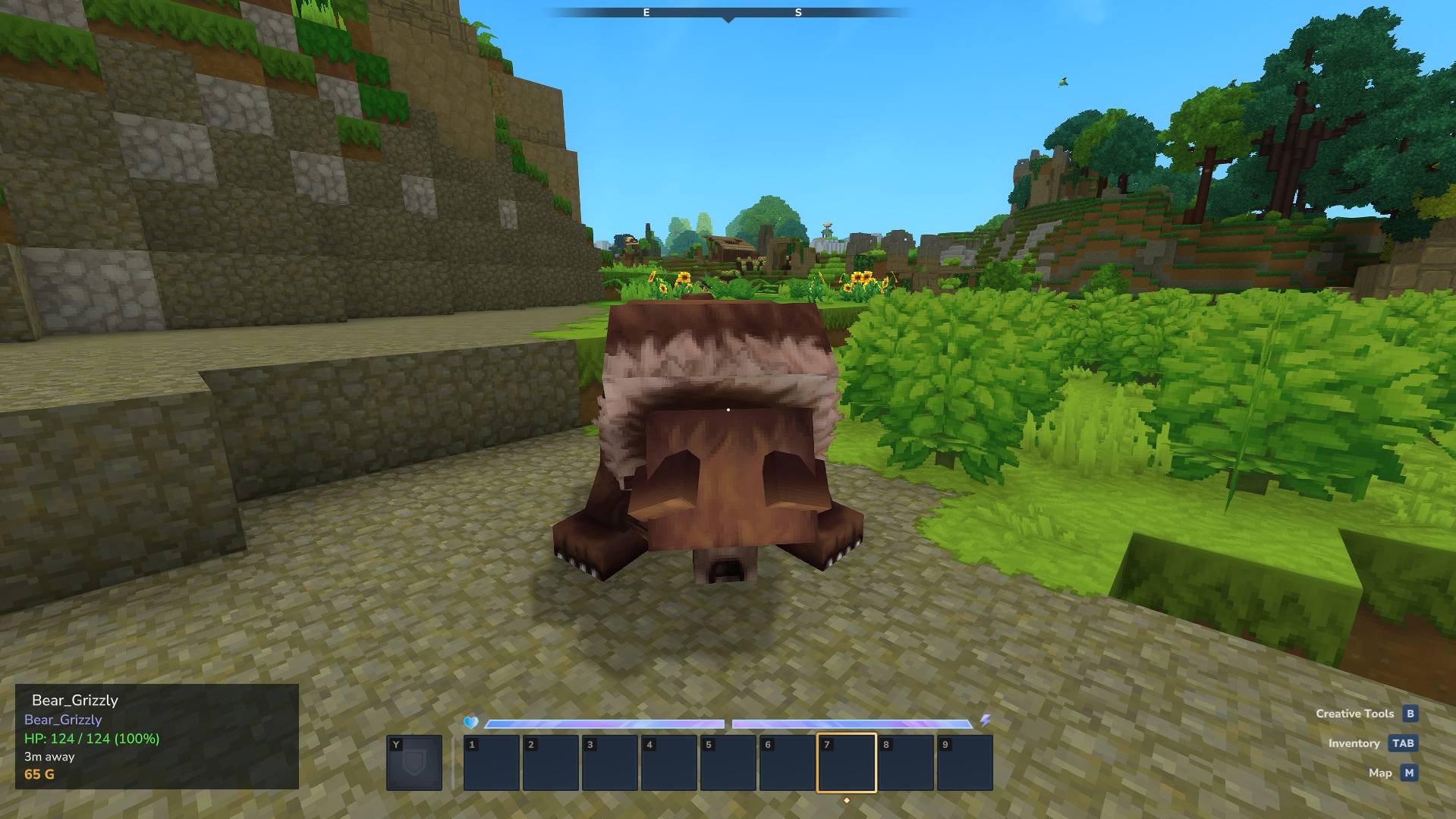
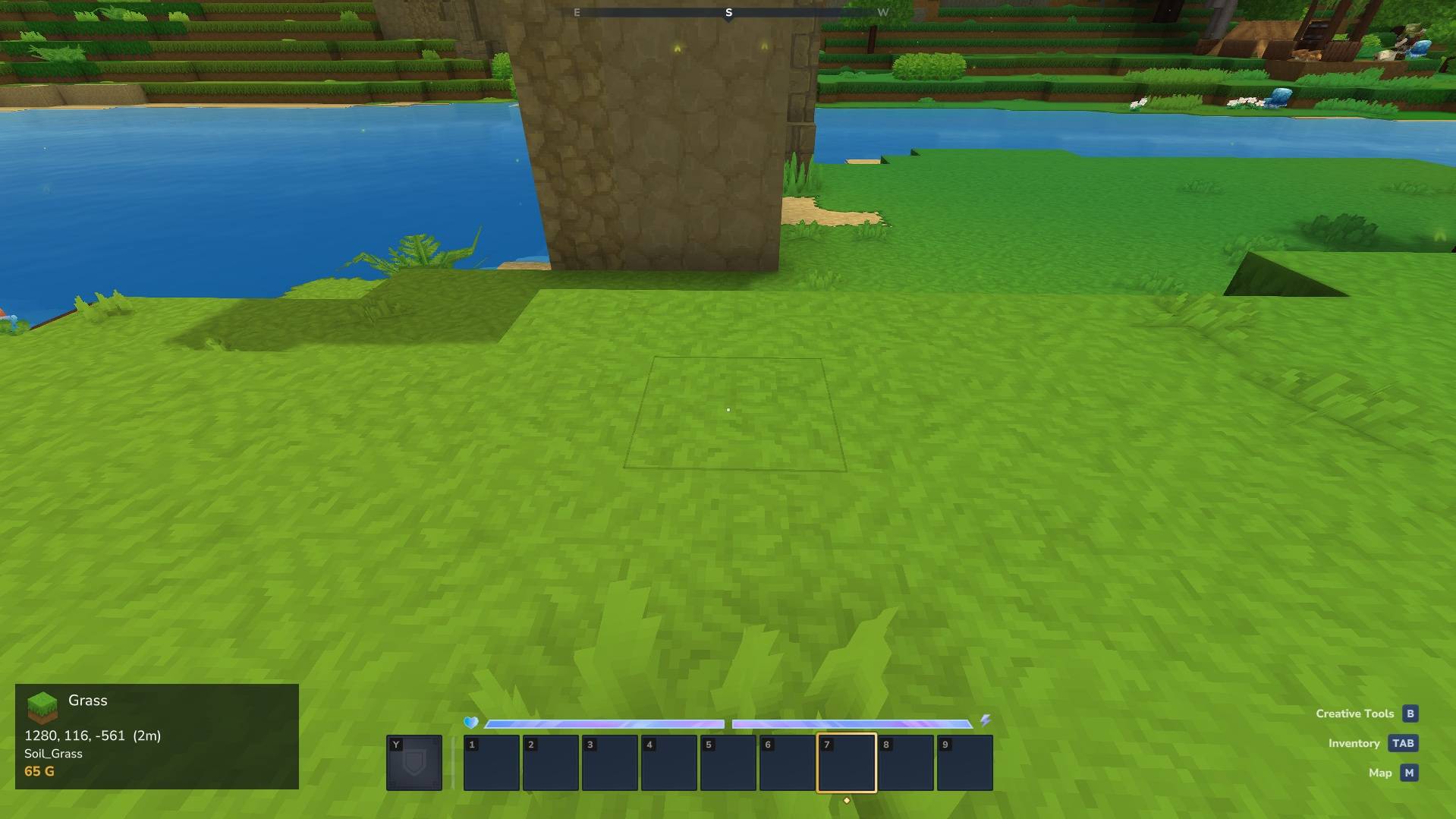
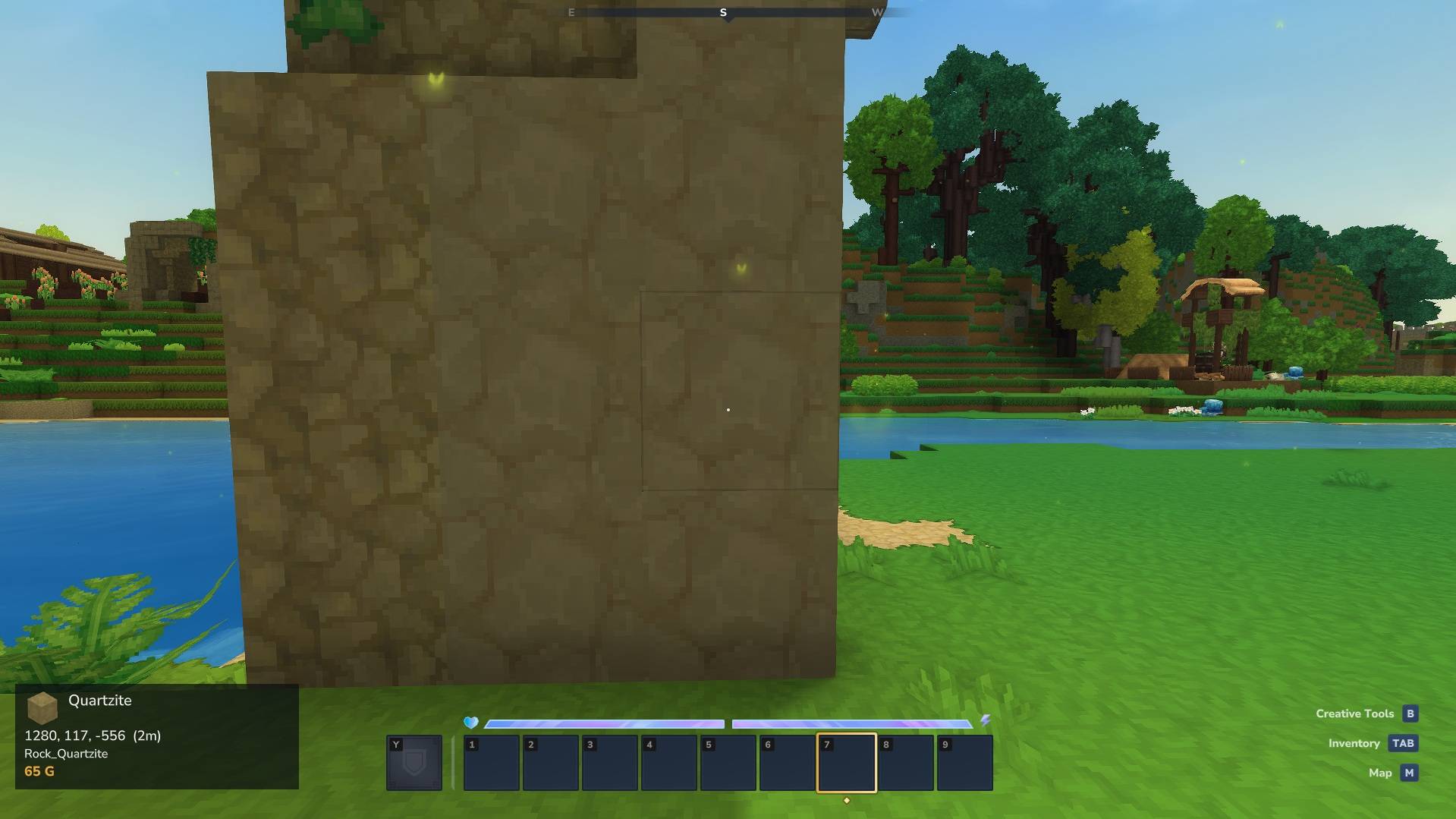
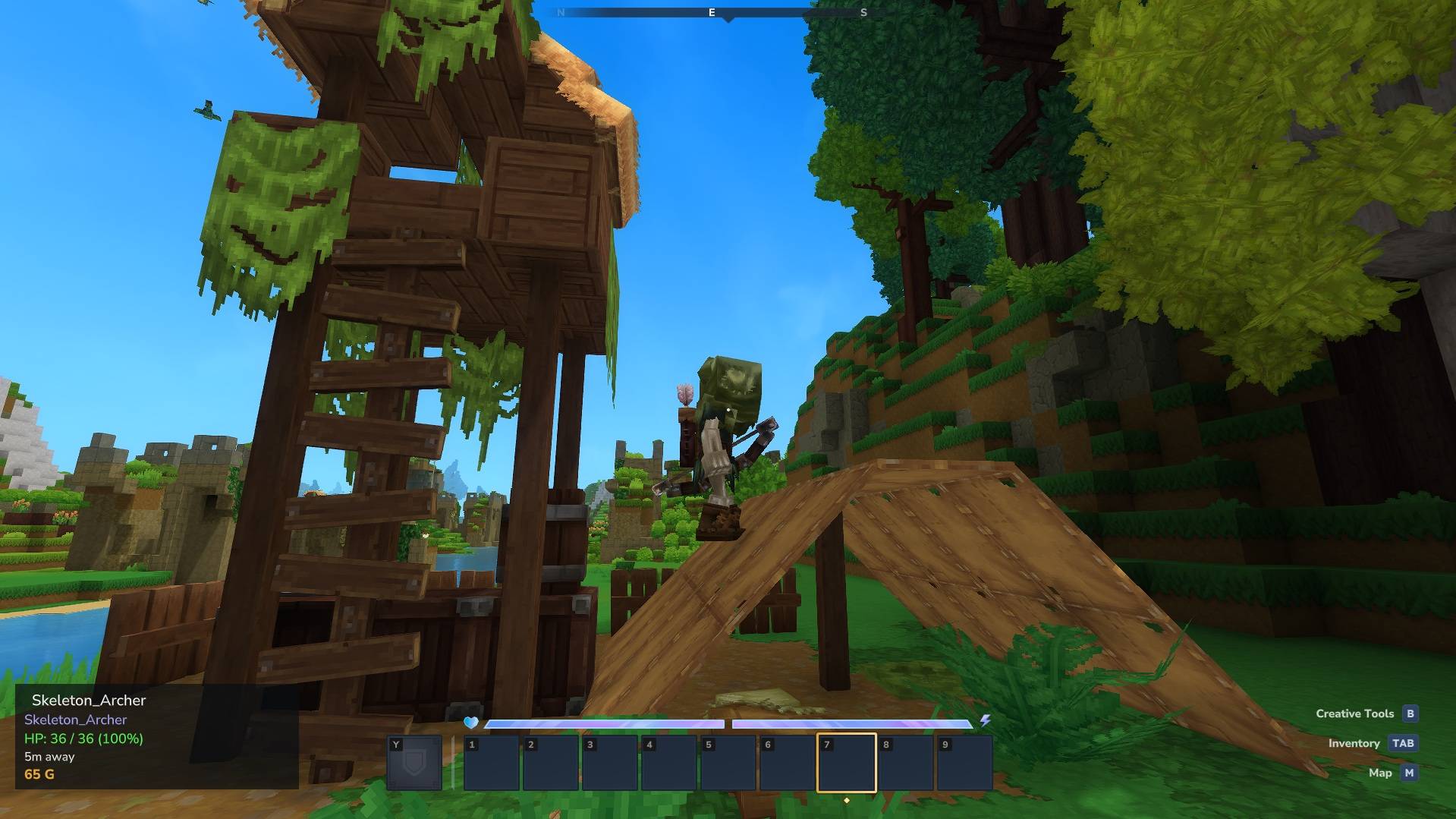
See what you're looking at! A clean HUD showing block names, coordinates, NPC health, container contents and your gold balance. 50-block range, real-time updates, toggle with /inspect. Works for every player out of the box.
Unbenannt_1.jpg
Unbenannt_2.jpg
Unbenannt_3.jpg
Unbenannt_4.jpg
Description
GlymeraInspect - See What You're Looking At!
A clean HUD overlay that shows you exactly what block, creature or object is in your crosshair - plus your gold balance.
What is GlymeraInspect?
GlymeraInspect adds a permanent info panel to the bottom-left of your screen. Look at any block, NPC or creature and instantly see its name, coordinates, distance, health and more. If the GlymeraMerchant plugin is installed, your current gold balance is displayed as well.
Works out of the box - no setup needed, every player gets the HUD automatically, and every player can switch it off with /inspect.
Requires Hytale 0.6.0 or newer (since v5.0.0). For 0.5.x servers use v4.0.0.
What It Shows
Blocks
- Display name (the same name you see when hovering items in your inventory)
- Item icon (48x48)
- Coordinates (X, Y, Z)
- Distance from you in blocks
- Block type ID (internal name, useful for admins)
- Crafting bench tier (if looking at a crafting bench)
- Processing progress (percentage, if a bench is actively processing)
- Container contents (item grid, if looking at a chest or container)
Entities & NPCs
- Role name (the spawn command name, e.g. "Horse", "Trork_Warrior")
- Health with color coding: green (>50%), yellow (25-50%), red (<25%)
- Distance from you in blocks
Gold Balance (Optional)
- Current balance in gold-yellow, bold
- Only shown if the GlymeraMerchant plugin is installed on the server
- Updates every 2 seconds
- If GlymeraMerchant is not installed, the gold line simply doesn't appear
Commands
| Command | Who | Description |
|---|---|---|
/inspect |
Everyone | Toggle the HUD on/off |
The HUD is enabled by default for all players when they join. Use /inspect to hide it, and /inspect again to bring it back. The command needs no permission setup - it is open to everyone, operators included.
Installation
- Place
GlymeraInspect-6.0.0.jarin your server'smods/folder - Start (or restart) the server
- Done! No config file needed.
Optional: Install GlymeraMerchant alongside for the gold balance display.
Features
- 50-block range - See info about blocks up to 50 blocks away
- Change-detected updates - The panel refreshes as soon as what you look at changes (up to 5 times per second), with a once-per-second heartbeat
- Multi-block support - Correctly resolves furniture and multi-block structures to their base block
- Inline HUD - Built entirely server-side, no client mods required
- Plays nicely with other HUD plugins - Sent as direct HUD packets, so minimaps and other custom HUDs keep rendering alongside it
- Toggle per player - Each player can independently show/hide the HUD
- Non-intrusive - Compact panel in the bottom-left corner with semi-transparent background
- Smart gold integration - Automatically detects if GlymeraMerchant is present, no config needed
Good to Know
- GlymeraInspect does not occupy Hytale's custom-HUD registry slot; it renders through direct HUD packets. HUD plugins that back off when they see another custom HUD registered (some minimaps do) therefore keep working. The gold line is included so GlymeraMerchant's balance stays visible in the same panel.
- Air/empty blocks are automatically filtered - the HUD only shows info when looking at something solid.
- Entity detection has priority over blocks - if you're looking at an NPC standing on a block, you'll see the NPC info.
- The gold balance is read from GlymeraMerchant's data files (
plugins/GlymeraMerchant/data/balances.json) and cached for 2 seconds to avoid excessive file reads.
Performance
GlymeraInspect is lightweight:
- Raycast is Hytale's native
TargetUtil- optimized by the engine - Throttled updates - at most 5 HUD updates per second per player, and only when something changed; nothing is rebuilt while you keep looking at the same thing
- No file I/O per tick - Gold balance is cached and refreshed every 2 seconds
- No asset pack overhead - HUD is built entirely inline, no texture loading
- Minimal memory - One small HUD object per connected player
Made with care by Glymera for the Hytale community
The GlymeraInspect Team