GlymeraMerchant
- By
Complete merchant & economy system. Gold currency with HUD, NPC shopkeepers, buy/sell trades, player-to-player payments. Create shops in-game with visual skin selector, add items by holding them. Config-driven, persistent, hot-reloadable.
Unbenannt_1.jpg
Unbenannt_2.jpg
Unbenannt_3.jpg
Description
GlymeraMerchant - Gold, Shops, NPC Merchants & Paid Commands!
A complete economy system for your Hytale server: currency, persistent gold balances, NPC shop keepers, a full shop UI, player-to-player trading and a unique paid commands feature that lets you charge gold for any command from any plugin.
Most actual version only working for Hytale stable 5 ! Don't miss my other exciting projects — take a look at GlymeraCraft's Profile Discord: https://discord.gg/s5NRFWfxgy
What is GlymeraMerchant?
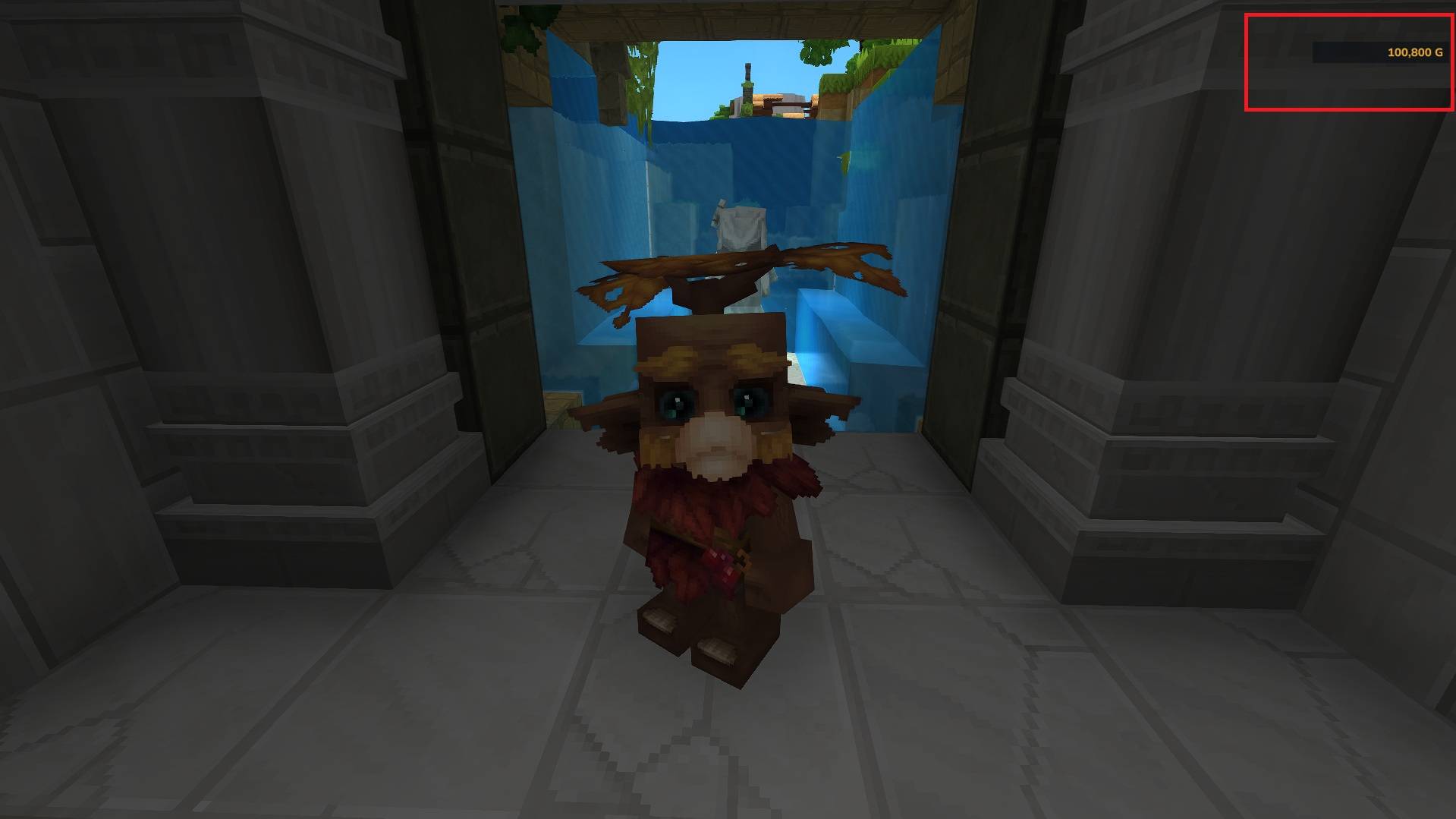
GlymeraMerchant adds a full gold-based economy to your server. Players earn, spend and trade gold. Admins place NPC merchants in the world that sell and buy items through a visual shop interface. Every player sees their balance in a permanent HUD element in the top-right corner.
The Paid Commands feature is what makes this plugin special: you can make any command from any plugin cost gold. Want /gp claim to cost 500 gold? Just add it to the config. The player runs the command, gets asked to confirm the price, and only then is the gold deducted and the command executed. No changes to the other plugin required.
Features
- Gold currency with configurable name, symbol and max balance
- Starting balance for new players (default: 100)
- Persistent balances saved to JSON, auto-saved every 5 minutes
- Live HUD showing current gold balance (top-right corner, always visible)
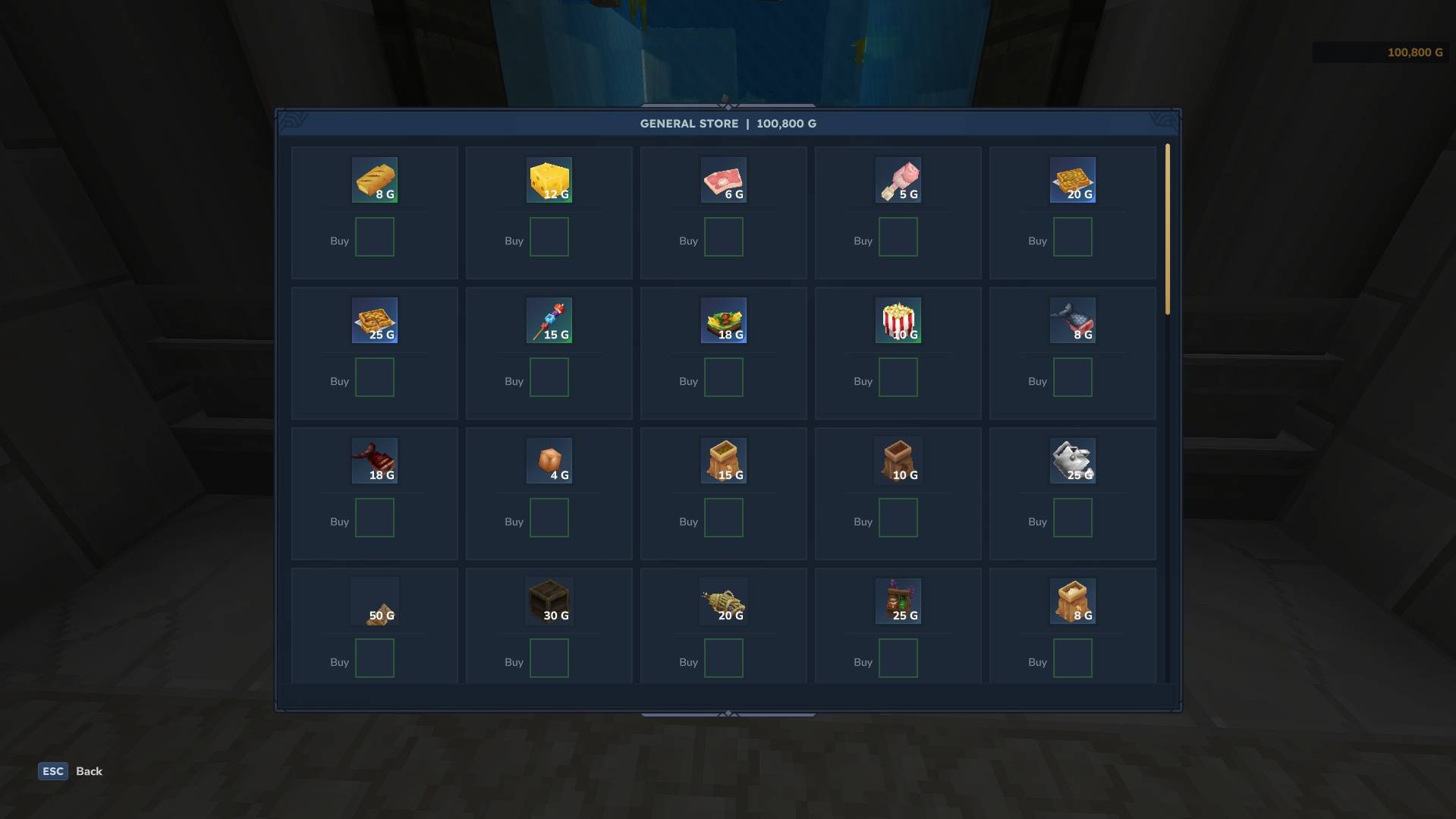
- Visual shop UI with buy and sell cards, stock tracking, can-afford indicators
- NPC merchants that stand in the world, look at nearby players and open their shop on interaction
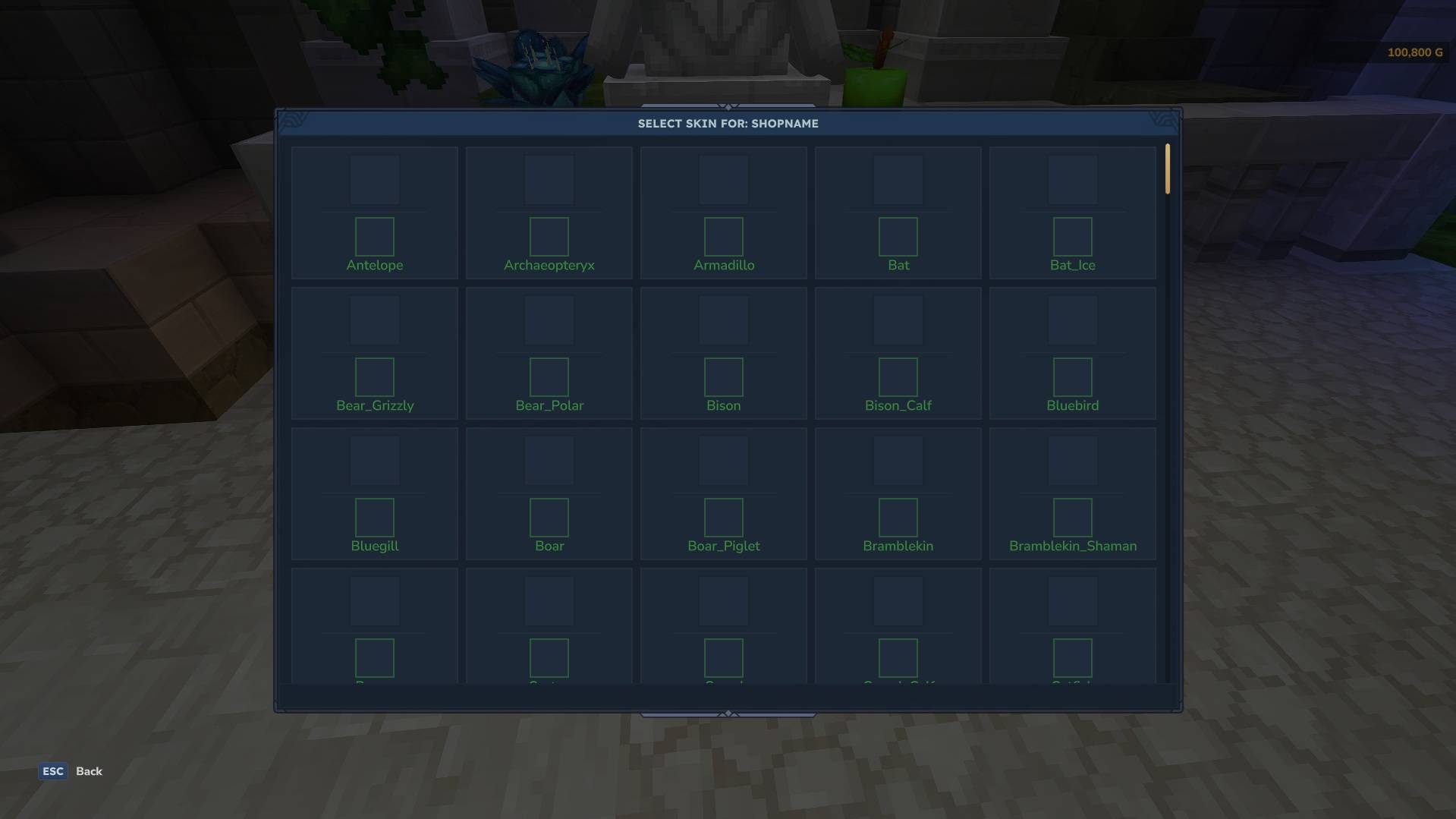
- Custom NPC skins - choose any Hytale creature model as your merchant's appearance
- Player-to-player payments via
/pay - Paid commands - charge gold for any command from any plugin
- VaultUnlocked support - registers as Economy provider so any VaultUnlocked-compatible plugin can use your gold system
- Hot-reload - edit the config and apply changes with
/merchant reload, no restart needed
Commands
For Everyone
| Command | Description |
|---|---|
/money |
Check your current gold balance |
/pay <player> <amount> |
Send gold to another player |
/shop |
Open the shop of the nearest merchant NPC (within 8 blocks) |
/shop <type> |
Open a specific shop by name (e.g. /shop weaponsmith) |
/confirm |
Confirm a paid command and pay the gold |
For OPs Only
| Command | Description |
|---|---|
/money give <player> <amount> |
Give gold to a player |
/money take <player> <amount> |
Take gold from a player |
/merchant create <name> |
Create a new shop and pick a skin |
/merchant create <name>:<filter> |
Create shop with skin filter (e.g. myshop:cow) |
/merchant add <name> buy <price> |
Add the item in your hand as a buyable item |
/merchant add <name> sell <price> |
Add the item in your hand as a sellable item |
/merchant remove <name> |
Remove the item in your hand from a shop |
/merchant spawn <name> |
Spawn an NPC for an existing shop at your location |
/merchant delete |
Delete the nearest merchant NPC |
/merchant list |
List all shops and their trade counts |
/merchant types |
List all available NPC appearances |
/merchant reload |
Reload config (shops, paid commands, settings) |
Paid Commands
This is the standout feature: make any command from any plugin cost gold, without modifying that plugin.
How It Works
- Admin adds a command to the
paidCommandssection in the config - Player types the command (e.g.
/gp claim myplot) - The command is intercepted before it executes
- Player sees: "Claiming a plot costs 500 G. Type /confirm within 15s to proceed."
- Player types
/confirmwithin the timeout - Gold is deducted and the command executes normally
If the player doesn't have enough gold, they are told immediately. If they don't confirm in time, the request expires and they need to run the command again.
Config Example
"paidCommandOpExempt": true,
"paidCommandTimeout": 15,
"paidCommands": {
  "gp claim": { "cost": 500, "description": "Claiming a plot" },
  "tpp set": { "cost": 100, "description": "Setting a teleport point" },
  "bw create": { "cost": 1000, "description": "Creating a biome world" }
}- Key = command prefix without
/(matches the command and anything after it) - cost = gold price
- description = shown to the player in the confirmation message (optional, defaults to the command itself)
- paidCommandOpExempt = if
true, OPs never have to pay (default:true) - paidCommandTimeout = seconds the player has to type
/confirm(default:15)
Shop System
Setting Up a Shop (In-Game)
- Type
/merchant create myshop- a skin selection UI opens - Click on the appearance you want for your merchant NPC
- The NPC spawns at your position with an empty shop
- Hold an item and type
/merchant add myshop buy 150to add it as a buyable item for 150 gold - Hold another item and type
/merchant add myshop sell 30to make it sellable for 30 gold - Players can now interact with the NPC or use
/shop myshopto open the shop
Shop UI
- Buy cards (green) show items players can purchase, with price and can-afford indicator
- Sell cards (blue) show items players can sell back to the shop
- Items can be buy-only, sell-only, or both (with different prices)
- Optional stock limits per item
- Balance updates live in the shop title bar after each transaction
- If the player's inventory is full when buying, the item drops on the ground
Configuration
The full config is at plugins/GlymeraMerchant/config.json and is auto-generated on first start.
| Setting | Default | Description |
|---|---|---|
startBalance |
100 |
Gold given to new players on first join |
currencyName |
"Gold" |
Name of the currency (shown in messages) |
currencySymbol |
"G" |
Short symbol after amounts (e.g. 500 G) |
maxBalance |
999999 |
Maximum gold a player can hold |
allowShopCommand |
true |
If false, players must walk to NPC merchants instead of using /shop |
paidCommandOpExempt |
true |
OPs skip payment for paid commands |
paidCommandTimeout |
15 |
Seconds to confirm a paid command |
paidCommands |
{} |
Commands that cost gold (see above) |
merchants |
{} |
Shop definitions with trades |
VaultUnlocked Support
GlymeraMerchant automatically registers as an Economy provider with VaultUnlocked if it is installed. This means any plugin that uses VaultUnlocked for economy (checking balances, depositing, withdrawing) will use GlymeraMerchant's gold system - no configuration needed.
- Optional: VaultUnlocked is not required. GlymeraMerchant works perfectly fine on its own.
- Automatic: If VaultUnlocked is in your
mods/folder, the integration activates automatically. - Compatible: Works with any plugin that uses the VaultUnlocked Economy API (Vault2).
Installation
- Place
GlymeraMerchant-2.0.0.jarin your server'smods/folder - (Optional) Place
VaultUnlocked-Hytale.jarinmods/for cross-plugin economy support - Start (or restart) the server
- The config and data folders are created automatically
- Edit
plugins/GlymeraMerchant/config.jsonto configure shops and paid commands - Use
/merchant reloadin-game to apply changes
Data Storage
| File | Purpose |
|---|---|
plugins/GlymeraMerchant/config.json |
All settings, shops and paid commands |
plugins/GlymeraMerchant/data/balances.json |
Player gold balances (UUID -> amount) |
plugins/GlymeraMerchant/data/merchants.json |
Spawned NPC merchant positions and types |
All data persists across server restarts. Balances are auto-saved every 5 minutes and on shutdown.
Good to Know
- Merchant NPCs survive server restarts - they are tracked by position and respawned automatically
- NPCs use a custom role (
GlymeraMerchantNPC) so cleanup never touches wild NPCs - The gold HUD works alongside GlymeraHUD if installed (multi-HUD support)
- Paid commands use packet-level interception - they work with commands from any plugin without compatibility issues
- Skin selection UI supports filtering (type
/merchant create myshop:horseto only show horse-like models) - The
/shopcommand can be disabled in the config to force players to visit NPC merchants in person
Made with care by Glymera for the Hytale community
GlymeraMerchant Team