Gamble N' Roll
- By
Item gambling for Hytale. Sacrifice lower-rarity items for a chance to receive higher-rarity ones, complete with a hotbar scroll animation and custom sound effects.
GambleThumb1.jpg
Gamble1.jpg
Gamble4.jpg
Gamble2.jpg
Gamble5.jpg
Gamble3.jpg

Description

Gamble N' Roll
Item gambling for Hytale. Sacrifice lower-rarity items for a chance to receive higher-rarity ones, complete with a hotbar scroll animation and custom sound effects.
How It Works
- Open the gamble UI with
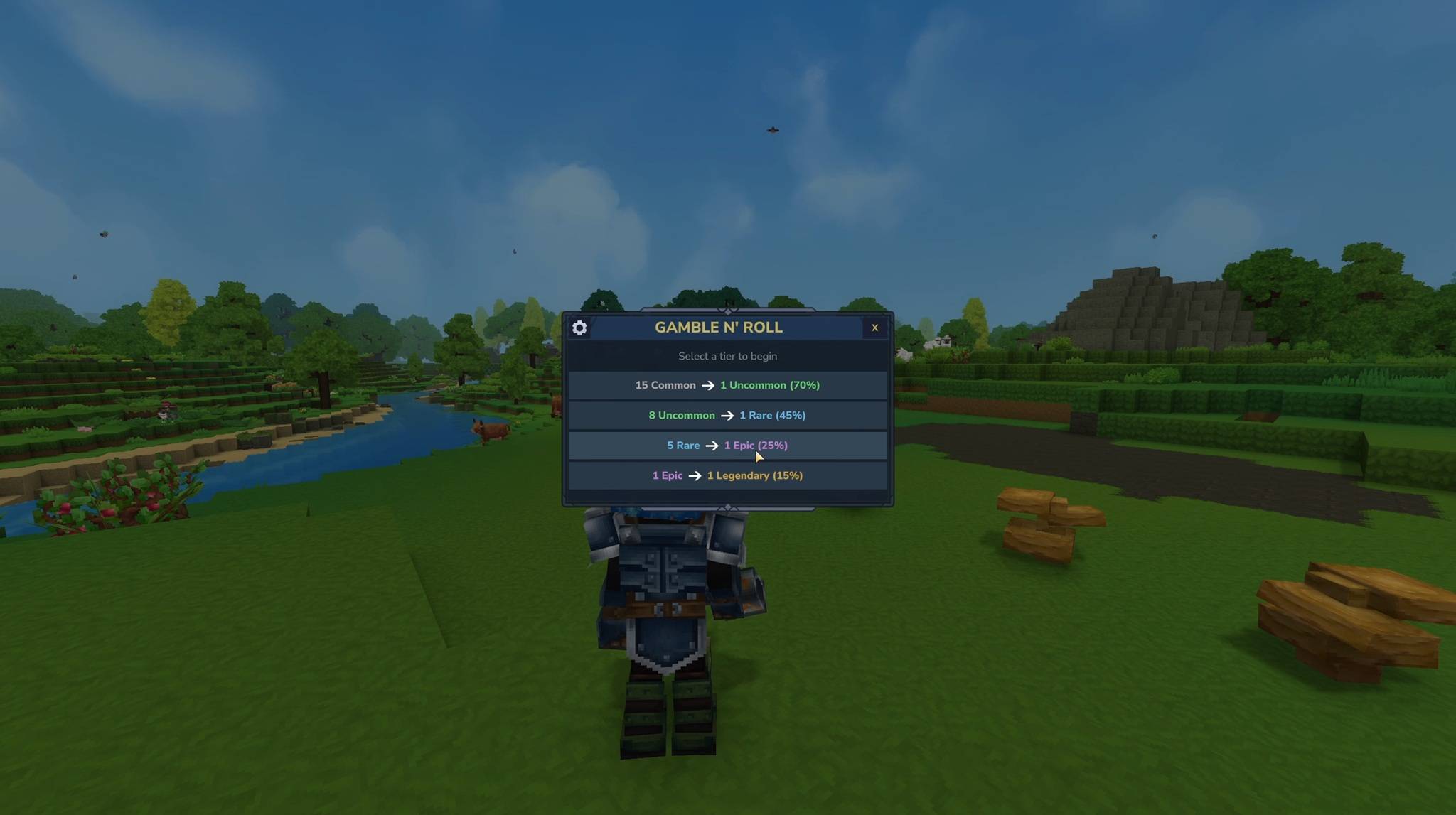
/gamble - Pick a tier (e.g. Common -> Uncommon)
- Select which items to sacrifice — you choose exactly what goes in
- Hit Roll and watch the hotbar scroll animation reveal your result
- Win? You get a random item one rarity tier higher. Lose? You get a partial refund of lower-rarity items.
Gamble Tiers
| Tier | Sacrifice | Reward |
|---|---|---|
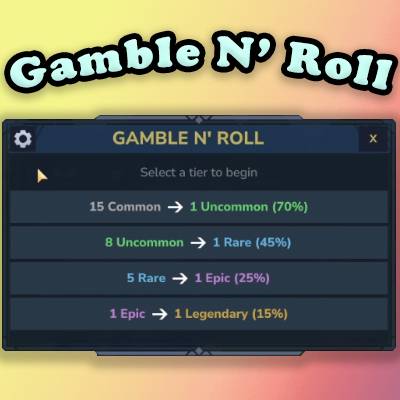
| Tier 1 | Common items | 1 Uncommon item |
| Tier 2 | Uncommon items | 1 Rare item |
| Tier 3 | Rare items | 1 Epic item |
| Tier 4 | Epic items | 1 Legendary item |
Each tier has configurable win odds (default: 60% / 45% / 30% / 15%). On a loss, a configurable percentage of your sacrifice is refunded as lower-rarity items (default: 50%).
Item Selection UI
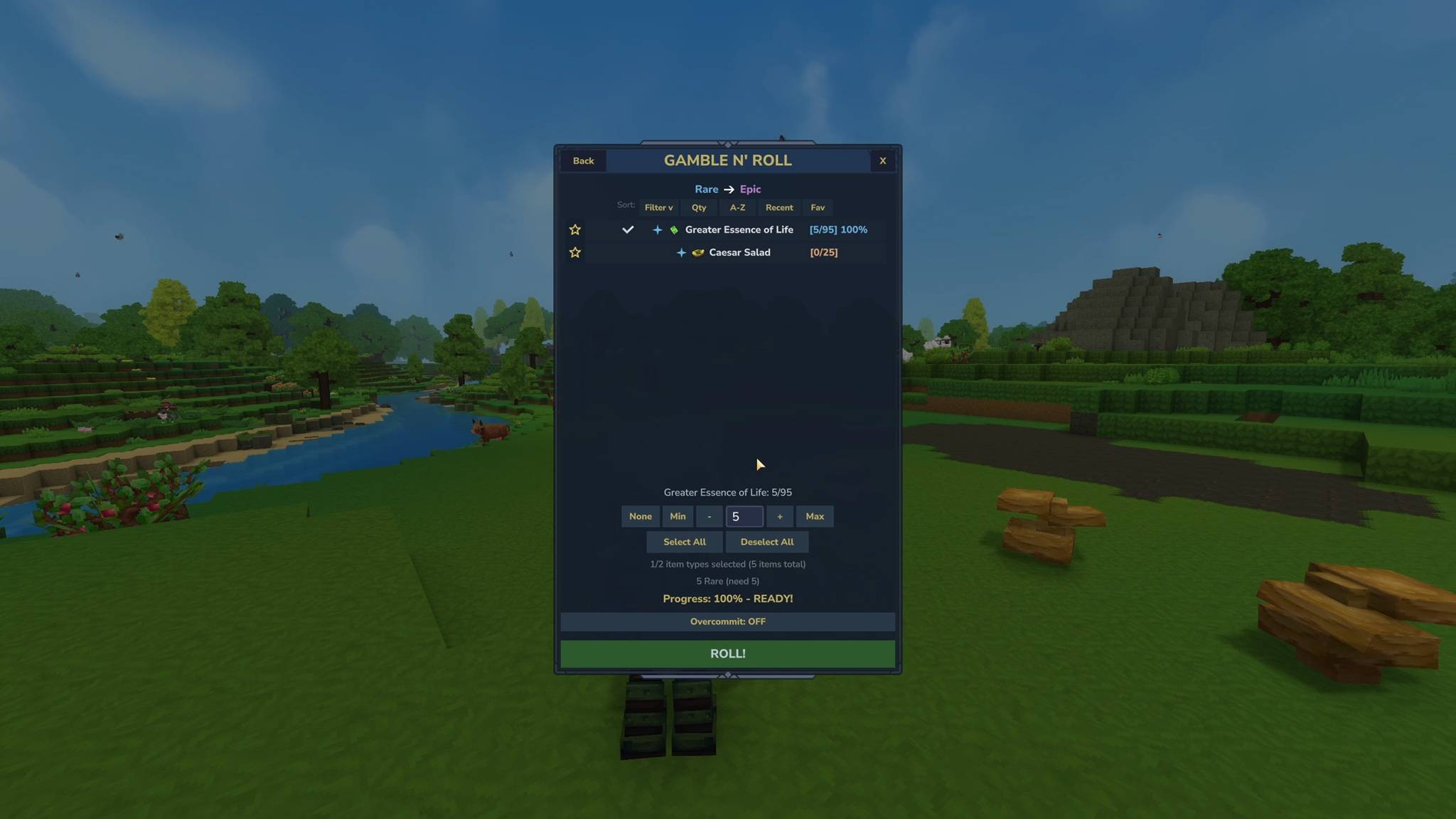
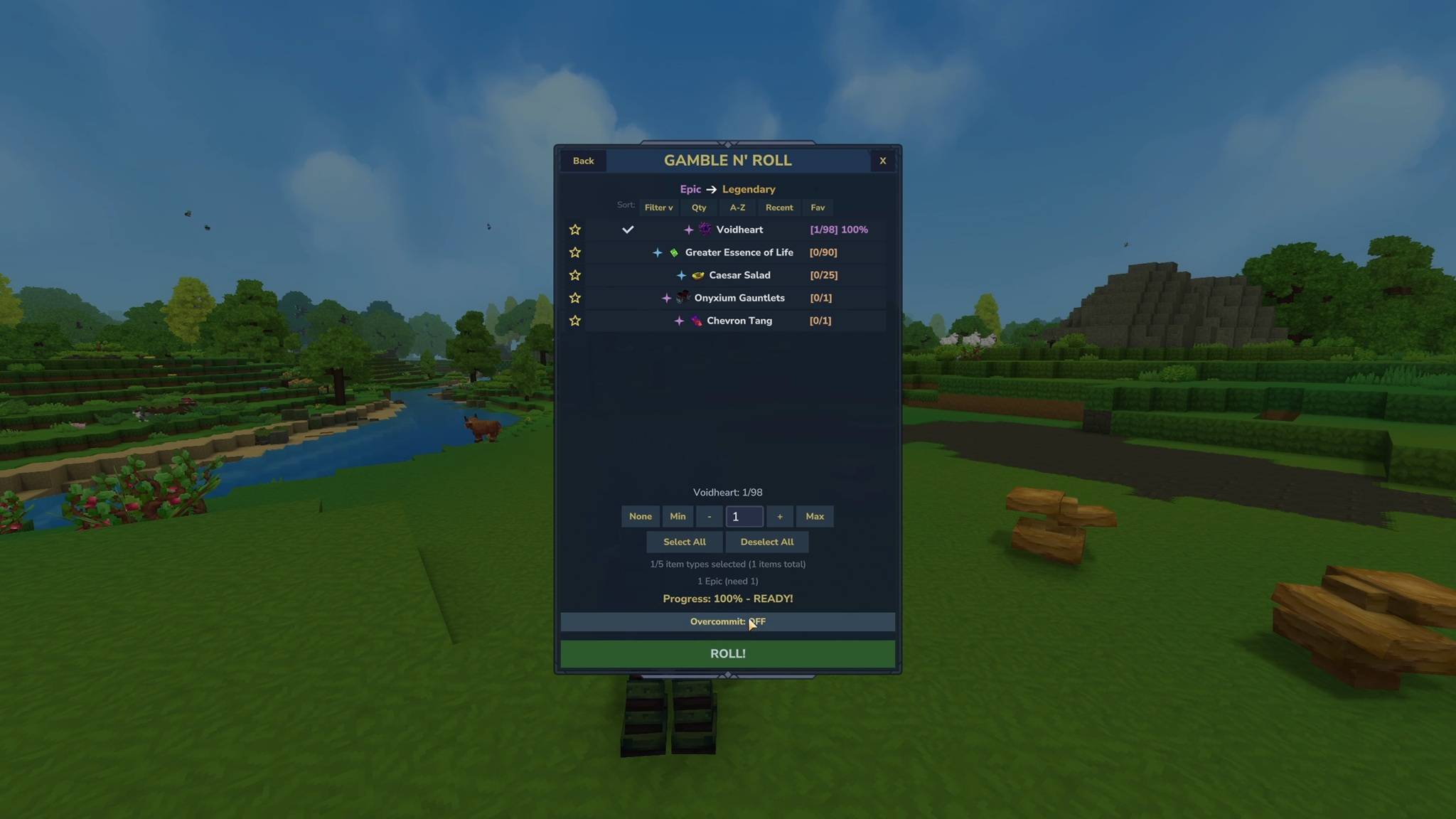
The main gamble page is a full interactive GUI where you pick items to sacrifice:
- 20 items per page with pagination
- Rarity sparkles — each item shows a sparkle icon colored by rarity (Common, Uncommon, Rare, Epic, Legendary)
- Star favorites — mark items as favorites (persisted across sessions) so they sort to the top
- Sort modes — sort by Name, Quantity, Rarity, Recent, or Favorites
- Smart selection — click items to commit them for sacrifice. A progress bar fills as you select. Items can be individually toggled.
- Color-coded feedback — items change color to indicate state: peach when you have enough to roll, red for the focused item, green checkmarks for selected items, gray when nothing is committed yet
- Threshold indicators — items that already meet the sacrifice requirement are highlighted so you can quickly scan what's ready
- Select All / Deselect All buttons for quick bulk selection
Hotbar Scroll Animation
When you roll, your hotbar is temporarily replaced with a slot-machine-style scroll animation:
- Items spin across your hotbar slots with tick sounds
- Speed gradually decelerates to build suspense
- Final result is revealed in the center slot
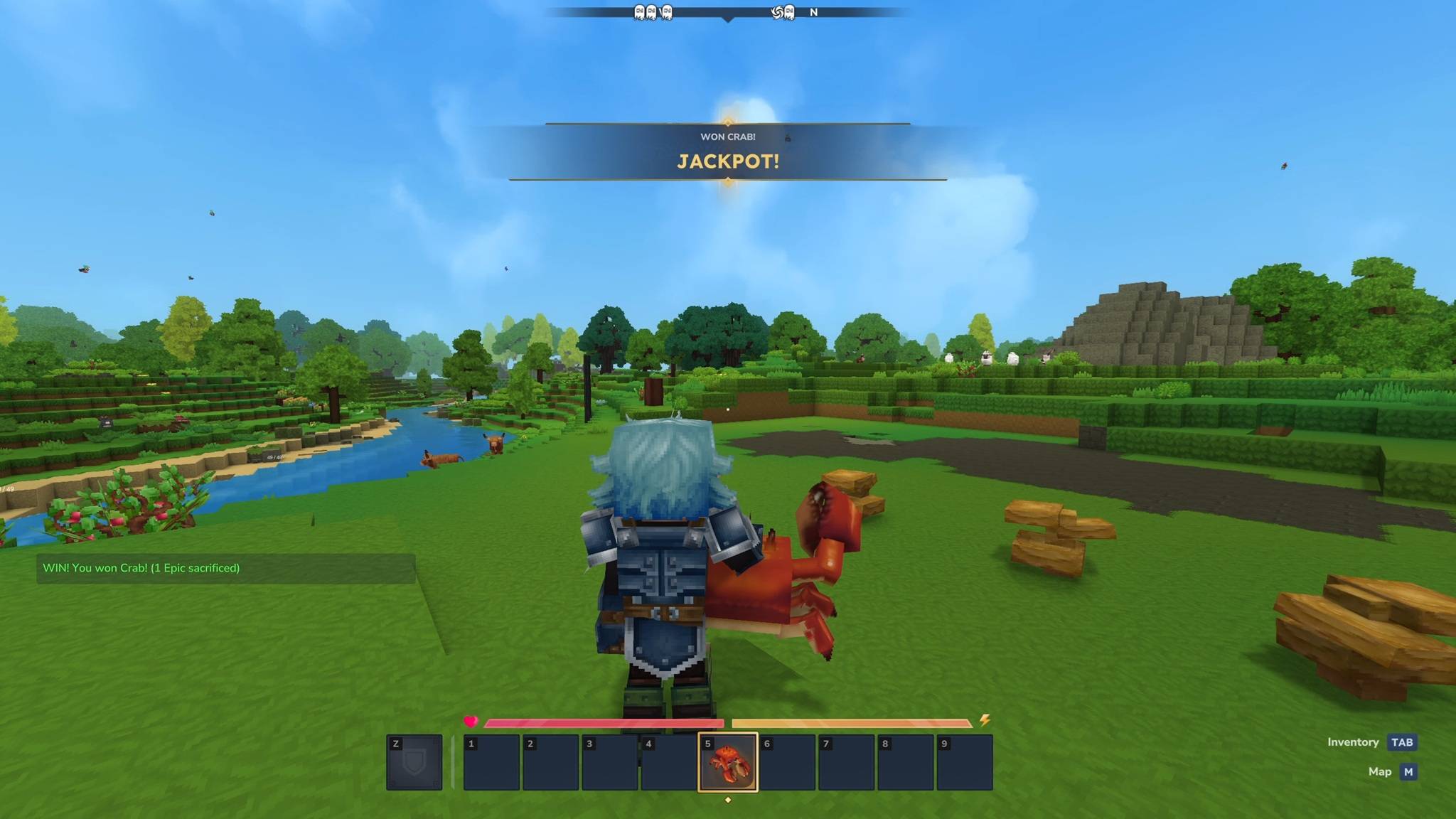
- On a win, the hotbar clears and showcases your new item front and center for 3 seconds
- Win or lose, a distinct sound plays
- Optional "let's go gambling!" SFX on roll start (toggle with
/gamble sfx start) - During the animation, item drops are blocked to prevent interference
Quick Re-Roll
Use /gamble prev to repeat your last gamble with the same item selection — no need to re-pick everything. Shows a confirmation page with the tier, items, and your current stock. Or use /gamble prev skip to skip confirmation entirely.
Fun Mode
Try your luck without risking anything. /gamble fun <1-4> runs the full animation with no items sacrificed or awarded. Good for showing off or testing.
Per-Player Stats
Track your gambling history with /gamble stats:
- Total gambles, wins, losses, win rate
- Items sacrificed and items won
- SFX toggle status
Stats persist across sessions.
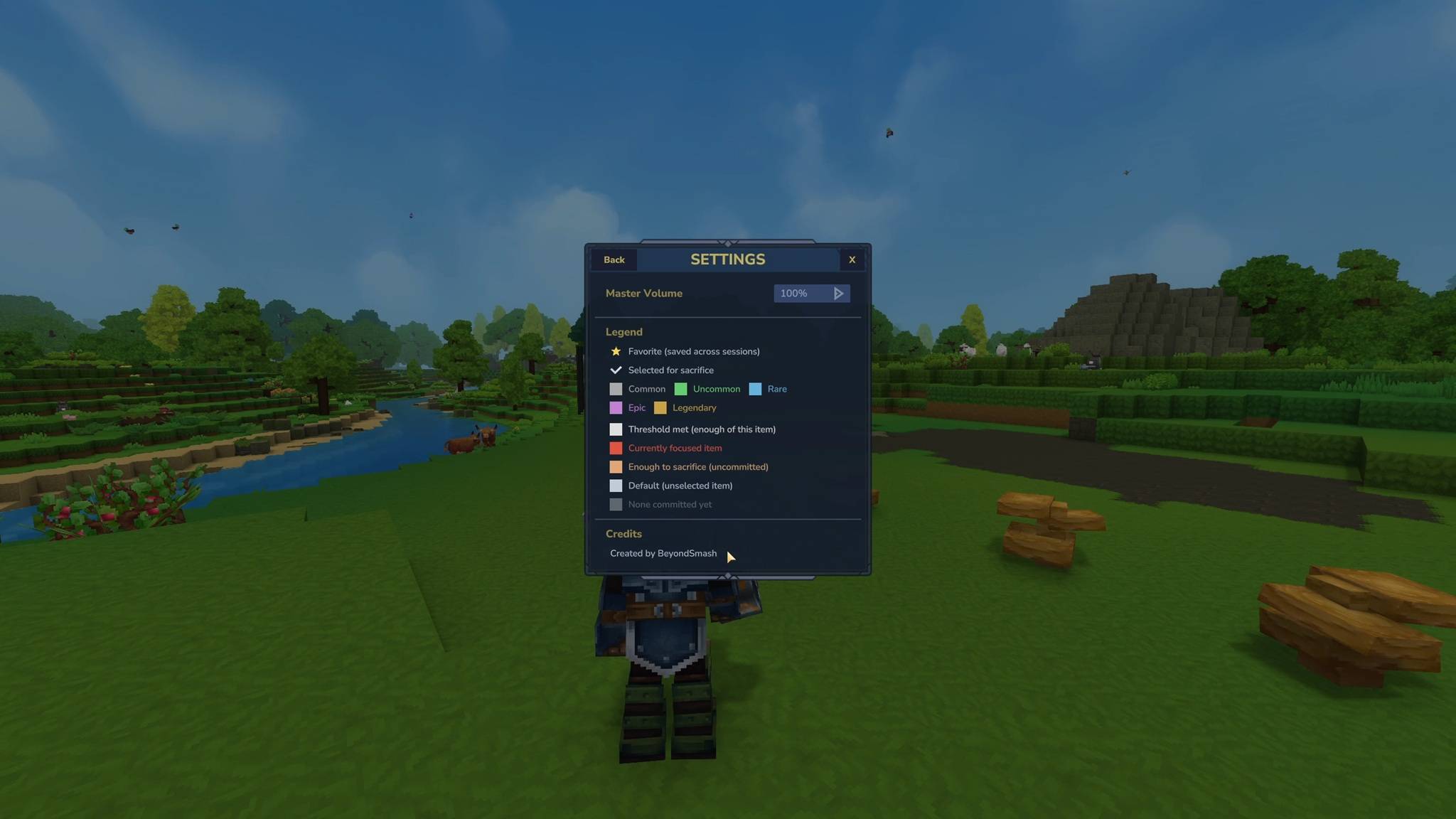
Settings Page
Access via the cog icon in the gamble UI:
- Master Volume — adjust gamble sound volume
- Legend — color reference for all UI indicators (rarity colors, selection states, favorites, thresholds)
- Credits
Commands
| Command | Description |
|---|---|
/gamble |
Open the gamble UI |
/gamble chance |
Show win probabilities and what you can afford |
/gamble stats |
Show your win/loss record |
/gamble sfx start |
Toggle the open SFX |
/gamble prev |
Re-roll previous selection (with confirmation) |
/gamble prev skip |
Re-roll previous (skip confirmation) |
/gamble fun <1-4> |
Gamble for fun (no items lost or won) |
/gamble help |
Show command list |
Server Configuration
All admin settings are in gamble-config.json, generated in the plugin data folder on first run. Edit the file and restart the server to apply changes.
| Setting | Default | Description |
|---|---|---|
enabled |
true | Whether gambling is active |
odds.COMMON_TO_UNCOMMON |
60 | Win % for tier 1 |
odds.UNCOMMON_TO_RARE |
45 | Win % for tier 2 |
odds.RARE_TO_EPIC |
30 | Win % for tier 3 |
odds.EPIC_TO_LEGENDARY |
15 | Win % for tier 4 |
refundPercent |
50 | % of sacrifice returned on loss |
Config uses atomic saves with backup recovery — safe against crashes.
Sound Effects
Custom sound effects for every action:
- Tick — plays on each slot during the scroll animation
- Win — celebratory sound on a winning roll
- Lose — sound on a losing roll
- Jackpot — special sound for Epic and Legendary wins
- Open SFX — optional "let's go gambling!" clip (toggled per-player)
Sound volumes can be tuned by editing the JSON files in Mods/GambleNRoll/Server/Audio/SoundEvents/SFX/GambleNRoll/.
Compatibility
- Works with NewItemIndicator and ItemCollector — automatically excludes players during the gamble animation to prevent false triggers
- Uses Hytale's built-in item, inventory, UI, and audio systems
- All player data persists across server restarts
Installation
- Place
GambleNRoll-1.0.0.jarinMods/(root of Mods folder, not a subfolder) - Restart the server
- Use
/gambleto open the gambling UI
Gamble N' Roll Team