CopyChat
- By
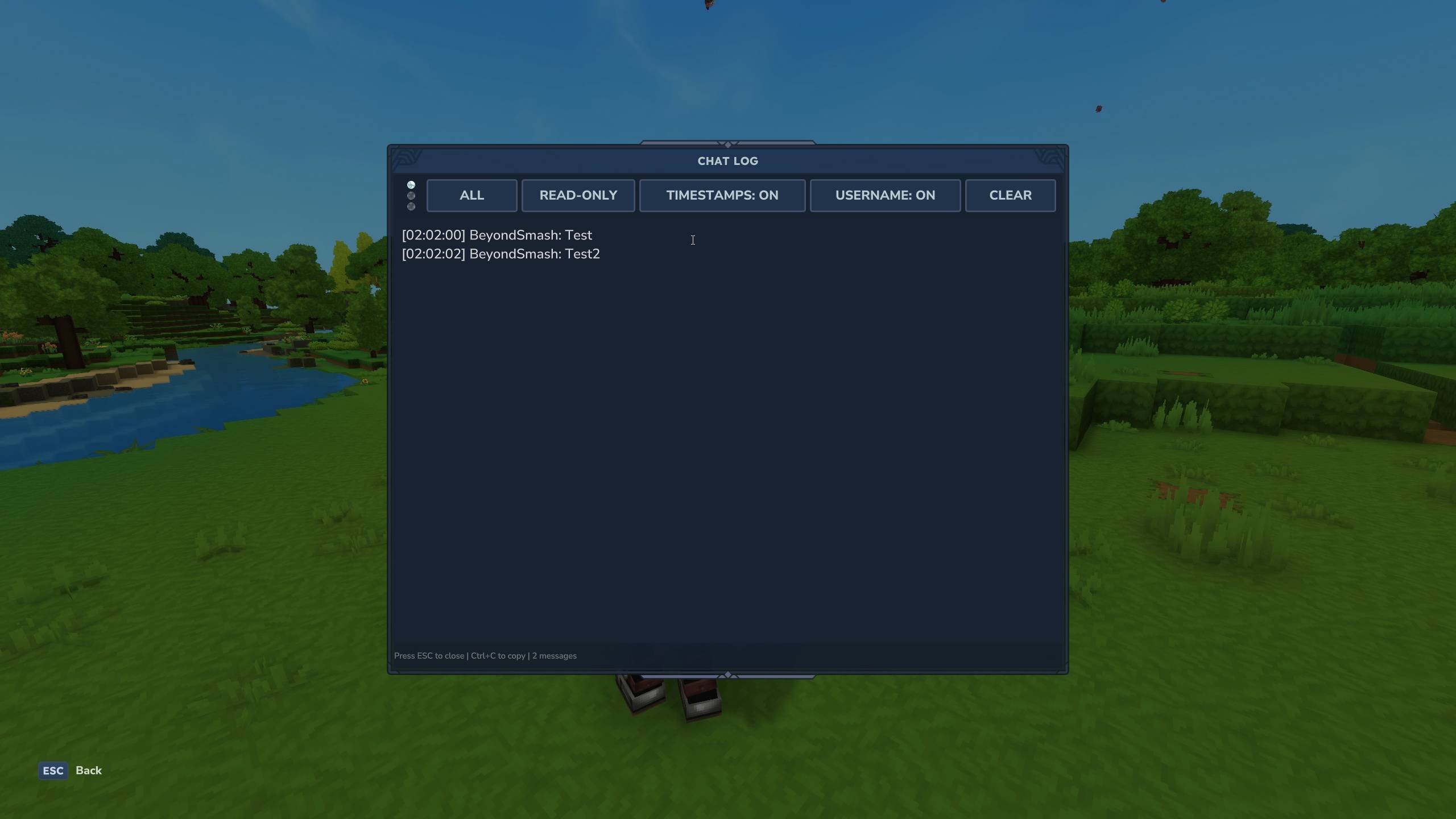
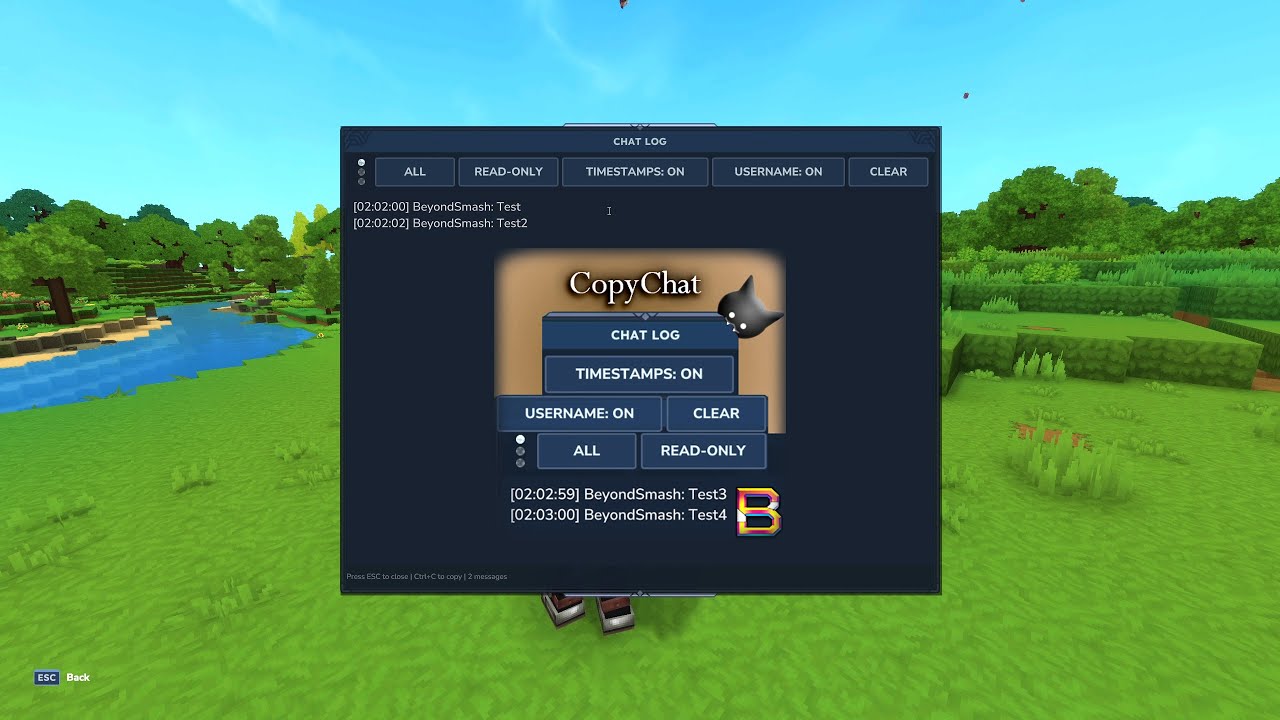
View and copy chat messages in a custom UI. Perfect for debugging and logging conversations.
CopyChat3Curse.jpg
CopyChat3.jpg
Description

CopyChat
View and copy chat messages in a custom UI. Perfect for debugging and logging conversations.
Features
- Chat history display (last 100 messages per player)
- Captures ALL messages - player chat, command errors, server notifications
- Full copy/paste support (Ctrl+C/V)
- Filter between ALL, PLAYER, and SYSTEM messages
- Clickable filter dots for quick switching
- Toggle timestamps and usernames on/off
- Read-Only and Editable modes
- Clear messages with confirmation dialog
- Persistent settings (saved between sessions)
Requirements
- Java 21 or 25
- Hytale Early Access
Installation
- Download
CopyChat-1.1.1.jarfrom the Files tab - Put the JAR in
%AppData%\Roaming\Hytale\UserData\Mods\ - Start server and join game
- Run
/copychatto open the UI
Usage
The UI opens when you run the command. No setup needed.
Commands
/copychat- Open the chat log UI
Interface Controls
Filter Buttons:
- ALL - Show all messages (player + system)
- PLAYER - Show only player messages
- SYSTEM - Show only system messages
Filter Dots (Clickable):
- Top dot → ALL filter
- Middle dot → PLAYER filter
- Bottom dot → SYSTEM filter
Toggle Buttons:
- Timestamps: ON/OFF - Show/hide
[HH:mm:ss]timestamps - Username: ON/OFF - Show/hide sender names
- Read-Only/Editable - Lock text or allow editing
- CLEAR - Clear current filter's messages (asks for confirmation)
Keyboard Shortcuts:
ESC- Close windowCtrl+C- Copy selected textCtrl+V- Paste text (Editable mode only)
Configuration
Settings are auto-saved to: %AppData%\Roaming\Hytale\UserData\Data\Plugins\BeyondSmash\CopyChatPlugin\config.json
How It Works
Message Capture:
- Uses packet interception to capture ALL chat messages
- Includes player chat, command errors, server notifications, join/leave messages
- No messages are missed - captures everything the server sends
Message Storage:
- Stores last 100 messages per player with timestamps
- In-memory only (cleared on server restart)
Message Format:
Default:           [14:23:15] BeyondSmash: Hello world!
No timestamps:     BeyondSmash: Hello world!
No usernames:      [14:23:15] Hello world!
Both off:          Hello world!
Filter Types:
- ALL - Both player and system messages
- PLAYER - Only chat from players
- SYSTEM - Server messages (command errors, joins, leaves, notifications)
Clear Function:
- Only clears messages in current filter mode
- Shows confirmation dialog before clearing
- Plays sound effect when messages are cleared
Troubleshooting
Chat log is empty Send some messages in chat first, then run /copychat again. The plugin only captures messages while it's running.
Clear button does nothing Normal when there are no messages in the current filter.
Settings won't save Don't edit config.json while the game is running. The plugin saves on every change.
Where's my config file? %AppData%\Roaming\Hytale\UserData\Saves\[WORLD_NAME]\mods\BeyondSmash_CopyChat\config.json
Version History
v1.1.0
- Major improvement: Now captures ALL chat messages via packet interception
- Captures command errors (e.g., "An error occurred executing…")
- Captures server notifications and system messages
- No more missed messages - everything the server sends is logged
v1.0.0
- Initial release
- Chat history display with filtering
- Copy/paste support
- Persistent configuration
- Timestamp and username toggles
- Clear with confirmation
- Clickable filter dots
Author
BeyondSmash
CopyChat Team