


zTalentPlanner
- By
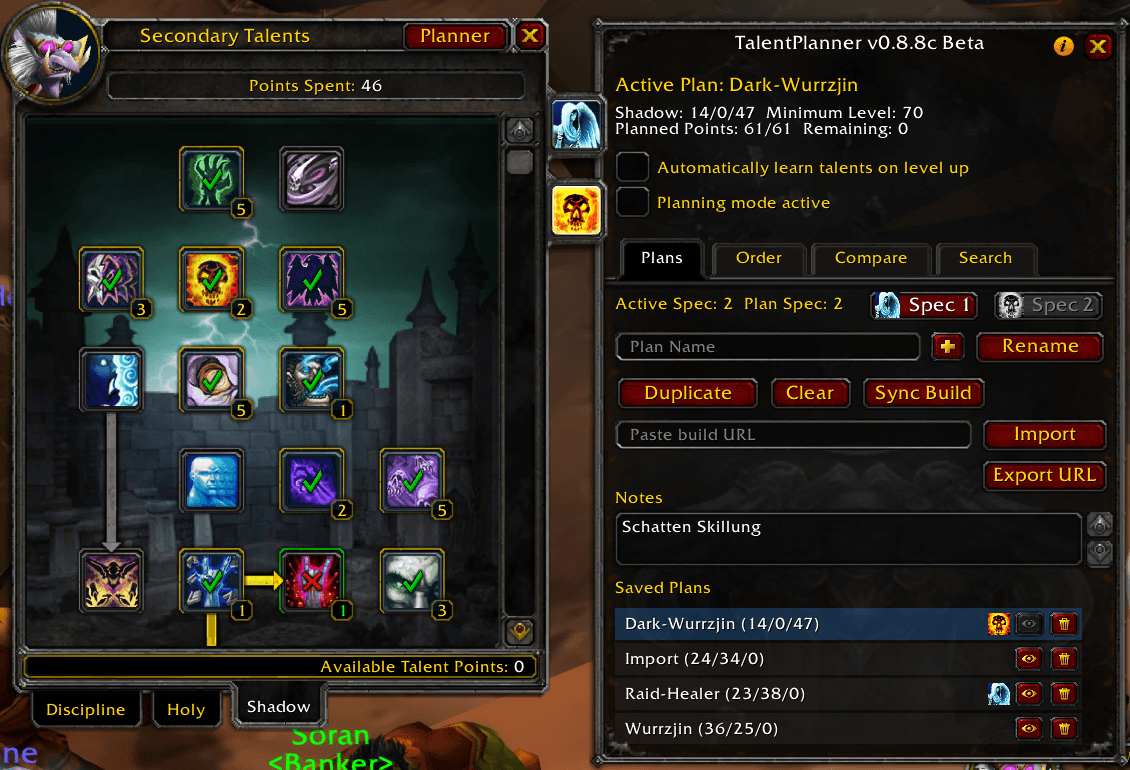
Plans can be assigned to Spec 1 or Spec 2, making it easy to manage multiple builds for dual spec.
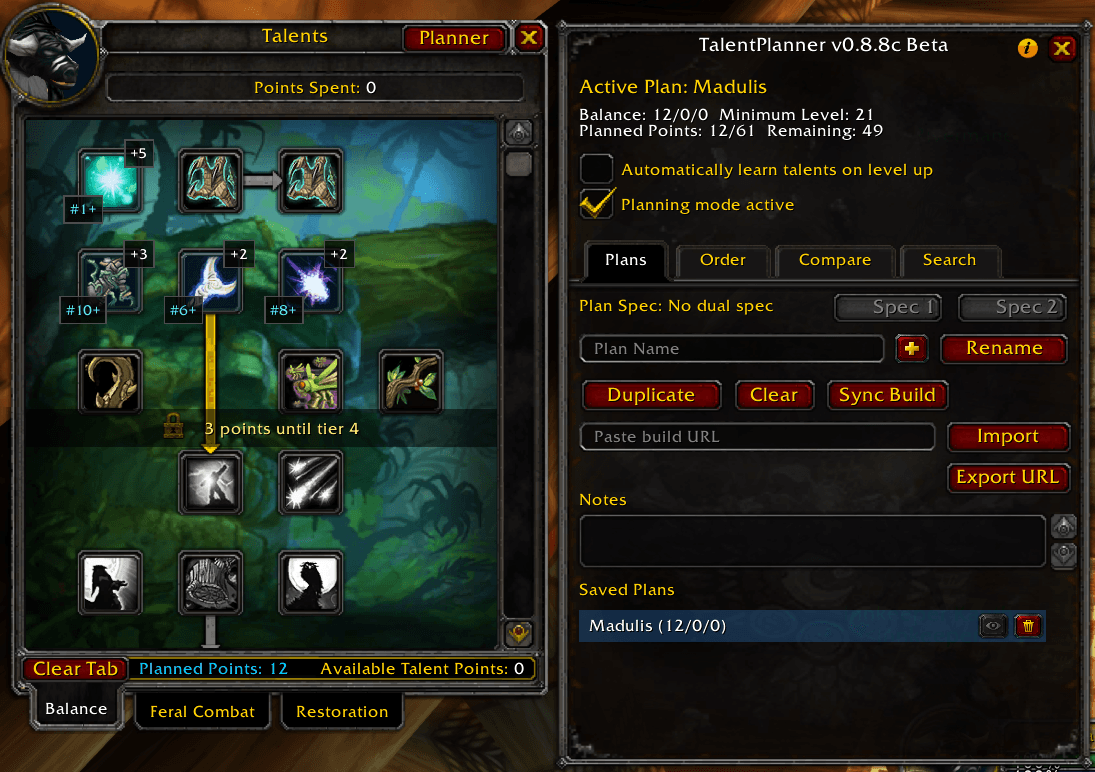
In planning mode, the addon shows how many more points are needed to unlock the next talent tier.
Description
zTalentPlanner
Plan, save and manage talent builds directly inside the talent window, with automatic talent-point assignment.
zTalentPlanner lets you create build plans for different specs, characters and situations, follow a defined leveling order, spend talent points according to plan, and share builds with other players via link.
What this addon does
- Create and save multiple in-game talent plans
- Follow a defined talent order while leveling
- Spend talent points automatically, on level up or on demand
- Apply, compare, import, export and share builds
- Optionally replace the default talent window with the addon's own
Planning
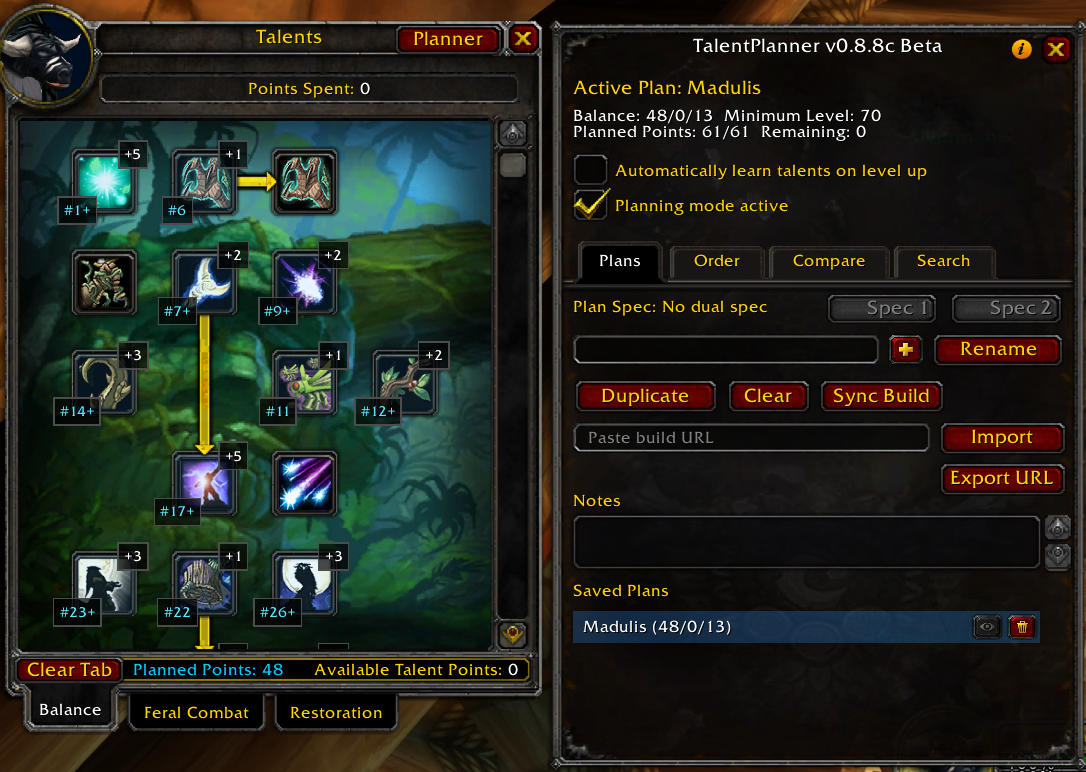
Planning mode right in the talent tree
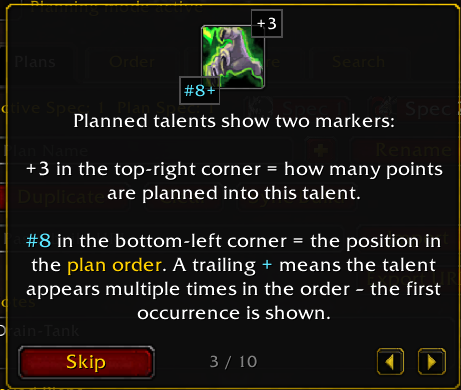
Left-click adds a planned point, right-click removes it. Every planned talent shows directly in the tree how many points you want to invest (+3) and where it sits in the learning order (#8).
Multiple plans per class
Create, rename and duplicate as many plans as you need. Plans can be assigned to Spec 1 / Spec 2 and switch automatically when you change dual spec.
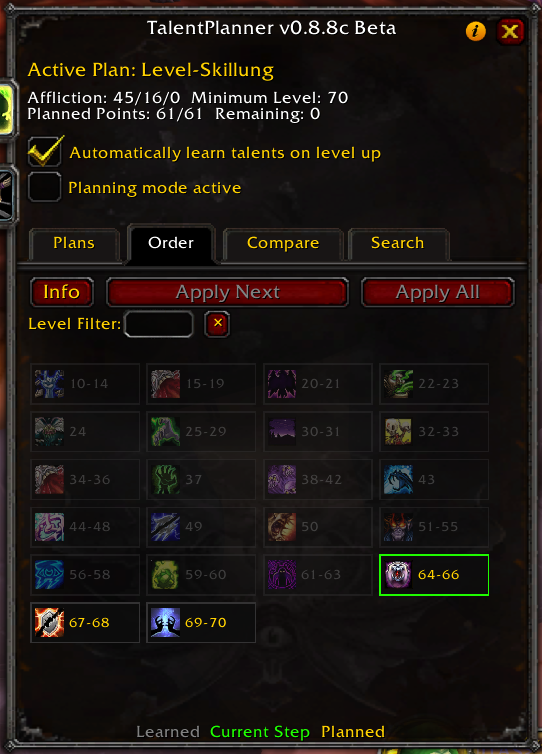
Order tab
Visualizes the steps of your plan: talent, rank and minimum level, exactly in the learning order. The info button next to a step jumps straight to that talent in the tree.
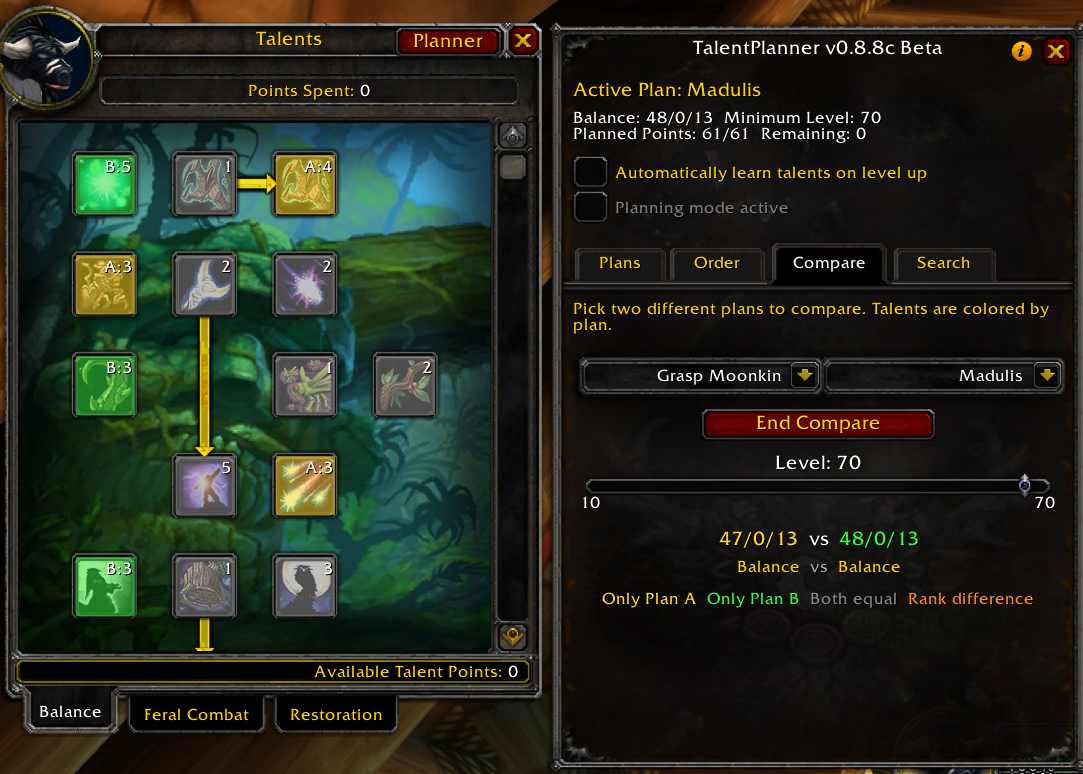
Compare tab
Pick two plans and hit Compare to see side by side where the builds differ. Yellow: only in plan A. Green: only in plan B. Gray: identical in both plans. Orange: in both plans, but with different ranks. A level slider lets you step through the builds level by level, and clicking any entry in the difference list jumps straight to that talent in the tree.
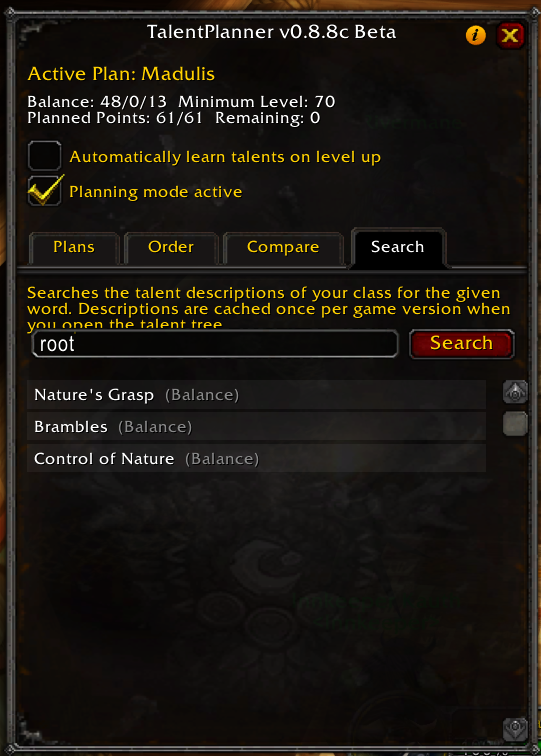
Talent search
A full-text search across all three trees, not just talent names but their descriptions too. Type a keyword and you instantly get every talent whose text mentions it, then jump straight to the matches without endless scrolling. Looking for a druid talent that improves stealth, for example? Searching for "stealth" surfaces Feral Instinct right away.
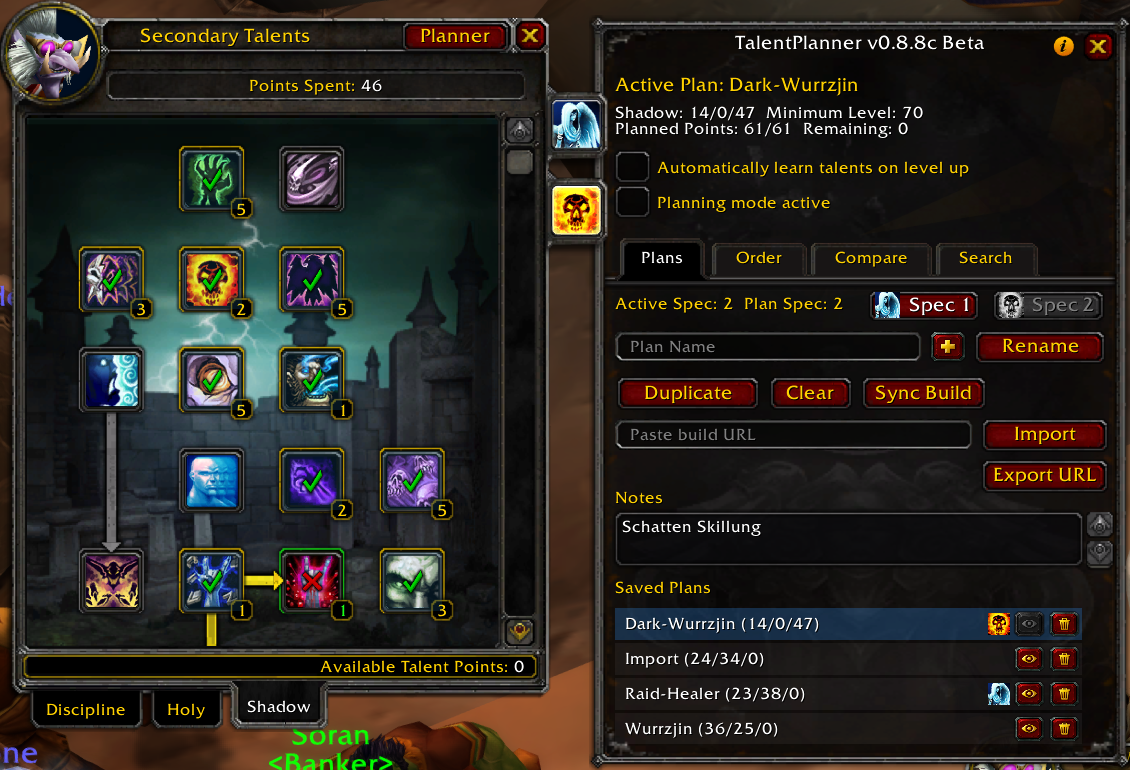
Sync Build
Imports your already learned talents as a plan. Useful for bringing an existing character into zTalentPlanner without rebuilding the spec by hand.
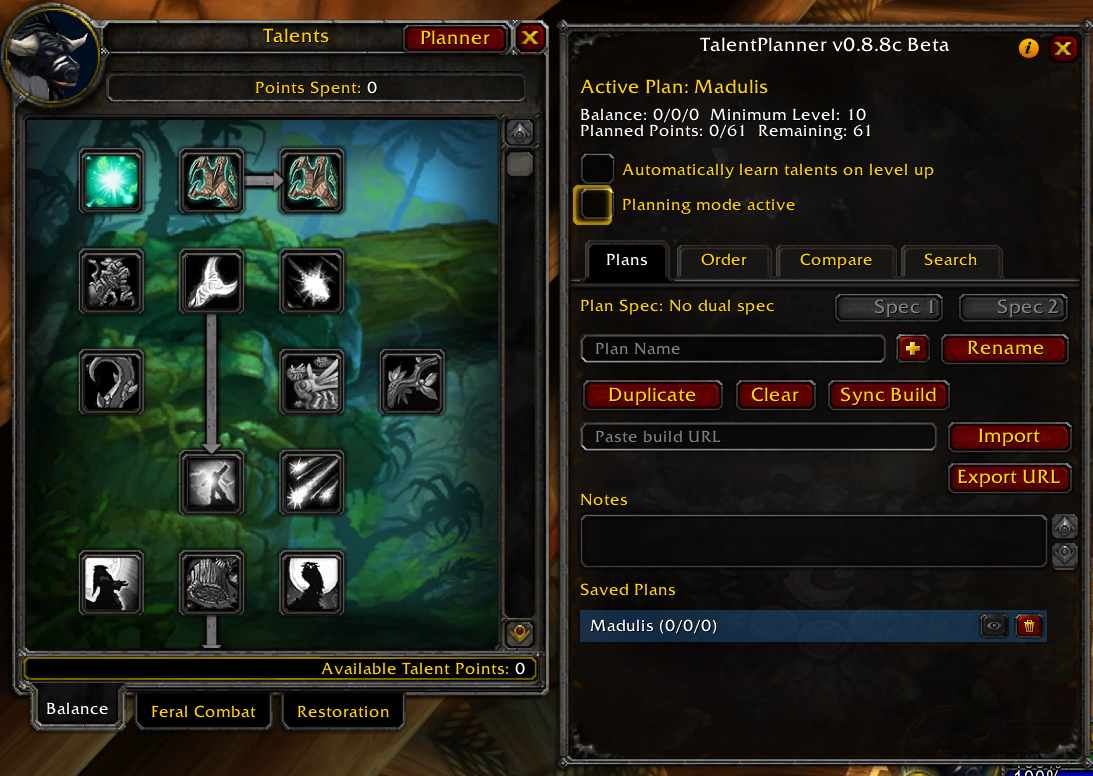
Inspect copy
Inspect another player and save their build as a new plan with one click. This also works across classes, making it easy to keep interesting builds for future characters or alts.
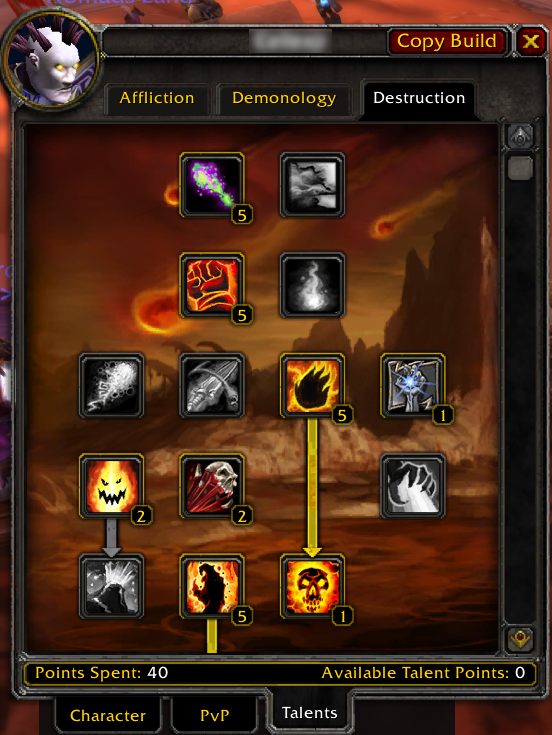
View builds from other classes 
Once you have kept a build from another class (via Inspect copy), a class crest appears in the plan list's filter bar. Pick a different class there and the list switches to that class's plans.
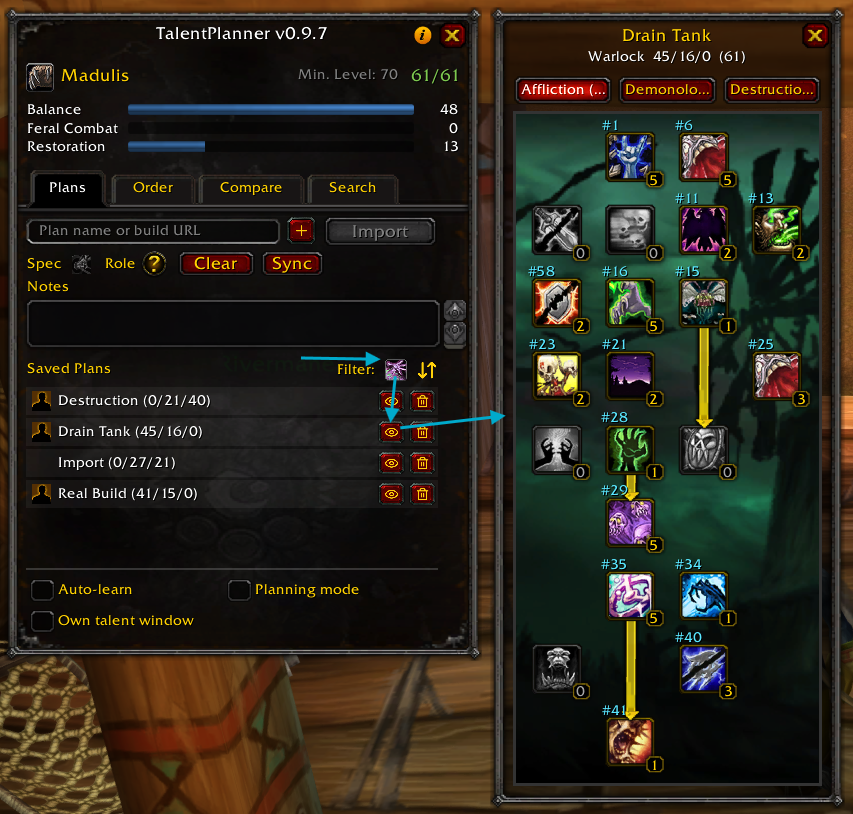
The eye icon on those rows now opens a read-only view of the full tree, with every talent at its planned rank, so a Mage can still browse a saved Warrior build any time, without switching characters. On your own class the eye works as usual and simply loads the plan.
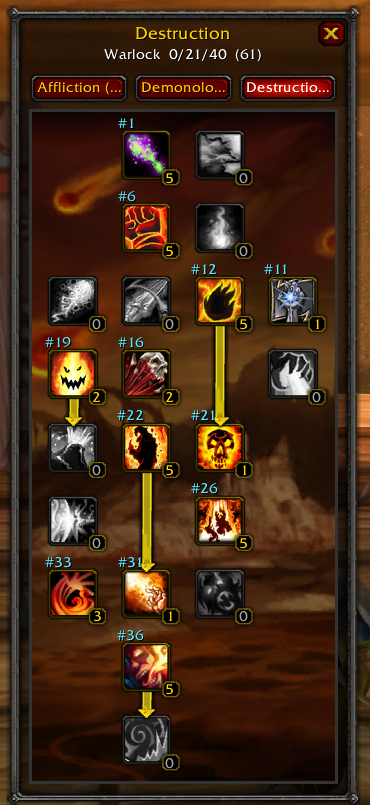
Own talent window
Prefer not to work inside Blizzard's talent frame? Turn on Own talent window in the plan window and zTalentPlanner opens its own instead. Everything you already know, planning mode, compare, apply and the markers in the tree, works exactly the same in it.
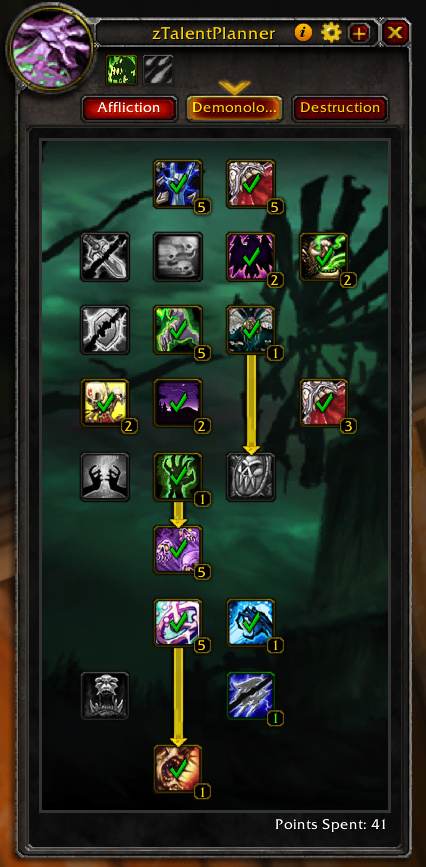
Its own extras:
- All three trees at once: hit the expand button to place every tree side by side, no more tab switching to see the whole build.
- Switch spec in one click: with dual spec active, the spec icons in the top-left let you jump straight to your other talent group (out of combat).
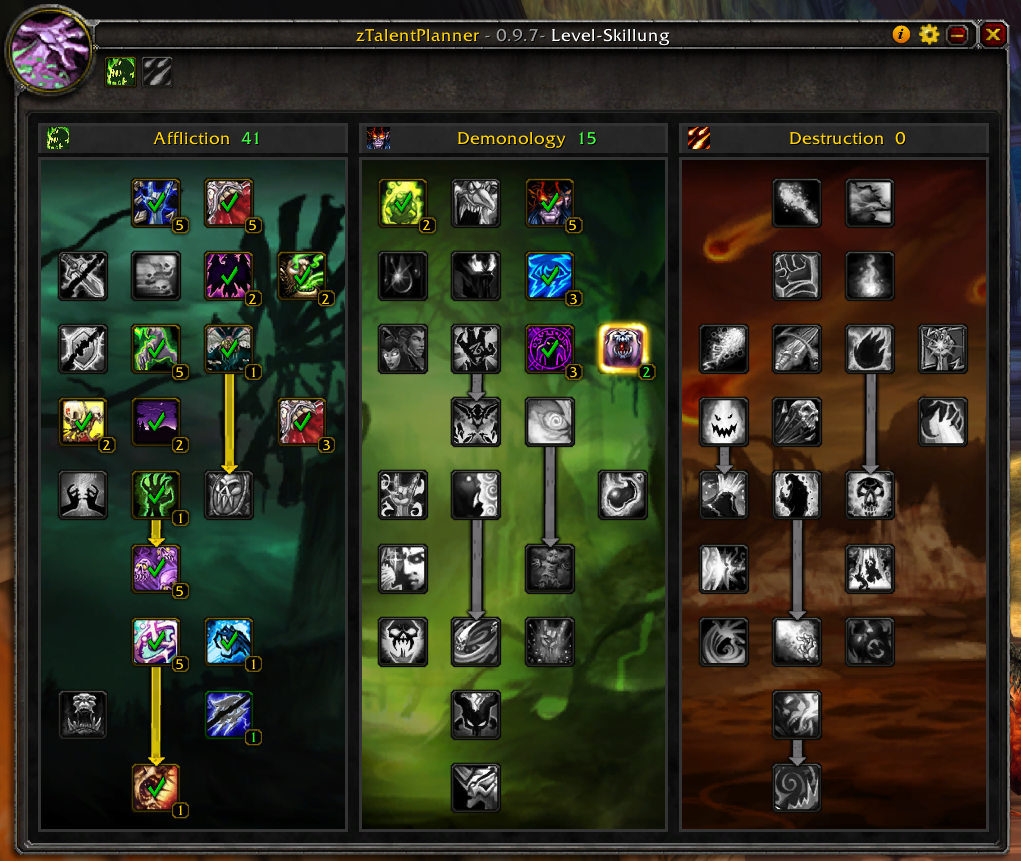
It stays out of the way of other UIs: under ElvUI the window is fully skinned to match, and while DragonflightUI is active the option is disabled, since that addon already reshapes the talent frame itself.
Spending talent points
Auto-learn on level up
Optional: zTalentPlanner automatically learns the next talent in your plan when you level up. A toast shows which talent, and which newly unlocked spell, was added.
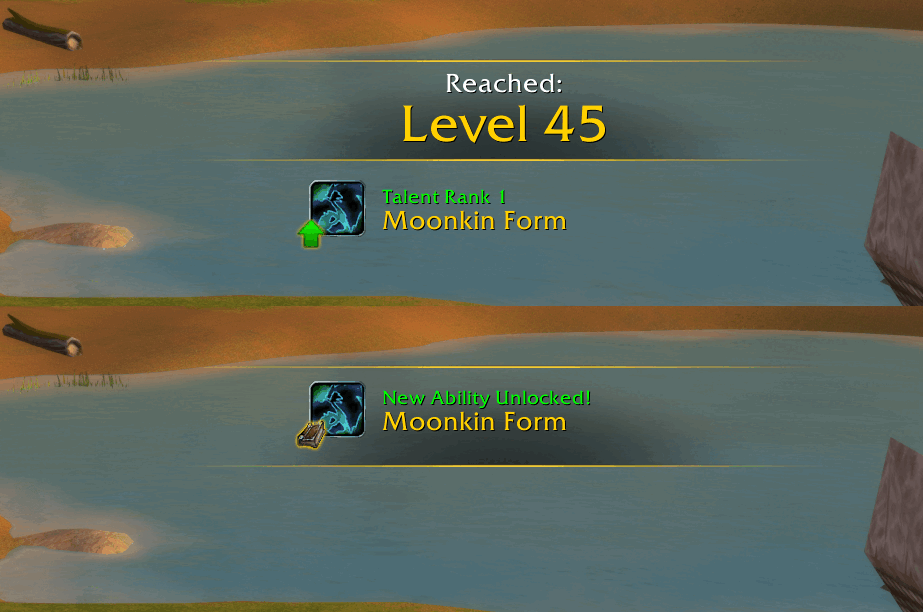
Level-up milestones
The same level-up toast does more than announce talents. On the levels that matter, it also reminds you of the milestones you just reached: riding and fast riding, flying, dual spec, new armor proficiencies, and class-specific mounts such as the Warlock's Dreadsteed or the Paladin's charger. These appear on level up on their own, whether or not a talent was learned that level, so you always know when something new opened up.
Apply next
The Order tab has an Apply Next button. It learns the next talent according to your plan, giving you full control over when the next point is spent.
Apply all
The Order tab also has an Apply All button. It automatically spends all available talent points according to your plan. Handy for re-spending all points in a flash after a talent reset.
Import / Export
Import builds by URL from Wowhead, Warcraft Tavern or Icy Veins. Just paste a build link into the plan input field on the Plans tab, the same field you use to name a new plan, and it imports straight away. To export, hover over a plan in the list and click the export icon, then pick one of the three sites to get a shareable link and pass your build to other players via Discord.
For Warcraft Tavern and Icy Veins, the talent learning order is preserved on both import and export, so the leveling path stays intact.
Slash commands
All regular features are available through the UI. In addition, there is one chat command:
/tplan toast <on|off>turns the level-up toast on or off, in case it bothers you.
Compatibility
Compatible with:
- ElvUI
- DragonflightUI
- GW2 UI
Supported versions


Supported languages



Want to help translate zTalentPlanner into your language or improve an existing translation? Your support is very welcome on the CurseForge localization page.
Feedback & Bugs
Please report bugs and suggestions through the CurseForge comments or the project issue tracker.
Trademarks & Disclaimer
Wowhead, Warcraft Tavern and Icy Veins, and their respective logos, are trademarks of their respective owners. Their icons are used here solely to indicate the source of an imported or exported build. zTalentPlanner is an independent project and is not affiliated with, endorsed by, or sponsored by Wowhead, Warcraft Tavern, Icy Veins or Blizzard Entertainment.
World of Warcraft and Blizzard Entertainment are trademarks or registered trademarks of Blizzard Entertainment, Inc.
Credits
Button icons are based on Lucide, licensed under the ISC License. Copyright (c) for portions of Lucide are held by Cole Bemis 2013-2022 as part of Feather (MIT). All other copyright (c) for Lucide are held by the Lucide Contributors 2022.
The zTalentPlanner Team
