ZoneQuestForever
- By
Zone Quest Forever provides a way to track and manage your quests more efficiently.
ZoneQuestForever
Add-on for World of Warcraft
Install manually by copying the Zone Quest Forever folder into /World of Warcraft/_forever_/Interface/AddOns. If the game is running at the time, you will need to log out and in again to complete the installation.
Zone Quest Forever provides a way to track and manage your quests more efficiently.
Primarily, it adjusts the lists of tracked quests, so your tracking log is not cluttered with quests. It can also focus on the most recently acquired quest, the closest quest or the quest that you just did something for.
Quests are shown in order of closeness to your current location, but only if they are in the same map as you.
You can choose to hide completed quests, or orange and red quests.
Usage
Use Game Menu > Options > AddOns > ZoneQuestForever to configure the options.
- Hide Completed Quests - if this is on, no completed quests will be shown in the quest log.
- Hide Orange Quests - this will hide any quests that are three or more levels above you and shown as orange in your quest log.
- Hide Red Quests - this will hide any quests that are five or more levels above you and shown as red in your quest log.
- Max Tracked Quests - this limits the number of quests that will be tracked at once. If there are more quests available than the limit, the closest ones will be tracked.
- Focus on Quests Automatically - if this is on, the focused quest will be set automatically based on proximity, newness or your recent activity.
By default, completed quests are shown, orange and red quests are hidden and you will track a maximum if 10 quests, focussing on the appropriate one automatically. If you travel using way points, turn off Focus on Quests Automatically as it can interfere with this.
Manually tracked and untracked quests will stay tracked or untracked for the current session, unless you complete or do any part of them.
Slash Commands
- /zq - shows information and usage tips for the add-on.
- /zq reset - resets the order of quests in the quest log. This can be used if the order of quests looks wrong after a patch or if you have been using other add-ons that change the order of quests.
- /zq info - reports your total number of quests and the number of each type.
My Retail WoW Add-ons
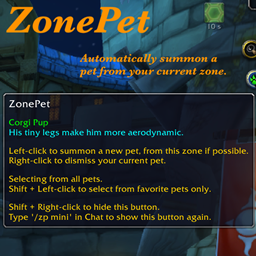
- ZonePet summons a companion pet from your current zone. Available from CurseForge.
- ZoneMount summons a mount from your current zone. Available from CurseForge.
- ZoneQuest is the retail version of this mod. Available from CurseForge.
All these are also available through the CurseForge app.
Version History
- v 1.0.0: Initial release from original ZoneQuest for retail.
ZoneQuestForever Team

Owner