ZoidsTools
- By
ZoidsTools is a WoW QoL toolkit that improves Blizzard UI movement, item info, looting, questing, combat keybinds, coordinates, and performance tracking.
Warband Weekly.png
Weekly Goals including Tracker.png
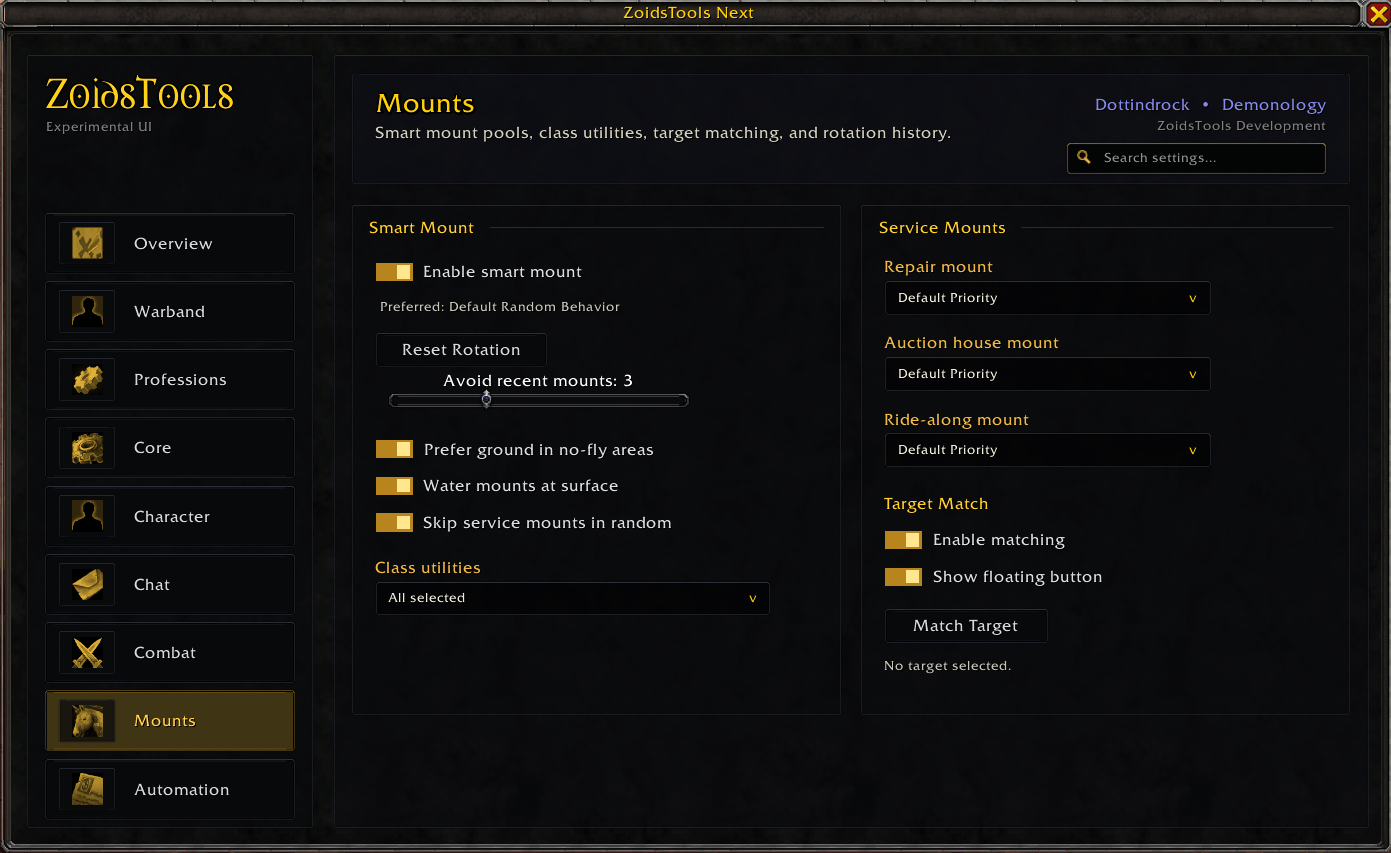
This page lets you use the smart mount feature which will randomize your mounts using less used mounts as a priority to help mix it up a little. You can select preferred repair, AH, and ride-along mounts as well, including target matching mounts.
Character Frame.png
Includes position saving and snapping
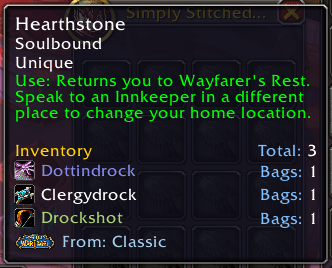
Shows expansion of origin as well as collection across toons
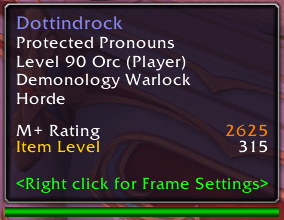
Shows M+ Rating and Item Level
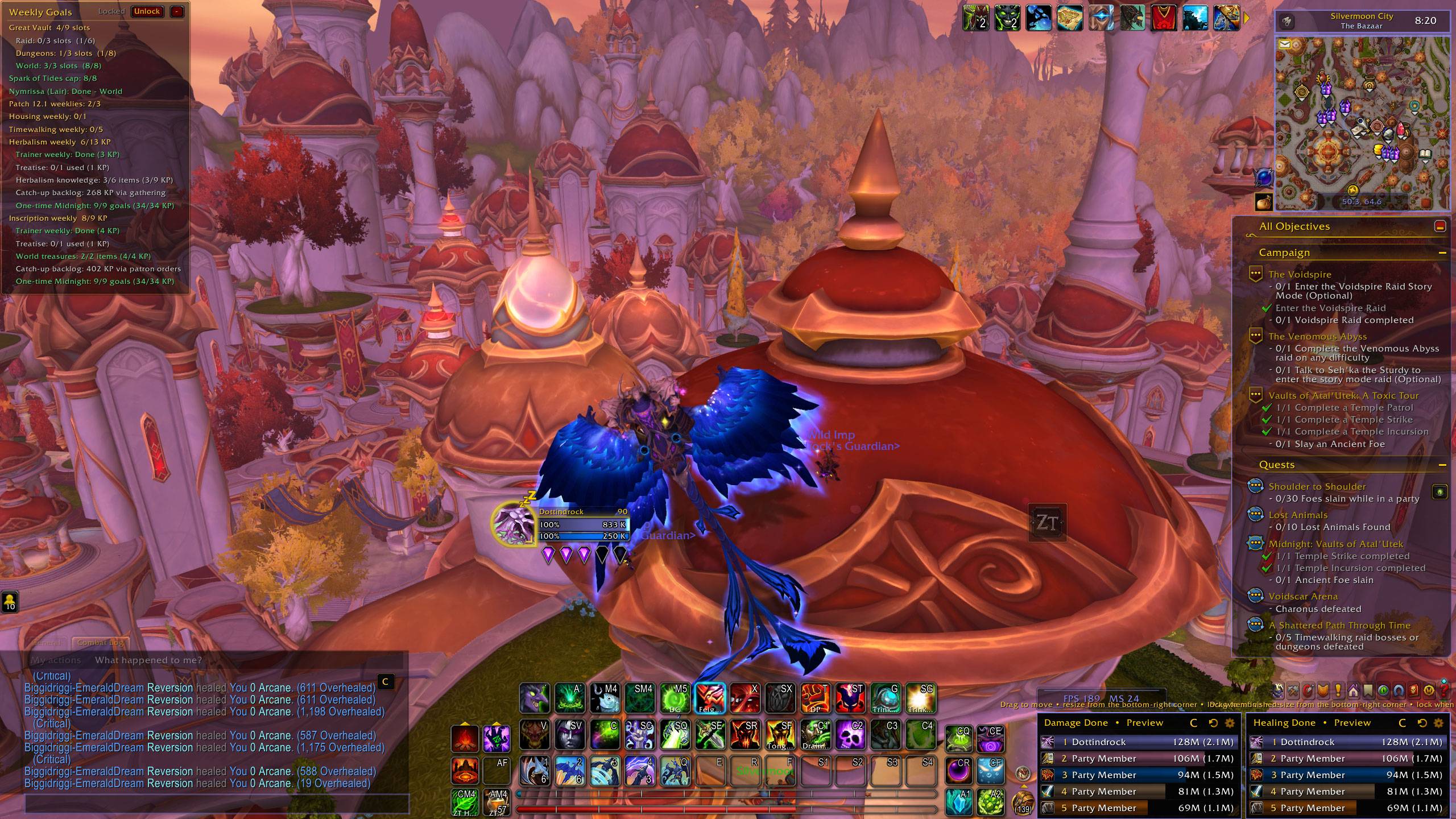
Description
ZoidsTools
ZoidsTools is a modular quality-of-life toolkit for World of Warcraft Retail. Track your Warband, organize weekly goals, find items across characters, browse talent recommendations, and customize everyday parts of Blizzard’s interface—all from one searchable settings window.
Most features can be configured independently, so you can choose the tools that fit your setup.
Open settings with /zt, /zoids, or /zoidstools.
Warband Tracking and Item Search
Keep character progression and saved inventory information together.
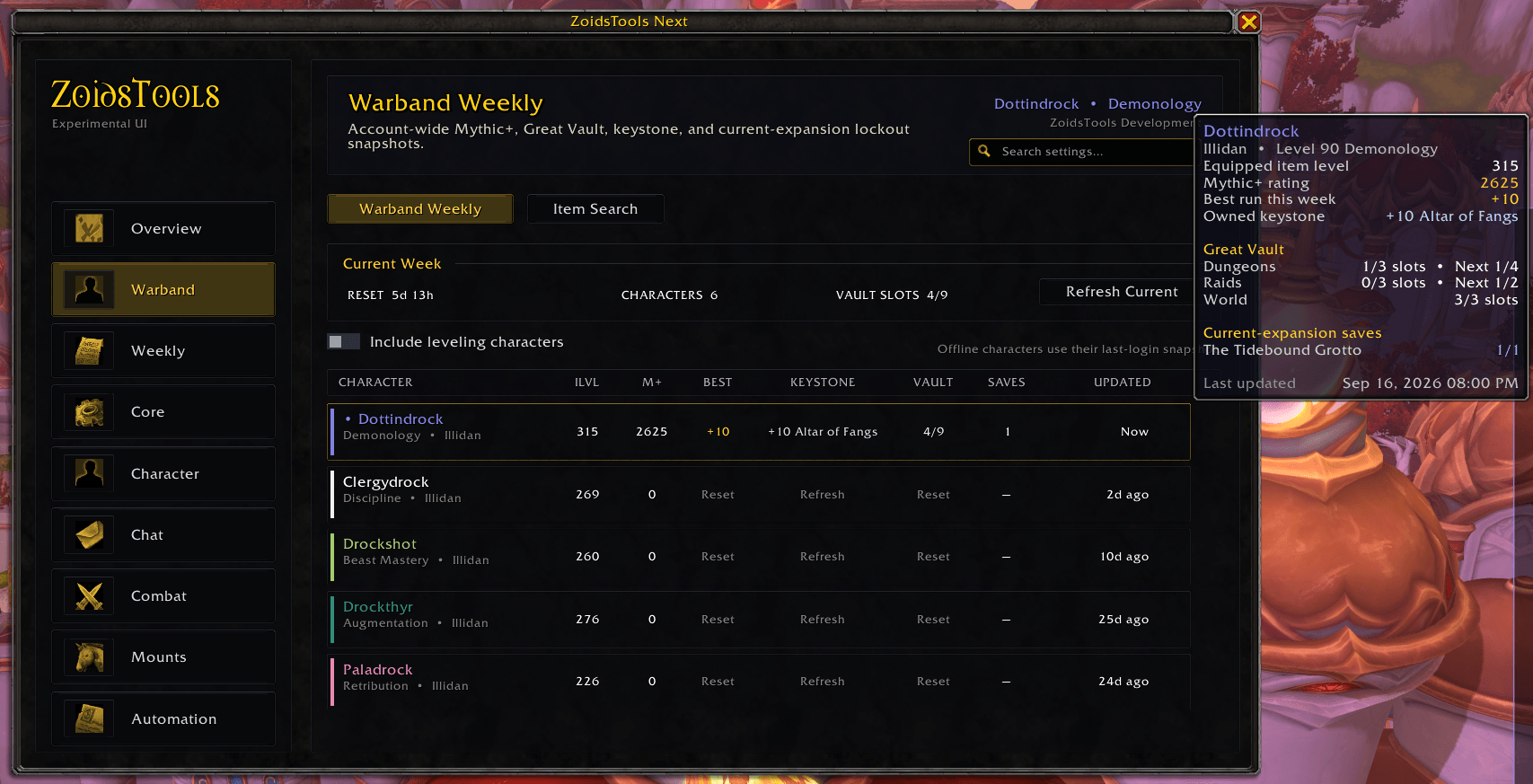
- Warband Weekly: Review equipped item level, Mythic+ rating, weekly best run, owned keystone, Great Vault progress, and current-expansion dungeon and raid saves.
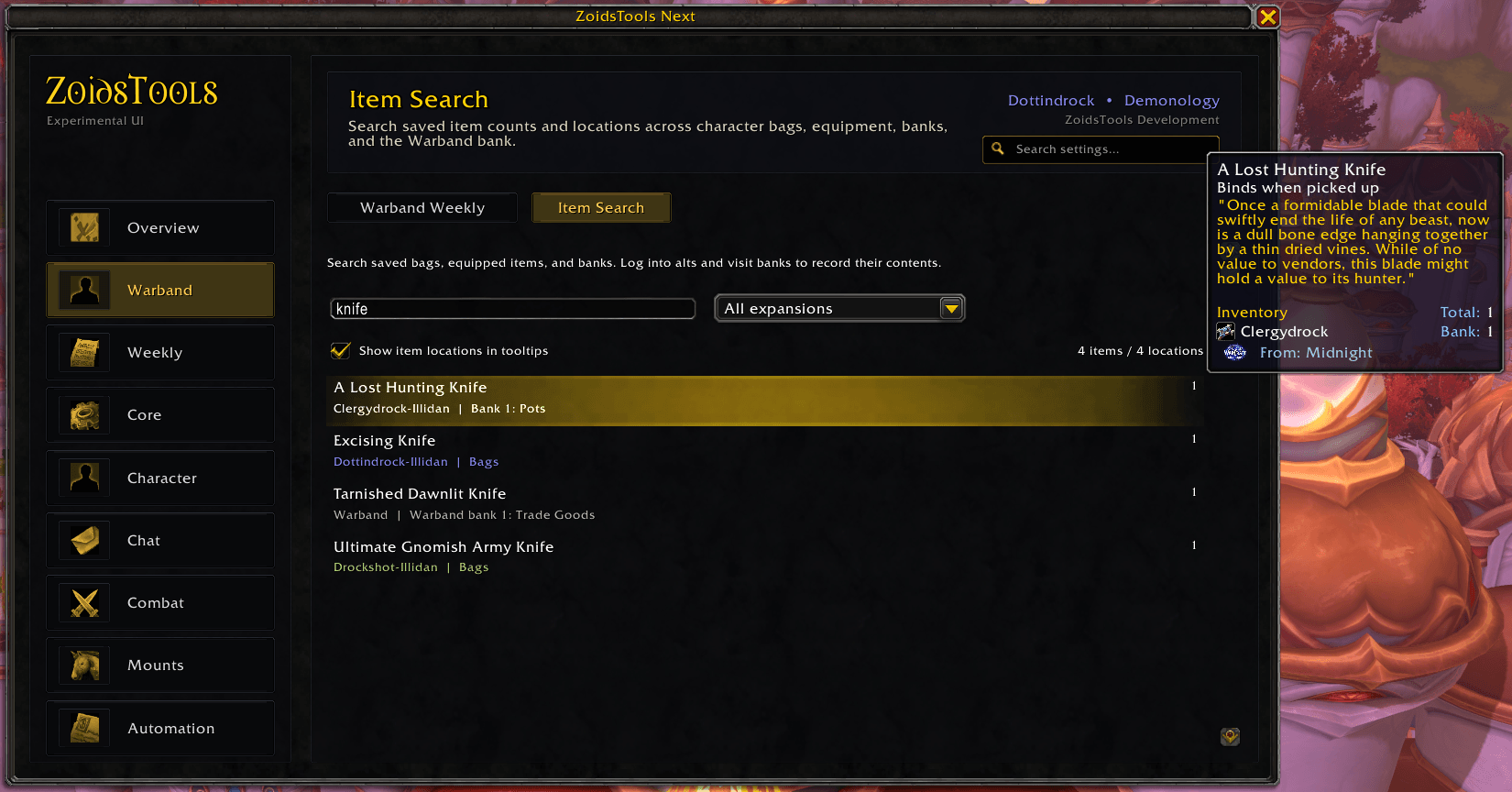
- Item Search: Search saved items by name or item ID across character bags, equipped gear, banks, and the shared Warband bank.
- Inventory tooltips: See total item counts, per-character locations, and shared Warband bank counts directly on item tooltips.
- Expansion filters: Narrow item searches by expansion.
- Mailbox shortcuts: Choose characters from your Warband when addressing mail, with optional last-recipient memory.
Character information updates as you log into each character. Bank contents are recorded when you visit an accessible bank. Offline inventory is a saved snapshot; mail, auctions, guild banks, and unvisited characters or banks are not included.
Weekly Goals and Profession Knowledge
Keep the week’s priorities visible with a configurable dashboard and compact tracker.
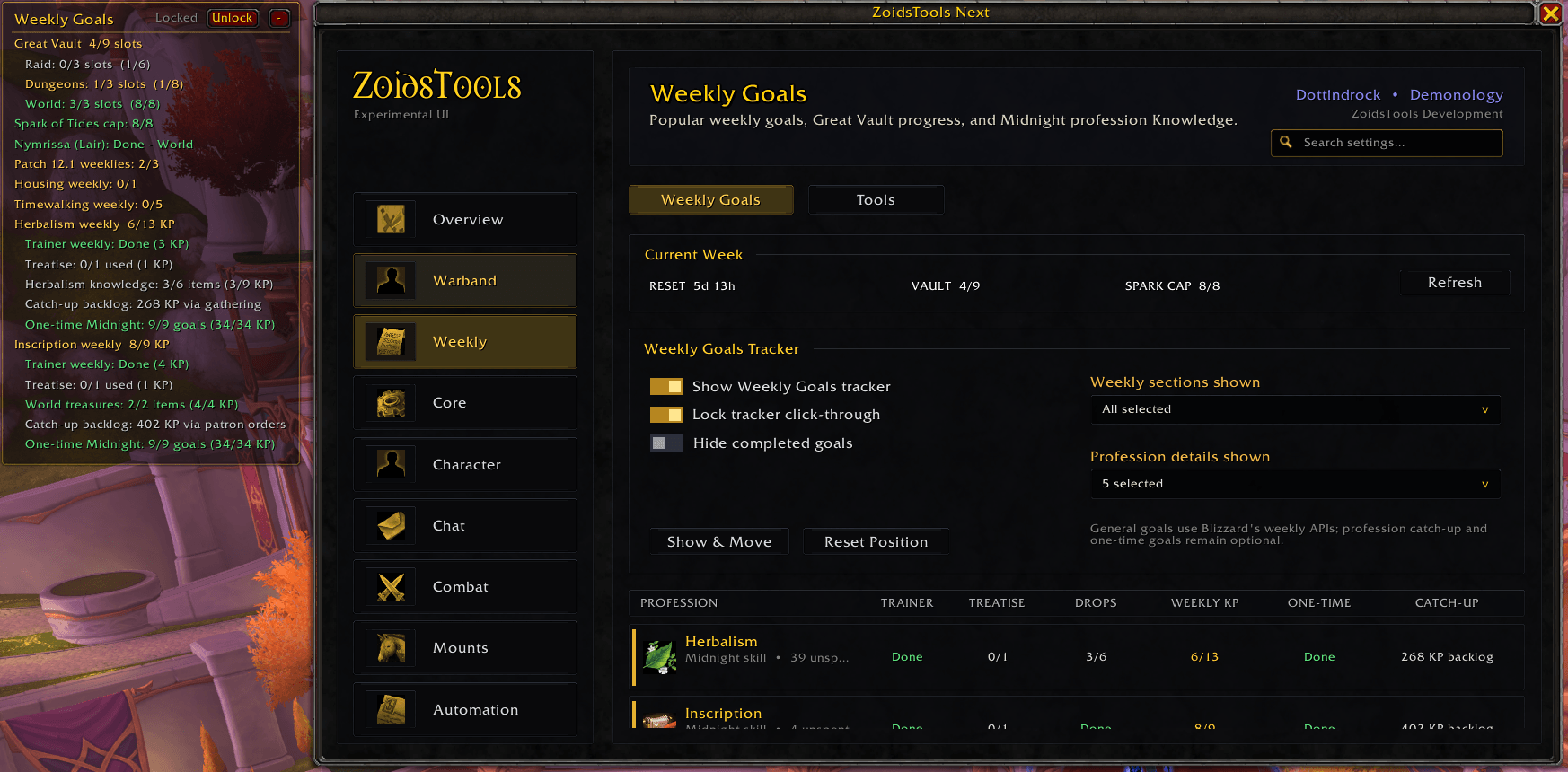
- Track Great Vault choices, Spark catch-up, supported patch weeklies, Housing, and active Timewalking goals.
- Follow Midnight profession Knowledge from trainer quests, treatises, treasures, gathering drops, and disenchanting.
- Review profession catch-up backlogs, one-time treasures, Knowledge books, and Darkmoon Faire quests.
- See Darkmoon Faire availability and the appropriate faction entrance.
- Choose which goals appear, hide completed goals, and move, minimize, or lock the tracker.
- Hover over goals for explanations of their requirements and progress.
Mythic+, Portals, and Lockouts
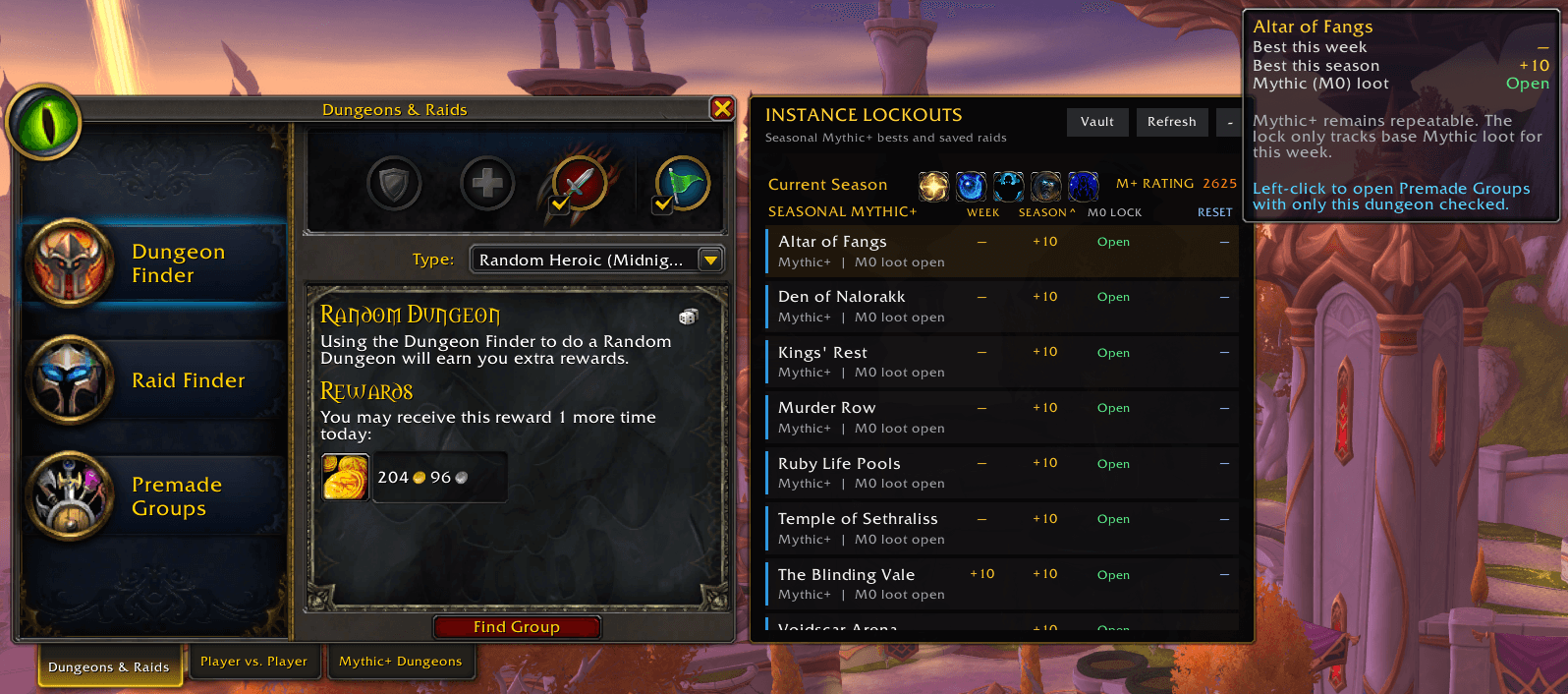
Add a companion panel to Blizzard’s Dungeons & Raids window.
- View current-season Mythic+ dungeons with weekly bests, season bests, base-Mythic lockouts, and reset information.
- Sort dungeon rows by weekly or seasonal completion level.
- Click a dungeon to open its matching Premade Groups dungeon filter.
- Review current-expansion raid saves and optionally show older instance saves.
- See your Mythic+ rating, weekly affixes, and a Great Vault shortcut.
- Receive a dungeon invitation banner with a clickable teleport button when you know the matching portal.
Use /zt invitebanner to preview and cycle through current-season portal buttons, or /zt invitebanner list to check their learned status.
Talents, Stat Goals, and Gear Recommendations
Bring reference information into the character and talent interfaces.
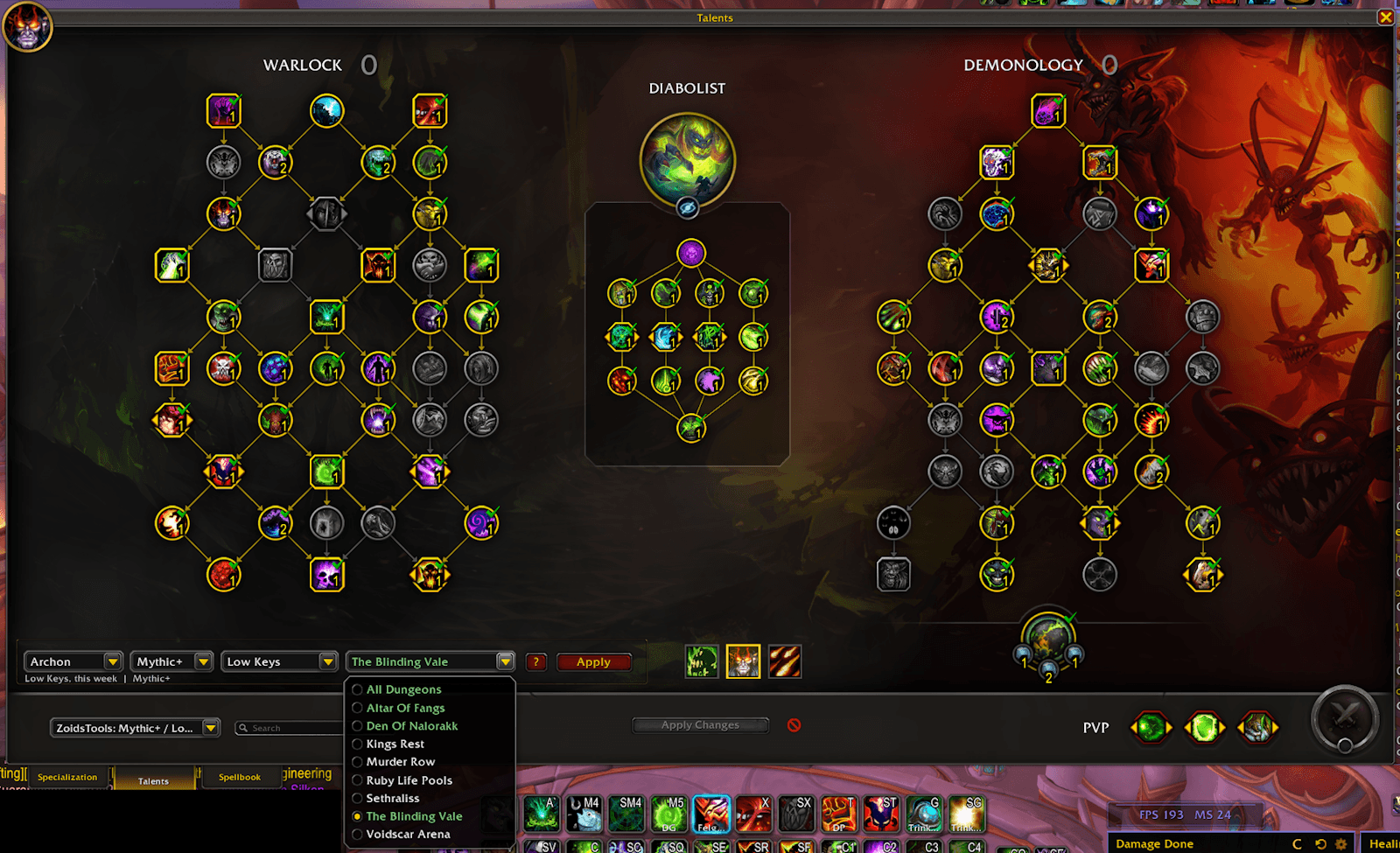
- Browse included talent recommendations from Archon, Icy Veins, Wowhead, and Murlok.io, with available Mythic+, dungeon, raid, PvP, and PTR options.
- Highlight selected, missing, and changed talents, and apply supported builds through Blizzard’s loadout system.
- Switch specializations from the Talents interface.
- Open a movable rotation reference matched to the selected specialization, Hero Talent tree, and content type where available.
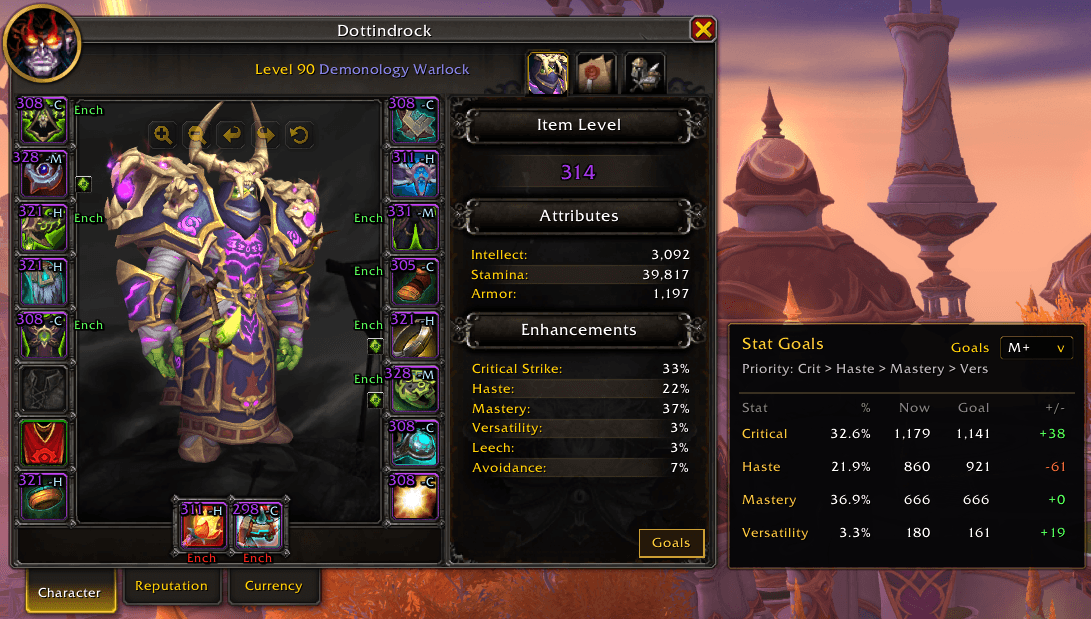
- Compare secondary stats against Mythic+, Raid, and PvP goals in a collapsible character-window panel.
- See included top-three Raid and Mythic+ BiS rankings on eligible equipment tooltips, with source information where available.
Recommendation data ships with the addon and does not refresh from websites during gameplay. Rotation information is a static reference, not live combat guidance.
Equipment and Inventory Improvements
Make useful item details easier to see.
- Display item levels, gems, sockets, enchants, and binding information on supported equipment and inventory views.
- Include an optional upgrade-path initial beside item levels, such as 295-C for Champion.
- Show equipment details on both the Character and Inspect windows.
- Filter Blizzard’s bags, character bank, and Warband bank by expansion, dimming items that do not match.
- Add expansion information to item tooltips.
- Enhance player tooltips with class-colored names, Mythic+ rating, and equipped item level.
Expansion filtering is designed for Blizzard’s default bag and bank interfaces.
Damage Meters
Use compact custom meters powered by Blizzard’s built-in combat data.
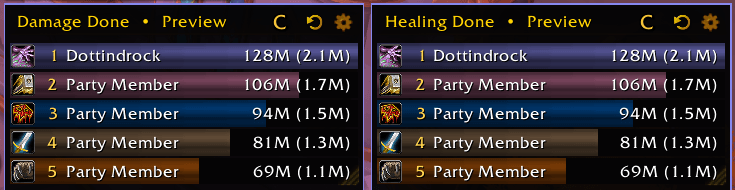
- Track damage, healing, absorbs, interrupts, dispels, deaths, avoidable damage, and other supported statistics.
- Switch between current, overall, and recent combat segments.
- Explore player, source, and ability breakdowns.
- Configure two independent windows with movement, resizing, snapping, and saved account-wide layouts.
Choose either ZoidsTools meters or Blizzard’s native meters; only one system is active at a time.
Combat and Action Bars
- Customize keybind text, abbreviations, size, colors, and outlines.
- Enable key-down casting and optional full-button out-of-range tinting.
- Choose skill-flyout directions globally or for individual flyouts.
- Display movable combat notifications and persistent group-buff warnings.
- Cast available missing buffs or request buffs from your group outside combat.
- Adjust supported unit-frame health colors, castbar sizes, and target or focus aura visibility.
Chat Improvements
Enhance Blizzard chat with searchable message copying, web and Discord link copying, mention alerts, unread indicators, optional saved history, faster scrolling, and a jump-to-latest button.
Customize backgrounds, tabs, fonts, fading, and typing-box placement, then save named account-wide chat layouts.
Mounts, Hearthstones, and Consumables
- Use Smart Mount to choose suitable ground, flying, or water travel.
- Access repair, auction-house, and ride-along mounts through dedicated keybinds.
- Support class travel abilities, Dracthyr Soar, and fall-safety spells.
- Avoid recently summoned mounts or match another player’s mount.
- Build a random Hearthstone macro from your selected appearances.
- Automatically maintain health and mana consumable macros.
Vendors, Quests, and Profession Actions
Reduce repetitive clicks with configurable everyday helpers.
- Fast looting, automatic repairs, and grey-item selling.
- Merchant indicators for known recipes and collected pets.
- A vendor reputation bar showing standing and progress for supported standard, friendship, and Renown reputations.
- Quest acceptance, turn-in, and simple gossip automation with exclusions.
- A movable, key-bindable quest-item button that prioritizes nearby and tracked quests.
- Modifier-click disenchanting, milling, prospecting, and lockbox actions.
- Optional automatic confirmation of selected crafting, enchant, socket, purchase, and loot-roll dialogs.
Equipping or using an item that binds it still requires manual confirmation.
Interface Customization
- Move and scale supported Blizzard windows and bags, with position-only movement for the World Map.
- Customize minimap styling, headers, mouseover buttons, and addon-button collection.
- Adjust the Objective Tracker’s background, border, opacity, and minimized appearance.
- Display movable FPS, latency, and coordinate widgets.
- Add queue alerts, countdowns, and optional protection against accidentally leaving a ready queue.
- Replace the Talking Head window with movable subtitles.
- Keep WoW synchronized with the default audio device.
- Skip cinematic confirmations with Escape or optionally skip cinematics automatically.
Getting Started
- Open settings with
/zt. - Use the settings search to find the features you want.
- Set optional shortcuts in WoW’s normal Keybindings window.
- Log into your other characters to populate Warband information.
Useful Commands
/zt warband— Warband Weekly/zt inventory— Warband Item Search/zt goals— Weekly Goals/zt talents— Talent options/zt items— Equipment and item options/zt meters— Damage meter options/zt chatcopy— Search and copy chat/zt invitebanner— Preview dungeon portal buttons/zt help— More shortcuts and controls
Built-in diagnostics are also available to help investigate addon activity, memory usage, and frame hitches.
ZoidsTools Team