WoW Forever Suite
- By
Customizable quality-of-life tools for bags, maps, chat, combat, and leveling in one modular suite.
Prebuilt Macros.png
Character Frame Example.png
Trash Button Example.png
Castbar Example.png
Send Mail Helper.png
Description
Forever Suite
A modular quality-of-life addon for World of Warcraft: Forever. Customize your interface, organize your inventory, and track your progress through one searchable settings panel. Most features start disabled, so you choose what to enable.
Leveling & Everyday Tools
- Leveling tracker: XP/hour, net gold/hour, level progress, session time, and estimated time to level in a movable tracker with lock and minimize controls.
- Quests & loot: Automatic quest pickup, straightforward turn-ins, single-option conversations, and quicker auto-looting. Hold Shift to pause quest automation.
- Quest tools: Styled quest tracker, a movable nearby quest-item button, and automatic watched reputation in supported zones.
- Vendor tools: Automatic repairs using personal or permitted guild funds, plus configurable gray-item selling.
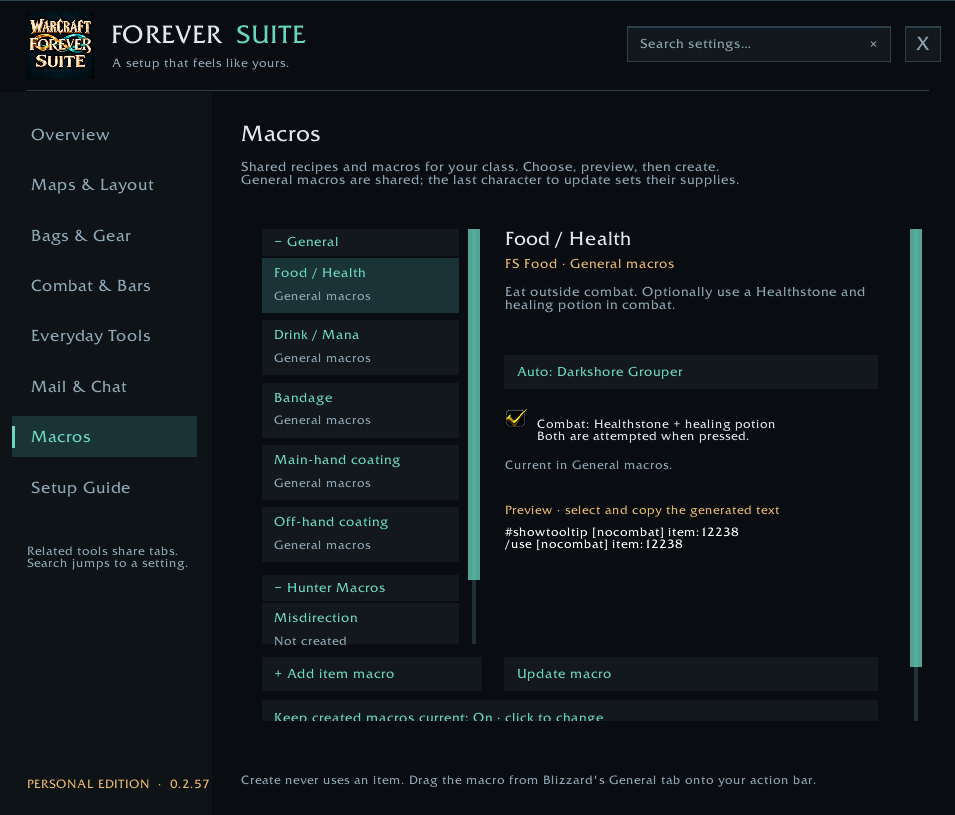
- Macro builder: Preview and create food, drink, bandage, weapon-coating, and class utility macros, with optional supply-based updates.
- Camping bar: Access carried camp objects, see quantities and cooldowns, and choose a preferred resting pose.
- Audio switching: Keep game sound synchronized with your default Windows playback device.
Bags, Gear & Characters
- Bag organization: Sort bags when opened, reverse combined-bag order, and reverse displayed slots within each bag.
- Container opening: Automatically open supported loot containers, including clams, when space is available.
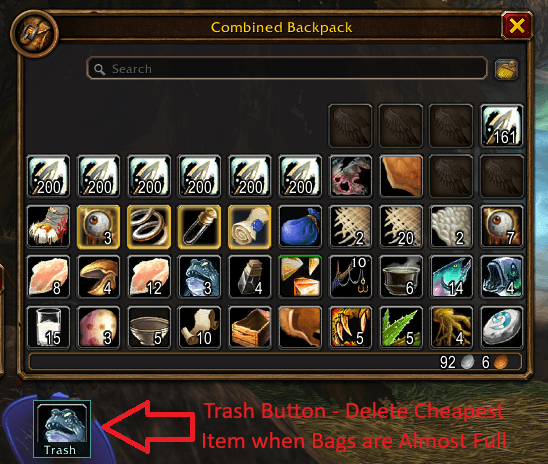
- Low-space alerts: Suggest low-value items to discard, with confirmation and an item blacklist.
- Inventory & banking: Search recorded inventory across characters, view bag and bank counts in tooltips, and browse saved bank contents from anywhere.
- Character dashboard: View recorded character levels, gold, professions, and combined gold totals.
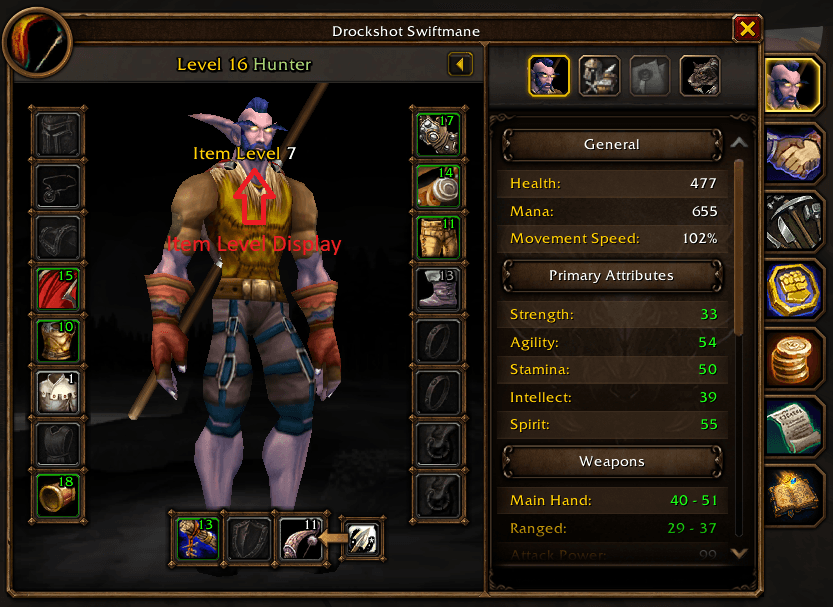
- Gear information: Item levels on equipment icons and tooltips, equipped averages, available player inspection details, and possible-upgrade hints using selectable comparisons.
- Disenchant shortcut: Modifier-click eligible bag equipment to disenchant it.
Character and bank records update when you log into characters and visit their banks. Saved bank views are for browsing.
Interface & Combat
- Maps & windows: Square minimap, addon-button drawer, FPS, latency, coordinates, clock, unexplored terrain reveal, and saved movement/scaling for supported Blizzard windows.
- Bars & buttons: Optional action-bar, bag-bar, micro-menu, progress-bar, and player-buff styling. Customize keybind labels, progress values, sizing, and out-of-range feedback.
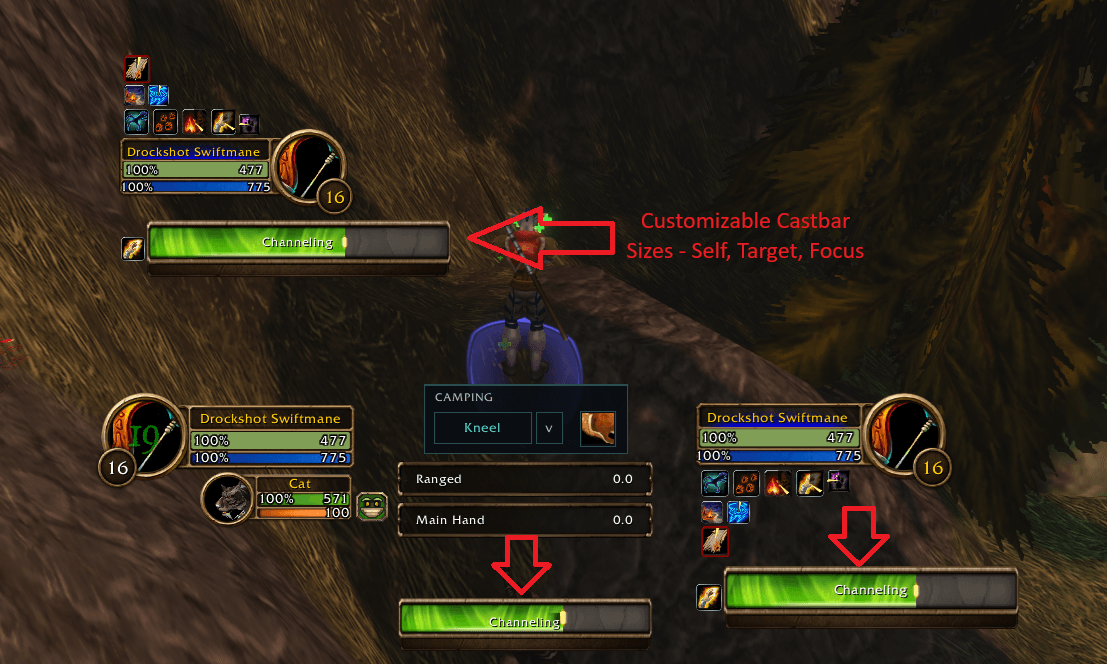
- Unit frames & castbars: Class-colored health bars, a target-threat percentage indicator, and adjustable player, target, and focus castbar sizes.
- Buff reminders: Missing self/group buffs, class-upkeep reminders, click-to-buff shortcuts, and manual buff-request buttons.
- Damage & healing meters: Two customizable windows with fight selection, DPS/HPS views, player breakdowns, locking, and snapping.
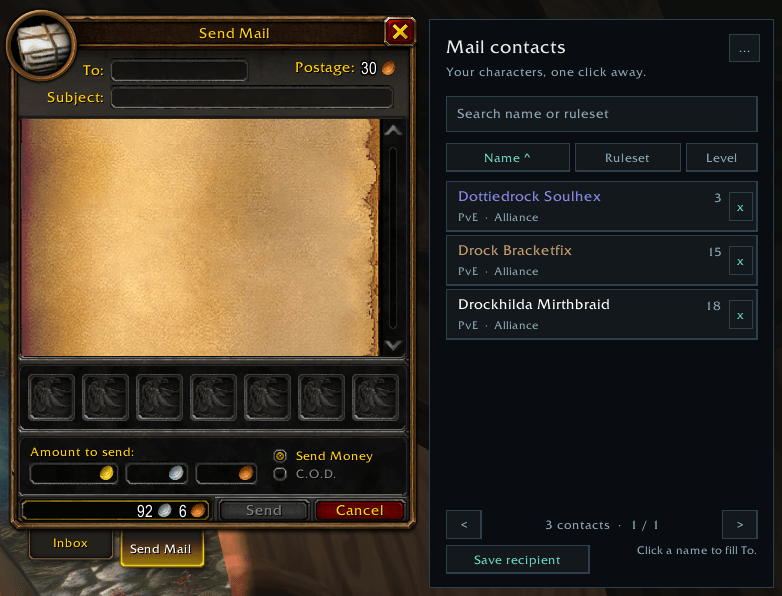
- Chat & mail: Adjustable chat styling and text copying, searchable mail contacts, saved recipients, and recipient retention after sending.
Getting Started
Click the minimap launcher or type /wfs to open settings. Use /wfs setup for the setup guide.
WoW Forever Suite Team