
Zappa Macro Engine
- By

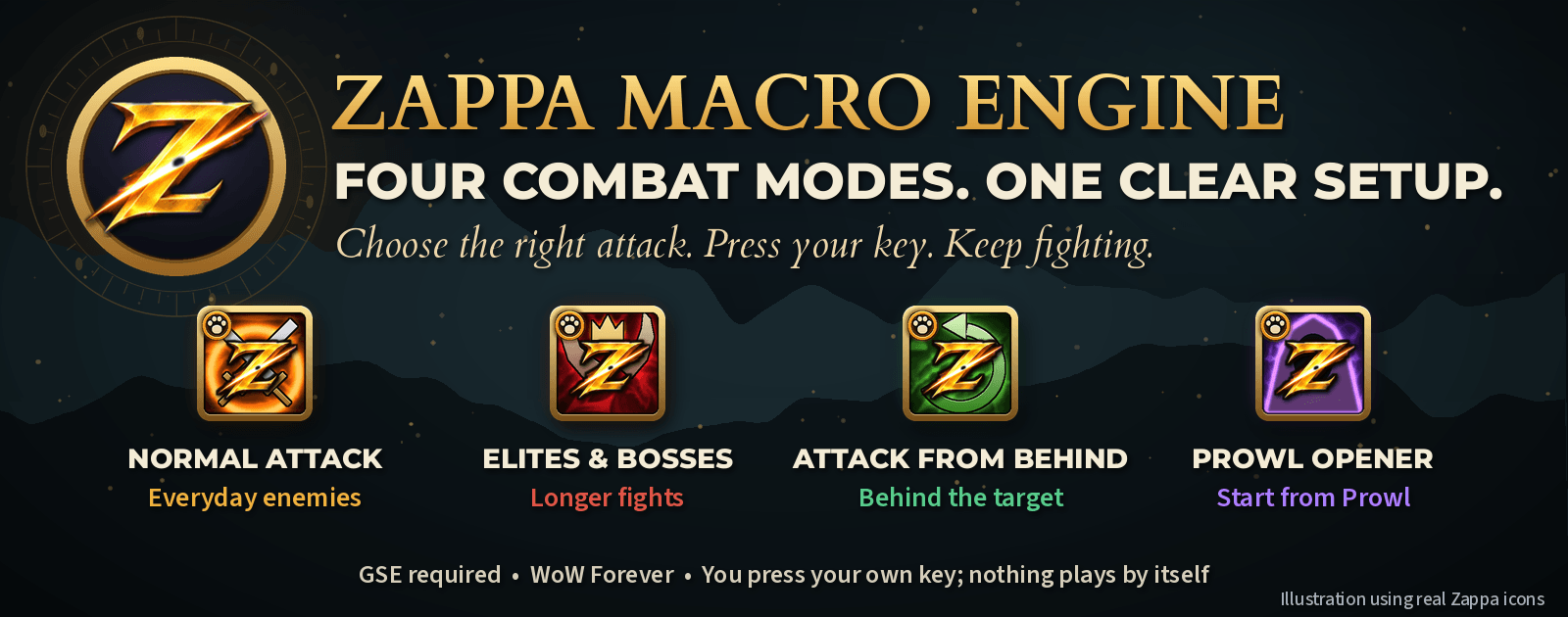
Illustration using real Zappa icons, not an in-game screenshot. The four Feral Druid modes: Normal Attack, Elites & Bosses, Attack From Behind, Prowl Opener. GSE required; you press your own key.
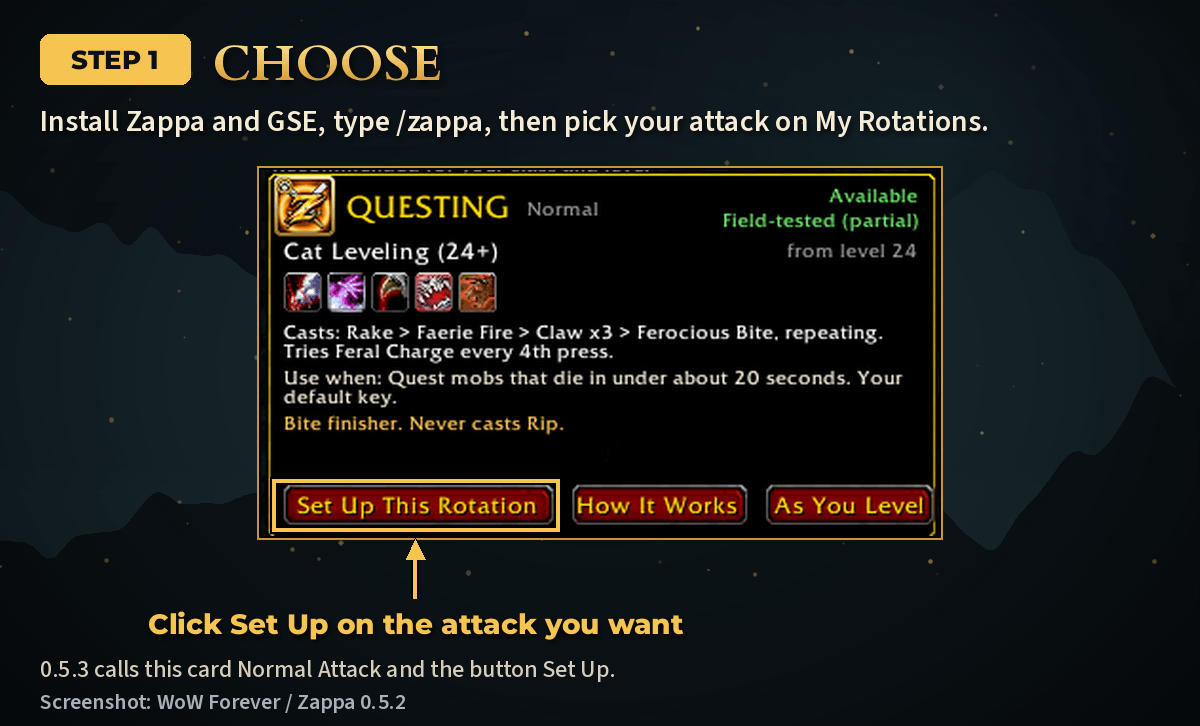
Screenshot: WoW Forever / Zappa 0.5.2. Install Zappa and GSE, type /zappa, choose an attack on My Rotations and click Set Up. In 0.5.3 this card is called Normal Attack and the button Set Up.
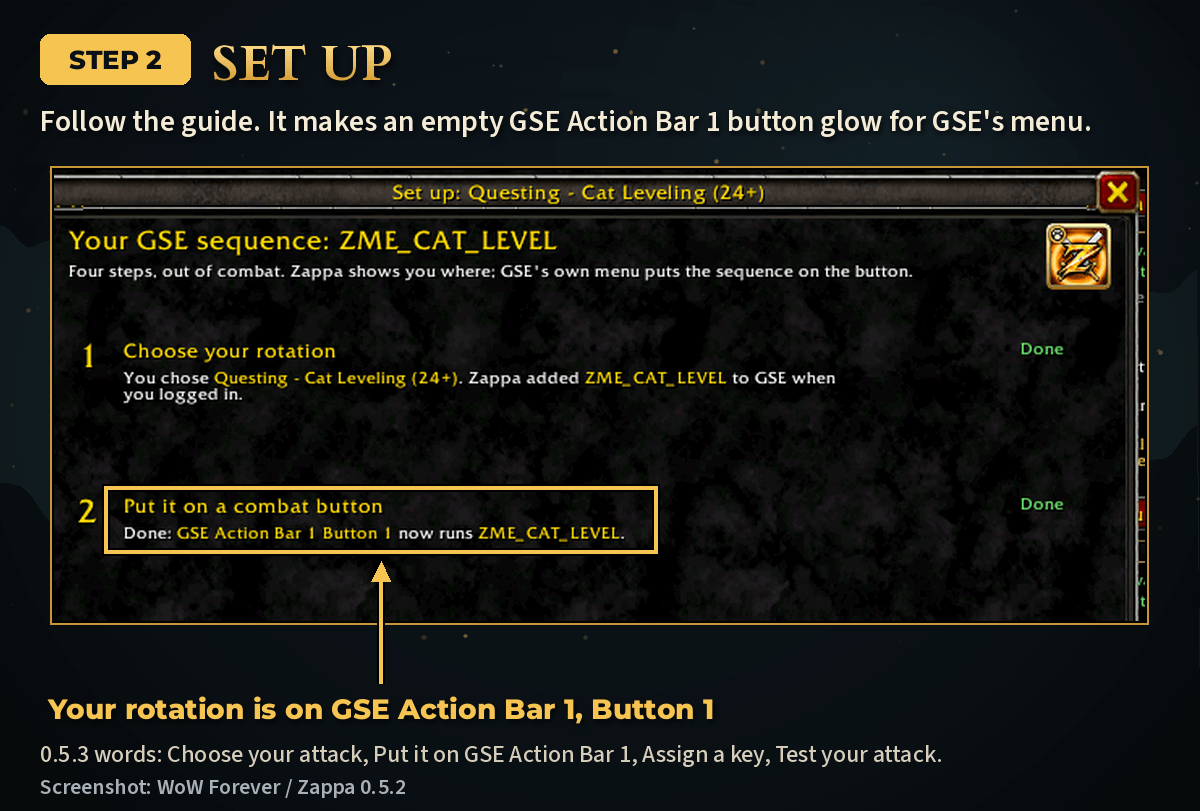
Screenshot: WoW Forever / Zappa 0.5.2. The guide makes an empty GSE Action Bar 1 button glow; GSE's right-click menu puts your rotation on it. Step 2 here shows it done on Button 1.
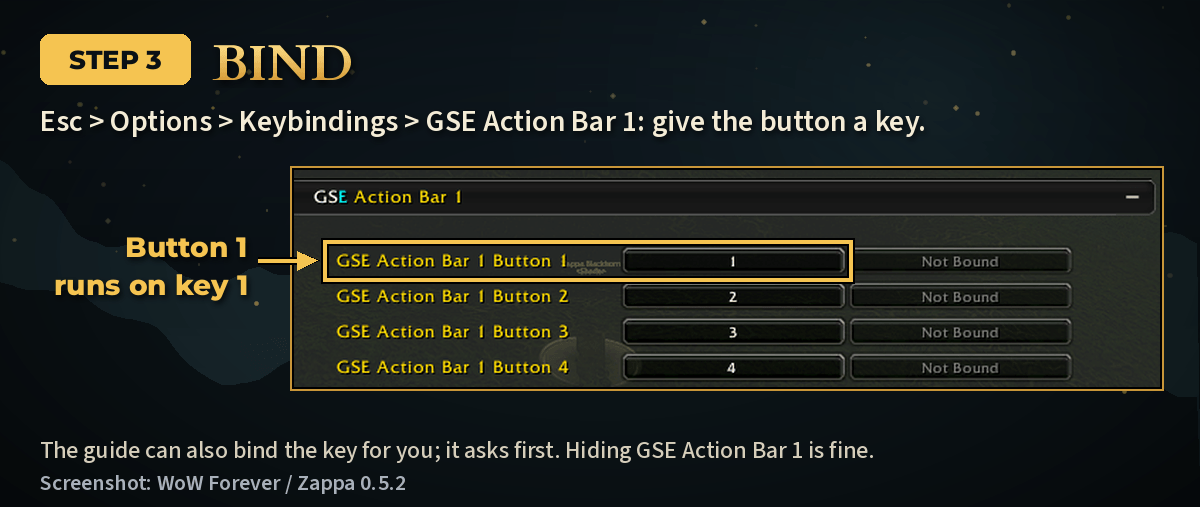
Screenshot: WoW Forever keybindings, GSE Action Bar 1, Buttons 1 to 4 bound to 1, 2, 3, 4. Esc > Options > Keybindings > GSE Action Bar 1. Zappa's guide can also bind the key after asking you.
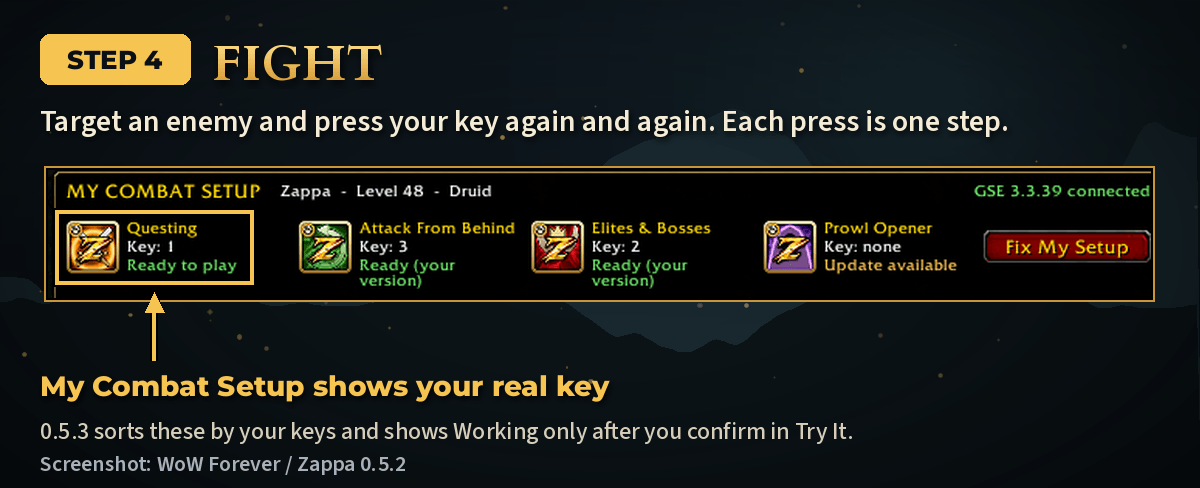
Screenshot: WoW Forever / Zappa 0.5.2. Press your key again and again; each press is one step. Here Questing (Normal Attack) is on key 1. 0.5.3 sorts these by key and shows Working after you confirm.
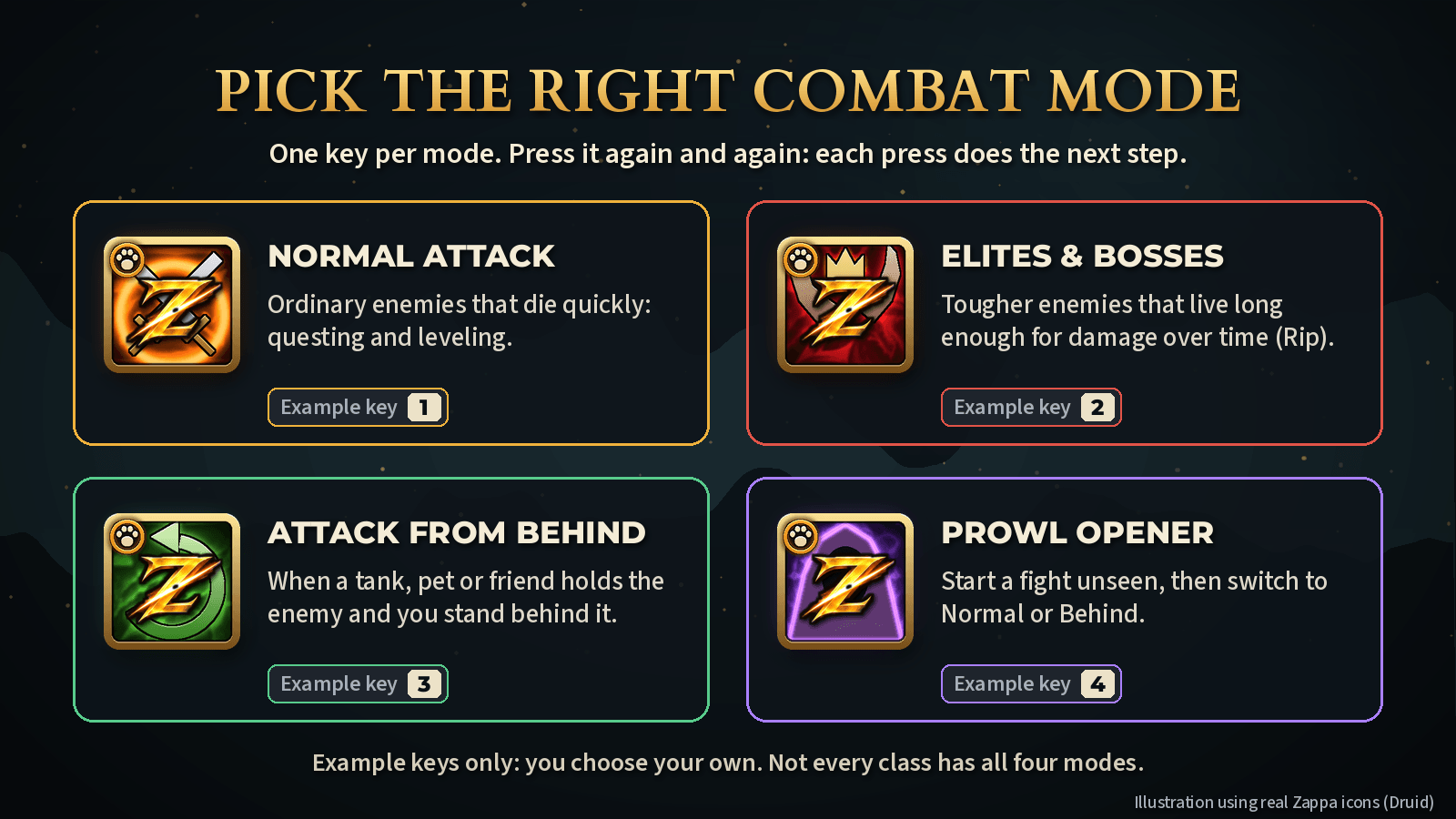
Illustration using real Zappa Druid icons, not a screenshot. Keys 1 to 4 are only an example: you choose your own keys. Not every class has all four modes.
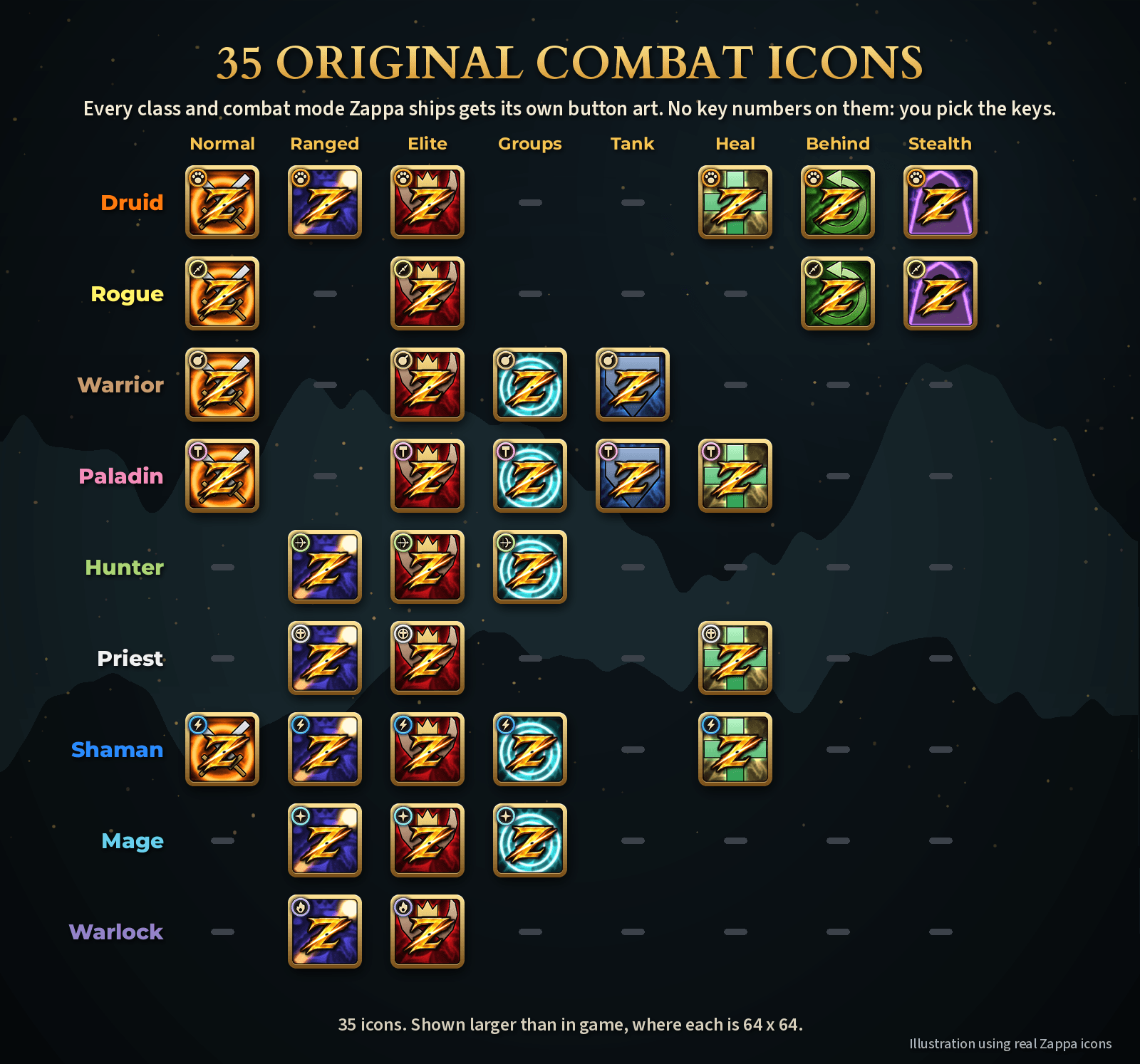
Zappa's own action-bar icon art for all nine classes, rendered from the addon's icon masters and shown larger than in game (64 x 64 there). No key numbers on the art: you pick the keys.
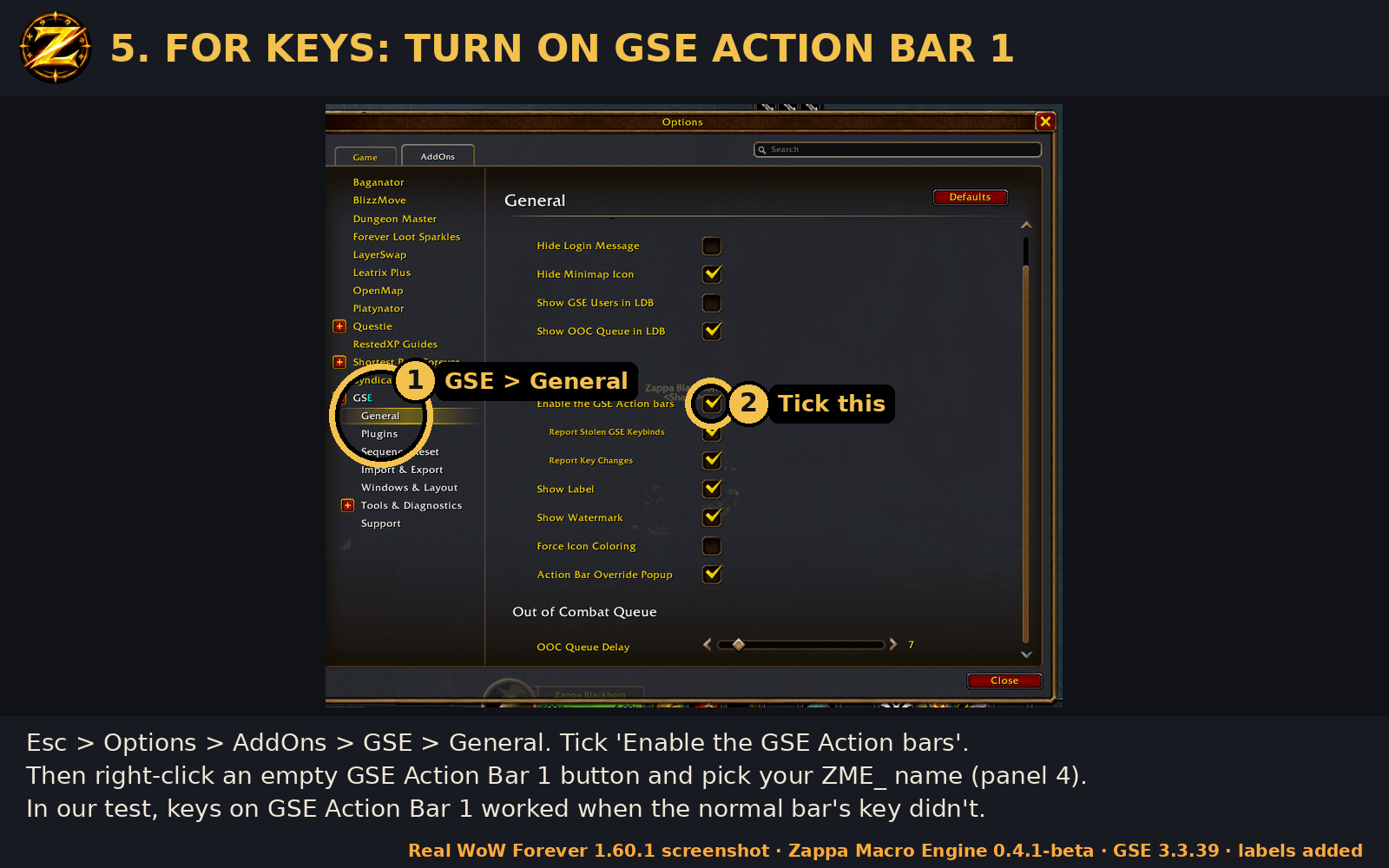
Esc > Options > AddOns > GSE > General > tick Enable the GSE Action bars. GSE Action Bar 1 is separate from WoW's normal bars; keys on it worked in our tests. Real WoW Forever 1.60.1 screenshot.
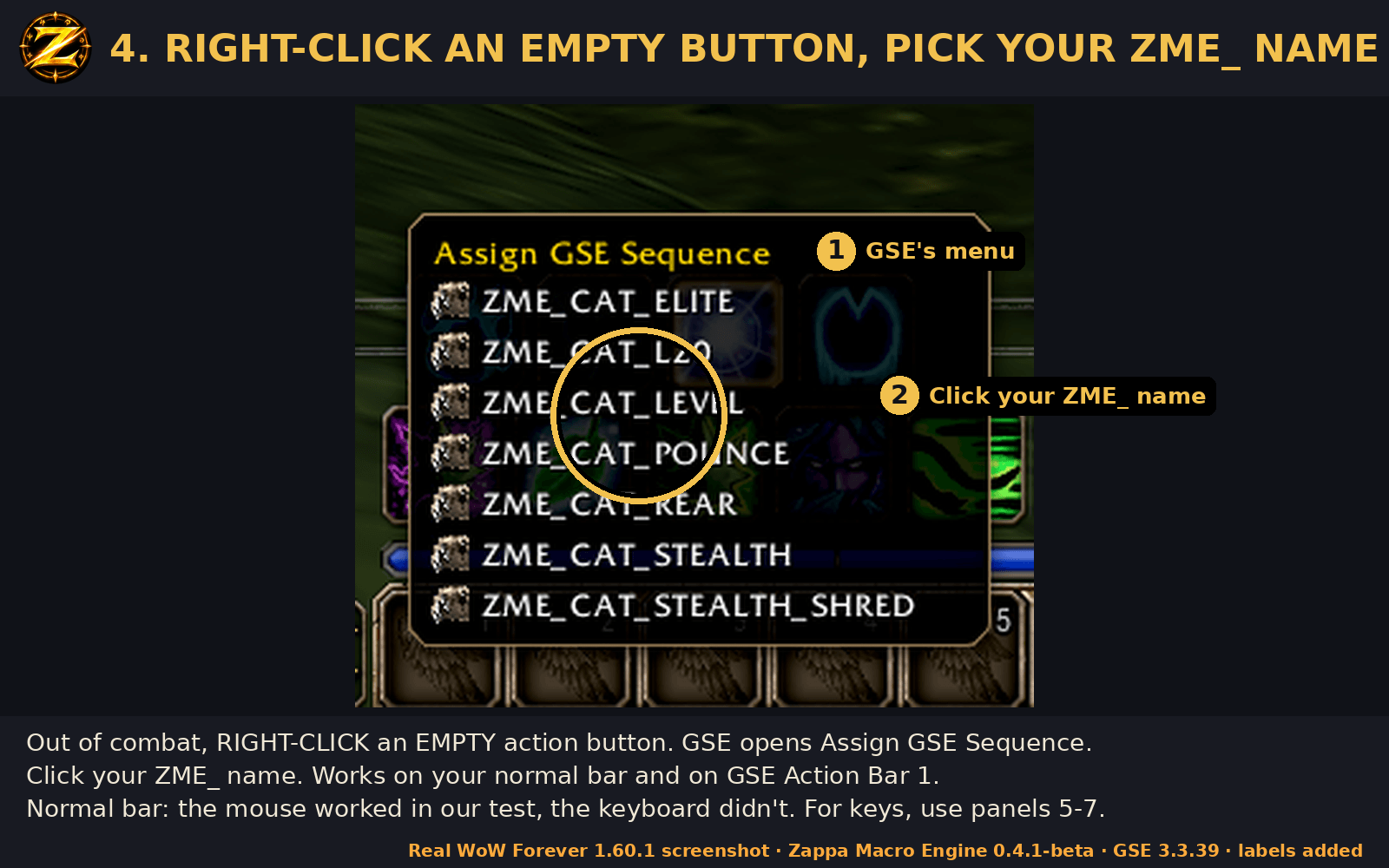
Out of combat, right-click an EMPTY button on GSE Action Bar 1 and click your ZME_ name in GSE's menu. Zappa's Show me button makes the button to use glow. Real WoW Forever screenshot of GSE's menu.
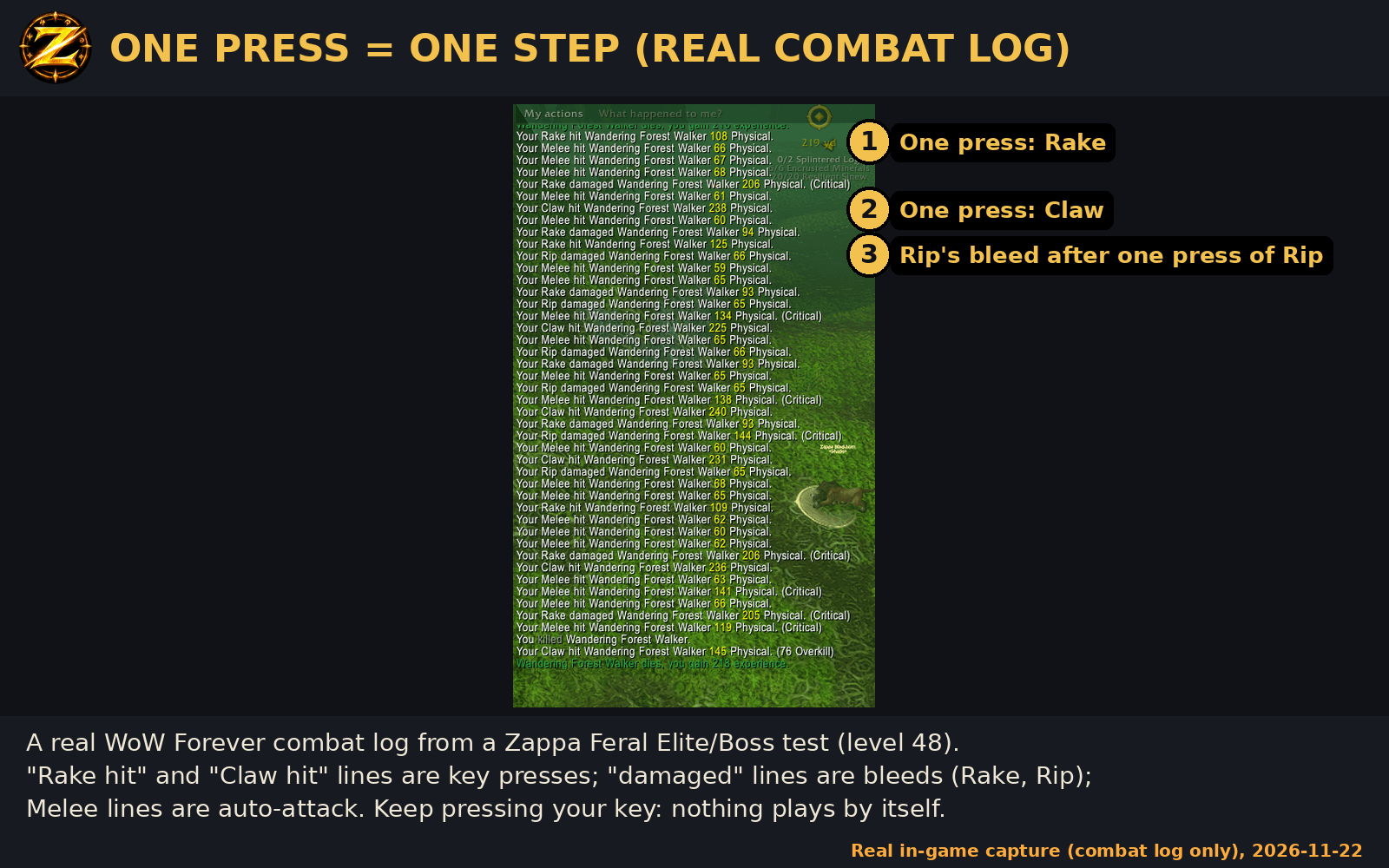
Real WoW Forever combat log from a Zappa Feral Elite/Boss test: each Rake or Claw came from one key press. Keep pressing your key; nothing plays by itself.
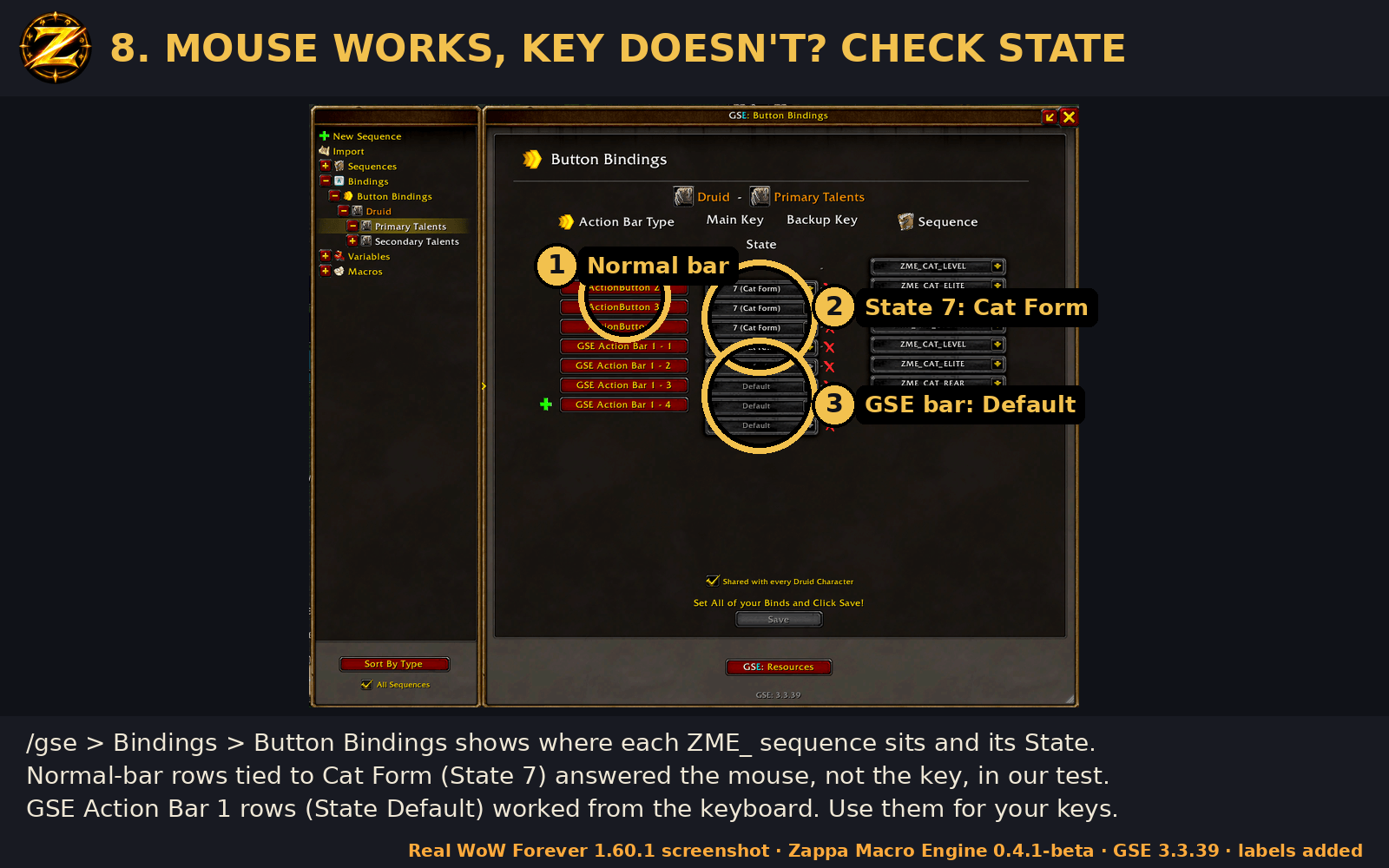
/gse > Bindings > Button Bindings. Normal-bar rows tied to Cat Form (State 7) answered the mouse, not the key, in our test; GSE Action Bar 1 rows (Default) worked. In 0.5.2, Fix My Setup checks this for you.
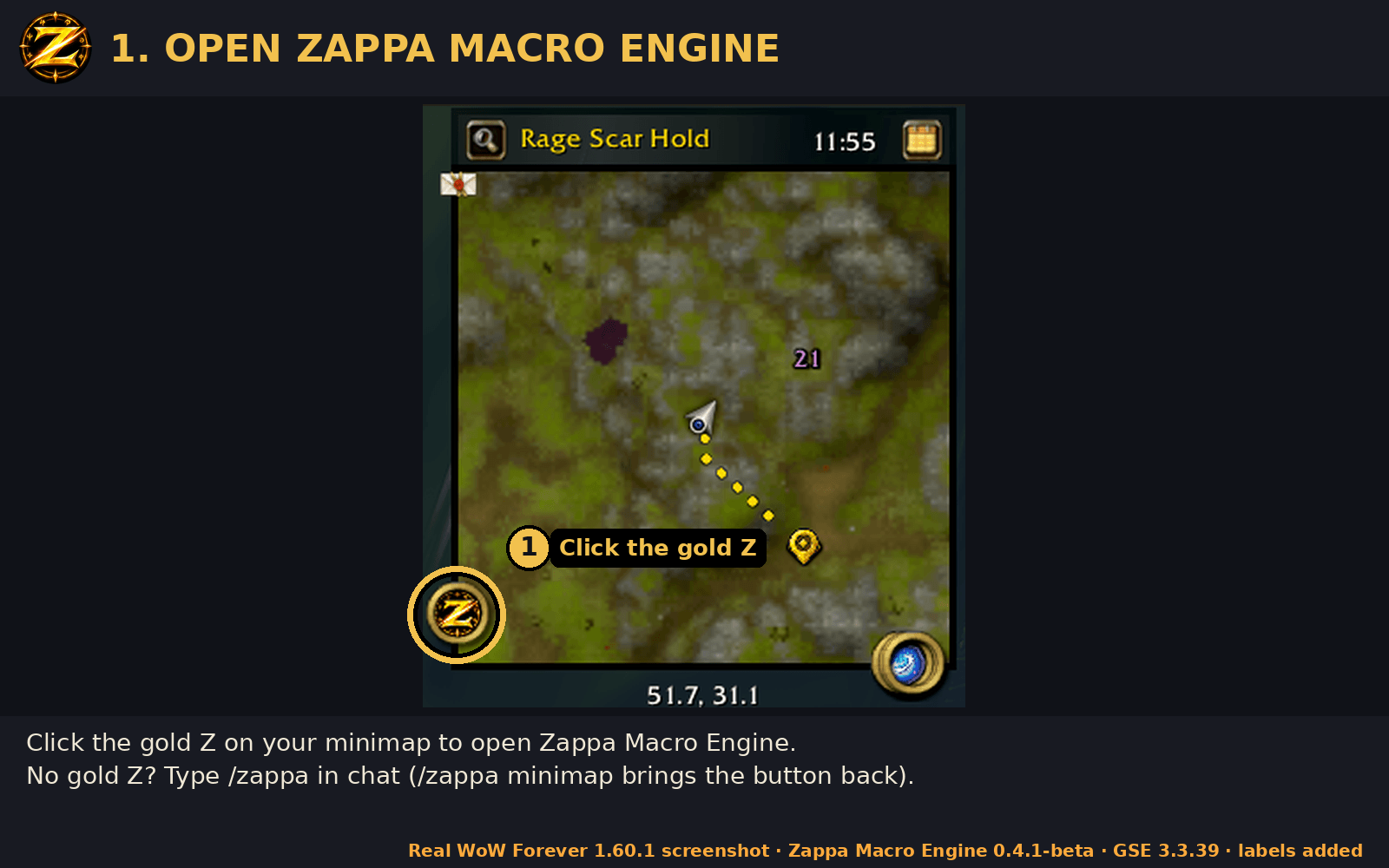
Click the gold Z on your minimap, or type /zappa in chat (/zappa minimap brings the button back). Real WoW Forever 1.60.1 screenshot from Zappa 0.4.1; the 0.5.2 window looks different.
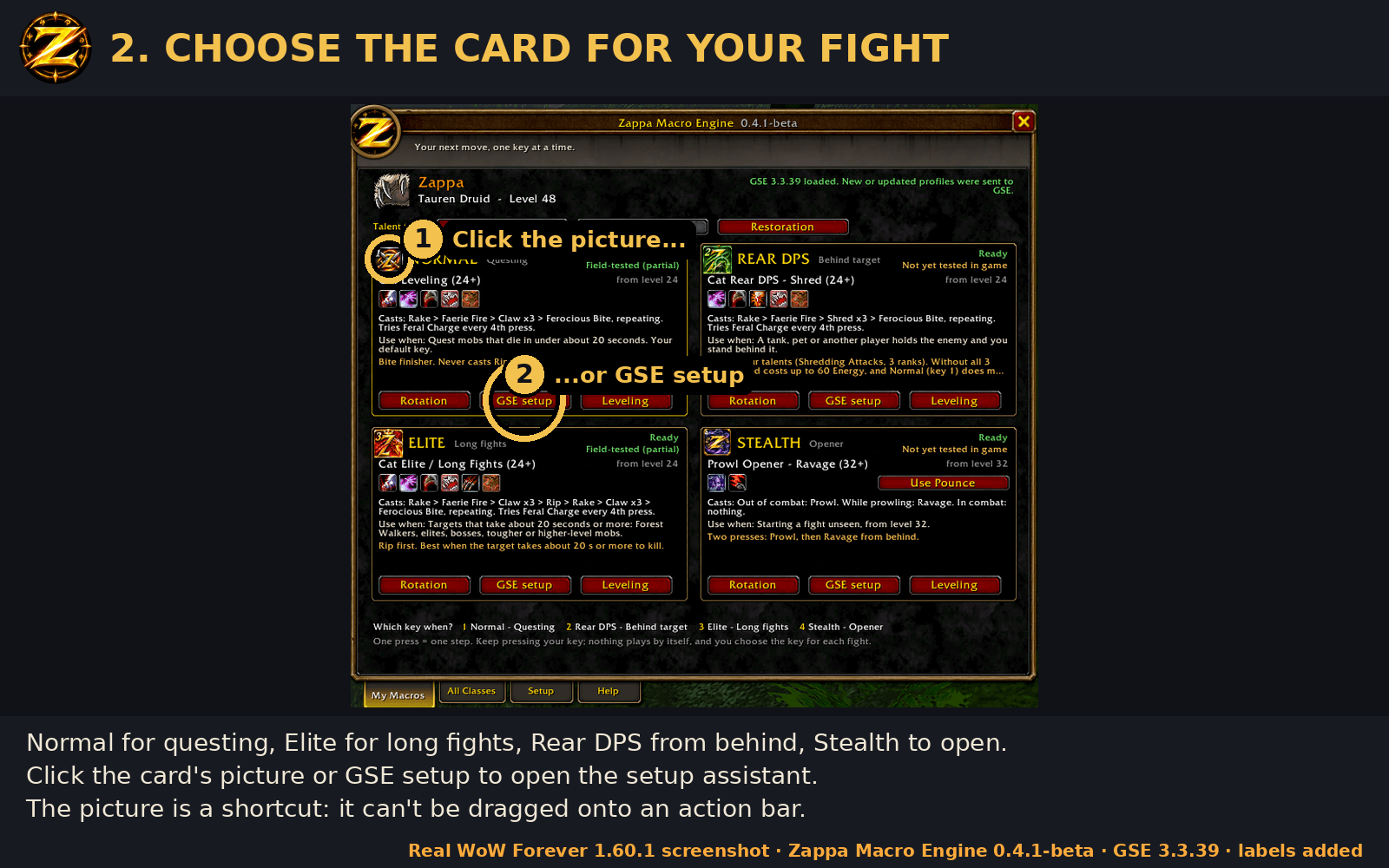
In 0.5.2: open My Rotations, pick Questing and click Set Up This Rotation. This real screenshot shows the older 0.4.1 window, where the tab was My Macros and the button GSE setup.
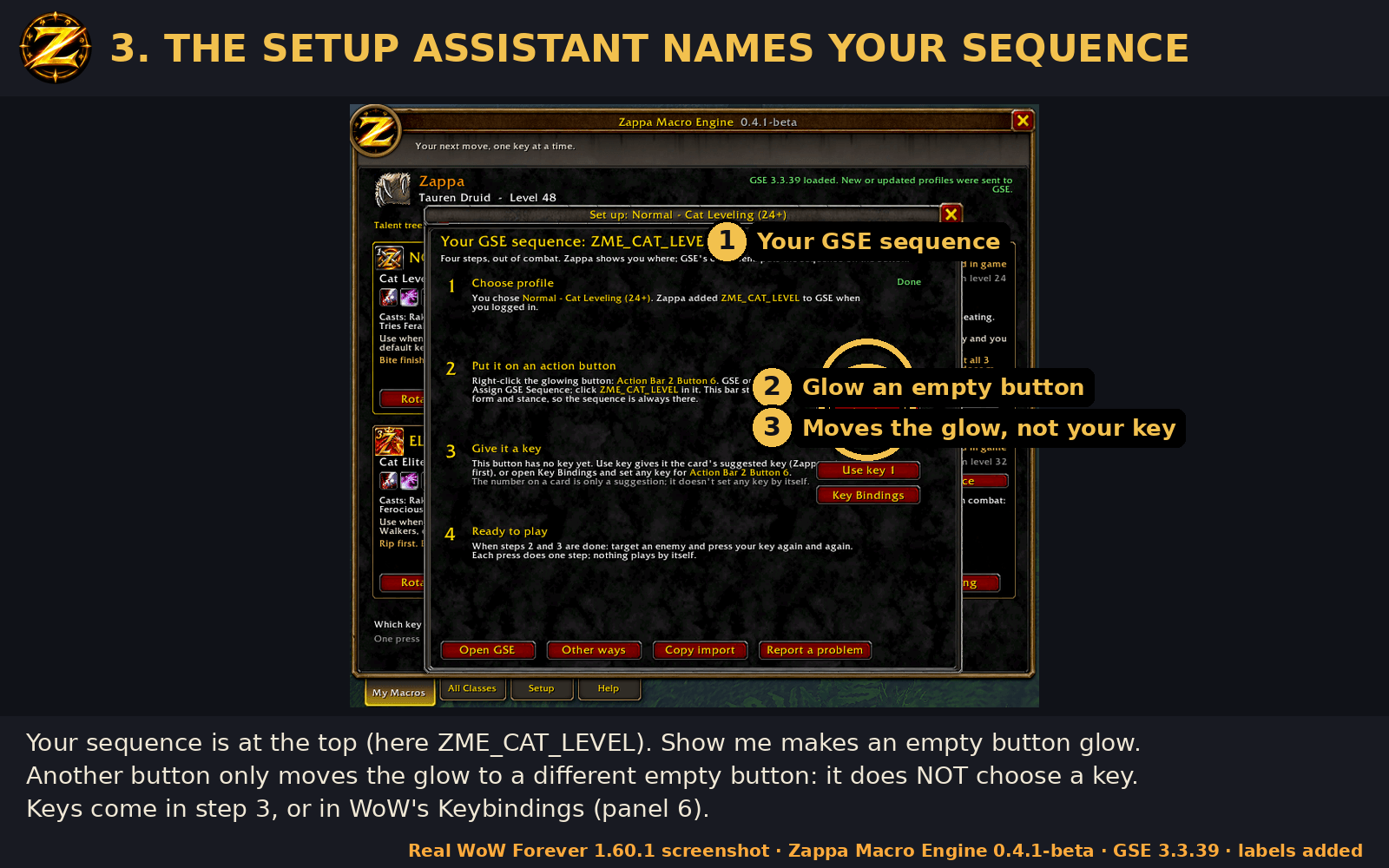
It names your GSE sequence (here ZME_CAT_LEVEL) and makes an empty button glow. In 0.5.2 its steps read Choose your rotation, Put it on a combat button, Choose your key, Try it. Real 0.4.1 screenshot.
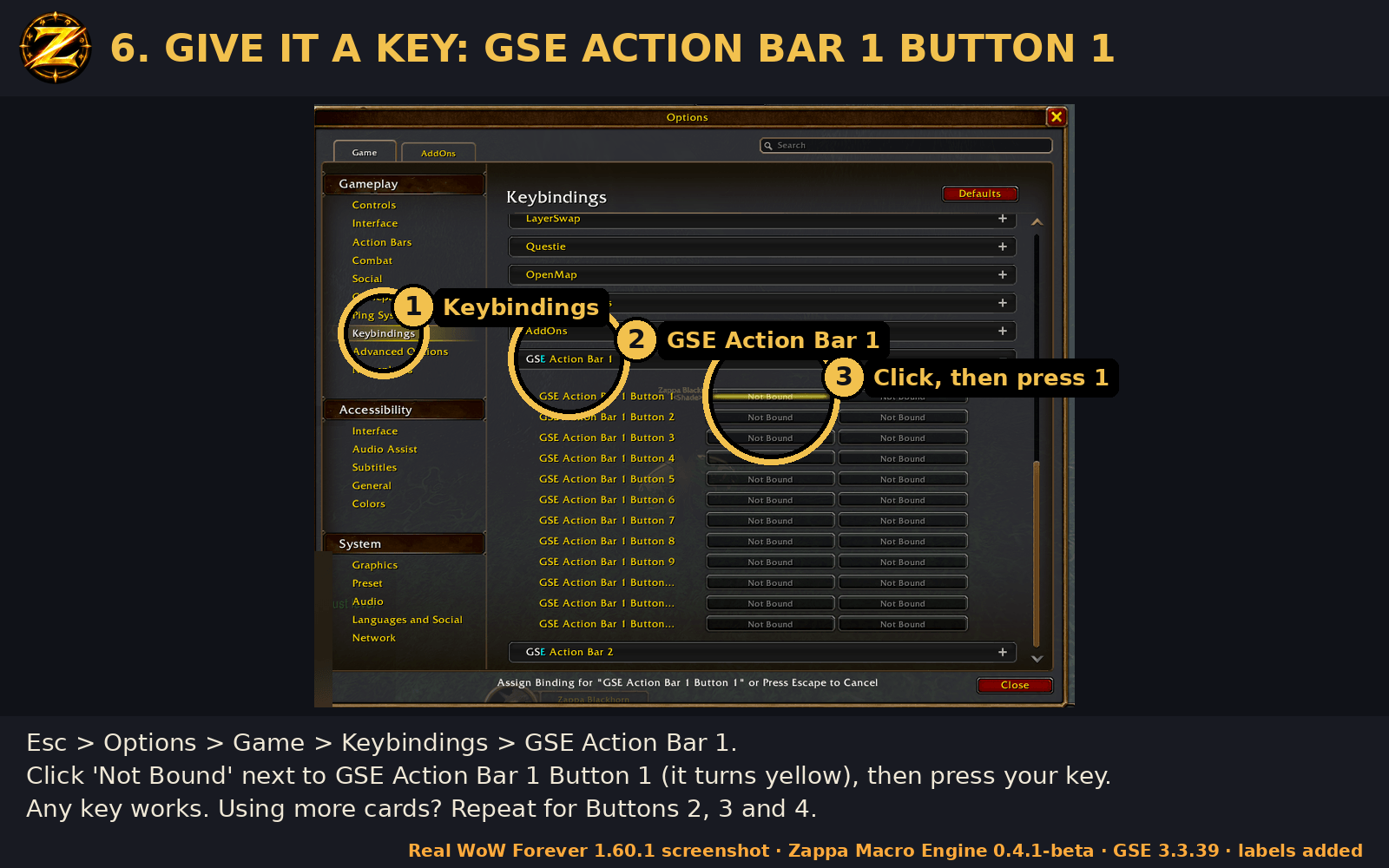
Esc > Options > Game > Keybindings > GSE Action Bar 1. Click Not Bound next to your button (it turns yellow), then press your key. A suggested key isn't set until you do this. Real WoW Forever 1.60.1 screenshot.
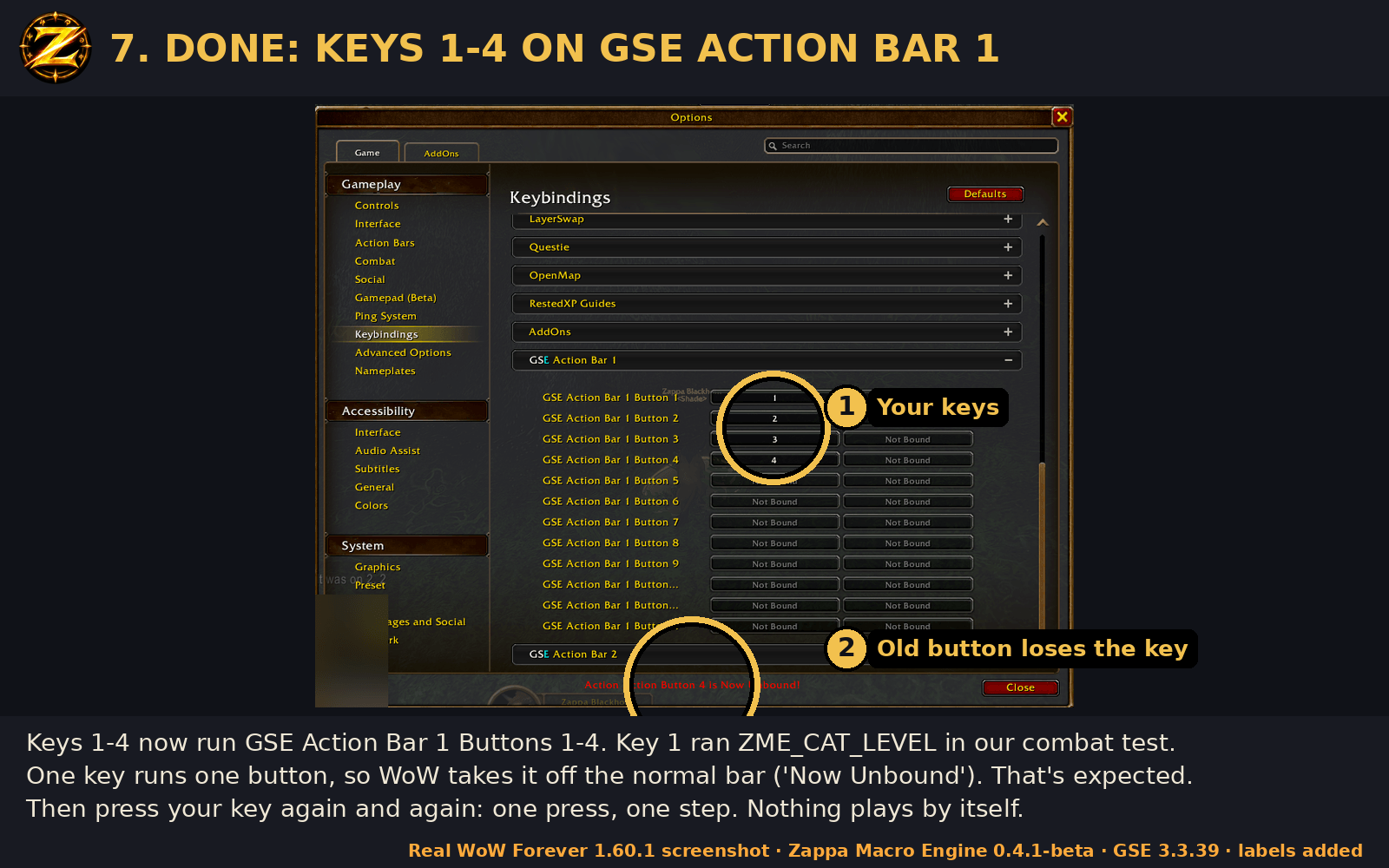
Key 1 ran ZME_CAT_LEVEL in our test this way. WoW then shows the key's old use as Now Unbound; that's expected. In 0.5.2, My Combat Setup shows your real keys. Press again and again. Real screenshot.
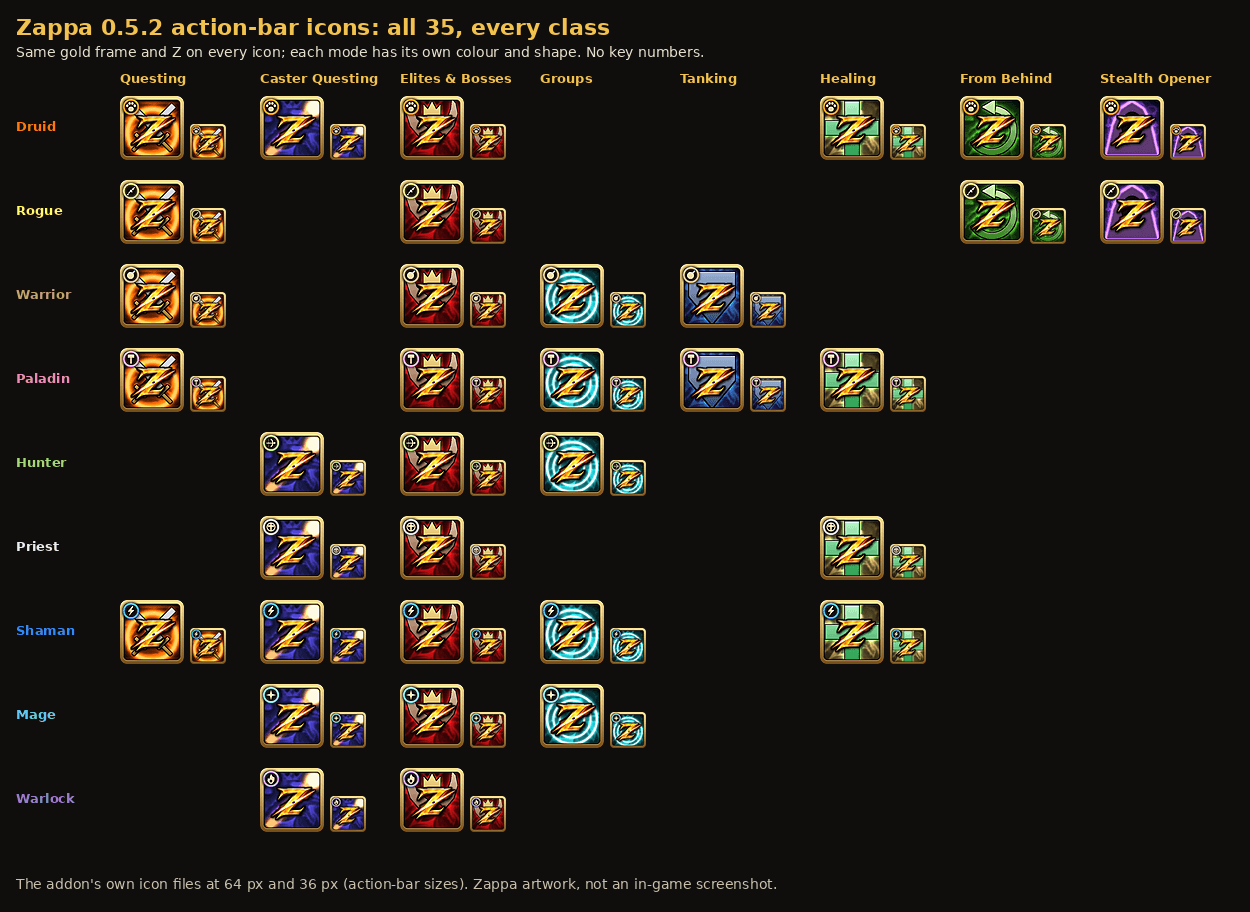
One gold frame and Z on every icon; each mode has its own colour and shape, with no key numbers. The addon's own icon files at 64 and 36 px. Not yet captured in game.
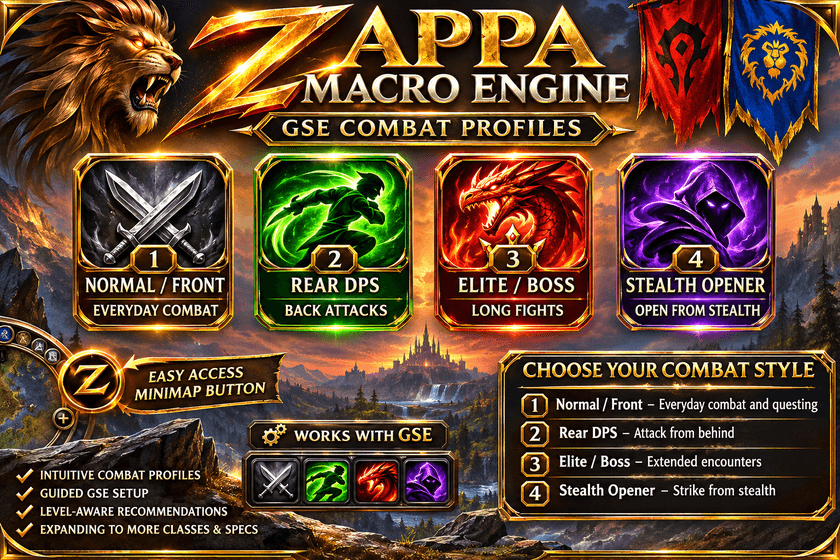
AI-generated concept art, not an in-game screenshot. All nine classes; Feral tested in game, most others experimental.
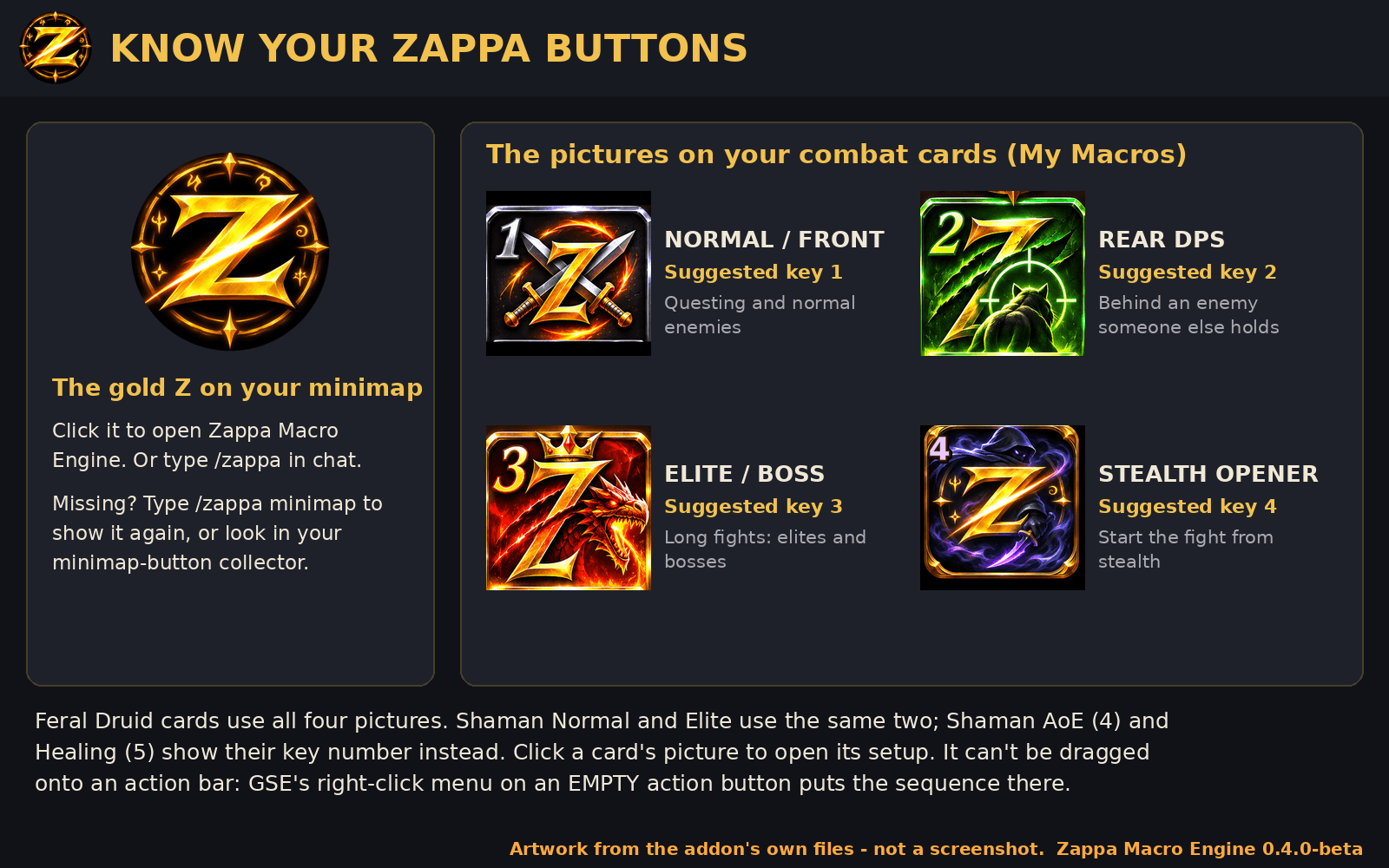
Older Zappa (0.4.0-0.5.1) card art, from the addon's files, not a screenshot. In 0.5.2 the tab is My Rotations and cards use the new number-free icons. Suggested keys were never set for you.
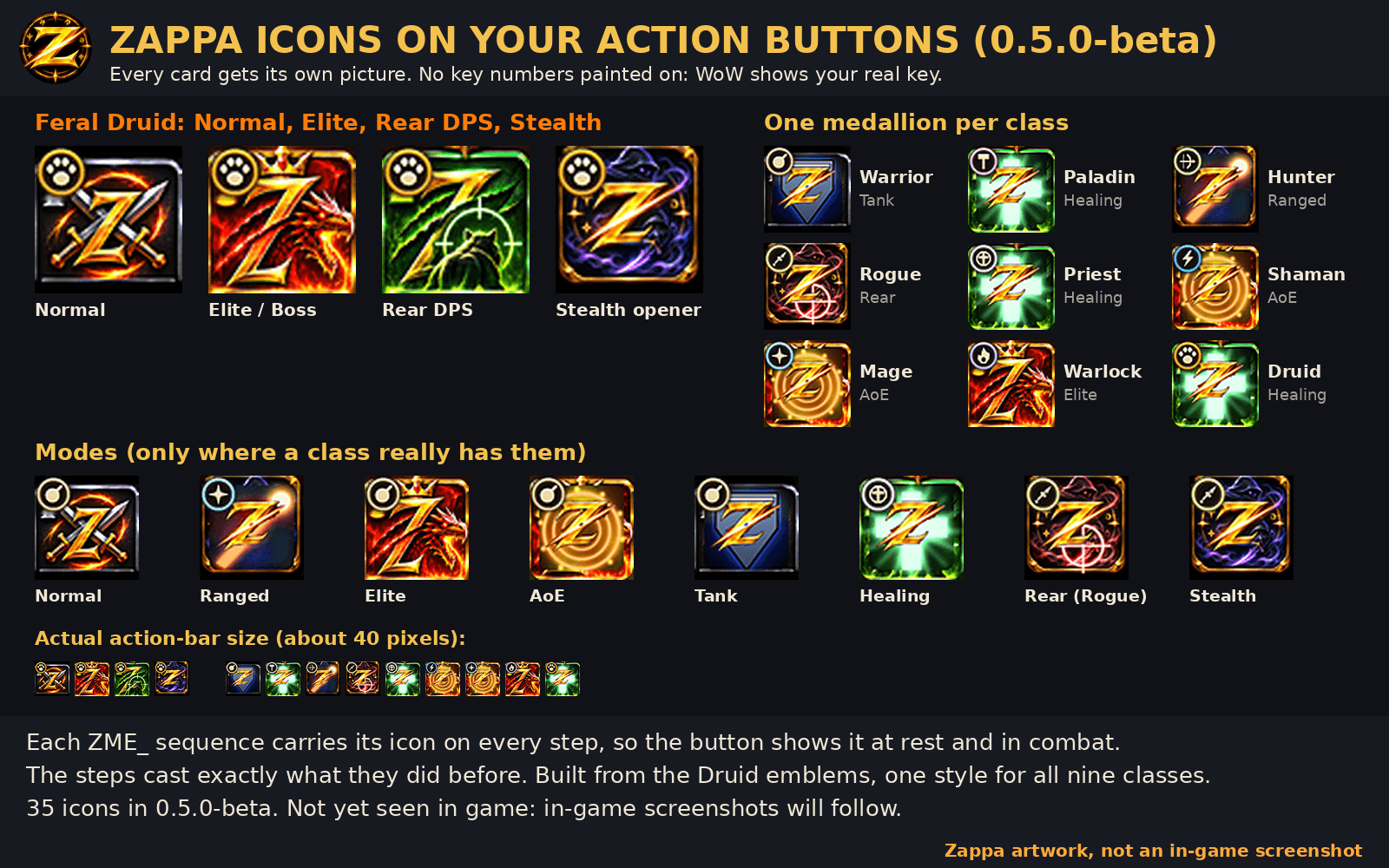
The action-bar icons Zappa used in 0.5.0 and 0.5.1. 0.5.2 replaces them with one matching style (see the 0.5.2 icon sheet). Zappa artwork from the addon's files, not an in-game screenshot.