Zappa Macro Engine
- By
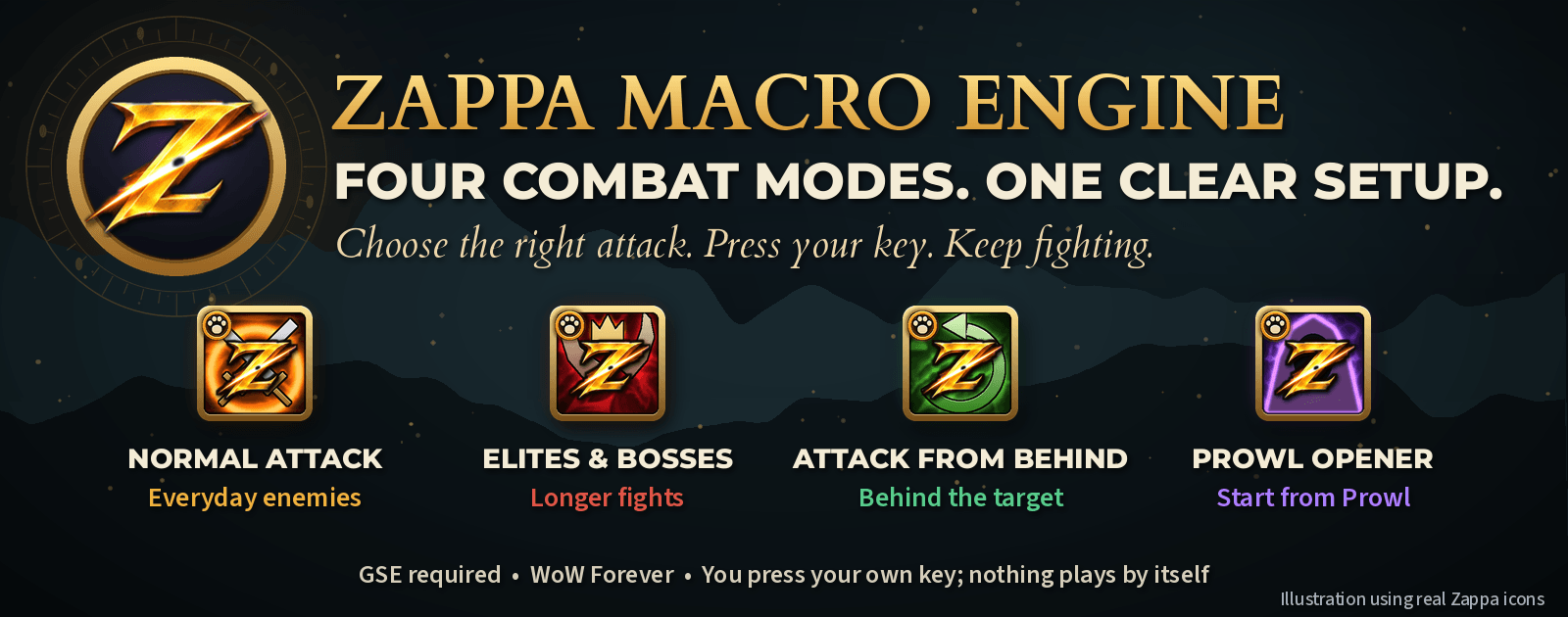
Illustration using real Zappa icons.
Zappa Macro Engine
Choose your attack. Set a key. Keep pressing it to fight.
Zappa gives World of Warcraft: Forever (1.60.1) players ready-made, class-aware combat rotations with 35 original Zappa combat icons, a guided setup, real keybinding feedback, and step-by-step fixes when something isn't working. GSE is required: it's listed as Zappa's required dependency, so the CurseForge app installs it with Zappa. Nothing attacks by itself: you press your own key, and each press does the next step.
Start playing in four pictures
First: install Zappa Macro Engine and GSE: Sequences, Variables, Macros (3.3.39 or newer), then log in.
1. CHOOSE — Type /zappa, open My Rotations and click Set Up on the attack you want.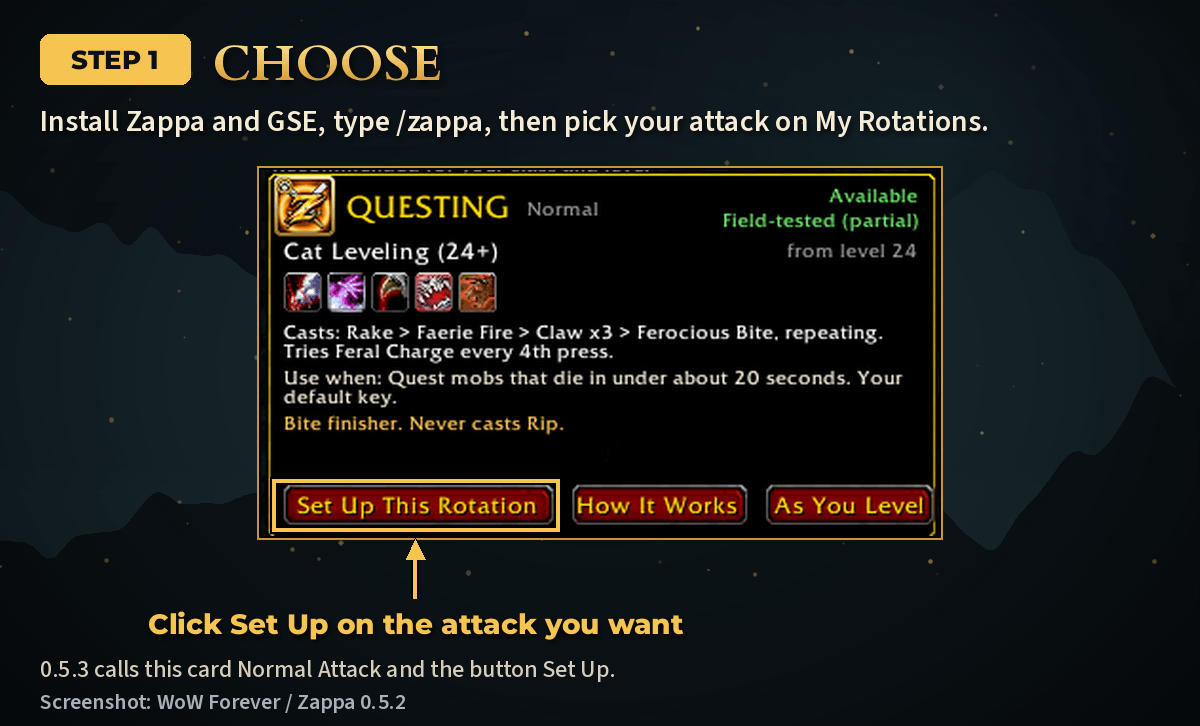
Screenshot: WoW Forever / Zappa 0.5.2. In 0.5.3 this card is called Normal Attack and the button Set Up.
2. SET UP — Follow the guide. It makes an empty GSE Action Bar 1 button glow; right-click it and pick your rotation in GSE's menu.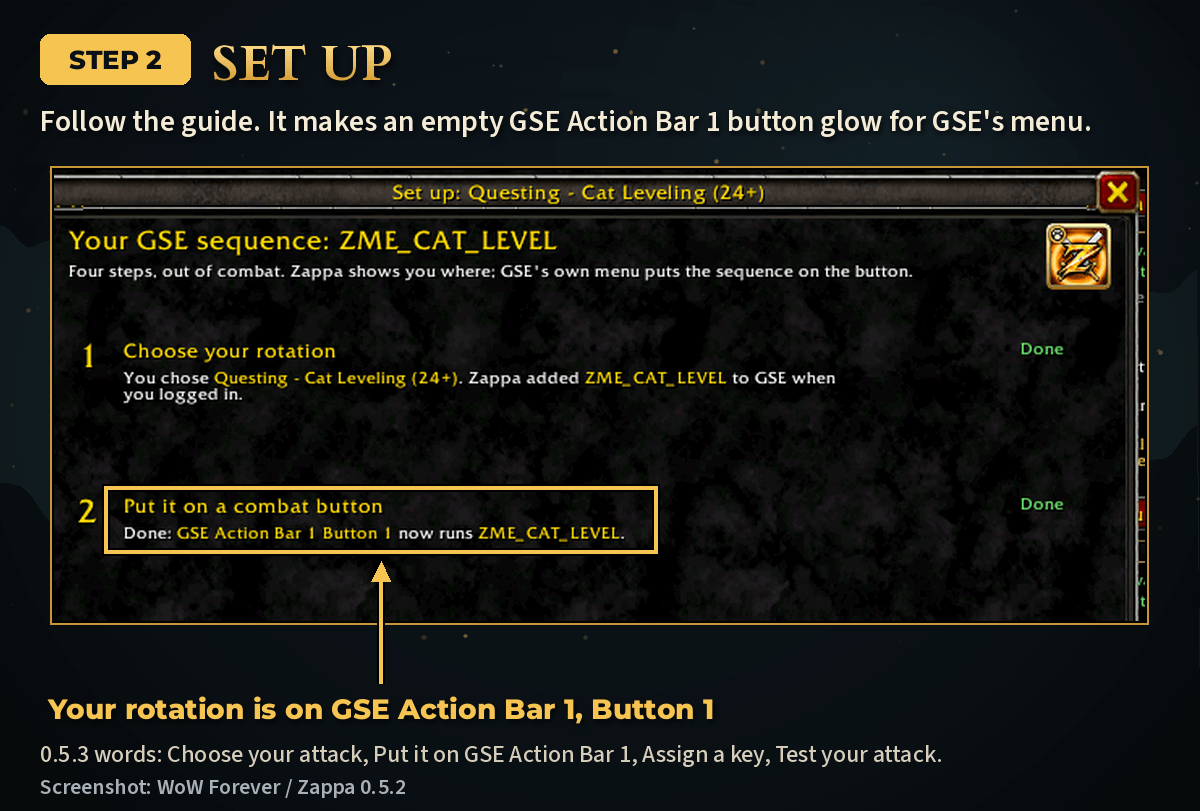
Screenshot: WoW Forever / Zappa 0.5.2.
3. BIND — Give that GSE button a key: Esc → Options → Keybindings → GSE Action Bar 1. The guide can also do it for you; it asks first.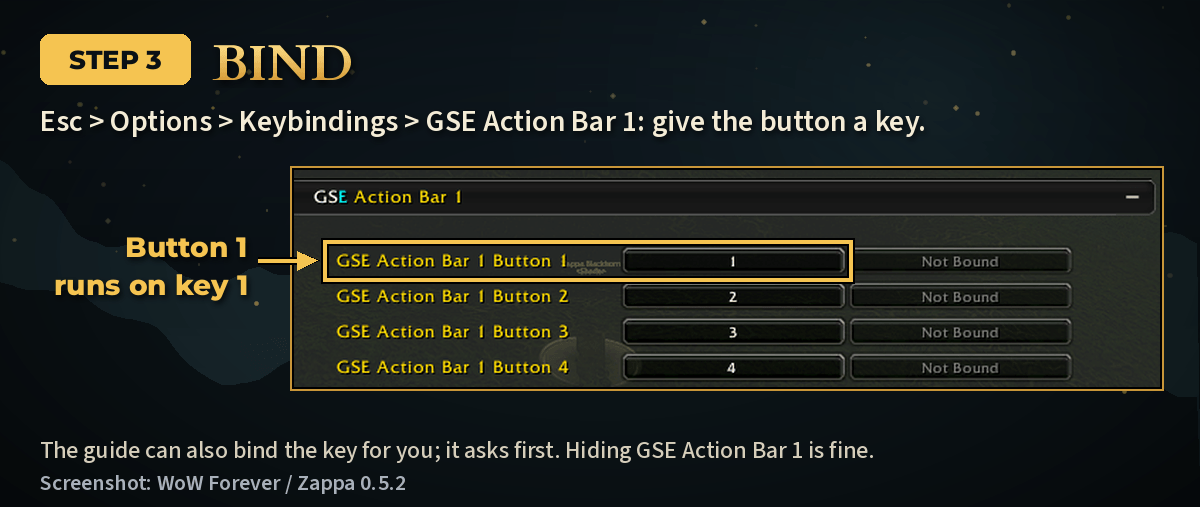
Screenshot: WoW Forever / Zappa 0.5.2.
4. FIGHT — Target an enemy and press your key again and again. My Combat Setup shows your real key; click Try It to confirm it works.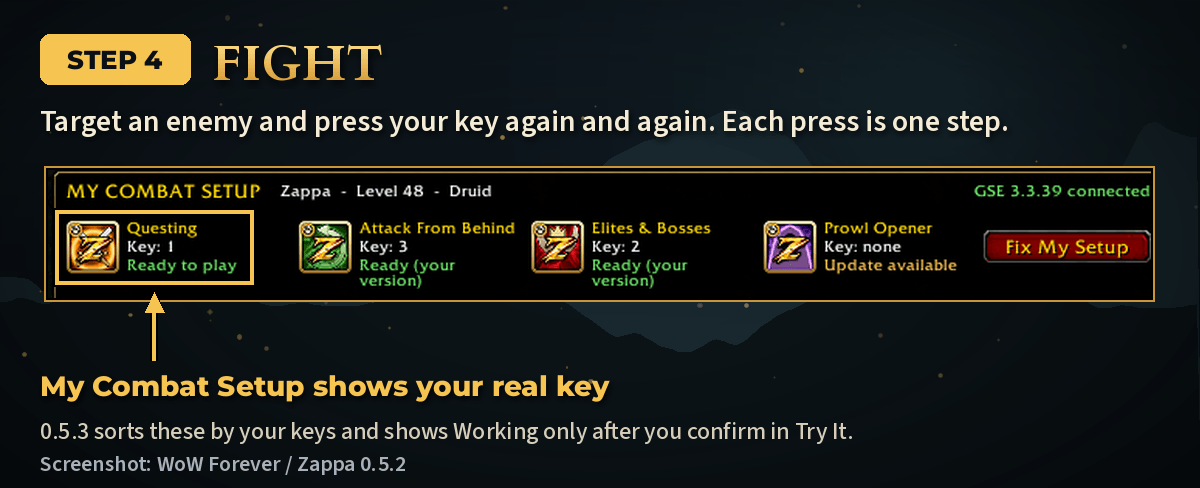
Screenshot: WoW Forever / Zappa 0.5.2. 0.5.3 lists these in the order of your keys.
Stuck? Click Fix My Setup (or type /zappa fix). It lists each step left for a rotation, with Check again.
Which attack should I use?
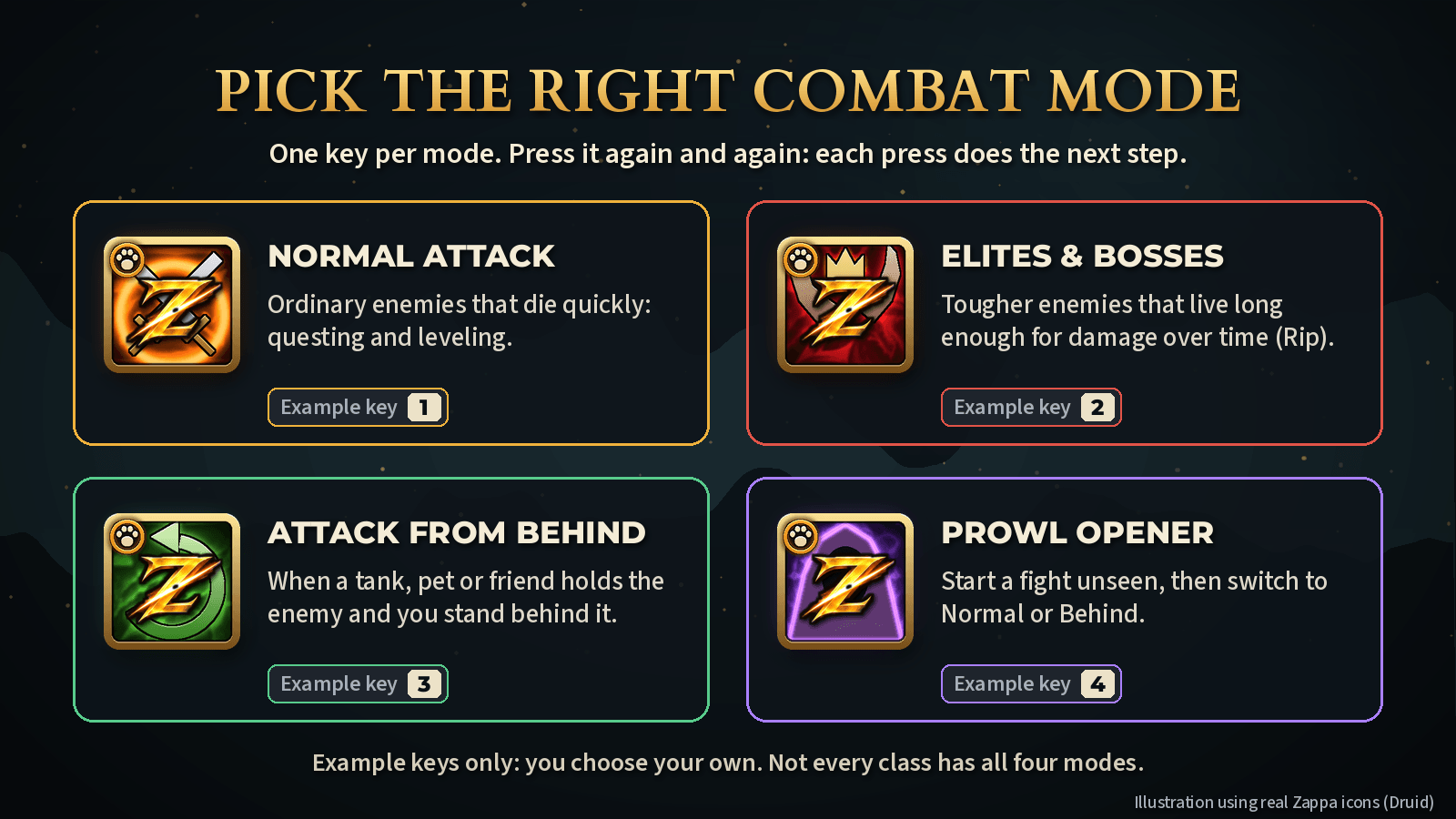
Illustration using real Zappa icons. Keys 1 to 4 are only an example: you choose your own.
- Normal Attack — everyday enemies and shorter fights. Start here.
- Elites & Bosses — longer fights; adds damage over time, such as a Feral Druid's Rip.
- Attack From Behind (Feral Druid, Rogue) — when a tank, pet or friend holds the enemy.
- Prowl / Stealth Opener (Feral Druid, Rogue) — start a fight unseen, then switch keys.
Groups of Enemies, Tanking and Healing appear for the classes and talent trees that have them. Not every class has all four.
Built for every class
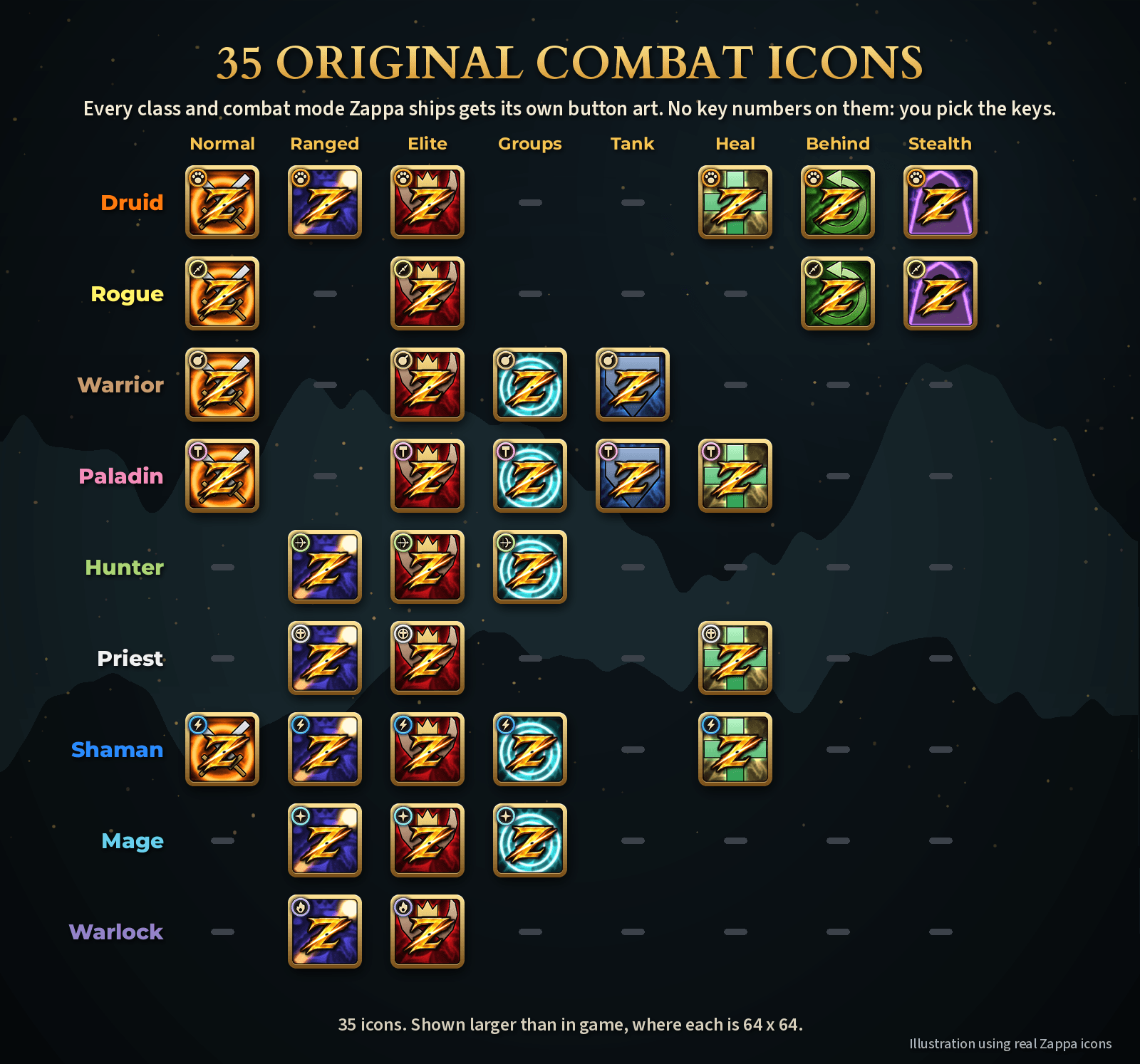
Illustration using real Zappa icons (64 x 64 in game).
- 75 prebuilt rotations for all nine WoW Forever classes, each with its own Zappa button icon.
- My Combat Setup shows each rotation's real GSE button and the key you really bound.
- Fix My Setup, Restore Original Rotation (
/zappa restore), and one question before GSE reviews an update.
Beta status: the Feral Druid rotations are field-tested in real gameplay. Most other classes are Experimental: they pass every offline check but still need players to try them. Each rotation in Zappa shows how far it has been tested.
Need help?
- Type
/zappaand open Help & Fix. - Join the official Zappa Macro Engine Discord: discord.gg/QveBuddBGy (announcements, setup help, bug reports and class feedback).
- Found a problem? Click Copy Report in Zappa and paste it into Comments here.
- More screenshots, including GSE's own windows, are on the Gallery tab.
Newest beta: 0.5.3-beta, uploaded Nov 22, 2026, 11:41 PM MST (UTC−07:00). Full notes are in its changelog on the Files tab.
Created by ZappaMann. Requires GSE. Zappa Macro Engine follows WoW's addon rules: one action per key press. It is independent and not affiliated with or endorsed by Blizzard Entertainment or the GSE development team.
Zappa Macro Engine Team