YaHT Forever
- By
Accurate Auto Shot timer for WoW Forever hunters: swing bar tuned for kiting, deadzone and too-far warnings, Feign Death resist, aspect and pet alerts, Summon Hawk timers, Mongoose Bite, Quick Shots and Rapid Fire icons, and options with a live preview.
Description
YaHT Forever – Auto Shot timer for WoW Forever hunters
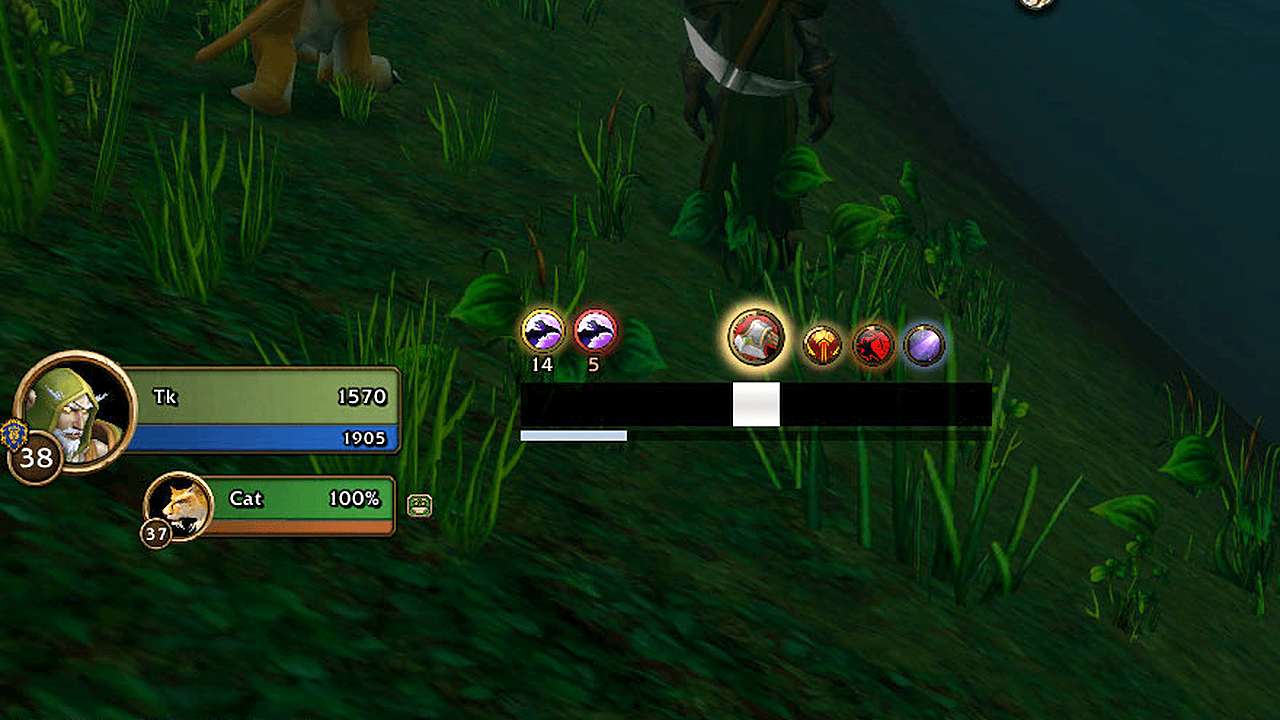
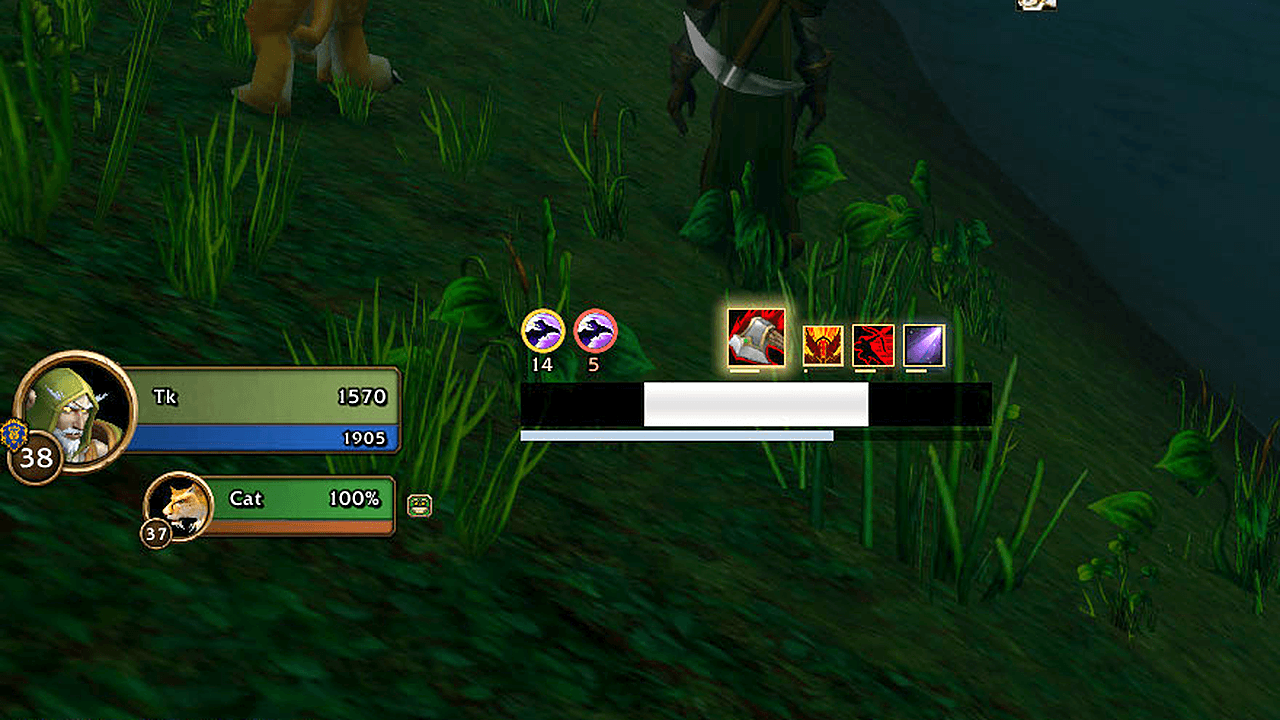
Know exactly when to stop moving. YaHT Forever is a lightweight Auto Shot bar built for WoW Forever's client, tuned against real in-game shot timings, including while kiting. Around the bar it warns you about the things that get hunters killed: the deadzone, a resisted Feign Death, the wrong aspect, a pet that is low or dead. It also times your procs and your Summon Hawk hawks.
A port of Aviana's classic YaHT (Yet another Hunter Timer). Original project: github.com/Aviana/YaHT
Why it's accurate on Forever
- Uses the game's own shot signal, plus a wind-up that scales with your ranged haste.
- Learns your connection: it works out the small extra delay between your shots and remembers it.
- Smooths network jitter: shots are evenly spaced, but the game's messages aren't. The bar keeps a steady rhythm instead of twitching.
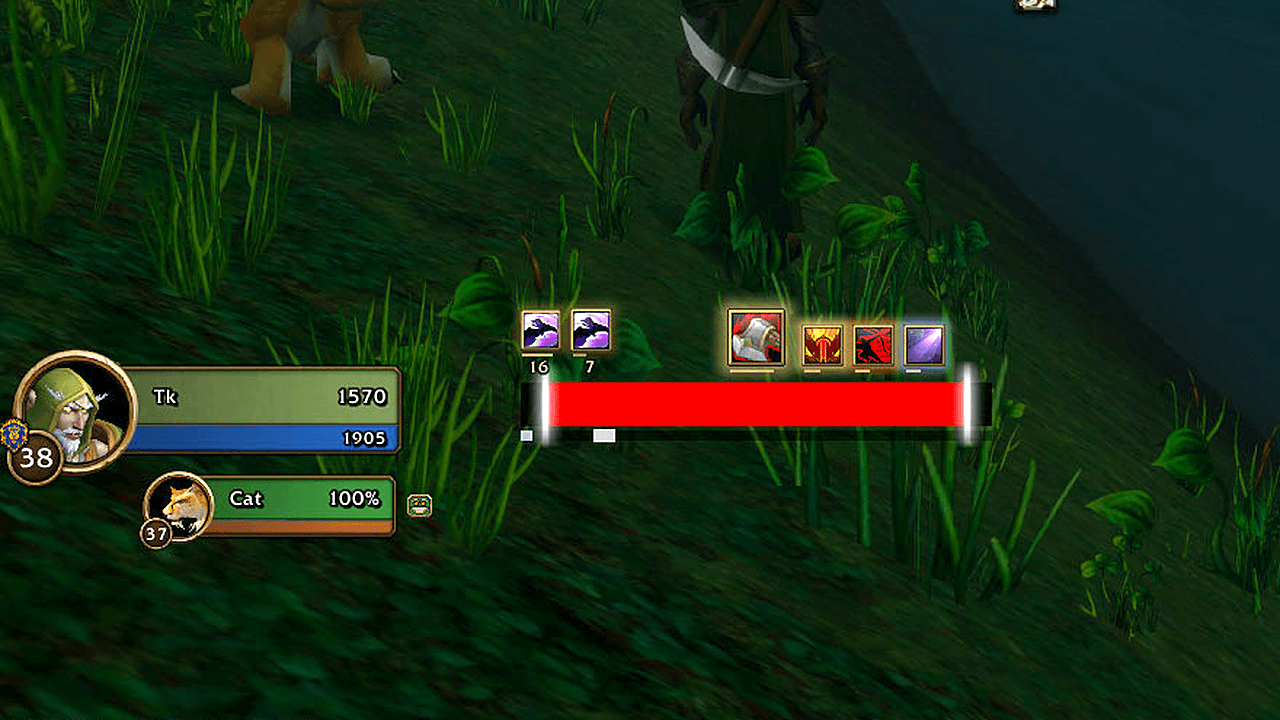
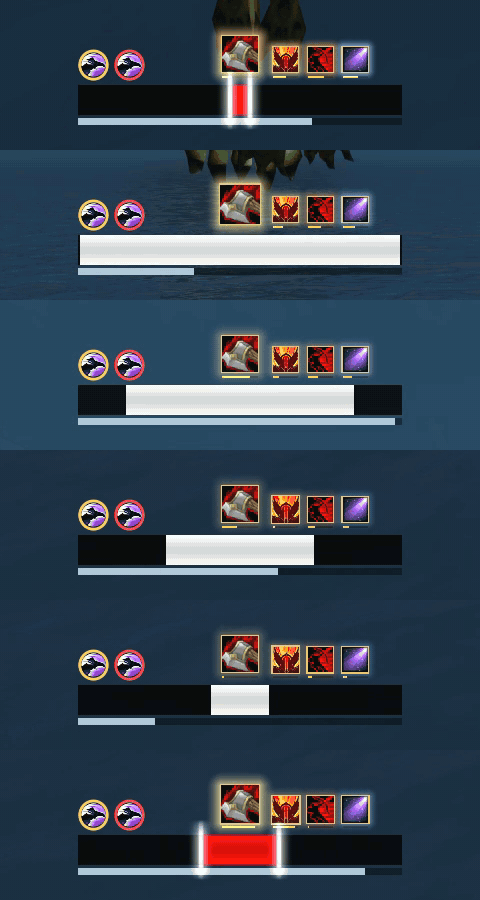
- Kiting-aware: when moving makes a shot fail, Forever retries every 0.5s. YaHT follows that rhythm, so after you stop the red part ends exactly as the arrow leaves.
Warnings that save you
- Deadzone and too far: yellow caution stripes when your target is too close to shoot and too far to hit, red arrows pointing you closer when it's out of range.
- Feign Death resist: a movable icon with RESIST and a warning sound. It notices a resist in a little over a second even when the game shows no "Resisted" message.
- Aspect badge: your current aspect next to the bar. Red when a fight starts in Cheetah or Pack, and a reminder when you have no aspect at all.
- Pet alerts: small movable text for PET LOW, PET DEAD, NO PET and PET NOT ATTACKING.
- Ammo counter: invisible while you have plenty, fades in as you run low, then flashes yellow and red with a warning sound.
Proc and cooldown icons
- Mongoose Bite: pops in after you dodge, with a gold timer for the window and its cooldown.
- Quick Shots: with Deadly Aspects talented, shows while the haste lasts.
- Rapid Fire and your racial: show while they last. Your race's active is recognised automatically.
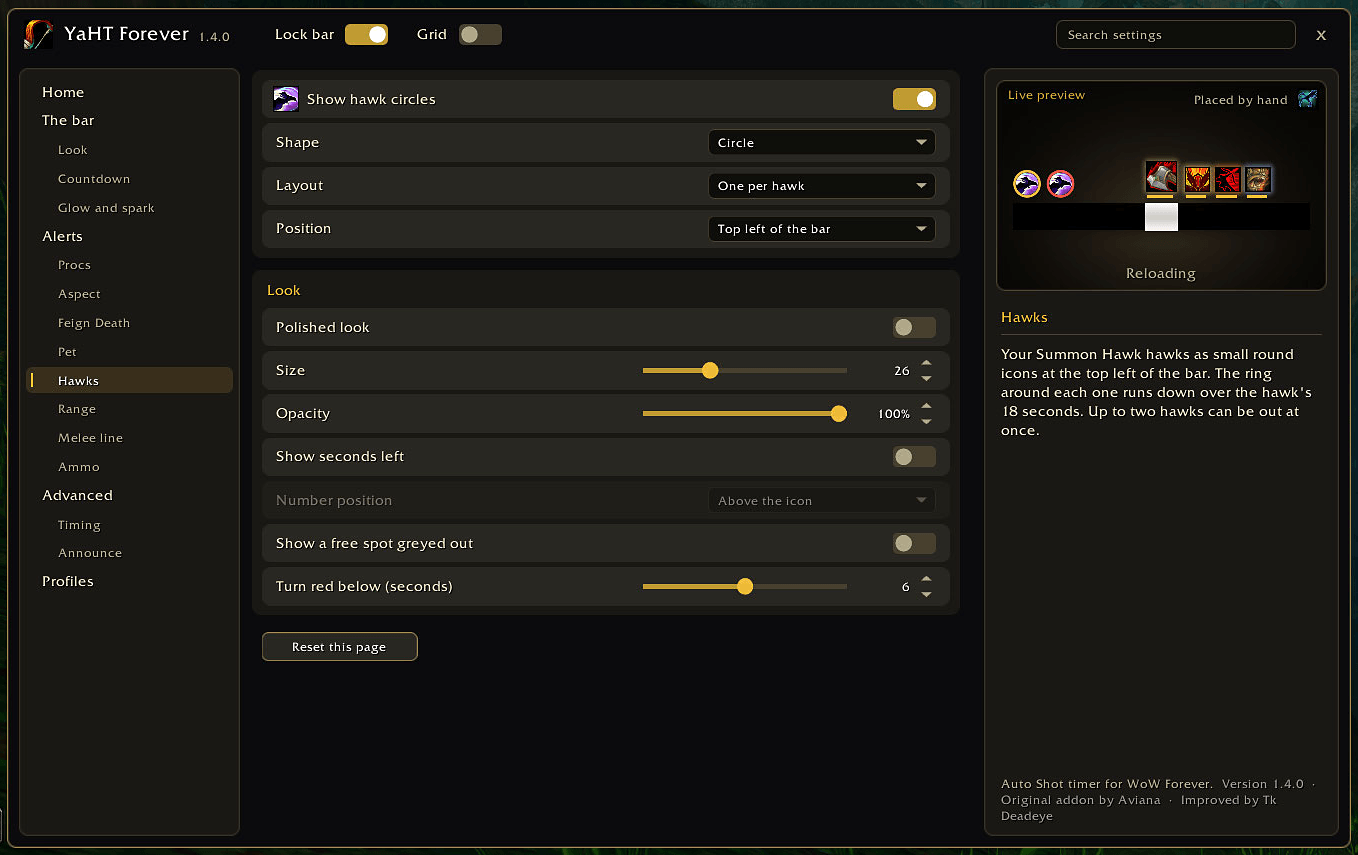
- Summon Hawk: each hawk that is out, with its 18 seconds running down and the seconds left. It turns red under 6 seconds: time to summon again before you spend the shared cooldown on Arcane Shot. One icon per hawk, or one with a count.
- Place each icon above, left or right of the bar, or drag it anywhere. Give them one shared look (size, glow, pulse, sound) or give any icon its own.
- Round or square: a round icon sits in a ring that runs down as its timer, a square one has its timer line under it. One switch changes every icon.
- Polished look: bevelled frames, a soft light and a shadow, if you like it richer. Off to start with; one switch for everything.
The bar
- Swing bar: reload, then the red "stand still" wind-up.
- Countdown: time to the shot, or to when you must stand still, to one decimal.
- Glow, sparks and light sweep: the glow builds as the reload runs out and is full while you must stand still; sparks mark the moving edge. Uses WeakAuras glow effects if you have WeakAuras.
- Ready pulse: moving with the shot ready? Lines pulse in the middle until you stop.
- Melee swing line: a thin line under the bar that fills with your melee swing, only while you're in melee. Turns gold while Raptor Strike is queued.
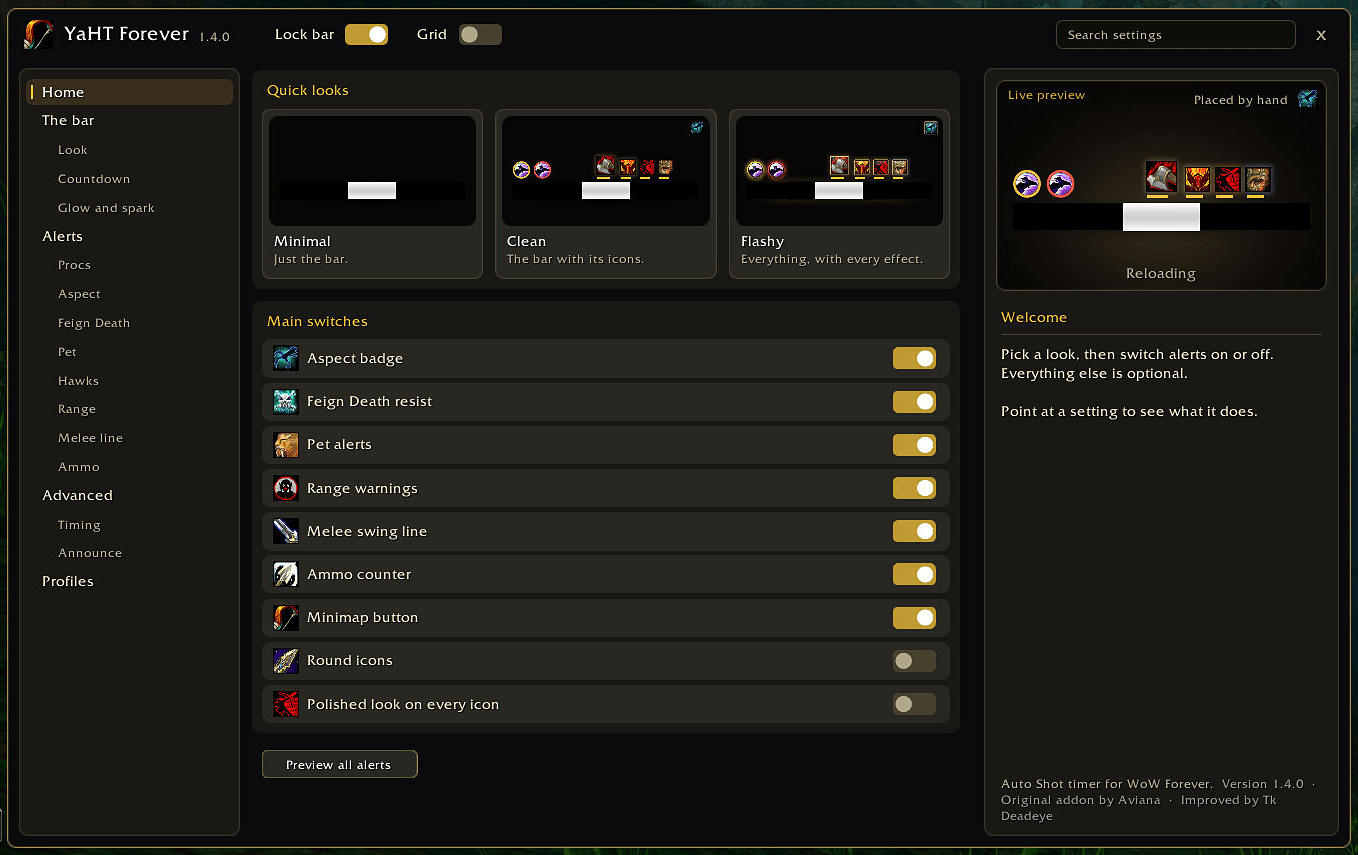
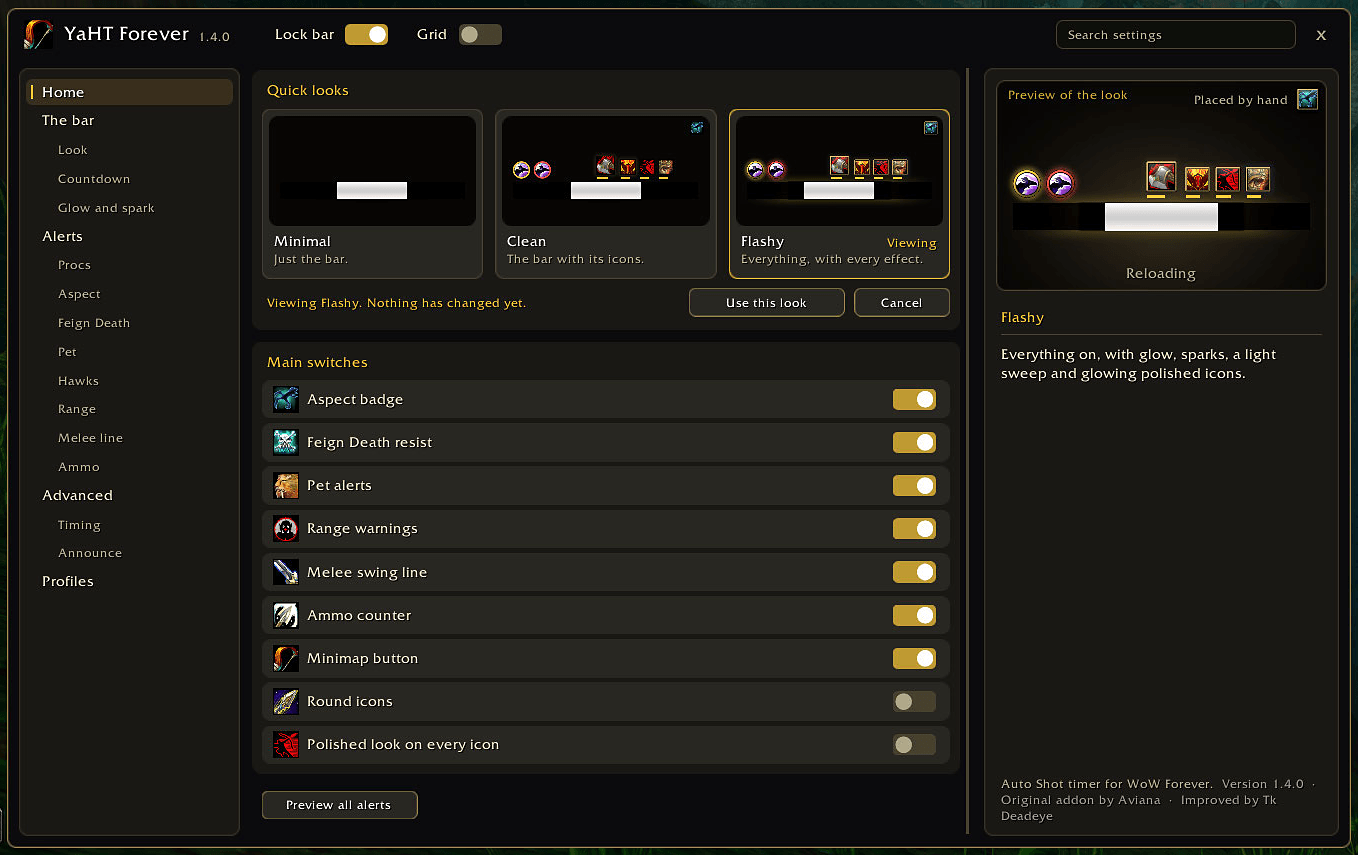
- Three looks: Minimal (just the bar), Clean (the bar with its icons) or Flashy (everything). Click one to see it in the live preview, then keep it with one more click.
- Tranquilizing Shot announce to Say, Party, Raid, Raid Warning, Whisper or a channel.
An options window that explains itself
- Live preview: your bar and icons, drawn from your settings as you change them.
- Help beside the settings: point at a setting and the panel on the right says what it does.
- Search, a page list on the left, and a Home page with the main switches, each with a small picture so you find it at a glance.
- Exact placement: X and Y sliders with single-step arrows, type-in values, and an alignment grid.
- Lock bar always in reach at the top, a minimap button with a quick menu, profiles, and a reset button on every page.
Lightweight
- Hidden and doing nothing when you're not shooting.
- Well under 1% of a frame when you are, with no memory build-up.
- The options window is only built when you open it, and only runs while it's open.
Getting started
- Install, log in. The bar starts unlocked so you can place it.
- Drag it where you want it, then switch on Lock bar at the top of the options (or type /yaht lock).
- /yaht opens the options. So does the minimap button.
| Command | |
|---|---|
/yaht |
Open or close the options |
/yaht lock / unlock |
Lock, or unlock to move things and preview every effect |
/yaht reset |
Put the bar back in the middle |
/yaht grid |
Show or hide the alignment grid |
/yaht selftest |
Check that everything works on your client |
/yaht debug / copy |
Log shot timings and copy them |
Notes
- WoW Forever only (interface 16001).
- Forever hides some things from addons. Pet health is one: PET LOW still works because the game draws it, but it can't play a sound. The combat log is another: Tranquilizing Shot is announced when you cast it, and a miss can't be detected.
- Say/Yell announcements from addons only work inside instances, and addon chat is paused during boss fights. That's a game rule.
- Languages: English, German, Simplified and Traditional Chinese. Translation fixes are welcome!
Bug reports: type /yaht selftest and tell me what it says. For timing problems, turn on /yaht debug, play until it happens, then /yaht copy and paste the log in a comment.
Original YaHT by Aviana (public domain). WoW Forever port, improved by Tk Deadeye.
YaHT Forever Team