XPForever
- By
A cleaner experience bar for WoW Forever with quest XP and rested XP previews, XP per hour, time to level and kills to level.
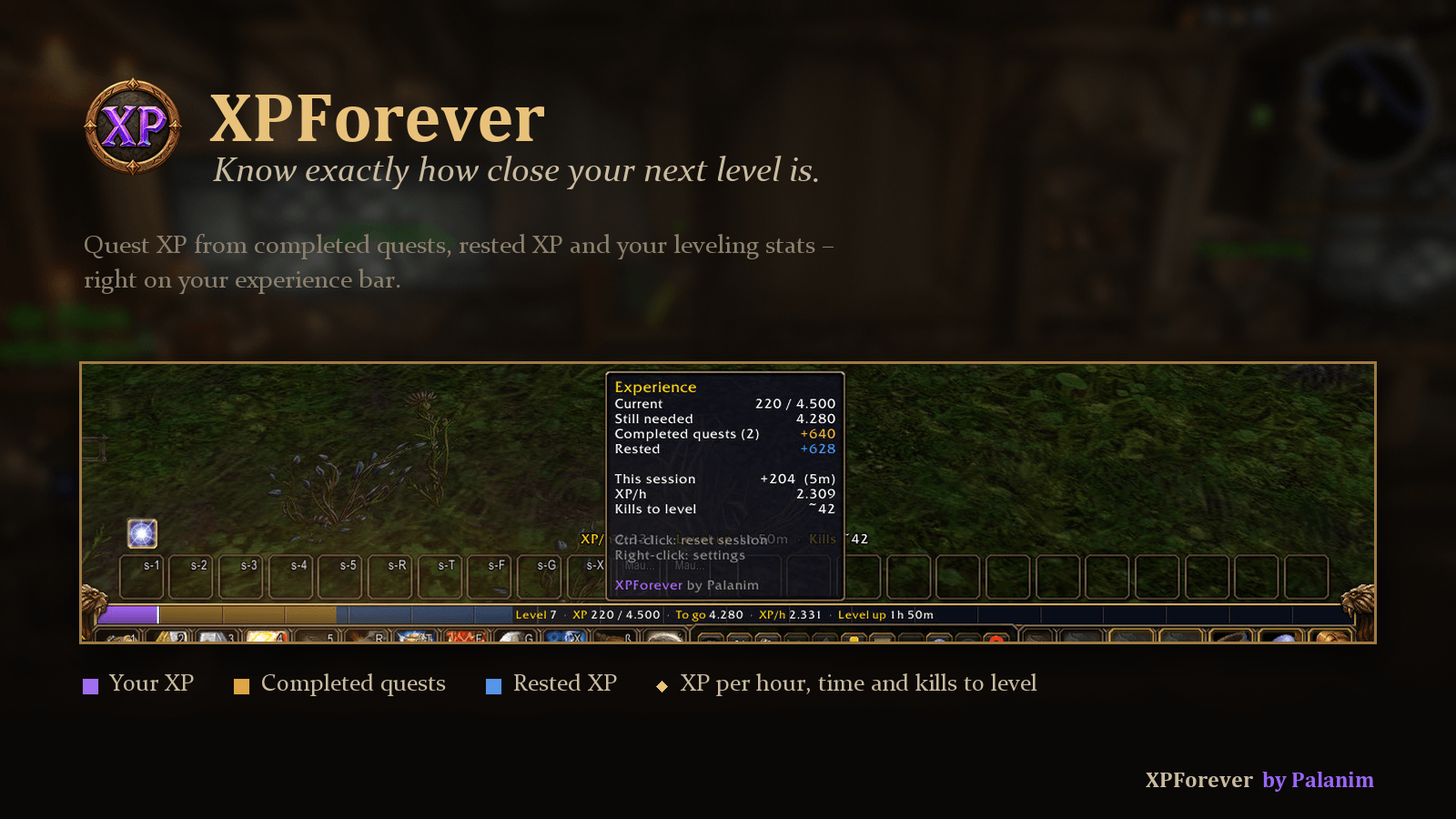
Quest XP, rested XP and your leveling stats – right on your experience bar
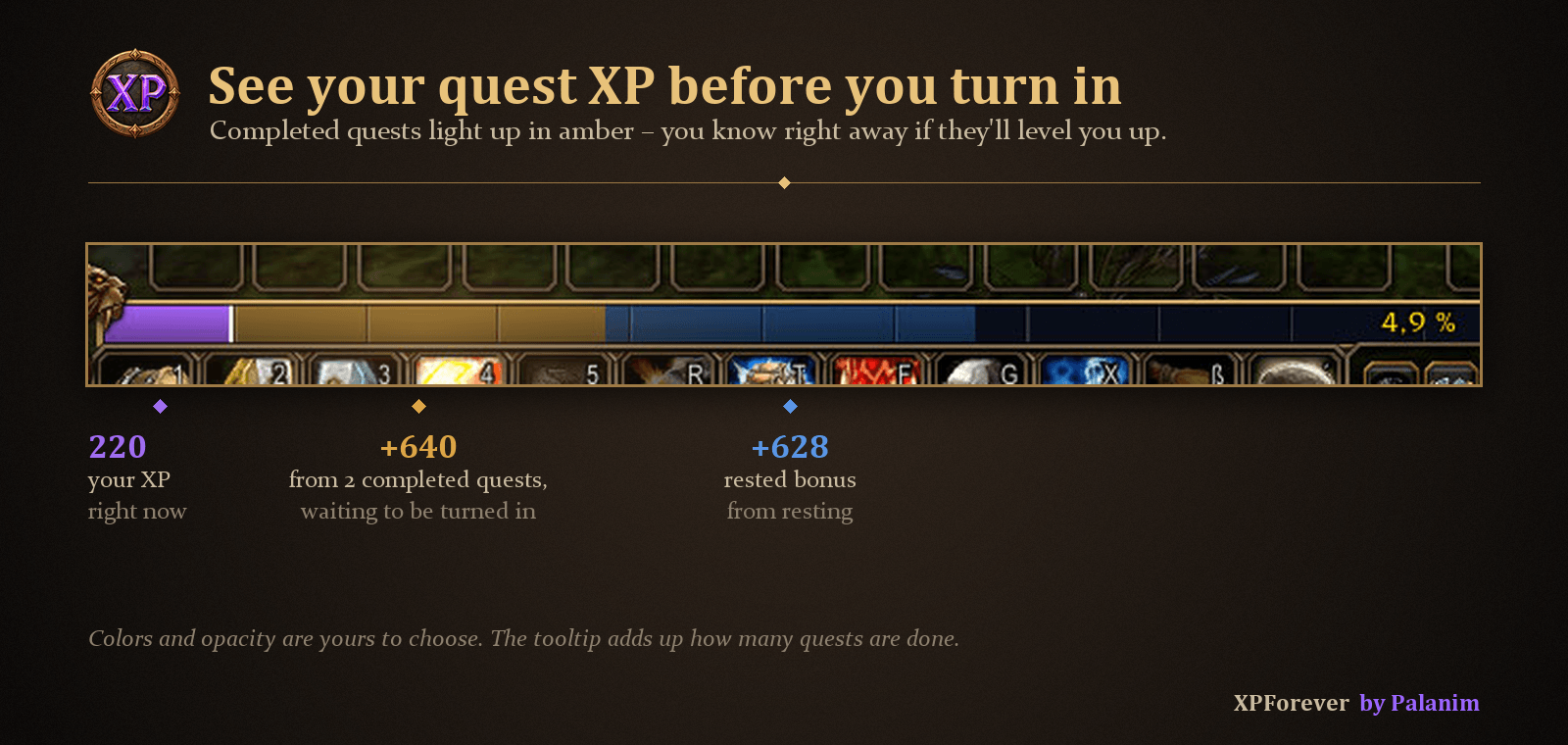
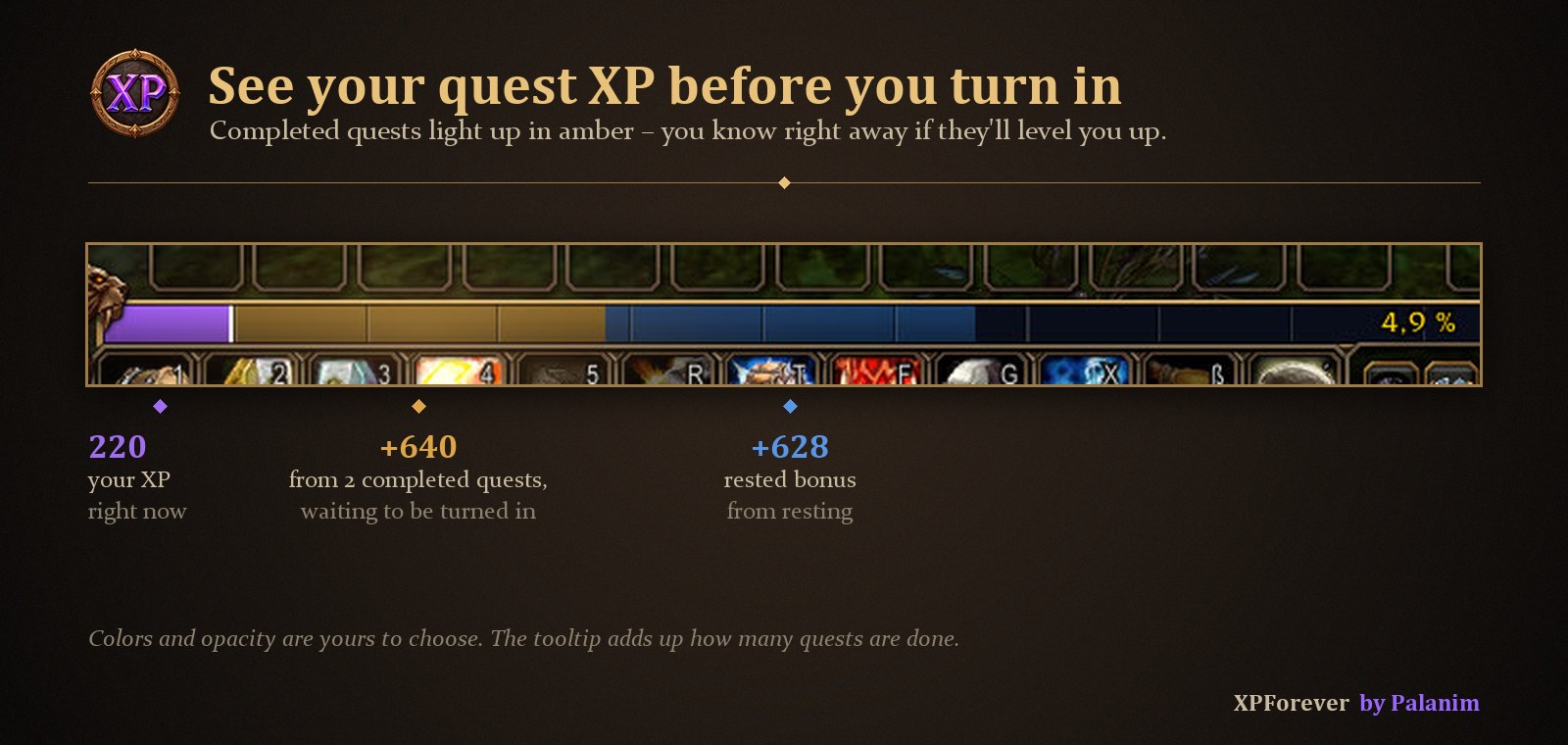
Completed quests light up in amber, so you know right away if they'll level you up
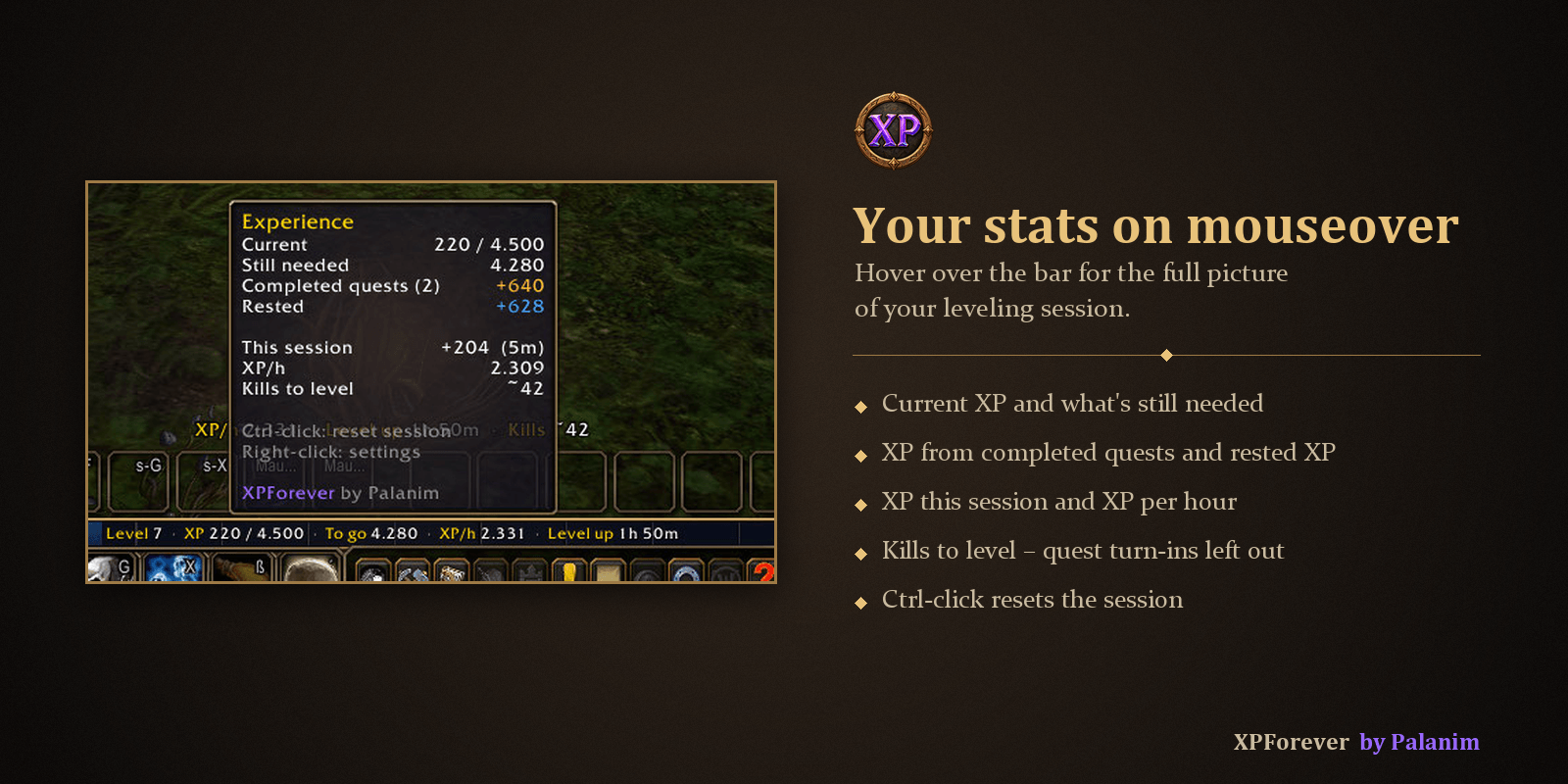
Current and missing XP, quest and rested XP, XP per hour and kills to level
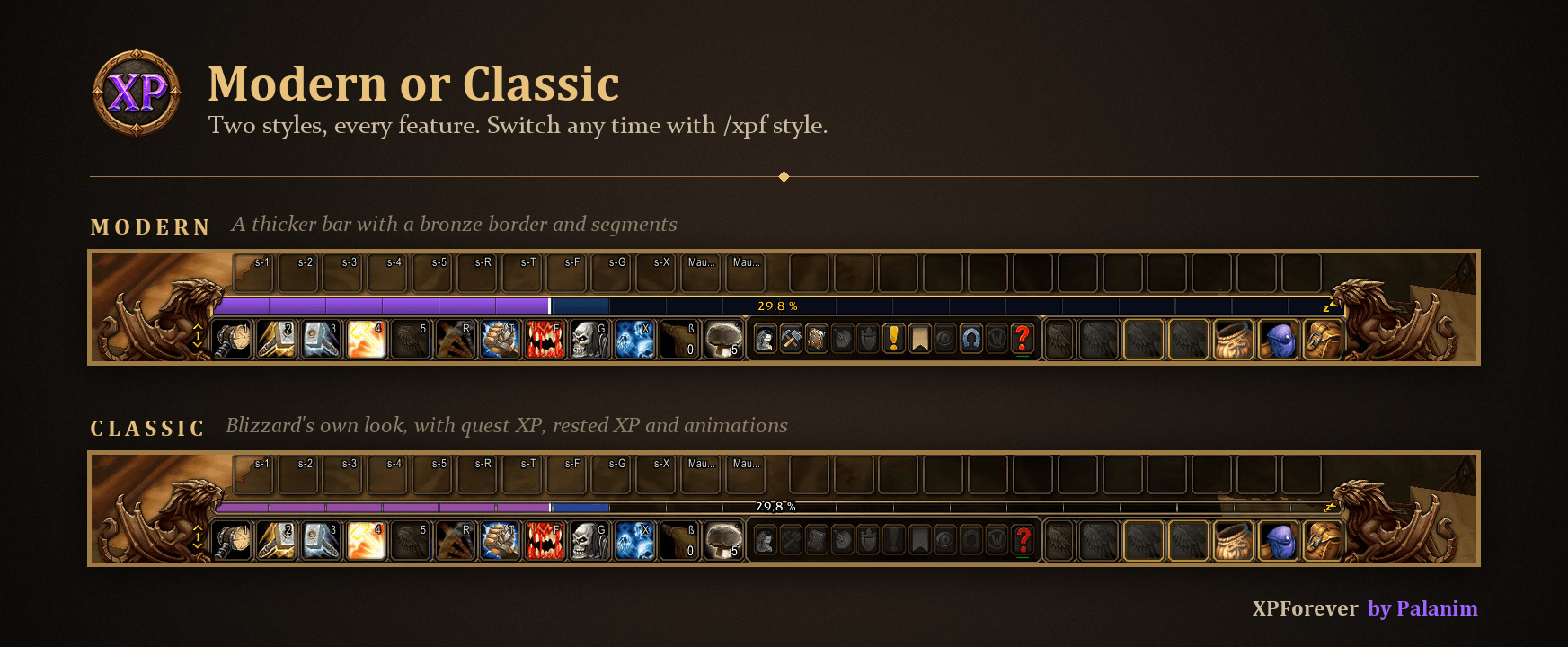
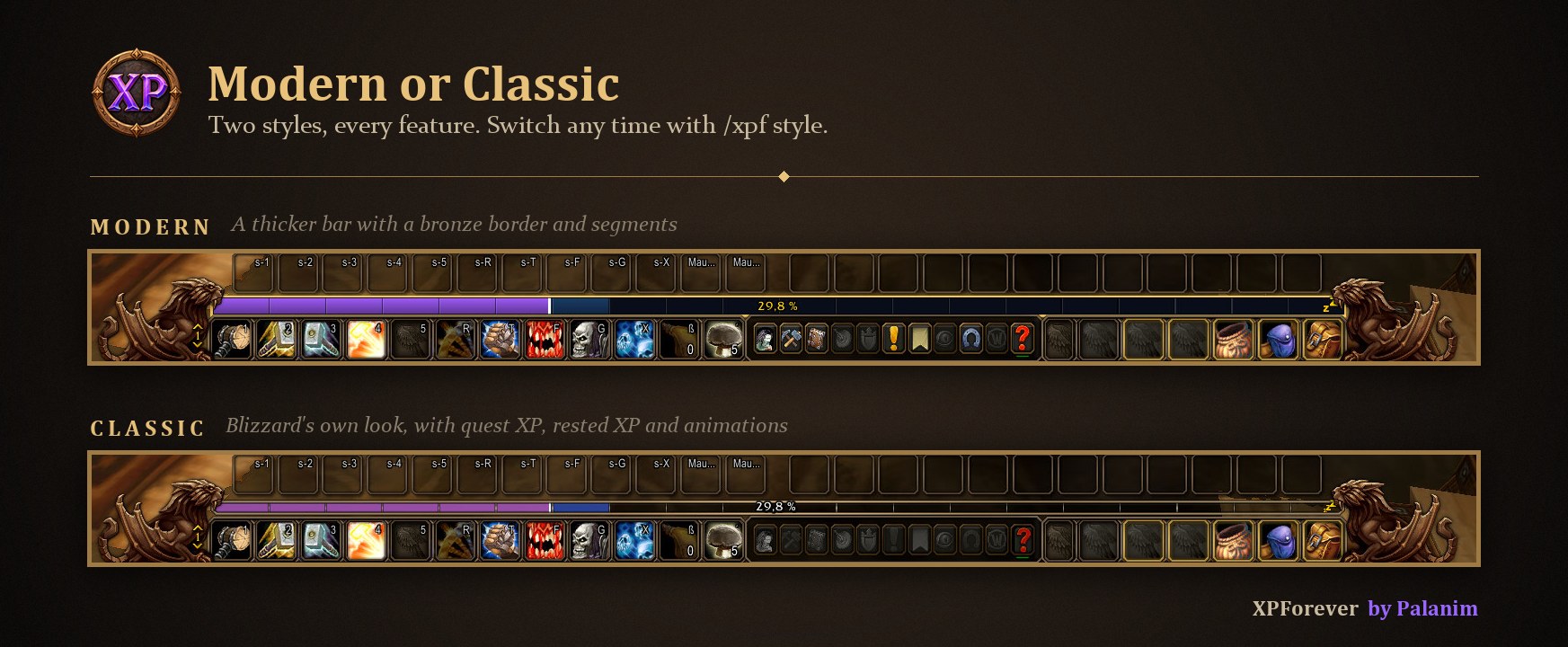
Two styles with every feature – switch any time with /xpf style
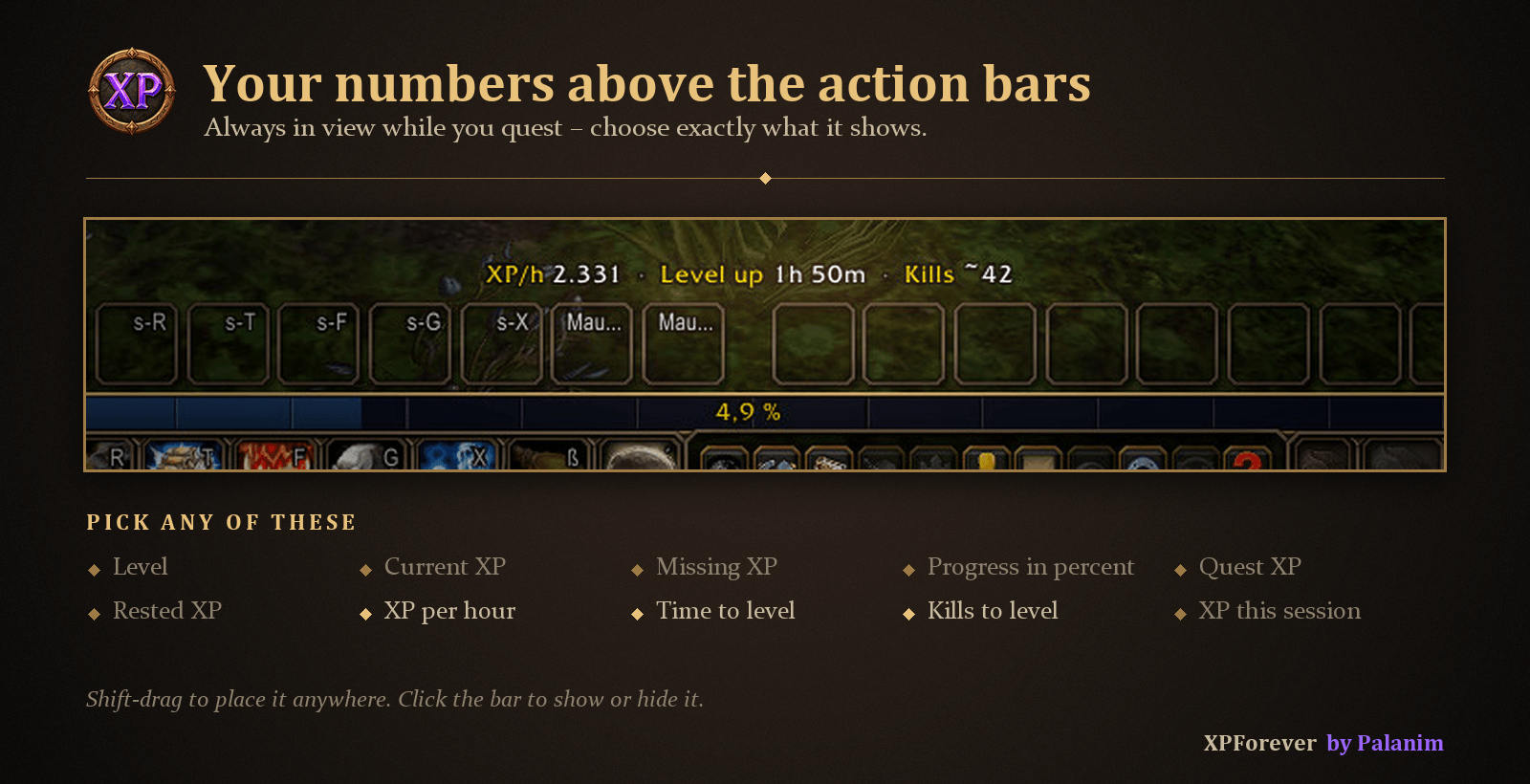
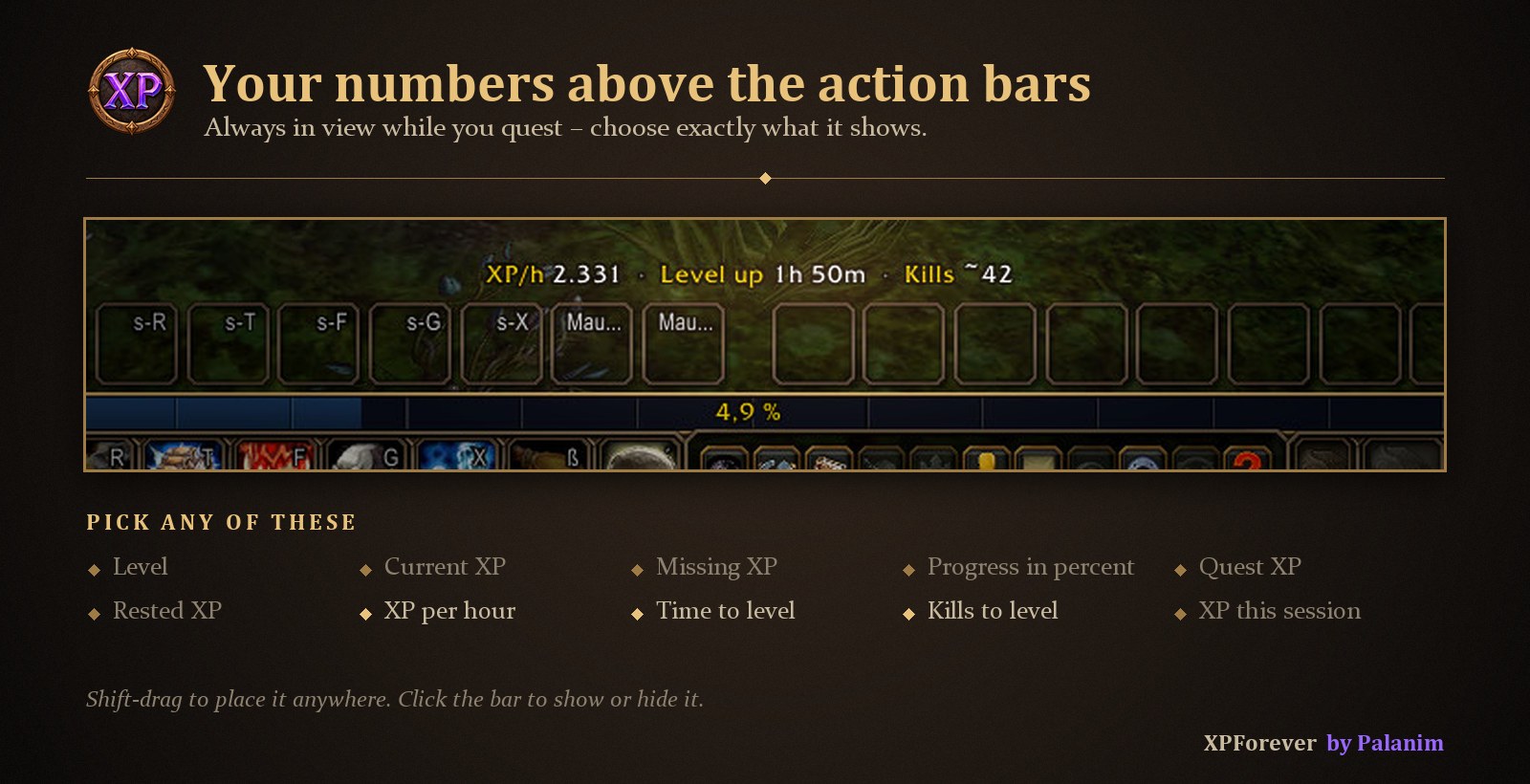
Pick any of 10 values for the info text – always in view while you quest

The bar glides to its new state and gained XP lights up

A golden glow and "Zzz" while you rest in an inn or a city
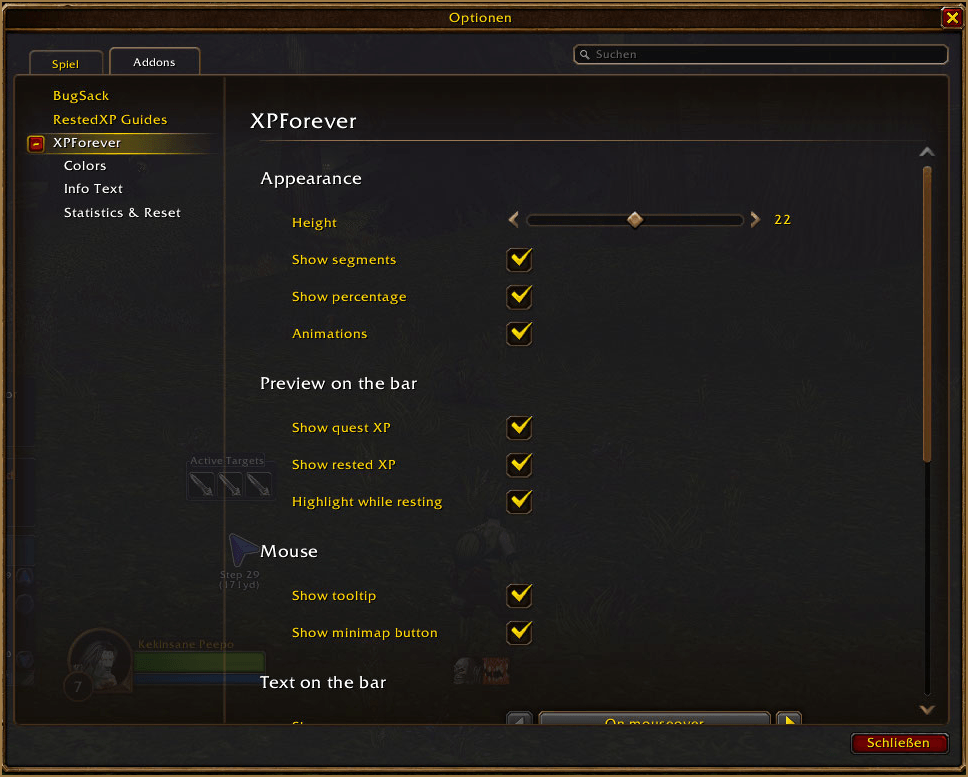
Everything configurable in Options → AddOns → XPForever
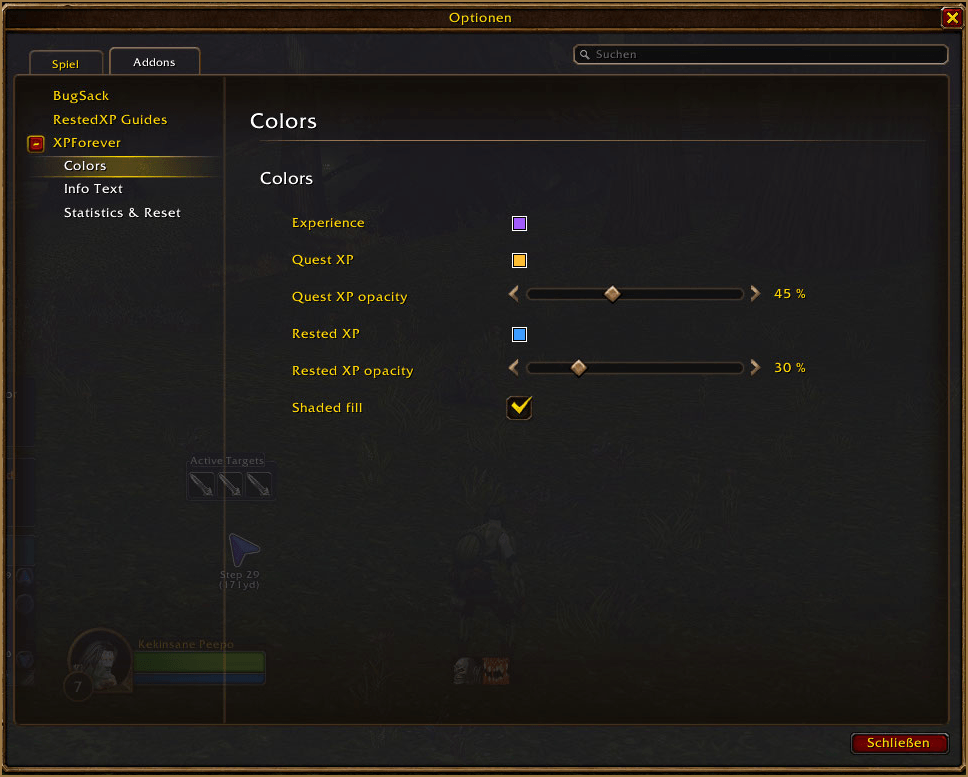
Choose colors and opacity for XP, quest XP and rested XP
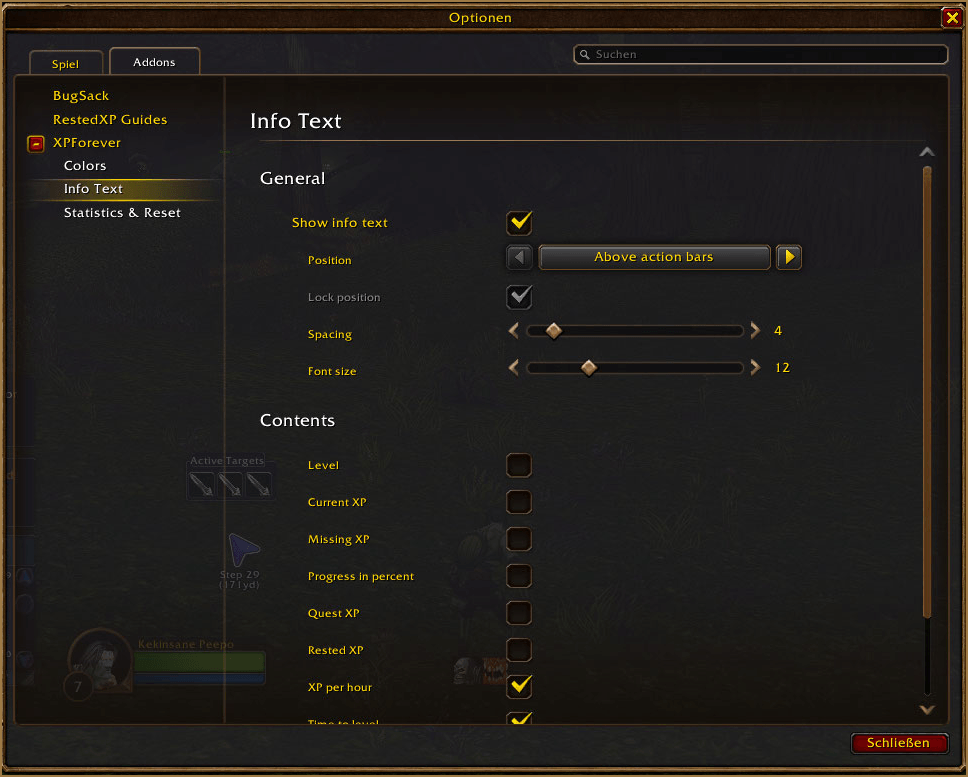
Pick exactly which values the info text shows
Description
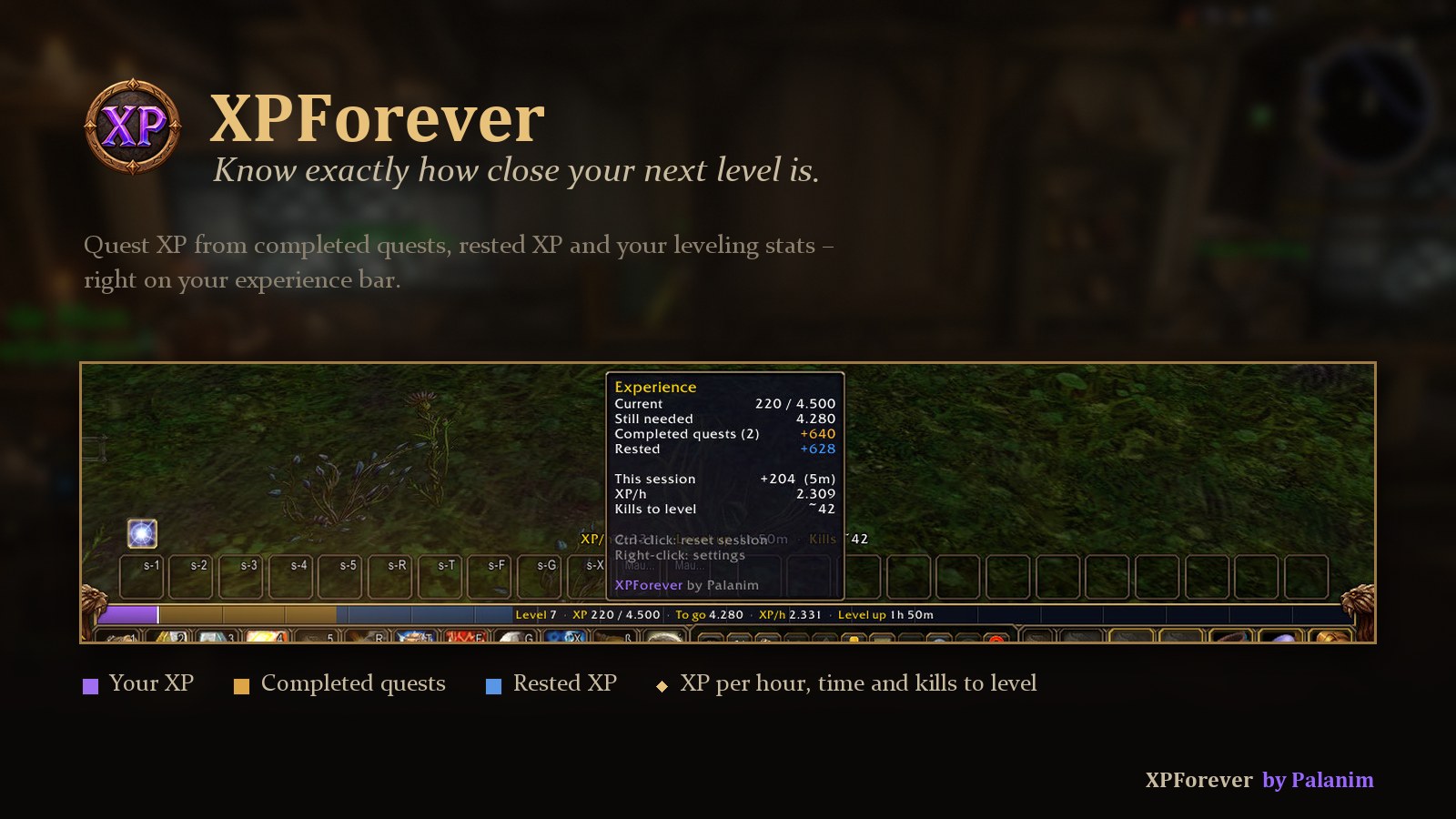
XPForever shows you exactly how close your next level is – made for World of Warcraft: Forever. Your experience bar shows the XP of quests you have completed but not turned in yet, and your rested XP. Above your action bars you see XP per hour, time to level and kills to level.
Highlights
- Quest XP on the bar – completed quests light up in amber before you turn them in
- Stats on mouseover – XP, missing XP, session XP, XP per hour and kills to level
- Info text above your action bars – pick any of 10 values
- Modern or Classic – a thicker bronze bar, or Blizzard's own look with every feature
- Rested XP preview, a golden glow while resting and smooth animations
- Fully configurable and lightweight – nothing runs while nothing happens
See your quest XP before you turn in
Every quest you have completed but not turned in yet adds its XP to the bar in amber. One look tells you whether your turn-ins will level you up. Rested XP follows in blue.
Your stats on mouseover
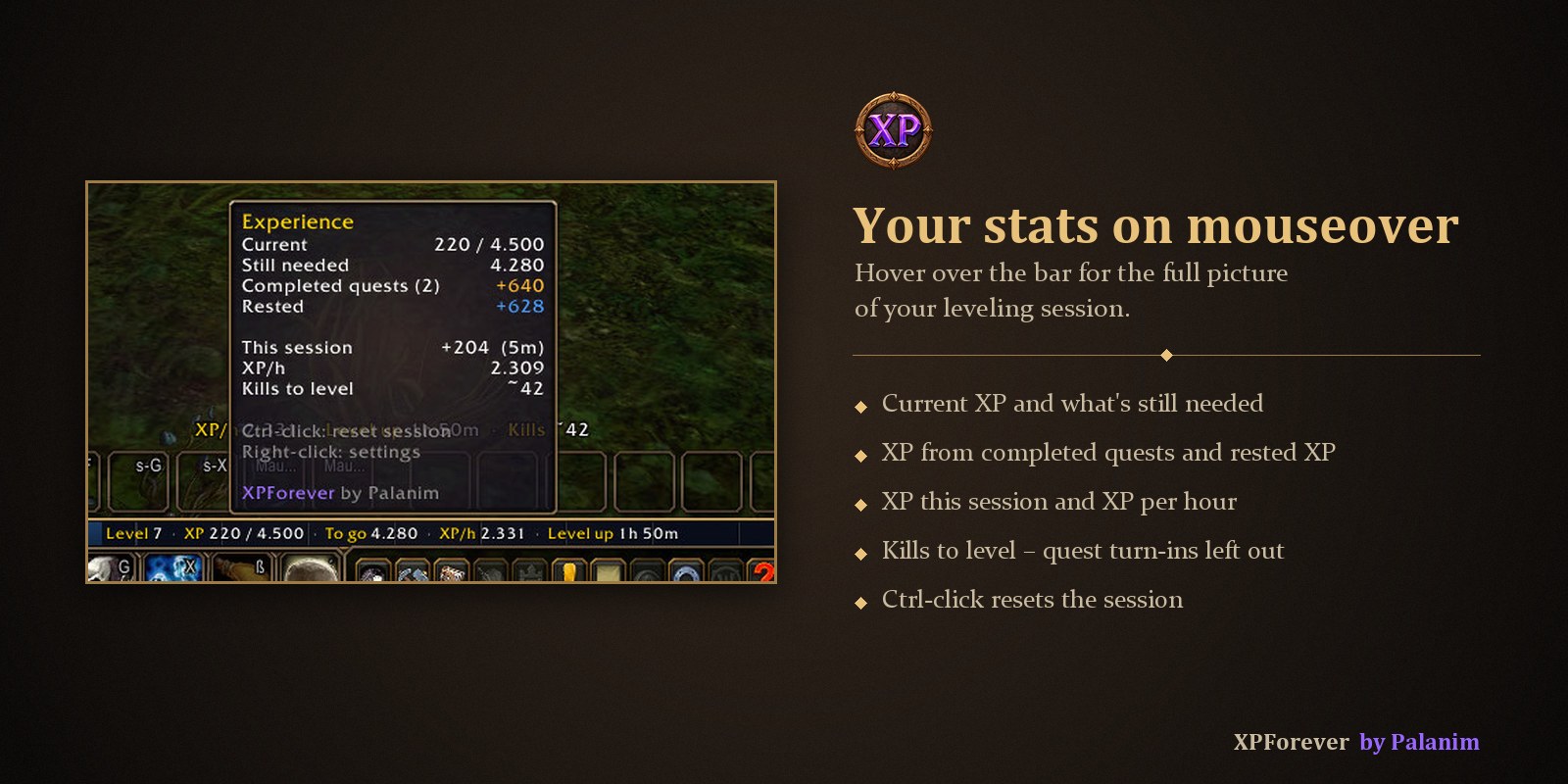
Hover the bar for your level, XP and time to level right on the bar, plus a tooltip with your whole session: XP gained, XP per hour and how many kills you still need. Kills to level is learned from your recent kills, with quest turn-ins left out.
Your numbers above the action bars
One short line that stays in view while you quest. Choose from level, current XP, missing XP, progress in percent, quest XP, rested XP, XP per hour, time to level, kills to level and XP this session. Shift-drag it anywhere, click the bar to show or hide it.
Modern or Classic
Modern is a thicker bar with a bronze border and segments. Classic keeps Blizzard's original bar and adds everything XPForever offers. XPForever asks on first start; switch any time in the settings or with /xpf style.
And more
- Smooth animations – the bar glides to its new state and the XP you just gained lights up
- Resting – a soft golden glow and "Zzz" while you rest in an inn or a city
- Settings in Options → AddOns → XPForever: style, height, segments, colors and opacity, bar text and info text
- Minimap button with a quick summary, or use the addon menu at the minimap

Usage
- Hover the bar – bar text and tooltip
- Click the bar – show or hide the info text
- Ctrl-click the bar – reset session statistics
- Right-click the bar – open settings
- Shift-drag the info text – move it anywhere · Shift-right-click – back above the action bars
- /xpf – open settings · /xpf style – Modern or Classic · /xpf reset – reset session · /xpf perf – CPU time and memory
FAQ
Can I move the bar? Yes – move Blizzard's experience bar in Edit Mode and XPForever follows. Tracking a reputation? Blizzard shows the reputation bar in its own place; XPForever stays on the experience bar. "–" for XP per hour or kills? XPForever needs a minute of play time and at least one kill.
Made by Palanim · Languages: English, Deutsch · Source & issues on GitHub
Gallery
XPForever Team