XP Journal
- By
Clean, colour-coded XP bar showing rested XP, quests ready to turn in and quests in progress. Hover for a detailed info panel: XP/hour, time to level, reputation and played time. Plus a Journey log of your leveling, gold, deaths, loot and people.
Screenshot 2026-11-14 172650.png
Screenshot 2026-11-14 172646.png
Screenshot 2026-11-14 172628.png
Screenshot 2026-11-14 172838.png
Description
XP Journal keeps a record of your character’s time in Azeroth, alongside a customisable experience bar that shows how your levelling is going.
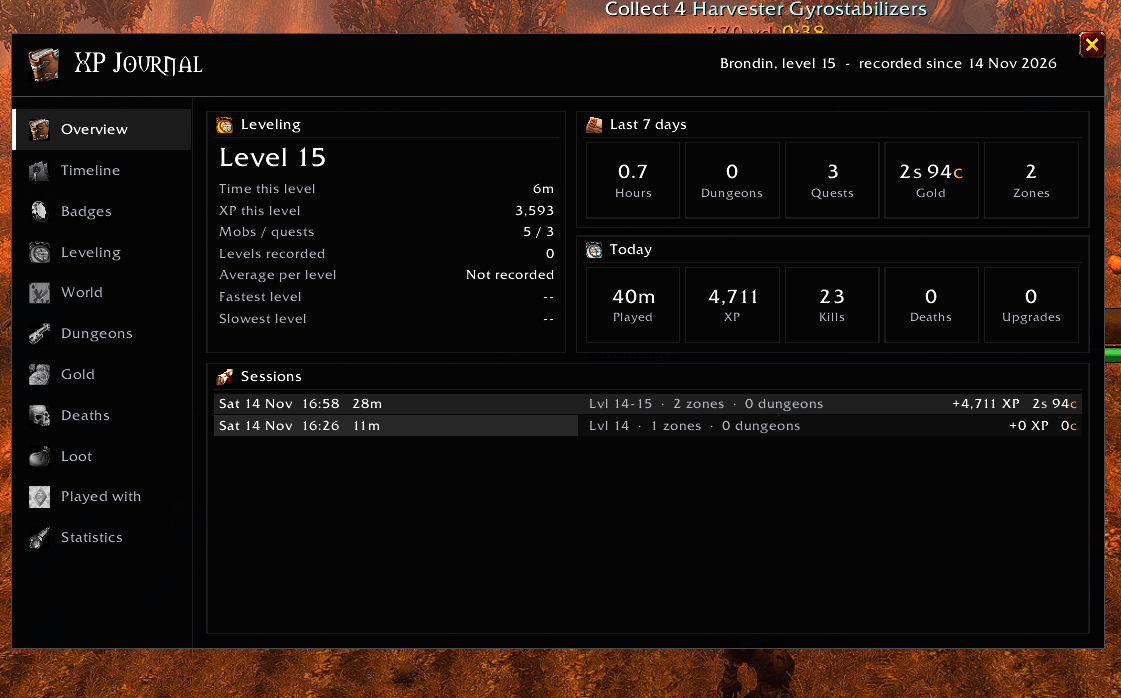
See how long each level took, where you spent your time, which dungeons you ran, what you looted and who you played with. Open the journal after a session to look back at what you did, or keep an eye on your progress as you play.
The journal uses your character’s class colour for its headings, highlights, borders and charts, with a dark background and matching panel tints.
Your character’s journal
The journal is split into eleven tabs:
- Overview: Your current level, today’s activity, the last seven days and recent sessions.
- Timeline: A record of level-ups, new zones, dungeon visits, boss kills and milestones.
- Badges: Personal milestones for levelling, exploring, questing, running dungeons and more.
- Leveling: Time spent on each recorded level, XP gained, kills, quests, and your fastest and slowest levels.
- World: Zones visited, time spent in each area and the route your character has taken.
- Dungeons: Recent runs, time spent inside, kills, deaths and boss kills reported by the game.
- Gold: Money earned and spent, daily balance history, repairs, training and other recorded transactions.
- Deaths: What killed you, where it happened and which zones have caused you the most trouble.
- Loot: Items received, equipment changes and loot-roll results.
- Played with: Players you have grouped with, time spent together and the people you see most often.
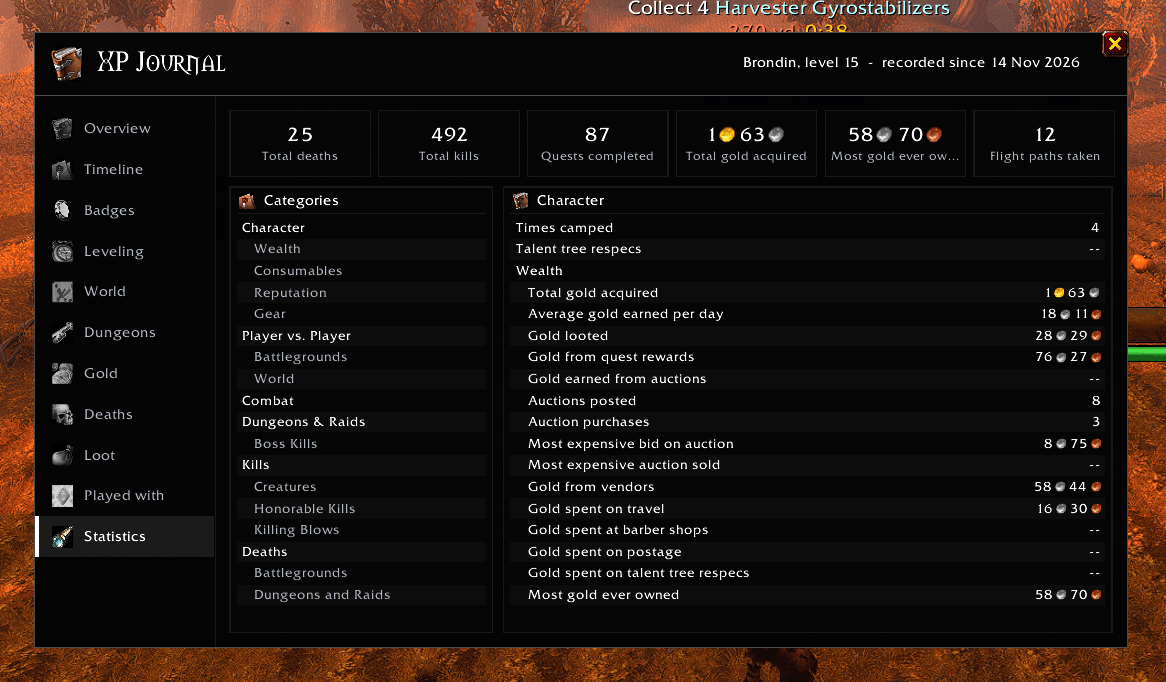
- Statistics: Browse the game’s character statistics on clients that provide them.
Experience bar
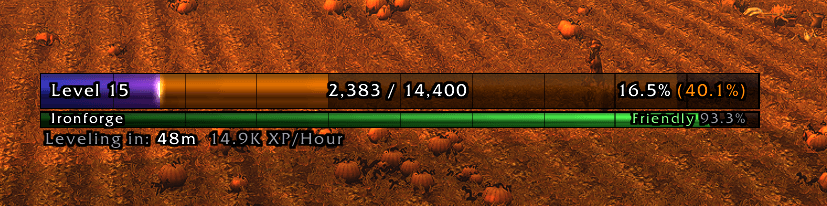
The XP bar shows your current progress, rested XP and the XP waiting in completed quests. You can also display an estimate of the XP available from unfinished quests.
Choose which numbers appear on and around the bar, including your level, percentage, remaining XP and expected progress after handing in completed quests.
The bar supports class colours, custom colours, a muted dark mode, different fonts and textures, adjustable sizing, tick marks and optional visual effects. Move it where you want it, lock it in place or set it to appear only on mouseover.
Levelling information
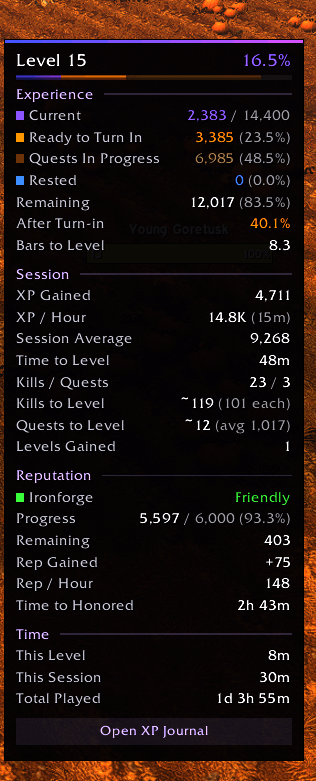
The info box gives you a closer look at your progress:
- Current, remaining and rested XP.
- Quest XP and expected progress after turn-ins.
- XP gained during the session.
- XP per hour and estimated time to the next level.
- Estimated kills and quests remaining.
- Time played this level, this session and in total.
XP per hour can use your whole session or a rolling window of recent activity.
Show the info box on hover, keep it open beside the bar or use it on its own. It can be attached above or below the bar, or moved separately. Its sections, colours, font size and background opacity are adjustable, with a compact layout available.
Reputation tracking
Track your watched faction with a reputation bar attached to the XP bar or positioned separately.
View your standing, progress, reputation gained during the session and reputation per hour. You can automatically switch to the faction you have just gained reputation with, and use the main bar for reputation once you reach maximum level.
World map history
Optional map markers show where you have spent your time and where you have died. Visited zones appear on continent maps, with larger markers for places where you have spent longer. Recorded death locations appear on zone maps.
Getting started
Install XP Journal and play normally. The journal records your activity while the addon is enabled.
Type /xpj or /xpjournal to open the journal. You can also Shift + left-click the XP bar or use the journal button in the info box.
Right-click the XP bar to toggle the info box. Shift + right-click opens the settings.
Commands
/xpj— Open or close the journal./xpj options— Open the settings./xpj info— Toggle the info box./xpj lock— Lock or unlock the XP bar./xpj summary— Print your session summary in chat./xpj reset— Reset session statistics and session/level timers.
A note about recorded history
Detailed history starts when you begin using the addon. XP Journal cannot recreate old dungeon runs, loot, transactions or other events from before it was installed. Some lifetime totals can come from the game’s own statistics where available.
Available information varies by game client. Boss records, map locations and other details depend on what the game reports.
XP Journal Team

Owner