ChatterNatter
- By
Cleaner WoW chat you can shape your way: short channel names, timestamps, chat search, skins, a whisper window and pop-ups, unread tab counters, merged spam, item icons, a loot window with gold per hour, and shareable profiles. Retail, Forever and Classic.
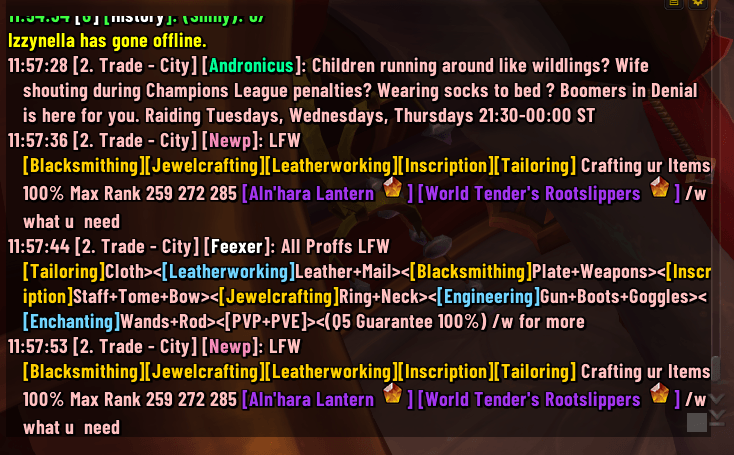
Screenshot 2026-04-20 115812.png
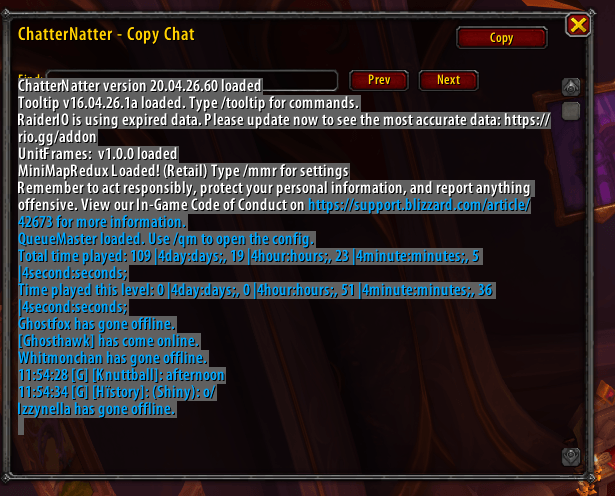
Screenshot 2026-04-20 115653.png
Screenshot 2026-04-20 115625.png
Screenshot 2026-04-20 115505.png
Screenshot 2026-04-20 115448.png
Description
ChatterNatter
ChatterNatter tidies up the default chat and then lets you change pretty much anything about it: how it looks, what it shows, and what gets out of your way. Type /cn to open the settings. Everything has a plain on/off switch, and most of the extras start switched off, so you can turn on what you want.
It runs on Retail (Midnight), WoW Forever and the Classic realms.
Reading chat
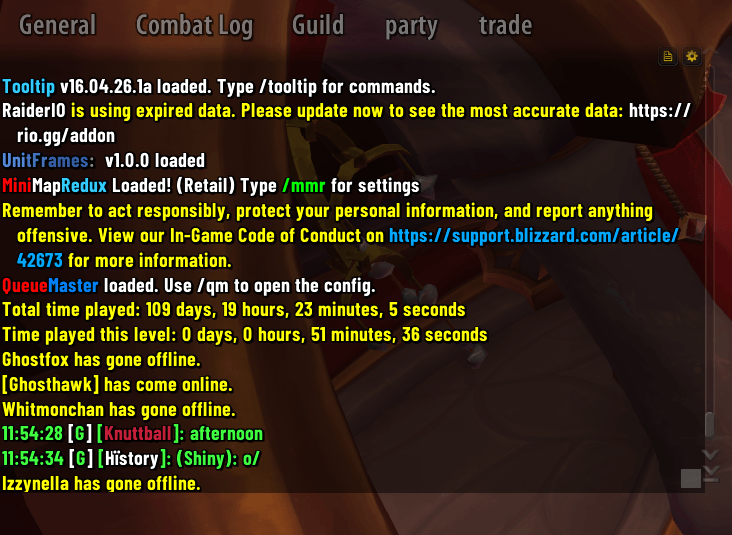
- Timestamps on every line, in the format you pick. Click a timestamp to copy that one line.
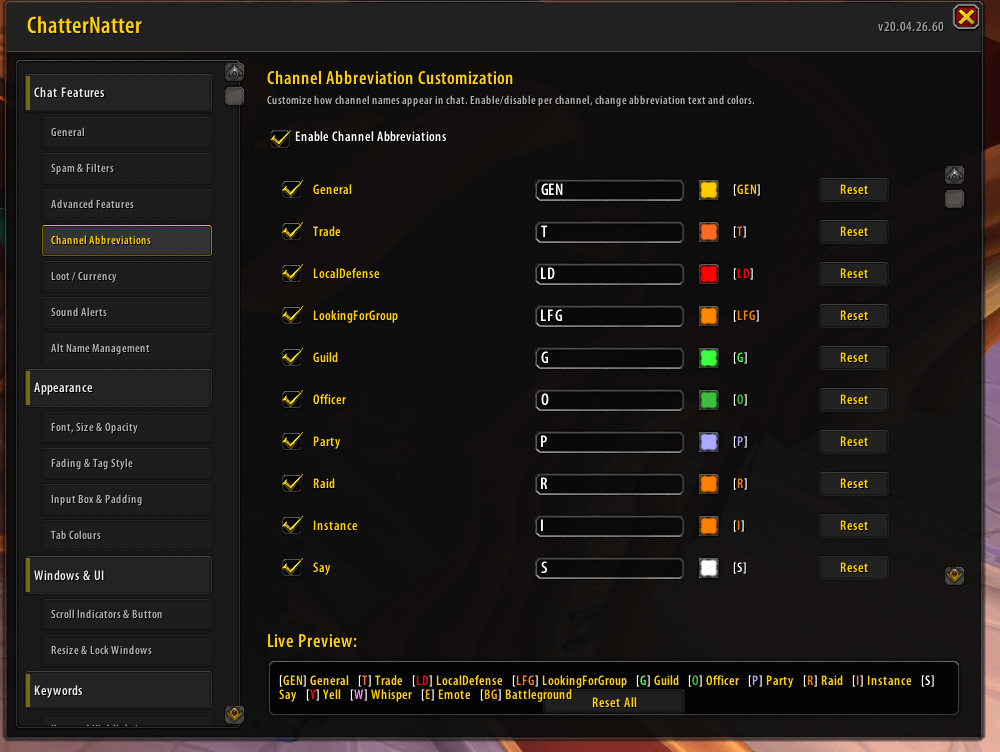
- Short channel names: [2. Trade - City] becomes [T], [1. General] becomes [GEN]. You choose the abbreviations, and they work in every game language.
- Shorter wording: "[Name]: hi" instead of "[Name] says: hi".
- Class colours on names, plus the sender's level next to their name. Levels come from your guild roster, group, target and nameplates, so they're the real current level.
- Realm names shown in full, shortened (Name-Rav) or hidden.
- Item icons and item levels in links, so you can see what someone linked without hovering.
- Battle.net icons showing which game your friends are in.
- Hover a name and everyone else's lines fade, so you can follow one person in a busy channel.
- Keyword highlighting for your name or anything else you care about, with an optional sound.
- Alt names: shows the main's name next to their alts. It can build the list from your guild roster for you.
- Clickable web links that open in a box ready to copy.
Finding things
- Search any tab with the magnifier button (or /cn search). It filters as you type and highlights the matches.
- Copy Chat opens the whole tab as text you can copy, with its own find box.
- Chat history comes back after a /reload or login, with the original times.
Less noise
- Spam filter by keyword, plus an anti-flood throttle.
- Repeated messages merged: when someone posts the same thing in Trade five times, you see it once with "(x5)" after it.
- Channel join/leave spam hidden.
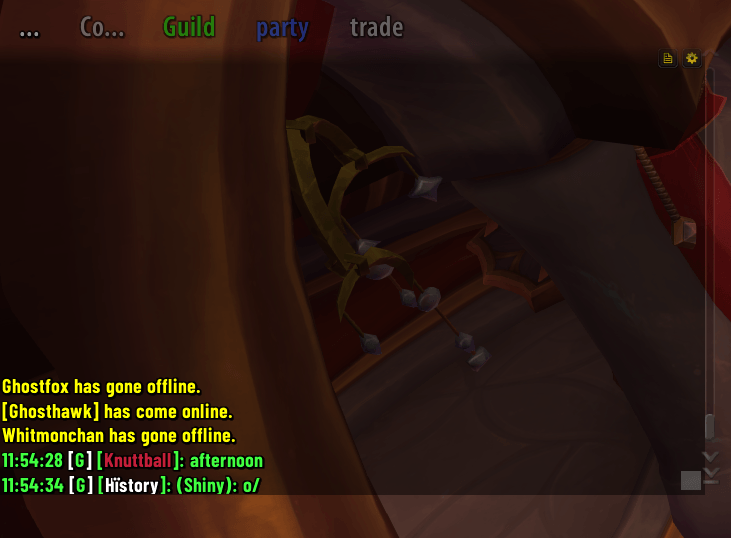
- Fade the whole chat window when nothing's happening, or hide it in combat.
- Tabs and buttons only on mouse-over, if you like a really clean screen.
Whispers
- Whisper window: a separate, messenger-style window where each person gets their own conversation, with a reply box, unread counts and online dots. It remembers conversations between sessions.
- Whisper pop-ups: a small card slides in with who it is and what they said. Click it to reply.
- Sound alerts for whispers, mentions, guild, party and raid. Can be set to sound only for someone's first whisper.
Tabs
- A cleaner, flatter tab style with your choice of font, colours, height and underline.
- Tabs flash and change colour when something new comes in, with an optional unread counter. Can be limited to whispers only.
- Give each tab its own colour.
Look and feel
- Skins: Nightfall, Slate, Frostveil, Gilded Frame and Bare Text. Each one sets the background, edge, input box and accent colour.
- Fonts for chat and tabs separately, including anything from LibSharedMedia.
- Opacity, line spacing, padding and text shadow.
- Input box above or below the chat, or anywhere you drag it, with its own size, background and border.
- Resizable, lockable windows.
Loot window
Turn it on under Loot and you get a separate loot list showing what dropped, its icon and what it sells for. It keeps running totals for the session: item value, gold looted and gold per hour. You can filter by quality, switch between your loot and the whole group's, and keep your own loot lines out of the main chat if you'd rather. Type /cn loot to open it.
Little extras
- Click "inv" in someone's message to invite them.
- A [Grats] link on achievement messages that sends your congratulations to the right chat.
- The date you earned an achievement shown next to its link.
- Settings search: type in the box at the top of the settings window and jump straight to the option.
- Profiles: save your setup, load it on another character, or share it with a friend as a code.
- Key bindings for search, copy, the whisper window, the loot window and more, under AddOns in the game's Keybindings menu.
Slash commands
- /cn or /chatternatter: open settings
- /cn search (plus words): search the current chat tab
- /cn whispers or /cn w: open or close the whisper window
- /cn loot: open or close the loot window
- /cn export and /cn import: share your settings as a code
- /cn profile list, save, load or delete: manage profiles
- /cn level (plus a name): see where a player's level came from
- /cn flashtest: preview the tab flash
- /cn engine on, off or status: ChatterNatter's chat display (Retail and Forever)
- /cnresetwindows: reset chat window sizes
- /cnscan: rebuild alt names from your guild roster
- /cn help: list all commands
Retail and WoW Forever
Blizzard now protects some chat inside dungeons, raids, battlegrounds and arenas, so addons can't change it there. ChatterNatter goes along with that: in those places chat shows exactly as the game sends it, and all the extras come back as soon as you leave.
ChatterNatter doesn't run alongside other addons that redraw chat, such as Prat, Chattynator or EllesmereUIChat. If one of them is loaded, ChatterNatter's chat display switches itself off.
Current version: 13.11.26 ```
ChatterNatter Team

Owner