XP Bar Enhanced
- By
XP Bar Enhanced is a World of Warcraft add-on that replaces and augments the default XP bar with richer visuals, quest XP overlays, session statistics, and customizable colors.
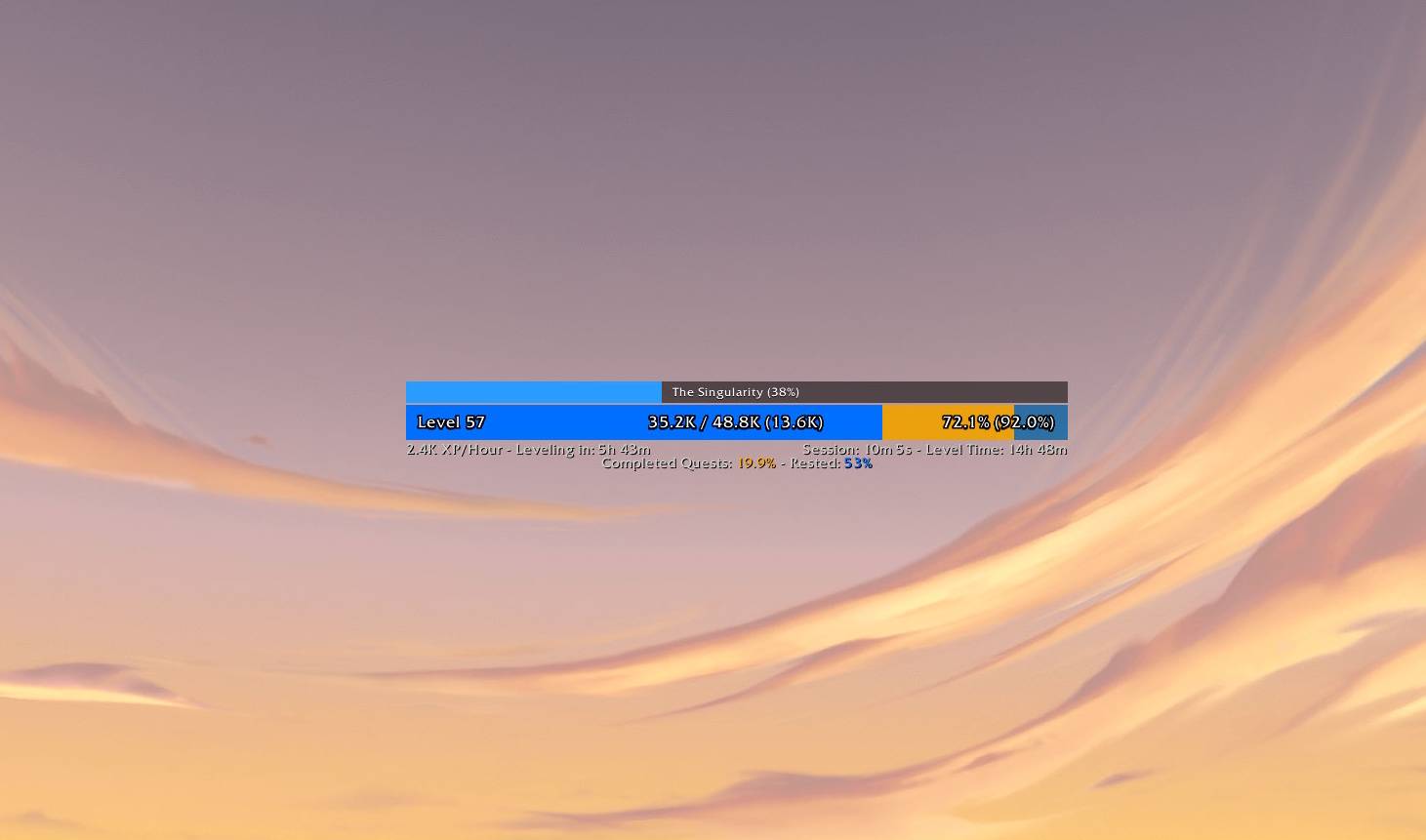
flat.jpg
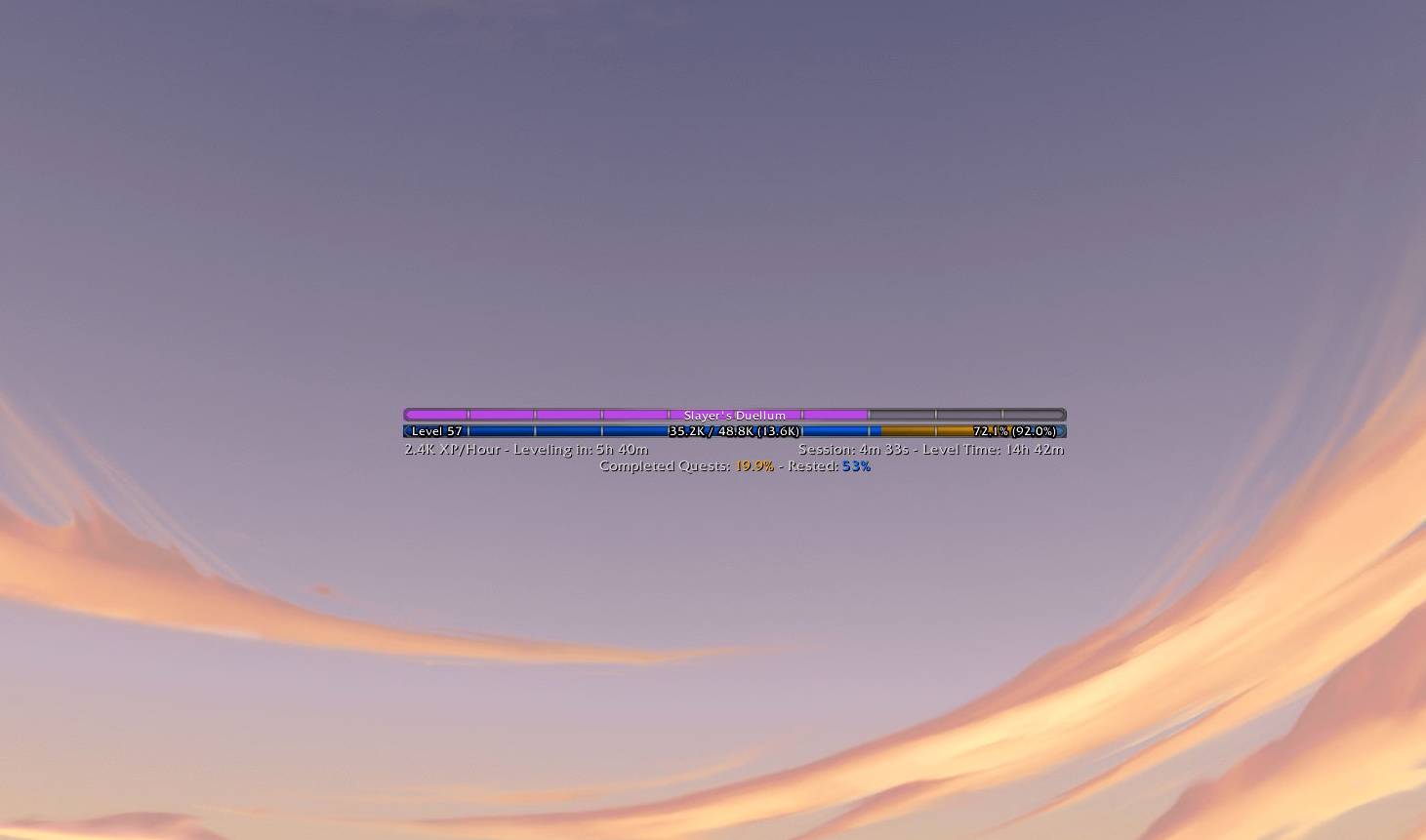
classic.jpg
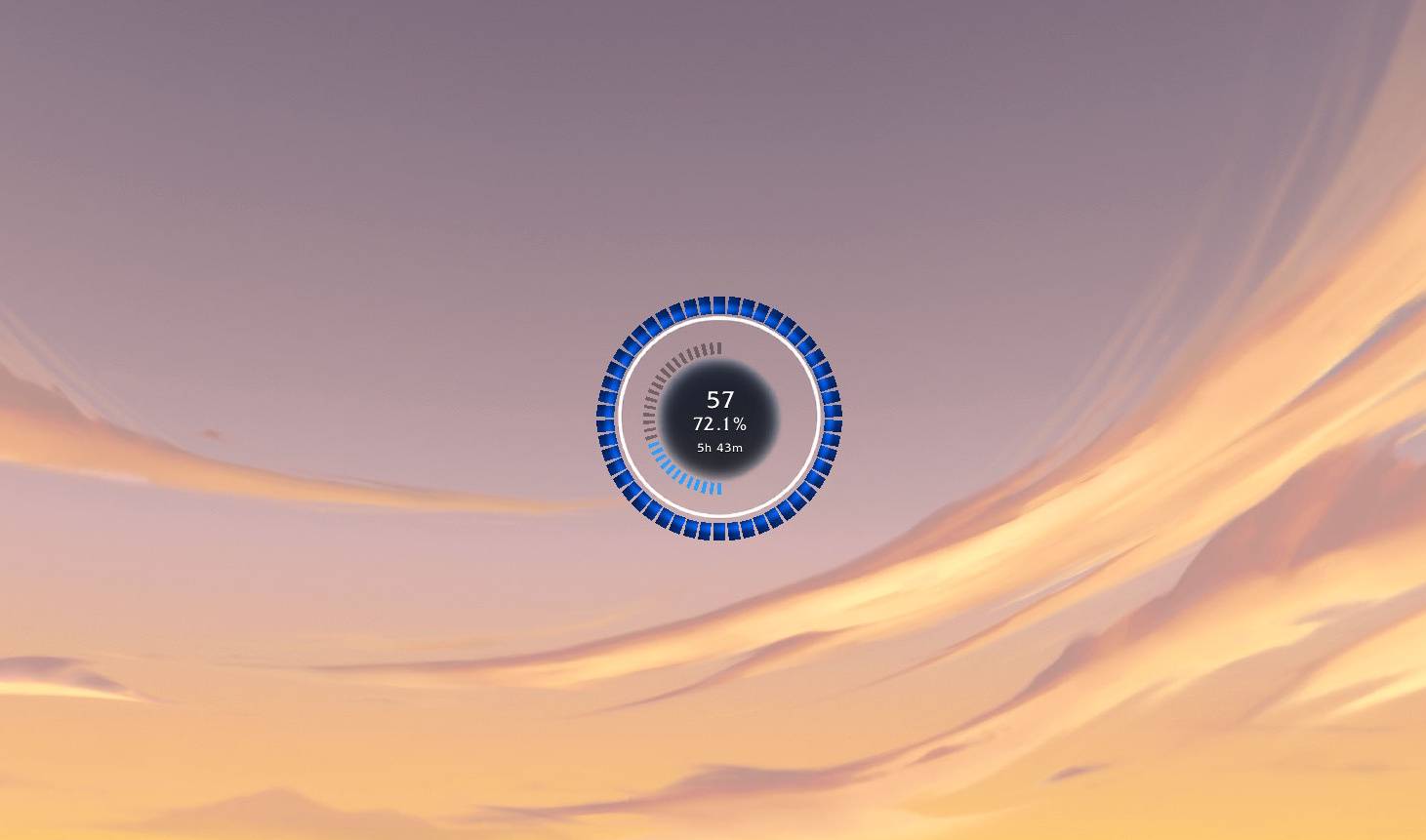
circular.jpg
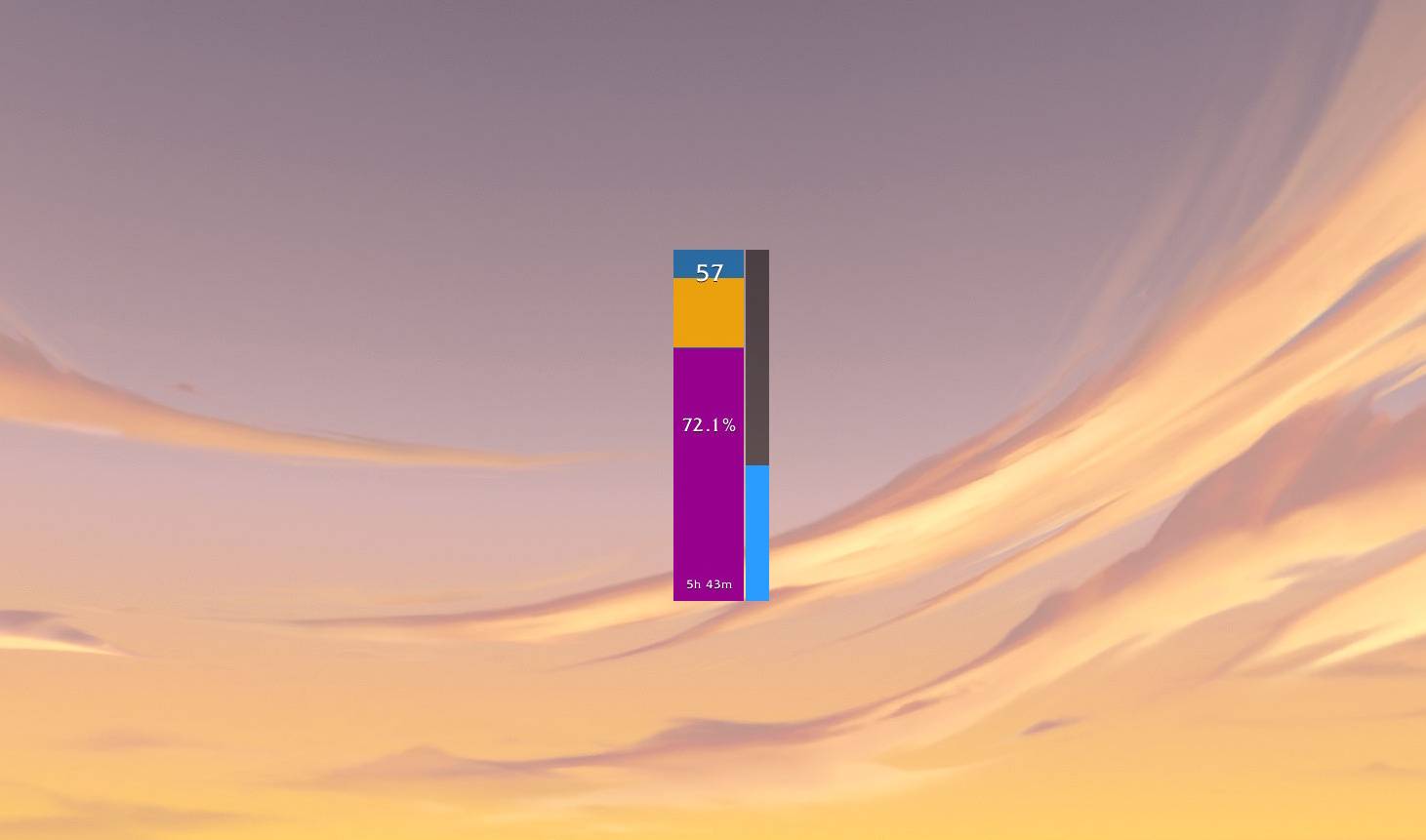
vertical.jpg
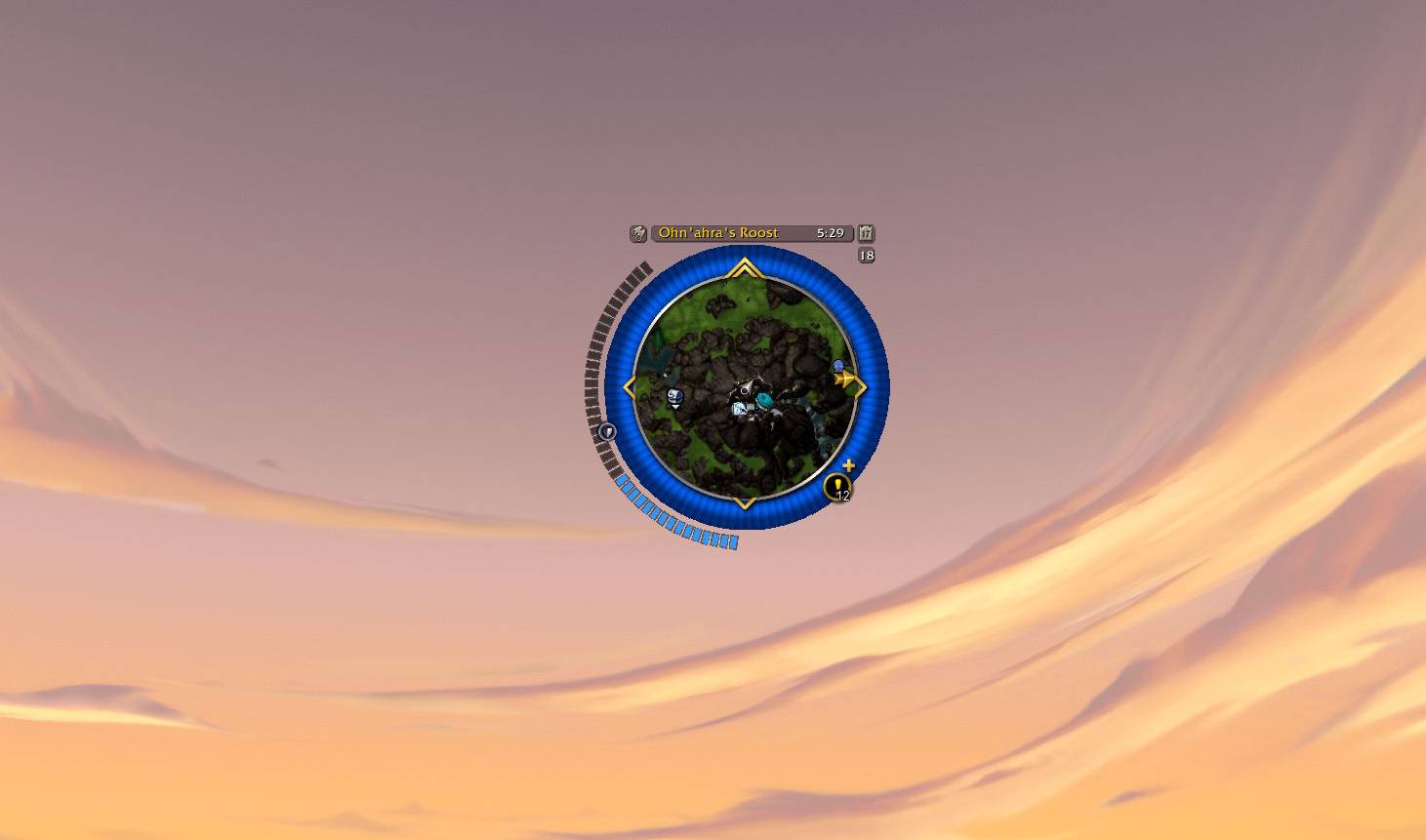
minimap_ring.jpg
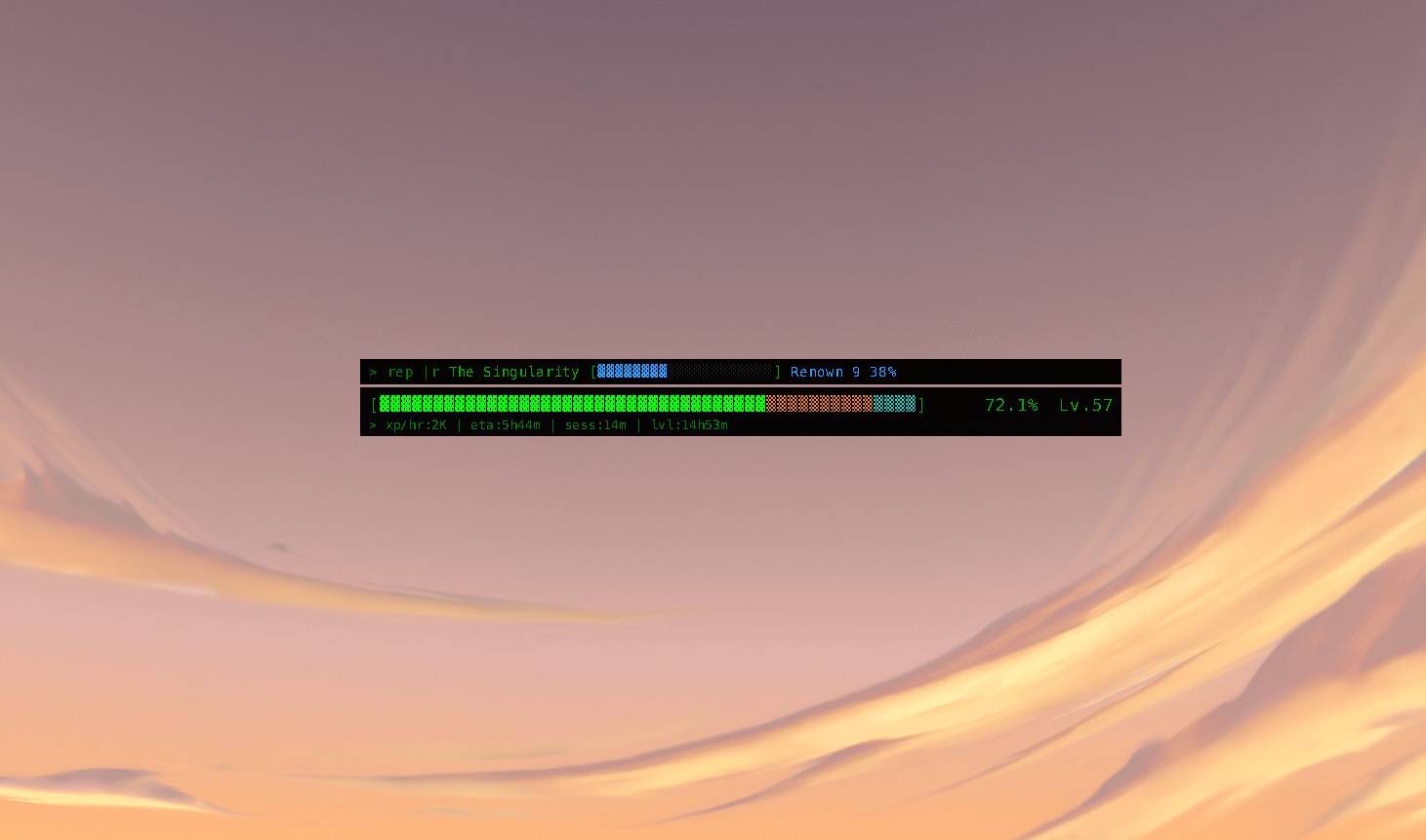
terminal.jpg
Description
XP Bar Enhanced
A World of Warcraft addon that replaces and enhances the default experience bar with richer visuals, quest XP overlays, session statistics, and full color customization.
Retail and Classic branches · Vanilla 1.15 · Forever 1.60 · Burning Crusade 2.xx · Wrath 3.xx · Cataclysm 4.xx · Mists 5.xx · Retail 12.xx · Version 1.3.0
XP Bar Enhanced uses one manifest. The client interface build is resolved to a product flavor, and that flavor activates the supported feature set.
Features
- Multiple Bar Styles — None (Blizzard default), Classic, Flat, Vertical, Circular, Minimap Ring, Terminal, and Orb
- Quest XP Overlay — See pending and completed quest XP directly on the bar
- Session Tracking — Track XP gained, time played, levels gained, and XP/hour rate
- Session Breakdown & Rate Smoothing — Session stats include quest XP vs other XP totals, with a rolling recent XP/hour rate for faster responsiveness
- Statistics Window & Session Charts — Detailed breakdown of your leveling progress, with an XP/hour histogram and a quest-vs-other split chart
- Profile System — Create, rename, delete, and switch between named settings profiles; Blizzard-style dropdown with inline actions and a global shared profile option
- Bar Size Presets — Scale the Flat and Vertical bars to Small, Default, Large, or Huge without distorting text or overlays
- Reputation, Companion, Housing, Honor, and Profession Tracking — The secondary bar can track watched faction progress (including Delve companion flavor), Housing Favor, Honor (PvP) levels, or a profession's skill
- Secondary Source Selector — Choose
Reputation,Housing Favor,Honor, orProfessionas the secondary bar source (with a first/second/auto profession selector) - Main Bar at Max Level — Optionally repurpose the main bar to display the selected secondary source once you reach max level
- Style-Aware Secondary Bars — Secondary progress display adapts to the active style (Classic label ticker, Vertical side bar, Circular inner arc, Minimap arc toggle, Terminal single-line phosphor bar, companion Orb)
- Color Customization — Full control over bar and overlay colors
- Minimap Button — Quick access to options and stats
- Animations & Celebration — Smooth fill, flash-on-gain, two-phase level-up animations, and an optional golden-glow level-up celebration
- Level Progress Notifications — Announces 25%/50%/75% level progress with the estimated time to ding
- LibDataBroker Feed — XP/h and time-to-level datatext for Titan Panel, Bazooka, or ElvUI
Bar Styles
| Style | Description |
|---|---|
| None | Blizzard's default XP bar only |
| Classic | Blizzard-style bar with atlas textures and quest overlays |
| Flat | Wide draggable bar with milestone ticks |
| Vertical | Vertical bar with animated XP fill |
| Circular | Progress ring with configurable size, segments, and scalable center text |
| Minimap Ring | XP ring anchored around the minimap with optional button collection |
| Terminal | ASCII-style retro bar with phosphor-green progress display |
| Orb | Diablo-style filling sphere with glass highlight and metallic rim, plus a companion orb for the secondary source |
Installation
- Download and extract to your
Interface/AddOnsfolder - Ensure the folder is named
XPBarEnhanced - Start or reload World of Warcraft
Slash Commands
| Command | Description |
|---|---|
/xpbe |
Show command help |
/xpbe options |
Open the options panel |
/xpbe stats |
Toggle the statistics window |
/xpbe changelog |
Show the update changelog |
/xpbe style <none|classic|flat|vertical|circular|minimap_ring|terminal|orb> |
Set the active bar style |
/xpbe profile |
Show current profile and list available profiles |
/xpbe profile global |
Switch to the global shared profile |
/xpbe profile use <name> |
Switch to a named profile |
/xpbe profile new <name> |
Create and select a new profile |
/xpbe profile rename <name> |
Rename the active profile |
/xpbe profile delete [name] |
Delete a profile |
/xpbe reset |
Reset the active profile's settings |
/xpbe resetstats |
Reset session statistics |
/xpbe resetcolors |
Reset colors to defaults |
/xpbe help |
Show available commands |
Additional slash aliases: /xpbarenhanced, /xpbar
Configuration
Access options via /xpbe options or the minimap button. Settings include:
- Bar Style — Choose between all available styles
- Colors — Customize XP bar, rested XP, quest XP overlays
- Display — Toggle text rows, quest overlays, animations, and minimap button
- Profiles — Manage named settings profiles; switch per character or use a shared global profile
- Secondary Progress Bar — Enable the secondary bar and choose its source (
Reputation,Housing Favor,Honor, orProfession— with a first/second/auto profession selector); optionally attach it above the XP bar or position it freely; hide the Delve companion bar when outside a Delve - Session Behavior — Optional reset of session tracking on
/reload - Circular Bar — Ring size (Small/Medium/Large/Huge), segment count, texture style, optional center text scaling, and optional full-circle secondary arc
- Minimap Ring — Ring padding, segment count, segment dimensions, optional minimap button collection, and optional "start minimap arc expanded" behavior for the reputation arc
- Terminal — Toggle between authentic terminal colors and custom color scheme
Requirements
- World of Warcraft Retail or Classic Era 1.15.9
- No external dependencies
Classic Era support
Classic Era includes the main XP bar, quest XP overlays, rested XP, session tracking, statistics, profiles, colors, minimap access, notifications, LibDataBroker support, and all compatible bar styles: Classic, Flat, Vertical, Circular, Minimap Ring, Terminal, and Orb.
Features that depend on Retail APIs are unavailable on Classic and are hidden from the options panel: Housing Favor, Delves and companion tracking, modern renown, modern reputation sources, and Honor as a secondary source. Profession tracking remains available on Classic through its compatible profession APIs.
Credits
This addon was inspired by the WeakAura from Luxthos [https://wago.io/LuxthosExperienceBar] for the flat bar design.
License
MIT License — See LICENSE for details.
XP Bar Enhanced Team