AnySpec
- By
A World of Warcraft addon that automates talent specialization and loadout management based on the content you enter, with quick-switch buttons and smart proposal toasts.
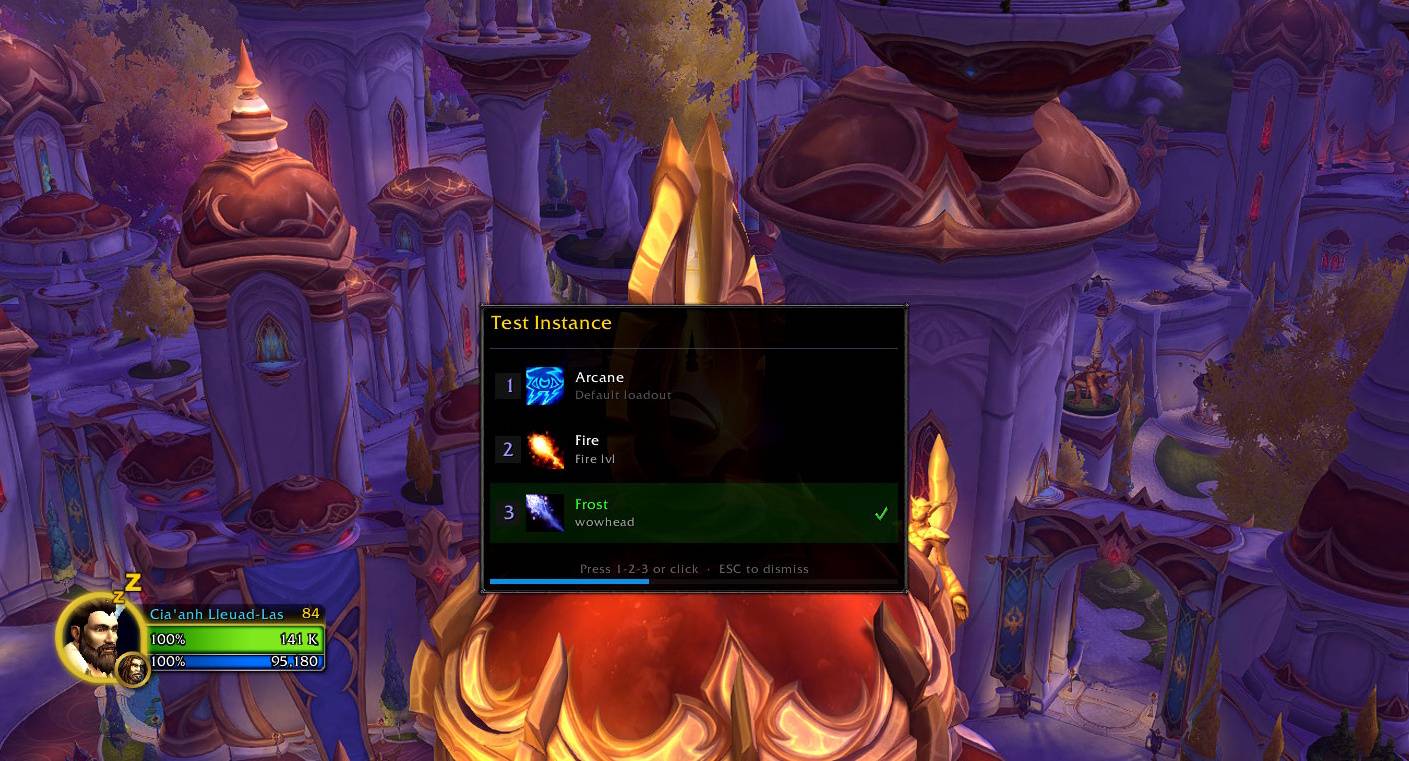
instance_toast.jpg
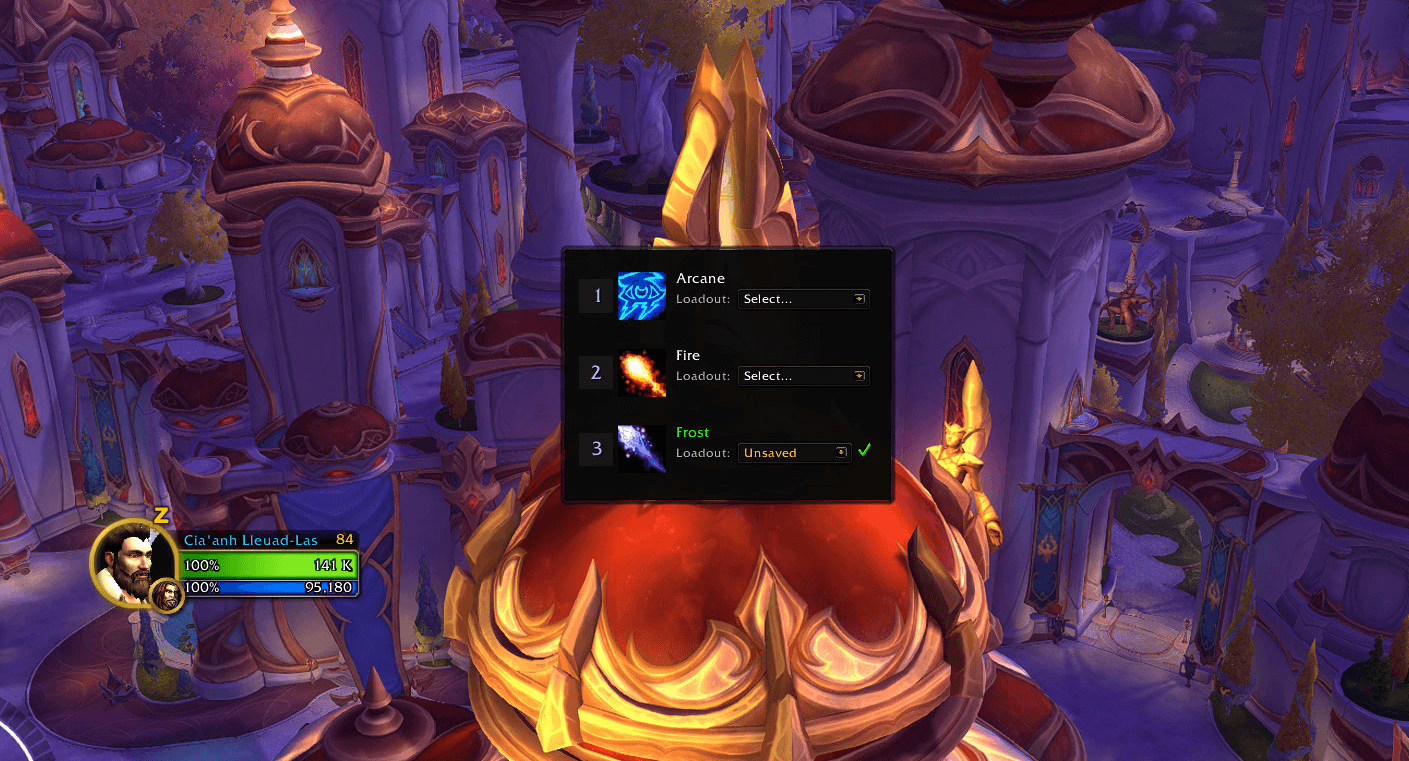
spec_selector.png
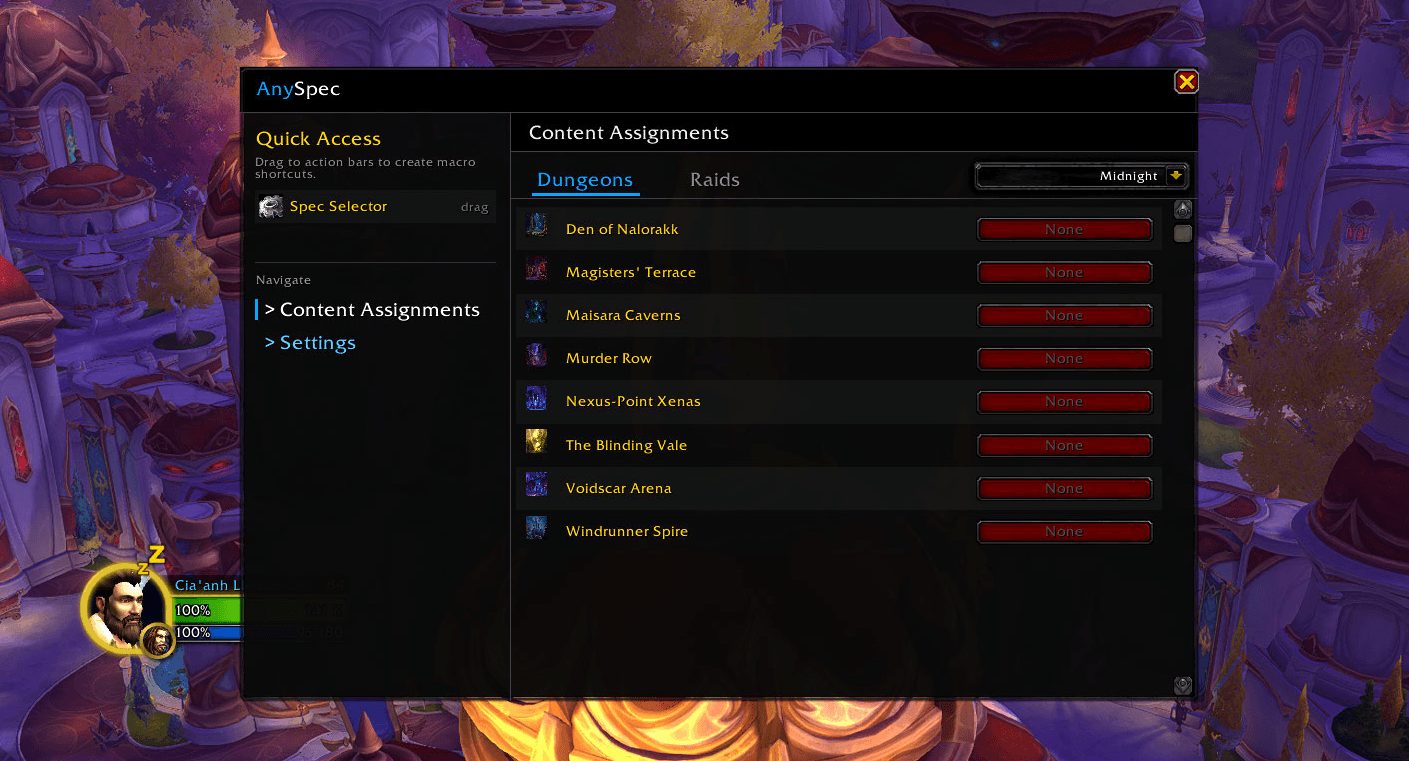
configuration_frame.png
Description
AnySpec
A World of Warcraft addon that automates talent specialization and loadout management based on the content you enter, with quick-switch buttons and smart proposal toasts.
Features
- Minimap Button — Left-click opens the settings panel; right-click toggles the spec selector popup. Draggable around the minimap edge.
- Quick Spec Switching — A spec selector popup with all your specs listed, plus a draggable Spec Selector quick-access button you can place on your action bars.
- Content-Based Assignments — Assign a preferred spec per content category (Dungeon, Raid) directly in the configuration panel.
- Auto-Switch Proposals — When you enter content that has a configured assignment, a toast notification asks if you'd like to switch.
- Loadout Support — Spec switches can be paired with a talent loadout that applies automatically once the specialization change completes.
Usage
Minimap Button
- Left-click — Open the settings/configuration panel.
- Right-click — Toggle the spec selector popup.
- Drag — Reposition around the minimap.
Slash Commands
/anyspec             Open the settings panel
/anyspec switch      Toggle the spec selector popup
/anyspec config      Open the settings panel
/anyspec help        Show available commands
Action Bar Buttons
Open the settings panel (/anyspec) and look at the Quick Access Buttons section. You can drag this button to your action bars:
- Spec Selector — Opens the spec selector popup (
/click ANYSPEC_SWITCH).
Configuring Assignments
In the settings panel under Content Assignments, select a spec for each content type (dungeon or raid). Use the dropdown to select the expansion or the current season.
Proposal Toasts
When you zone into content with an assignment that differs from your current spec, a toast will appear asking you to confirm the switch. You can:
- Accept — switches spec (and applies the linked loadout if set).
- Dismiss — suppresses the same proposal for 60 seconds.
Proposals are automatically hidden after a short period of time if nothing is selected.
Saved Variables
| Variable | Scope | Contents |
|---|---|---|
AnySpecDB |
Account-wide | Global settings (proposal timeout, sounds, minimap button) |
AnySpecCharDB |
Per-character | Spec/loadout assignments, dismissed proposals |
License
See LICENSE.
AnySpec Team