XE Group Finder
- By
Find a dungeon group on WoW Forever: every dungeon searched at once, one click to ask to join or invite, filters for level, class and the roles a group still needs, LFG / LFM calls from chat in the same list. Runs on its own.
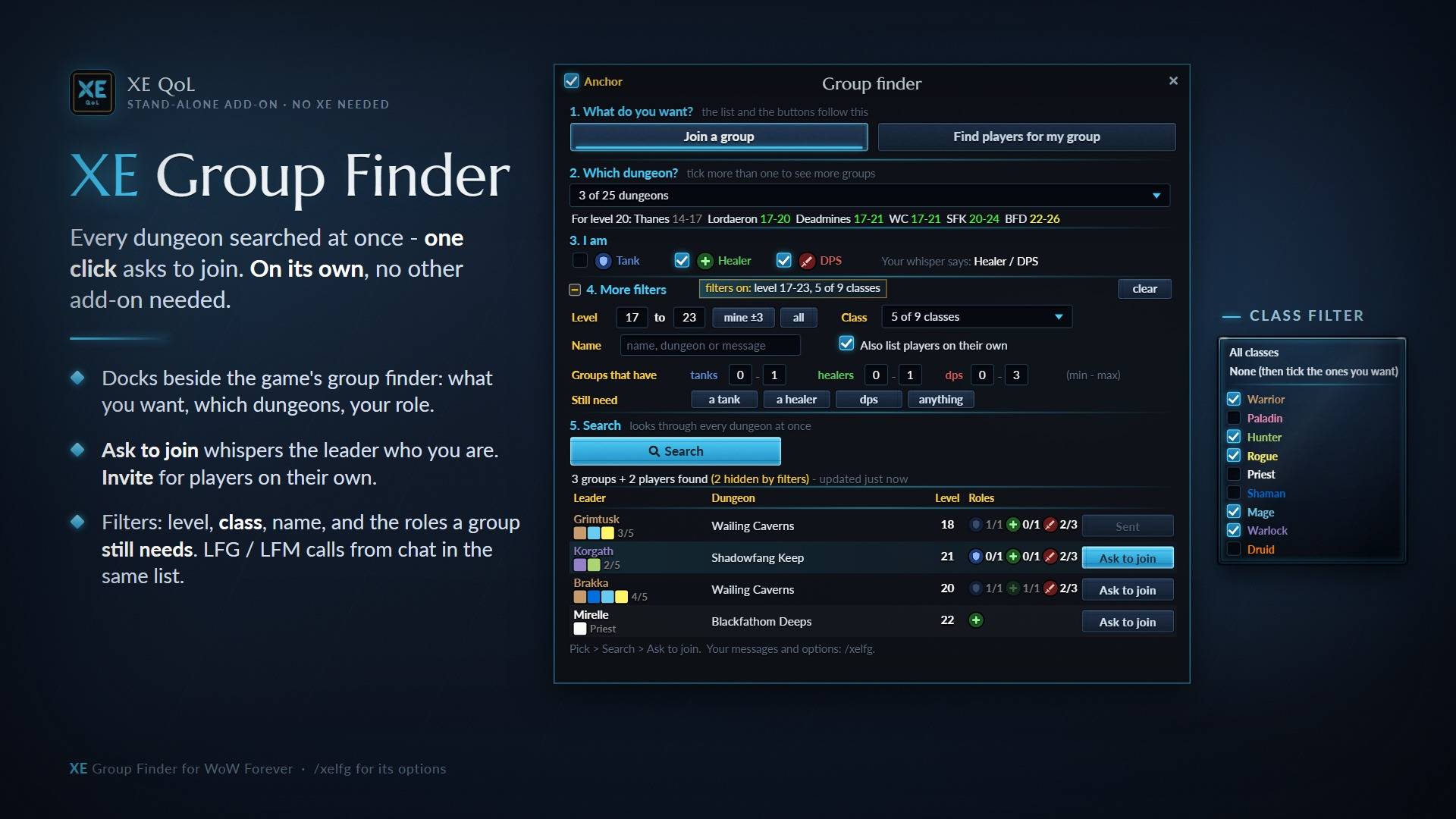
Pick dungeons and role, filter by level, class and missing roles, then Ask to join whispers the leader in one click. Docks beside the game's Looking For Group window.
Description
XE Group Finder
XE QoL's group finder as an add-on of its own, for WoW Forever. No other add-on needed.
It docks beside the game's Looking For Group window and searches every dungeon at once: pick what you want, the dungeons and your role, press Search, and one click asks the leader to join.
What it does
- Join a group or Find players for my group - the list and the buttons follow your choice.
- Every dungeon at once - tick as many dungeons as you like; under the picker it shows which ones fit your level ("For level 20: Deadmines 17-21, WC 17-21, SFK 20-24...").
- Ask to join whispers the leader your class, level and role. Invite players who are on their own.
- Filters - level range (or yours ±3), class, a name / dungeon / message search, how many tanks, healers and dps a group has, and the role a group still needs.
- LFG / LFM calls from chat show up in the same list, so you see the people who only post in chat too.
- Your own messages - the whisper and the invite text are yours to change.
- Sits where you want - anchored beside the game's window, or moved and sized freely.
How to use it
- Open the game's Looking For Group window: XE Group Finder opens beside it (the XE LFG button on its title bar shows or hides it).
- Pick Join a group or Find players for my group, your dungeons and your role.
- Press Search, then Ask to join or Invite.
Commands
/xelfg- the options (messages, size, chat calls, filters)/xelfg show- bring the panel back if you closed it/xelfg diag- a short report to paste when something looks wrong
With XE QoL
If you already use XE QoL with its Dungeons part, you already have this group finder: XE Group Finder sees it and stays off, so the two never run at once. You can keep both installed.
Notes
- Made for WoW Forever (the 1.x client).
- Settings are saved per character.
- Questions and bug reports: the comments on this page.
XE Group Finder Team