
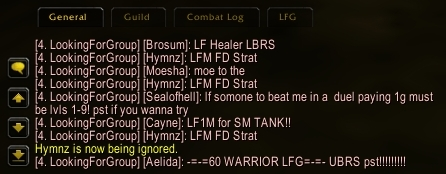
Copy/paste spam, handily blocked automatically by WoW++. Your friends, guildmates and members of your party/raid will never be auto-ignored.
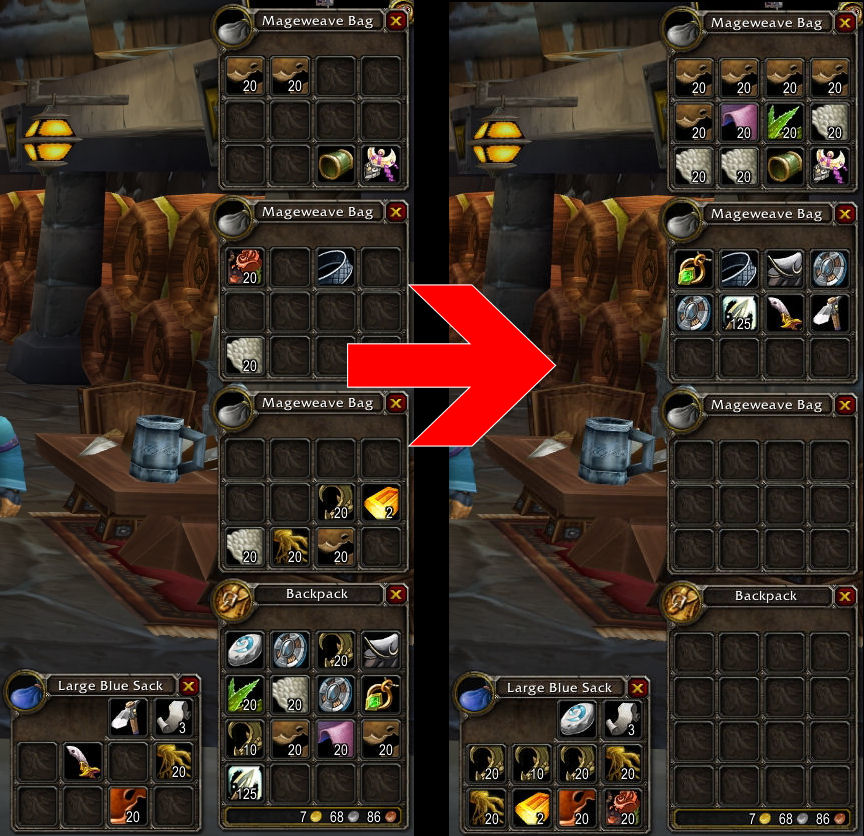
Bag sorting result example. WoW++ adds inventory sorting buttons to both your backpack and your bank.
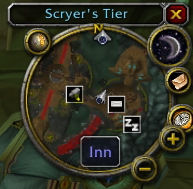
Hover your mouse over the minimap in any town or city to see icons for important NPC's, customized to your class and professions. Includes NPC's that guards don't know about and some which can't be tracked.
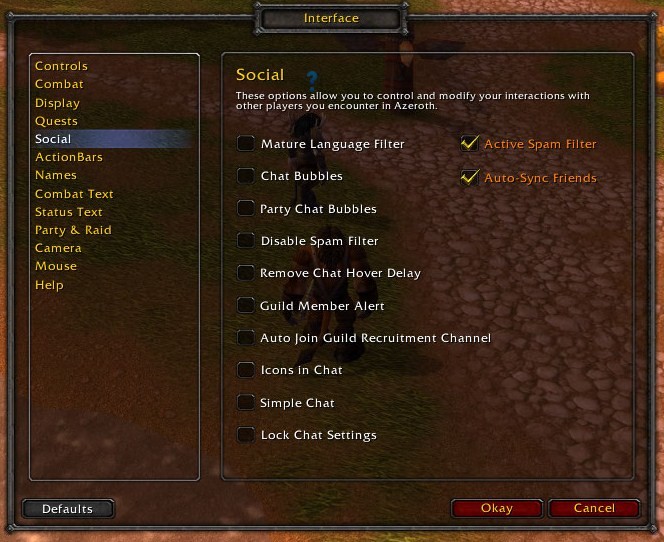
WoW++ adds options items to the standard options interface to make configuration extremely easy to use. Look for orange text in various standard options windows. Most features are on by default.
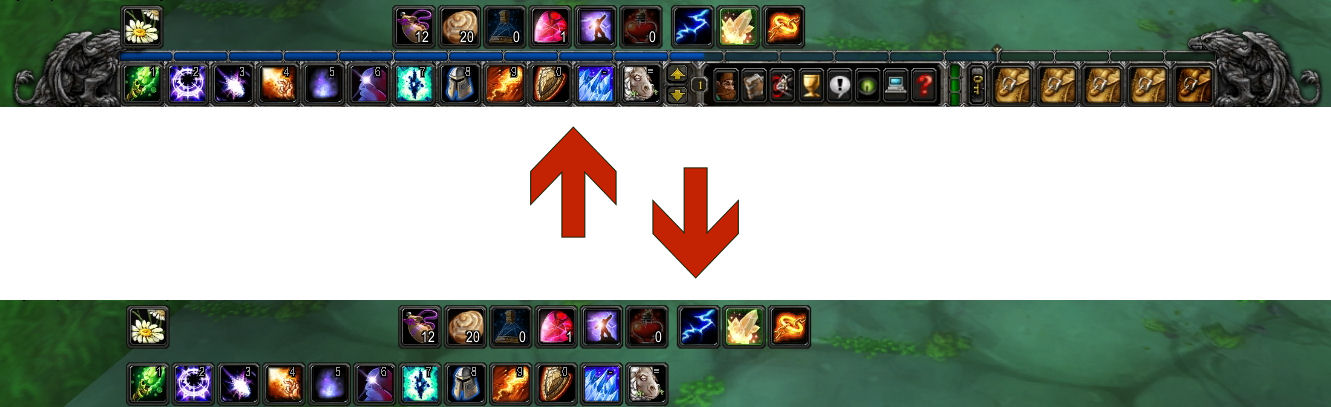
Automically hide non-essential parts of your main action bar until you need them. Just hover your mouse near the bar to restore. This feature is off by default, but can be enabled in interface options.
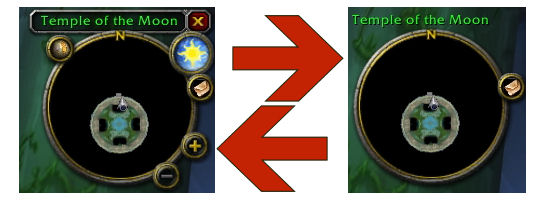
Automically hide non-essential parts of your minimap interface until you need them. Just hover your mouse near the bar to restore. This feature is off by default, but can be enabled in interface options.
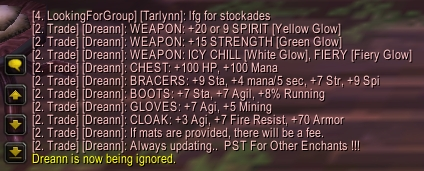
The dreaded enchanting macro, automatically ignored by WoW++. WoW++ never auto-ignores your friends, guildmates or members of your party/raid.
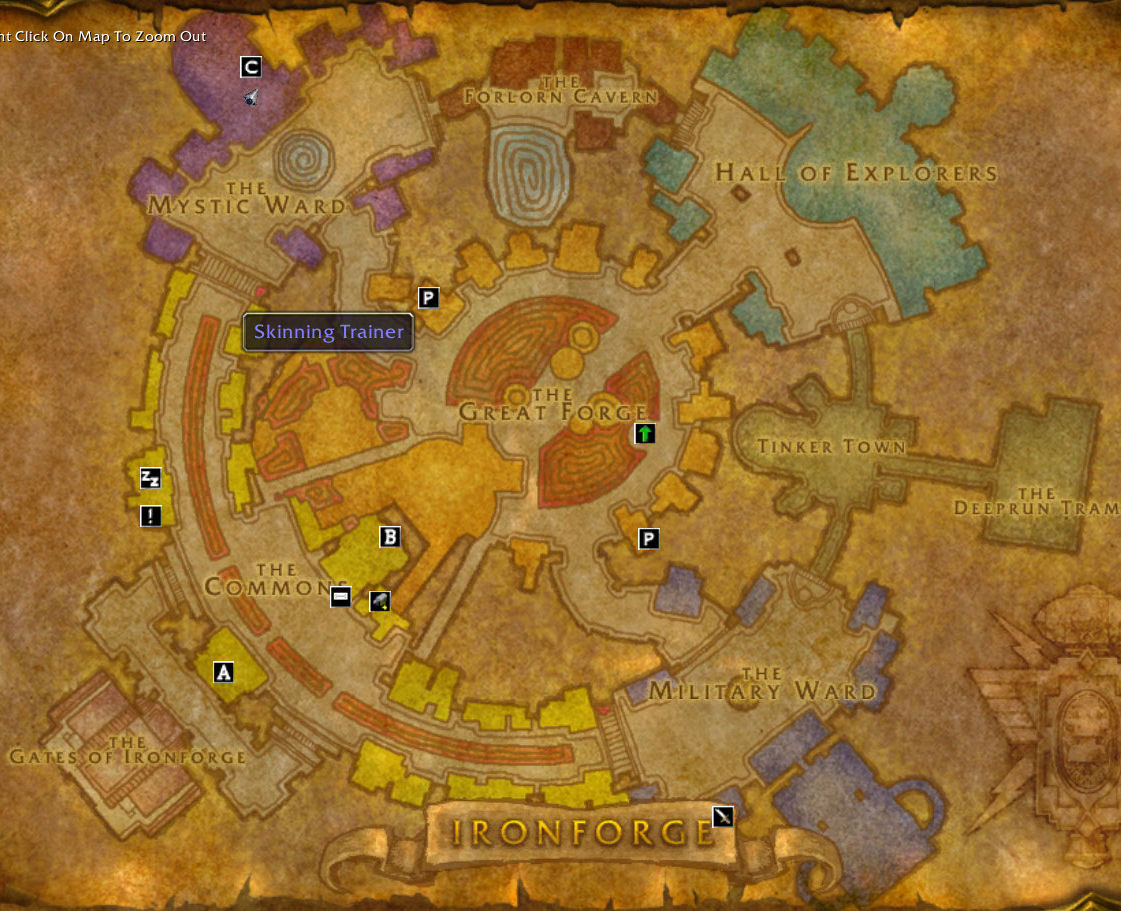
Open your map in any city to see icons for important NPC's, customized to your class and professions. Includes NPC's that guards don't know about and some which can't be tracked.
Description
Adds options for shared friend/ignore lists, enhanced spam filtering, navigational aids, conversation alerts, bag sorting, automatic graphic adjustment, and interface auto-hide.
Features
Universal Friend/Ignore List
- Logically, your friends and enemies are the same regardless of which character you're currently playing. This option makes your friends list and ignore list universal across all your characters. Adding or removing a friend or ignore on any character will add/remove that friend/ignore on all your other characters. This feature is off by default, and can be enabled through the social tab of the interface options menu. Plesae note that friends lists will be gradually synchronized as you log onto your various characters (WoW++ can't get friend and ignore data for the characters you're not playing when you first enable it).
Active Spam Filter
- Recently, Blizzard put in some much-needed spam-filtering code. The active spam filter option from WoW++ goes a bit farther to automatically ignore (for the rest of your play session) players who copy/paste or macro spam major chat channels, /say, or /yell. Additionally, you'll never see any text which includes dollar signs ($) or .com, or any messages from players who have no vowels (aeiouy) in their names (The latter measures help reduce gold purchase and levelling service advertisers). Your friends, guildmates, and members of your party or raid are protected from automatic ignore.
Infinite Ignore List
- WoW's built-in ignore list is limited to about 25 players. While your in-game list will never show more than 24 entries, simply installing WoW++ makes your ignore list effectively limitless. WoW++ will block chat, invitations, trades and dueling challenges from anyone on its own limitless ignore list, and will work the villains into your standard ignore list as much as possible to allow for easy list management.
Navigational Aids
- When you're in a town or city, hover your mouse over your minimap tracking button to see icons for important locations and NPC's like repair merchants, trainers, inns and flight masters even when you've never visited the location before. These "navigational aids" filter by your class and professions to prevent you from seeing icons that won't interest you. For cities, these icons also appear on your large map.
Conversation Alerts
- This feature plays the 'tick' sound usually associated with an incoming tell anytime the name of 'any' of your characters appears in the chat box. You can also set a nickname for each character, in case other players tend to use a name different from your character name in conversation. Use /nickname to access the nickname functionality.
Interface Auto-Hide
- WoW++ can automatically hide some parts of your standard UI to reduce screen clutter when you're not using them. In all cases, these UI elements re-appear when you hover your mouse near them. Critical parts of your interface (action bar buttons, minimap, health/mana frame) never disappear. This feature is off by default, but can be enabled through interface options - display.
Automatic Graphic Adjustment
- WoW++ will monitor your framerate and automatically adjust the "view distance" video setting to keep your actual framerate as close as possible to the rate you specify. This reduces video lag in crowded cities and increases viewing distance when there's less on-screen for your video card to draw. This feature is off by default, but can be enabled and configured through video options - effects.
Bag Sorting
- WoW++ adds a "sort" button bo both the bank interface and your standard bag interface. Simply click the button to get a quick, intelligent sorting of your items.
Usage
- To enable or disable features, look for orange text in your options menus. These are the items added by WoW++.
Compatibility
- WoW++ combines the functionality of what were previously separate addons, and so is not compatible with the following:
- Spam Guard Plus
- Bag Sort
- Framerate Adjuster
- Town Guard
- Minimal UI
- Nickname Notifier
Future Work
- The intent of WoW++ is to add subtle, easy-to-use features to the standard Blizzard interface which can improve the WoW experience for the wider World of Warcraft audience. If you have an idea for a feature which you believe would be helpful to most players and involves very little configuration and user-management, please comment below.
- Coming Soon!
- Bag Auto-sorting
- Hearthstone Won't Sort
- Message Splash when nickname mentioned (optional, off by default)
- Graphical user interface to manage nicknames
- Map coordinates
- Super-easy Map/Minimap Waypoint
- Block Low-Level Whispers (maybe!)
WoW++ Team

