WoWNext
- By
WoWNext is a modern all in one World of Warcraft dashboard addon with gear advice, activity tracking, alt management, notifications, and a customizable season themed UI.
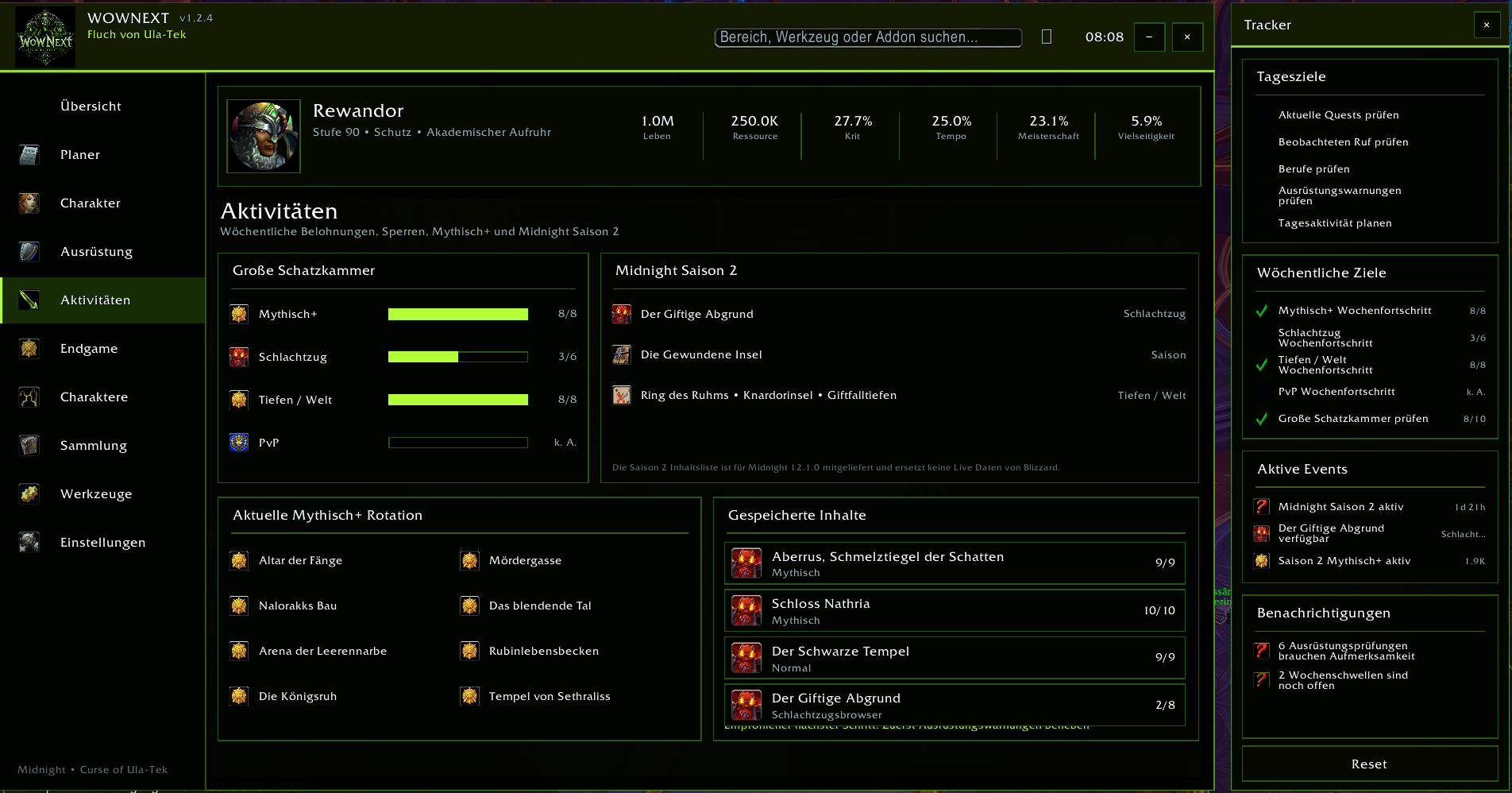
Screenshot 2026-08-24 080902.png
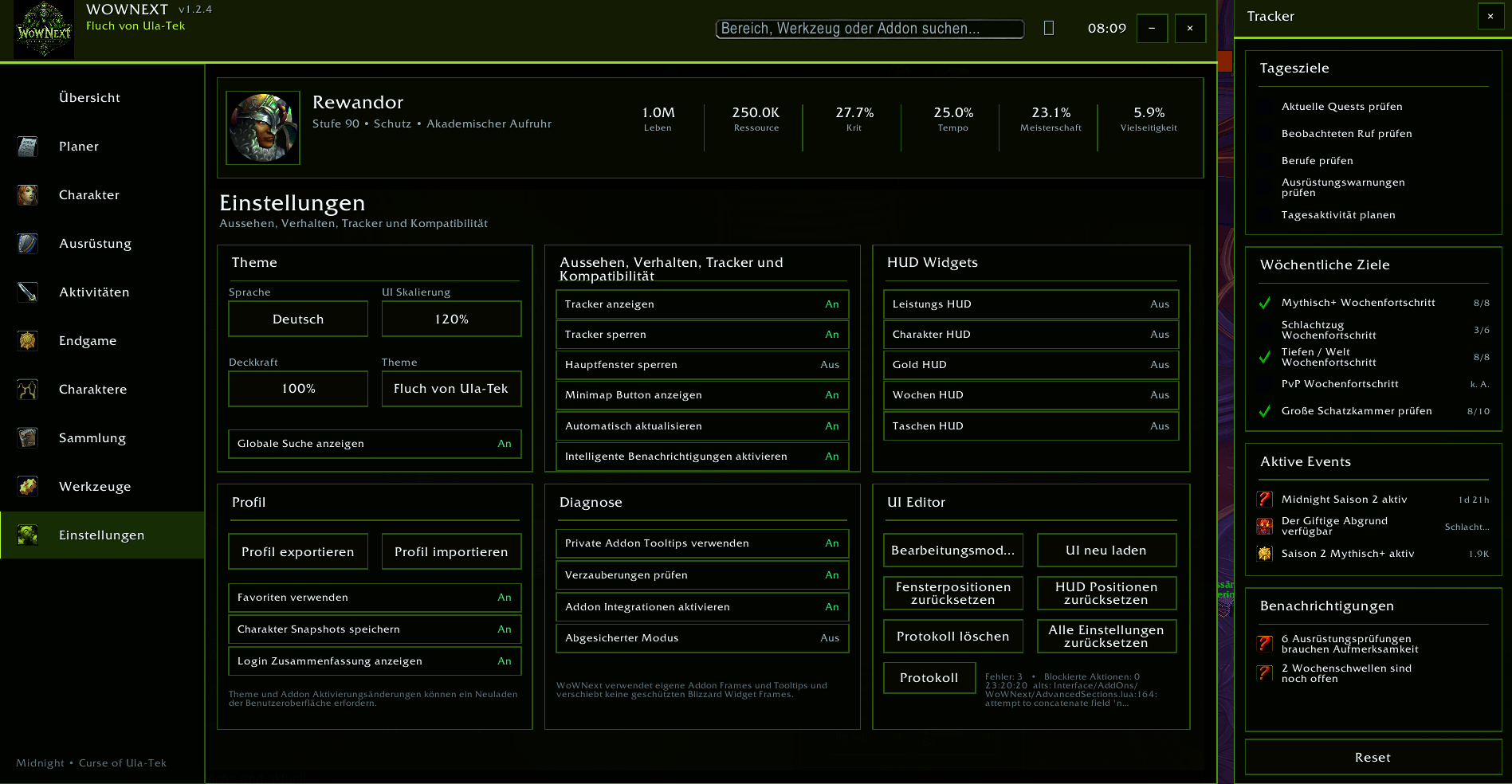
Screenshot 2026-08-24 080951.png
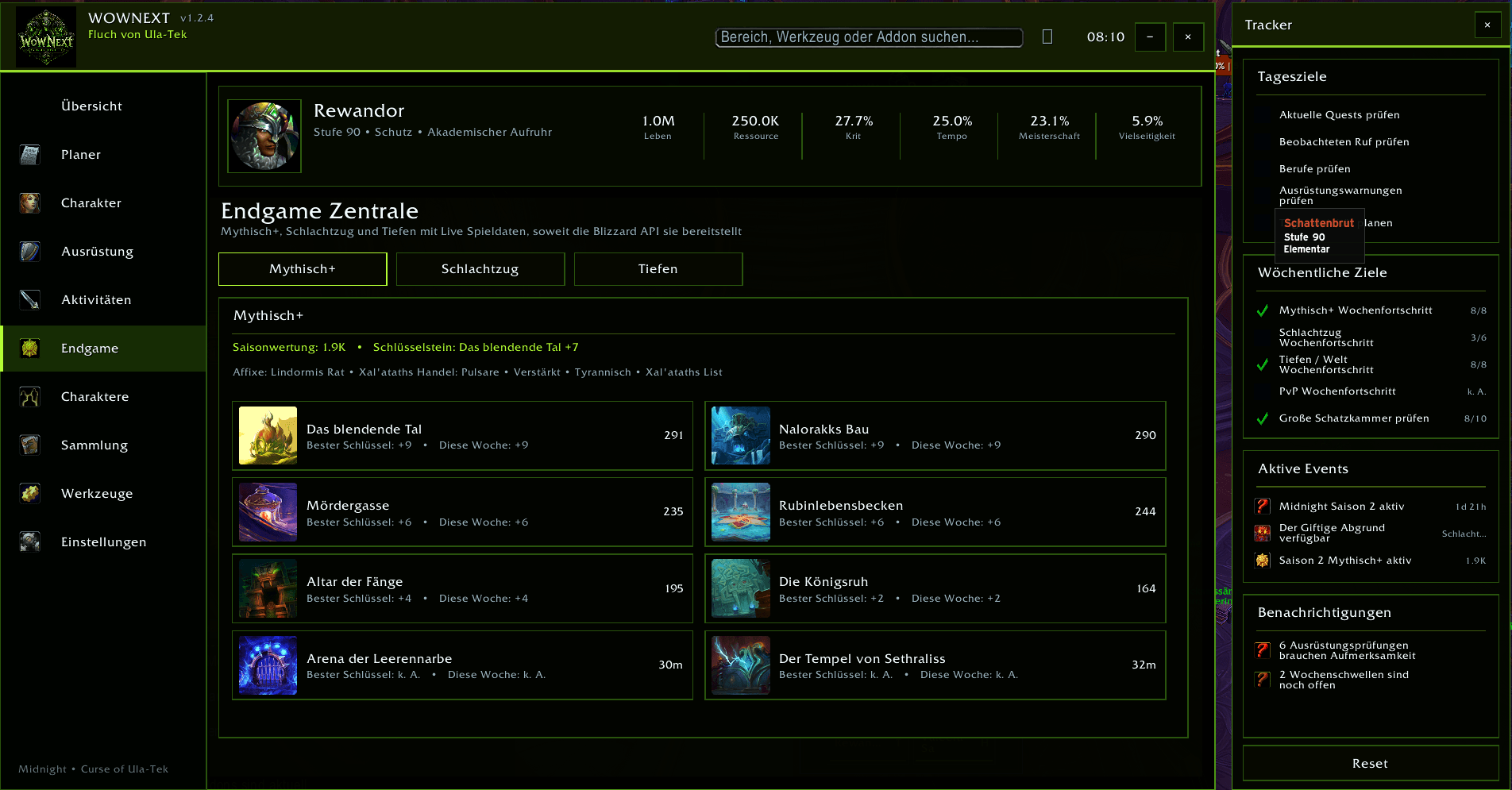
Screenshot 2026-08-24 081057.png
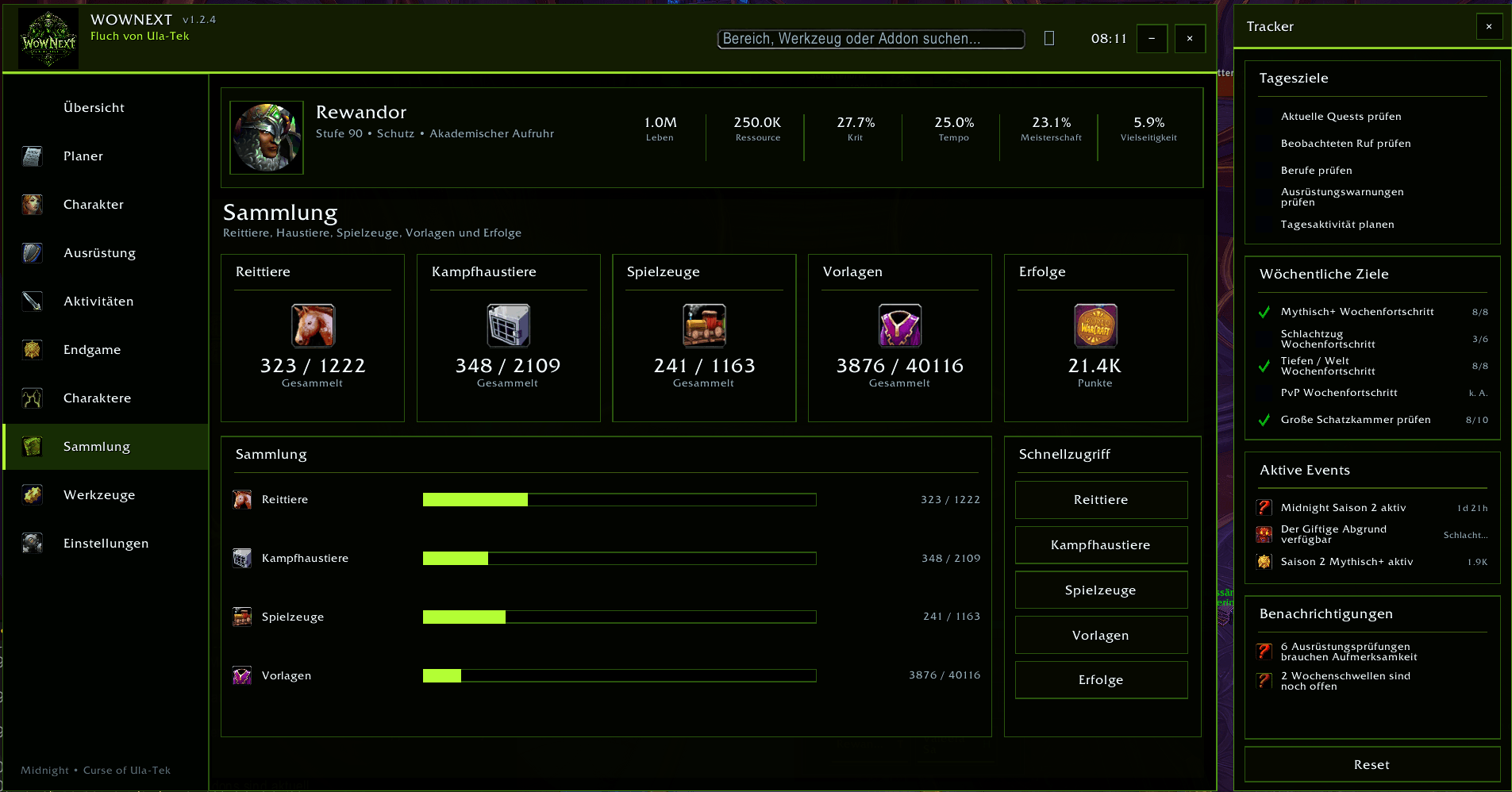
Screenshot 2026-08-24 081109.png
Screenshot 2026-08-24 081121.png
Description
WoWNext — Modern All-in-One WoW Dashboard
WoWNext is a modern all-in-one World of Warcraft dashboard designed to bring character progression, weekly activities, gear analysis, alt management, collections and useful tools into one clean interface.
The goal is simple: instead of opening multiple windows and addons to check what your character still needs, WoWNext gives you a central overview.
Smart Weekly Planner
Keep track of your important weekly activities in one place.
• Mythic+ weekly progress
• Raid progress
• Delves and world content
• Great Vault progress
• Daily and weekly goals
• Custom personal tasks
• Reset information
• Smart notifications for unfinished activities
The planner helps you quickly see what is already completed and what is still worth doing.
Gear Doctor 3.1
WoWNext analyzes your currently equipped gear and highlights potential problems.
• Equipped item level overview
• Gear readiness percentage
• Missing enchant detection
• Empty socket detection
• Missing equipment detection
• Lowest item level slots
• Upgrade priority list
• Equipment overview for every slot
Hovering over equipped items can also display additional Best in Slot information when verified data is available.
Enchant & Gem Advisor
WoWNext can show recommended enchants and gems for supported specializations.
The advisor includes:
• Stat priority
• Recommended enchants
• Recommended gems
• Socket recommendations
• Popularity based guidance
• Current equipment warnings
Recommendations are intended as guidance. Exact Best in Slot choices can depend on your character, content and simulation results.
Upgrade Sources
The Upgrade Sources section helps you find where better equipment may come from.
WoWNext supports information from several sources and can optionally integrate with KeystoneLoot when installed.
Possible information includes:
• Best in Slot items
• Important gear upgrades
• Mythic+ dungeon sources
• Raid sources
• Catalyst sources
• Upgrade priority
WoWNext also provides quick access to external build and gear resources when available.
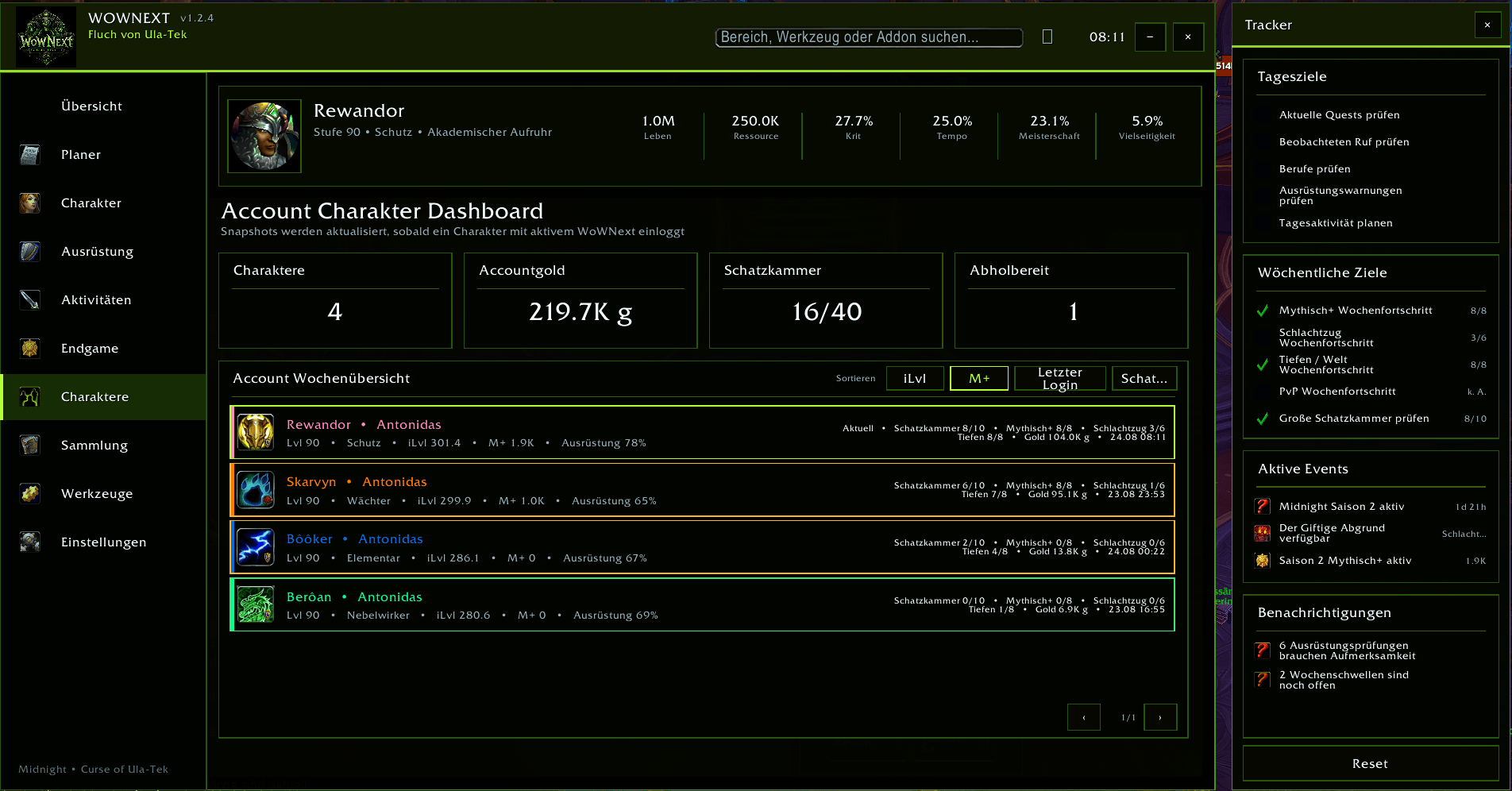
Account Character Dashboard
Track multiple characters directly inside WoWNext.
Characters are automatically saved when you log in with WoWNext enabled.
For every saved character you can see:
• Character name and realm
• Level
• Specialization
• Equipped item level
• Mythic+ rating
• Gear readiness
• Great Vault progress
• Mythic+ weekly progress
• Raid progress
• Delves progress
• Character gold
• Last login
Characters can be sorted by item level, Mythic+ rating, last login or Vault progress.
An account overview also shows total saved characters, account gold and combined weekly progression.
Mythic+, Raid & Delves
WoWNext includes dedicated endgame overview sections.
Mythic+
View seasonal dungeon information, weekly progress, rating and available Mythic+ data.
Raid
Track active raid lockouts, boss progress and weekly raid activity.
Delves
See Delves related weekly activity and progression information in the same dashboard.
Collections
Quickly access and review account collection information.
• Mounts
• Battle Pets
• Toys
• Transmog
• Achievements
Addon Command Center
WoWNext also acts as a central launcher for useful World of Warcraft systems.
Quick access includes:
• Group Finder
• Calendar
• World Map
• Character Window
• Professions
• Collections
• Adventure Guide
• Talents
Installed addons can also be displayed with information such as version, status and memory usage.
Optional Addon Integrations
WoWNext can detect several popular addons and use supported public addon interfaces when available.
Supported detection includes:
• Raider.IO
• Details!
• Deadly Boss Mods
• BigWigs
• WeakAuras
• TomTom
• ElvUI
• EllesmereUI
• EvUI
• KeystoneLoot
All integrations are optional. WoWNext can be used without these addons.
Modern Curse of Ula-Tek Interface
WoWNext includes its own dark interface inspired by the current Midnight season aesthetic.
The interface uses:
• Dark panels
• Neon green highlights
• Custom WoWNext branding
• Curse of Ula-Tek themed header
• Separate activity tracker
• Adjustable interface scale
• Adjustable opacity
• Movable windows
• Lockable interface elements
The design keeps information readable while still providing a distinctive visual style.
Tracker
A separate tracker can display important information while WoWNext is open.
It includes:
• Daily goals
• Weekly goals
• Active events
• Great Vault progress
• Mythic+ progress
• Raid progress
• Delves progress
• Smart notifications
The tracker can be moved, locked or completely disabled.
Profiles & Customization
WoWNext includes several customization options.
• UI scaling
• Window opacity
• Interface themes
• Tracker settings
• Minimap button
• Global search
• Favorites
• Profile export
• Profile import
• Character snapshots
• Smart notifications
• UI editor
• Window position reset
Global Search
Use the search field at the top of WoWNext to quickly navigate to features, tools and supported addon entries.
Search examples include:
gear
vault
mythic
raid
characters
collections
settings
Languages
WoWNext currently supports:
English
German
The addon automatically uses your configured WoWNext language setting.
Performance & Safety
WoWNext is designed to avoid unnecessary background processing.
Several systems use caching and throttled updates to reduce unnecessary refreshes.
WoWNext also uses private addon frames and tooltips instead of modifying protected Blizzard UI elements wherever possible.
A Safe Mode and diagnostic system are included to help identify addon conflicts or UI errors.
Commands
/wn
or
/wnext
opens WoWNext.
The main WoWNext window can also be closed with ESC.
Important Gear Recommendation Notice
Best in Slot information and enchant recommendations are guidance based on available data.
WoWNext does not replace personal simulations.
Your ideal equipment can change depending on:
• Character setup
• Talents
• Content type
• Group composition
• Current equipment
• Simulation results
Feedback & Development
WoWNext is actively developed and will continue to receive improvements, additional specialization data, interface refinements and new progression tools.
Bug reports, feature requests and feedback are welcome.
WoWNext Team