WOWGLING Chat Translator
- By
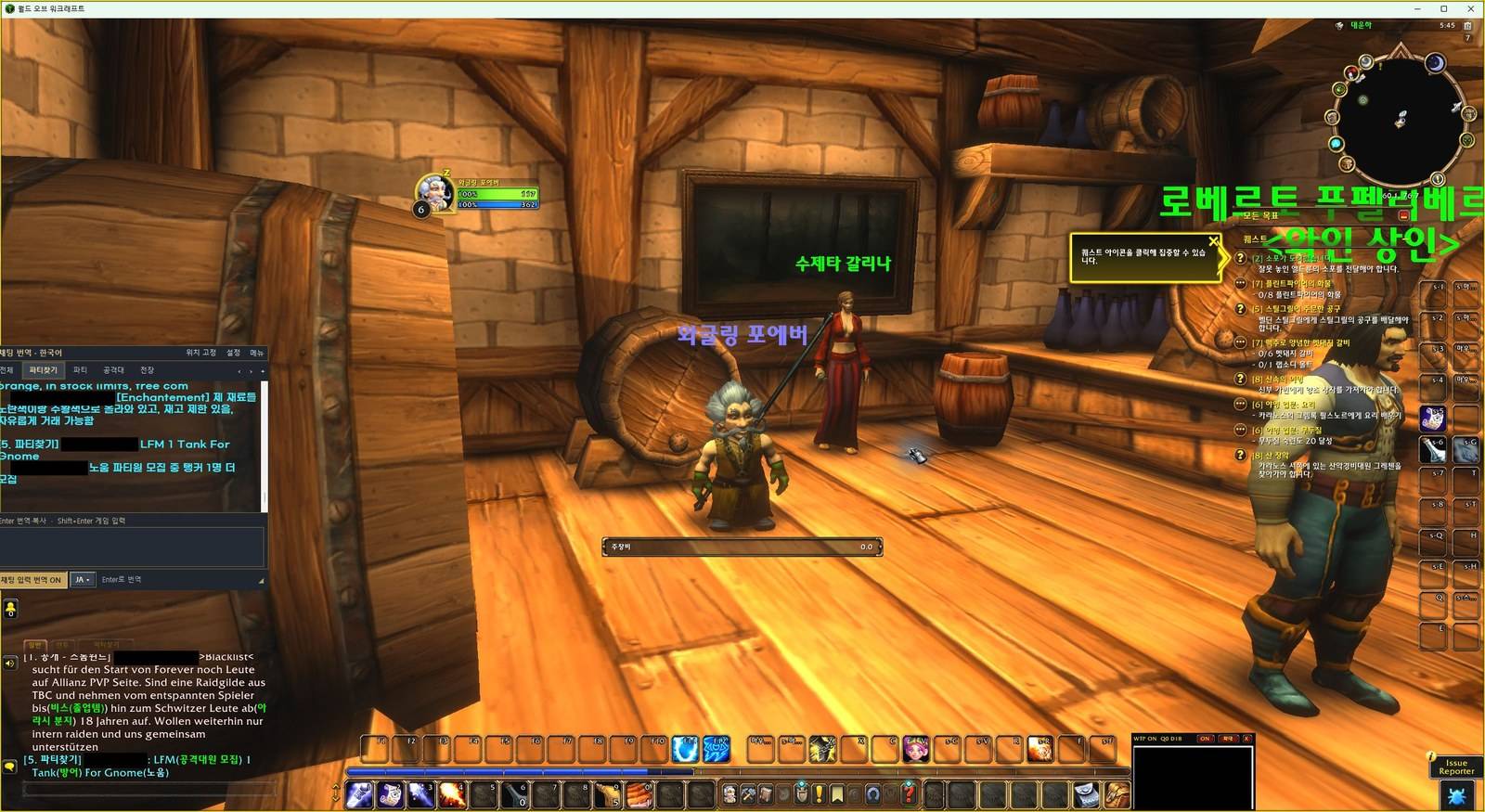
1-game-overview.jpg
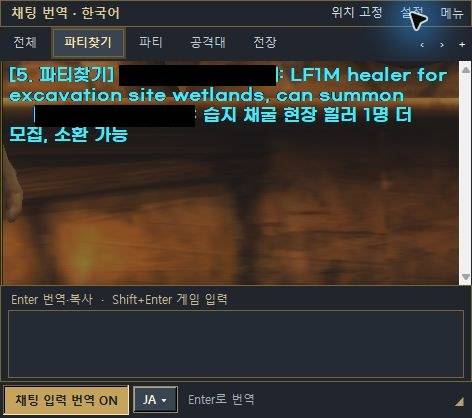
2-translator-window.jpg
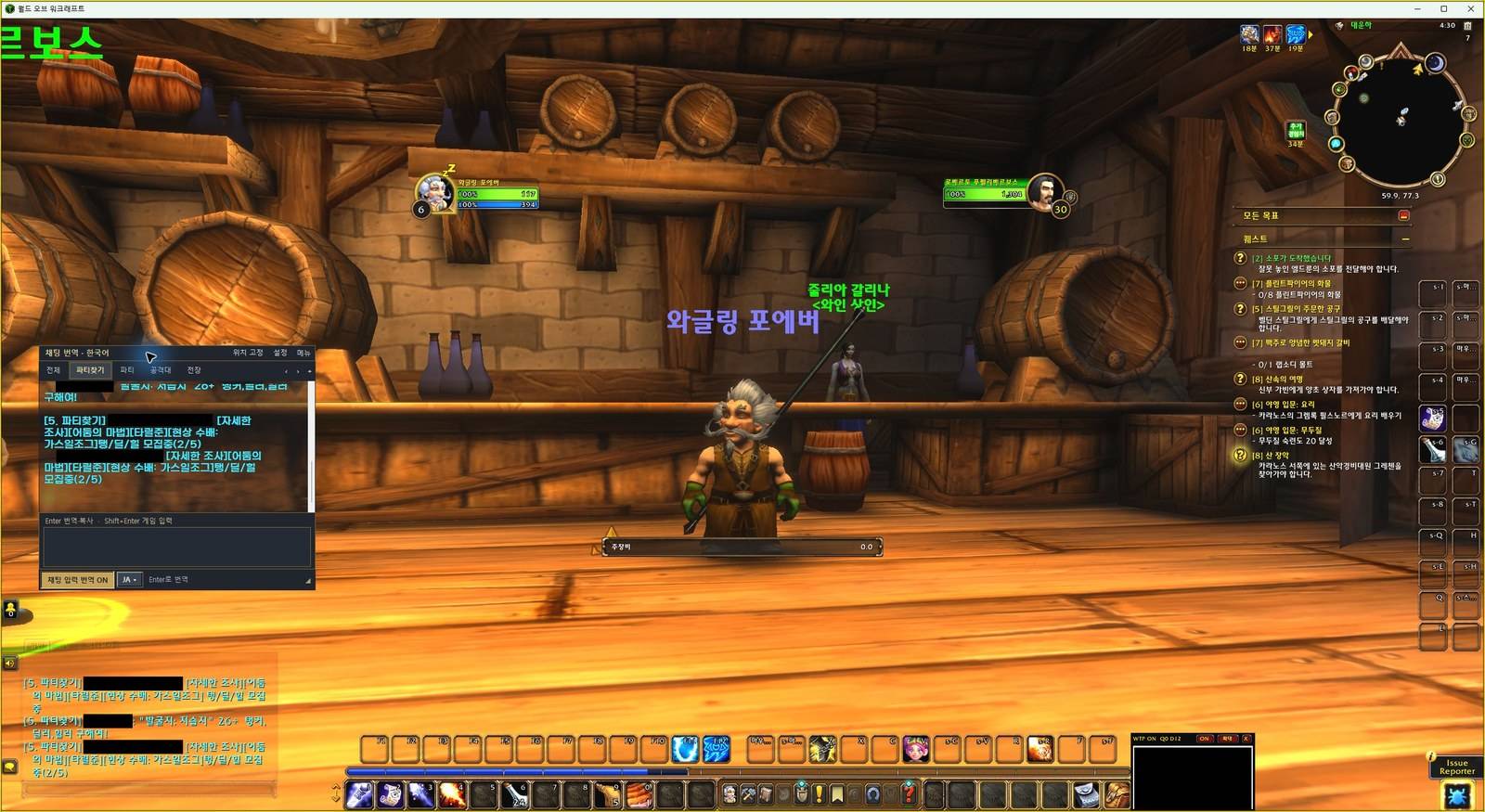
3-game-party-chat.jpg
Description
WOWGLING Chat Translator
Read chat in your own language on WoW: Forever and Retail, translated on your own PC with a local AI model. Free, no API key, and your chat never leaves your computer.
This addon works together with the free WOWGLING desktop translator (Windows). The addon alone does not translate. Get the Windows app at wowgling.com (no account needed).
Desktop app update — 0.3.0-beta11 (October 16, 2026)
Already using addon 0.3.2? Keep it installed. Update the Windows app from wowgling.com. No separate glossary file is needed; the new installer includes it. Your existing Ollama model and translator settings are reused.
- Expanded English–Korean glossary hints for Forever and Retail, including dungeon abbreviations, group recruitment and Korean player shorthand.
- Automatic incoming translations can use up to 3 earlier messages from the same conversation within 90 seconds to help interpret ambiguous terms. This context stays in memory and is sent only to local Ollama.
- Typed outgoing and manual translations do not use recent-chat context. The app does not read your character's death or combat state, and translation accuracy still depends on the model and available text.
What it does
- Incoming chat (LFG, party, raid, guild, whispers, trade and public channels) is shown translated into your language in a separate overlay window, with the original text next to it.
- The overlay is its own window, so you can put it on a second monitor and make it as large as you like.
- Optional: type in your language and get a translation to paste into chat yourself. Nothing is ever sent automatically.
- The translator UI is available in 8 languages (English, 한국어, 日本語, 简体中文, 繁體中文, Français, Deutsch, Español).
How it works
WoW addons cannot use the network, so this addon draws incoming chat as a small black-and-white signal box on screen. The desktop app reads that box and translates it with a local model (Ollama + Gemma 4 by default; any local model you already have can be selected).
On first start, the desktop app offers "Prepare everything": it installs the official Ollama (signature checked) and downloads the model for you (about 9.5 GB in total).
Getting started
- Install this addon (or let the WOWGLING installer install it for you).
- Install and start the WOWGLING desktop translator from https://wowgling.com.
- Start WoW from Battle.net as usual (windowed or borderless windowed).
- Click the minimap icon to turn the signal ON. Right-click it for settings.
Limits
- Windows only for now. A GPU with enough memory gives smooth translation; slower PCs can pick a smaller model.
- On Retail, Blizzard hides chat from addons during raid boss encounters and Mythic+, so translation pauses there and resumes automatically afterwards.
- Keep the small signal box visible on screen while translating; the game must not be fully minimized.
Feedback
Mistranslated slang or abbreviations? Please share the original line and what it should mean in the comments or on https://wowgling.com. Translations improve with every report.
Made by AI PLANET. Not affiliated with Blizzard Entertainment.
WOWGLING Chat Translator Team