WoWGeek Librarian
- By
Copies every book, scroll and tablet you read into your own library, so you can read them again any time, anywhere.
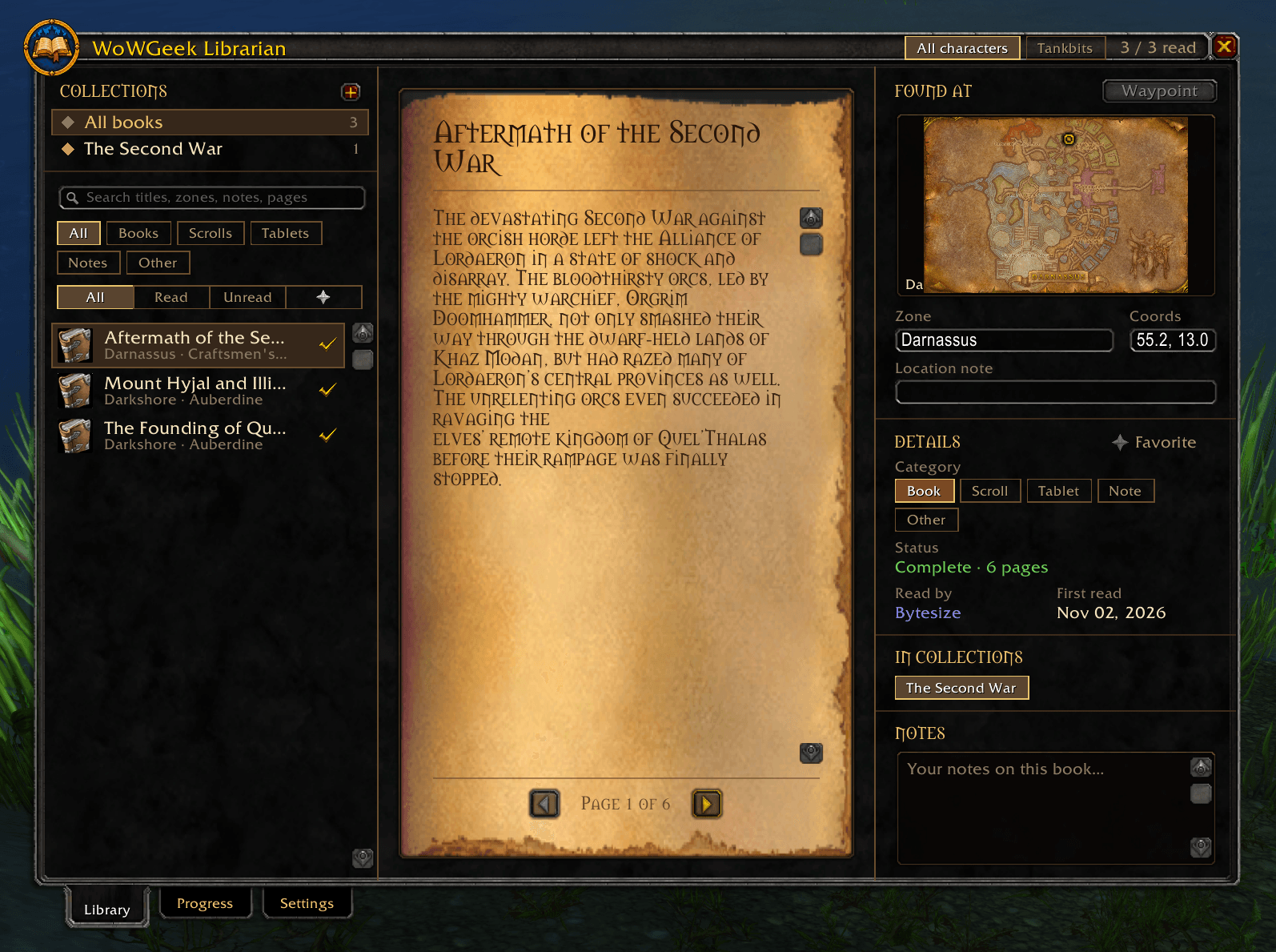
CleanShot 2026-11-04 at 12.26.19 AM.png
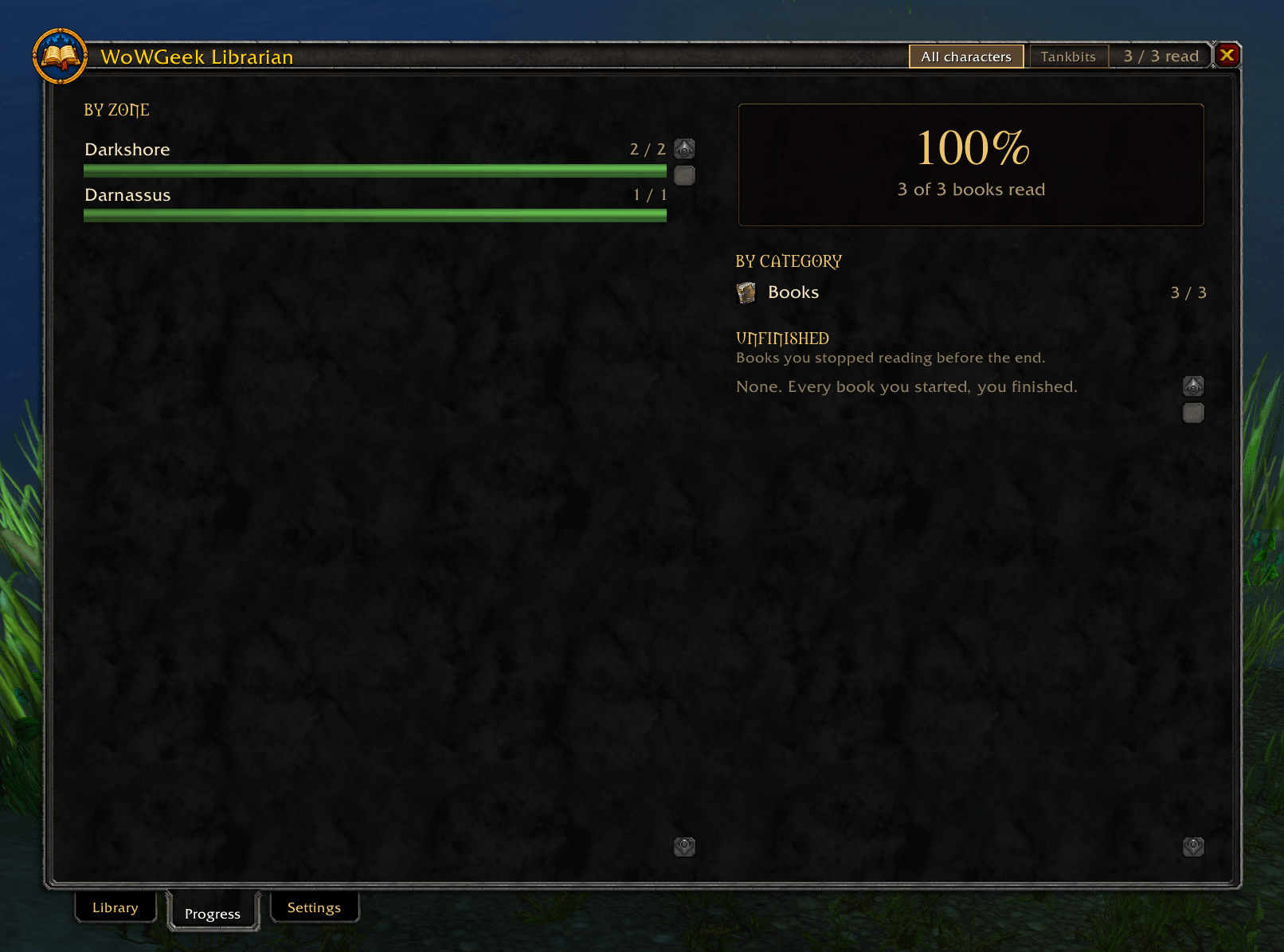
CleanShot 2026-11-04 at 12.26.28 AM.png
CleanShot 2026-11-04 at 12.26.32 AM.png
Description
WoWGeek Librarian
Your own library of Azeroth's books. Found a great story on a dusty table in a crypt, but can't remember where? WoWGeek Librarian copies every book, scroll, tablet and note you read into a library you can open anywhere. Every page is kept, along with where you found it.
Requires the WoWGeek core addon. Install both.
How it works
When running around the world, and especially dungeons, I never had time to stop and read the books I'd find laying around. You can't pick up the books to read later. That's why I made this addon. Read a book and it's saved to your personal library. That includes books in your bags, books lying in the world, scrolls, tablets and notes. Pages are copied as you turn them. To save a whole book at once, click the small book button in the corner of the book window and it turns every page for you. You can also switch on a setting that copies every book as soon as it opens.
If you close a book before the end, Librarian reminds you where the rest of it is waiting.
The library
- Read them again: Books appear on their own page style: parchment, stone, marble, bronze or silver, in the game's book font.
- Where you found it: Each book shows a map of the zone and the place where you found it.
- Sorted by kind: Books, scrolls, tablets, notes and more. Librarian guesses the kind, and you can change it.
- Search and filters: Find any book by title, or filter by kind or by read and unread.
- Collections: Make your own shelves, drag books onto them and drag books to put them in order.
- Notes: Write your own notes on any book.
- Read by: See which of your characters have read each book and when.
Progress
The Progress tab shows how many books you've read in each zone and of each kind, plus a list of books you started but didn't finish. Click one to jump to it.
Your library is shared by every character on your account. A switch at the top of the window counts either everyone's reading or just the character you're playing.
Commands
/gl or /geeklibrarian |
Open or close your library |
/gl progress |
Open the Progress tab |
/gl settings |
Open settings |
/gl reset |
Move the window back to the middle of the screen |
/geek librarian |
Same as /gl |
Right-click the book button on the game's book window to open your library.
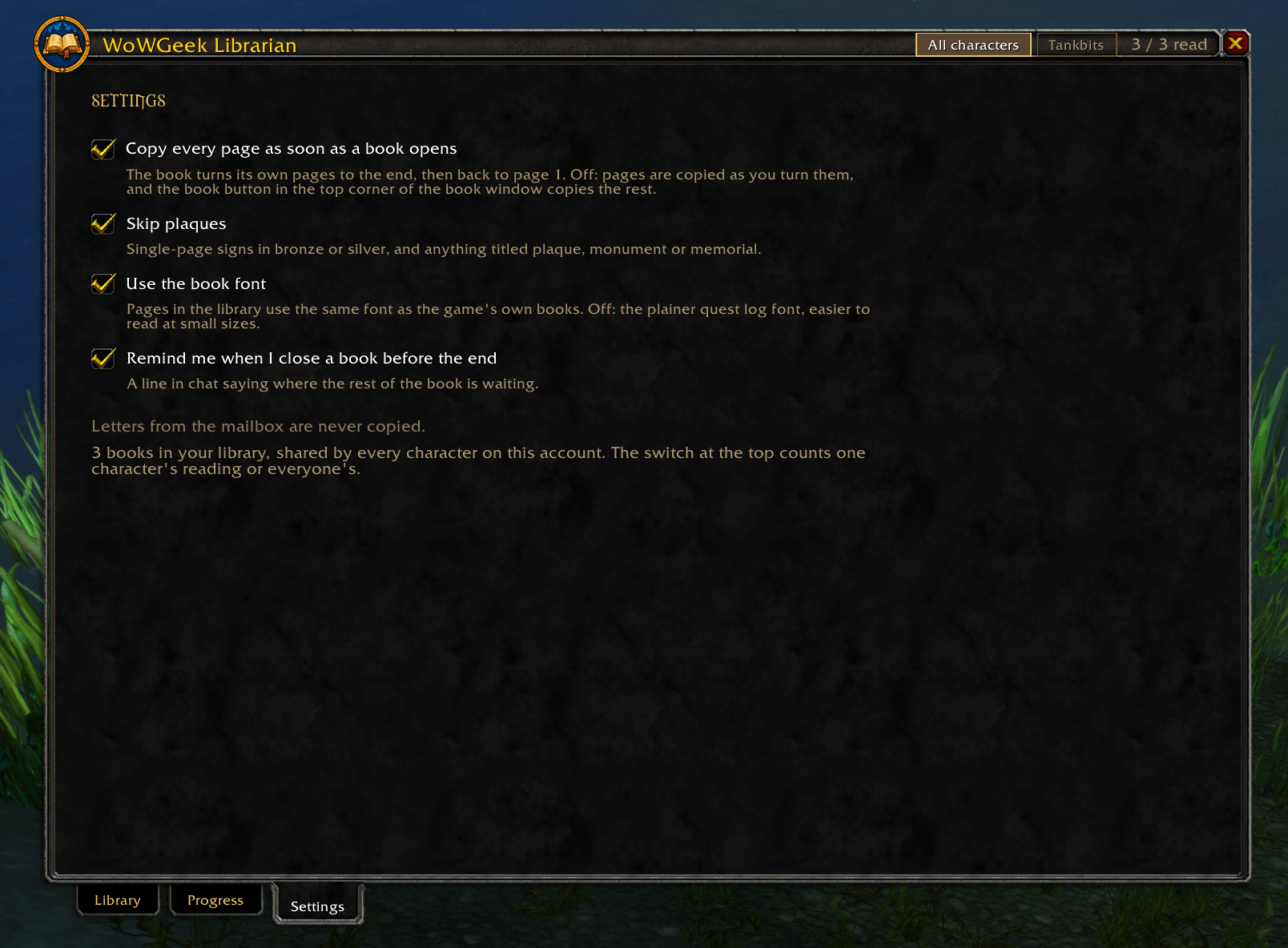
Settings
- Copy every page as soon as a book opens
- Skip plaques (single-page signs and memorials, skipped by default)
- Use the game's book font, or the plainer quest-log font
- Remind me when I close a book before the end
Notes
- Everything is saved on your own computer and is never uploaded or shared.
- Mail isn't copied, so your letters stay private.
WoWGeek Librarian Team