WoWGeek Cooking
- By
Track every cooking recipe in the game: what you know, what you're missing, and exactly where to get it, with waypoints to take you there.
CleanShot 2026-11-04 at 12.53.50 AM.png
CleanShot 2026-11-04 at 12.53.54 AM.png
CleanShot 2026-11-04 at 12.53.57 AM.png
CleanShot 2026-11-04 at 12.54.00 AM.png
Description
WoWGeek Cooking
Collect every recipe. WoWGeek Cooking keeps a checklist of every cooking recipe in World of Warcraft Classic and ticks off the ones you know. For the ones you don't, it tells you where to find them (trainers, vendors, quests, drops and holiday events) and can put a waypoint on the map to take you there.
Requires the WoWGeek core addon. Install both.
Collection
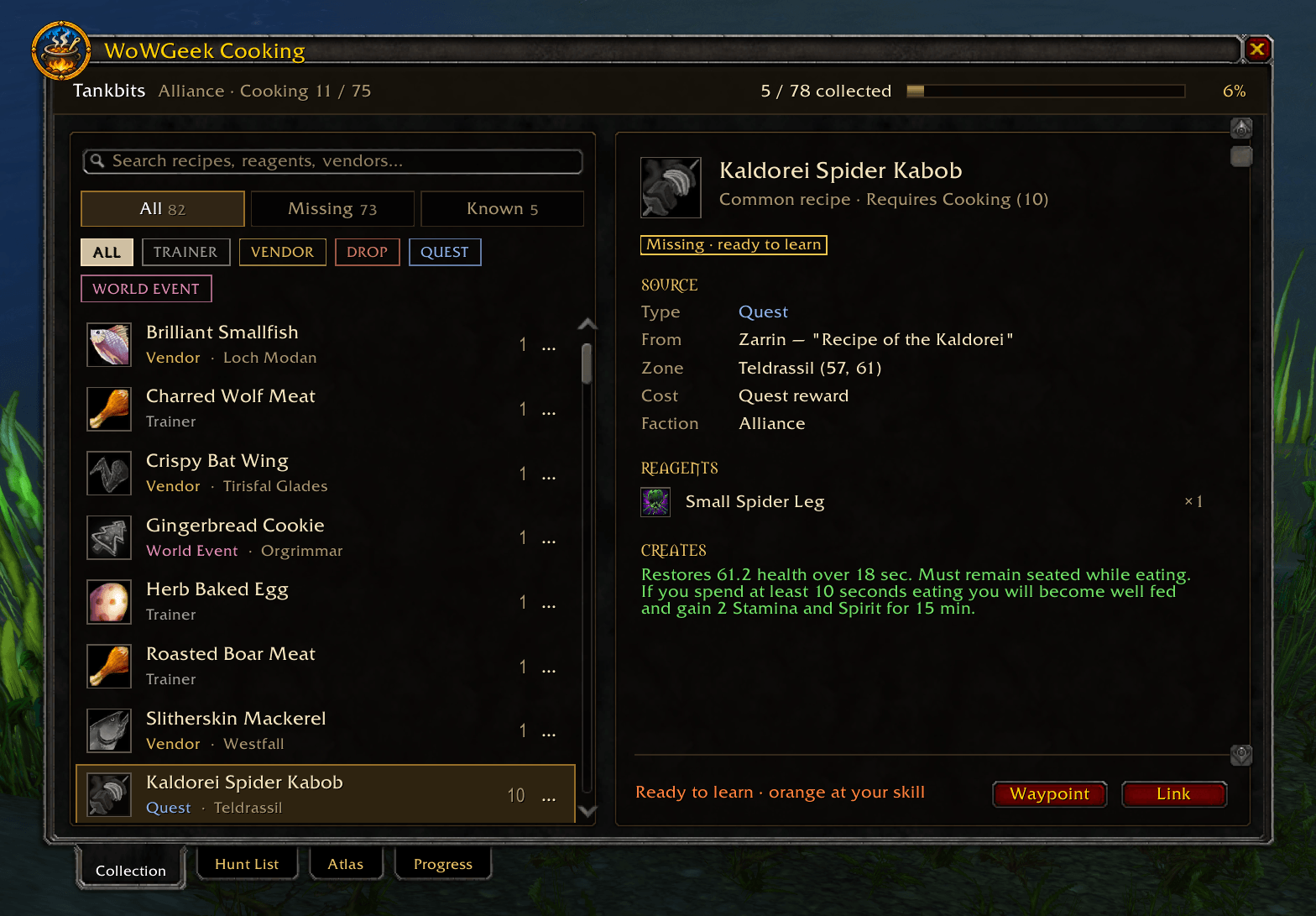
Every recipe in one list, with filters for All, Known and Missing, and by source: trainer, vendor, quest, drop or event. Click a recipe to see:
- Skill: The cooking skill needed to learn it, and whether you're ready. "Need 15 more skill", "Ready to learn" or "Known", with its color at your current skill.
- Source: Every vendor, trainer or quest that teaches it, with the zone, coordinates and cost. Recipes only one faction can get are marked, and waypoints send you to a source friendly to you, in your zone when there is one.
- Reagents: What you need to cook it.
- Creates: The food or drink it makes and what it does.
Hunt List
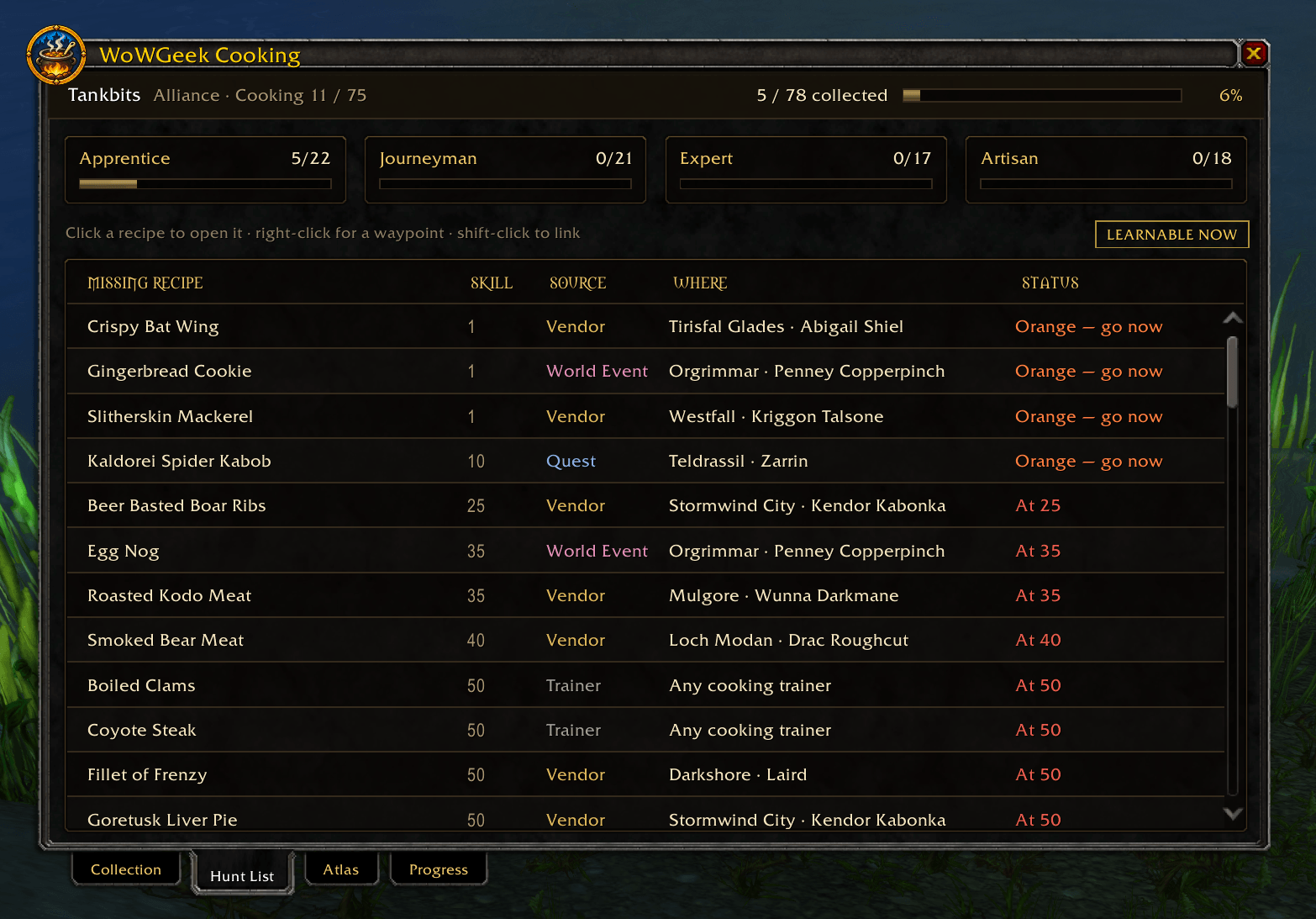
All your missing recipes in one table, grouped by Apprentice, Journeyman, Expert and Artisan, with your progress in each. Each row shows where to get the recipe and whether to go now:
- Green: go now means you can learn it at your current skill.
- At 275 means you need more skill first.
- Recipes that vendors only sell in limited supply are marked, so you know to check back if one's sold out.
Right-click a recipe for a waypoint, or shift-click to link it in chat.
Atlas
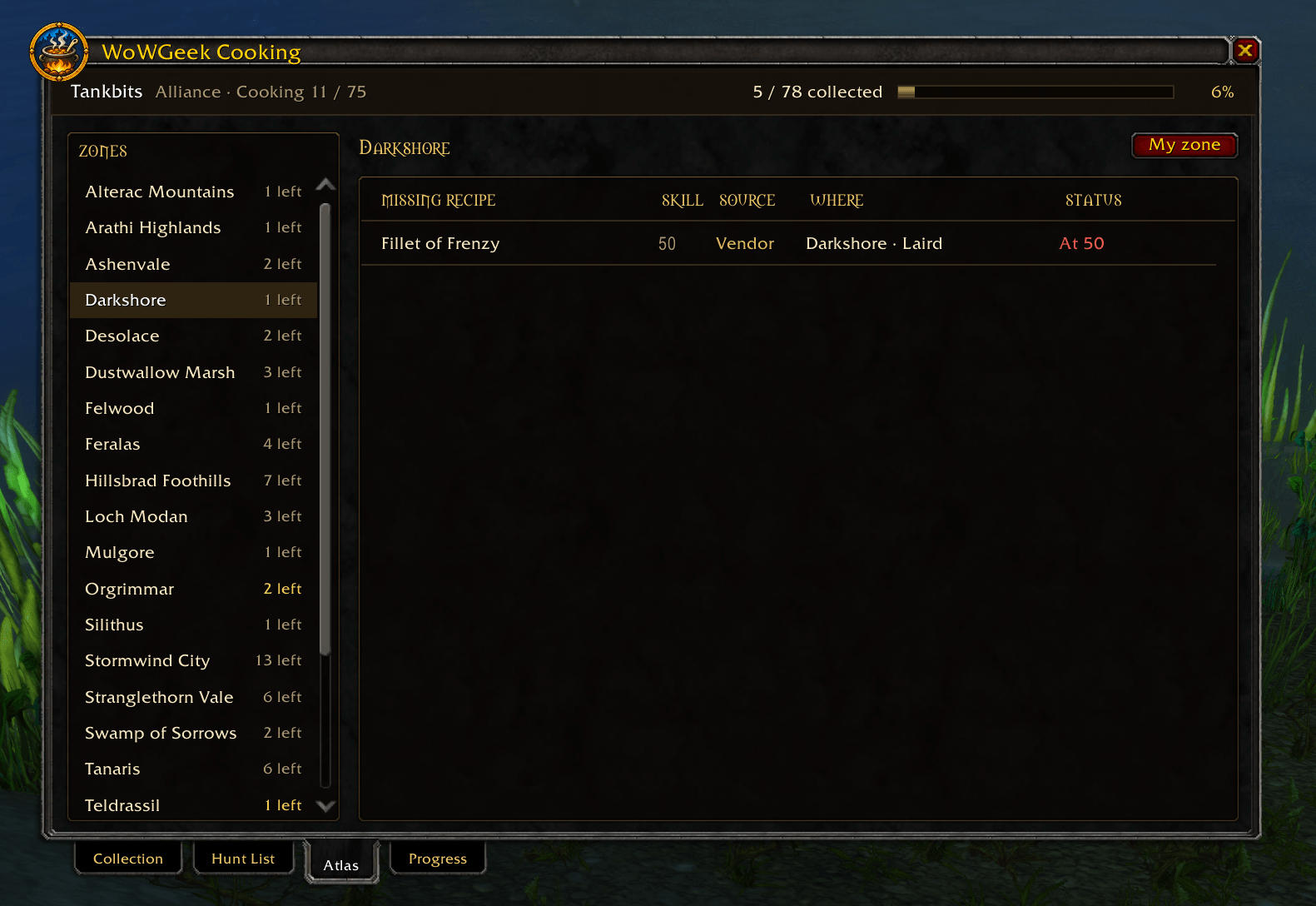
Zones with recipes still waiting for you, so you can pick up several on one trip. Pick a zone to see what's there. It starts on the zone you're in.
Progress
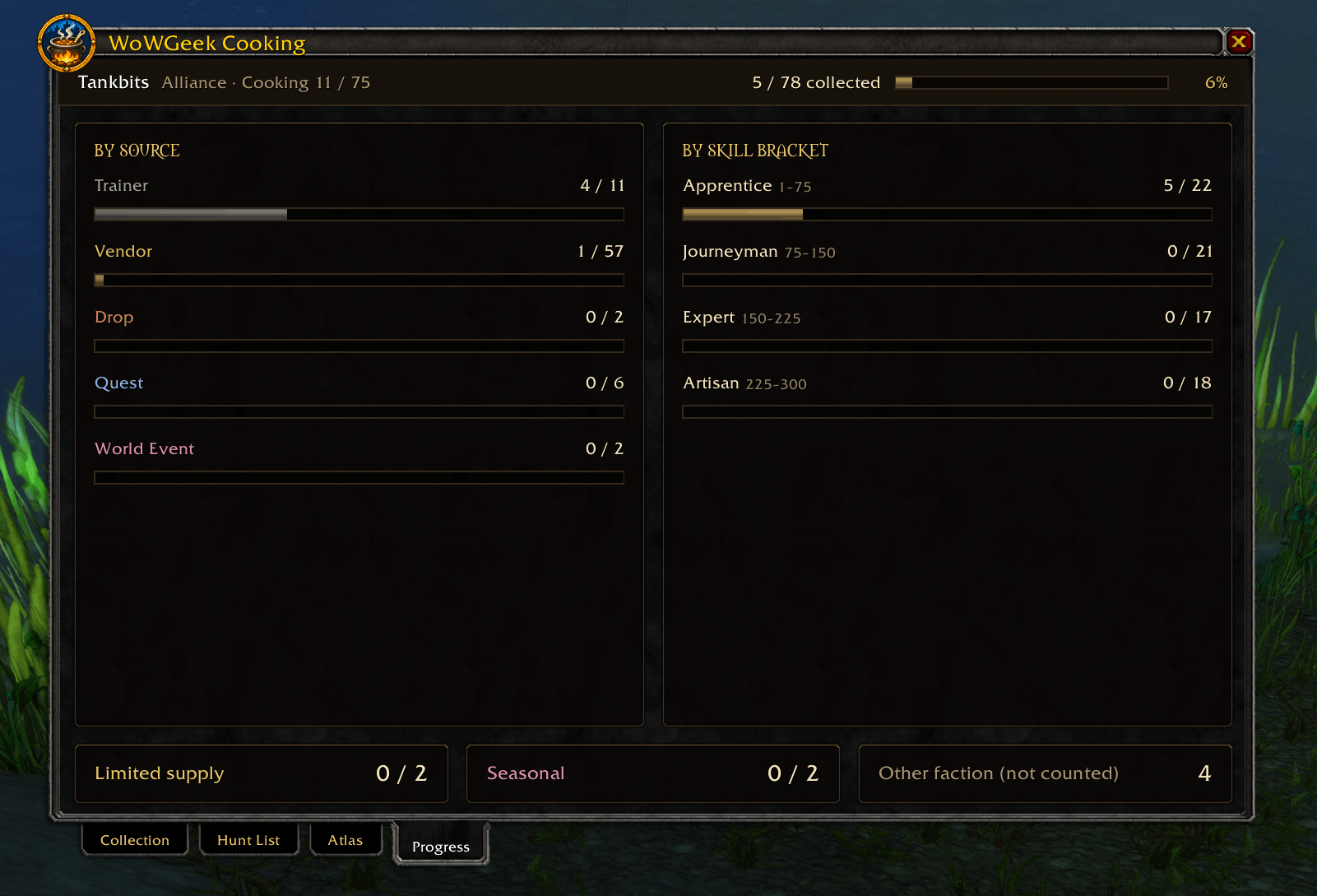
How many recipes you know overall, by source and by skill level, plus counts of limited-supply and seasonal recipes. Recipes only the other faction can get aren't counted against you.
Waypoints
Right-clicking a recipe source puts a waypoint on it. If you have TomTom installed, it uses TomTom's arrow; otherwise it uses the game's own map pin.
Commands
/gc or /geekcooking |
Open or close your collection |
/gc hunt |
Open the Hunt List |
/gc atlas |
Open the Atlas |
/gc progress |
Open the Progress tab |
/gc settings |
Open settings |
/gc reset |
Move the window back to the middle of the screen |
/geek cooking |
Same as /gc |
Left-click the minimap button to open your collection, or right-click it for settings.
Notes
- Each character has their own collection.
- Everything is saved on your own computer and is never uploaded or shared.
WoWGeek Cooking Team