WoWChatManager
Locks your chat channels, colors and tabs so they stop resetting. Filters politics and Asmongold/Olympus spam, and mutes players with no 50-name limit.
Screenshot 2026-11-10 204833.png
Screenshot 2026-11-10 204840.png
Screenshot 2026-11-10 204925.png
Screenshot 2026-11-10 204848.png
Screenshot 2026-11-10 204854.png
Description
WoWChatManager
Set up your chat once, and it stays that way. Plus filters for political arguments and Asmongold/Olympus spam, and a mute list with no limit.
Supports FOREVER, TBC, Classic Anniversary and Classic Era / Vanilla.
🔒 Lock your chat setup
Does the game keep changing your chat channel numbers? Does Trade end up as /4 one day and /2 the next, with your colors reset and your tabs out of place? WoWChatManager saves your whole chat setup and puts it back every login. While it's locked, anything that changes gets put back automatically.
It saves and restores:
- Channel numbers: /1, /2, /3… always land on the same channels
- Channel colors: saved by channel name, so they follow the channel even if its number changes
- Communities: your community chat channels
- Chat tabs: name, font size, position, size and docking
- What each tab shows: message types and channels per tab
- Chat type colors, class-colored names and sticky chat
Click Lock, and your chat comes back exactly like that every login. Need to change something? Click Unlock, make your changes, then Lock again.
🙊 Politics Filter
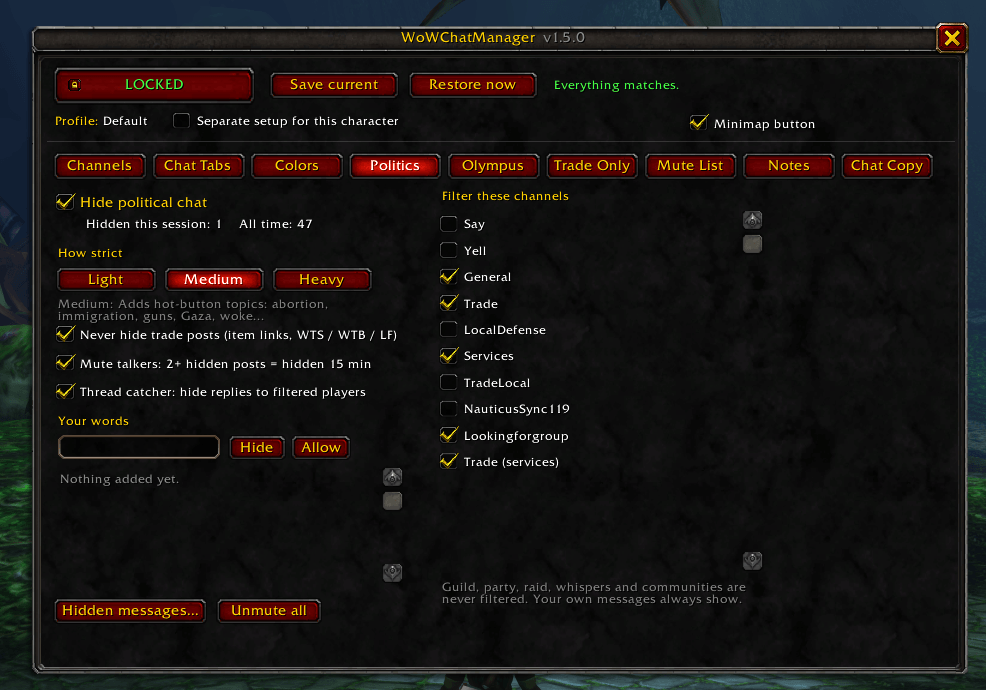
Trade chat turned into a political debate again? Turn it on and those messages stay out of your chat.
- Three strictness levels: Light (politicians and parties), Medium (adds hot-button topics), Heavy (adds anything news-like)
- Smart matching: only whole words are matched, so "trump" won't hide "trumpet", and common WoW words are left off the list
- Trade posts always show: messages with an item link or WTS / WTB / LF are never hidden
- Mute talkers: anyone who posts 2+ political messages is hidden for 15 minutes
- Thread catcher: replies that name or quote a filtered player are hidden too, so you don't see half an argument
🏛️ Olympus Filter
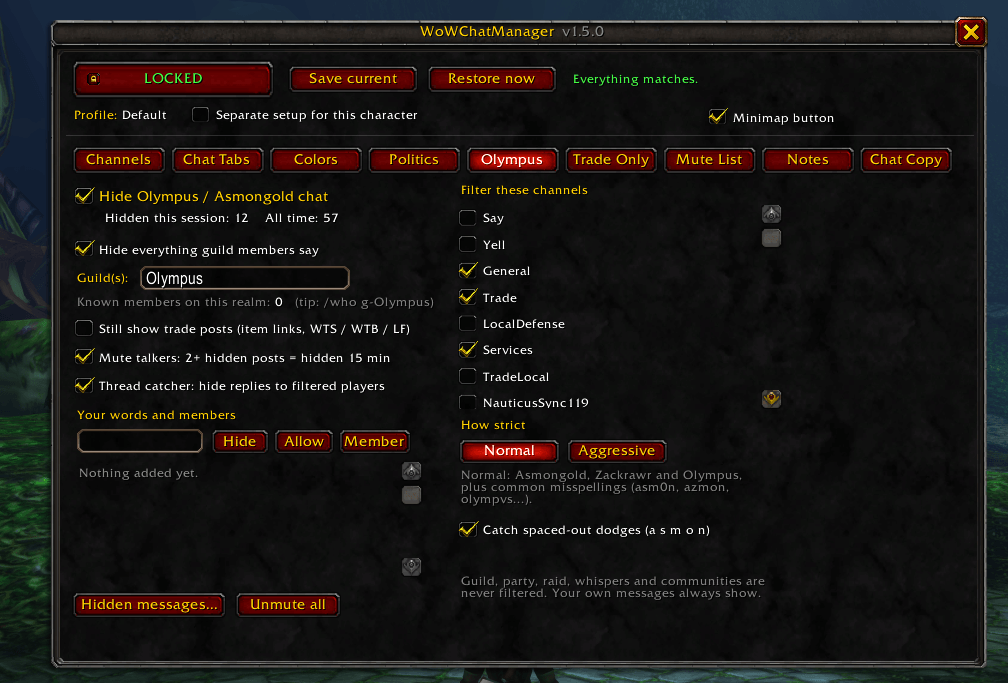
Hides Asmongold / Zackrawr / Olympus guild spam.
- Catches every variation: "asmon" catches asmongold, asmongoid, asmoncore and so on. "olympus" catches every OLYMPUS II / III / IV, and "zackraw" catches every zackrawr spelling.
- Catches misspellings like asm0n, a5mon, azmon, olympvs and 0lympus
- Normal or Aggressive: Aggressive also hides layer-invite spam, OTK, McConnell, rumble links and bald jokes
- Catch spaced-out dodges (optional): catches "a s m o n" and "o.l.y.m.p.u.s"
- Hide guild members: everything Olympus members say can be hidden. Members are learned automatically when you mouse over or target them, see their nameplate or group with them. Type
/who g-Olympusto learn up to 50 at once. - Works for any guild: change the guild name, or list several
🔇 Mute List
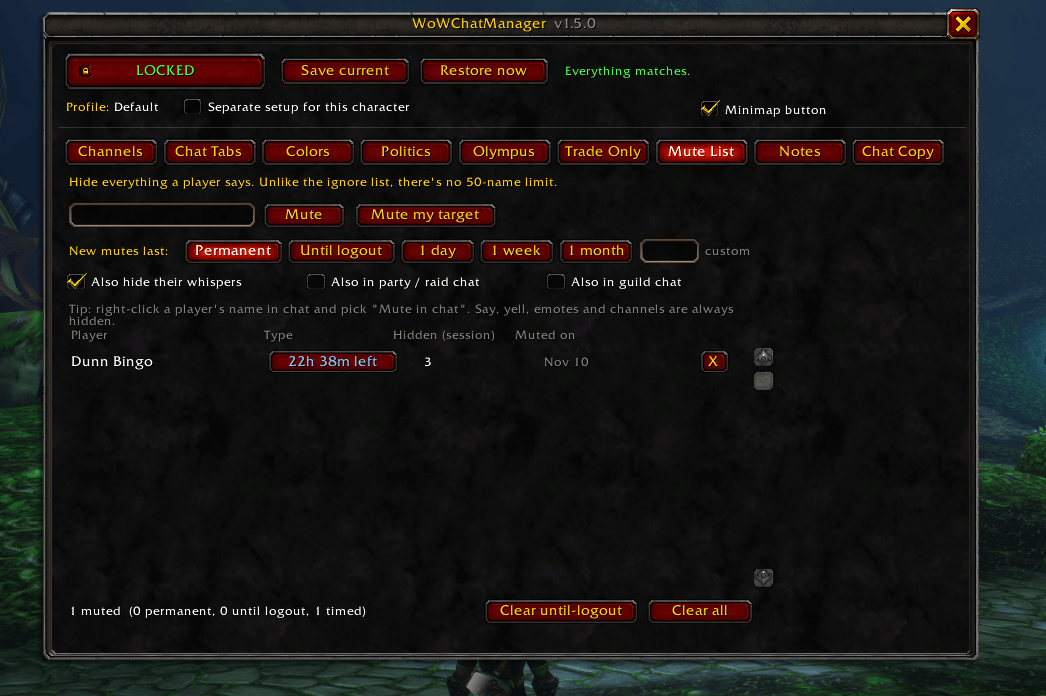
Mute as many players as you want, with no 50-name ignore-list limit.
- Choose how long: Permanent, Until logout, 1 day, 1 week, 1 month, or any length (
3d,12h,2w) - Timed mutes count down in real time, even while you're offline, and remove themselves when they run out
- Easy to use: type a name, click Mute my target, or right-click a name in chat and pick Mute in chat
- You choose where: say, yell, emotes and channels are always hidden. Whispers, party/raid and guild chat are optional.
📜 Hidden-message log
See everything the filters hid and why. One click fixes a mistake: [allow word], [unmute] or [not a member].
🖥️ Easy window
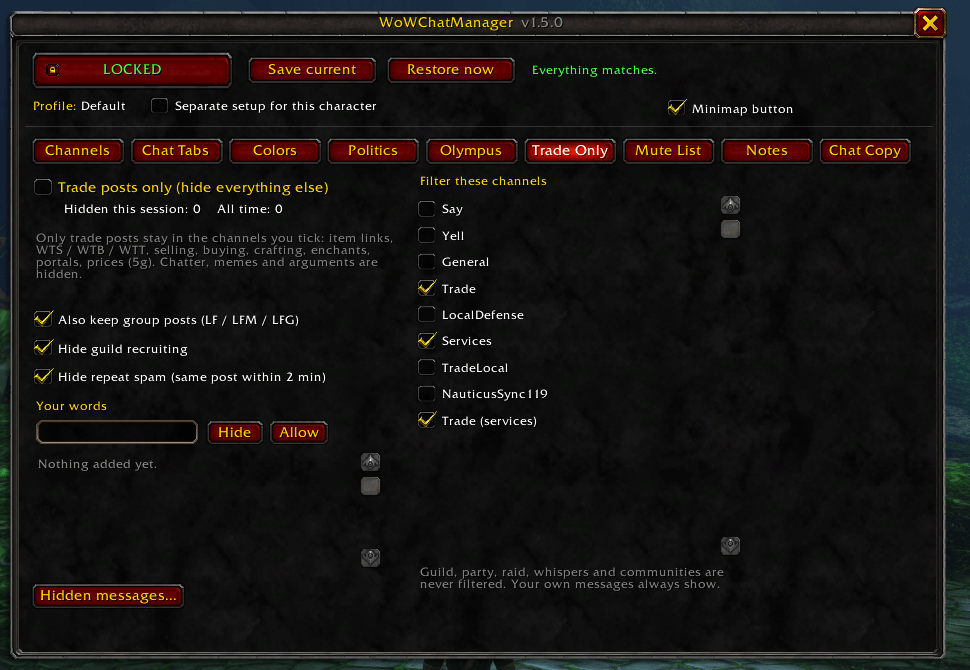
Open it with /wcm or the minimap button (left-click opens it, right-click locks or unlocks, drag to move it). The window has pages for Channels · Chat Tabs · Colors · Politics · Olympus · Mute List, and you can choose which channels each filter covers.
Your setup is shared across your account by default. Tick "Separate setup for this character" to give one character its own.
⌨️ Commands
| Command | What it does |
|---|---|
/wcm |
Open the window |
/wcm lock / unlock |
Lock in your setup / allow changes |
/wcm save / restore |
Save your chat now / put your saved setup back |
/wcm status |
Show anything that's different from your saved setup |
/wcm profile <name> |
Switch to (or create) a profile |
/wcm minimap |
Show / hide the minimap button |
/wcm politics |
Politics filter on / off (light · medium · heavy · log · block · allow · words) |
/wcm olympus |
Olympus filter on / off (normal · aggressive · strict · member <name> · members · guild <names>) |
/wcm mute <name> [perm|temp|day|week|month|3d] |
Mute a player |
/wcm unmute <name> |
Unmute a player |
/wcm mutes |
List muted players |
Add help after politics or olympus to see all their options.
Every filter is off until you turn it on. Your own messages, guild, party, raid, whispers and communities are never touched by the word filters.
WoW doesn't let addons filter chat bubbles, so hidden messages may still pop up above players' heads.
Thanks to AsmonMute for the matching approach used in the Olympus Filter.
Found a word that's filtered when it shouldn't be, or one that's missing? Leave a comment!
WoWChatManager Team