魔兽密语(WowChat)
- By
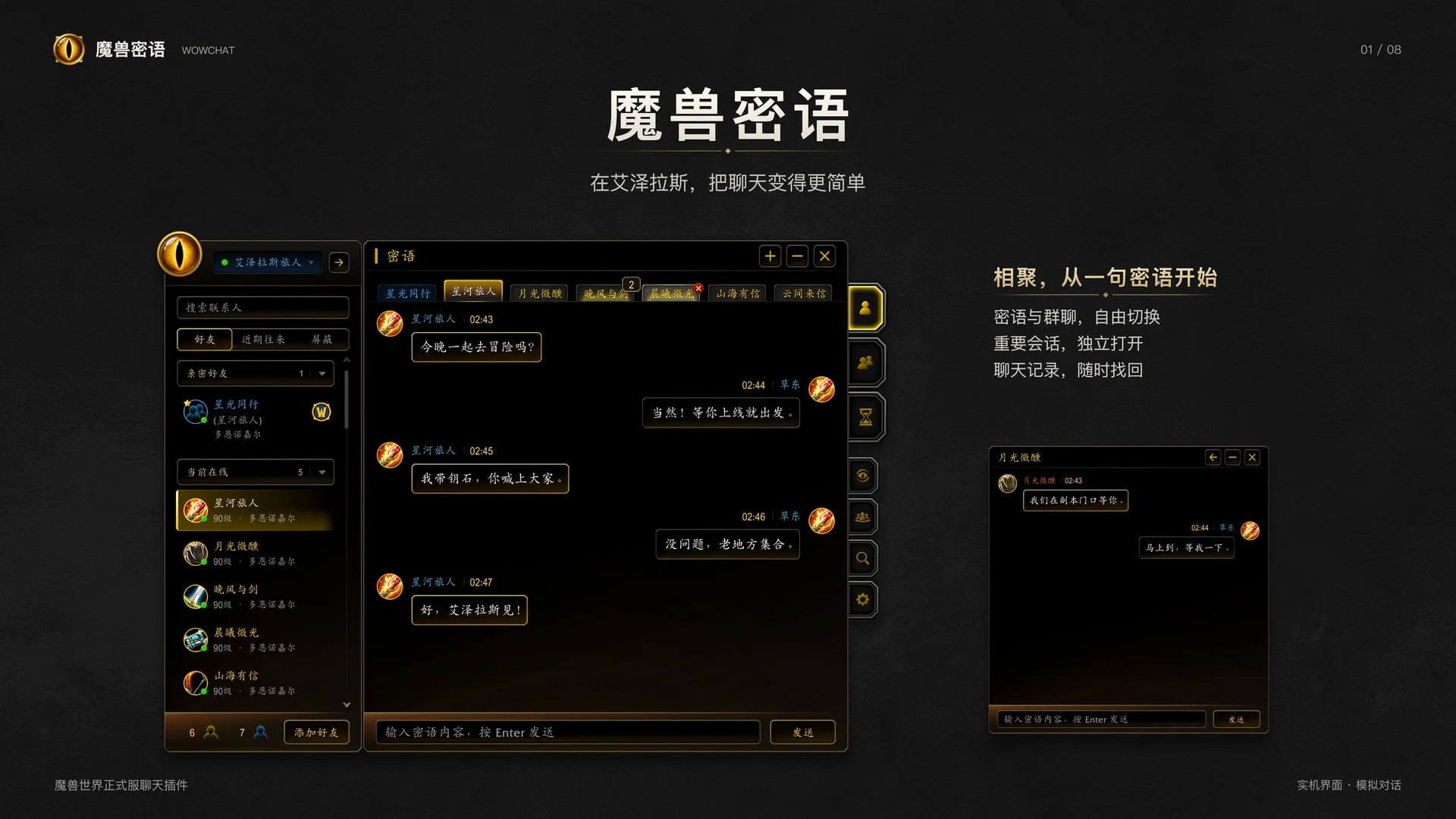
A modern World of Warcraft chat addon with whispers, group chat, detachable windows, searchable history, and message notifications.
Description
WowChat
A modern chat interface for World of Warcraft Retail, bringing conversations, contacts, and searchable chat history together in a unified black-and-gold interface.
Features
Whispers and Group Chat
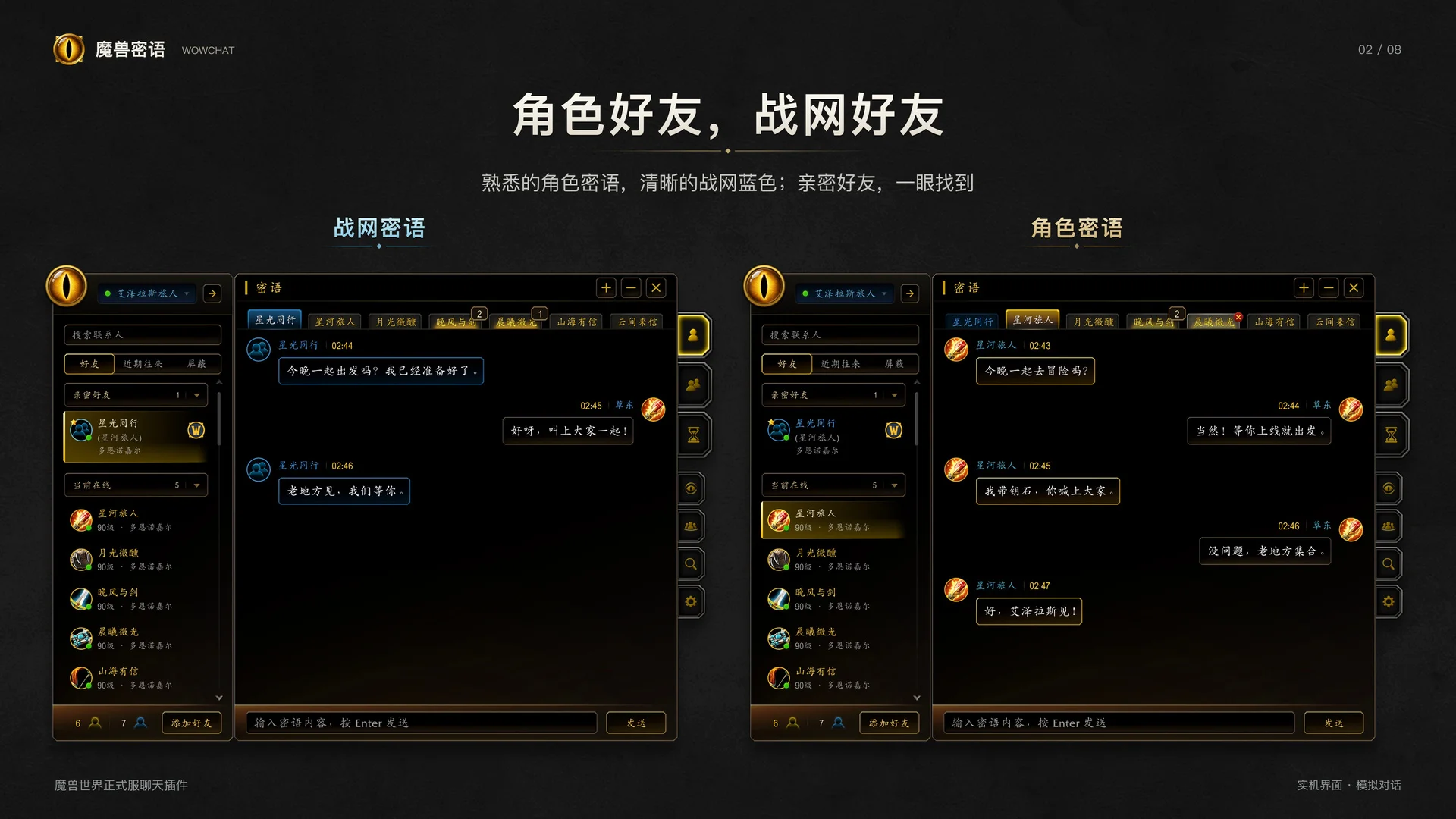
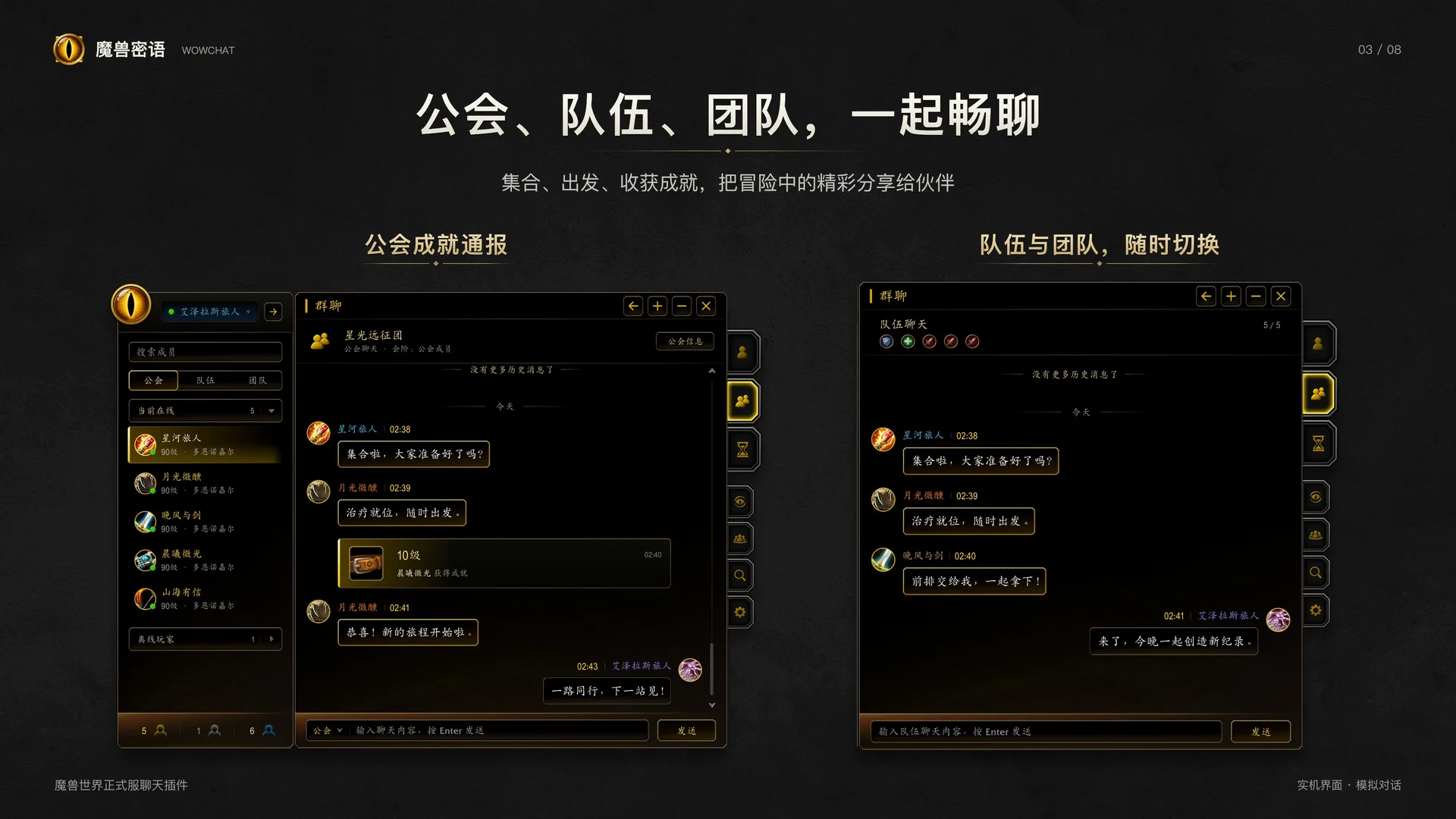
Switch between character whispers, Battle.net whispers, guild, party, and raid chat in one interface.
Detachable Chat Windows
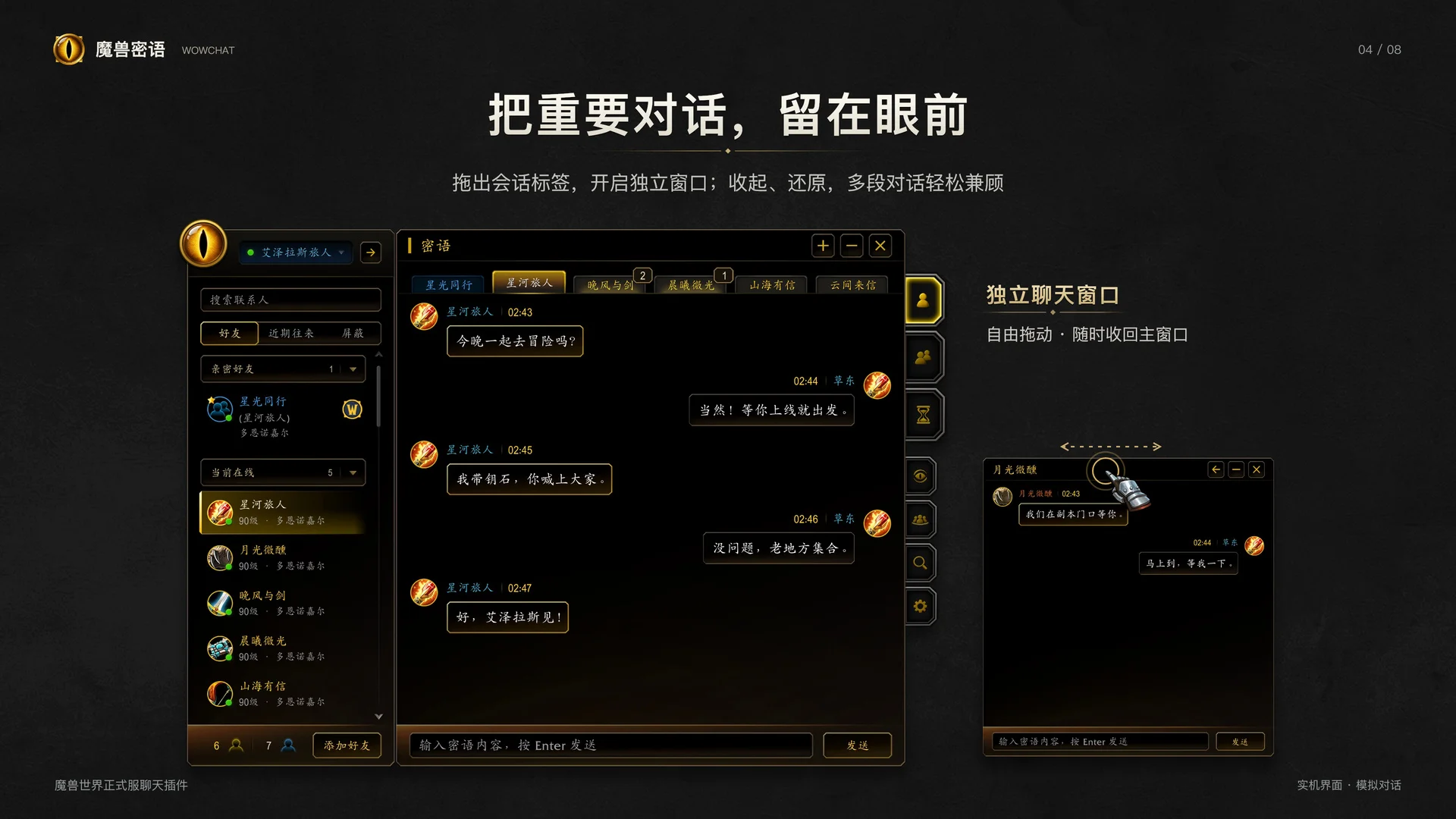
Drag conversation tabs out to create separate windows. Reorder tabs, collapse windows, and restore them when needed.
Contacts and Social Tools
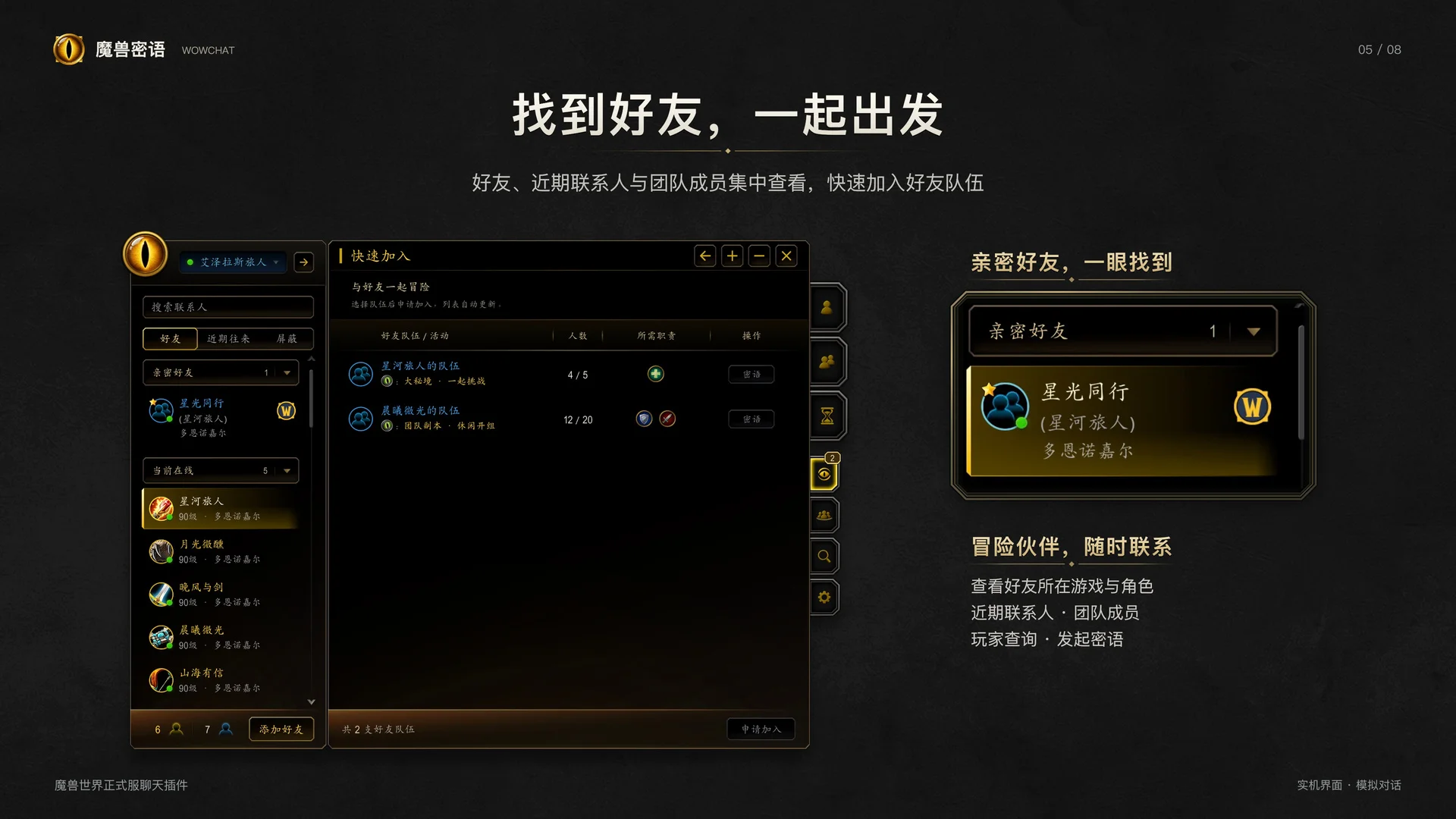
Browse friends, recent contacts, and group members, with convenient access to player searches, Quick Join, and common social actions.
Searchable Chat History
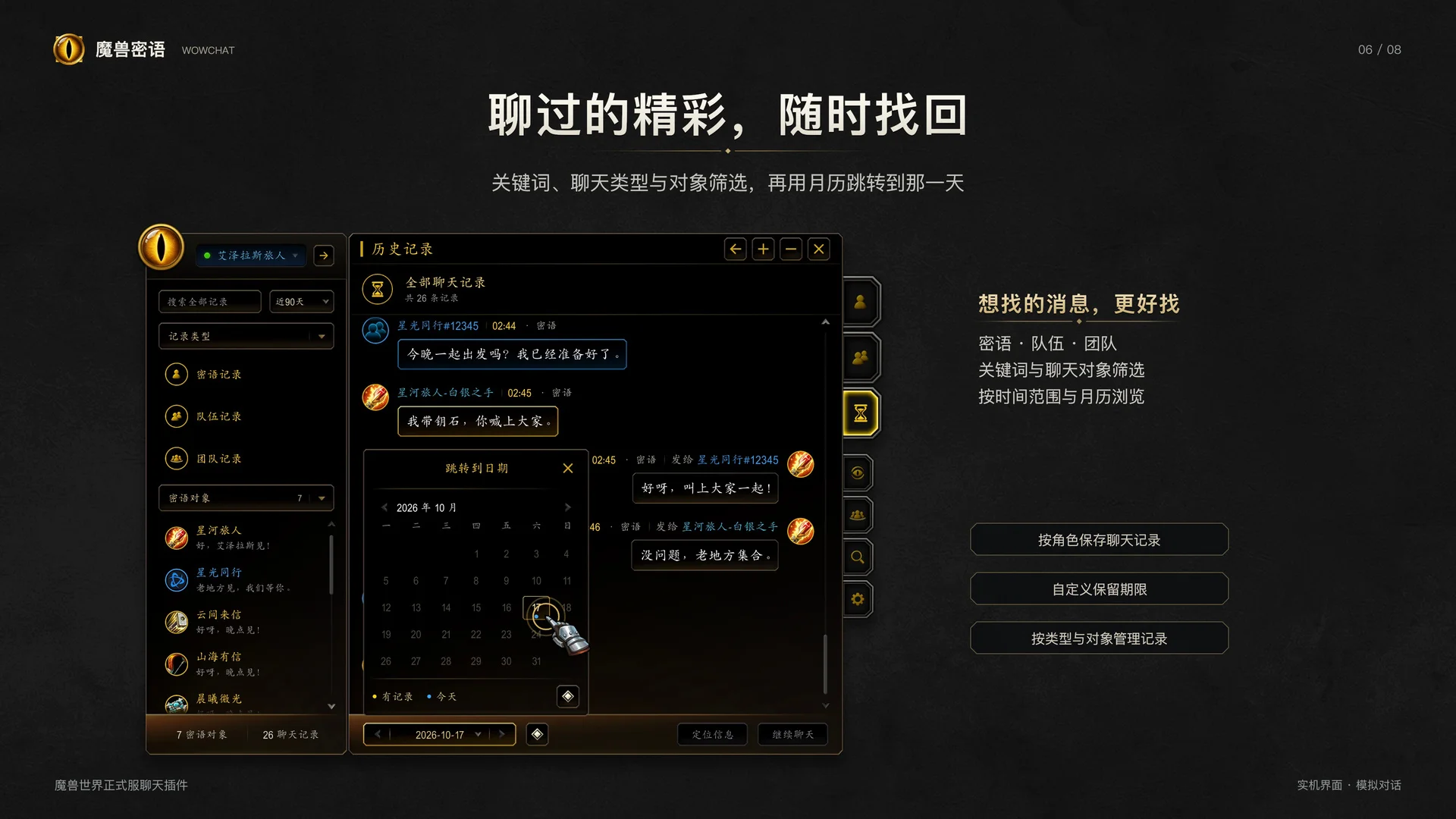
Search whisper, party, and raid messages by keyword. Filter by message type, whisper contact, and date, or use the calendar to jump to a specific day.
History Management
Chat history is saved separately for each character. Customize retention periods and message limits, and clear records by type or contact.
Notifications and Drafts
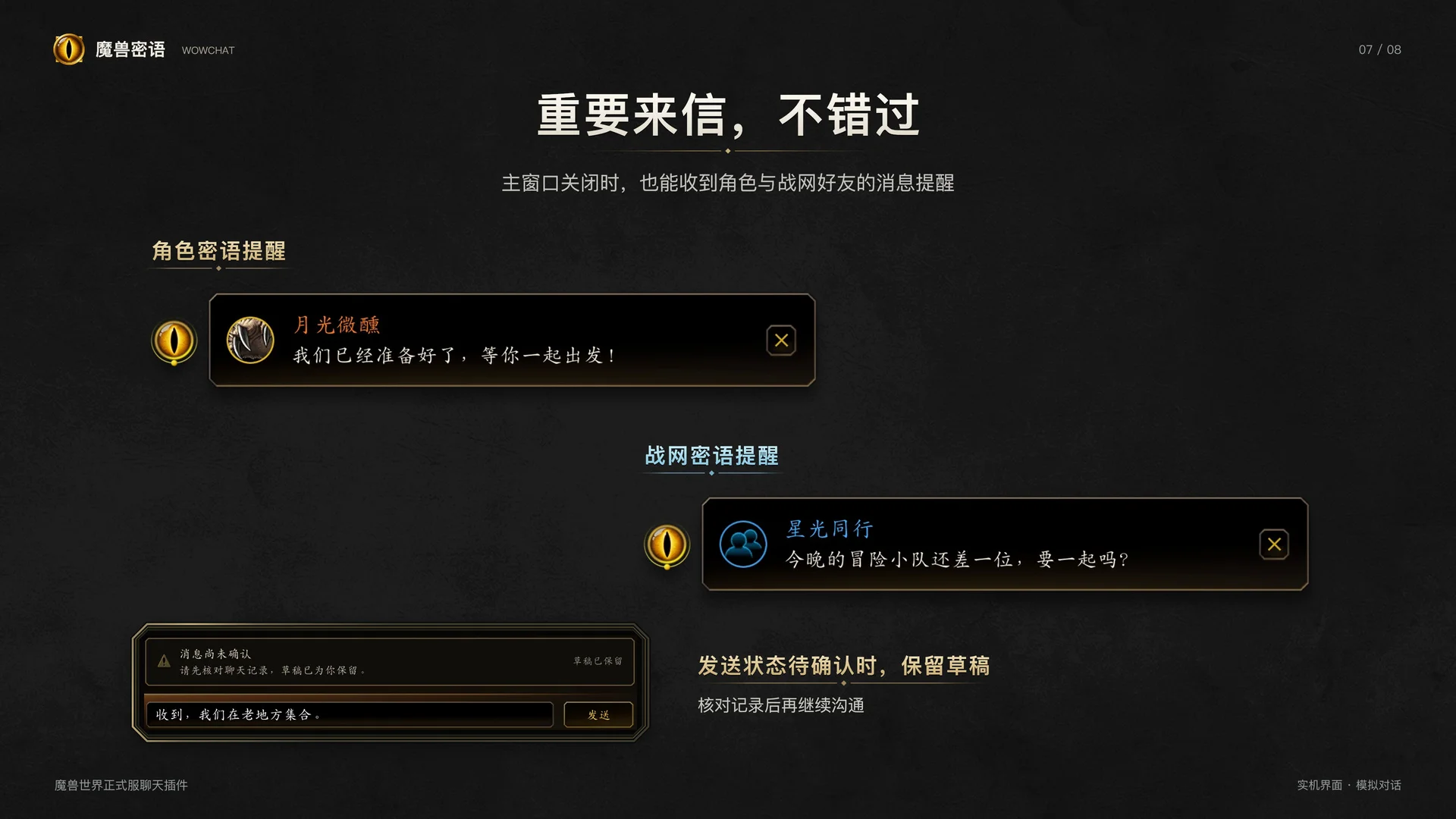
Stay informed with unread indicators, sound alerts, and floating message notifications. Drafts are retained when sending fails or delivery cannot be confirmed.
Customizable Appearance
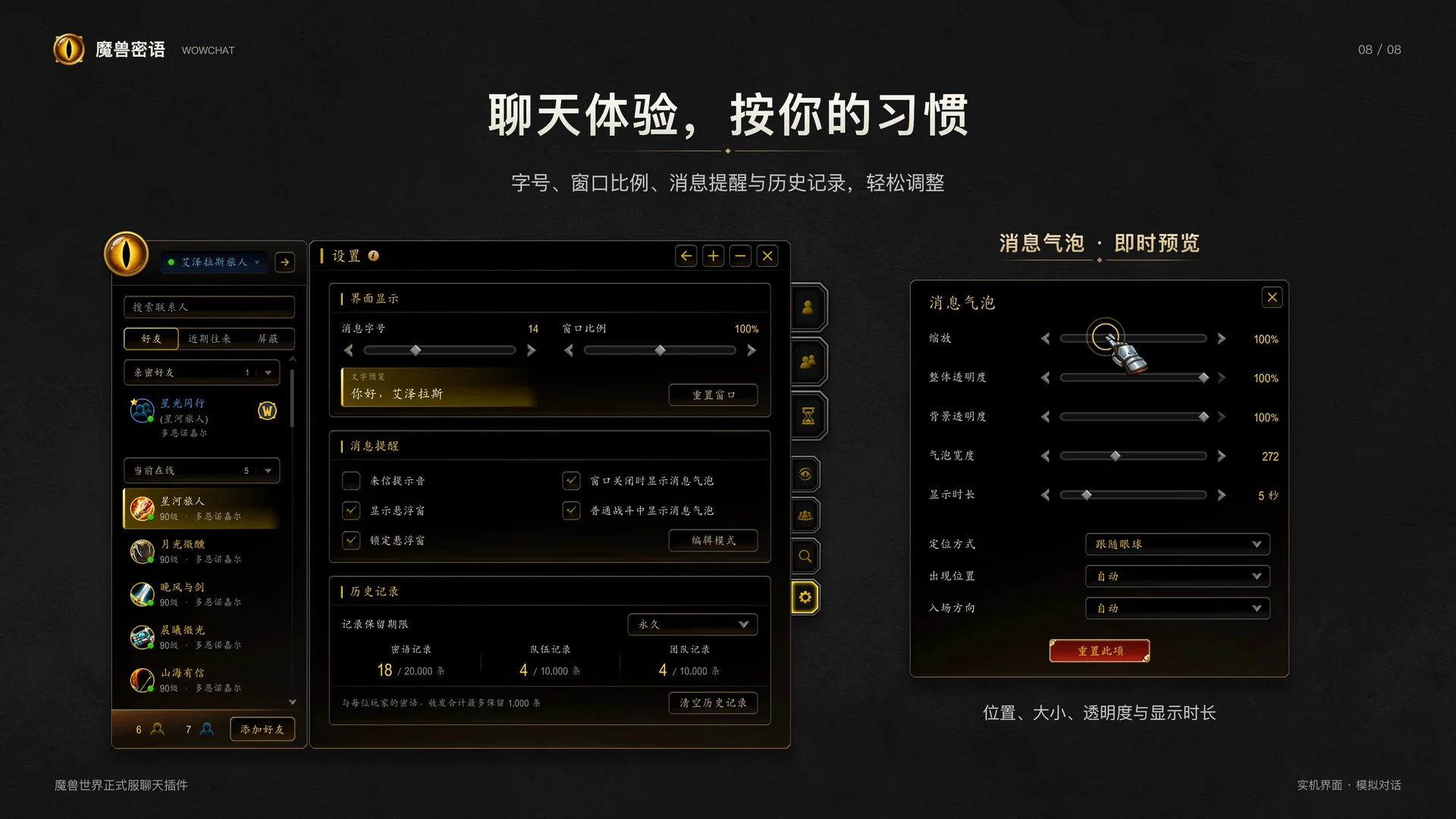
Adjust message text size and window dimensions. Customize the position, size, opacity, and display duration of floating controls and message bubbles, with live previews.
Smooth Animations
Enjoy smooth scrolling and window transitions. Chat windows fade while your character moves and reappear when you stop.
Getting Started
/wcor/wowchat— Open WowChat/wc settings— Open settings/wc history— Browse chat history
You can also open WowChat using the minimap button or the floating golden-eye button.
Drag a conversation tab out of the main window to create a separate window. Drag it back to merge it again.
Manual Installation
Extract the entire WowChat folder into the following directory:
World of Warcraft/_retail_/Interface/AddOns/
Make sure the resulting folder structure is:
AddOns/WowChat/WowChat.toc
Enable WowChat in the game's AddOns list.
Known Issue
Battle.net Busy status may not switch back to Available from within the addon. If this happens, change your status through the Battle.net desktop app.
魔兽密语 WowChat
专为《魔兽世界》正式服打造的现代化聊天插件,以统一的黑金界面整合聊天会话、联系人和历史记录查询。
功能特点
密语与群聊
支持角色密语、战网密语,以及公会、队伍和团队聊天,在同一界面中轻松切换。
独立聊天窗口
拖出会话标签即可创建独立聊天窗口,支持标签排序、窗口收起与恢复,方便同时关注多段对话。
联系人与社交工具
集中查看好友、近期联系人和团队成员,提供玩家查询、快速加入及常用社交操作。
聊天记录查询
搜索密语、队伍和团队聊天记录,按关键词、记录类型、密语对象和时间筛选,也可通过月历快速定位指定日期。
记录保存与清理
各角色聊天记录独立保存,可设置保留时间和数量,并按记录类型或密语对象清空。
消息提醒与草稿
提供未读提示、声音提醒和悬浮消息通知;发送失败或结果未确认时保留草稿,方便核对后再次发送。
自定义显示
调整消息字号和窗口大小,自由设置悬浮入口与消息气泡的位置、大小、透明度及显示时长,支持实时预览。
平滑动效
提供平滑滚动和窗口开关过渡;人物移动时聊天窗口渐隐,停止后恢复显示,减少画面遮挡。
常用操作
/wc或/wowchat— 打开聊天窗口/wc settings— 打开设置/wc history— 查看历史记录
也可以通过小地图按钮或金色眼睛悬浮入口打开插件。
将会话标签拖出主窗口可创建独立窗口,拖回主窗口即可合并。
手动安装
将完整的 WowChat 文件夹解压到以下目录:
World of Warcraft/_retail_/Interface/AddOns/
确认最终目录结构为:
AddOns/WowChat/WowChat.toc
在游戏的插件列表中启用“魔兽密语 / WowChat”。
已知问题
战网忙碌状态可能无法在插件内恢复为有空。如遇此情况,请通过战网桌面客户端调整状态。
魔兽密语(WowChat) Team