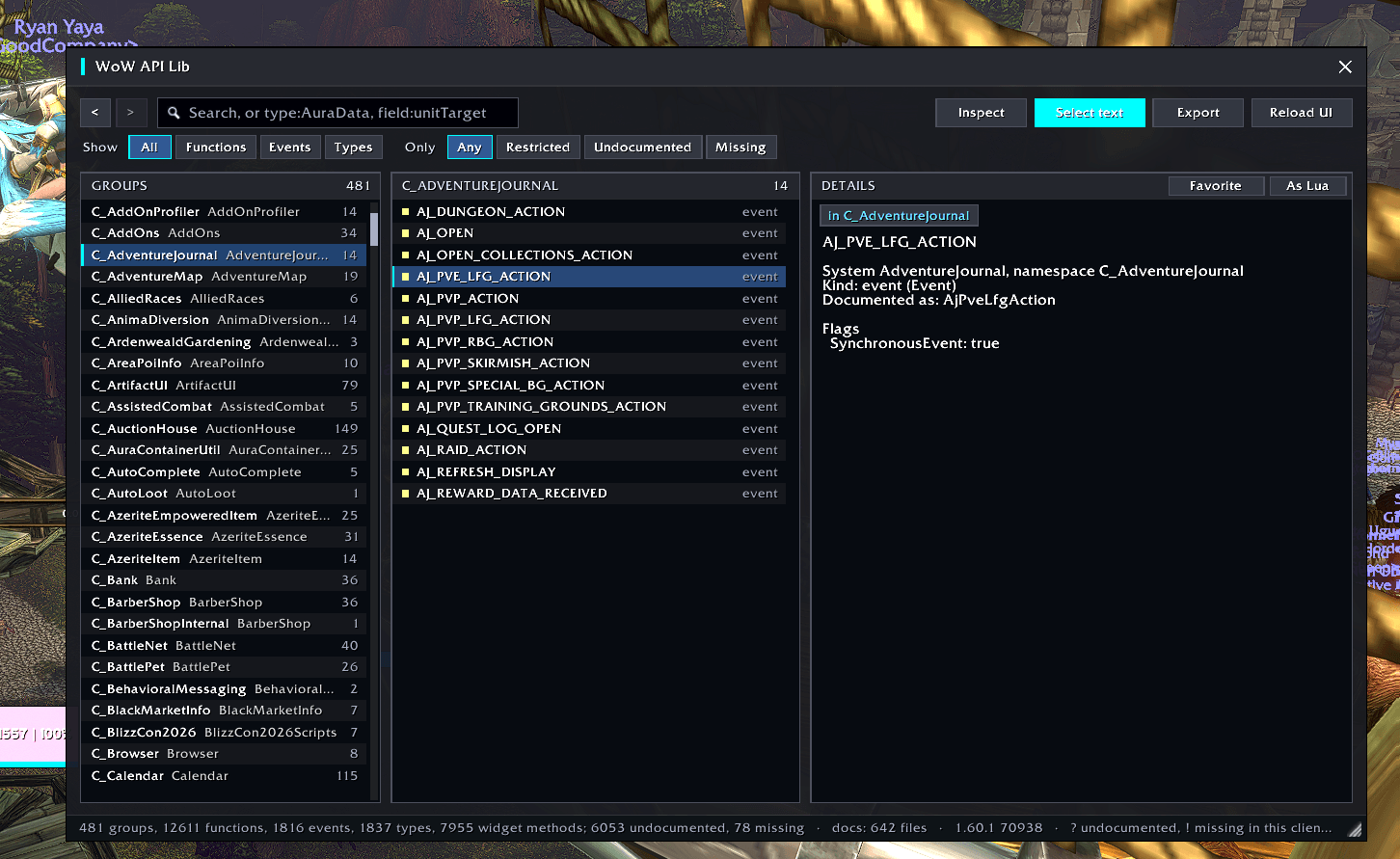
Screenshot 2026-11-13 104439.png
Description
WoW API Lib
The WoW API, browsable in game, checked against the client you're actually running.
WoW API Lib reads two sources and shows them side by side:
- Blizzard's API documentation, the data behind
/api: every documented function with argument and return types, every event and its payload, enums, structures, constants, callbacks, and the Midnight restriction flags (SecretArguments,ConditionalSecret, preconditions...). - What actually exists in your client: every global function, every
C_namespace, everyEnum, and the methods of every widget type, found by scanning the game itself.
Where they disagree, you'll see it. Functions that exist but aren't documented are marked ?, and documented functions missing from this client are marked !.
Features
- Search everything. Search by name, or by type and field:
type:AuraDatafinds every function, event or structure that usesAuraData, andfield:unitTargetfinds everything with an argument or field of that name. - Filters. Narrow results to functions, events or types, or show only restricted, undocumented or missing APIs. Restricted APIs are tagged and their restrictions are listed first, so you know before you call them.
- Follow the links. Jump from a function to the types it uses and back. There are back and forward buttons (your mouse's side buttons work too), and favorites for the APIs you keep coming back to.
- Frame inspector. Hover any frame on screen and press Shift to see its size, anchors, parents, the scripts it has set, its widget methods, and the widget API docs that apply to it. Like
/fstack, but connected to the docs. - Copy-friendly. Every signature is plain text you can select and copy.
- Export. Write the whole API to saved variables, then turn it into Markdown or JSON with the converter from the GitHub repo. The result is a searchable API reference for your editor, or for AI coding tools.
Usage
| Command | |
|---|---|
/wal |
open or close the browser |
/wal search <text> |
search, e.g. /wal search type:AuraData |
/wal inspect |
pick a frame on screen |
/wal export |
save the API to saved variables, then /reload |
/wal clear |
remove the export again |
/wal minimap |
hide or show the minimap button |
You can also open it from the minimap button or the addon compartment. UIs that group minimap buttons, such as EllesmereUI, pick it up as well.
Good to know
- Nothing loads at login. The documentation and the scan load the first time you open the browser, so the addon costs nothing until you use it.
- Safe to run anywhere. The scan only reads names, never calls API functions, and never touches restricted or secret values. The inspector won't start in combat.
- Retail and Classic. Works on Retail and the Classic clients. Documentation is shown where the client ships it; the live scan works everywhere.
Source and converter
Source, issues and the export converter: https://github.com/mantaskazlauskas/wow-api-lib
wow-api-lib Team

Owner