sonar.png
pinged_enemy.png
Sonar_Menu.png
Description
NPC Sonar
Stop hunting for that one patrolling quest mob. Type its name and start a scan. NPC Sonar keeps sweeping the area around you and alerts you the moment your target comes into view. It also marks it, so you can spot it in a crowd.
What it does
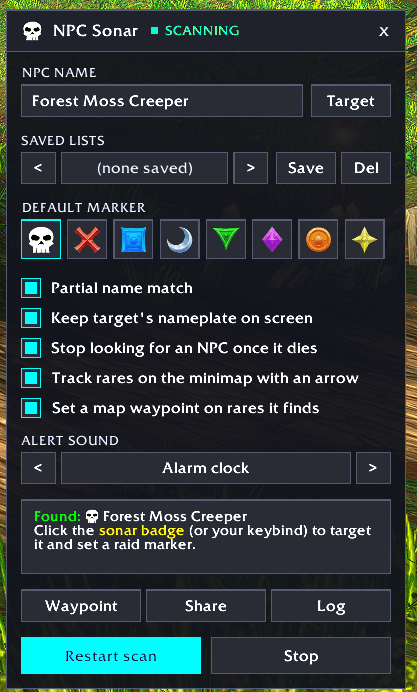
- Finds NPCs by name. Enter one name or several, separated by commas. Turn on partial matching and
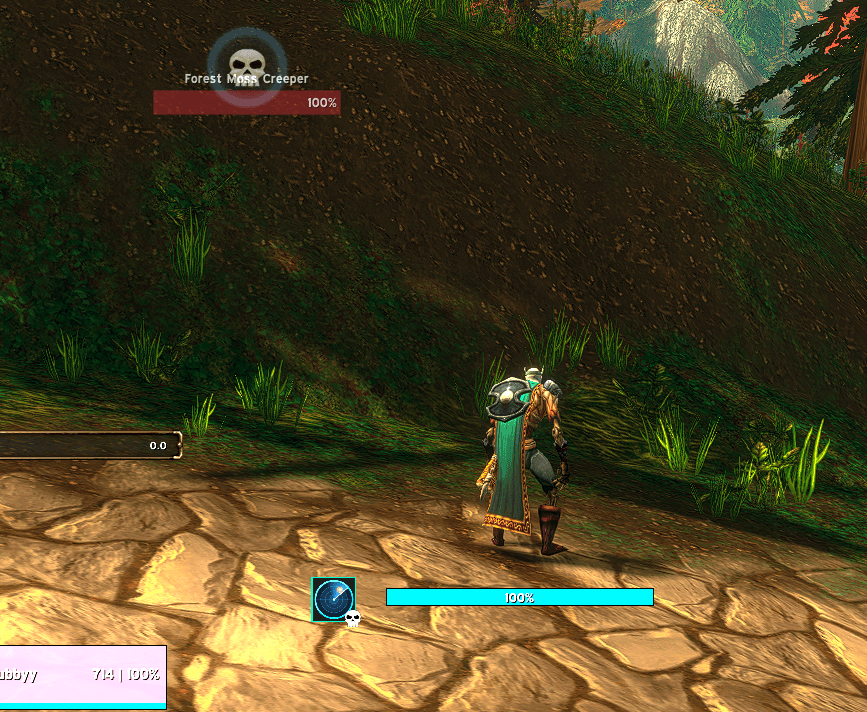
asharwill find "Shade of Ashar". Or target the NPC once and click Target to copy its name. - Marks them on your screen. Every matching NPC gets your chosen raid icon (skull, cross, moon and so on) floating over its nameplate. Only you see it, and it updates live as mobs come and go.
- Alerts you. When a match appears, you get a chat message, an on-screen raid-warning message and a sound, once per NPC per scan. Pick the sound from the game's own alert sounds, or turn it off.
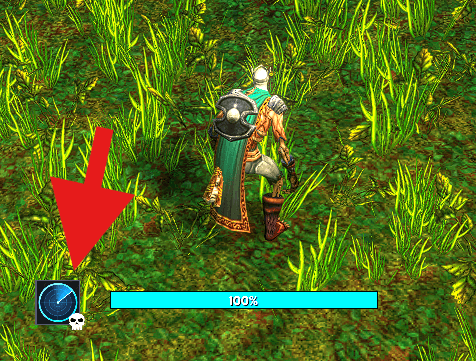
- Targets and marks in one click. While scanning, a small sonar badge sits on your screen. Its sweep turns while it searches. When your NPC is in range, the sweep stops, an orange contact lights up and the border turns green. Click it to target the NPC and place a real raid marker that your group can see. On clients with the ping system (Retail), it also pings it. You can bind it to a key.
- Skips dead mobs. Once you kill one, the next living NPC with that name gets the on-screen icon and alert.
How to use
- Type
/npcsonarto open the window. - Enter the NPC's name, pick a marker and press Start scan. If you change the name later, press Restart scan to search for the new one.
- Keep moving. When the badge turns green, click it, or press your keybind.
Commands
| Command | What it does |
|---|---|
/npcsonar (or /npcd) |
Open or close the window |
/npcsonar <name> |
Start scanning for a name right away |
/npcsonar stop / /npcsonar start |
Stop or resume the scan |
/npcsonar debug |
Print what the addon can see, for bug reports |
Badge controls: left-click targets and marks. Right-click opens the window. Right-drag moves the badge. Keybinding: Key Bindings → AddOns → NPC Sonar.
Good to know
- Range: NPC Sonar finds NPCs once they're within nameplate range (roughly 40–60 yards) or under your mouse. It doesn't search the whole zone.
- Nameplates: turn on enemy nameplates (press V). For friendly quest NPCs, turn on friendly NPC nameplates too.
- Raid groups: placing a raid marker needs raid leader or assist. In a party or solo, anyone can mark.
- Instances (Midnight): Blizzard hides NPC names from addons inside instances, so automatic detection can't work there. Clicking the badge still finds and marks the NPC.
- No automatic raid markers: Blizzard only allows raid markers and pings from a click or keypress, so NPC Sonar marks automatically on your screen and leaves the real marker to your click.
- The click clears your target first: if the NPC isn't nearby, clicking the badge just leaves you with no target.
- Combat: Blizzard locks the badge during combat. If you start a scan or change the name or marker mid-fight, the badge appears or updates when combat ends.
Supported versions
Retail and the Classic clients, from Classic Era through Mists of Pandaria Classic.
Feedback
Bug reports and ideas are welcome. If something isn't being found, please include the output of /npcsonar debug, typed while the NPC is targeted.
npc-sonar Team

Owner