Wotation - Rotation Helper
- By
Rotation helper for Midnight: replace unwanted spells, add cooldown reminders, and customize your next-spell display for PvP and PvE.
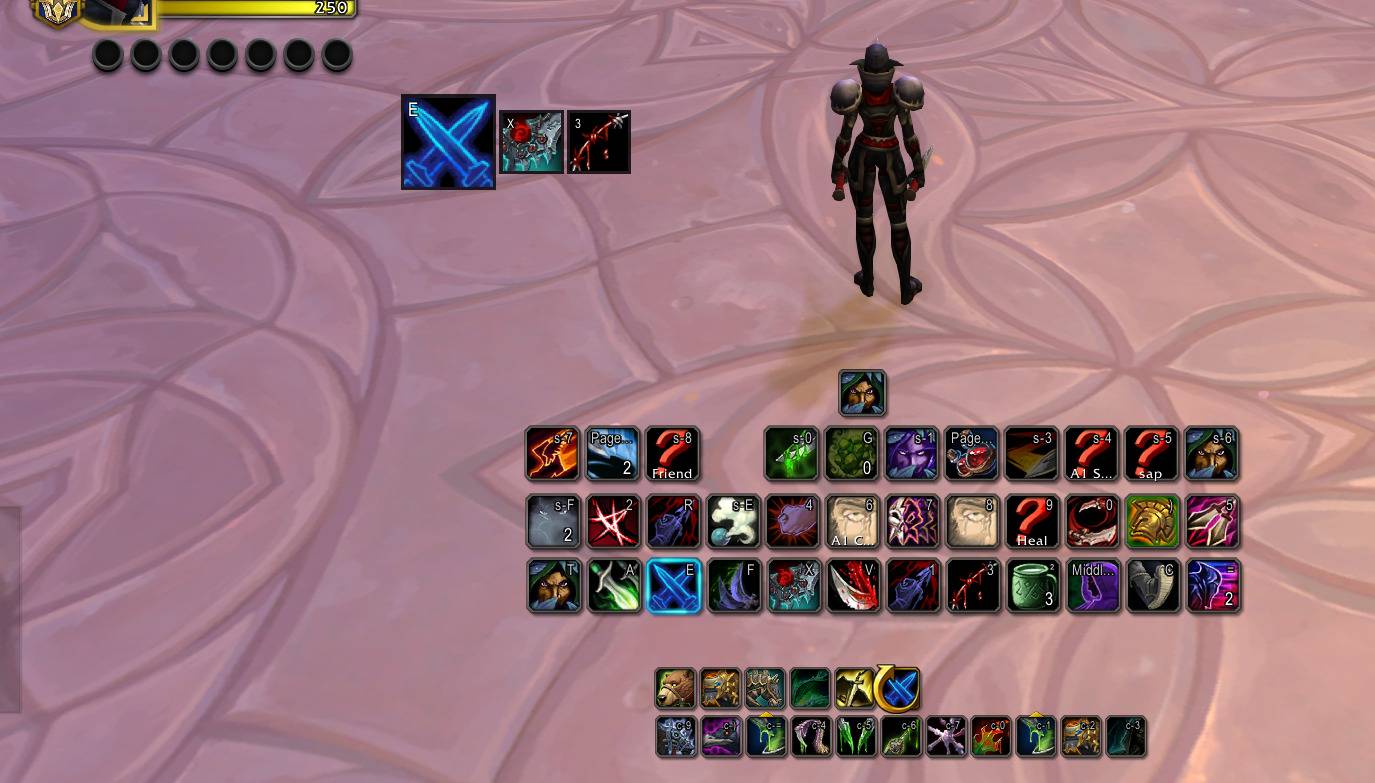
Keep your next spell suggestion and its keybind in view. Smaller icons show additional eligible spells and reminders in a compact, movable display.
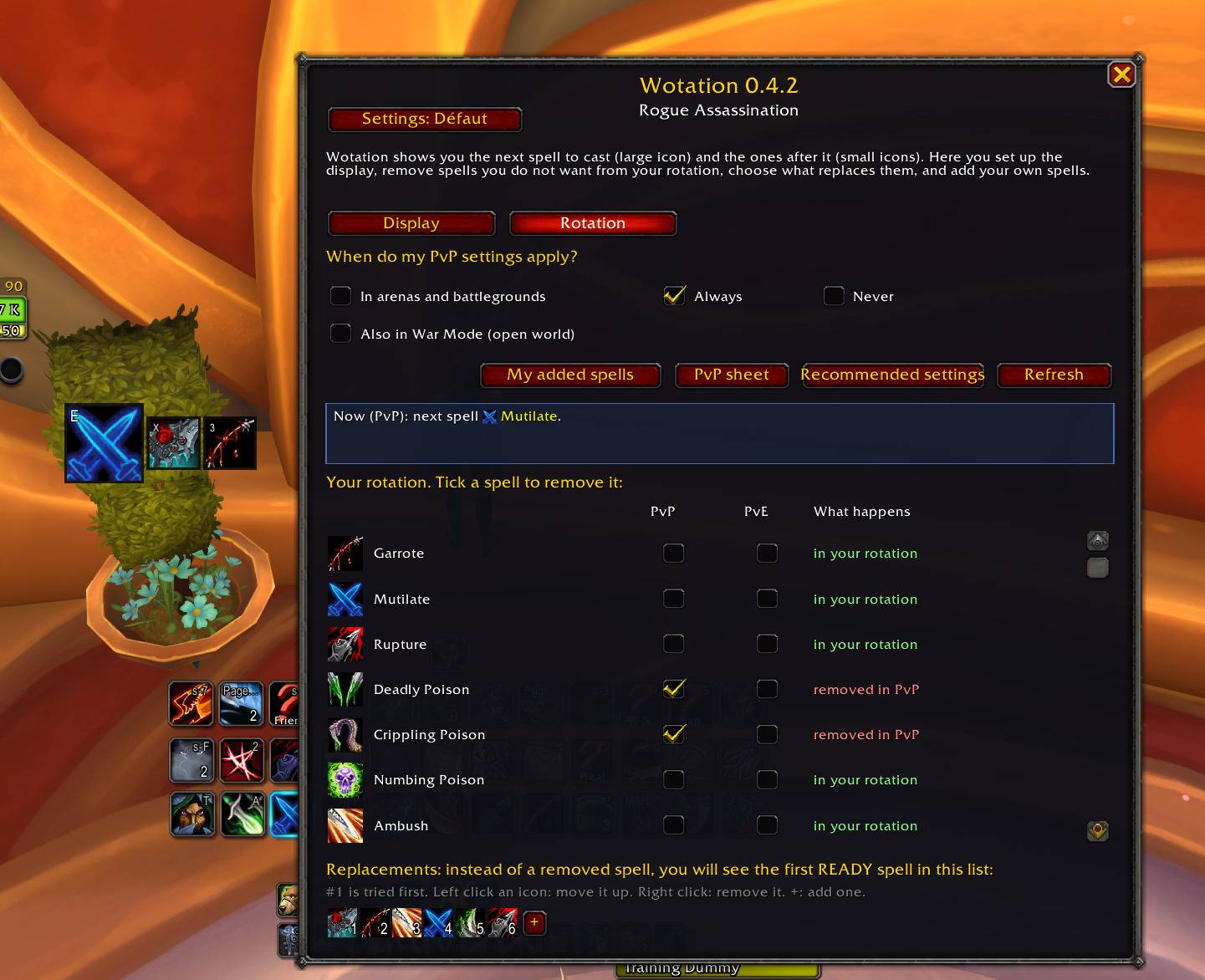
Choose when your PvP rules apply, review the current suggestion, and arrange your replacement priorities. Configure Wotation directly from its in-game settings.
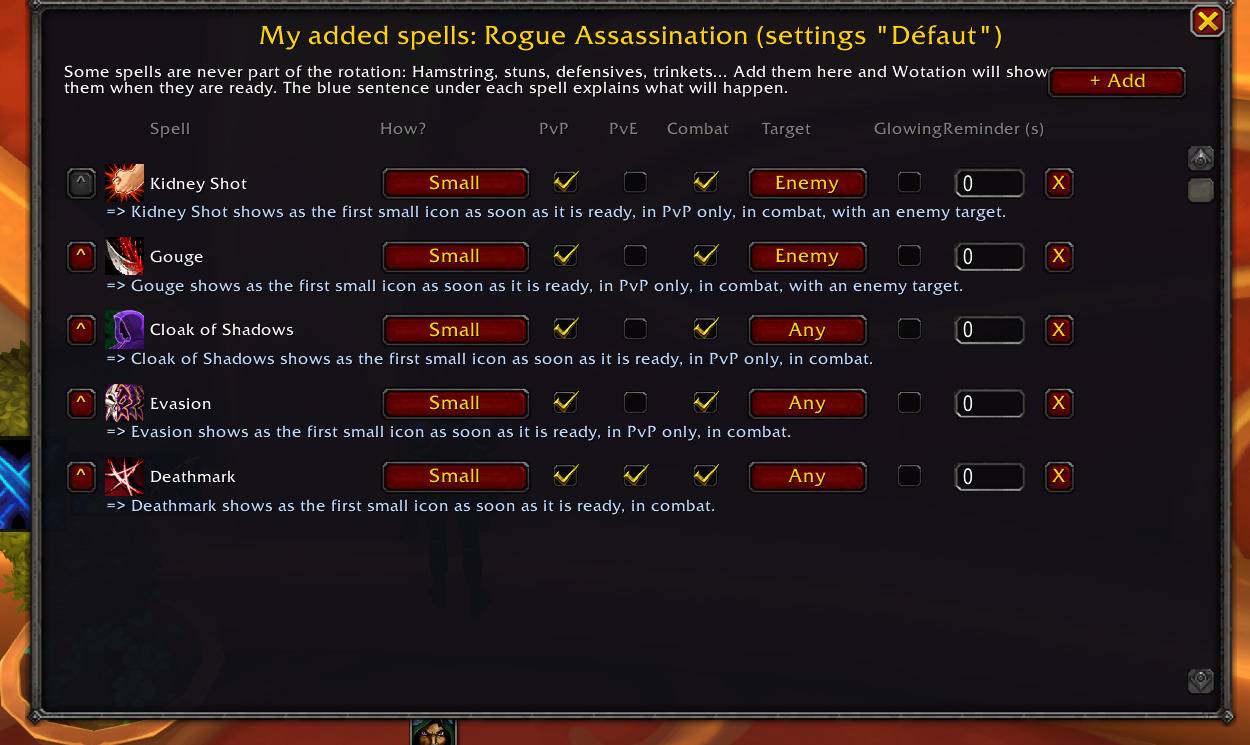
Bring crowd control, defensives and offensive cooldowns into your display. Choose PvP/PvE, combat and target conditions, with optional reminders based on your last cast.
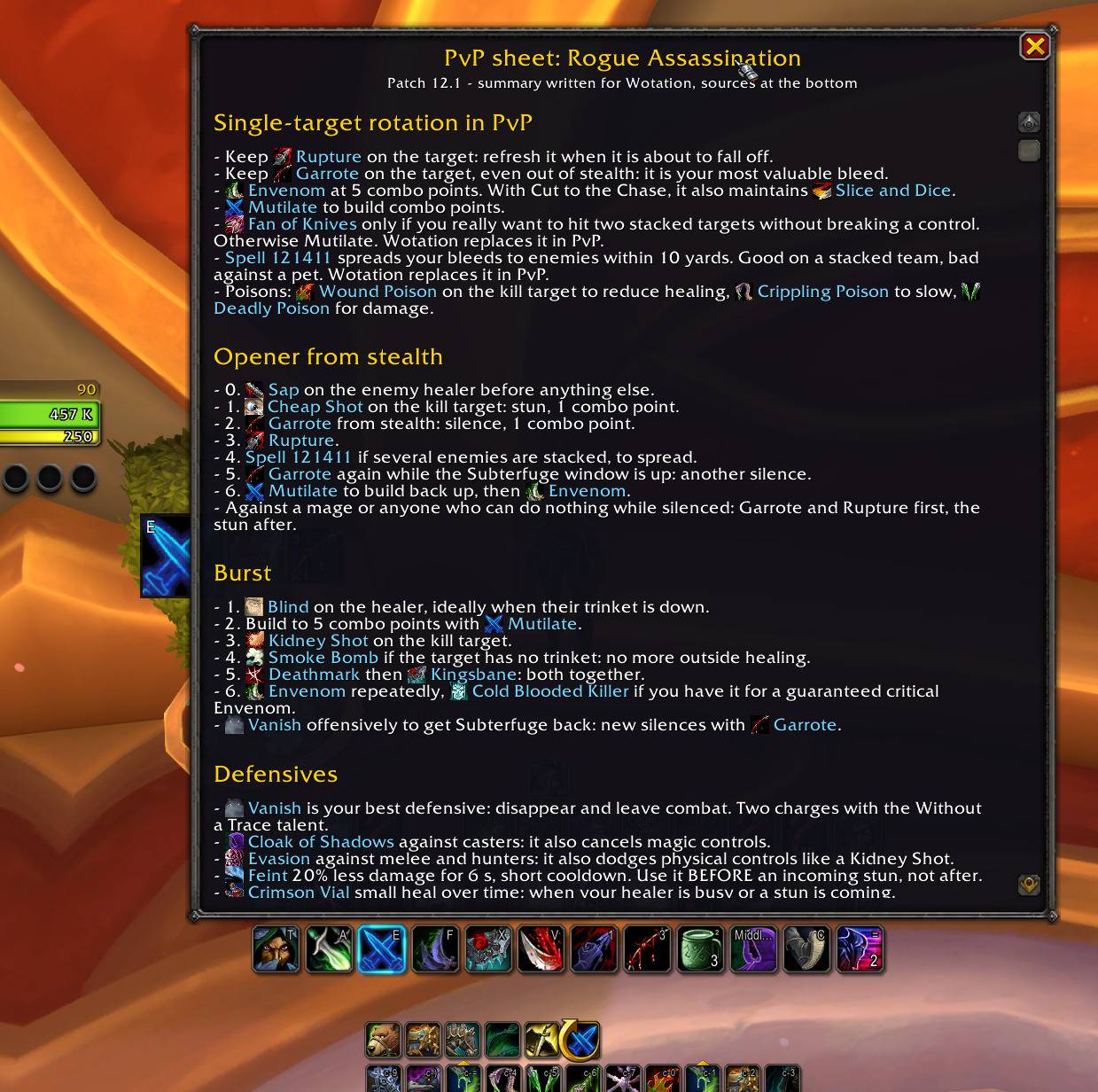
Review single-target priorities, your opener, burst and defensive tips directly in game. Wotation keeps practical PvP notes within reach while you play.
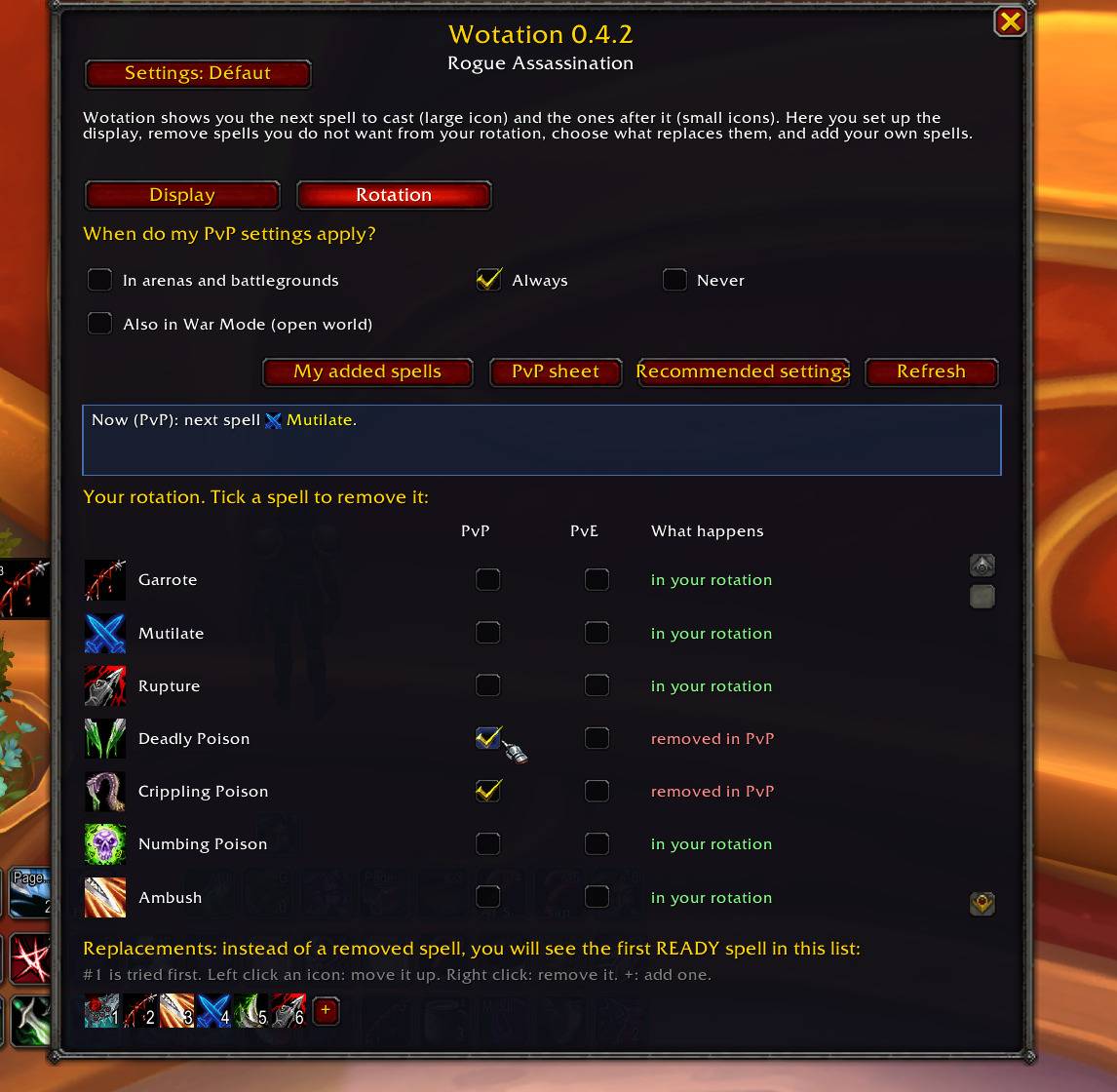
Exclude unwanted spell suggestions separately for PvP and PvE. Checked spells are removed in the selected context, and eligible replacements follow your configured priorities.
Description
Wotation — Your next spell, your rules
A customizable rotation helper for World of Warcraft Retail: replace unwanted spell suggestions, add your own cooldown reminders, and keep separate rules for PvP and PvE.
Wotation brings Blizzard's Assisted Combat suggestions into a movable display with keybinds. Choose which spells may appear, set your replacement priorities, and bring useful abilities into view with your own conditions.
Make the display fit the way you play
- Filter the main suggestion. Exclude a spell in PvP, PvE, or both. When Blizzard suggests an excluded spell, Wotation looks for an eligible replacement using your profile's priority list and available rotation spells.
- Keep single-target priorities in PvP. Filter unwanted AoE suggestions in arenas and battlegrounds. Automatic context switching applies your PvP or PvE rules.
- Add your own spells and trinkets. Show a defensive, crowd-control ability, offensive cooldown, or equipped on-use trinket as a main or secondary icon.
- Set reminders from your last cast. Choose an interval and conditions such as combat, target type, or an active proc highlight. Useful for remembering abilities such as Hamstring.
- Save different setups for the same specialization. Keep an Arena setup and a Dungeon setup, then switch in settings or with
/wot set <name>. - See why a spell is displayed. The live explanation in settings identifies Blizzard's suggestion, a replacement, or one of your added spells.
Example: An AoE suggestion is not what you want in an arena. Exclude that spell for PvP and arrange your single-target replacement priorities. Wotation can show an eligible replacement in the large icon. You decide separately whether to exclude that spell in PvE.
Clear icons and useful extras
Move, resize, and lock the display. Customize keybind labels, including their size, color, and position. Keybind support includes the default bars, ElvUI, Bartender4, and Dominos, with manual label overrides.
The main icon includes cooldown information, proc highlighting, and range or usability feedback when the game exposes that information. Smaller icons show additional eligible spells and reminders.
Presets are included for 40 specializations, covering DPS, tank, and healer setups. Treat them as starting points to adjust for your talents and preferences. Reapplying Recommended settings can replace existing preset-related settings.
English and French interfaces are included. Three built-in PvP guides cover Retribution Paladin, Arms Warrior, and Assassination Rogue, with practical notes and copy-ready macros.
Get started
- Install Wotation through CurseForge and enable it for your character.
- Enable Blizzard's Assisted Combat highlight in the game's Combat options, and keep the spells you want Blizzard to recommend on your action bars.
- Open
/wot configor use the minimap button. Review your specialization's settings, position the display, and lock it. - Open
/wot extrasto customize your added spells and reminders.
You press your own spell keys. Wotation displays suggestions; it does not cast spells for you.
Before you play
Is this a Hekili-style display?
Yes: a prominent spell icon and additional smaller icons. The base recommendation comes from Blizzard's Assisted Combat engine. Wotation applies your display rules; it does not simulate an independent optimal rotation.
Are the small icons a prediction?
They show eligible spells and reminders, rather than a guaranteed sequence of future casts.
How do reminders and restricted combat data work?
Timed reminders use the time since your last cast, not live aura tracking on each target. They do not detect dispels or decide when a tank or healer needs a defensive. When the game restricts resource information, a replacement may appear before you have enough resources. If no replacement is eligible, the excluded spell is not restored as a fallback.
Feedback
Something looks wrong? Leave a CurseForge comment with your specialization, addon version, game version, expected spell, and the output of /wot status.
Useful commands: /wot config · /wot extras · /wot guide · /wot set <name> · /wot status.
Wotation - Rotation Helper Team