worthit suite dashboard.png
worthit suite.png
create guides.png
gui.png
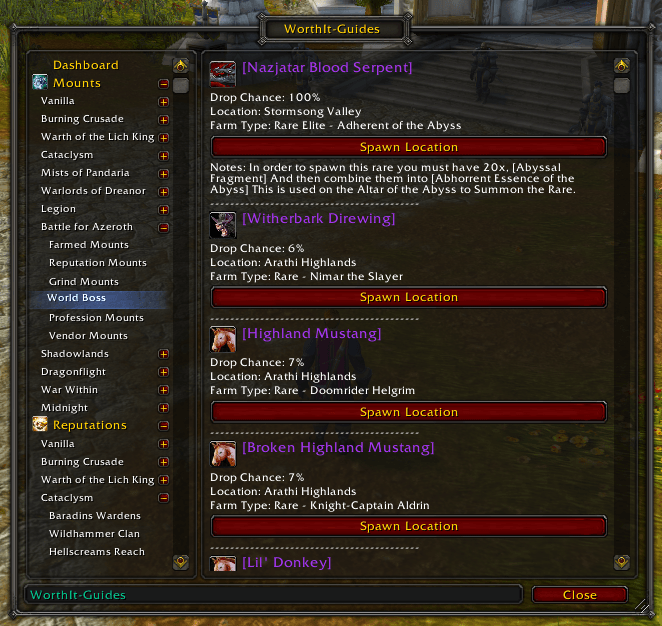
mounts.png
Description
WorthIt Guides
Browse in-game guides for mounts, reputations, professions, gold making and exploration—or create and share guides of your own.
WorthIt Guides puts instructions, useful information and clickable waypoints inside World of Warcraft, so you can follow a guide while you play.
Browse guides in-game
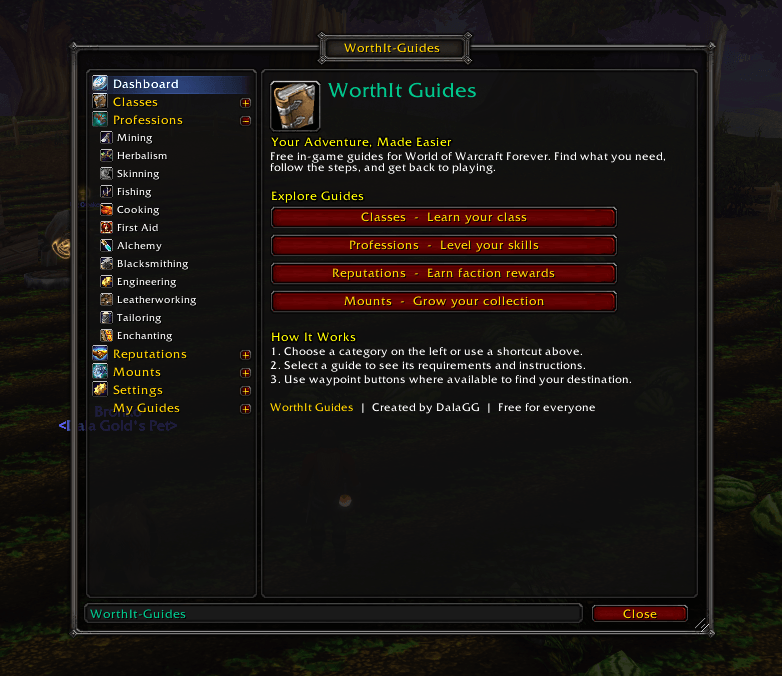
Choose a category from the sidebar, select a guide and follow its instructions.
Guide content includes:
-
Mounts: Farming, reputation, vendor, event, class, rare and world-boss mounts, plus Black Market Auction House information.
-
Reputations: Requirements, progression advice and instructions for supported factions.
-
Profession levelling: Crafting steps, material lists, trainer locations and gathering routes.
-
Gold making: Farming methods, crafting, flipping and beginner-friendly advice.
-
Routes and exploration: Importable farming routes, hidden locations and exploration guides.
Coverage varies by category and game version. The library includes guides from older expansions alongside newer content and continues to expand.
Create and share your own guides
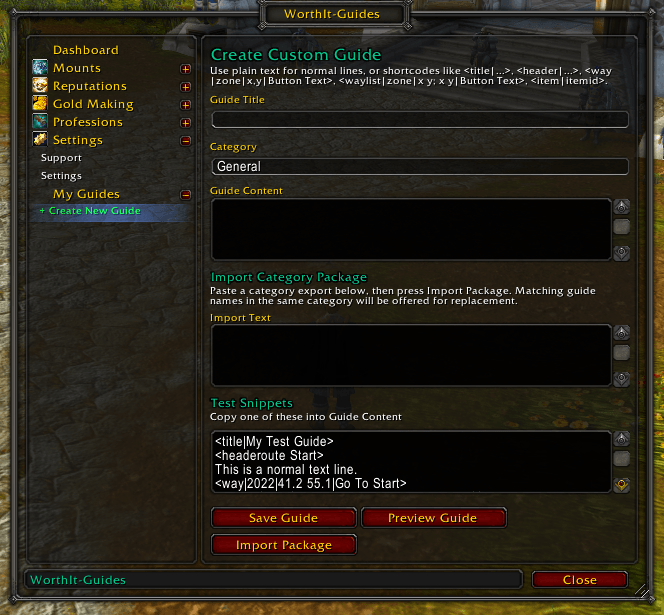
Use the in-game guide editor to build guides for yourself, your friends or the community.
-
Create and edit custom guides.
-
Include instructions and supported navigation links.
-
Export guides as shareable strings.
-
Import guides created by other players.
Custom guide sharing lets players contribute their own knowledge and experiences alongside the included guide library.
Waypoints and farming routes
Use clickable waypoint links in supported guides to help find trainers, farming locations and other points of interest.
TomTom provides waypoint navigation. Guides containing farming-route imports use Routes and Routes Import/Export for their route functionality.
These integrations are optional: you can browse and read guides without installing the other addons.
Make the interface comfortable
WorthIt Guides now has its own settings for guide readability, window behaviour and minimap access.
-
Adjust guide text size.
-
Change the guide window scale.
-
Choose whether to remember the window’s position and size.
-
Choose whether to remember the last page selected in the sidebar.
-
Show or hide the independent Guides minimap button.
-
Reset the guide window’s position and size.
-
Restore the default guide font size and window scale.
Settings save automatically. Display resets do not delete your custom guides or imports.
WorthIt Suite integration
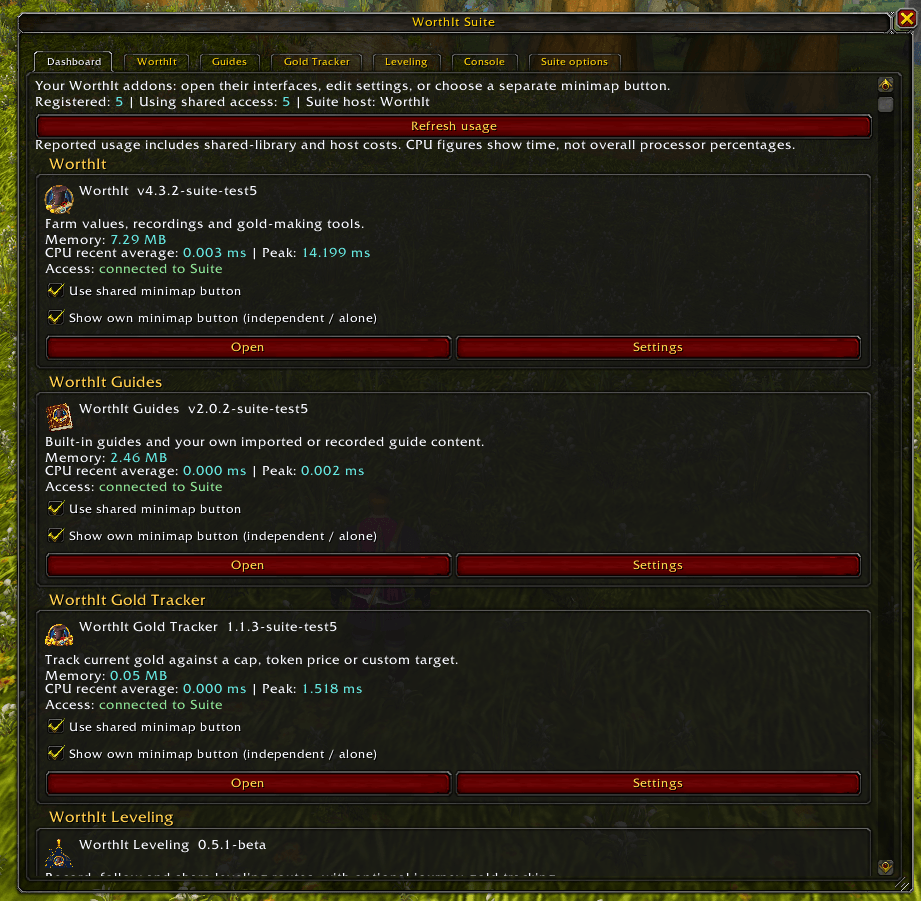
WorthIt Suite brings compatible WorthIt addons together in a central hub, with access to their interfaces and individual settings.
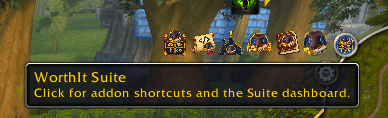
When multiple connected addons are installed, the shared minimap launcher provides shortcuts to them. You can also disconnect Guides from the shared launcher and use its own minimap button.
The Suite hub includes adjustable text size, a resizable window, saved window position and size, and reset controls. Suite text settings are separate from the text settings for your guides.
Suite support is included with the addon. There is no separate Suite download, and WorthIt Guides does not require the original WorthIt addon.
Getting started
-
Open Guides through its minimap button, the shared Suite launcher or
/witguides open. -
Select a category in the sidebar.
-
Choose a guide and follow its instructions.
-
Use available waypoint or route buttons when the relevant optional addons are installed.
-
Open Settings to adjust the display, or use the custom guide tools to create and share your own content.
Commands
-
/witguides open— Open WorthIt Guides. -
/witguides settings— Open Guides settings. -
/witguides reset— Reset the guide window’s position and size. -
/witsuite— Open the WorthIt Suite hub.
Optional companion addons
-
TomTom: Waypoint navigation.
-
Routes: Display supported farming routes.
-
Routes Import/Export: Import and export farming routes.
-
TradeSkillMaster: Useful alongside gold-making and profession guides.
-
WorthIt: Compare farming valuations and record your own farms.
-
WorthIt Gold Tracker: Keep your character’s gold and target progress visible.
Support and community
Share guides, report problems and keep up with development:
-
YouTube: https://www.youtube.com/@DalaGG
-
Discord: https://discord.gg/uUup6dVGVV
-
Website: https://dalaggstudios.com/
WorthIt Guides Team

Owner