WorthIt
- By
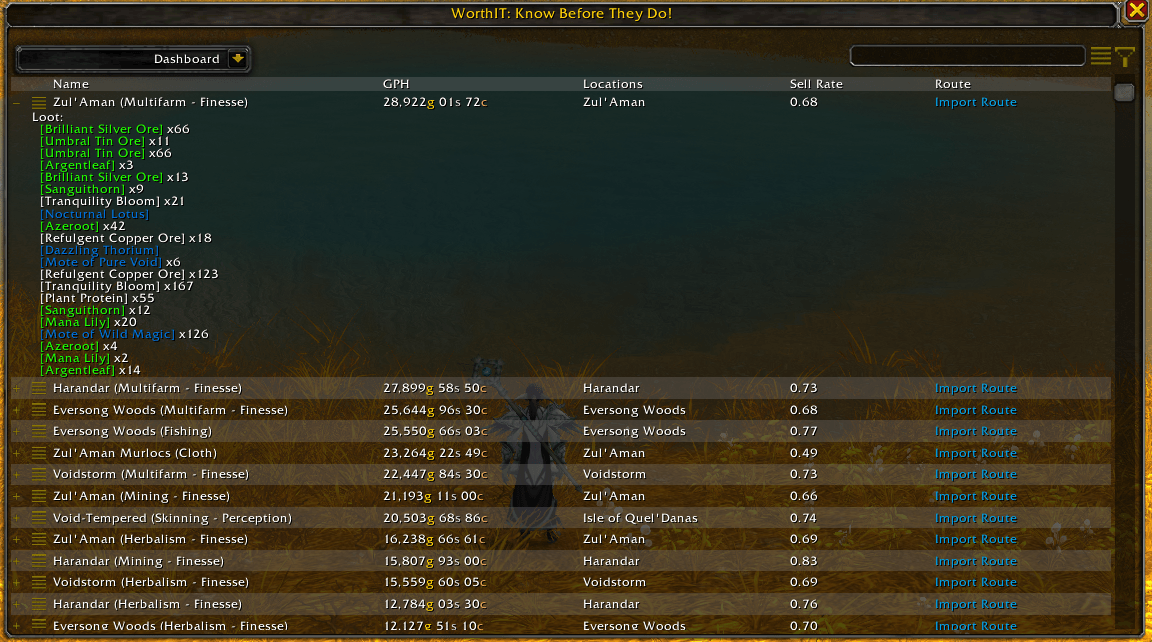
Know what’s worth farming before you farm it – real Gold Per Hour using your server’s prices.
ItemLsit.png
Config.png
Dashboard.png
Multifarms.png
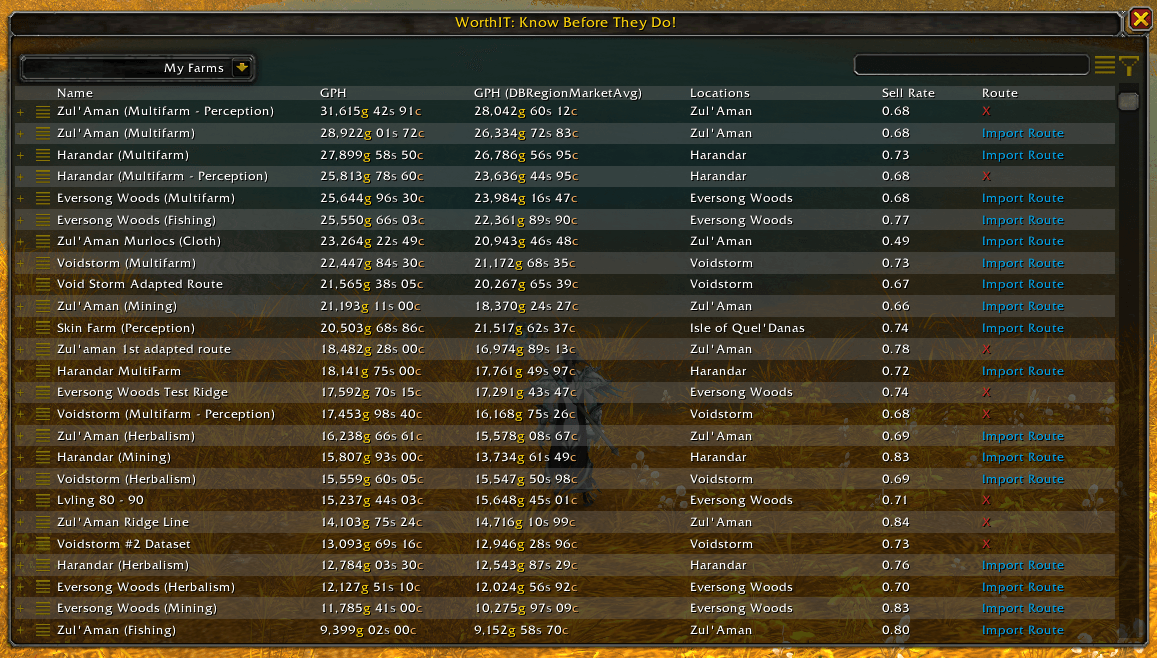
MyFarms.png
Description
WorthIt — Gold Farming & Flipping Made Simple
Find farms worth trying, compare estimated returns and record your own results.
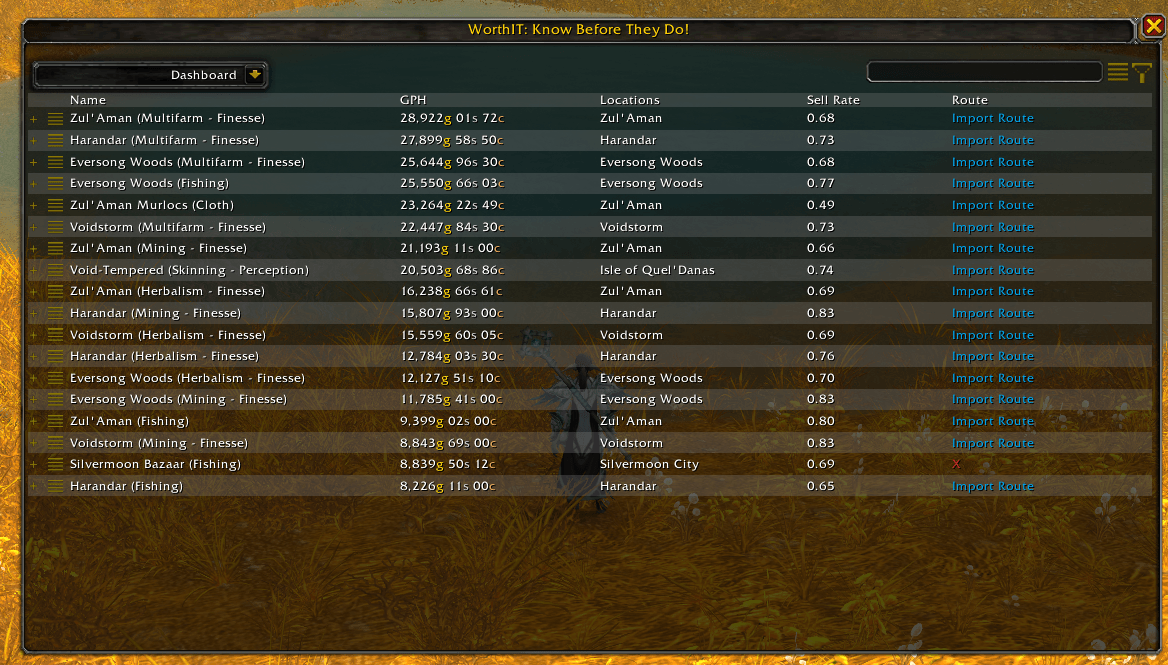
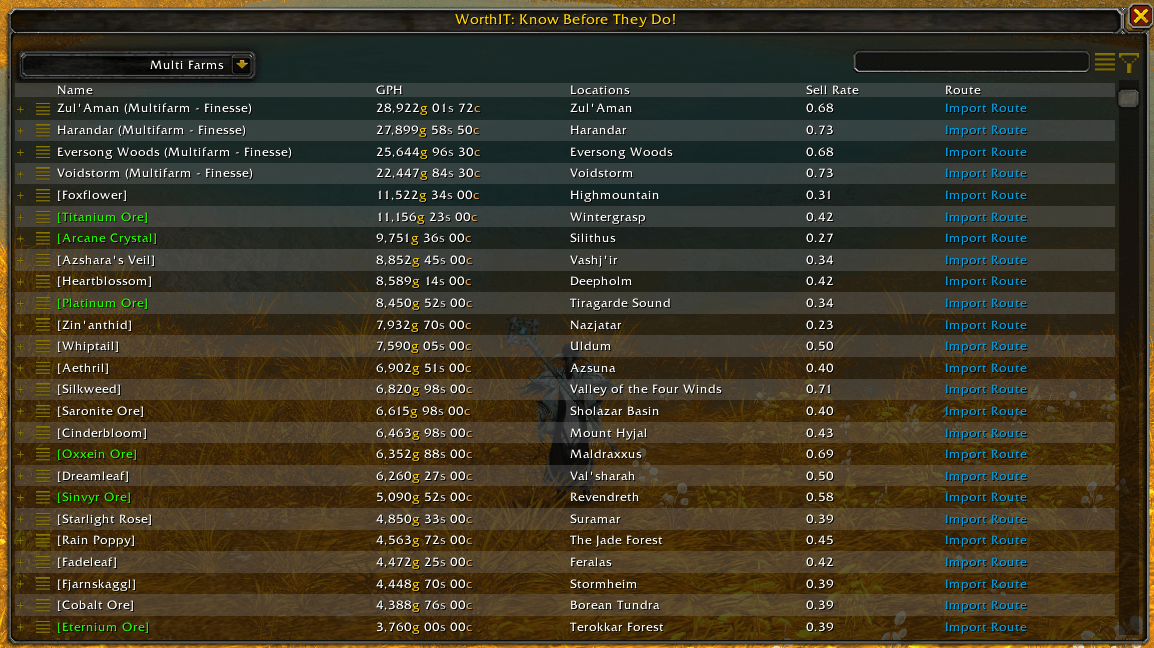
WorthIt combines farming data with your selected pricing source to estimate the value of different farms and material conversions. Compare opportunities, choose a farm and build your own collection of farming results.
Save time. Make informed decisions. Find what’s worth farming for you.
Compare farming opportunities
Browse supported farm types, including:
-
Mining
-
Herbalism
-
Skinning
-
Fishing
-
Cloth
-
Raw gold
-
Transmog
-
Mounts and toys
Farm valuations use recorded loot quantities, session duration and your selected pricing source to calculate estimated Gold Per Hour.
Estimated item value is not guaranteed income. Results depend on your character, farming conditions and available pricing data. Auction House items must sell before their estimated value becomes gold.
Available farms and features vary by game version.
Flipping and material conversions
Compare material costs with the estimated value of their returns.
Supported calculations include:
-
Disenchanting
-
Prospecting
-
Milling
-
Ink trading
-
Frozen Orb trading
-
Spirit of Harmony trading
These calculations help identify potentially profitable conversions. Availability depends on the game version, and actual returns and sale prices can vary.
Record your own farms
Use the MyFarms recorder to collect data from your own farming sessions.
-
Record loot and session duration.
-
Calculate your session’s estimated Gold Per Hour.
-
Edit and save farming results.
-
Build a personal library of farms.
-
Export farms to share with other players.
-
Import farms shared by the community.
Open the recorder using /wit recorder or through MyFarms.
Choose your pricing source
WorthIt supports pricing integrations including:
-
TradeSkillMaster pricing sources
-
Additional TradeSkillMaster data supplied through its Desktop Application
-
Auctionator
-
Oribos Exchange
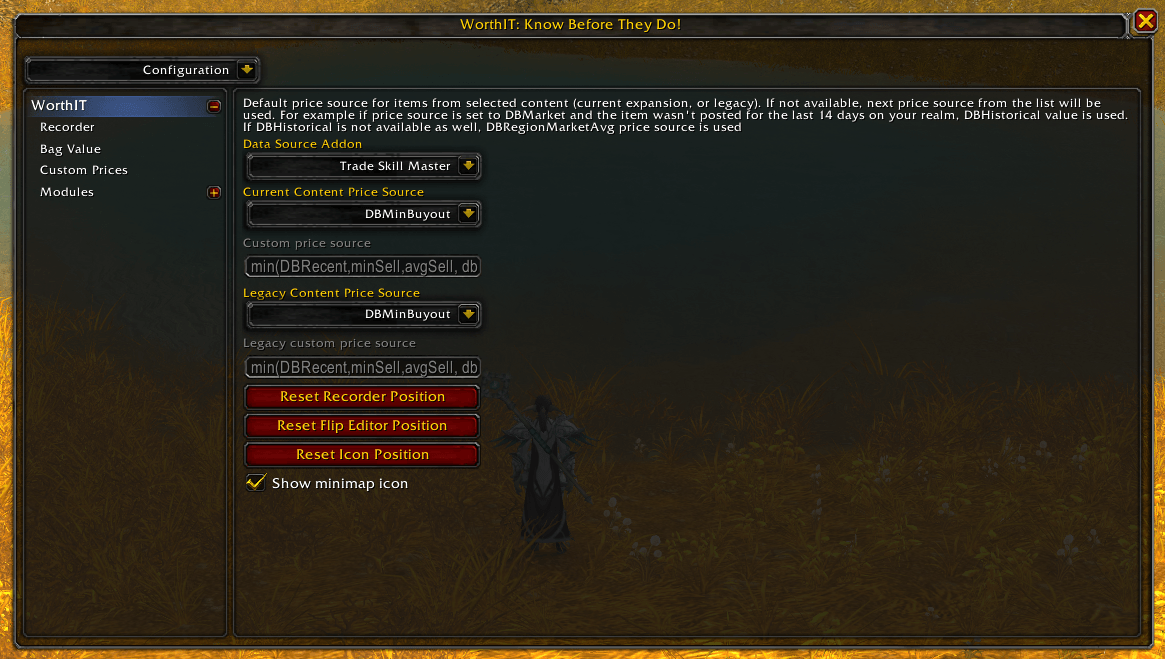
Choose an available source in Configuration. Relevant addons and pricing data must be installed and available for their integrations to work.
Pricing scope depends on the source and item: values may represent realm, regional or other market data. WorthIt uses those values to estimate your farm’s worth.
WorthIt Suite integration
WorthIt Suite brings compatible WorthIt addons together in a central hub, with access to their interfaces and individual settings.
-
Open connected WorthIt addons from one place.
-
Access WorthIt’s configuration through its Suite section.
-
Use a shared minimap launcher when multiple connected addons are installed.
-
Choose independent minimap access for individual addons.
-
Adjust Suite text size for readability.
-
Resize the Suite window and retain its position and size.
-
Reset the Suite window or close it with Escape.
Suite support is included. No separate Suite download is required. You can continue using WorthIt on its own without installing the other WorthIt addons.
Optional companion addons
-
Routes: Display supported farming routes.
-
Routes Import/Export: Import and export route data where supported.
-
TomTom: Waypoint navigation.
-
Scrap: Vendor-sale tracking for supported raw-gold recording functionality.
-
WorthIt Guides: In-game guides for farming, professions, mounts, reputations and more.
-
WorthIt Gold Tracker: Keep your character’s gold and target progress visible.
-
WorthIt Leveling: Record, follow and share leveling journeys.
Install the companions relevant to the features you want to use.
Getting started
-
Install WorthIt and your preferred supported pricing addon.
-
Open WorthIt using its minimap button or the shared Suite launcher.
-
Open Configuration and select an available pricing source. The default selection is DBMarket, which requires TradeSkillMaster data.
-
Browse farms and compare their estimated returns.
-
Open MyFarms to record your own sessions and compare your results.
Learn more
Watch the WorthIt walkthrough:
https://www.youtube.com/watch?v=gBwX4GjFRZ8
Support and community
Share farming results, report problems and follow development:
-
YouTube: https://www.youtube.com/@DalaGG
-
Discord: https://discord.gg/uUup6dVGVV
-
Website: https://dalaggstudios.com/
If you would like to support DalaGG’s ongoing work:
WorthIt Team

Owner