Wick's Map
- By
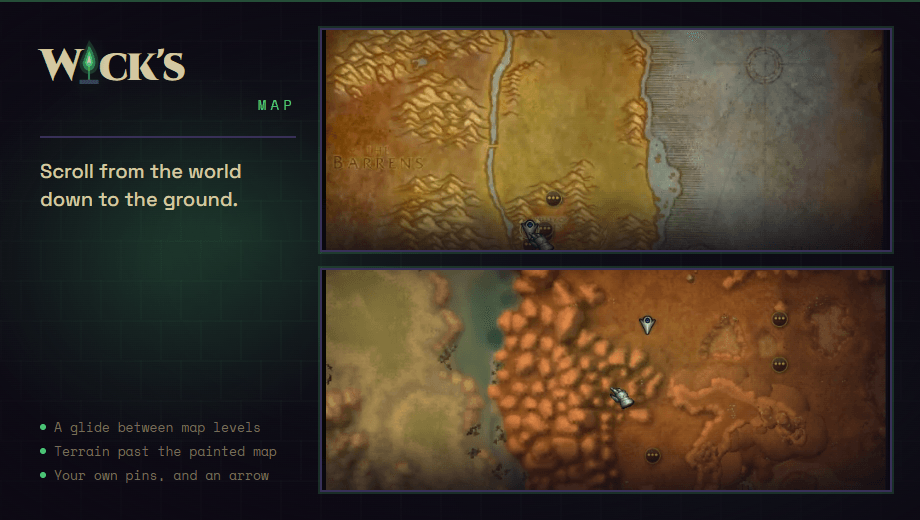
Scroll the world map from the world to a continent to a zone, with a smooth zoom that keeps your spot in place. Close in, the ground itself takes over. Pin your own places and follow an arrow to them. TBC Anniversary and Forever.
thumb-2x.png
Description
Wick’s Map teaches the game’s world map to zoom. Scroll in over a continent and it opens, scroll in over a zone and that opens, and keep going until you are looking at the ground itself. Scroll out to come back up. It is the game’s own map, so quest, flight point and party icons all stay where they are.
Requires WickCore, which carries the shared window chrome, themes, options and minimap launcher for the suite.
Scroll between levels
The world, a continent, a zone, a city: the wheel moves between them, with a short zoom from one to the next. Where the game lets a map zoom, it zooms all the way first.
A smooth zoom that stays put
Each step glides instead of jumping, with the place you are pointing at held still, and a new level opens zoomed so that place stays where it was. With the cursor over the part of the map you are in, the zoom closes in on you and brings you toward the middle. Point anywhere else, or hold Shift, and it zooms where the cursor is.
The ground itself, close in
A zone’s painted map is one picture, and zoomed in it is that picture blown up. Past its detail, the minimap’s terrain fades in under the map’s icons, about two and a half times as fine, and the wheel keeps going about as close as the minimap’s closest zoom. It shows the ground as it is, explored or not, and can be turned off.
Pins of your own
Right-click the world map and add a pin: a name (it starts as the name of the place), an optional note, and one of the eight raid marker icons. Pins are kept between sessions on every character, and show on their zone and, smaller, on the continent. Hover one to read it, right-click it to change or delete it.
Head for a pin, or a waypoint anywhere
Left-click a pin and it becomes where you are heading: it glows, and a small window with an arrow and the distance in yards points the way and clears when you arrive. The same right-click menu sets a waypoint anywhere, with the same arrow. On Forever that waypoint is the game’s own, so it also shows on the world map and the minimap.
Where things are
Everything is on the world map. Shift+right-click still goes up a level. From chat: /wmap pin Herbs pins the spot you are standing on, /wmap pins lists your pins, /wmap 45.2 61.8 sets a waypoint at those coordinates in your zone, and /wmap clear takes it away. Every setting has a page under Options, Wick’s Mods, and a line in the minimap launcher.
Works on TBC Classic Anniversary and Forever.
As always, please leave me any feedback or reach out for support. It is always appreciated and goes a long way to helping improve these addons for everyone.
Wick's Map Team