Wick's Macro Builder
- By
A clean macro editor for TBC Classic. Click-to-insert conditionals, slash-command shortcuts, and curated class presets for all 9 classes.
wick-thumb-macro-2x.png
Description
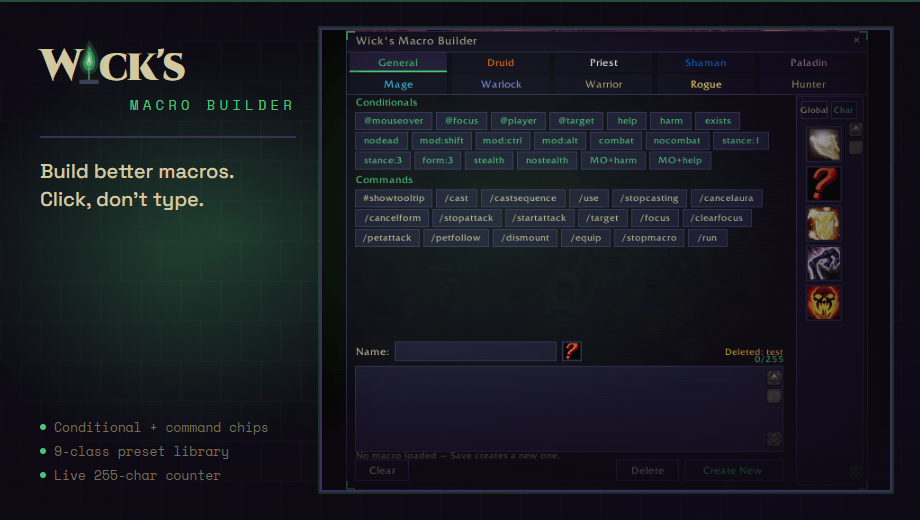
A clean macro editor for TBC Classic. Build your macro with click-to-insert chips, pick an icon, then drag it straight onto your action bars — no switching to Blizzard's macro window.
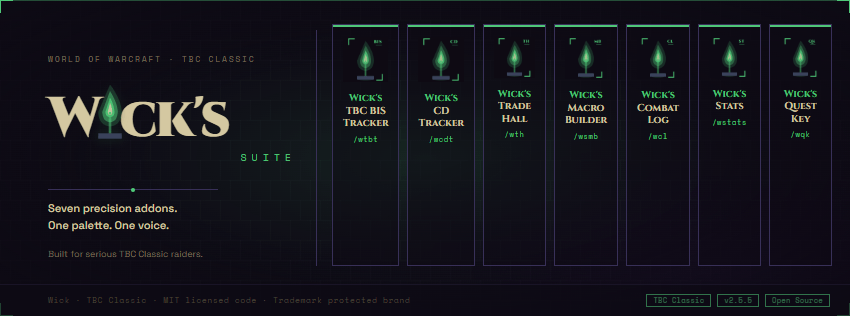
Part of the Wick suite — a small family of TBC Classic addons built around a single dark-purple, fel-green aesthetic. Clean information density, no fantasy scroll texture, no Blizzard dialog chrome.
WHAT IT DOES
• Drag macros to your action bars from inside the builder. The right-side icon strip shows every macro in your current scope with its real icon. Left-click an icon to load it into the editor; left-drag it onto any action-bar slot to equip it. No more switching to /macro to drag things.
• Pick any icon for your macro. Click the ? button next to the Name field to open a grid of every macro-eligible icon — pick one and it's saved with the macro. Your raid macros stop all looking like identical ? icons.
• General tab — one-click conditionals and commands. 20 conditionals (@mouseover, @focus, @player, [help], [harm], [mod:shift], [stance:1/3], [form:3], [stealth], and more) and 18 slash commands (#showtooltip, /cast, /castsequence, /cancelaura, /cancelform, /use, /stopcasting, /petattack, /focus, and the rest). Each chip inserts its snippet at your cursor with a hover tooltip explaining what it does.
• Class preset library. 54 curated TBC-correct macros across all 9 classes: Druid Cat+Dash, Priest Inner Focus + Prayer of Healing + trinket, Shaman NS+Healing Wave, Paladin Bubblehearth, Mage PoM+Pyroblast, Warlock Banish focus, Warrior stance-swap + ability, Rogue Cheap Shot focus, Hunter Misdirection focus. Click a preset to load it into the editor as a starting point.
• Live 255-character counter — green → amber → red as you approach WoW's macro cap.
• Smart save flow. Click an existing icon in the strip to load it, edit the body, hit Save Changes — it's overwritten in place. Or clear the editor, type fresh, and hit Create New to append a brand-new macro. A mode hint tells you exactly which mode you're in.
• Confirmation before delete — a popup asks before nuking a macro.
• Global and Per-Character scope — toggle at the top of the icon strip. Creates and browses behave correctly per WoW's packed-list macro model.
• Resizable — the BOTTOMRIGHT fel-green L-bracket doubles as the resize grip. Size and position remembered per character. Chips, presets, and editor all reflow.
WHY IT FEELS DIFFERENT
• Flat dark panel, thin 1px purple border, fel-green L-bracket corners at all four corners — no Blizzard scroll texture, no gradient chrome.
• Chip-based builder — you don't memorize conditional syntax, you click chips and edit around them. Hover any chip for a plain-English description and the exact snippet it inserts.
• Icon-based macro management — no numbered slots to track; you see the actual icon of the macro you're about to load, edit, or drag.
• Does not interfere with Blizzard's native macro UI — your existing macros stay exactly as they are unless you edit them here. All PickupMacro, CreateMacro, EditMacro, and DeleteMacro calls are combat-guarded.
INSTALLATION
- Install via CurseForge client, or drop the WicksMacroBuilder folder into Interface\AddOns\
- /wsmb to toggle the builder
- Click any chip to insert a snippet; click any preset to load a starting macro; click an icon in the right strip to load an existing macro; drag an icon from the strip onto your action bar
COMPATIBILITY
• TBC Classic (Burning Crusade Classic / Anniversary) — Interface 20505
• Works with both Global and Per-Character macro slots
Wick's Macro Builder Team