WhoOnMap
- By
Shift-right-click a zone or city on the world map to auto open the /who panel on that area, so you can see who's around!
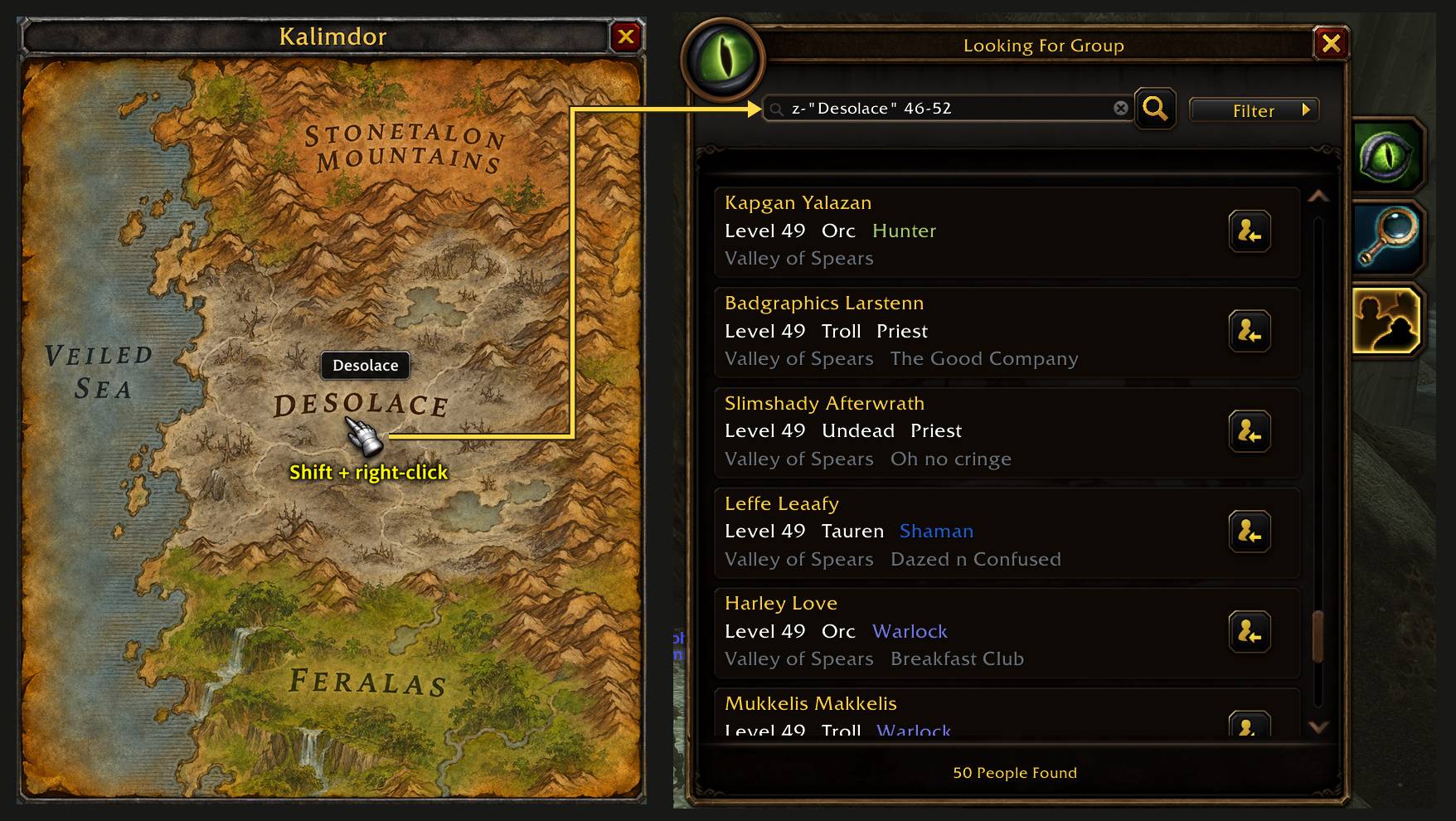
WhoOnMap-zone-search.jpg
Description
WhoOnMap lets you run a /who search from the WoW Forever world map. Hold Shift and right-click a zone or city. The /Who panel opens with the area name filled in and shows the matching players. The map stays open so you can check another area.
WhoOnMap works on its own with the default map and also supports OpenMap’s stitched world map.
Change the shortcut
Open Settings → AddOns → WhoOnMap. Hold Shift, Ctrl, Alt, or a combination, then click Set shortcut with the mouse button you want to use. You can use left-click, right-click, middle-click, or either side button.
The shortcut is saved per character. Choose Restore default to go back to Shift-right-click.
WhoOnMap Team