Image 2.png
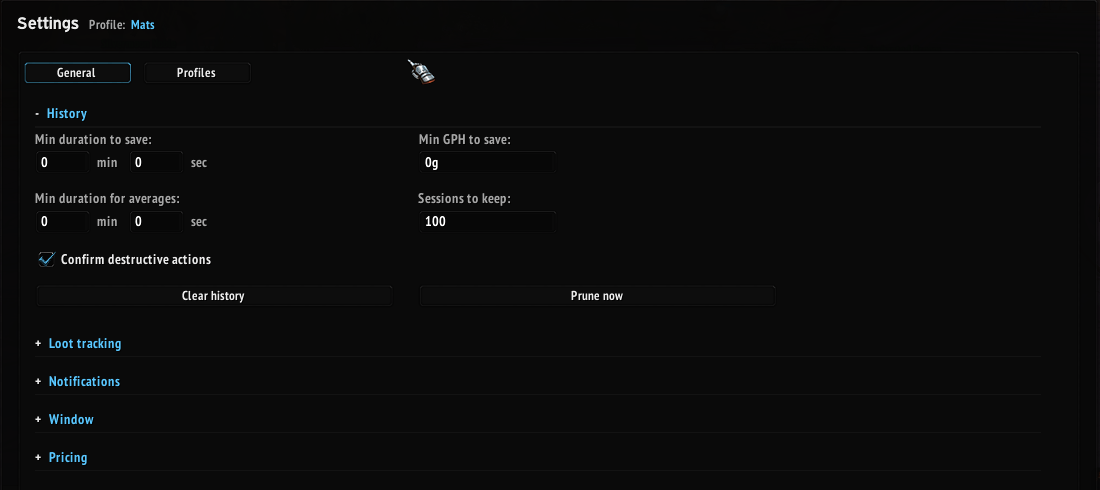
Image 4.png
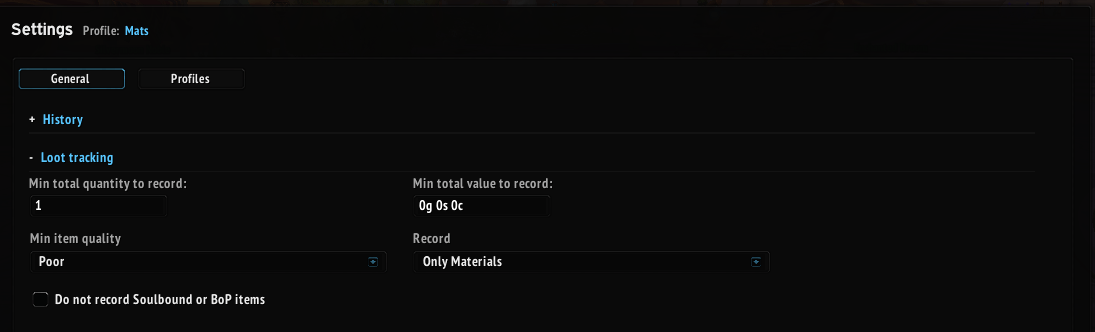
Image 5.png
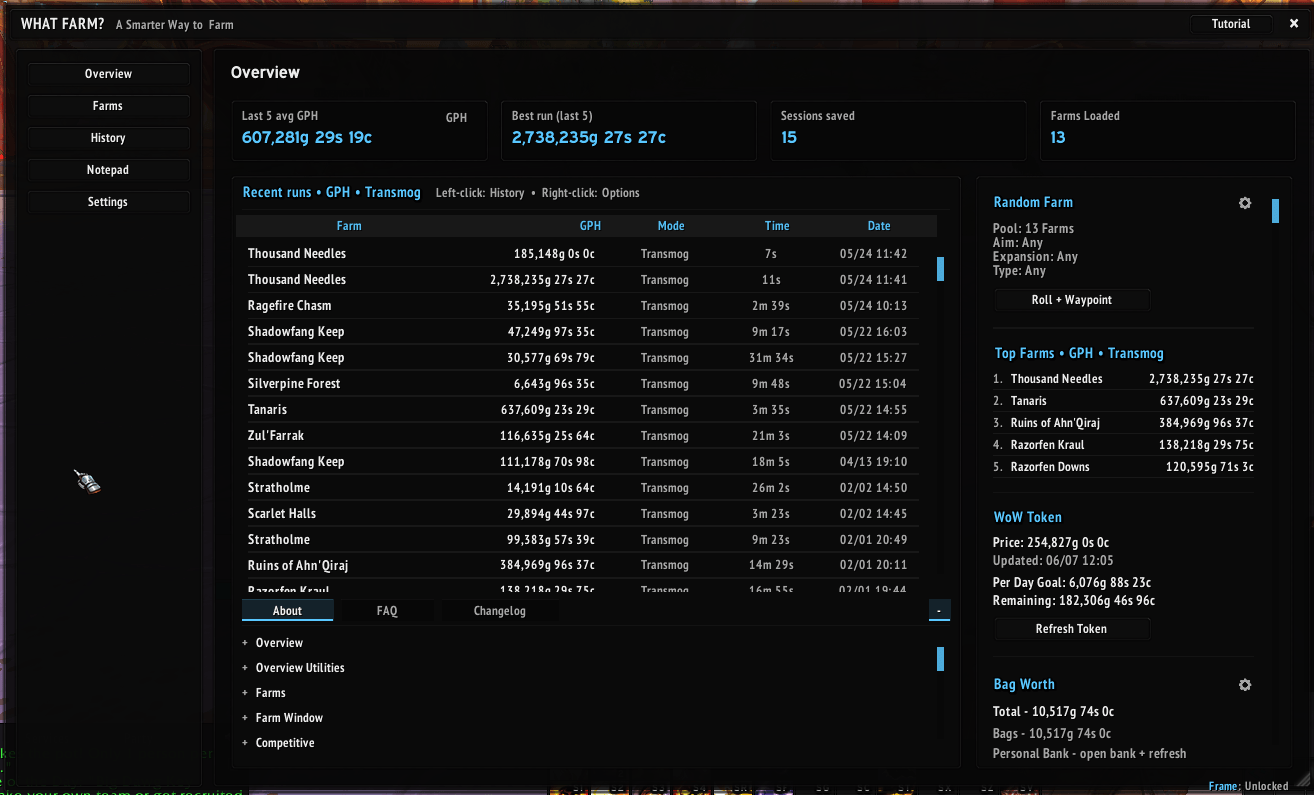
Image 1.png
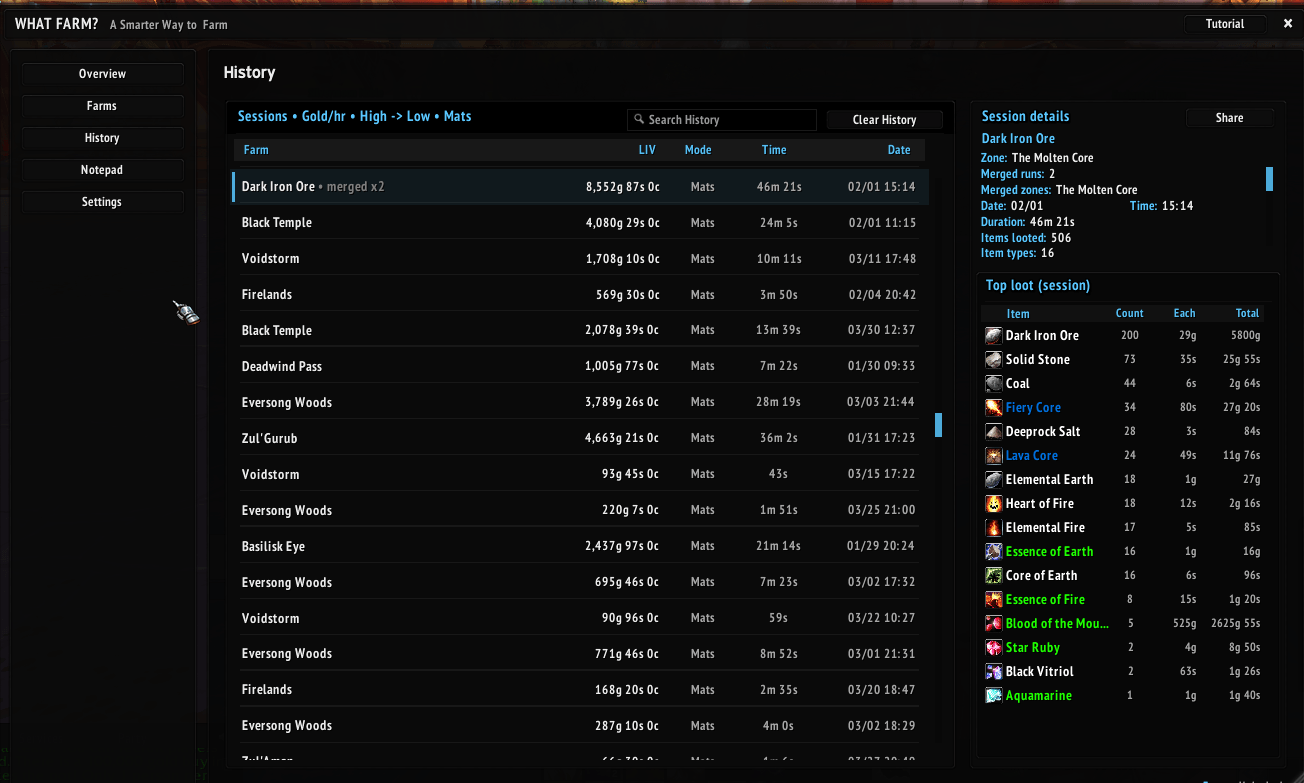
Image 3.png
Description
WHAT FARM? (Beta release)
What Farm? is an all in one farming addon built to help you track, compare, and improve your farming sessions.
Start a session, farm like normal, and What Farm? tracks your loot, raw gold, time spent, total value, and performance. When the session ends, the run can be saved to your history so you can look back, compare farms, and see how different routes, characters, or farming styles perform over time.
What Farm? is designed for every type of player, from casual farmers to hardcore grinders. It covers the essentials needed to track your farming data, save your results, and see what is actually worth your time.
MAIN FEATURES
Loot Tracking
Track your farming session with loot, raw gold, time spent, total value, and gold per hour. What Farm? shows what you looted, how much it is worth, and how the session performed without needing to track everything manually.
If an item is missed while looting during a run, you are able to right click the "Item" column in the farm window, and add the item to your run.
Loot data is saved with your run, making it easy to review later in History or compare against other farming sessions.
Session History
Save completed runs to your History and look back at past farming sessions whenever you need. Compare results over time, review old runs, and see which farms are worth repeating.
Right clicking the "Mode" header in the history tab will allow you to filter your history by specific profiles.
Farm Management
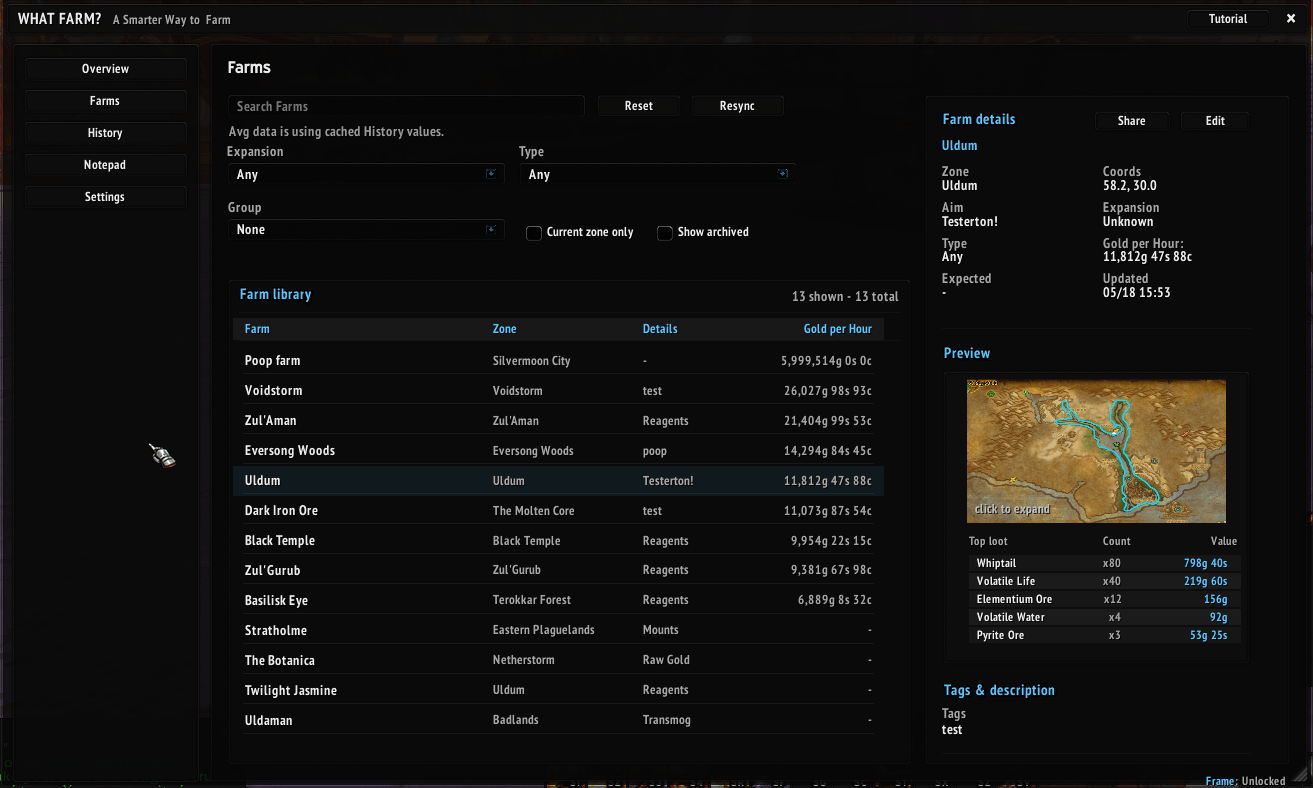
Create and manage farms so your session data has a real place to belong. Farms can track average GPH based on your saved History data, making it easier to see how a farm performs across multiple runs instead of judging it from one session.
You can compare different mode data, attach route images, keep farm details organized, and share farms with other players. Farms also connect directly with your active sessions, so when you start tracking, What Farm? knows exactly what farm the data belongs to.
This makes farms more than just labels. They act as saved farming profiles that keep your routes, results, averages, and history connected in one place.
Settings & Profiles
What Farm? includes a full settings system so you can adjust the addon around the way you farm. Control how sessions are saved, how loot is tracked, what values are shown, how notifications behave, and how different tools work across the addon.
Profiles let you create different farming setups for different characters, routes, or playstyles. Profiles can also be shared with other players, making it easier to copy setups, compare data, or use the same rules during group farming.
When joining a Competitive session, What Farm? can automatically swap you to the host’s shared profile so everyone is using the same setup. This keeps the session consistent and makes group comparisons cleaner.
ADDITIONAL TOOLS
What Farm? also includes several farming tools and quality of life features built around the main tracking system.
Bag Worth
Bag Worth lets you check the estimated value of items in your bags, personal bank, and guild bank. This gives you a quick way to see what you are carrying, what you have stored, and how much value may be sitting outside of your active farming session.
Random Farm
Random Farm helps you choose what to farm next by picking a farm from your saved farm library. You can let it choose completely at random, or use filters to narrow down the type of farm you want. This helps keep farming from feeling repetitive when you do not want to run the same route over and over.
When a random farm is selected, What Farm? automatically loads that farm into your Farm Window. If you are near the farm area, you can press Start and the session will automatically be assigned and saved to that farm.
If you are not near the selected farm area and press Start, the farm will unload and the session will instead be saved based on your current location. This keeps sessions from being saved to the wrong farm if you decide to start farming somewhere else.
Pricing Data
What Farm? uses available pricing data to estimate item values, session totals, and gold per hour. These values can depend on your pricing setup, server economy, and supported pricing addons.
Auctionator and TSM are currently supported for pricing data. If there is another price source you would like supported, let me know and I’ll do my best to add it.
Slash Commands
/wf - opens the main farm window
/wf help - opens the settings window
/wf history - opens the history window
/wf farms - opens your farm library
BETA NOTICE
What Farm? is currently in beta development. Some features may change, and bugs are expected while the addon is being tested and improved.
There is far too much to list on this page alone, which is why What Farm? also includes an in game About section, FAQ, and Tutorial page to help explain the addon in more detail.
Please report any bugs you find in the comment section below. When reporting a bug, include what you were doing, what window you were using, and any Lua error message if one appeared.
A full YouTube video explaining the addon in depth will also be available once the addon is further developed.
The What Farm? Team


Owner