Warrior HUD
- By
A warrior HUD that follows your spec: health and rage bars, your Arms, Fury or Protection rotation and cooldowns, timers that keep running in combat, and layouts you can share.
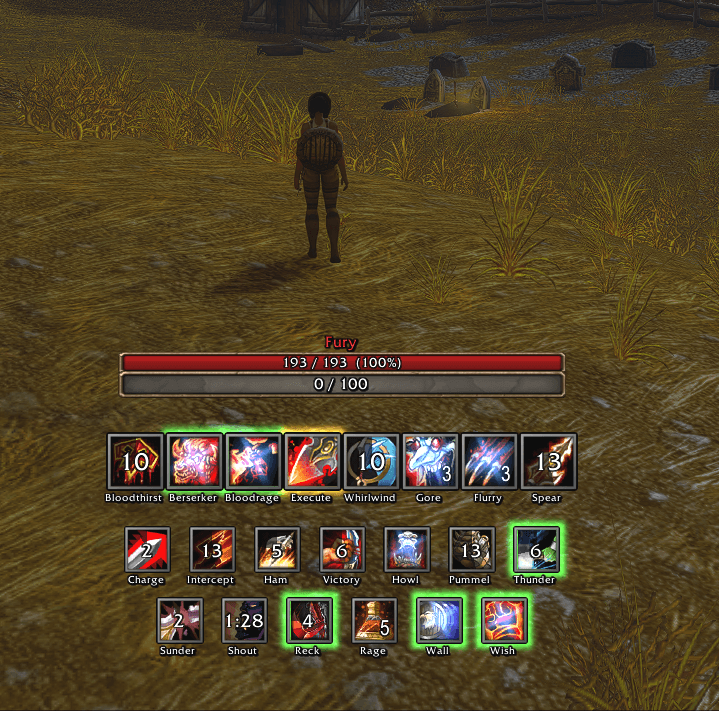
Warrior HUD follows your spec and shows only what that spec needs. Move it, style it per spec, and share your layout with a code.
What each spec shows
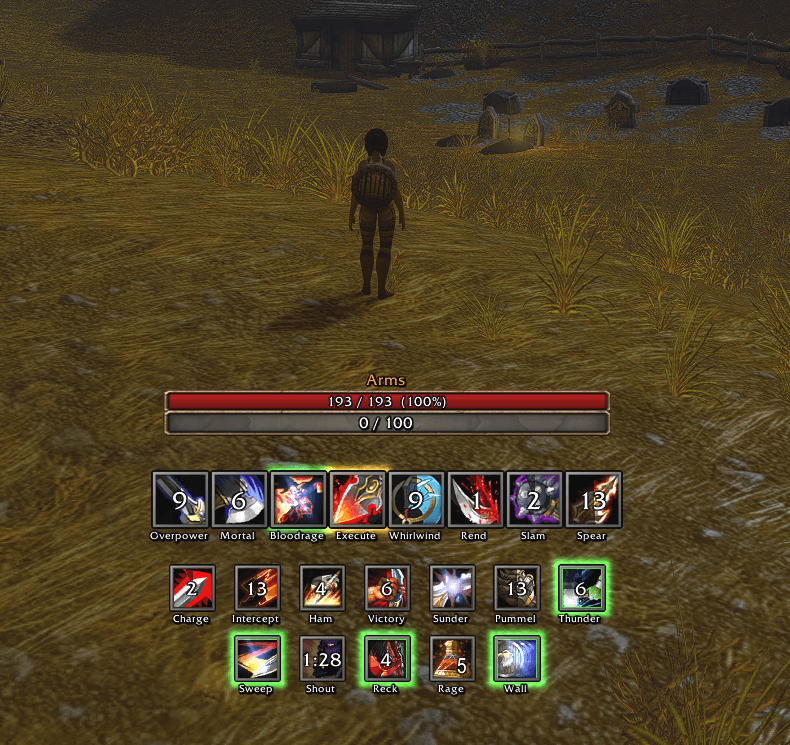
- Arms: Overpower, Mortal Strike, Bloodrage, Execute, Whirlwind, Rend, Slam, Spearing Strike, Sweeping Strikes, Recklessness, Shield Wall, rage potions.
- Fury: Bloodthirst, Berserker Rage, Bloodrage, Execute, Whirlwind, Gore Drinker and Flurry charges, Spearing Strike, Sunder Armor, Recklessness, Shield Wall, Death Wish, rage potions.
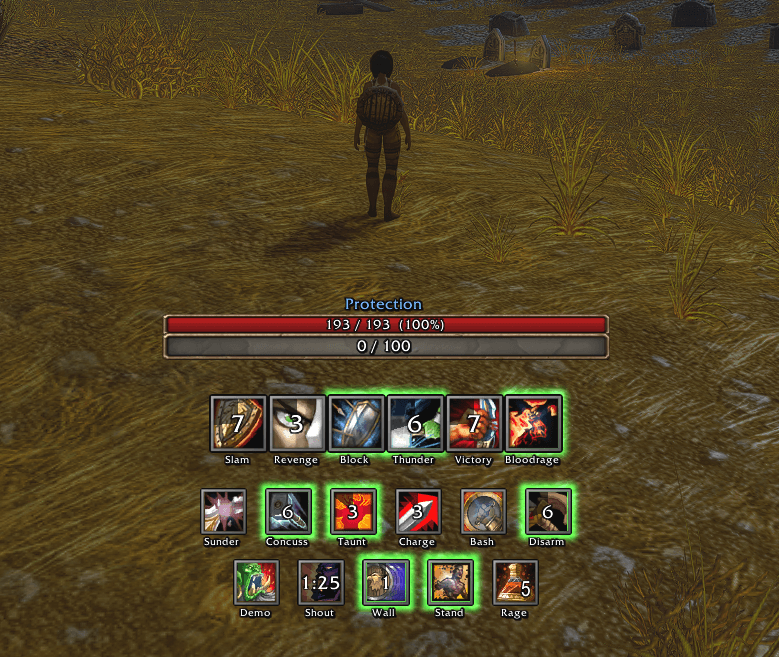
- Protection: Shield Slam, Revenge, Bloodrage, Shield Block, Sunder Armor, Thunder Clap, Demoralizing Shout, Taunt, Victory Rush, Last Stand, Shield Wall, rage potions.
- Utility row (one tick in the menu): Charge, Intercept, Hamstring, Victory Rush, Sunder Armor or Piercing Howl, Pummel, Thunder Clap, Shield Bash; Protection's is Charge, Shield Bash, Concussion Blow, Disarm.
- Every spec: health bar with its percent, rage bar, Battle Shout (with a reminder when it's missing).
Your spec is read from your talent points, or set in the menu. Spells appear as you learn them; potions while you carry them.
How it tracks
- Real buff and debuff timers, in combat too.
- Cooldowns straight from the game: ready, active, cooling down.
- Overpower, Revenge, Victory Rush and Execute glow gold when you can use them.
- An icon turns blue while you lack the rage for it, and red while you're in the wrong stance for it or have no shield on.
Arms
Protection
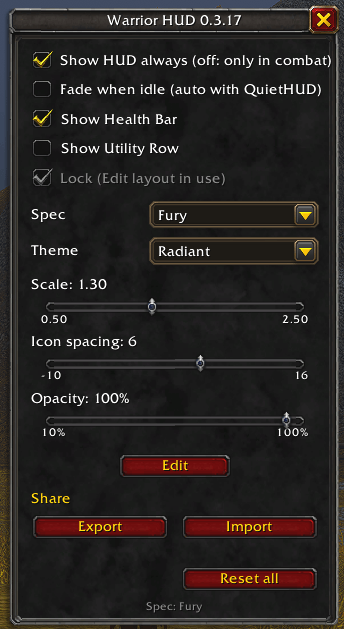
Menu
Type /whud (or /warriorhud): Show HUD always, Fade when idle, Show Health Bar, Show Utility Row, Lock, Spec, Theme, Scale, Icon spacing, Opacity, Edit, Share, Reset all.
Edit mode
Click Edit or type /whud edit, then tick the spec to edit. Each spec keeps its own layout.
- Green box: drag it to move the HUD.
- Blue boxes: drag the bars, an icon row or the warnings into another socket in the HUD, or drop them anywhere else to unsocket them.
- Shift + drag an icon: move it along its row, to another row, or anywhere on screen. An unsocketed icon drags without Shift.
- Drop an unsocketed part back on the HUD to socket it again. Click an icon to hide it.
- Hide: tick it beside the bars, a row or the warnings to hide that part in this spec.
- Show: under the bars' box, untick Health or Rage to hide that bar in this spec.
- Add from other specs: tick another spec's spell to show it in this spec too, such as Overpower in Fury or Shield Block in Arms.
- Reset resets the spec you are editing; Reset all in the menu resets everything.
- Also here: Show in (untick to hide the HUD in that spec), Snap grid, Copy to all specs, nametags and their size. Done returns to the menu.
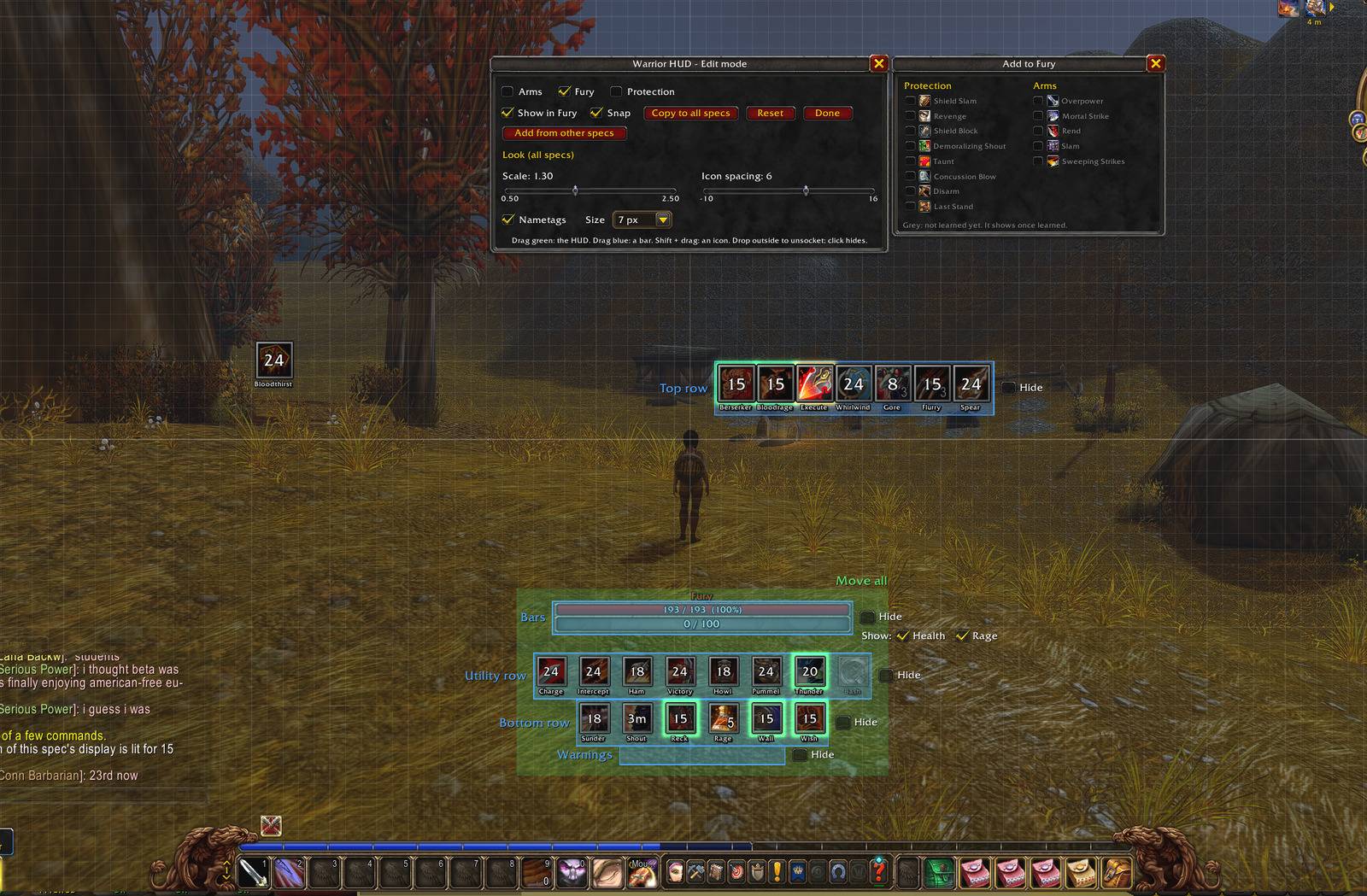
Share: Export gives a code; Import applies that layout and keeps your own settings.
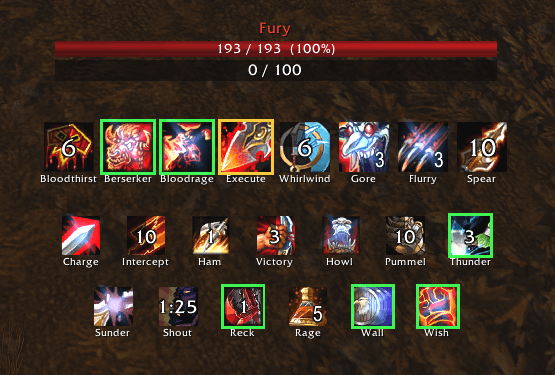
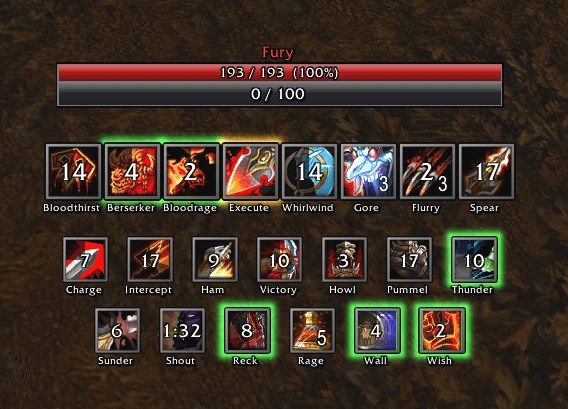
Looks
- Radiant (default): Blizzard's art with a gold trim.
- Plain: lightest on performance.
- Smooth: polished bars and bevelled icons.
Plain
Smooth
Commands
- /whud edit: edit mode.
- /whud spec auto|arms|fury|protection: which spec's display; auto follows your talent points.
- /whud utility on|off: the utility row in every spec.
- /whud test: lights every icon for 15 seconds.
- /whud showall: shows every icon of every spec, learned or not.
- /whud lock / unlock: drag the HUD.
- /whud health on|off: the health bar in every spec.
- /whud mirrors on|off: real in-combat auras, or timers from your casts.
- /whud idlefade on|off|auto: fades the HUD when you're idle. Auto (the default) turns it on when QuietHUD is on and uses QuietHUD's opacity and timing.
- /whuddebug: having a problem? Paste what it shows into a comment.
Licence
© LimJahey1337, all rights reserved. Free to use; ask before reusing its code or art. Spell icons and Blizzard's bar art are drawn from your game; the download does not include them.
If you like my addons and want to support my work, it's greatly appreciated!



If you liked my addon and have an idea for one you'd like to see developed, contact me here on CurseForge. Suggestions are always welcome!
Warrior HUD Team