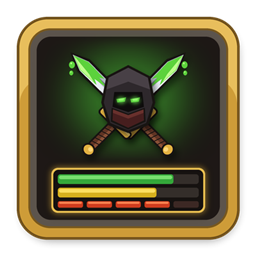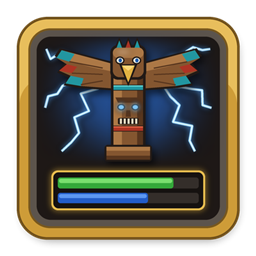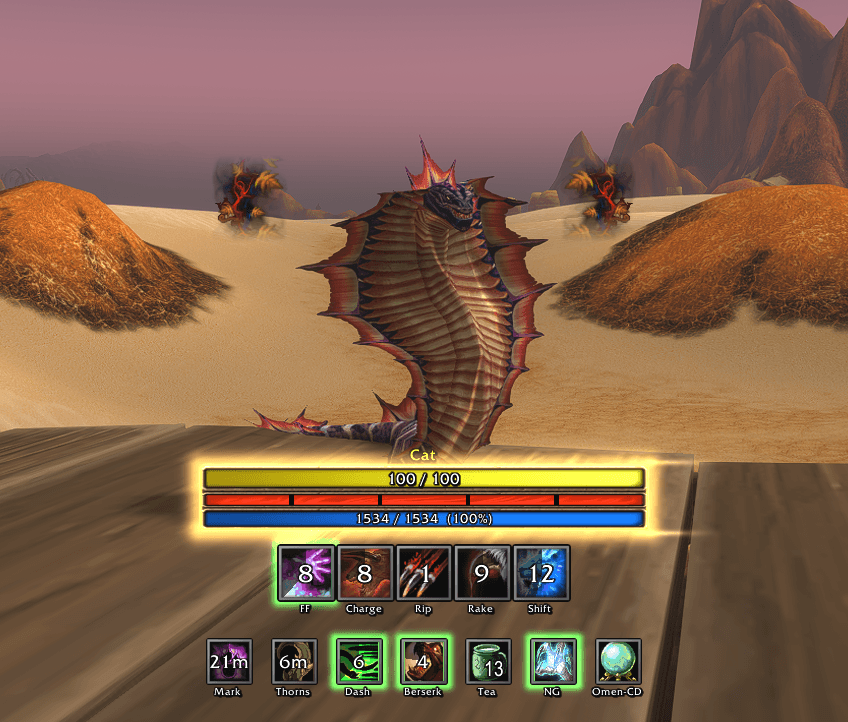
1 - druid cat wildshape.png
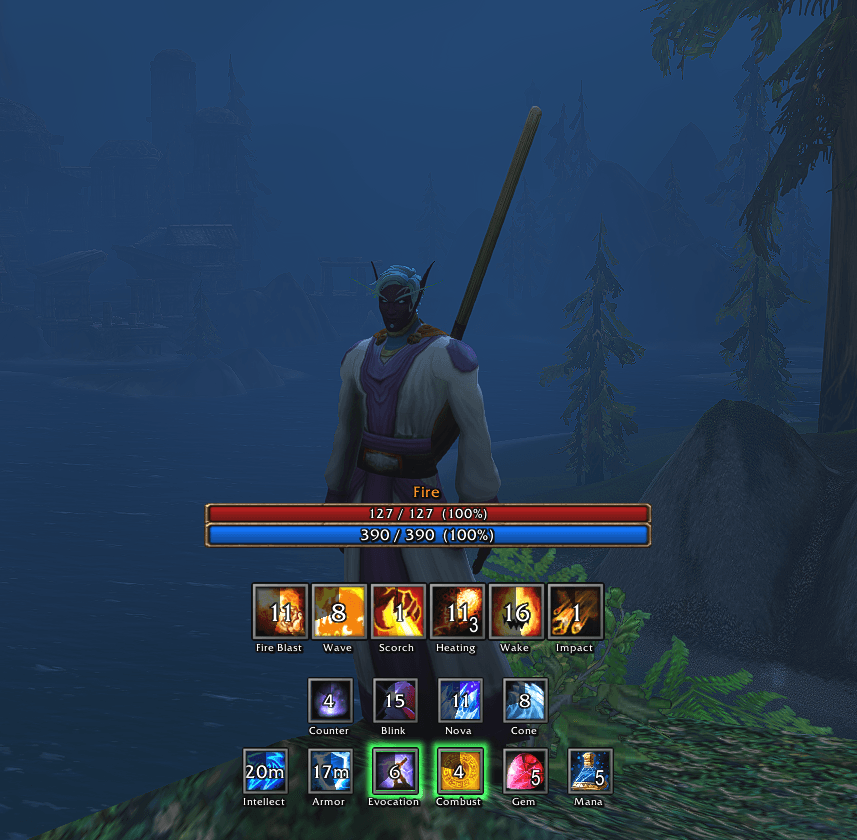
5 - mage fire.png
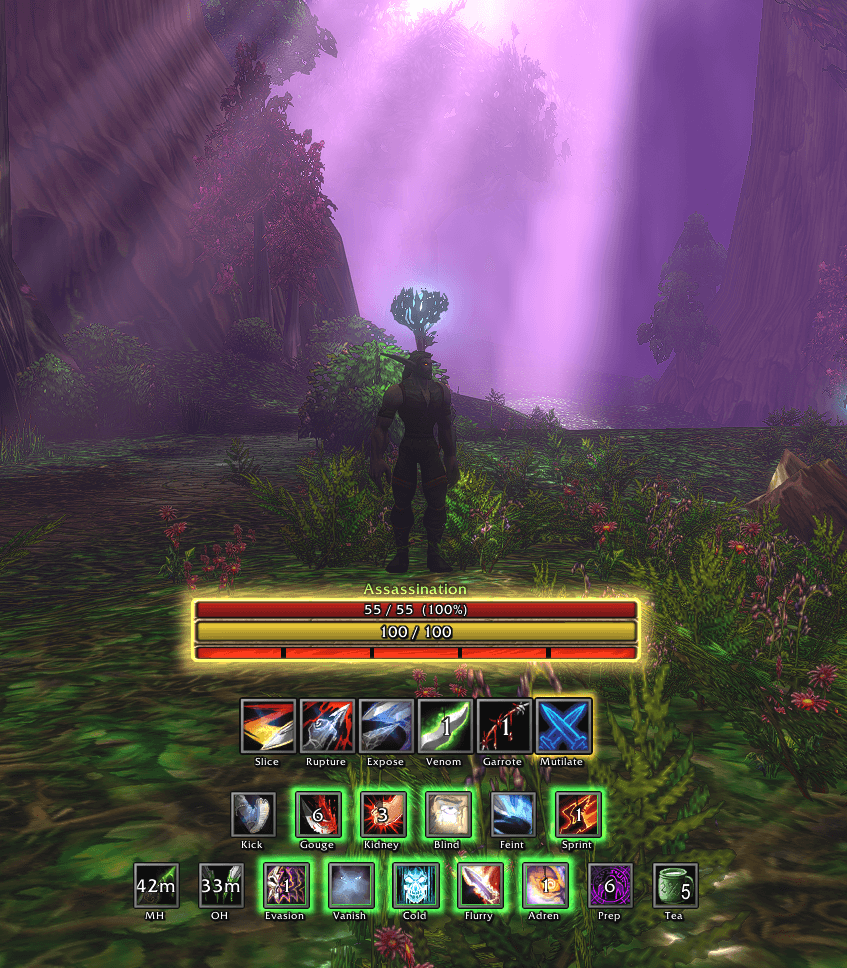
2 - rogue assassination.png
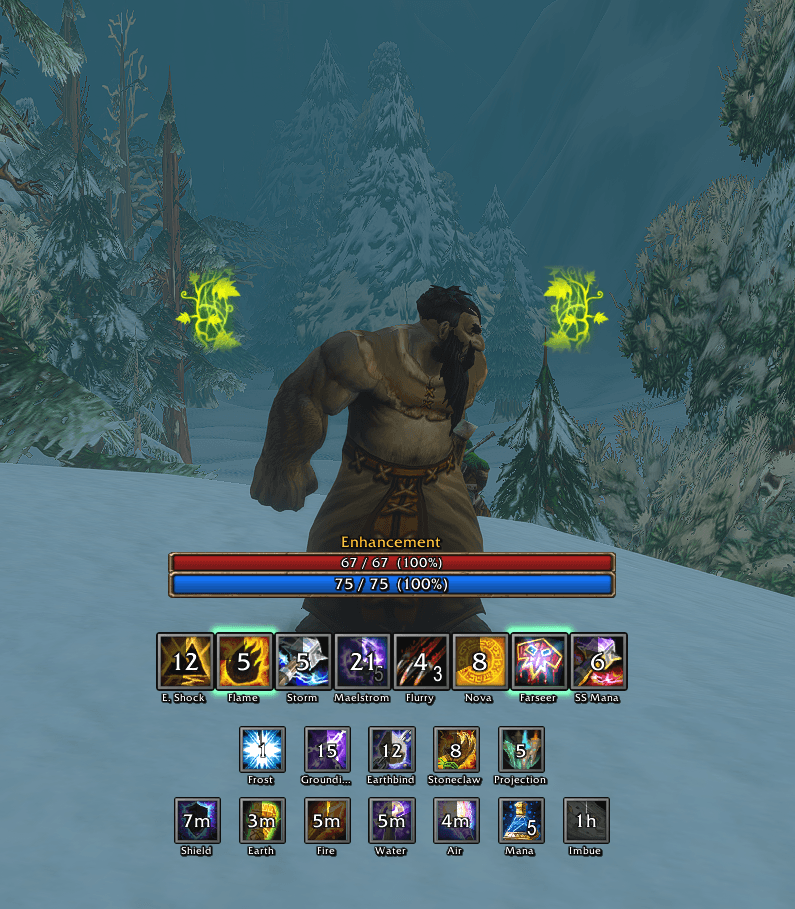
3 - shaman enhancement.png
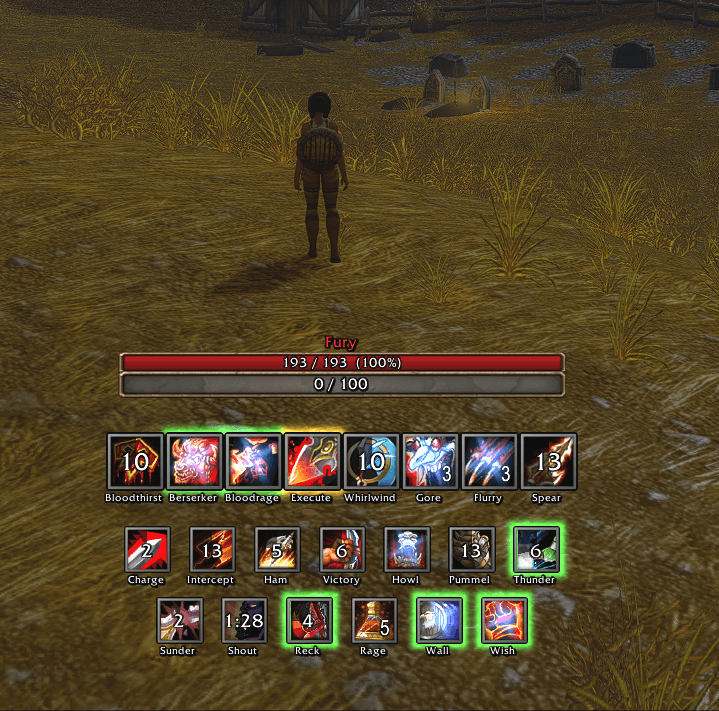
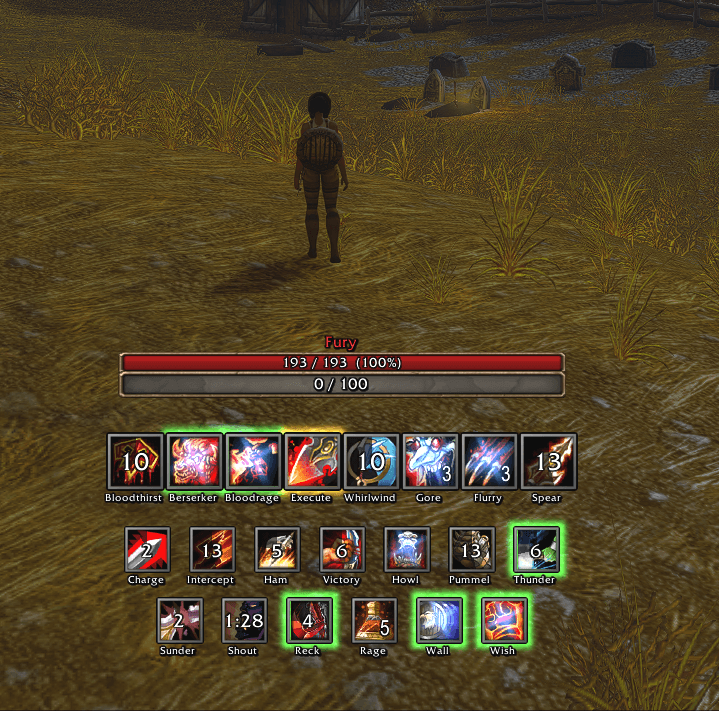
6 - warrior fury.png
Description
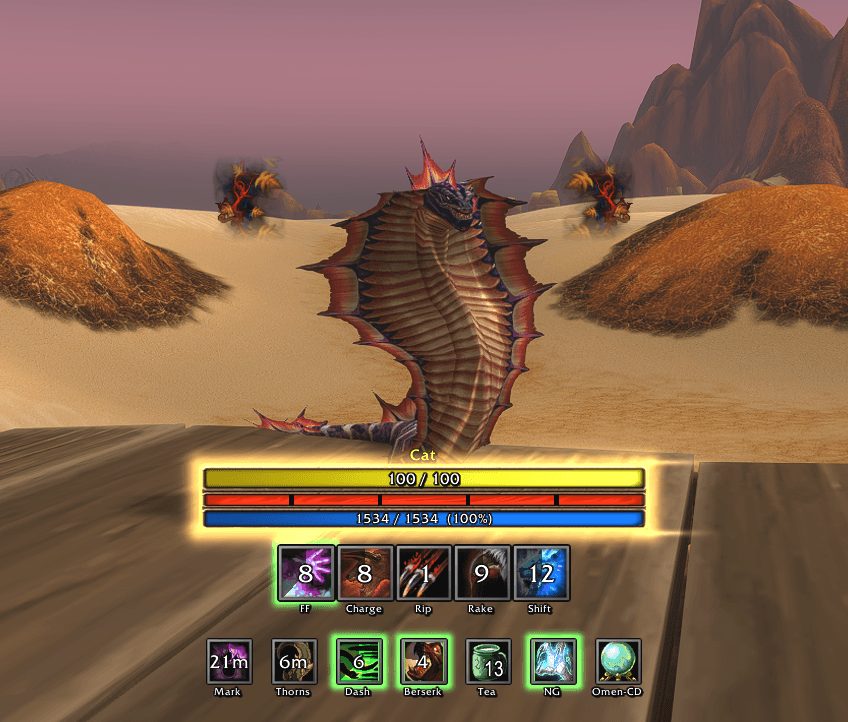
Class HUD is one add-on with a HUD for every class. On each character it shows that class's HUD and follows your spec, or your form on a druid: your moves and cooldowns, your damage over time on the target, your talent procs with their timers and stacks, your buff reminders, and your health and power. Move it, style it per spec, and share your layout with a code.
Every class: Warrior, Paladin, Hunter, Rogue, Priest, Shaman, Mage, Warlock and Druid.
What each class shows
- Warrior: each spec's strikes and cooldowns, Gore Drinker and Flurry charges, Sunder Armor, rage potions, a Battle Shout reminder.
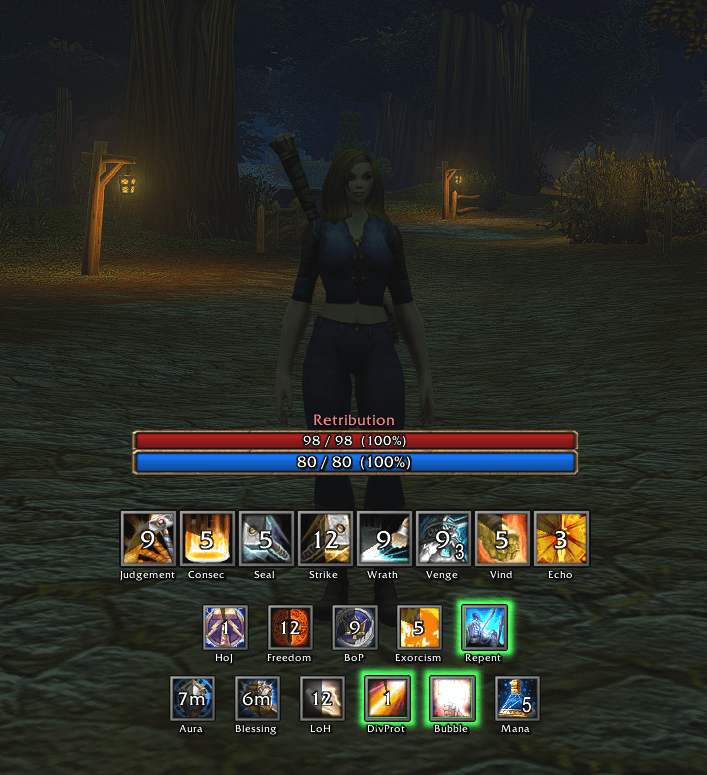
- Paladin: Judgement, Consecration, your seal, Holy Shock, Holy Shield, Vengeance stacks, Lay on Hands, your aura and blessing with reminders; works with PallyPower.
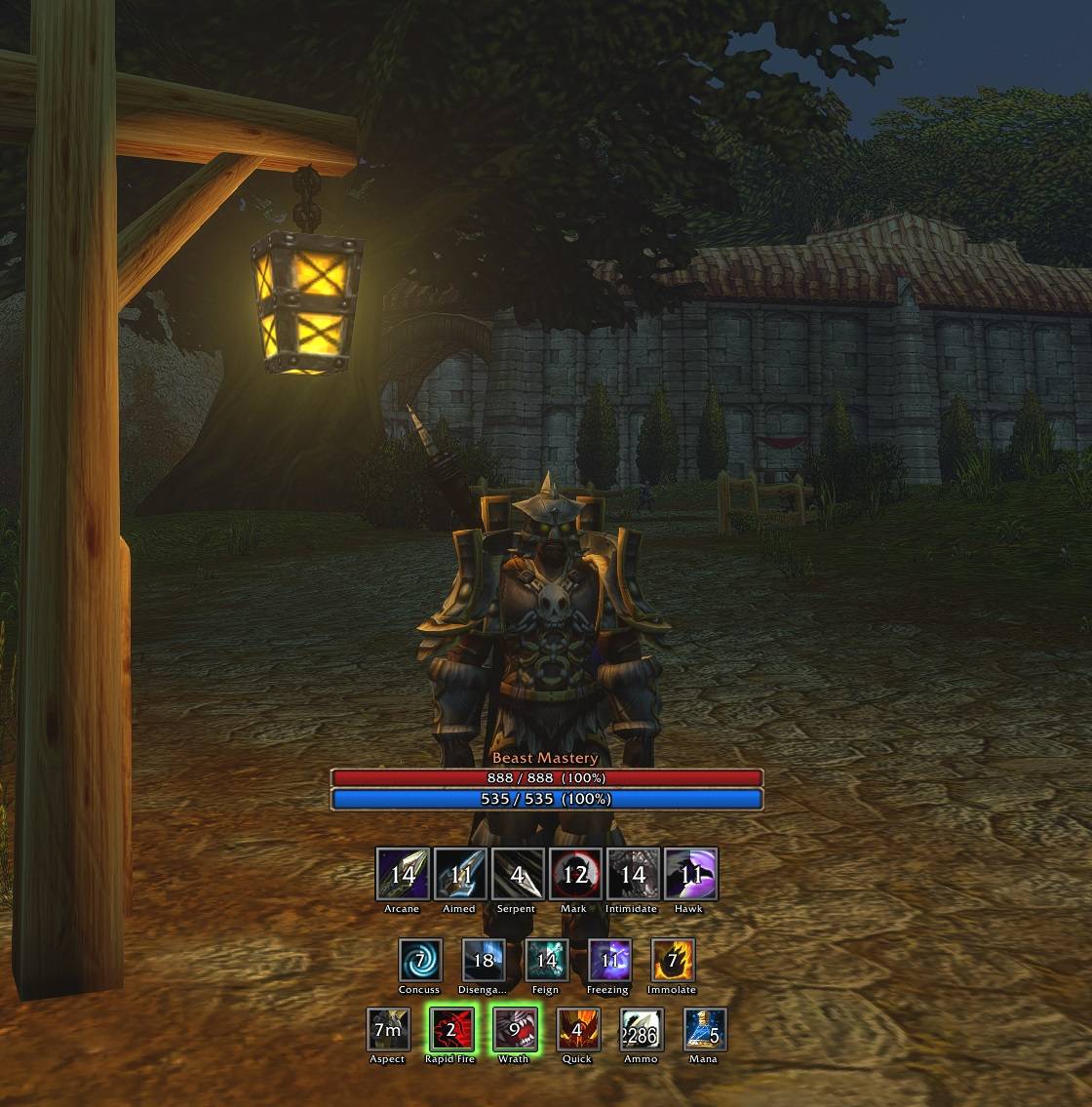
- Hunter: each spec's shots, Serpent Sting and Hunter's Mark on your target, Bestial Wrath, Rapid Fire, your Aspect, your ammo.
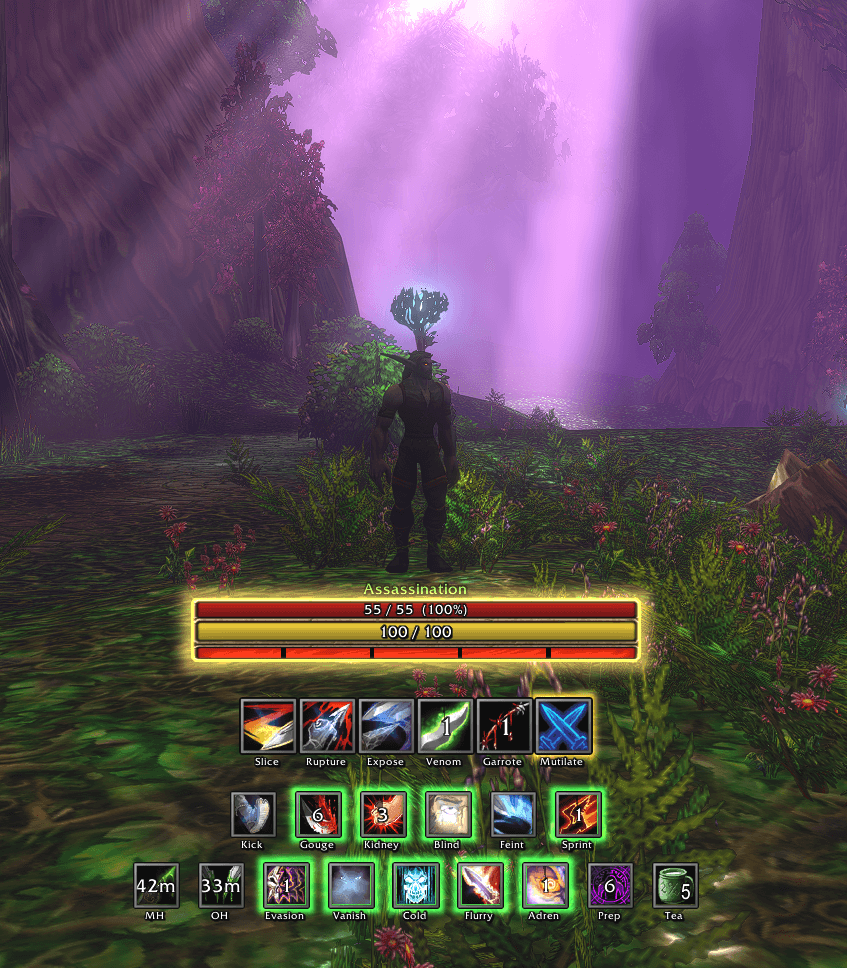
- Rogue: combo points, finisher timers, Slice and Dice, Rupture, Expose Armor, the poison on each weapon, Evasion, Vanish, Adrenaline Rush.
- Priest: Power Word: Shield, Holy Fire, Penance, Prayer of Mending, Shadow Word: Pain, Shadow Weaving stacks, Shadowform, Fortitude and Inner Fire reminders.
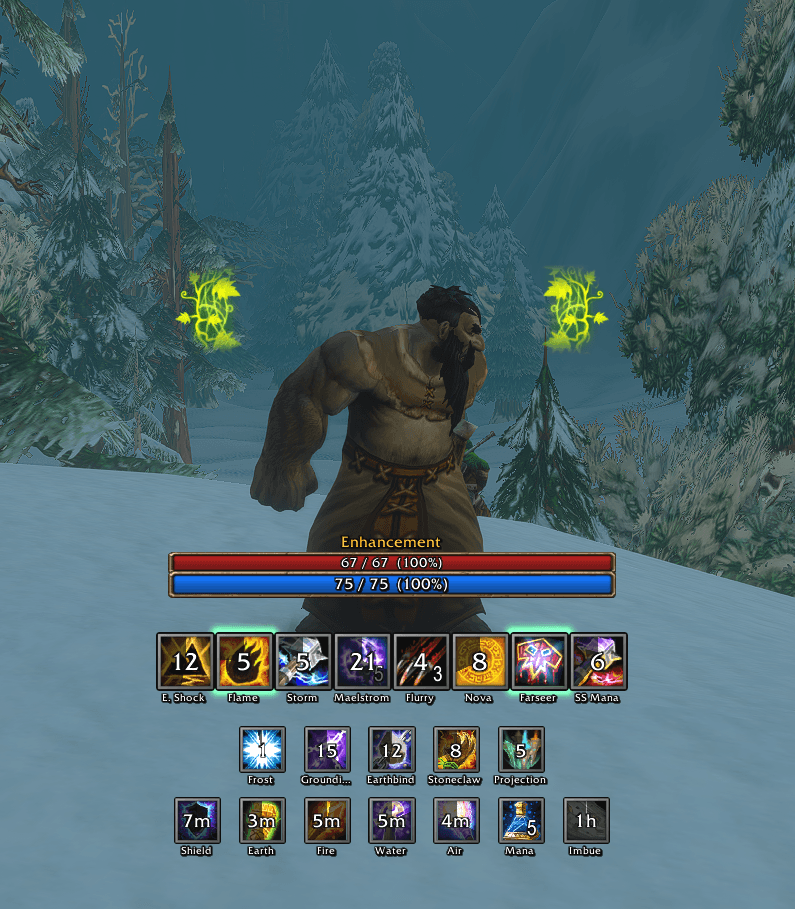
- Shaman: your four totems and their timers, your shield, Stormstrike, Maelstrom Weapon stacks, Lava Burst, Riptide, Clearcasting, your weapon imbue.
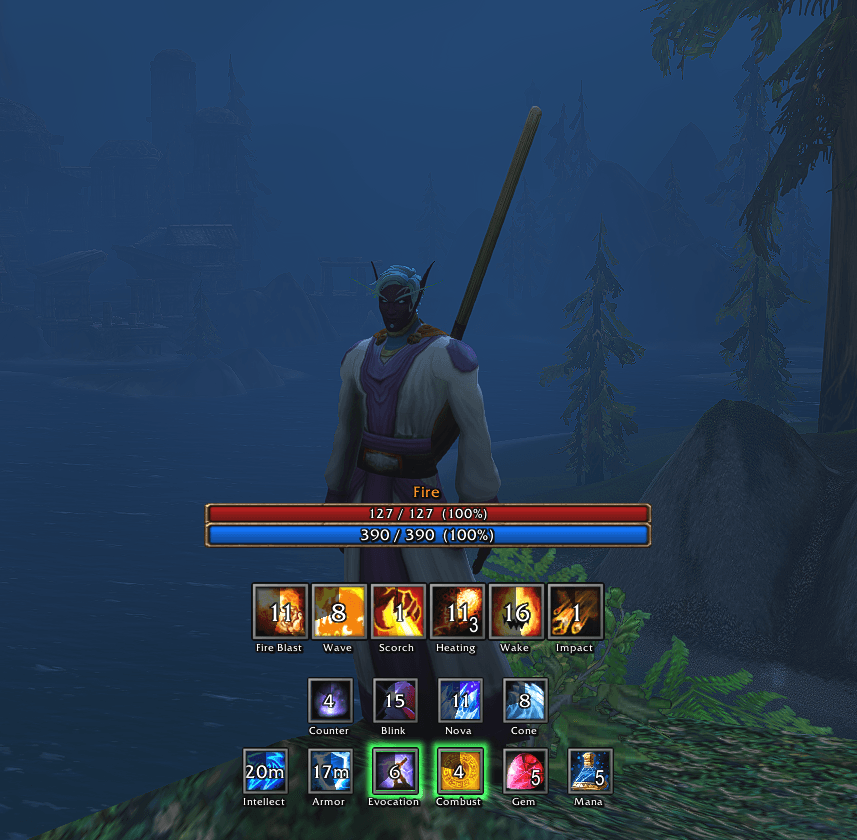
- Mage: Arcane Blast stacks, Heating Up, Fingers of Frost, Improved Scorch and Winter's Chill on your target, Combustion, Ice Barrier, your armor, your mana gem.
- Warlock: Corruption, your Bane, your Curse and Immolate on your target, Soul Fire, Shadowburn, Conflagrate, Nightfall, Decimation, Soul Shards, Healthstones, Soulstone, a Demon Armor reminder.
- Druid: changes with your form (Cat, Bear, Resto, Balance, and caster while levelling), combo points also on your target's nameplate, Clearcasting vines beside you, Mark of the Wild, Thorns, Omen of Clarity.
- Every class: a health bar with its percent, your power bar, potions, and a utility row you can switch on (every class but the druid).
Spells shared by specs keep the same spot in every spec. Your spec is read from your talent points, or set in the menu. Spells and talents appear as you learn them; potions and stones while you carry them.
Already use one of my class HUDs? Class HUD steps aside on any class whose own HUD is on (Warrior HUD, Druid HUD and the rest), so you never see two. Turn that one off to use Class HUD on that class.
How it tracks
- Real buff and debuff timers, in combat too.
- Cooldowns straight from the game: ready, active, cooling down.
- Talent procs show their timers and stacks.
- Moves such as Overpower, Riposte and Mongoose Bite light up when you can use them.
- An icon turns blue while you lack the mana, rage or energy for it.
Rogue
Shaman
Hunter
Mage
Warrior
Paladin
Menu
Type /chud (or /classhud): Show HUD always, Fade when idle, Show Health Bar, Show Utility Row, Lock, Spec, Theme, Scale, Icon spacing, Opacity, Edit, Share, Reset all. A druid's menu has Caster HUD, Track Clearcasting procs, Floating combo points and Animate Wildshape in place of Spec and the utility row; a shaman's adds Track Clearcasting procs, and a paladin's adds PallyPower assignments when PallyPower is on.
Edit mode
Click Edit or type /chud edit, then tick the spec to edit (the form, on a druid). Each spec keeps its own layout.
- Green box: drag it to move the HUD.
- Blue boxes: drag the bars, an icon row or the warnings into another socket in the HUD, or drop them anywhere else to unsocket them.
- Shift + drag an icon: move it along its row, to another row, or anywhere on screen. An unsocketed icon drags without Shift.
- Drop an unsocketed part back on the HUD to socket it again. Click an icon to hide it.
- Show: under the bars' box, untick a bar to hide it in this spec.
- Add from other specs: tick another spec's spell to show it in this spec too.
- Reset resets the spec you are editing; Reset all in the menu resets everything.
- Also here: Show in (untick to hide the HUD in that spec), Snap grid, Copy to all specs, nametags and their size. Done returns to the menu.
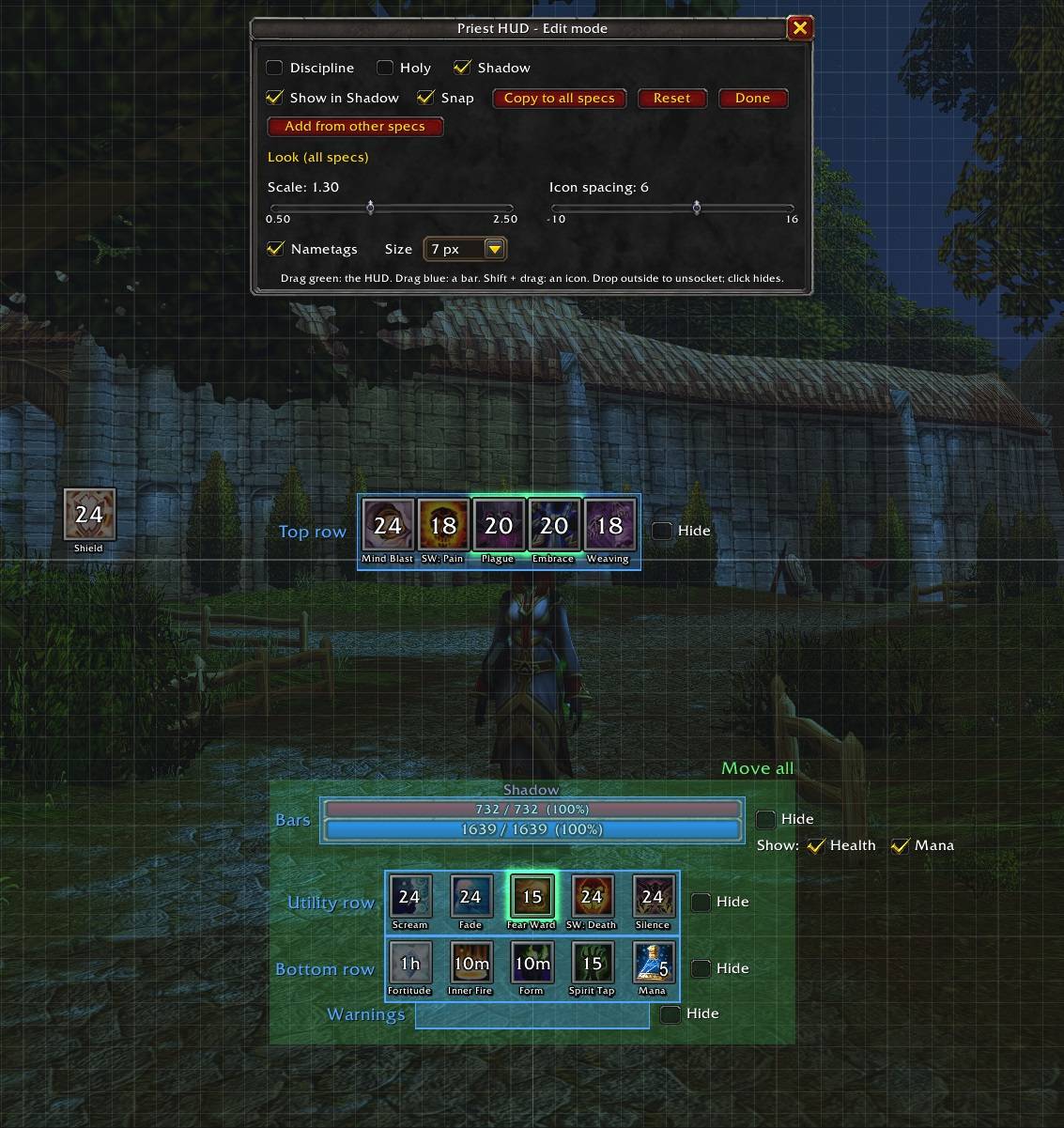
Share: Export gives a code; Import applies that layout and keeps your own settings.
Looks
- Radiant (default): Blizzard's art with a gold trim.
- Plain: lightest on performance.
- Smooth: polished bars and bevelled icons.
- Wildshape (druid): a trim for each form; tick Animate Wildshape to bring it to life.
Commands
- /chud edit: edit mode.
- /chud spec auto, or a spec's name such as /chud spec fury: which spec's display; auto follows your talent points.
- /chud utility on|off: the utility row in every spec.
- /chud test: lights every icon for 15 seconds.
- /chud showall: shows every icon of every spec, learned or not.
- /chud lock / unlock: drag the HUD.
- /chud health on|off: the health bar in every spec.
- /chud mirrors on|off: real in-combat auras, or timers from your casts.
- /chud idlefade on|off|auto: fades the HUD when you're idle. Auto (the default) turns it on when QuietHUD is on and uses QuietHUD's opacity and timing.
- /chud pips on|off (druid): combo points on your target's nameplate.
- /chud preview nightelf|tauren|skyborne|moonkin (druid): shows a Wildshape trim on any druid.
- /chuddebug: having a problem? Paste what it shows into a comment.
Licence
© LimJahey1337, all rights reserved. Free to use; ask before reusing its code or art. Spell icons, Blizzard's bar art, the Clearcasting vines and the spell art inside the Wildshape trims are Blizzard Entertainment's: the HUD draws them from your game, and the download does not include them.
If you like my addons and want to support my work, it's greatly appreciated!



If you liked my addon and have an idea for one you'd like to see developed, contact me here on CurseForge. Suggestions are always welcome!
Class HUD Team