


Warlock Raid Leader
- By
Gives the lead warlock a centralized panel for assigning curses, soulstones, and banish targets to every warlock in the group — with live sync, raid announcements, and a personal assignment overlay for each player.
Soulstone.png
Grimoire.png
Summary.png
Overlay.png
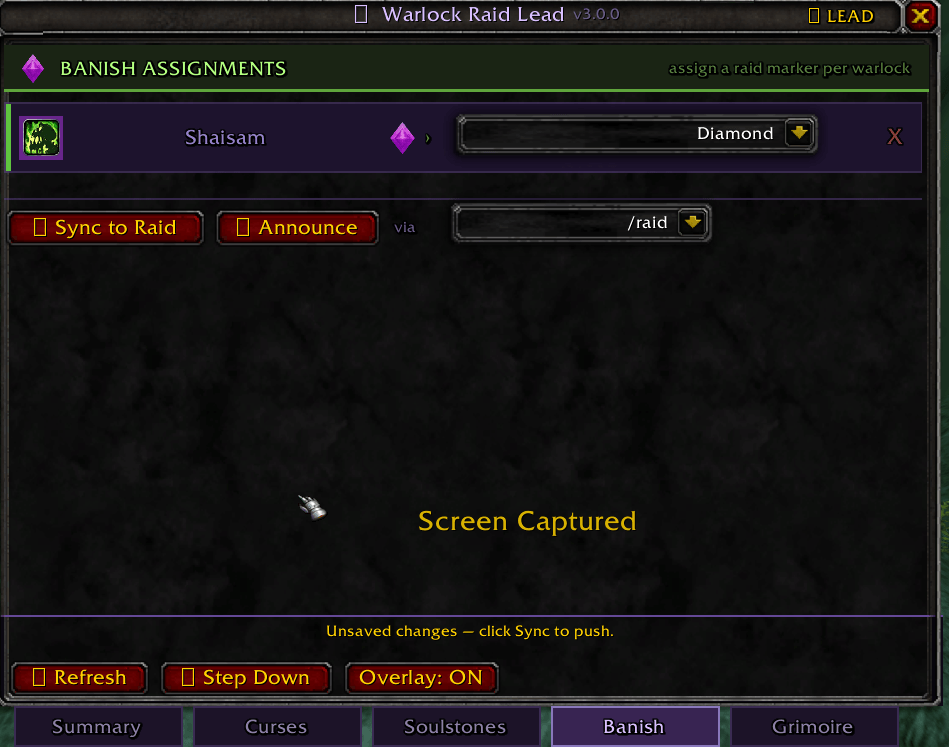
Banish.png
Description
Warlock Raid Lead gives the lead warlock a centralized window for managing curse assignments, soulstone priority, and banish targets across the entire warlock roster — with live sync to every other warlock in the raid who has the addon installed.
How It Works
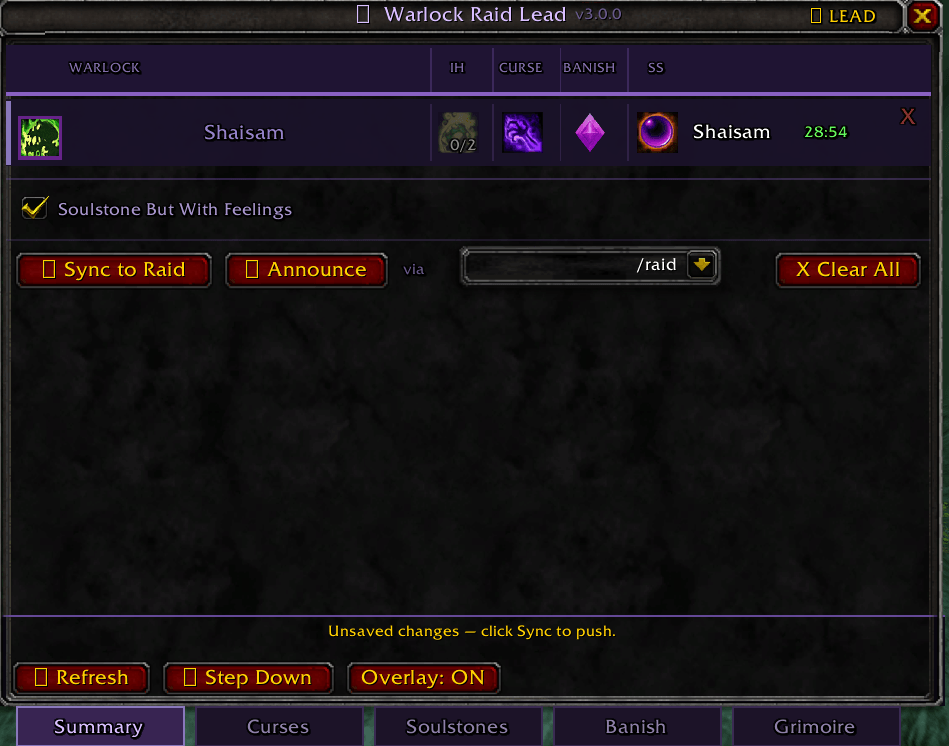
Open the window with /wrl. The Summary tab shows every warlock and their current assignments at a glance. Use the Curses, Soulstones, and Banish tabs to set assignments from dropdowns, then sync or announce them to the group.
Any warlock can take or give up the lead role. Leads can edit assignments. Members get a read-only view that updates in real time.
Features
Summary Tab
A matrix view of every warlock showing their assigned curse, banish marker, soulstone target, Improved Healthstone rank, and live soulstone timer. Clear a single warlock's assignments from their row, or wipe everything with Clear All.
Curse Assignments
Assign each warlock a curse from the full TBC list. Spell icons resolve live from the client. Changes sync instantly to all warlocks with the addon.
Soulstone Priority
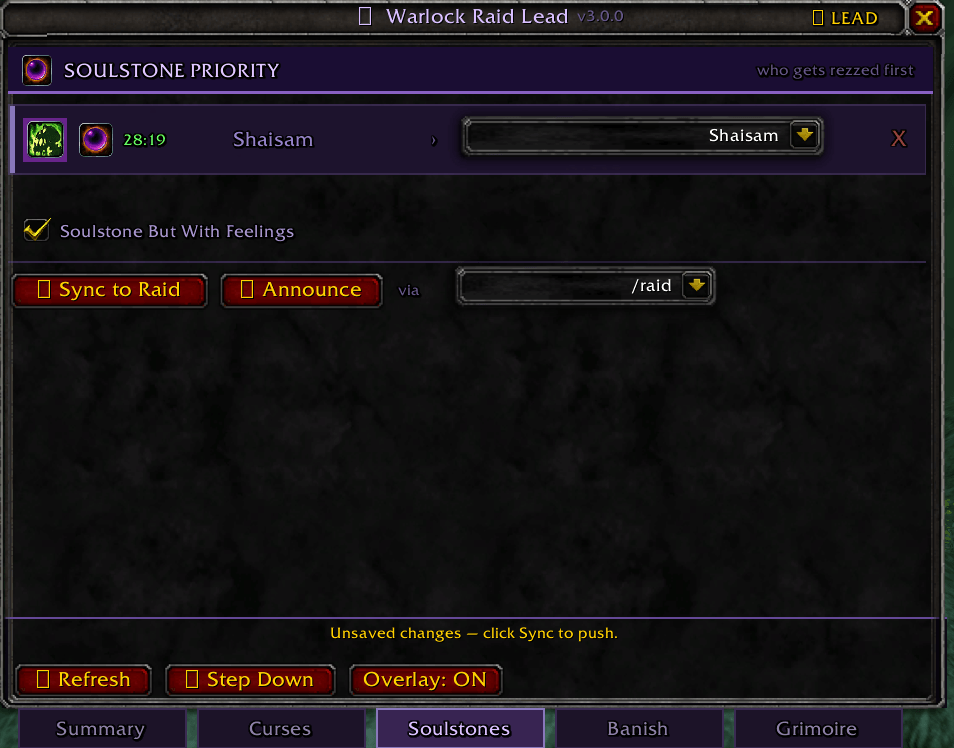
Assign soulstone targets from a class-sorted dropdown — healers first, then warlocks, then the rest, all class-colored. Live timers track how long remains on each assigned target's buff. The soul gem icon on your row casts the soulstone directly with one click.
Banish Assignments
Assign one of the eight raid markers to each warlock for banish coordination. Marker icons appear in the dropdown and on the row. Syncs and announces the same as curses and soulstones.
Grimoire — Saved Configurations
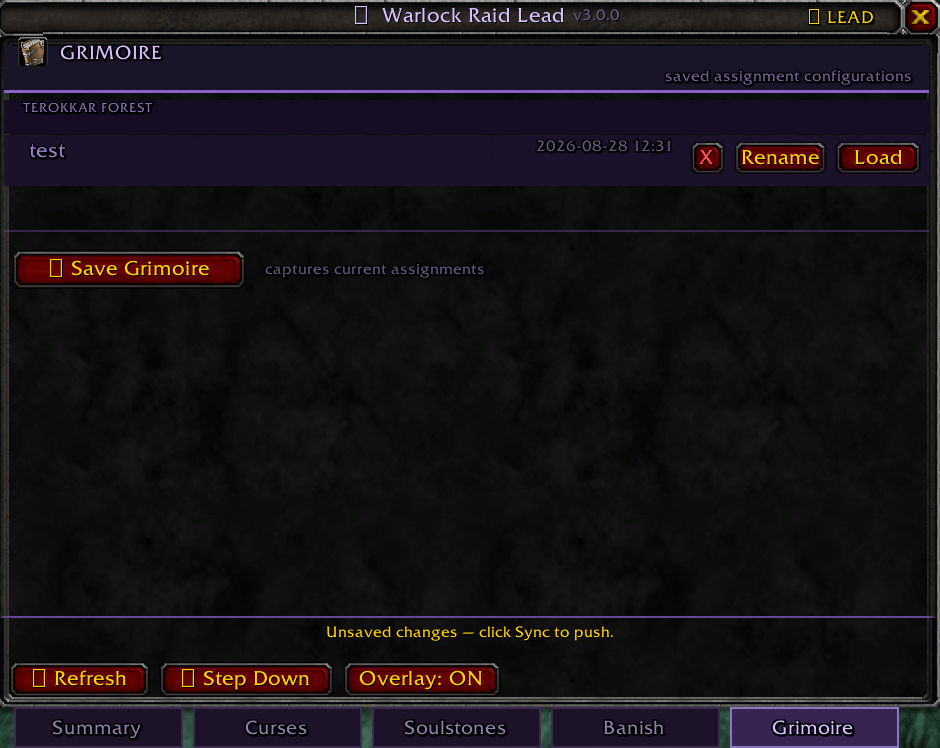
Save and recall complete assignment setups from the Grimoire tab. Grimoires are grouped by zone and auto-named by zone and date, with full rename and delete support. Loading a Grimoire applies all assignments instantly, broadcasts to the raid, and updates the soulstone macro. Only the lead can load or manage Grimoires.
Personal Assignment Overlay
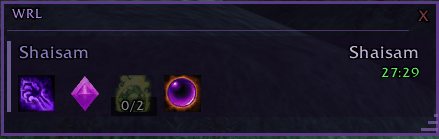
A small semi-transparent overlay shows your current curse, banish marker, Improved Healthstone rank, soulstone gem, soulstone target, and live timer. As lead, it expands to show all warlocks so you can track every soulstone at once. Draggable, resizable, dismissible, and toggled from the main window. Width is saved between sessions.
Warlock Detail Popup
Click any warlock's spec icon to inspect their talents and gear. Shows colored talent tree totals, a full talent tree viewer, item icons, quality-colored names, item levels, and enchants. Gear and talents are inspected automatically in the background — no manual action required. Data refreshes when a warlock changes gear and after every combat.
Improved Healthstone Tracking
Shows each warlock's Improved Healthstone rank (0/2, 1/2, 2/2) on the Summary tab and in the overlay. Green at max rank, yellow at partial, grey at none.
Live Sync
Every assignment change broadcasts instantly via addon messaging. Members can request a full sync from the lead at any time. Settings including announce channel, Grimoire configurations, and overlay width persist across sessions.
Announcements
Post assignments to Raid Warning, Raid, Party, or Say. Announcing from a specific tab posts only that tab's assignments. Announcing from Summary posts everything. Each warlock receives a personal whisper after the broadcast.
Spec Detection
Specs are detected automatically through inspect and addon sync. Color-coded rings identify Affliction, Demonology, and Destruction.
Minimap Button
A soul gem button on the minimap opens and closes the main window. Drag it around the rim to reposition it. Position is saved between sessions.
Soulstone But With Feelings
Optional integration with Soulstone But With Feelings (https://www.curseforge.com/wow/addons/soulstone-but-with-feelings). A checkbox on the Soulstones and Summary tabs adds the announce call to your SoulQuote macro automatically when enabled.
Slash Commands
/wrl — Open or close the window
/wrl lead — Take or give up the lead role
/wrl sync — Push assignments (lead) or request sync (member)
/wrl announce — Post all assignments and whisper each warlock
/wrl overlay — Toggle the personal assignment overlay
/wrl reset — Clear all assignments
/wrl help — Command list
Notes
- Warlocks without the addon still receive whisper assignments and see chat announcements
- Live sync requires Warlock Raid Lead on the receiving end
- Spec and gear detection require inspect range (~28 yards)
- TBC Classic only (Interface 20506)
The Warlock Raid Leader Team

