Warlock Prep
Warlock Prep adds a single button to your screen that automatically checks which buffs, stones, and pet are missing, then casts the next required spell on each click. Keep clicking until you're fully prepped.
minimap_options.png

screen_icon.png
options.png
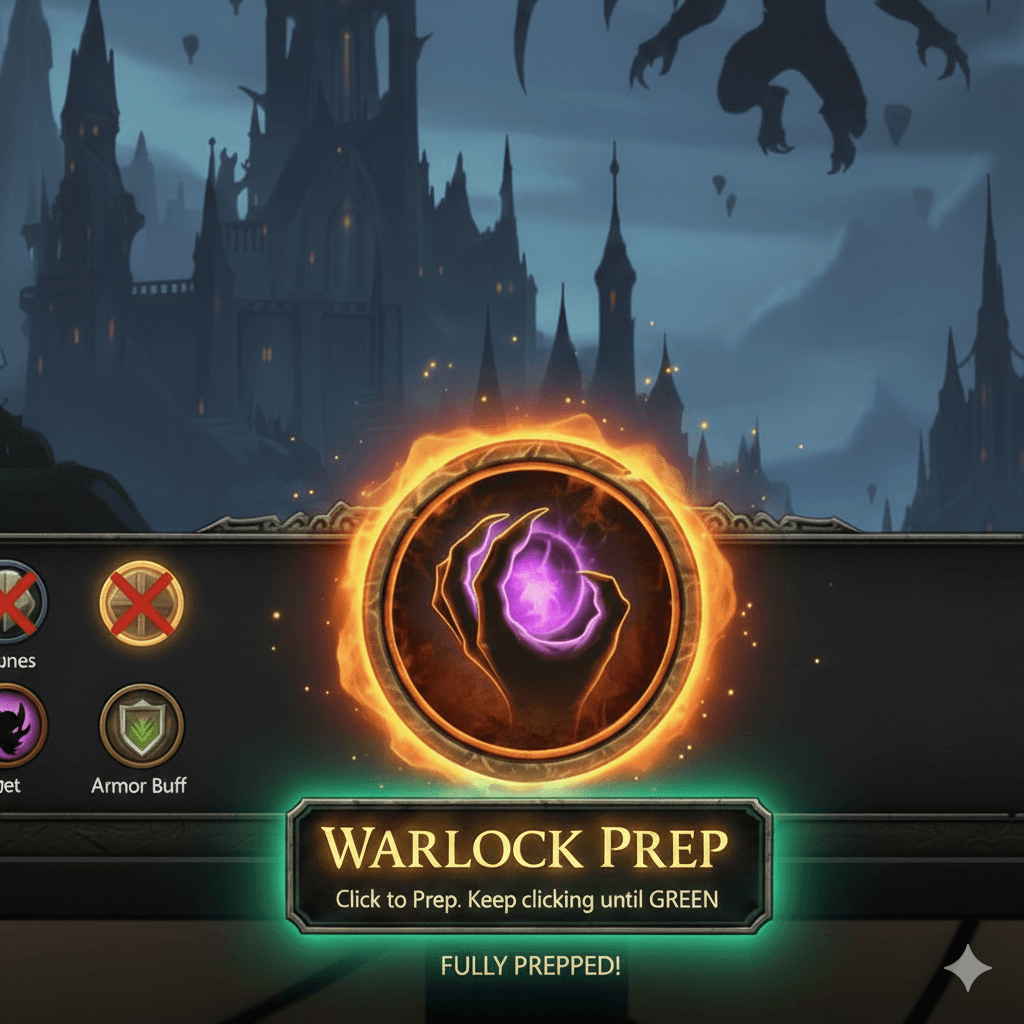
Image.png
Description
========================================
WARLOCK PREP
Created by www.customwowaddons.com One-click warlock preparation addon for WoW Classic Anniversary Edition.OVERVIEW
Warlock Prep adds a single button to your screen that automatically checks which buffs, stones, and pet are missing, then casts the next required spell on each click. Keep clicking until the button turns green - you're fully prepped.PREPARATION CHECKLIST (Priority Order)
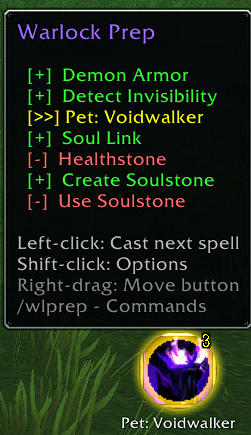
# Task Details 1 Armor Buff Fel Armor > Demon Armor > Demon Skin (highest known) 2 Detect Invisibility Self-buff if known 3 Summon Pet Configurable (default: Imp); falls back to Imp if preferred pet needs a Soul Shard and none available 4 Soul Link Talent-based; only if pet is active 5 Create Healthstone Requires Soul Shard 6 Create Soulstone Requires Soul Shard 7 Use Soulstone Auto-uses soulstone on self from bags Each task is skipped automatically if:- The buff is already active
- The item is already in your bags
- The spell is not known / not learned yet
- A required condition is not met (e.g. Soul Link needs a pet out)
- Demonic Sacrifice buff is active (pet task marked as done)
BUTTON INDICATORS
Yellow border + spell icon = Something needs casting (badge shows remaining count) Green border + checkmark = All preparations complete Red border = In combat (attributes locked by Blizzard)MINIMAP BUTTON
A warlock icon button on the minimap edge. - Left-click: Show / hide the prep button - Right-click: Open options dialog - Drag: Move around the minimap edge Toggle with /wlprep minimap. Position is saved between sessions.OPTIONS
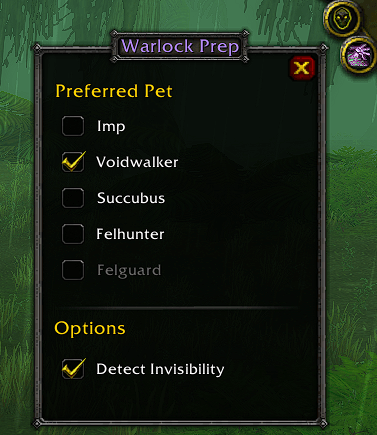
Shift+click the button or type /wlprep options to open the options dialog. From there you can: - Select your preferred pet (remembered between sessions) - Toggle Detect Invisibility on or offSLASH COMMANDS
/wlprep Show all commands /wlprep options Open options dialog /wlprep show Show the button /wlprep hide Hide the button /wlprep minimap Toggle minimap button /wlprep reset Reset button position and all settings /wlprep status Print preparation checklist to chat /wlprep pet <name> Set preferred pet Valid pet names: imp, voidwalker, succubus, incubus, felhunter, felguardINSTALLATION
- Copy the WarlockPrep folder into: World of Warcraft_anniversary_\Interface\AddOns
- Restart WoW or type /reload in-game
- If the addon does not appear, enable "Load out of date AddOns" on the character select screen The button only appears on Warlock characters.
MOVING THE BUTTON
Right-click drag the button to reposition it anywhere on screen. Position is saved between sessions.SAVED VARIABLES
Settings are stored in WarlockPrepDB (per-character) and persist between sessions:- Button position
- Preferred pet choice
- Detect Invisibility toggle
- Show/hide state
Warlock Prep Team