Battle Graph
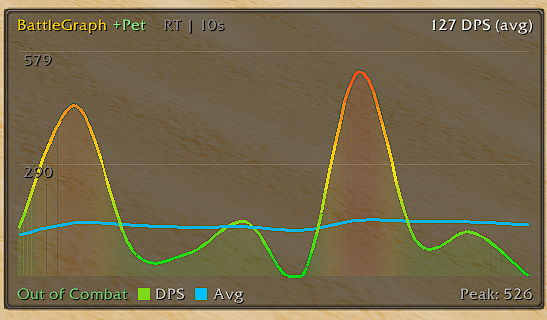
BattleGraph: Lightweight addon tracking real-time damage as a smooth animated graph. Displays current DPS and overall average DPS as separate curves. Uses Catmull-Rom spline interpolation with gradient fill under the curve.
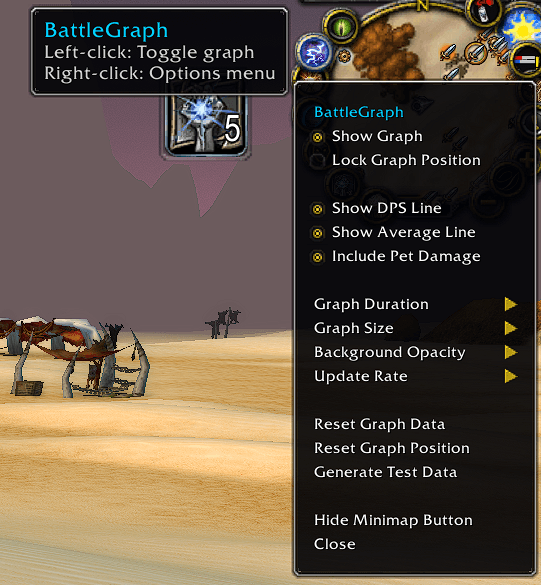
minimap.png
display.png
Icon.png
group.png
group2.png
Description
===============================================================================
BattleGraph - Real-Time DPS Graph for WoW Anniversary Edition
Created by www.customwowaddons.comDESCRIPTION
BattleGraph is a lightweight addon that tracks your damage output in real time and displays it as a smooth, animated graph. It shows both your current DPS (per-second average) and your running overall average DPS as two separate curves, letting you see your damage performance at a glance during and after combat. The graph uses Catmull-Rom spline interpolation for smooth curved lines with glow anti-aliasing on the primary DPS curve. HOW BATTLEGRAPH HELPS YOUR ROTATION BattleGraph gives you instant visual feedback on how well your rotation is performing. By watching the Current DPS curve in real time, you can spot when your damage dips (missed procs, slow GCDs, bad positioning) and when it spikes (cooldown usage, trinket procs). Compare against the Average DPS line to see if you're trending up or falling behind. After a fight, review the graph to identify weak spots in your rotation and work on tightening them. Use the Whole Fight duration to see your full damage curve from pull to kill, or shorter windows (5-10s) to focus on burst phases and cooldown windows. The pet breakdown also lets hunters and warlocks see exactly how much their pet contributes vs. their own casts.FEATURES
- Real-time DPS graph with smooth spline curves
- Four graph lines (DPS and Avg use spline, pet lines use straight):
- Current DPS (green/yellow/red gradient based on intensity)
- Running average DPS (cyan)
- Pet DPS (purple, toggleable)
- Pet average DPS (dark purple, toggleable)
- Display modes: Simple (compact) and Pretty (polished with labels)
- Pretty mode features:
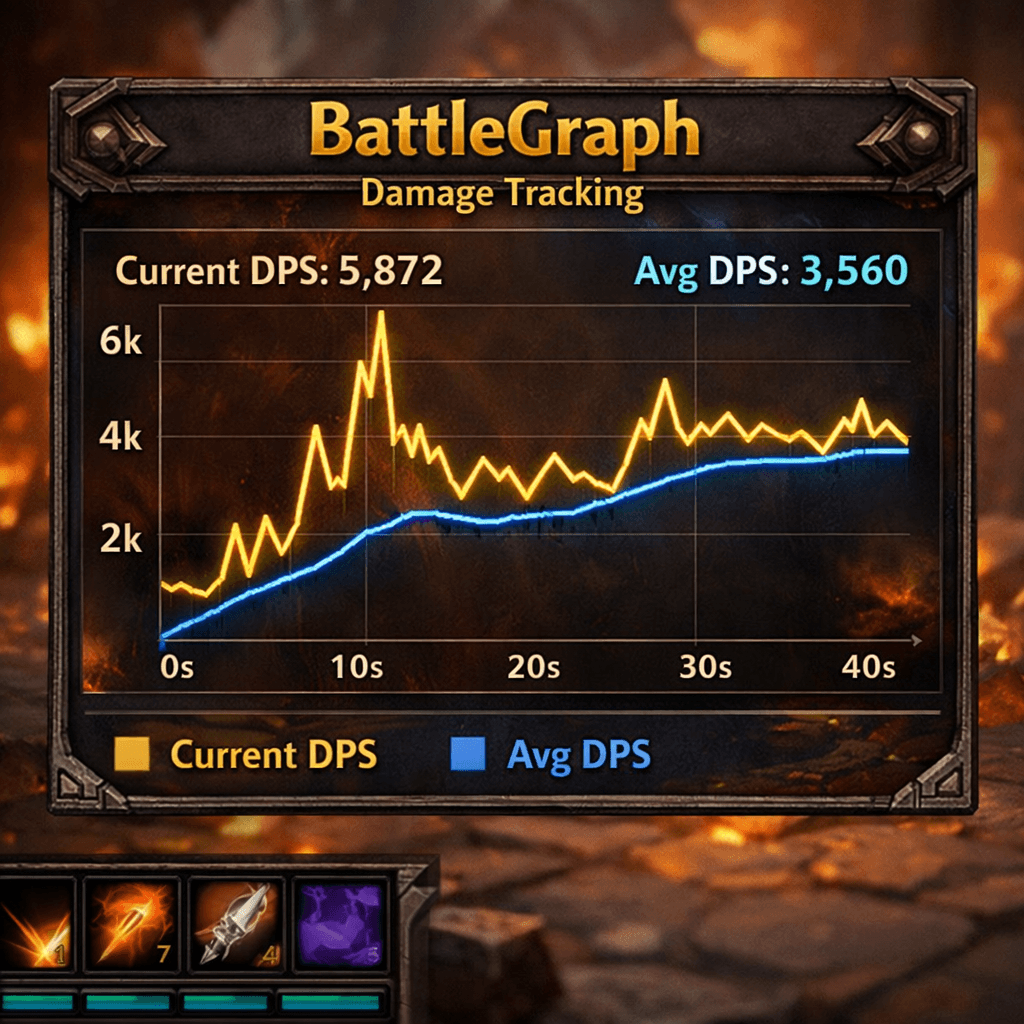
- Prominent Current DPS and Avg DPS readouts
- X-axis time labels and 3-level Y-axis labels
- Inner graph border with subtle background
- Full-text legend ("Current DPS" / "Avg DPS" / "Pet DPS" / "Pet Avg")
- Fight summary overlay after combat (duration, avg DPS, peak, total damage)
- DPS breakdown: Yours + Pets = Total (shown after combat)
- Pet damage tracking (toggleable)
- Clickable legend to toggle lines on/off directly on the graph
- Clickable +Pet indicator in the title bar to toggle pet damage
- Settings display showing current refresh rate and duration
- Draggable minimap button with full options menu (right-click)
- Configurable options:
- Graph duration (5s, 10s, 15s, 20s, 30s, or Whole Fight)
- Graph size (Small, Medium, Large, XL)
- Update rate (Realtime, 0.25s, 0.50s, 0.75s, 1.0s)
- Background opacity (25%, 50%, 75%, 100%)
- Display mode (Simple / Pretty)
- Graph mode (Solo / Group)
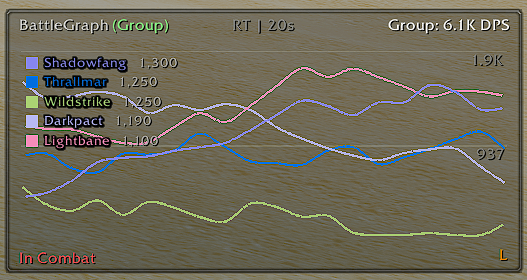
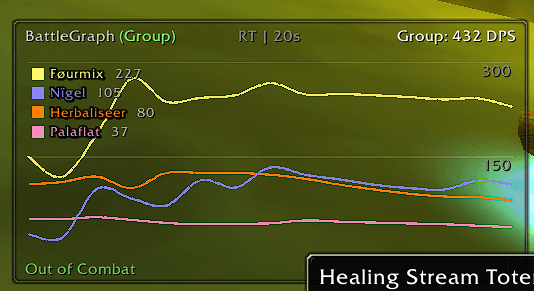
- Group mode: real-time line graph for each party member
- Class-colored lines (one per member, up to 5)
- Bottom legend with name, class color, and DPS per member
- Real-time updating during combat
- Supports party (5-man) and top 5 in raids
- Pet damage included in each player's total
- Movable and lockable graph frame
- Peak DPS tracking per fight
- Test data generator for previewing the graph
- All settings saved between sessions
INSTALLATION
- Copy the "BattleGraph" folder to: <WoW Install>\Interface\AddOns
- The folder should contain:
- BattleGraph.toc
- BattleGraph.lua
- Restart WoW or type /reload in chat.
USAGE
The graph appears automatically on login. Right-click the minimap button for the full options menu. Slash Commands: /battleg - Show help and all commands /battleg show - Show the graph /battleg hide - Hide the graph /battleg lock - Lock the graph position /battleg unlock - Unlock the graph position /battleg reset - Reset position and data /battleg minimap - Toggle minimap button /battleg pet - Toggle pet damage tracking /battleg dpsline - Toggle DPS line /battleg avgline - Toggle average line /battleg petline - Toggle pet DPS line /battleg petavgline - Toggle pet average line /battleg style - Toggle simple/pretty display mode /battleg mode - Toggle solo/group graph mode /battleg test - Generate test data On-Graph Controls:- Drag the graph frame to reposition (when unlocked)
- Right-click the graph for a quick menu (lock, reset, hide)
- Click "(Solo)" / "(Group)" in the title bar to toggle graph mode
- Click "+Pet" / "-Pet" in the title bar to toggle pet damage
- Click the "DPS" legend to toggle the DPS curve
- Click the "Avg" legend to toggle the average curve
- Click the "Pet" legend to toggle the pet DPS curve
- Click the "PAvg" legend to toggle the pet average curve
Battle Graph Team