Warcrest
All-in-one guild tools: PvP kill alerts, rival guild wars, raids and DKP auctions, events, 161 achievements with titles, guild goals and a crafters directory, shared with every guildmate.
Description
Warcrest
Guild tools for World of Warcraft: Forever. Raids, guild events, DKP, loot, PvP alerts, achievements, member profiles and officer tools in one window, shared automatically with every guildmate who has it. Members don't have to set anything up: install it and it starts syncing. Built to stay fast in big guilds with a long history.
Website: warcrest-addon.com: a tour of every tab, all 161 achievements, and a contact form for bugs and ideas.
Formerly The Imperium. Updating keeps all your settings and history.
Raids
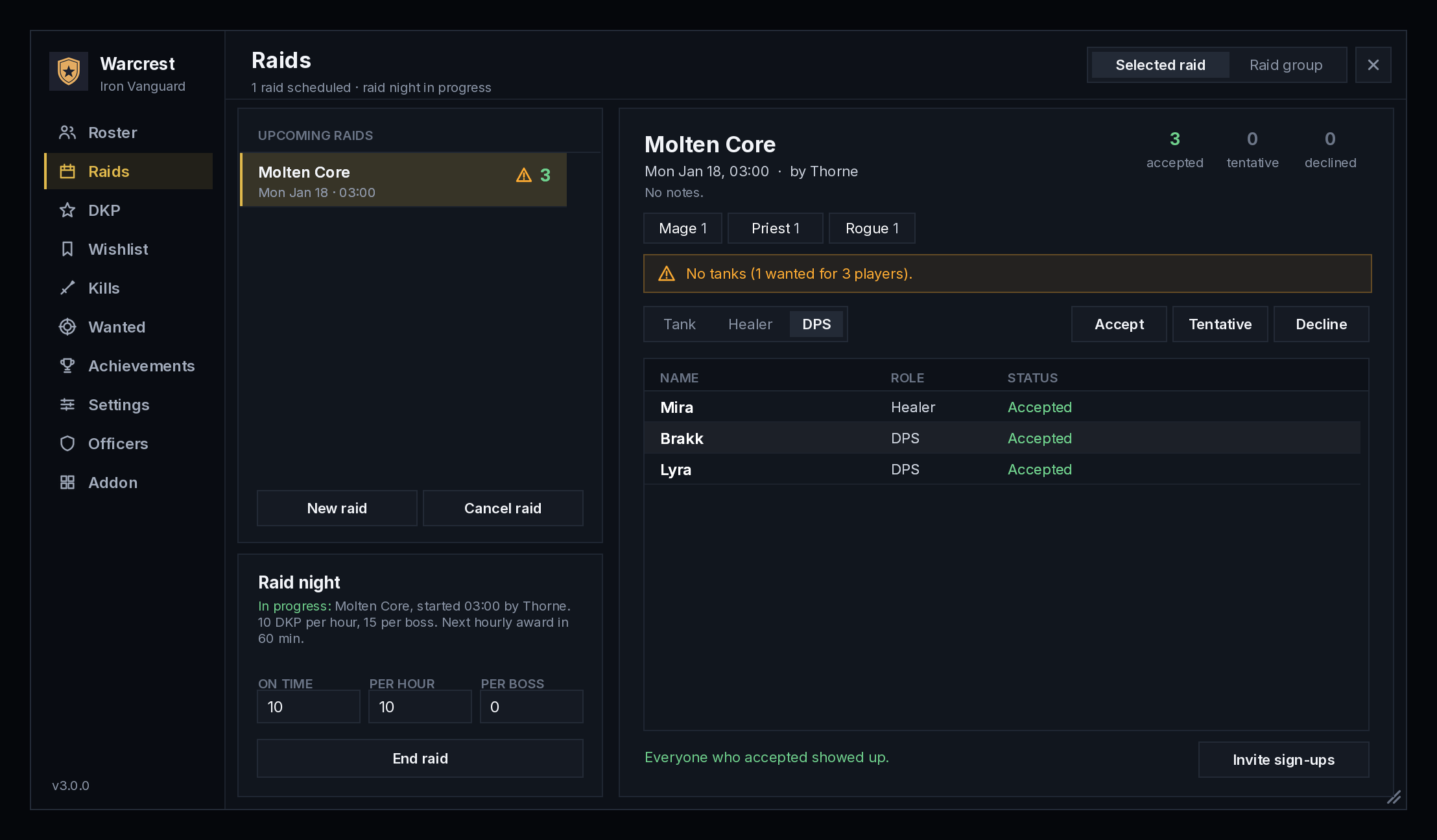
- Sign-ups: officers schedule raids. Members sign up as Tank, Healer or DPS and get a reminder before the raid starts.
- Raid groups planner: put the sign-ups into groups and on the bench, or let Auto-fill do it. At raid time, Arrange raid moves everyone into their planned group in one click.
- Calendar: see the month's raids, raid nights and boss kills at a glance.
- Progress: boss kills are recorded for the guild, raid by raid. Guild firsts and full clears are announced to everyone.
- Raid night recap: when the raid night ends, the guild gets a summary of the bosses, loot, attendance and the DKP each person earned.
- One-click invites, standby, attendance and no-show tracking.
Guild events
- Everything that isn't a raid: PvP nights, world boss hunts, dungeon runs, guild meetings and get-togethers. Anyone in the guild can plan one.
- Guildmates answer Going, Maybe or Can't go, hear about new events as they're planned, and get a reminder before the ones they're going to.
- Whoever planned it (or an officer) can invite everyone going in one click and take attendance from their group.
- Events show on the calendar alongside raids, each kind in its own colour.
Loot
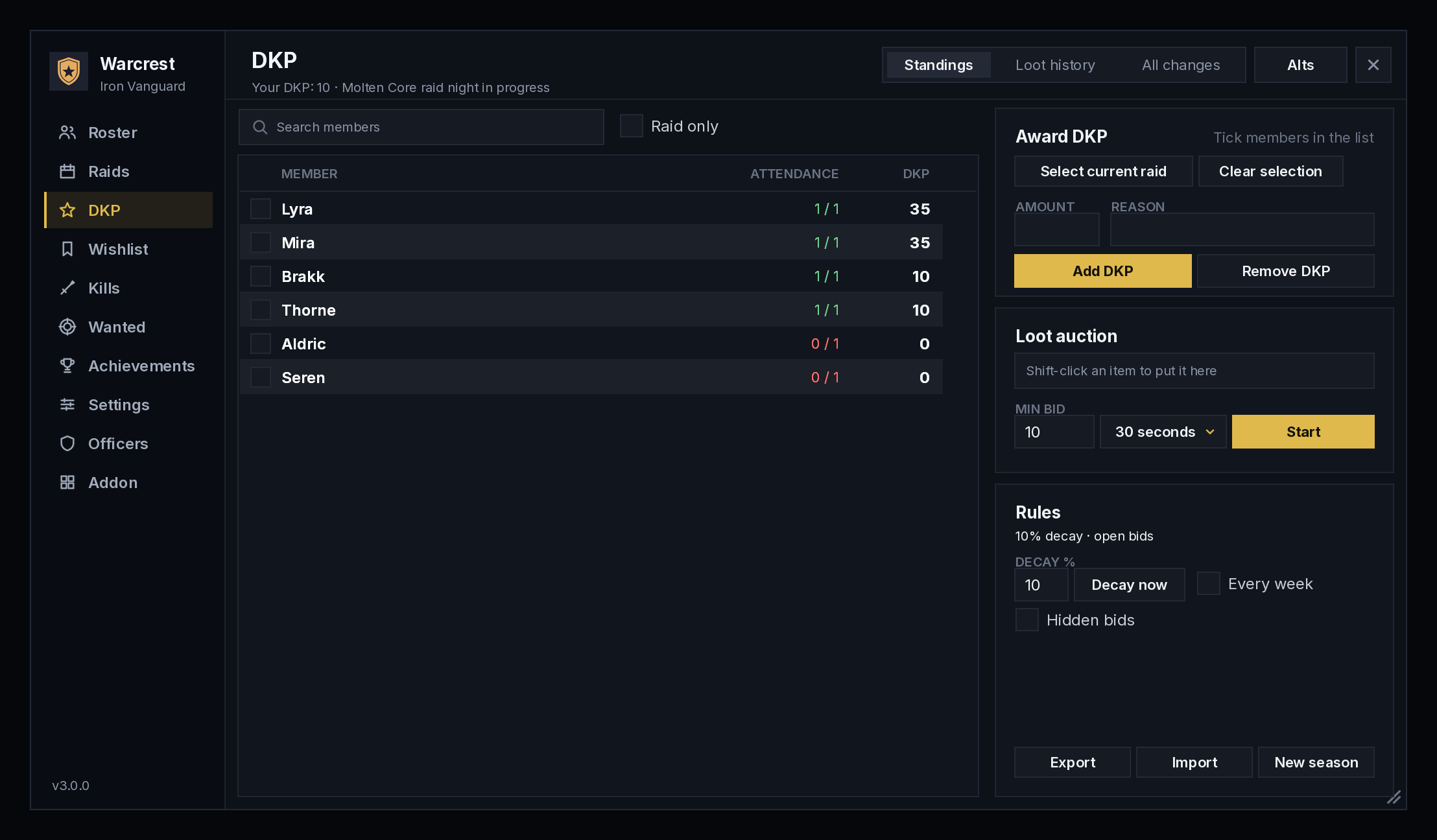
- DKP: earned for being on time, for every hour of a raid night and for every boss kill. You spend it in live loot auctions, with open or hidden bids.
- Free rolls when nobody bids.
- Weekly decay and seasons.
- Alts share their main's DKP.
- Every change can be undone.
- Loot council: vote on who gets an item instead. Officers see each candidate's wishlist, attendance and recent loot, then award it. This works with or without DKP.
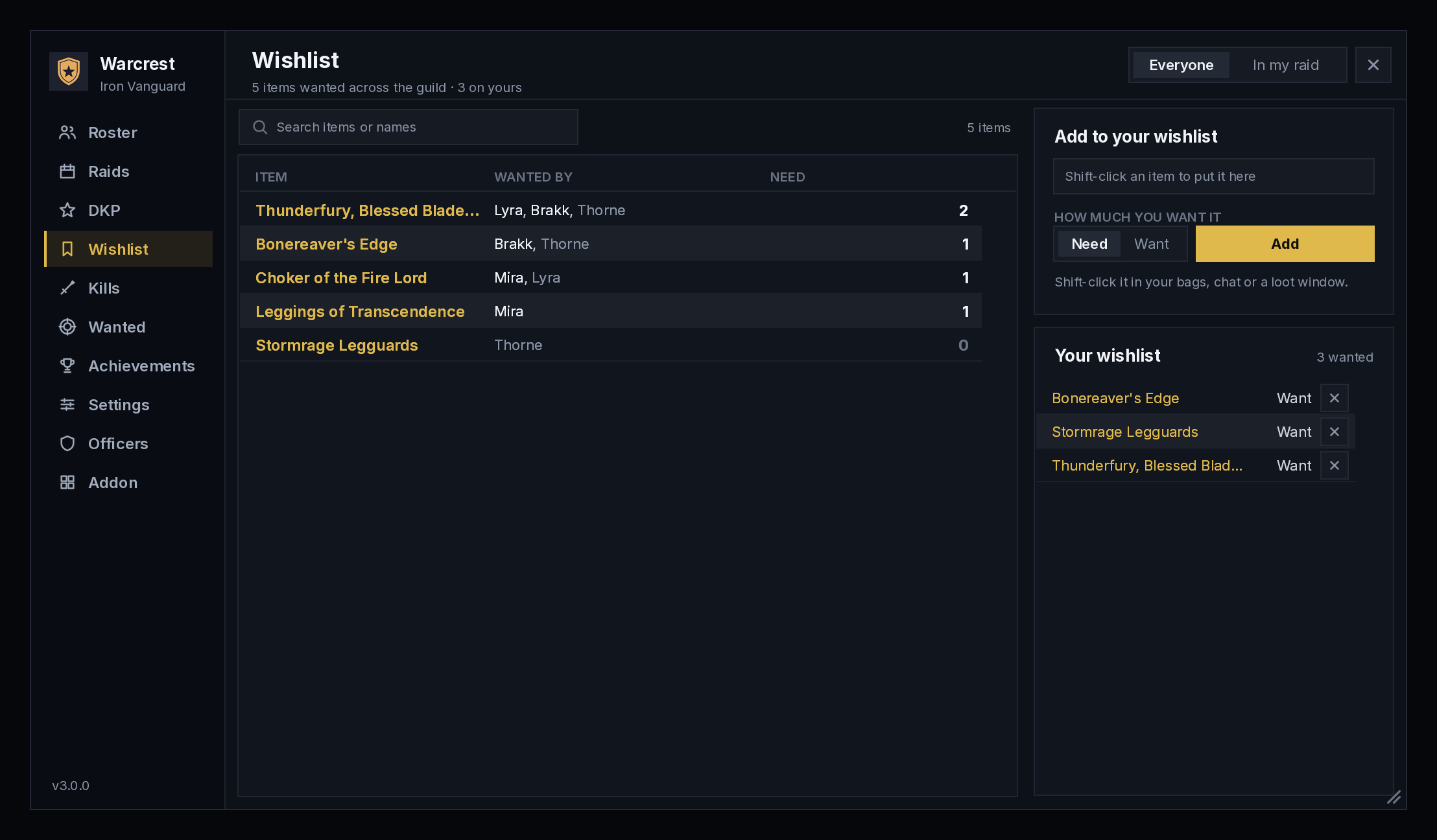
- Wishlists: mark the items you Need or Want. Officers and bidders see who wants an item when it drops.
- DKP is optional: guilds that don't use it can turn it off, and everything else keeps working.
PvP
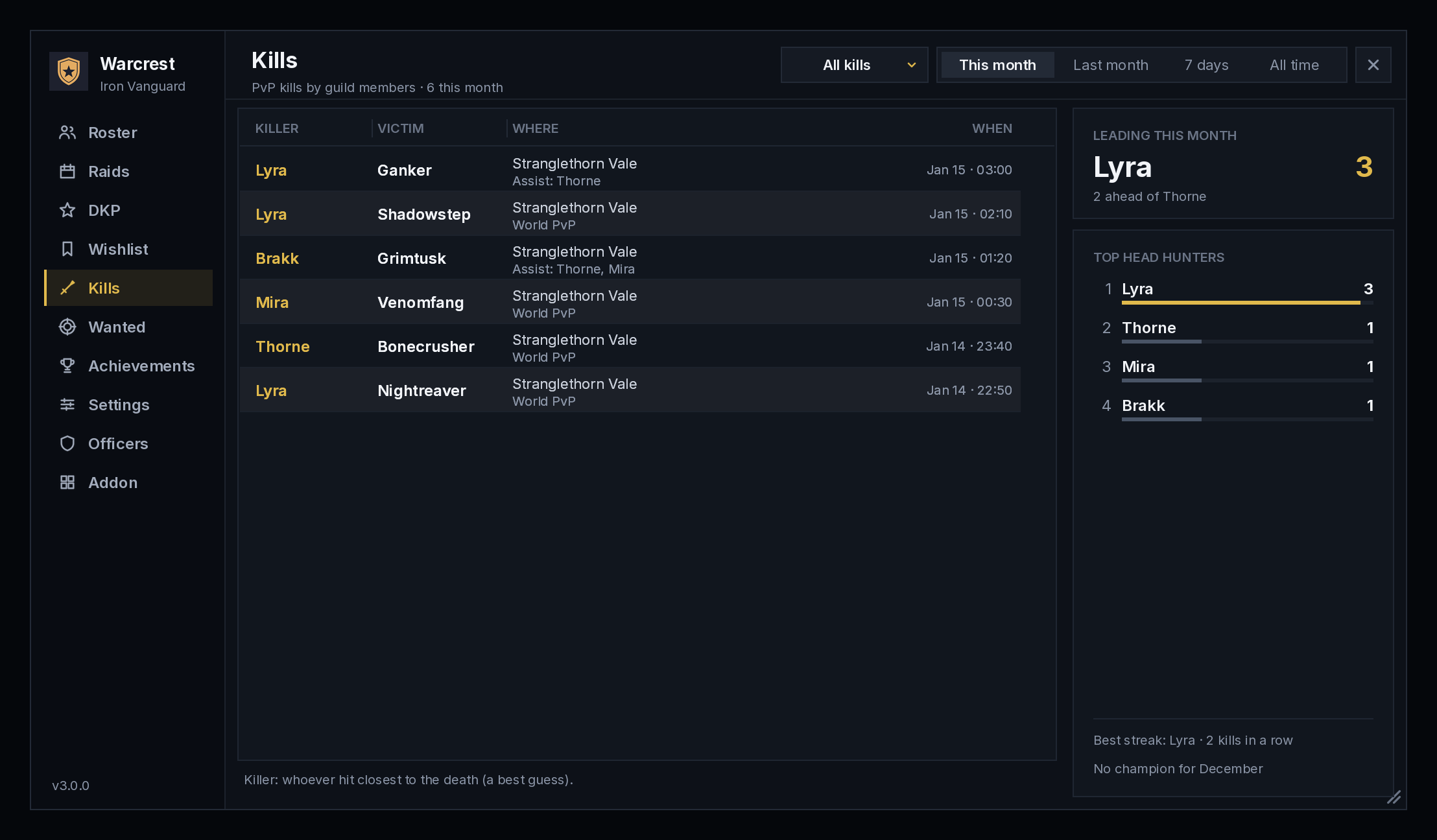
- Kill alerts: when a guildmate kills an enemy player, the guild hears about it, killing blows and assists included.
- Top Head Hunters: a monthly board of the guild's top PvP killers. The champion is announced on the 1st.
- Kill streaks and revenge: the guild hears about hot streaks, ended streaks, and paybacks on a guildmate's killer.
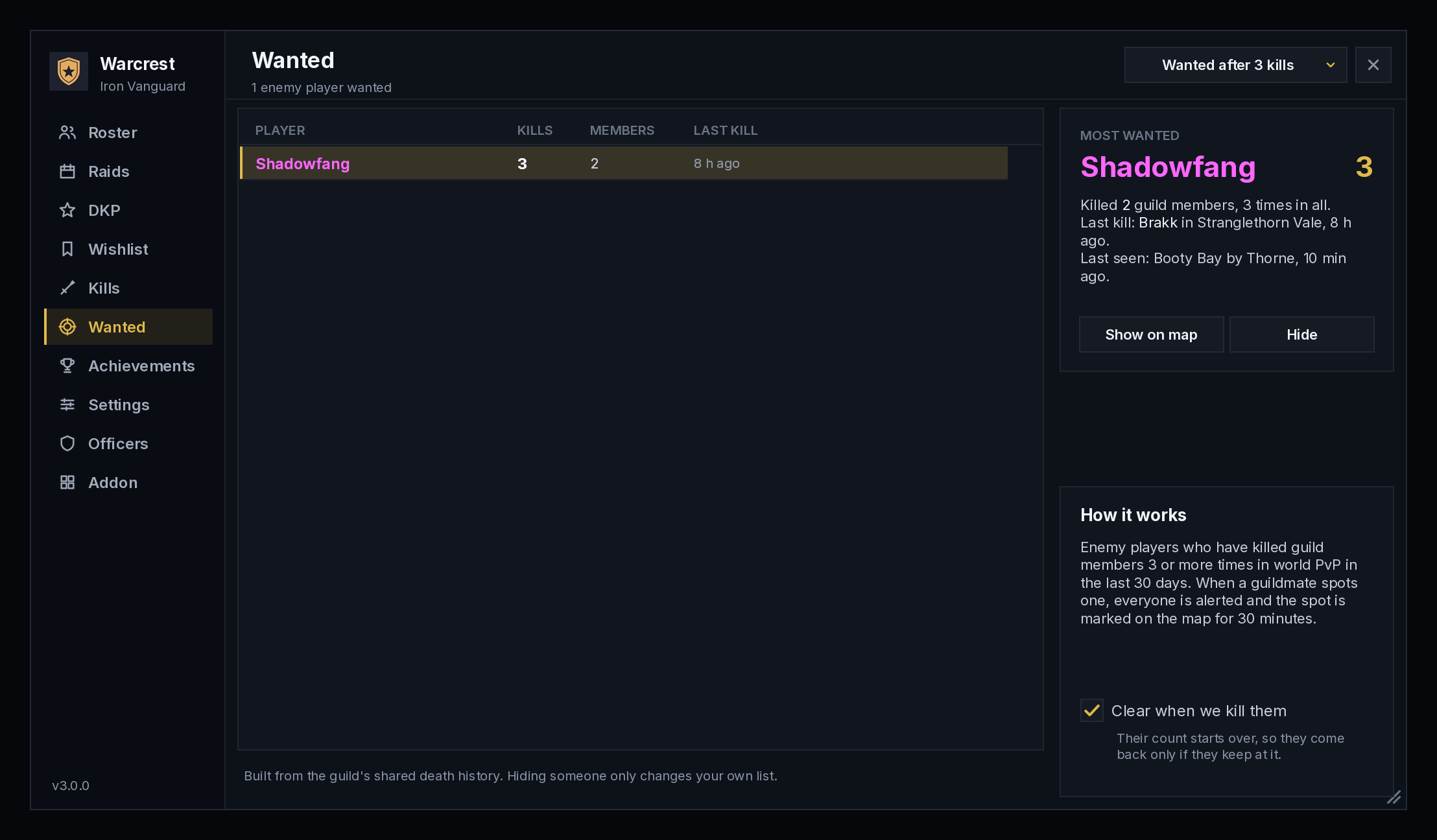
- Wanted list: enemy players who keep ganking your guild. When anyone spots one, everyone is alerted and the spot goes on the map.
- War board: the score against every enemy guild you've met. Officers mark rival guilds: they're listed first, the guild is alerted when a group of them is spotted, and the weekly recap says how the war went.
- Bounties: officers can put a reward on a ganker's head, and the guildmate who kills them claims it. Bounties are off until an officer turns them on.
- Deaths on the map: recent guild deaths and wanted sightings are marked on the world map, and inside OpenMap too. Click a mark to set a TomTom waypoint.
Alerts that stand out
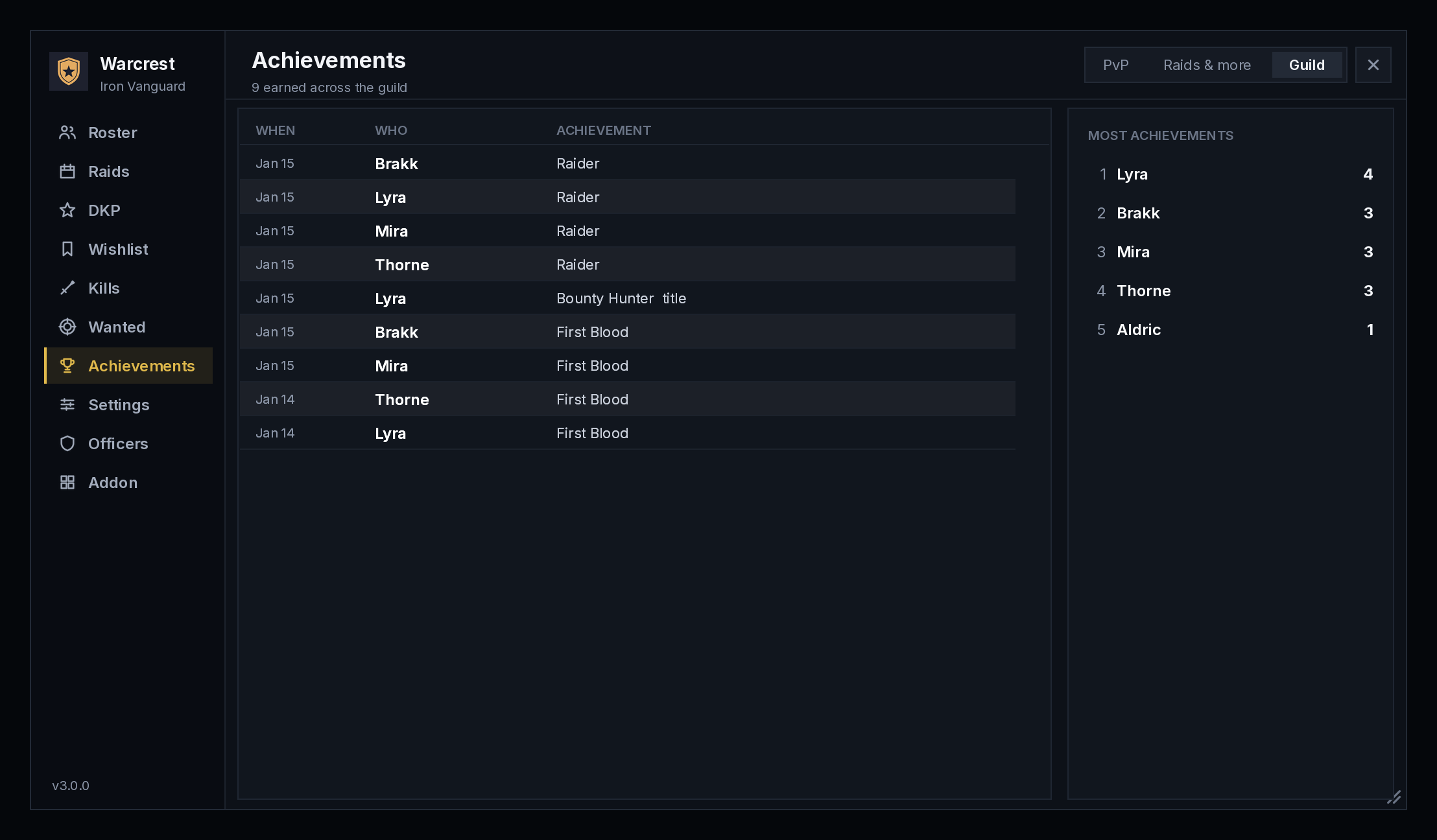
Guild alerts drop in at the top of the screen as banners. Each kind has its own colour, icon and sound: a kill, a wanted ganker spotted, a boss down, a bounty, an achievement.
- Click a banner to jump to the matching tab.
- Quiet mode holds alerts during dungeons, raids or combat.
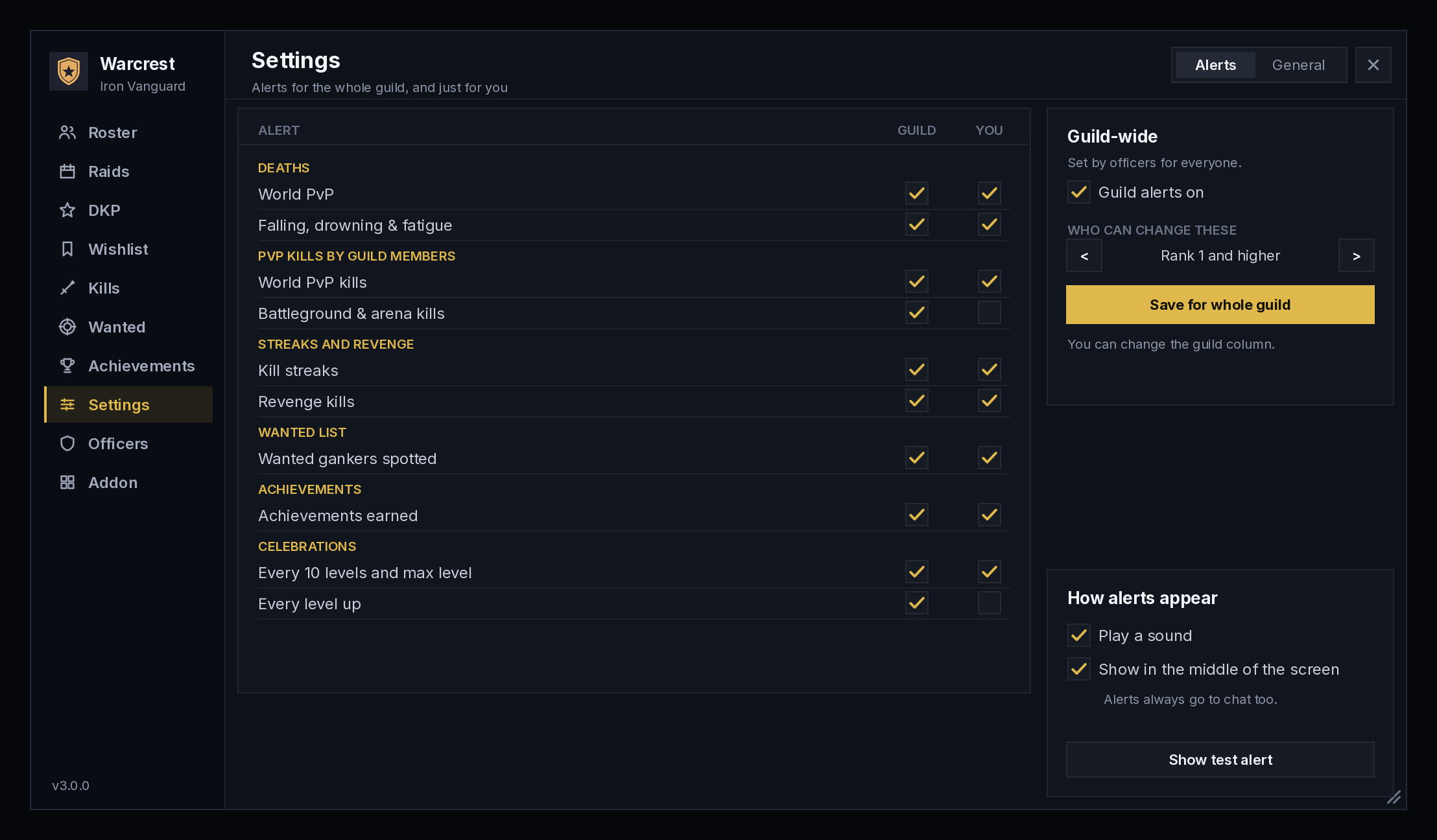
- Choose which alerts you see, or switch the banners to the classic raid warning text or to chat only.
87 alert sounds, and your own
Every kind of alert has its own sound, and you can change any of them in Settings > Sounds.
- 87 sound effects made for Warcrest, in eight kinds:
- Horns & fanfares: war horn, battle horn, royal fanfare, rally cry.
- Bells & chimes: church bells, wind chimes, music box, singing bowl, death toll.
- Drums: war drums, taiko, timpani roll.
- Combat: sword clash, axe chop, shield block, arrow volley, battle cry.
- Magic: arcane blast, holy light, frost shimmer, shadow pulse, portal.
- Alerts: siren, klaxon, countdown, radar ping.
- Nature: thunder, rain, wind, wolf howl, raven.
- Music: harp, lute, flute, organ, marimba.
- The game's own sounds too, and sounds your other add-ons share (SharedMedia) if you turn them on.
- Add your own .ogg or .mp3 files: drop them in a WarcrestSounds folder and add them by name. Updates never touch them.
- Hear any sound with one click, search by name or kind, and pick which volume channel alerts play on.
Achievements, profiles and player cards
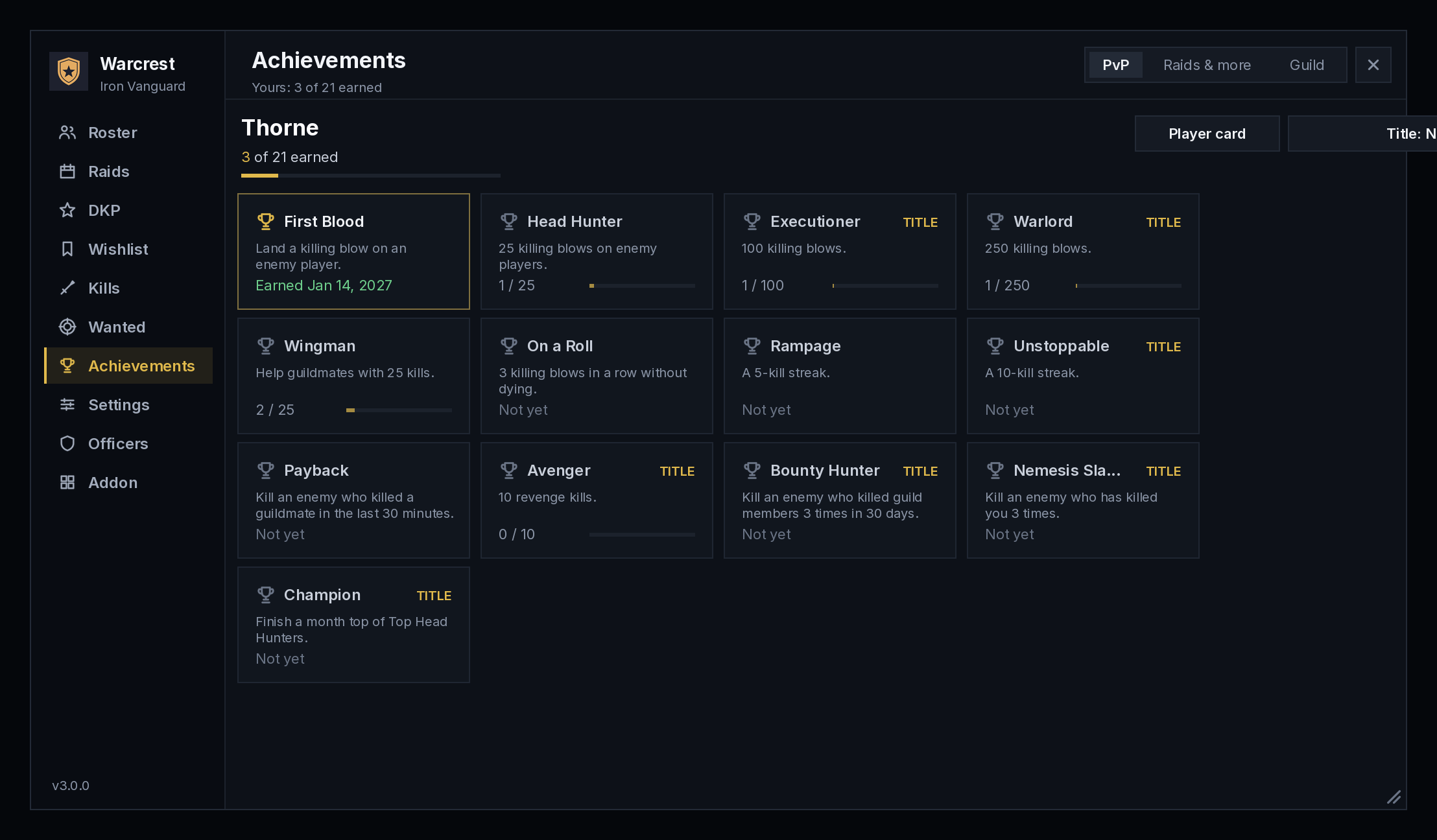
- 161 achievements across PvP, hunts, raids, loot and social life, with 67 titles you can show after your name. Everything you've already done counts. They're kept with the guild, so they're never lost with one computer's saved data.
- Guild goals: officers set targets for the week or month (enemy players killed, bosses, raid nights, events and more). Everyone sees the progress, and the guild hears when one is reached.
- Crafters directory: search what the guild can make, see who's online to make it, and whisper them in one click. Recipes are shared just by opening your profession windows.
- Member profiles: your main spec and role, the days and times you play, your birthday and a short note. Your item level is added automatically from your gear.
- Guild profiles: everyone's spec, role, item level and play times in one list, sortable for a quick gear check.
- Birthdays and anniversaries are celebrated with the guild.
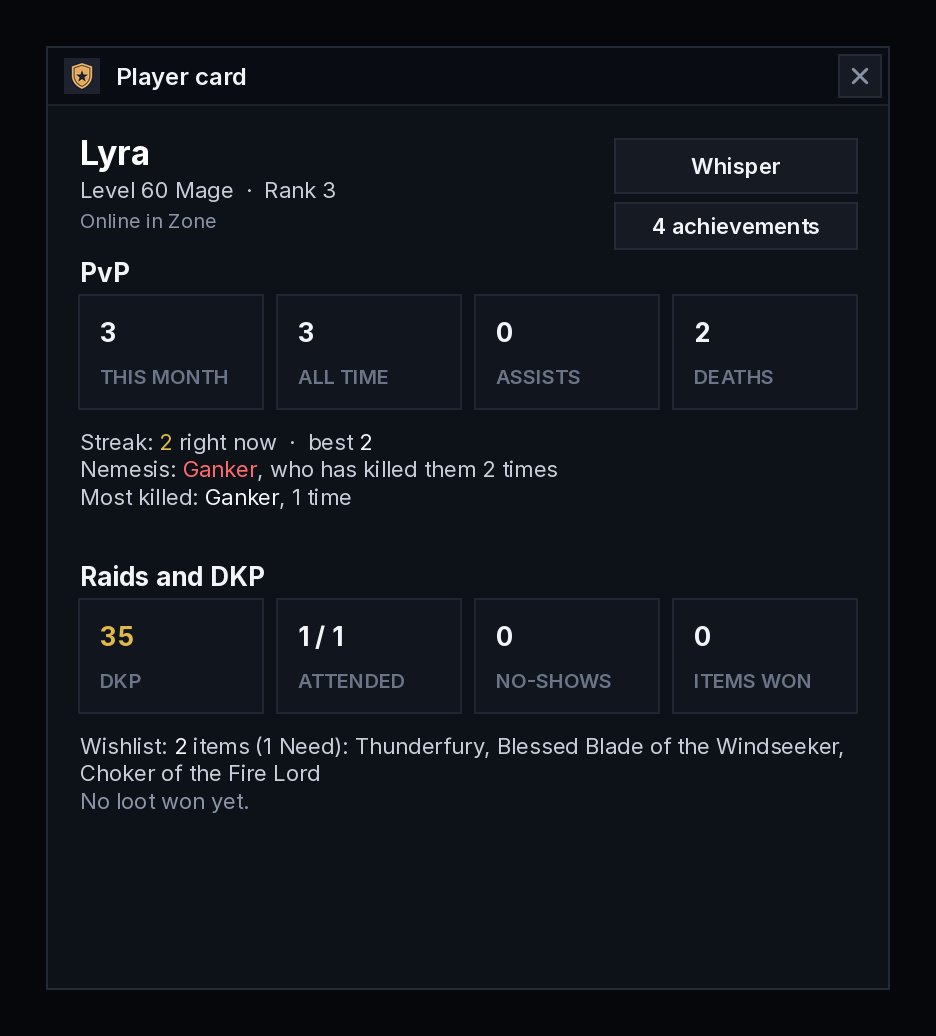
- Player cards: click any guildmate's name, online or offline, to see their profile, rank and guild, kills, deaths, nemesis, best streak, DKP, attendance and loot in one place.
- Weekly recap: after the Tuesday reset, a summary of the guild's week in chat.
For officers
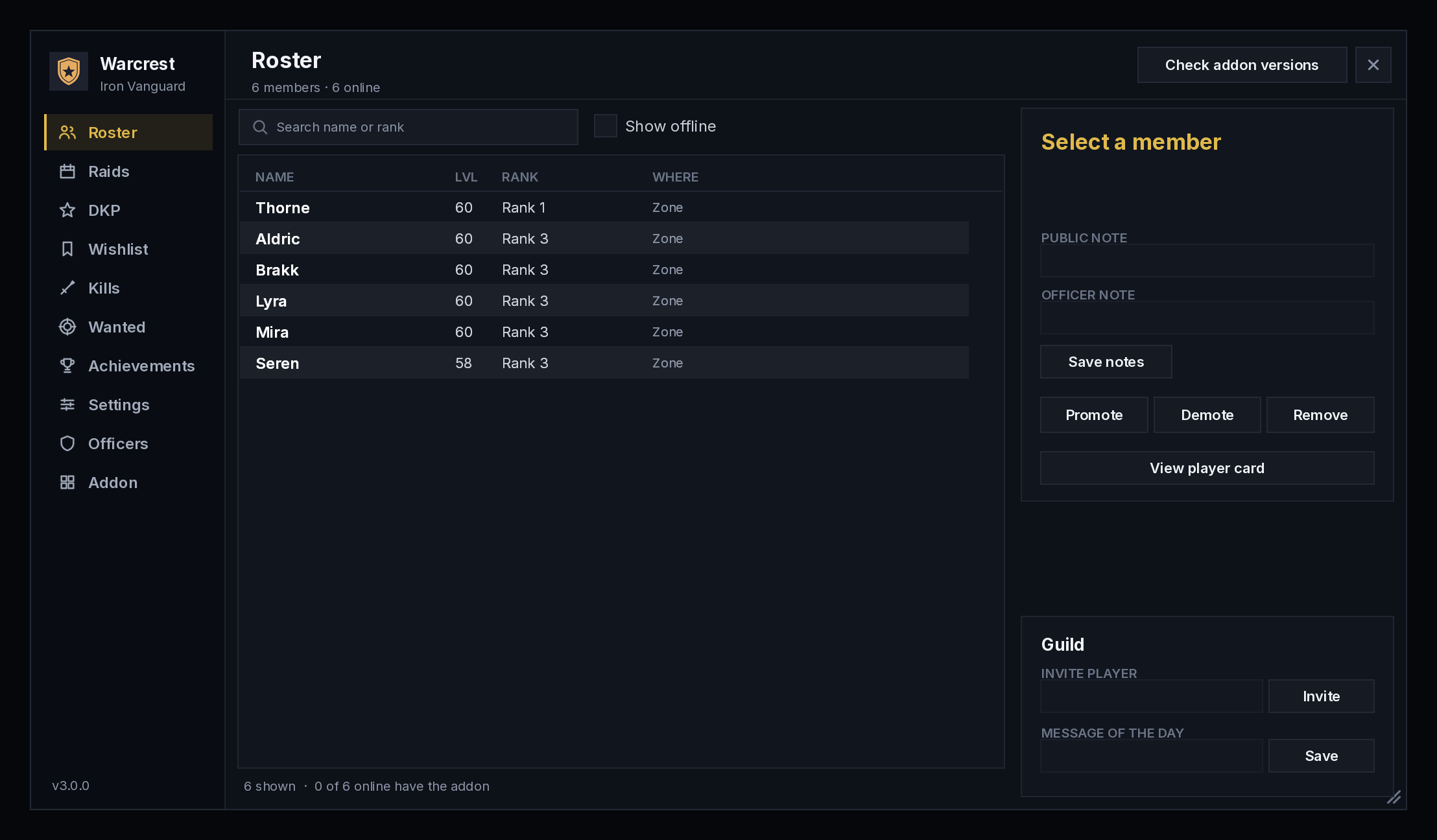
- Roster tools: search, notes, promote, demote, remove, invite, and the Message of the Day.
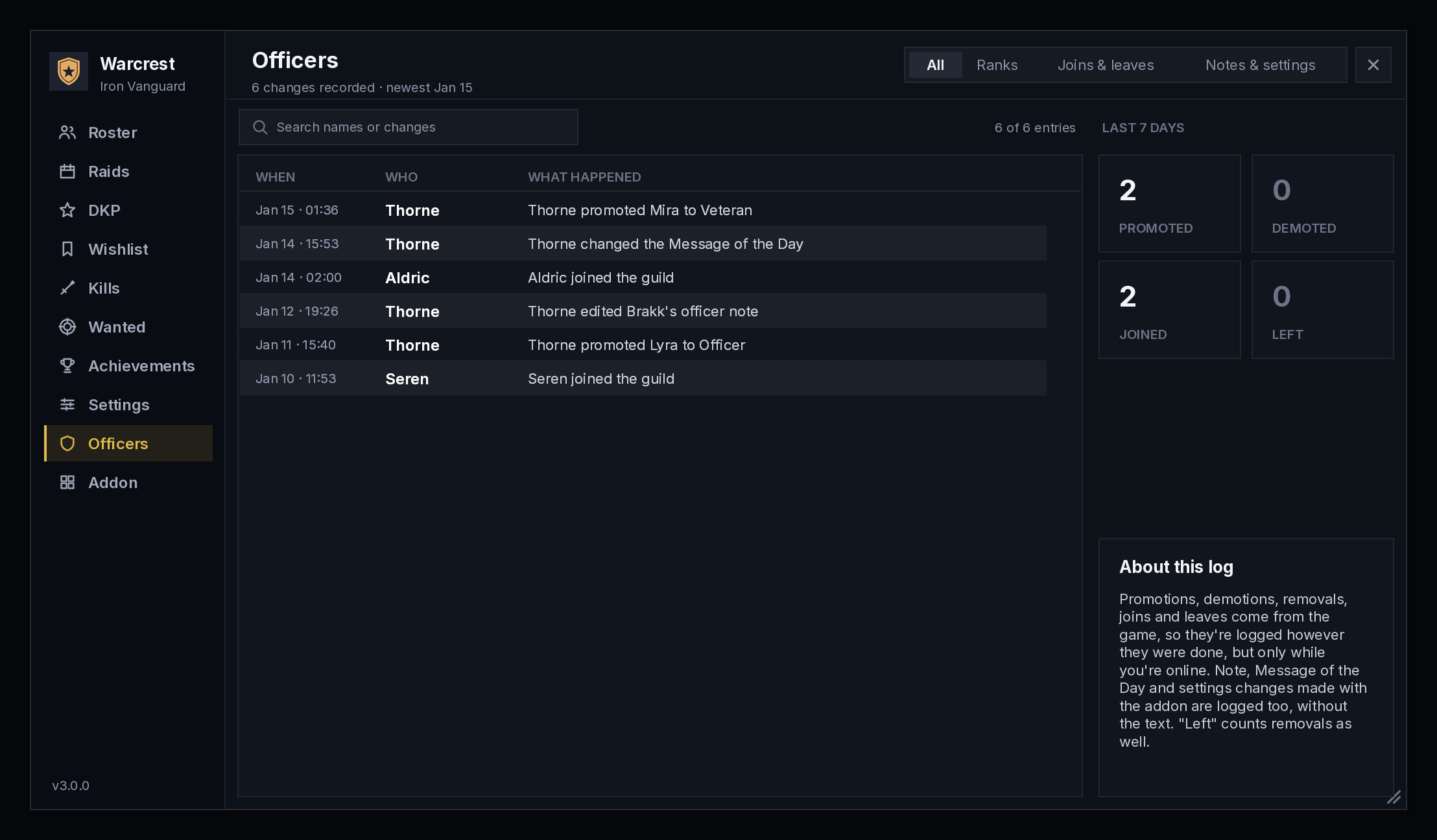
- Officer log: promotions, joins, leaves and note changes.
- Guild-wide settings: choose which alerts the whole guild hears and which ranks manage Warcrest.
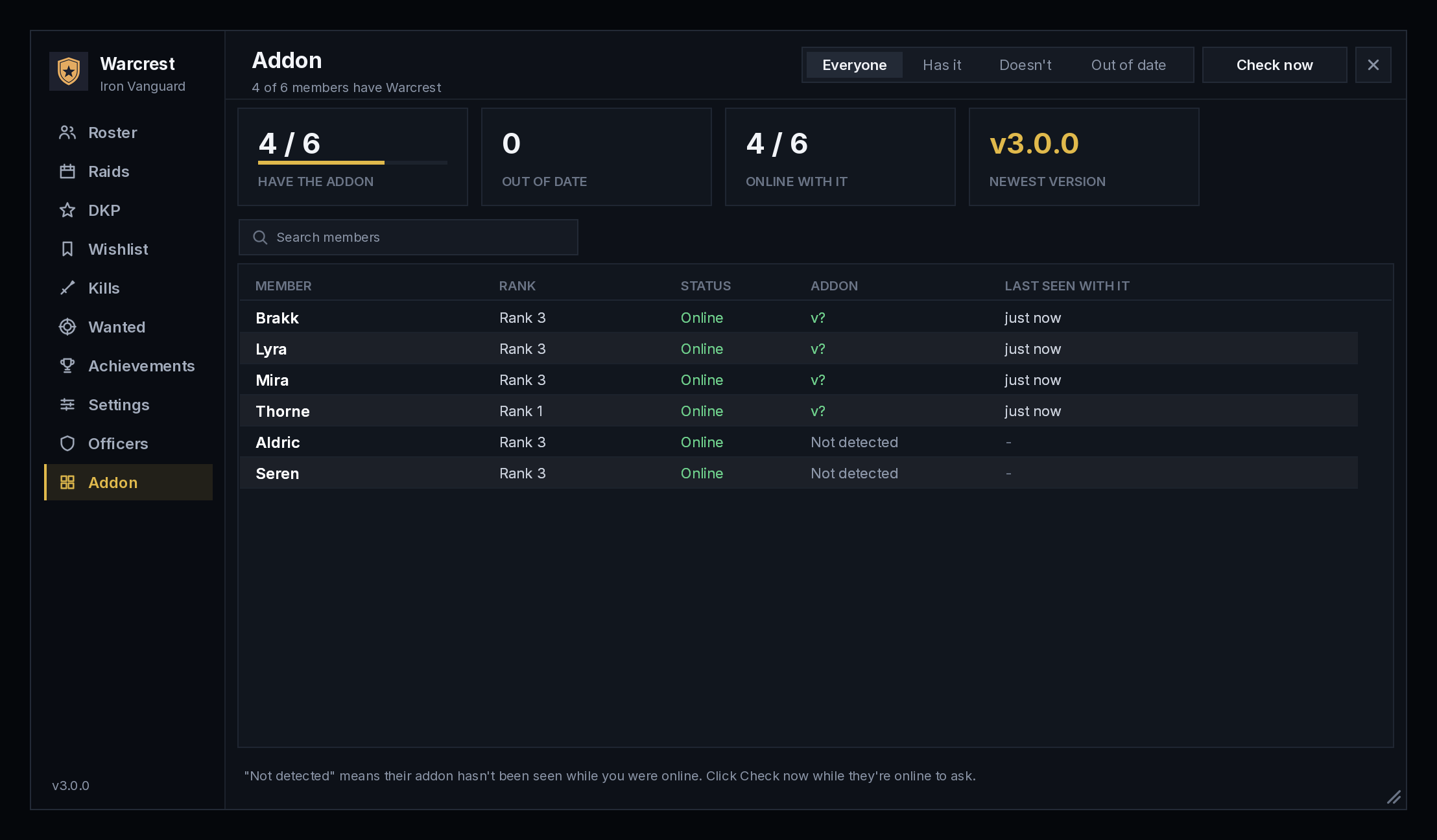
- Addon check: see who has Warcrest and who's out of date.
- Recruiting: a recruit list shared by every officer (New, Contacted, Trial, Joined, Declined), trial tracking with raid and event attendance, players who whisper about joining, and a recruiting message you post with one click.
Works with
- OpenMap: guild death marks and wanted sightings show on OpenMap's map as well as the game's own.
- TomTom: click a mark on the map to set a waypoint to it.
Both are optional. Warcrest works fine without them.
Languages
English, Deutsch, Français and Español, help included. Warcrest follows your game's language, or you can pick one in Settings.
Getting started
- Install Warcrest. Ask your guildmates to install it too, because it works best when everyone has it.
- Open it with /warcrest (or /wc), or with the crest by your minimap.
- Officers: the welcome window sets who manages Warcrest and whether your guild uses DKP.
Stuck? Click Help at the bottom of the side menu, or type /warcrest help.
Commands
| Command | What it does |
|---|---|
/warcrest or /wc |
Open Warcrest |
/warcrest raids, dkp, kills, wanted, wishlist, achievements |
Open that tab |
/warcrest card Name |
A guild member's player card |
/warcrest events |
Guild events |
/warcrest profile |
Edit your profile |
/warcrest craft [search] |
Who in the guild can craft what |
/warcrest recruit |
The Recruit tab (officers) |
/warcrest check |
Why an achievement has or hasn't counted |
/warcrest council |
The loot council vote (officers start one) |
/warcrest auction [item] [min bid] |
Auction an item to your raid (officers) |
/warcrest raidrecap |
The last raid night's recap |
/warcrest recap |
Last week's guild recap |
/warcrest website |
The website and contact form, ready to copy |
/warcrest help |
Every command, in chat |
Made by Fantasy Glass UI. Copyright © 2026 Fantasy Glass UI. Source code released under the MIT License.
Bugs, ideas and questions
Use the contact form on the Warcrest website. It goes straight to the developer, and you get the reply by email. In game, /warcrest website shows the address, ready to copy.
Warcrest Team