


Fantasy Glass UI
Screenshot 2026-11-11 093049.jpg
Screenshot 2026-11-11 110249.jpg
Screenshot 2026-11-11 110220.jpg
Description
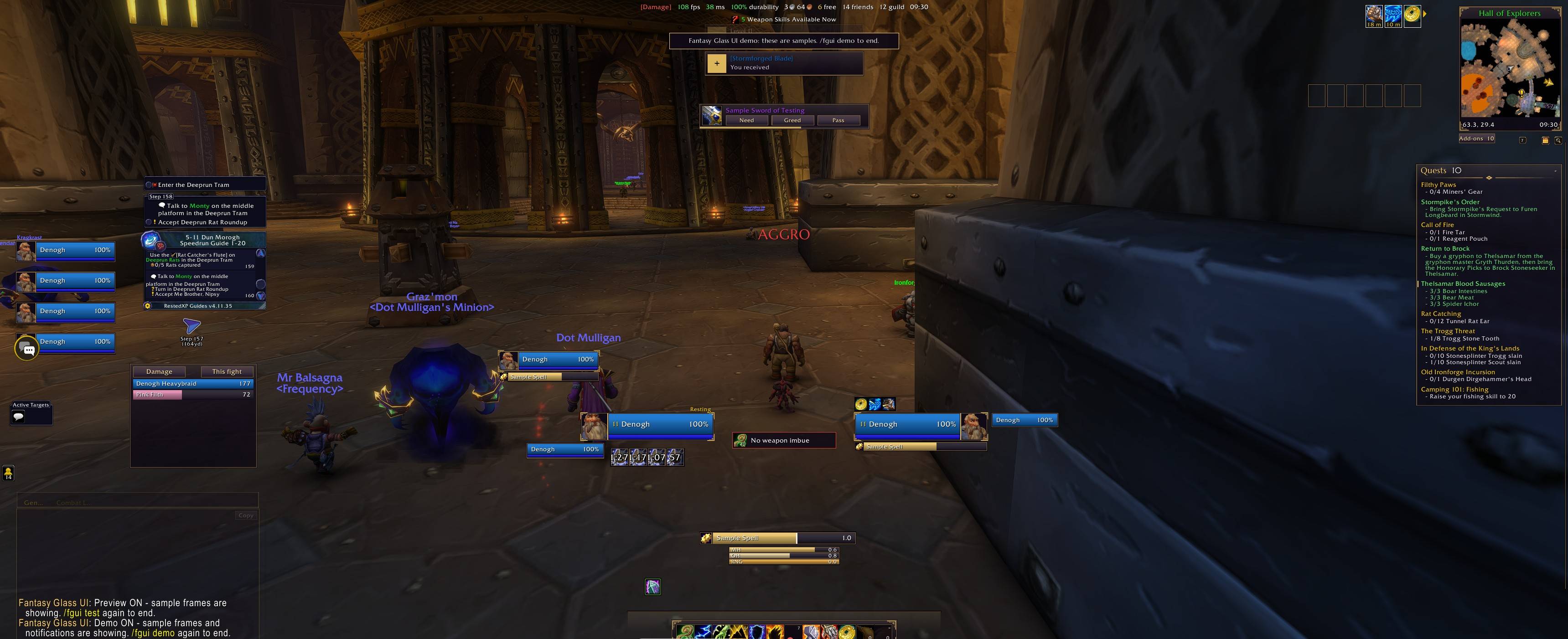
**A complete interface in one add-on.** Unit frames, action bars, bags, quests, minimap, chat and the game's own windows, all in one consistent look that you choose: clean glass or ornamented fantasy.
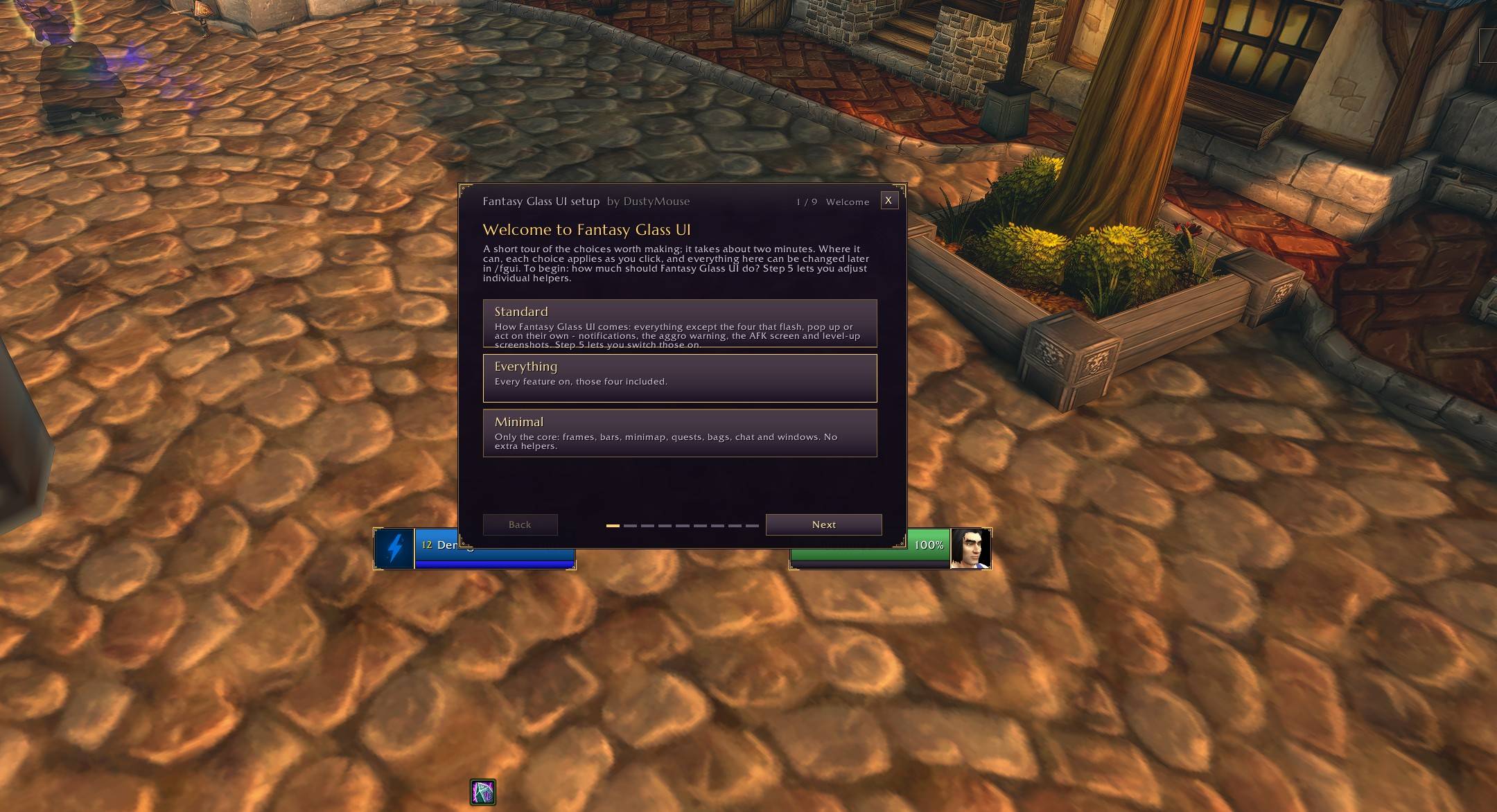
No libraries to install. No setup files to hunt for. A guided setup opens the first time you log in.
Built and tested on **WoW Forever** (interface 16001).
## Why this one
- **One add-on, nothing else required.** It replaces a whole stack.
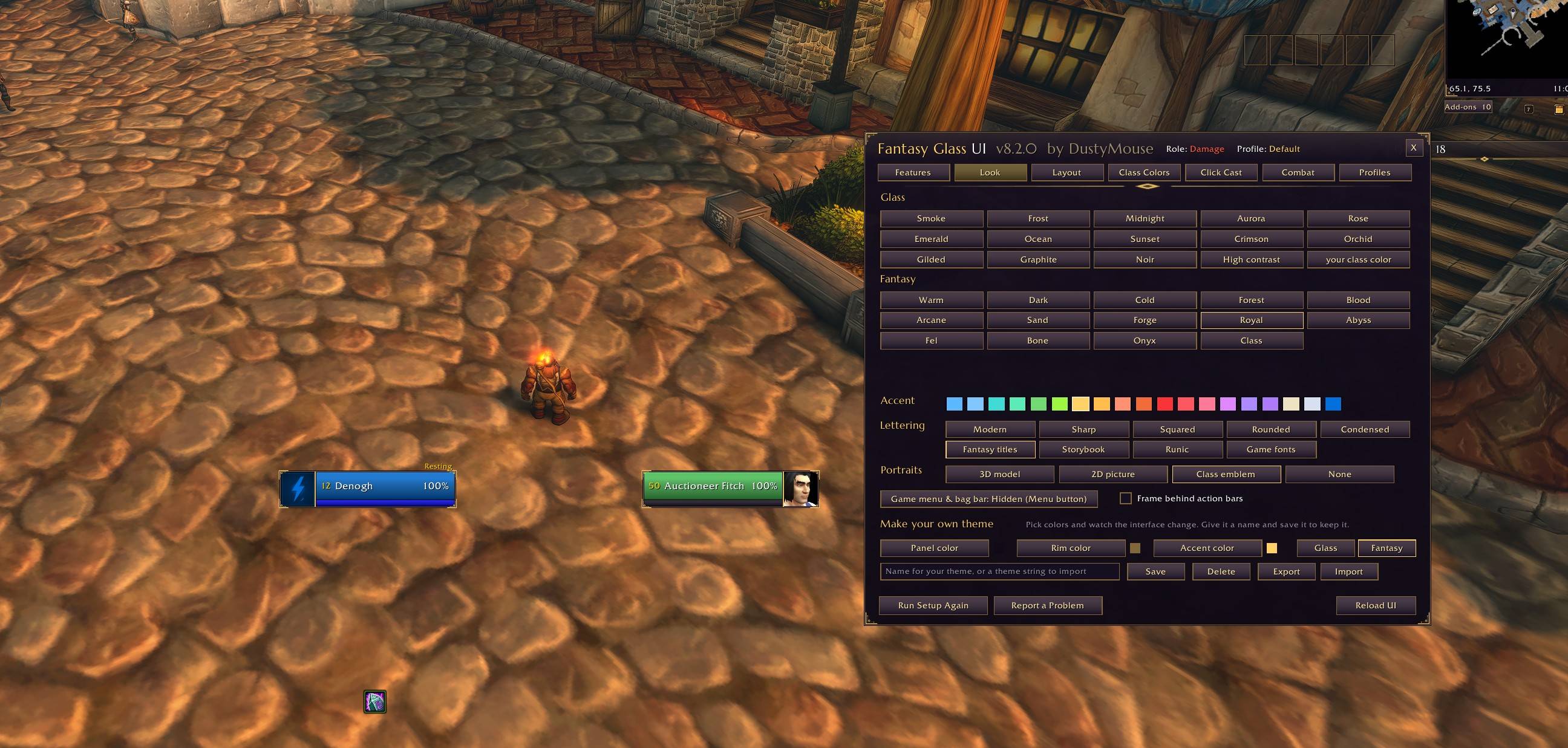
- **29 themes, and an editor to make your own.** 15 glass and 14 fantasy themes, 19 accent colors, 9 lettering styles. Share your themes as a line of text.
- **It adapts to the game.** Where the client hides information from add-ons during combat, Fantasy Glass UI changes how it works instead of breaking.
- **It gets along with your other add-ons.** If you already run a bar, bag, nameplate or unit frame add-on, it leaves that job alone and tells you so.
## What you get
**Frames and combat**
- Player, target, focus, pet and party frames, with 3D, 2D or animated class-emblem portraits
- Raid frames, cast bars, a swing timer and nameplates
- Cooldown tracker, damage meter, totem timers, weapon imbue reminder
- Class resource bars under your frame
**Bars**
- Restyled action bars that you can move, resize and set to fade when not in use
- A keybind mode: hover a button, press a key
**Bags, quests and the rest of the screen**
- One-window bags and bank with search, categories, junk selling, upgrade arrows and item counts across your characters
- Quest tracker and quest log
- Minimap, an info bar, experience and reputation bars
- Chat styling, clickable links, a copy window and restyled chat bubbles
- Notifications for loot, mail, whispers, full bags and worn gear
**The game's windows, restyled to match**
Character, spellbook, talents, professions, collections, auction house, vendor, mailbox, trainer, guild, map and quest dialogs.
## Make it yours
- **Guided setup:** nine short steps covering your role, look, lettering, features and layout
- **Move mode:** drag any panel, with snapping; right-click one for its own settings
- **Layouts** that can switch by talent set or by group size, and can be shared as text
- **Profiles** per character, with import and export
## Accessibility
- A high-contrast theme
- Color-blind safe colors (blue and orange in place of green and red)
- A reduce-motion switch
- One slider for all text size
## Good to know
- Bars and panels cannot be moved during combat. That is a game rule for all add-ons.
- The bag window cannot use potions and similar items during combat. Keep those on an action bar.
- On WoW Forever, buffs and debuffs are hidden from add-ons in combat, so the game's own buff frames are restyled and used instead.
## Commands
| Command | What it does |
|---|---|
| `/fgui` | Open the options |
| `/fgui setup` | Run the setup again |
| `/fgui move` | Arrange your panels |
| `/fgui demo` | Fill the screen with samples to see everything at once |
| `/fgui check` | A report on what is running |
## Support
If something looks wrong, open `/fgui` and press **Report a Problem**. It gathers what is needed into text you can copy. Paste that into a comment here along with a line about what happened.
## Credits and license
Fantasy Glass UI is by **DustyMouse**. All rights reserved. The bundled fonts are under the SIL Open Font License; their license files are included.
Fantasy Glass UI Team
